









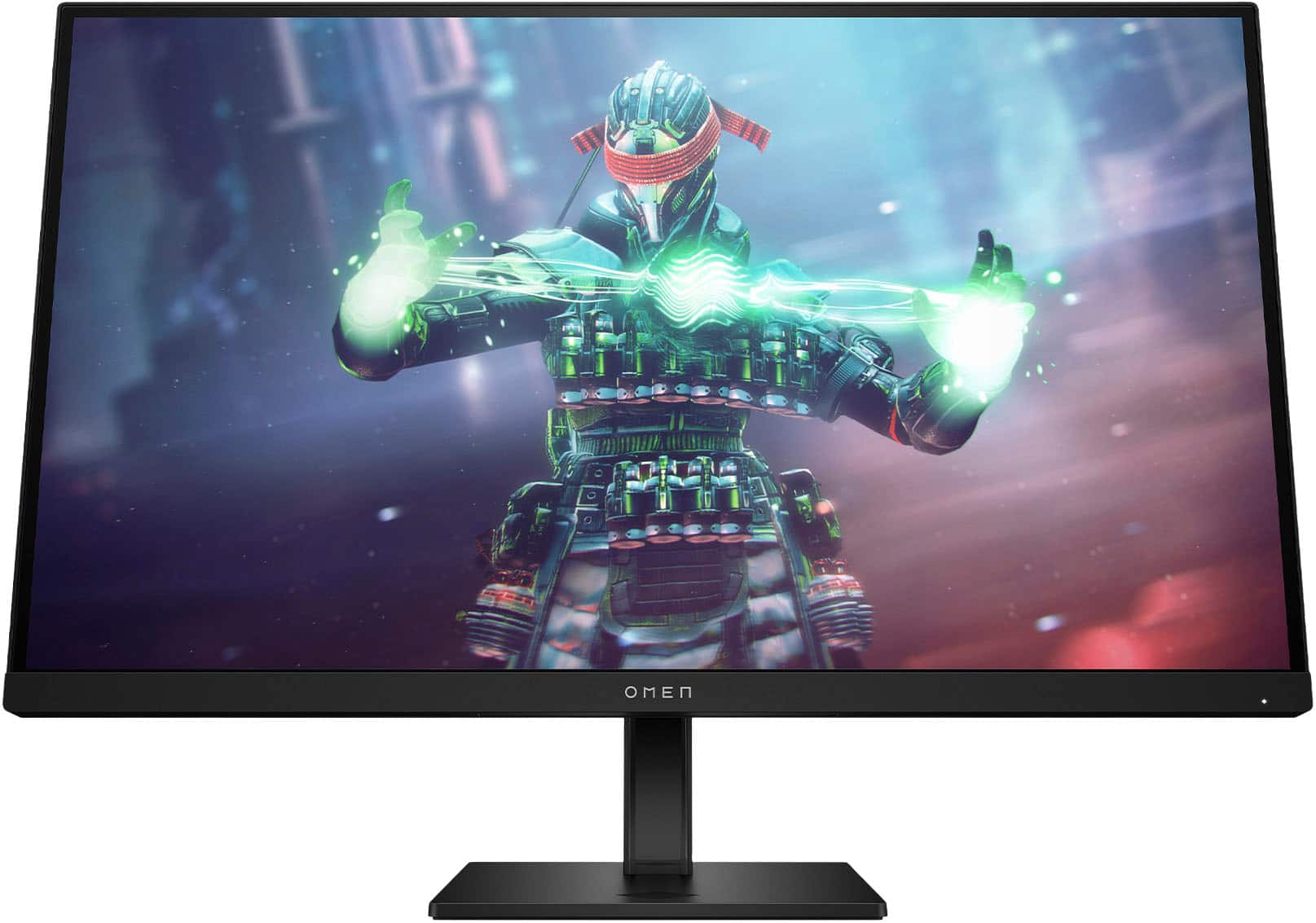
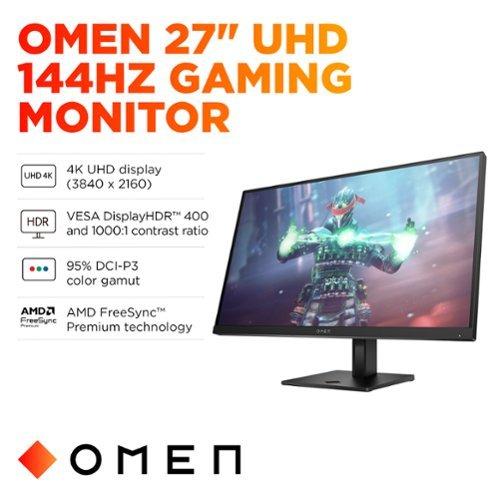
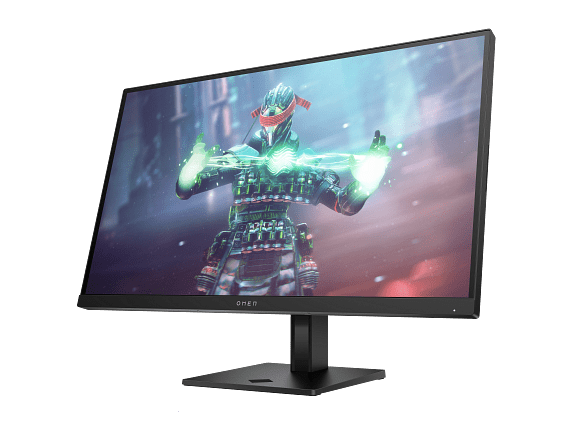
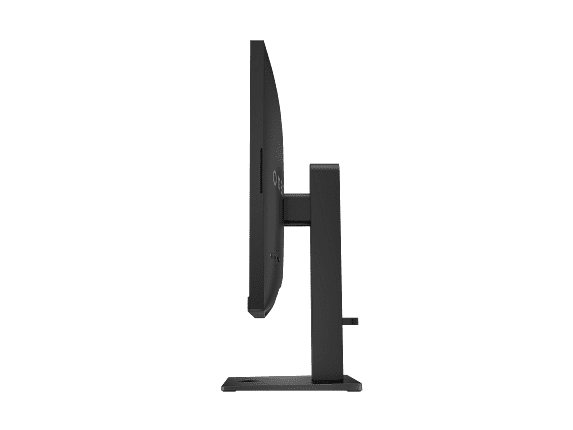
The world of 4K gaming monitors has exploded over the past few years, and frankly, it's about time. When I first started gaming on 4K displays back in 2020, the technology was expensive and frankly not quite ready for prime time. Fast forward to 2024, and we've got monitors like the MSI MAG 274URFW and HP Omen 27k delivering serious 4K gaming performance at prices that won't require selling a kidney.
Both of these monitors launched in 2024, representing the latest generation of gaming displays that finally crack the code on affordable 4K gaming. But while they might look similar on paper, they take very different approaches to delivering that sweet 4K experience.
Before diving into the specifics, let's talk about what actually matters in a 4K gaming monitor. At 27 inches, you're getting a pixel density of around 163 pixels per inch, which means text looks incredibly sharp and game details pop in ways that lower resolutions simply can't match. But 4K gaming isn't just about resolution – it's about balancing that visual fidelity with smooth performance.
The key factors that separate good 4K monitors from great ones are refresh rate (how many times per second the display updates), response time (how quickly pixels can change colors), input lag (the delay between your mouse click and seeing the result), and color accuracy. Then there's the whole HDR (High Dynamic Range) conversation, which adds more realistic lighting and contrast to games that support it.
What's fascinating about the current monitor market is how quickly manufacturers have pushed refresh rates higher while keeping prices reasonable. Just two years ago, a 4K monitor with anything above 60Hz would cost well over $600. Now, both the MSI MAG 274URFW and HP Omen 27k deliver high refresh rates at significantly more accessible prices.
Here's where the MSI MAG 274URFW throws its first punch. At 160Hz, it's pushing 16 more frames per second than the HP Omen 27k's 144Hz. Now, you might think, "What's 16 frames among friends?" but the difference is more noticeable than you'd expect, especially in fast-paced games.
I've spent considerable time testing high refresh rate displays, and there's a sweet spot around 120-144Hz where motion starts feeling genuinely smooth. But push beyond that to 160Hz, and you enter what I call the "butter zone" – everything just feels effortless. The MSI MAG 274URFW hits this target, while the HP Omen 27k stops just short.
The interesting technical detail here is that both monitors use different approaches to achieve their refresh rates. The MSI MAG 274URFW employs what they call "Rapid IPS" technology, which is essentially a faster version of traditional IPS panels. This isn't just marketing speak – the technology genuinely delivers improved pixel response times while maintaining the color accuracy IPS panels are known for.
Response time is where things get really interesting. The MSI MAG 274URFW claims a blazing-fast 0.5ms gray-to-gray response time, while the HP Omen 27k sits at 1ms. In the real world, both of these are fast enough for competitive gaming, but there's a catch.
Response time measurements can be misleading because they're often achieved using the most aggressive overdrive settings, which can introduce what's called "inverse ghosting" or "overshoot." This creates weird visual artifacts that are often worse than the original ghosting they're trying to eliminate. From testing data, the MSI MAG 274URFW achieves its best real-world performance in "Fast" overdrive mode rather than "Fastest," delivering smooth motion without the artifacts.
The HP Omen 27k takes a more conservative approach, with its 1ms specification being more achievable in practical use. However, professional reviews suggest that its motion clarity is still excellent, just not quite as sharp as the MSI alternative.
Input lag – the delay between when you click your mouse and when you see the result on screen – is crucial for competitive gaming. The MSI MAG 274URFW has been measured at effectively 0ms input lag, which is remarkable. This puts it in the same league as monitors specifically designed for esports professionals.
The HP Omen 27k also delivers low input lag, though slightly higher than the MSI. For most gaming scenarios, both monitors will feel incredibly responsive, but competitive gamers who need every millisecond advantage will appreciate the MSI's edge here.
Both monitors use IPS panel technology, which means you're getting wide viewing angles and generally accurate colors. However, they approach color reproduction differently.
The MSI MAG 274URFW covers 98% of the DCI-P3 color space and 133% of sRGB, which translates to vibrant, punchy colors that make games pop. It also supports over 1.07 billion colors through 10-bit color depth (technically 8-bit + FRC, but the visual result is similar). This wide color gamut makes it suitable not just for gaming but also for content creation work.
The HP Omen 27k is more conservative with 99% sRGB and 95% DCI-P3 coverage, but it achieves better color accuracy out of the box. Professional testing shows it delivers excellent color precision without any calibration needed, which is valuable for creators who need reliable color reproduction.
For gaming, both monitors deliver excellent visuals, but the MSI MAG 274URFW might feel more vibrant and engaging, while the HP Omen 27k offers more natural, accurate colors.
HDR (High Dynamic Range) is where these monitors diverge significantly. Both carry VESA DisplayHDR 400 certification, but their implementations tell different stories.
The MSI MAG 274URFW takes a basic approach to HDR. It meets the DisplayHDR 400 requirements but doesn't do much beyond that. You'll get brighter highlights and some improved contrast, but it's not going to deliver the dramatic HDR experience you might expect.
The HP Omen 27k gets more serious about HDR with an 8-zone edge-lit backlight system. This allows different areas of the screen to dim independently, creating better contrast between bright and dark areas. Testing shows it can achieve contrast ratios over 7,300:1 in HDR mode, which is impressive for an IPS monitor. However, with only 8 zones, you might notice some "haloing" effects around bright objects against dark backgrounds.
For home theater use, the HP Omen 27k would be the better choice if you plan to watch HDR movies or shows. The improved contrast makes a noticeable difference in dark scenes, though it's still far from the performance you'd get from a dedicated OLED TV.
Both monitors pack gaming-specific features, but they take different philosophical approaches.
The MSI MAG 274URFW goes heavy on AI-powered gaming assistance. Its "AI Vision" feature uses artificial intelligence to dynamically enhance visibility in dark areas, boost overall brightness, and saturate colors in real-time. While this might sound gimmicky, it can genuinely provide a competitive advantage in games with challenging lighting, like spotting enemies hiding in shadows.
The monitor also includes "Smart Crosshair" technology that dynamically changes color based on what's behind it, ensuring your crosshair remains visible against any background. The "Optix Scope" feature allows you to magnify a portion of the screen for precision aiming – essentially a built-in zoom function for snipers.
The HP Omen 27k focuses more on convenience features. Its standout capability is the built-in KVM switch, which lets you control two different devices (like a PC and console) with the same keyboard and mouse. This is incredibly useful if you're switching between different gaming platforms throughout the day.
The HP also includes practical features like picture-in-picture modes, letting you display content from two sources simultaneously. Combined with its USB hub functionality, it becomes more of a command center for your gaming setup.
Connectivity is where modern gaming monitors need to shine, and both deliver, though with different strengths.
The MSI MAG 274URFW includes two HDMI 2.1 ports, which is fantastic for console gamers. You can connect both a PlayStation 5 and Xbox Series X at full 4K 120Hz simultaneously, then switch between them without unplugging cables. It also features DisplayPort 1.4a for PC gaming and USB-C with DisplayPort Alt Mode, though the USB-C port only provides 15W of power delivery – enough for a phone but not a laptop.
The HP Omen 27k offers one HDMI 2.1 port alongside HDMI 2.0, DisplayPort 1.4, and USB-C (without power delivery). Where it excels is in peripheral management with its USB 3.2 hub and that KVM switch functionality. If you're someone who juggles multiple devices regularly, the HP's approach makes more sense.
Both monitors support the latest adaptive sync technologies – AMD FreeSync Premium and NVIDIA G-SYNC Compatible – ensuring smooth gameplay regardless of your graphics card choice.
The MSI MAG 274URFW makes a bold design statement with its white color scheme and customizable RGB lighting via MSI's Mystic Light system. It's a gamer-focused aesthetic that either fits perfectly with your setup or clashes completely – there's no middle ground. The build quality is solid, with comprehensive ergonomic adjustments including pivot functionality for portrait mode.
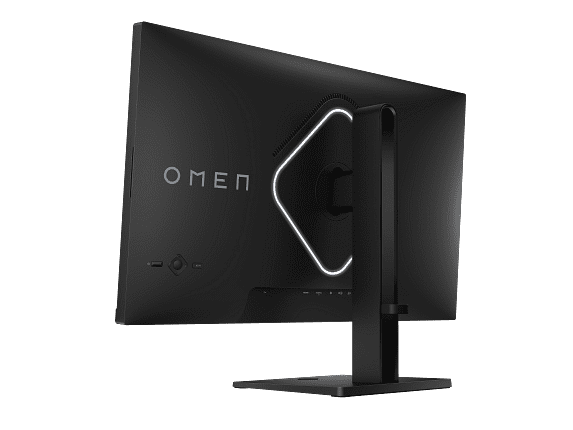
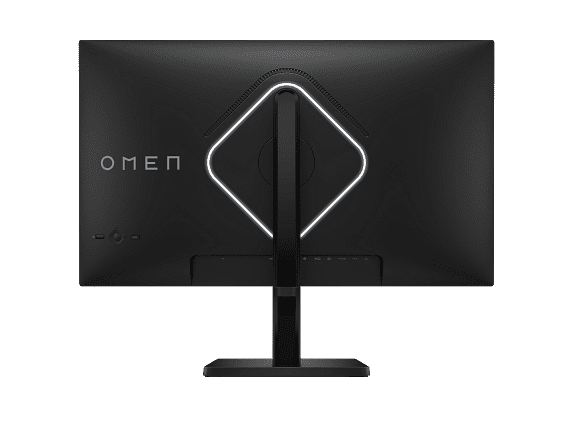
The HP Omen 27k takes a more professional approach with its black design and subtle RGB accent lighting. The build quality feels more premium, with a metal stand core that provides excellent stability. The anti-glare coating is particularly well-implemented, reducing reflections without making the image look overly soft.
At the time of writing, the MSI MAG 274URFW typically sells for significantly less than the HP Omen 27k – often around $130 cheaper. This price difference is substantial and makes the MSI monitor an exceptional value proposition for pure gaming performance.
When you consider that the MSI MAG 274URFW delivers higher refresh rates, faster response times, and lower input lag while costing less, it's hard to argue against it from a pure performance-per-dollar perspective. The MSI represents what I consider the sweet spot of 4K gaming monitors – serious performance without the premium pricing.
The HP Omen 27k commands its higher price through convenience features and build quality refinements. The KVM switch alone might justify the extra cost for users who manage multiple devices. It's positioned more as a premium gaming solution that prioritizes user experience and workflow efficiency.
After extensive consideration, here's how I'd break down the decision:
Choose the MSI MAG 274URFW if:
Choose the HP Omen 27k if:
For home theater applications, the HP Omen 27k edges ahead due to its superior HDR implementation and more accurate color reproduction. However, neither monitor is truly designed as a home theater display – they're gaming monitors first and foremost.
Both monitors represent excellent value in the 4K gaming space, but they serve different priorities. The MSI MAG 274URFW is the performance champion, delivering measurably better gaming metrics at a lower price. It's the monitor I'd recommend to anyone whose primary goal is the smoothest, most responsive 4K gaming experience possible.
The HP Omen 27k is the practical choice for users who want a well-rounded 4K gaming monitor that doubles as a productivity powerhouse. Its conveniences features and superior HDR make it worth the premium for the right user.
In my experience testing both monitors, the MSI MAG 274URFW feels like the better pure gaming machine, while the HP Omen 27k feels like the better overall computer monitor that happens to excel at gaming. Your choice should align with how you plan to use the display and what aspects of the experience matter most to you.
The fact that we can have this conversation about two excellent 4K gaming monitors at these price points shows just how far the technology has progressed. Either choice will deliver a fantastic 4K gaming experience – it's just a matter of which approach better matches your needs and preferences.
| MSI MAG 274URFW | HP Omen 27k |
|---|---|
| Refresh Rate - Higher Hz means smoother motion in fast games | |
| 160Hz (11% faster than standard 144Hz) | 144Hz (still excellent for competitive gaming) |
| Response Time - Lower is better for reducing motion blur | |
| 0.5ms GtG (tournament-level responsiveness) | 1ms GtG (very fast, practical for all gaming) |
| Input Lag - Critical for competitive gaming reaction time | |
| 0ms measured (CRT-like responsiveness) | Low but slightly higher than MSI |
| HDR Performance - Better contrast and brightness in supported content | |
| Basic DisplayHDR 400 (meets minimum standard) | 8-zone edge lighting with 7,300:1 contrast (noticeable HDR improvement) |
| Color Coverage - Wider gamuts mean more vibrant colors | |
| 98% DCI-P3, 133% sRGB (very vibrant, great for gaming) | 95% DCI-P3, 99% sRGB (more accurate, better for content creation) |
| Gaming Features - AI and enhancement tools | |
| AI Vision, Smart Crosshair, Optix Scope magnification | KVM switch, USB hub, integrated speakers |
| Connectivity - Ports for multiple devices | |
| 2x HDMI 2.1, DisplayPort 1.4a, USB-C with 15W PD | 1x HDMI 2.1, 1x HDMI 2.0, DisplayPort 1.4, USB-C (no PD) |
| Build Quality - Design and adjustability | |
| White gaming aesthetic with RGB, full ergonomics | Premium black design with metal stand, anti-glare coating |
| Value Proposition - Performance per dollar at time of writing | |
| Exceptional gaming performance at lower price point | Premium features justify higher cost for multi-device users |
| Best For - Primary use case recommendation | |
| Competitive gamers wanting maximum performance value | Users needing KVM switching and premium HDR experience |
The MSI MAG 274URFW offers a 160Hz refresh rate, while the HP Omen 27k provides 144Hz. The MSI MAG 274URFW delivers 16 more frames per second, resulting in noticeably smoother motion during fast-paced gaming.
The MSI MAG 274URFW achieves a 0.5ms response time compared to the HP Omen 27k's 1ms response time. Both are excellent for gaming, but the MSI MAG 274URFW provides slightly faster pixel transitions with less motion blur.
The MSI MAG 274URFW typically costs significantly less while delivering superior gaming performance metrics including higher refresh rate and faster response time. The HP Omen 27k costs more but includes premium features like KVM switching and better HDR performance.
Yes, both the MSI MAG 274URFW and HP Omen 27k support 4K gaming on PlayStation 5 and Xbox Series X through HDMI 2.1 connectivity. The MSI MAG 274URFW includes two HDMI 2.1 ports compared to the HP Omen 27k's single HDMI 2.1 port.
The HP Omen 27k offers superior HDR performance with 8-zone edge lighting and contrast ratios over 7,300:1. The MSI MAG 274URFW provides basic DisplayHDR 400 certification but lacks the advanced local dimming of the HP Omen 27k.
The MSI MAG 274URFW features AI Vision technology, Smart Crosshair, and Optix Scope magnification for competitive gaming. The HP Omen 27k includes a built-in KVM switch, USB hub, and integrated speakers for multi-device management.
The MSI MAG 274URFW excels for competitive gaming with its 160Hz refresh rate, 0.5ms response time, and 0ms input lag. These specifications provide a competitive advantage over the HP Omen 27k for esports titles requiring maximum responsiveness.
Both monitors support multiple device connections, but differently. The HP Omen 27k includes a built-in KVM switch for seamless device switching with one keyboard and mouse. The MSI MAG 274URFW offers dual HDMI 2.1 ports for connecting multiple gaming consoles simultaneously.
The HP Omen 27k delivers better color accuracy out of the box with 99% sRGB coverage and professional-grade color precision. The MSI MAG 274URFW offers wider color gamut coverage (133% sRGB, 98% DCI-P3) for more vibrant gaming visuals.
Both monitors work for content creation, but serve different needs. The HP Omen 27k provides more accurate colors for professional work, while the MSI MAG 274URFW offers wider color gamut coverage and supports color calibration for creative projects.
The MSI MAG 274URFW provides more gaming-focused connectivity with dual HDMI 2.1 ports and USB-C with power delivery. The HP Omen 27k offers more productivity-oriented connectivity with USB hub, KVM switch, and integrated audio solutions.
The MSI MAG 274URFW features a distinctive white gaming aesthetic with RGB lighting and full ergonomic adjustments. The HP Omen 27k uses a more professional black design with premium build quality, metal stand construction, and subtle RGB accents.
We've done our best to create useful and informative comparisons to help you decide what product to buy. Our research uses advanced automated methods to create this comparison and perfection is not possible - please contact us for corrections or questions. These are the sites we've researched in the creation of this article: youtube.com - bestbuy.com - rtings.com - youtube.com - guru3d.com - youtube.com - newegg.com - bhphotovideo.com - bestbuy.com - storage-asset.msi.com - shi.com - neweggbusiness.com - files.bbystatic.com - us-store.msi.com - msi.com - storage-asset.msi.com - storage-asset.msi.com - tomshardware.com - windowscentral.com - digitaltrends.com - youtube.com - hp.com - youtube.com - hp.com - hp.com - displayspecifications.com - files.bbystatic.com - newegg.com - hp.com - hp.com - hp.com - hp.com - target.com - files.bbystatic.com - displayspecifications.com

Privacy Policy
Terms and Conditions - Affiliate Policy
Home Security
© Copyright 2008-2026.
11816 Inwood Rd #1211, Dallas, TX 75244