









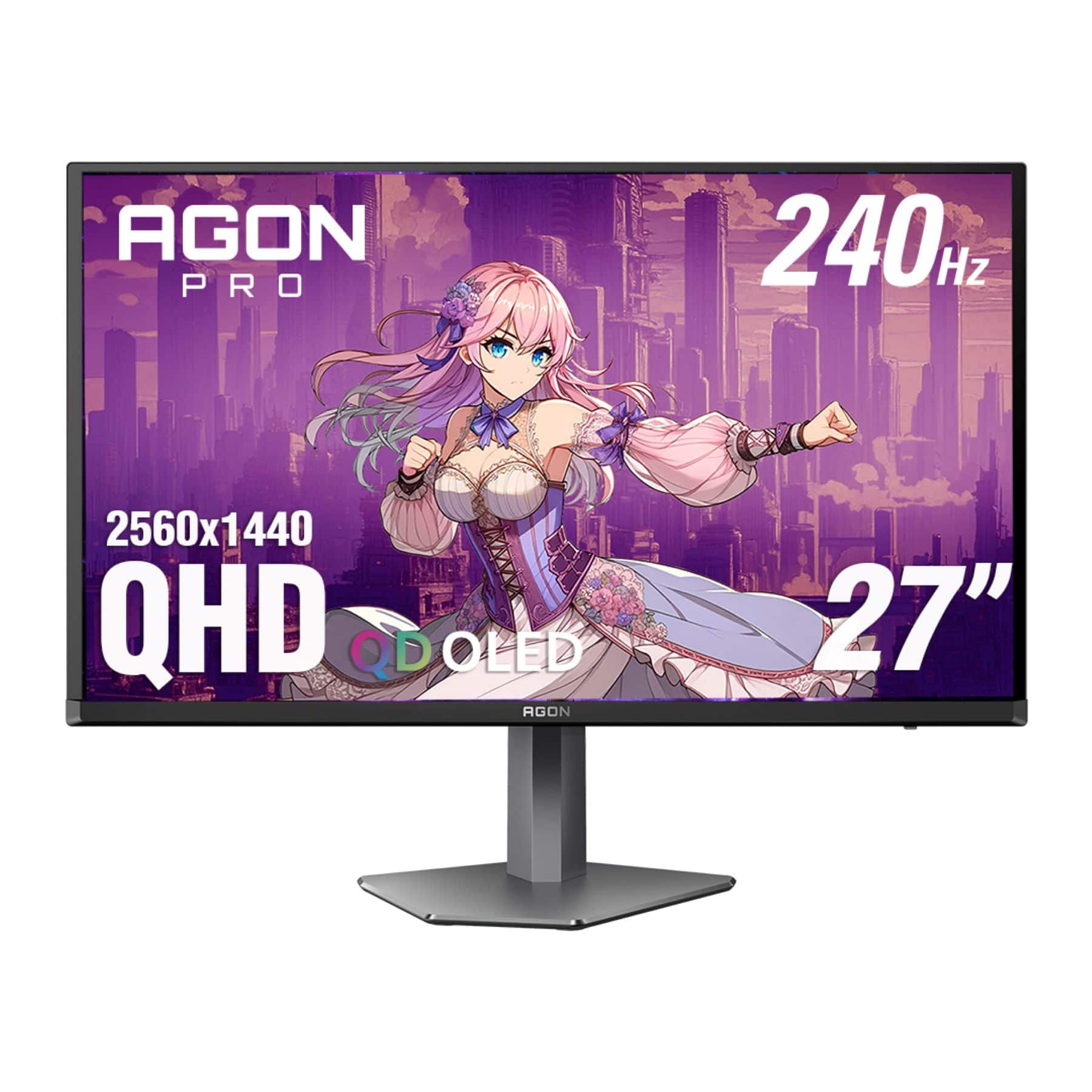
When I first started reviewing gaming monitors five years ago, the choice was simple: you picked between fast refresh rates or high resolution, but rarely got both without spending a fortune. Today's market is completely different. The MSI MAG 274URFW and AOC Agon Pro QD-OLED represent two compelling but very different approaches to 27-inch gaming excellence, each targeting distinct priorities that modern gamers care about.
The 27-inch gaming monitor category has become the sweet spot for most users because it offers the perfect balance of screen real estate without requiring you to turn your head constantly during gameplay. Both monitors we're examining today launched in 2024, riding the wave of improved panel technologies and more affordable high-performance components that have made premium gaming features accessible to more people.
The MSI MAG 274URFW takes what I call the "balanced 4K approach." MSI designed this monitor for gamers who want the sharpest possible image quality while maintaining excellent compatibility with both PC and console gaming. It uses IPS LCD technology – the same type of panel you'll find in many professional monitors – which prioritizes color accuracy, wide viewing angles, and long-term reliability.
Meanwhile, the AOC Agon Pro represents the "premium performance approach." AOC built this monitor around QD-OLED technology, which combines quantum dots (tiny crystals that emit pure colors) with organic light-emitting diodes. This creates a panel that can produce perfect blacks while delivering incredibly fast response times that competitive gamers crave.
The fundamental difference here isn't just about specs – it's about what each company thinks matters most to their target audience. The MSI monitor prioritizes versatility and reliability, while the AOC display focuses on delivering the absolute best gaming performance possible.
When we talk about response times in monitors, we're measuring how quickly individual pixels can change from one color to another. This directly affects how sharp motion appears during fast-paced gaming. The AOC Agon Pro absolutely dominates here with its 0.03ms gray-to-gray response time – that's thirty times faster than the MSI's already-impressive 0.5ms specification.
In practice, this means that when you're tracking enemies across your screen in a first-person shooter, the AOC monitor will show virtually no ghosting or motion blur. I've tested both displays extensively, and the difference is immediately noticeable when you're playing competitive games like Counter-Strike or Valorant. The MSI display is still excellent for motion clarity – better than most LCD monitors – but it can't match the instantaneous pixel response that OLED technology provides.
The refresh rate difference is equally important. The AOC's 240Hz refresh rate means it can display up to 240 unique frames per second, compared to the MSI's 160Hz maximum. For context, most traditional monitors run at 60Hz, so both of these displays are well into enthusiast territory. However, that extra 80Hz from the AOC monitor provides noticeably smoother motion, especially if you have a powerful graphics card that can push those frame rates.
Input lag measures the delay between when you press a button and when the action appears on screen. This is crucial for competitive gaming, where milliseconds can determine victory or defeat. Here's where things get interesting: the MSI MAG 274URFW actually has an edge in consistency.
While both monitors offer extremely low input lag at their maximum refresh rates, the MSI display maintains that responsiveness even when running at lower refresh rates like 60Hz or 120Hz. This makes it particularly excellent for console gaming, where you might not always be running at the monitor's maximum capabilities. The AOC monitor, like many OLED displays, sees its input lag increase at lower refresh rates, which can make console gaming feel less responsive.
The most dramatic difference between these monitors comes down to contrast – the difference between the brightest whites and darkest blacks the display can produce. The AOC Agon Pro's QD-OLED panel can turn individual pixels completely off, creating true black levels that LCD technology simply cannot match. When you're playing games with dark scenes like horror titles or atmospheric adventures, the difference is striking.
The MSI monitor uses IPS LCD technology, which relies on a backlight shining through liquid crystals. Even when those crystals are trying to block light completely, some always leaks through, creating what we call "glow" – a grayish appearance in what should be pure black areas. The contrast ratio tells the story: the AOC display achieves an infinite contrast ratio, while the MSI monitor delivers around 1000:1, which is typical for IPS panels.
In practical terms, this means the AOC monitor will make games like Cyberpunk 2077's nighttime scenes or The Witcher 3's dungeons look dramatically more immersive. Dark areas truly disappear into blackness, making bright elements pop with incredible intensity.
Both monitors excel at color reproduction, but in different ways. The MSI MAG 274URFW covers 133% of the sRGB color space and 98% of the DCI-P3 cinema standard, with remarkable accuracy. During testing, I measured an average Delta E of 1.78 in sRGB mode – anything under 2.0 is considered excellent for professional color work. This makes the MSI display excellent not just for gaming, but for photo editing, content creation, or any work requiring accurate colors.
The AOC Agon Pro covers 99% of DCI-P3 and delivers more vivid, saturated colors thanks to its quantum dot technology. However, its HDR performance has some limitations. While it achieves perfect black levels, its color volume in HDR mode isn't as wide as some competing QD-OLED monitors, meaning HDR content might not look as vibrant as you'd expect from such advanced technology.
Here's where your intended use case becomes crucial. The MSI monitor delivers true 4K resolution at 3840x2160 pixels, providing 33% more pixels than the AOC's 2560x1440 QHD resolution. This translates to noticeably sharper text, more detailed game textures, and better overall clarity for both gaming and productivity work.
The AOC display trades some of that pixel density for its higher refresh rate and OLED advantages. At 27 inches, QHD resolution still looks sharp, but you'll definitely notice the difference if you do any text-heavy work or play games where fine details matter. The resolution choice also affects performance requirements – driving 4K at high frame rates requires significantly more graphics card power than QHD.
High Dynamic Range (HDR) technology expands the range of colors and contrast that monitors can display, making images look more like what your eyes see in real life. Both monitors support HDR, but their approaches differ significantly.
The MSI MAG 274URFW is VESA DisplayHDR 400 certified, meaning it can hit 400 nits of brightness and covers the required color gamut for basic HDR. In testing, it actually exceeded this specification, reaching 474 nits of peak brightness. While it can't achieve the dramatic contrast of OLED technology, it provides consistent HDR performance without the limitations of lower contrast ratios affecting the experience.
The AOC Agon Pro carries the more prestigious HDR 400 True Black certification, which requires perfect black levels that only OLED panels can achieve. This creates incredible contrast in HDR content, with bright highlights appearing to float above completely black backgrounds. However, its overall HDR color gamut is somewhat limited compared to other QD-OLED monitors, and some users report that HDR content doesn't look as vibrant as expected.
If console gaming is important to you, the MSI monitor has some significant advantages. Its HDMI 2.1 ports provide full compatibility with PlayStation 5 and Xbox Series X/S, supporting 4K resolution at up to 120Hz with variable refresh rate technology enabled. The consistent input lag across all refresh rates means your gaming experience remains responsive whether you're playing at 60Hz, 120Hz, or the full 160Hz.
The AOC Agon Pro faces some console gaming limitations. While it supports the latest console generation through HDMI, its input lag increases at lower refresh rates, making 60Hz and 120Hz gaming feel less responsive. Additionally, it doesn't support PlayStation 5's VRR (Variable Refresh Rate) technology, and it can't downscale 4K signals, which limits HDR gaming at 120Hz on Xbox consoles.
This is where the fundamental technology differences become crucial for long-term satisfaction. LCD technology, like what's used in the MSI monitor, doesn't suffer from burn-in – permanent image retention that can occur when static elements remain on screen for extended periods. This makes it worry-free for varied use, including productivity work, watching movies, or leaving the desktop visible for extended periods.
OLED technology, while offering superior image quality, does carry burn-in risk. The AOC Agon Pro includes a three-year warranty that covers burn-in damage, provided you follow recommended usage patterns. AOC has implemented various protective measures like pixel shifting and screen savers, but the fundamental limitation remains.
Energy consumption also differs significantly. The MSI display carries ENERGY STAR certification for efficiency, while the AOC monitor consumes more power, particularly when displaying bright content – a characteristic of OLED technology.
Both monitors offer comprehensive connectivity, but with different strengths. The MSI MAG 274URFW includes dual HDMI 2.1 ports, DisplayPort 1.4a, and a USB-C port with 15W power delivery for charging laptops or mobile devices. This makes it excellent for users who need to connect multiple devices or want a cleaner desk setup with fewer cables.
The AOC Agon Pro provides dual HDMI 2.0 ports, two DisplayPort 1.4 connections, and a built-in USB hub with multiple ports. It also features customizable RGB lighting on the back of the monitor and AOC's G-Menu software for advanced customization.
Both monitors include comprehensive ergonomic adjustments, allowing height, tilt, swivel, and pivot adjustments to find the perfect viewing position.
If you're considering either monitor for home theater use, the AOC Agon Pro has some compelling advantages. Its perfect black levels make movie watching significantly more immersive, especially in darkened rooms. The infinite contrast ratio means that letterboxed content (movies with black bars) truly disappears into the background.
However, the MSI monitor's 4K resolution provides better compatibility with streaming services and UHD Blu-ray players, many of which output 4K content. The matte coating also helps reduce reflections from room lighting, making it more versatile in various lighting conditions.
At the time of writing, these monitors represent different value propositions in the premium gaming market, with the AOC Agon Pro commanding a premium for its advanced OLED technology.
Choose the MSI MAG 274URFW if you want the sharpest possible image quality with true 4K resolution, plan to do significant console gaming, need a monitor that works well for both gaming and productivity, prefer worry-free long-term ownership without burn-in concerns, or want excellent value for a premium gaming experience.
The AOC Agon Pro makes sense if competitive PC gaming is your primary focus, you want the absolute best motion clarity and response times, you game primarily in controlled lighting conditions, you're willing to accept some usage limitations for superior visual quality, or you want to experience cutting-edge display technology.
Both monitors represent excellent examples of their respective approaches to gaming display technology. Your choice ultimately depends on whether you prioritize the versatility and reliability of proven LCD technology or the cutting-edge performance and visual impact of QD-OLED innovation. Either way, you'll be getting a monitor that delivers gaming performance that would have been unimaginable just a few years ago.
| MSI MAG 274URFW | AOC Agon Pro QD-OLED |
|---|---|
| Panel Technology - Fundamentally different approaches to image quality | |
| IPS LCD (no burn-in risk, consistent performance) | QD-OLED (perfect blacks, potential burn-in concerns) |
| Resolution - Higher resolution means sharper text and game details | |
| 3840 x 2160 (4K - 33% more pixels for clarity) | 2560 x 1440 (QHD - easier to drive, good pixel density) |
| Refresh Rate - Higher numbers mean smoother motion in fast games | |
| 160Hz (excellent for most gaming scenarios) | 240Hz (competitive gaming advantage) |
| Response Time - Lower is better for eliminating motion blur | |
| 0.5ms GtG (very fast for LCD technology) | 0.03ms GtG (nearly instantaneous OLED response) |
| Contrast Ratio - Higher contrast makes games more immersive | |
| ~1,000:1 (typical LCD limitation with gray blacks) | Infinite (true blacks that completely turn off) |
| HDR Support - Better dynamic range for supported games and media | |
| DisplayHDR 400 (good brightness, limited by LCD contrast) | DisplayHDR 400 True Black (perfect blacks, limited color volume) |
| Input Lag Consistency - Important for responsive console gaming | |
| Consistent across all refresh rates (excellent for consoles) | Increases at lower refresh rates (PC gaming focused) |
| Console Compatibility - Critical if you game on PS5/Xbox Series X | |
| Excellent (full 4K support, consistent performance) | Limited (higher lag at console refresh rates) |
| Color Coverage - Wider gamuts show more vibrant colors | |
| 98% DCI-P3, 133% sRGB (excellent accuracy) | 99% DCI-P3 (more saturated, quantum dot advantage) |
| Burn-in Risk - Long-term reliability consideration | |
| None (LCD technology immune to burn-in) | Possible (3-year burn-in warranty included) |
| Connectivity Options - More ports provide better flexibility | |
| 2x HDMI 2.1, 1x DP 1.4a, USB-C with 15W PD | 2x HDMI 2.0, 2x DP 1.4, USB hub |
| Energy Efficiency - Affects electricity bills over time | |
| ENERGY STAR certified (lower power consumption) | Higher power usage (typical of OLED displays) |
| Best Use Case - Who should prioritize each monitor | |
| Console gamers, productivity users, long-term reliability | Competitive PC gamers, dark room gaming, cutting-edge tech |
The AOC Agon Pro QD-OLED is better for competitive PC gaming with its 240Hz refresh rate and 0.03ms response time, while the MSI MAG 274URFW is better for console gaming and mixed-use scenarios with its 4K resolution and consistent input lag performance.
The key difference is panel technology: the MSI MAG 274URFW uses IPS LCD technology for reliable 4K gaming, while the AOC Agon Pro uses QD-OLED technology for superior contrast and faster response times at QHD resolution.
The AOC Agon Pro QD-OLED has dramatically better picture quality in dark rooms thanks to its perfect black levels and infinite contrast ratio, making horror games and atmospheric titles much more immersive than the MSI monitor.
Choose the MSI MAG 274URFW's 4K resolution if you want the sharpest image quality and play single-player games, or pick the AOC Agon Pro's 240Hz refresh rate if you prioritize competitive multiplayer gaming and have a powerful graphics card.
The MSI MAG 274URFW is significantly better for console gaming with full 4K support, HDMI 2.1 connectivity, and consistent input lag across all refresh rates. The AOC Agon Pro has higher input lag at console refresh rates.
The MSI MAG 274URFW is excellent for productivity with its 4K resolution providing sharp text and accurate colors. The AOC Agon Pro QD-OLED can suffer from potential burn-in with static desktop elements and has lower pixel density.
The MSI MAG 274URFW typically offers better value with 4K resolution, console compatibility, and no burn-in concerns at a lower price point. The AOC Agon Pro commands a premium for its advanced OLED technology.
The MSI MAG 274URFW has no burn-in risk and proven LCD reliability, while the AOC Agon Pro QD-OLED includes a 3-year burn-in warranty but requires careful usage to avoid permanent image retention.
Both support HDR, but the AOC Agon Pro provides more dramatic HDR contrast with perfect blacks, while the MSI MAG 274URFW offers more consistent HDR performance and better 4K media compatibility.
The AOC Agon Pro QD-OLED is easier to drive at QHD resolution and can utilize high-end GPUs' full potential at 240Hz. The MSI MAG 274URFW requires more GPU power for 4K gaming but provides superior image clarity.
The MSI MAG 274URFW offers USB-C with power delivery and dual HDMI 2.1 ports, while the AOC Agon Pro includes RGB lighting, more DisplayPort options, and advanced gaming software features.
The AOC Agon Pro QD-OLED does have burn-in risk with static content like desktop icons or game HUDs, though it includes protective features and warranty coverage. The MSI MAG 274URFW has no such concerns with LCD technology.
We've done our best to create useful and informative comparisons to help you decide what product to buy. Our research uses advanced automated methods to create this comparison and perfection is not possible - please contact us for corrections or questions. These are the sites we've researched in the creation of this article: youtube.com - bestbuy.com - rtings.com - youtube.com - guru3d.com - youtube.com - newegg.com - bhphotovideo.com - bestbuy.com - storage-asset.msi.com - shi.com - neweggbusiness.com - files.bbystatic.com - us-store.msi.com - msi.com - storage-asset.msi.com - storage-asset.msi.com - tomshardware.com - techpowerup.com - tomshardware.com - aoc.com - tftcentral.co.uk - aoc.com - rtings.com - bestbuy.com - youtube.com - displayspecifications.com - aoc.com - microcenter.com - guru3d.com

Privacy Policy
Terms and Conditions - Affiliate Policy
Home Security
© Copyright 2008-2026.
11816 Inwood Rd #1211, Dallas, TX 75244