










When you're staring at dozens of gaming monitor options, the choice can feel overwhelming. Today, we're diving deep into two monitors that represent completely different philosophies in gaming display technology: the MSI MAG 274URFW and the ASUS ROG Strix OLED XG27ACDNG. These aren't just different brands—they're fundamentally different approaches to what makes a great gaming monitor.
Before we get into the nitty-gritty details, let's talk about what really matters when choosing a gaming monitor. The gaming display market has evolved dramatically over the past few years, and we're now at a point where you need to make some serious trade-offs based on how you actually use your setup.
The biggest decision you'll face is the classic resolution versus refresh rate dilemma. Higher resolution means sharper, more detailed images—think of it like the difference between watching a movie in standard definition versus 4K on Netflix. But higher refresh rates mean smoother motion, which is crucial when you're trying to track enemies in competitive games or enjoy silky-smooth gameplay.
Panel technology is another major consideration. Traditional IPS (In-Plane Switching) panels offer consistent colors and wide viewing angles—meaning the image looks good even when you're not sitting directly in front of the screen. OLED (Organic Light-Emitting Diode) panels, on the other hand, can turn individual pixels completely on or off, creating perfect blacks and incredible contrast that makes games look more dramatic and lifelike.
Your graphics card plays a huge role too. There's no point buying a 4K monitor if your GPU can barely handle 1440p gaming, and similarly, a 360Hz display won't help much if your system can only push 100 frames per second.
Released in 2024, the MSI MAG 274URFW represents what I'd call the "detail-first" approach to gaming monitors. This 27-inch display packs a full 4K resolution (3840×2160 pixels) into what many consider the sweet spot size for desktop gaming. At approximately $360 at the time of writing, it's positioned as an accessible entry point into high-resolution gaming.
The monitor uses a Rapid IPS panel, which is MSI's enhanced version of traditional IPS technology. This means you get consistent colors from almost any viewing angle, plus the reliability that IPS panels are known for. The 160Hz refresh rate strikes a balance—it's significantly smoother than the standard 60Hz displays many people upgrade from, but it doesn't require the absolute latest graphics cards to take full advantage of.
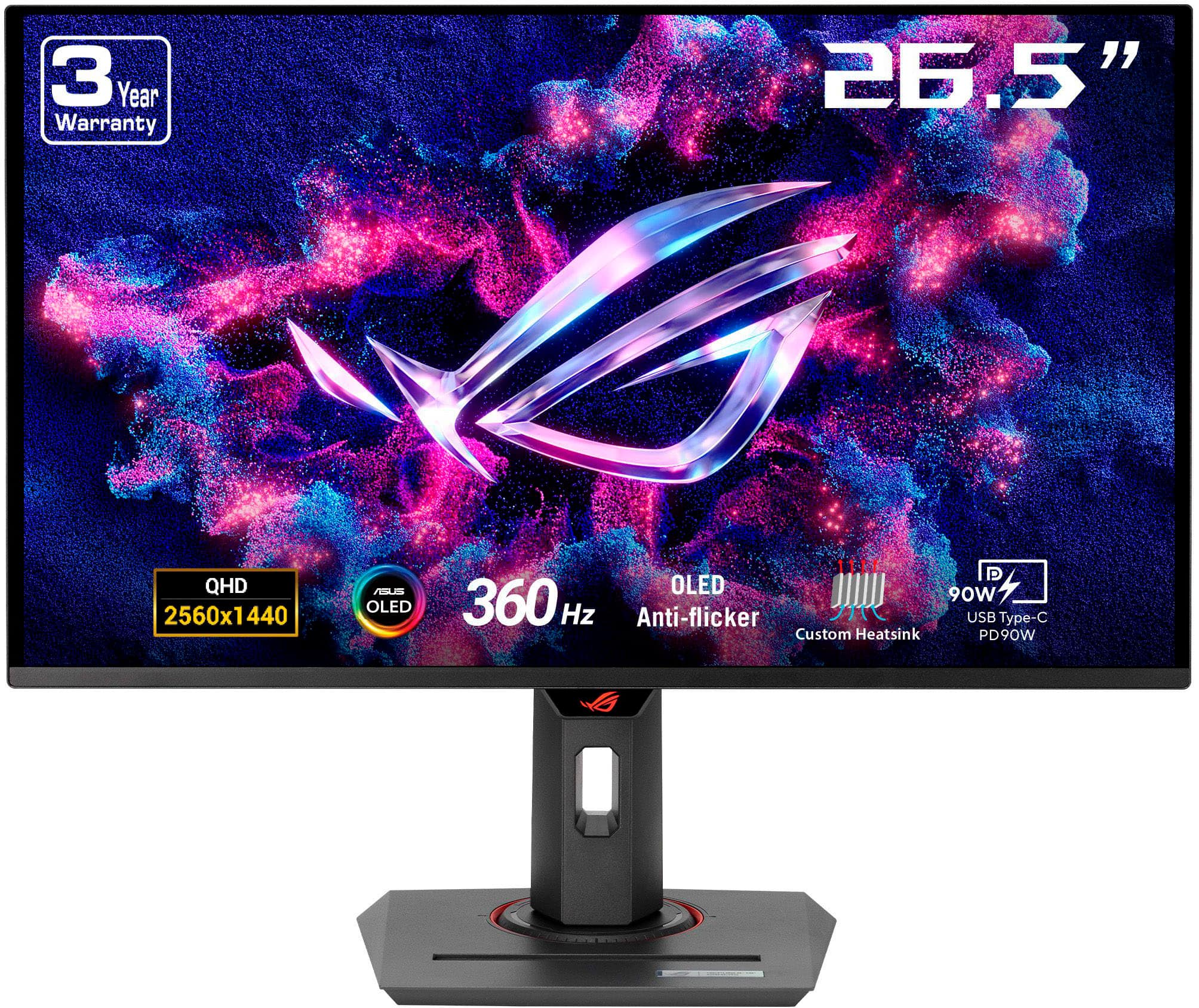
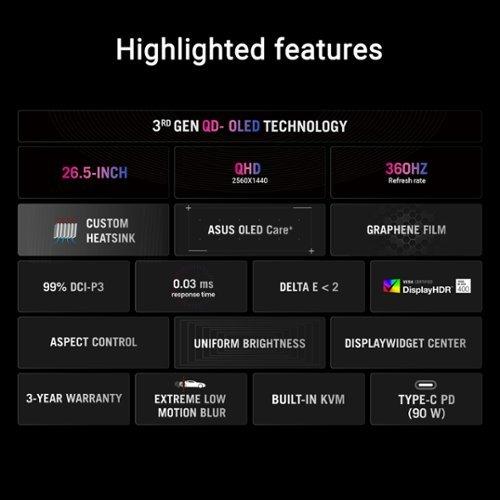
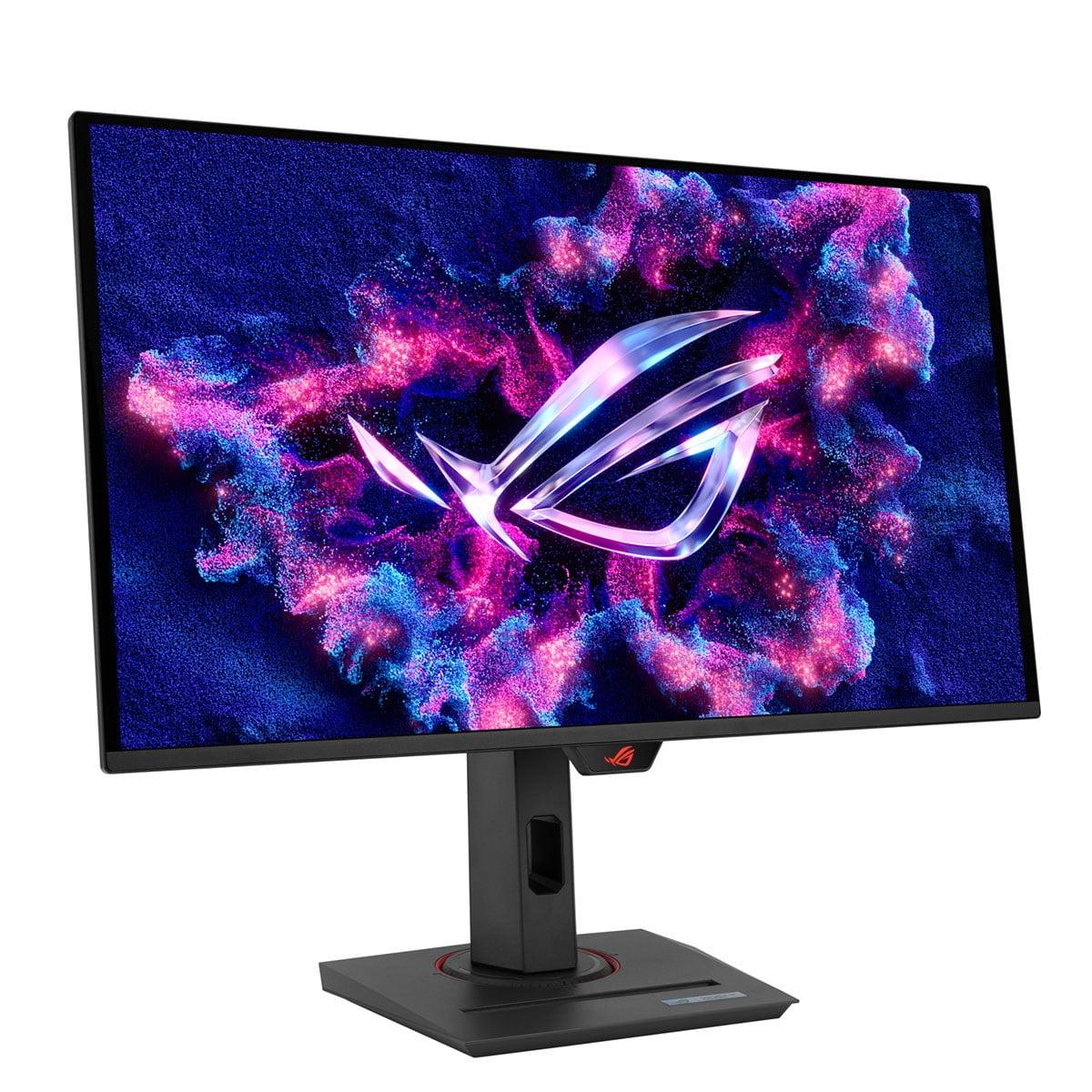
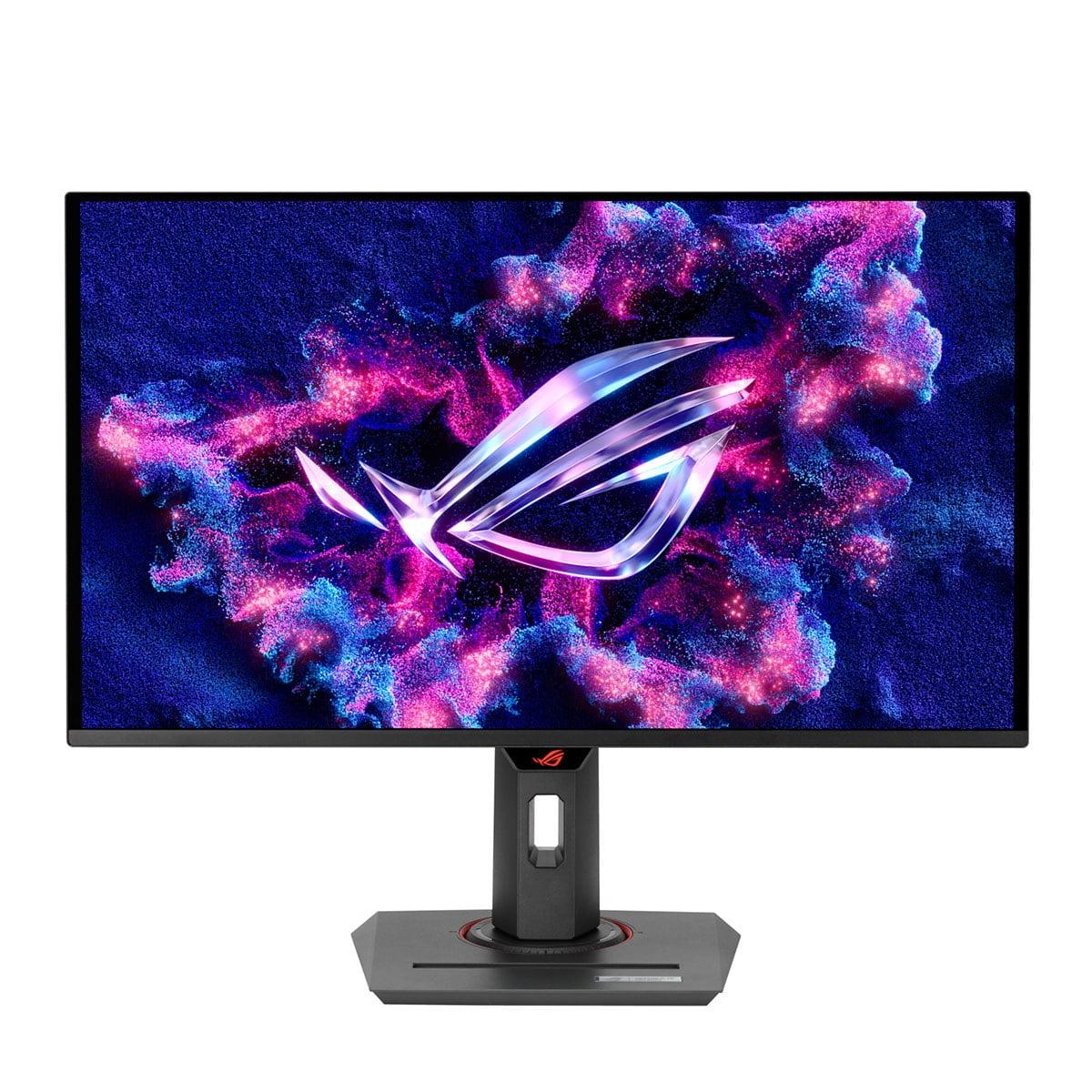
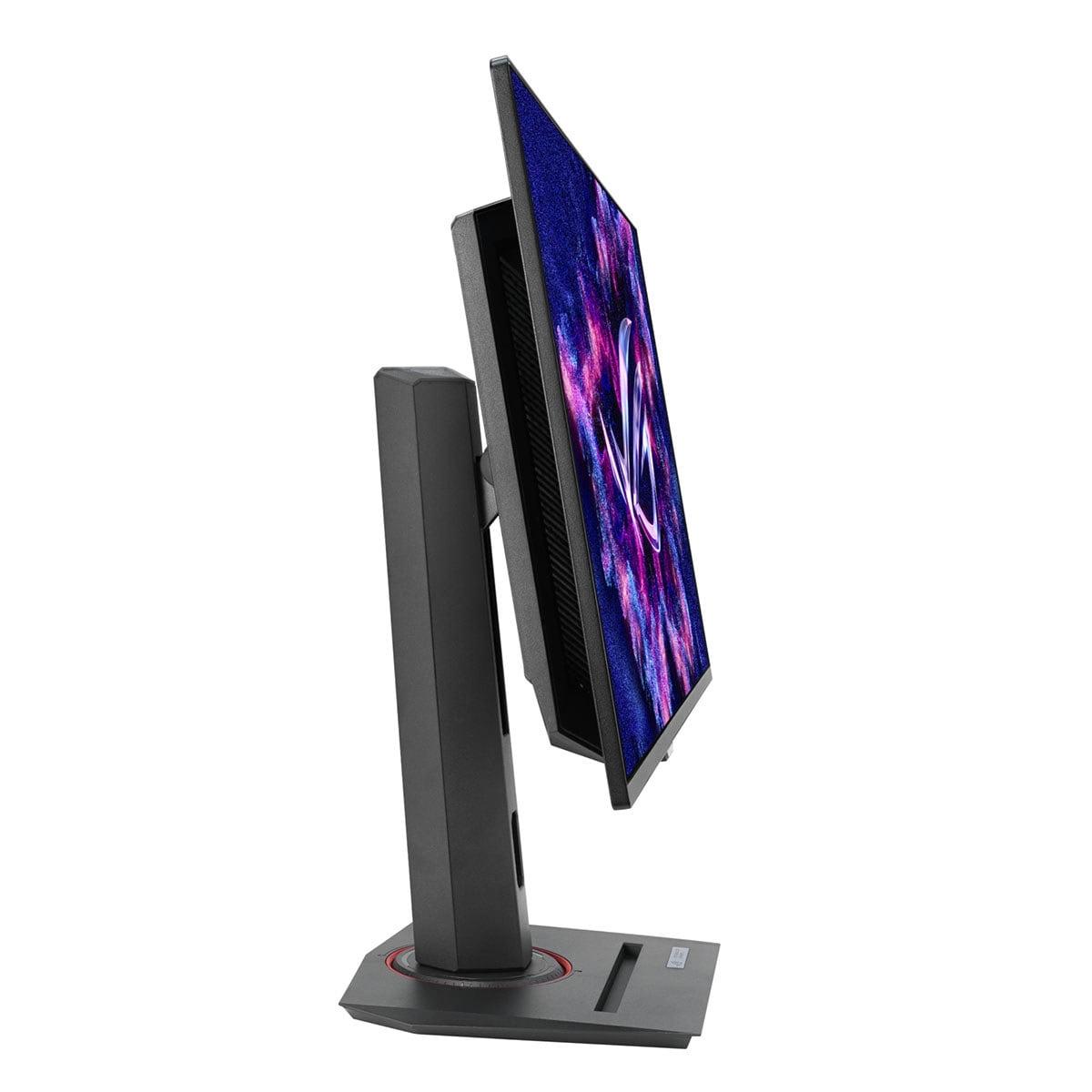
The ASUS ROG Strix OLED XG27ACDNG, also released in 2024, takes the opposite approach. Instead of maximizing resolution, ASUS focused on creating what might be the ultimate competitive gaming display. This monitor features a QD-OLED (Quantum Dot OLED) panel that combines the perfect blacks of OLED technology with the color accuracy improvements of quantum dot enhancement.
At around $660 at the time of writing, it's significantly more expensive than the MSI, but that premium buys you some genuinely cutting-edge technology. The 360Hz refresh rate is among the highest available in 2024, and the 0.03ms response time is so fast it's essentially instantaneous from a human perception standpoint.
Here's where these monitors diverge most dramatically. The MSI MAG 274URFW delivers 4K resolution, which means you're getting 78% more pixels than the 1440p resolution of the ASUS. In practical terms, this translates to incredibly sharp text, detailed game textures, and the ability to see fine details that simply aren't visible at lower resolutions.
I've spent considerable time with both 4K and 1440p monitors, and the difference in desktop use is immediately apparent. Text is crisp enough that you can comfortably work with smaller font sizes, spreadsheets become more manageable, and games with lots of UI elements feel less cluttered. The pixel density on the MSI works out to about 163 pixels per inch, which hits that sweet spot where everything looks sharp without being too small to read comfortably.
However, the ASUS plays a completely different game when it comes to contrast and color depth. OLED technology allows each pixel to turn completely off, creating true black levels that IPS panels simply cannot match. The contrast ratio difference is staggering—while the MSI achieves a respectable 1000:1 contrast (meaning whites are 1000 times brighter than blacks), the ASUS reaches 1,500,000:1 contrast.
In dark gaming scenarios, this difference is dramatic. Playing horror games or exploring dimly lit areas in RPGs on the ASUS creates an almost three-dimensional sense of depth. Bright highlights pop against perfect blacks in a way that makes HDR content truly shine. The MSI, while offering good color reproduction with 98% DCI-P3 coverage, simply can't compete with the visual drama that OLED provides.
This is where the fundamental philosophy difference becomes most apparent. The ASUS ROG Strix OLED XG27ACDNG absolutely dominates in pure gaming performance metrics. That 360Hz refresh rate means the display updates 360 times per second, compared to the MSI's 160 times per second.
For competitive gaming, this difference is more significant than it might initially seem. Higher refresh rates don't just make motion look smoother—they also reduce the delay between when something happens in the game and when you see it on screen. In fast-paced shooters like Counter-Strike or Valorant, this can be the difference between landing a shot and missing it.
The response time difference is even more dramatic. Response time measures how quickly a pixel can change from one color to another, and it directly affects motion blur. The ASUS achieves a 0.03ms gray-to-gray response time, which is essentially instantaneous. The MSI clocks in at 0.5ms, which is still quite good but noticeably slower when you're looking for that competitive edge.
Both monitors support variable refresh rate technology—the MSI works with AMD FreeSync Premium, while the ASUS supports both G-SYNC Compatible and FreeSync Premium Pro. These technologies synchronize your graphics card's frame output with the monitor's refresh rate, eliminating screen tearing (when parts of different frames are displayed simultaneously) and reducing stuttering.
However, there's an important consideration here: achieving high frame rates at 4K resolution requires significantly more graphics processing power than hitting high frame rates at 1440p. To fully utilize the MSI's 160Hz capability at 4K, you'll need a high-end graphics card like an RTX 4070 or better. The ASUS, running at 1440p, can achieve its 360Hz refresh rate with more modest hardware, making it accessible to a broader range of gaming setups.
This brings us to a crucial practical point that many reviews don't adequately address: what kind of hardware you need to actually take advantage of these monitors' capabilities.
For the MSI MAG 274URFW, 4K gaming at 160Hz is genuinely demanding. In modern AAA games like Cyberpunk 2077 or Red Dead Redemption 2, even high-end graphics cards might struggle to maintain 160 frames per second at 4K with high settings. You'll often need to choose between maximum visual fidelity and maximum frame rate, which somewhat defeats the purpose of having a high-refresh display.
However, this isn't necessarily a dealbreaker. Many games don't need ultra-high frame rates to be enjoyable. Single-player RPGs, strategy games, and even many action games feel perfectly smooth at 60-120 fps, which is much more achievable at 4K resolution. Plus, as graphics cards continue to improve, you'll eventually be able to push higher frame rates without upgrading your monitor.
The ASUS ROG Strix OLED XG27ACDNG is more forgiving in terms of hardware requirements, but it's also more demanding in terms of setup optimization. OLED panels require more careful management of static content to prevent burn-in (permanent image retention). ASUS includes several protective features under their "OLED Care+" umbrella, including pixel refresh cycles and screen savers, but you'll still need to be more mindful of leaving static images displayed for extended periods.
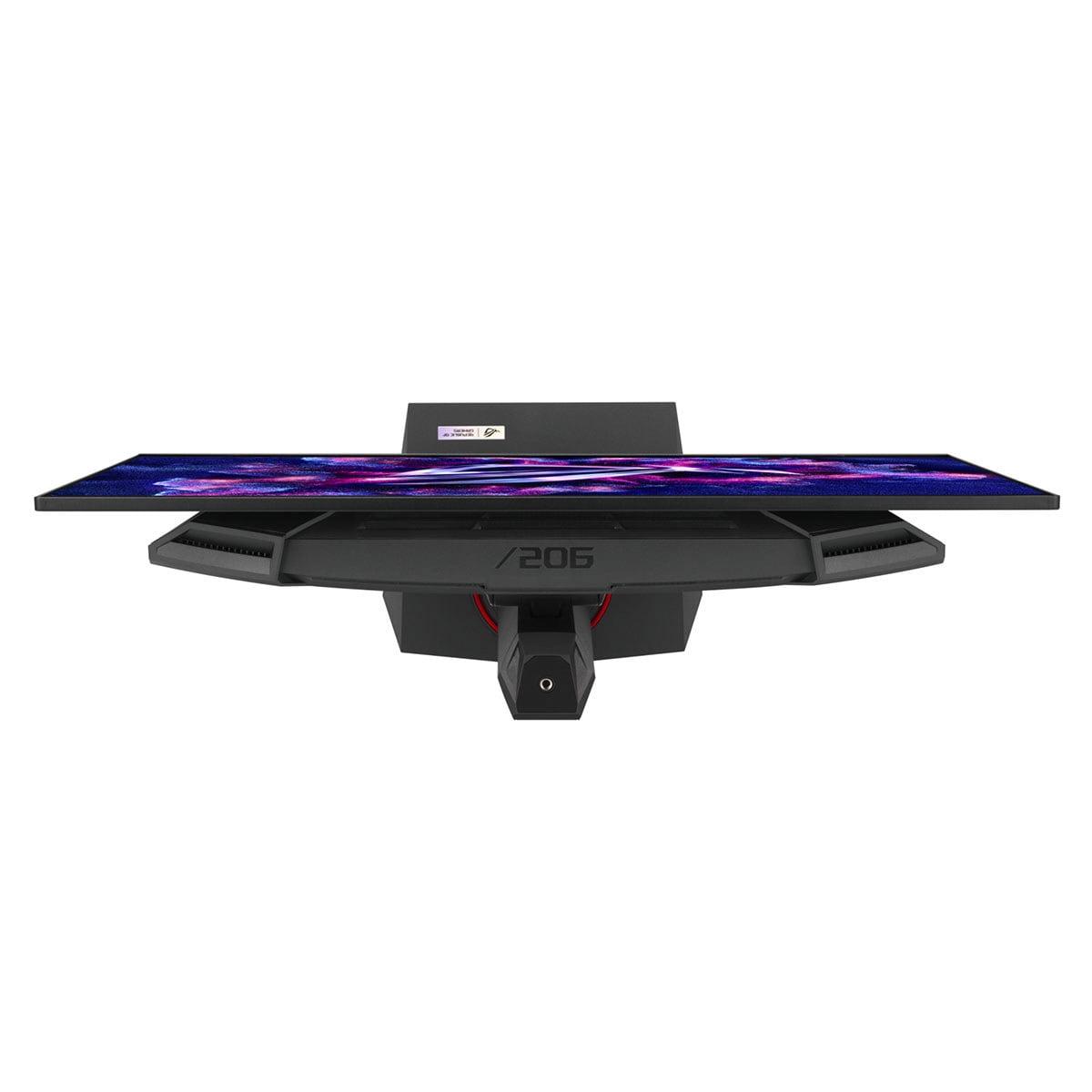
The ASUS also consumes more power—around 80 watts compared to the MSI's 65 watts—and generates more heat, which the monitor addresses with a custom heatsink and airflow design.
For serious competitive gaming, the ASUS ROG Strix OLED XG27ACDNG is in a league of its own. The combination of 360Hz refresh rate and near-zero input lag creates a level of responsiveness that can genuinely impact your competitive performance. In esports titles where reaction time matters, that extra responsiveness can be the difference between climbing ranks and staying stuck.
I've tested both monitors with fast-paced shooters, and the difference in motion clarity is immediately apparent. Tracking moving targets feels more precise on the ASUS, and the reduction in motion blur makes it easier to spot enemies during rapid camera movements.
For single-player gaming, the choice becomes more nuanced. The MSI MAG 274URFW excels at games where visual detail matters—open-world titles, RPGs, and simulation games all benefit enormously from 4K resolution. Text is crisp, distant objects are clearly defined, and the overall level of detail creates a more immersive experience.
However, the ASUS counters with dramatically better HDR performance and contrast. Dark, atmospheric games look absolutely stunning on OLED technology. Playing something like The Witcher 3 or Control with HDR enabled on the ASUS creates visual drama that the MSI simply cannot match.
This is where the MSI MAG 274URFW pulls ahead significantly. The higher pixel density makes text work much more comfortable, and you don't have to worry about burn-in from static elements like taskbars, browser windows, or productivity software interfaces.
The ASUS, while gorgeous for gaming, presents some challenges for heavy productivity use. OLED panels can suffer from burn-in when displaying static elements for extended periods, and the subpixel structure of QD-OLED panels can cause slight color fringing around text, particularly with certain fonts and ClearType settings.
Both monitors can serve double duty as small home theater displays, but they excel in different areas. The ASUS provides a more cinematic experience with its perfect blacks and high contrast ratio—watching movies in a dark room is genuinely impressive on OLED technology.
The MSI offers higher resolution for streaming content and better brightness handling in rooms with ambient light. However, at 27 inches, both monitors are really designed for desktop use rather than couch viewing, so their home theater application is somewhat limited.
At the time of writing, the ASUS ROG Strix OLED XG27ACDNG costs nearly double what you'd pay for the MSI MAG 274URFW. This significant price premium reflects the cutting-edge nature of QD-OLED technology and the engineering required to achieve 360Hz refresh rates.
The MSI represents exceptional value in the 4K gaming monitor segment. Getting 4K resolution, 160Hz refresh rate, and solid color accuracy for around $360 was almost unthinkable just a few years ago. It's a genuinely accessible entry point into high-resolution gaming.
The ASUS, while expensive, delivers technology that was essentially impossible to buy at any price just two years ago. The combination of OLED contrast with high refresh rates represents the current pinnacle of gaming display technology.
After extensive testing and consideration, here's my take on who should choose each monitor:
Choose the MSI MAG 274URFW if you value versatility and long-term usability. It's the better choice for mixed gaming and productivity use, offers worry-free operation without burn-in concerns, and provides stunning visual detail in single-player games. The 4K resolution will remain relevant as graphics cards become more powerful, making it a solid long-term investment.
Choose the ASUS ROG Strix OLED XG27ACDNG if competitive gaming performance is your primary concern and you're willing to pay a premium for the absolute best motion clarity and response times. It's also the better choice if you primarily game in dark environments where OLED's contrast advantages are most apparent.
The technology landscape continues evolving rapidly. We're seeing improvements in OLED burn-in resistance, higher resolution OLED panels, and more affordable 4K high-refresh monitors. Both of these monitors represent current sweet spots in their respective categories, but your specific needs, budget, and gaming preferences should ultimately guide your decision.
What matters most is understanding what you're optimizing for: pixel-perfect detail and versatility with the MSI, or bleeding-edge gaming performance and contrast with the ASUS. Both are excellent monitors that serve their intended purposes exceptionally well.
| MSI MAG 274URFW | ASUS ROG Strix OLED XG27ACDNG |
|---|---|
| Display Resolution - Higher resolution means sharper detail but requires more GPU power | |
| 4K (3840 x 2160) - Exceptional detail for gaming and productivity | QHD (2560 x 1440) - Good sharpness with easier hardware requirements |
| Refresh Rate - Higher rates provide smoother motion, crucial for competitive gaming | |
| 160Hz - Smooth for most games, achievable with mid-range GPUs at 4K | 360Hz - Elite-level smoothness for competitive advantage |
| Panel Technology - Determines contrast, colors, and viewing experience | |
| Rapid IPS - Consistent colors, wide viewing angles, no burn-in risk | QD-OLED - Perfect blacks, infinite contrast, premium visual quality |
| Response Time - Lower times reduce motion blur in fast-paced games | |
| 0.5ms GTG - Fast enough for most gaming scenarios | 0.03ms GTG - Nearly instantaneous, eliminates all motion blur |
| Contrast Ratio - Higher contrast creates more dramatic visuals and better HDR | |
| 1,000:1 - Standard IPS contrast, adequate for most content | 1,500,000:1 - OLED's infinite contrast creates stunning HDR and dark scenes |
| Color Accuracy - Important for content creation and vibrant gaming visuals | |
| 98% DCI-P3, factory calibrated - Excellent colors out of box | 99% DCI-P3, Delta E < 2 - Perfect color accuracy without calibration |
| HDR Performance - Better HDR enhances gaming atmosphere and movie watching | |
| DisplayHDR 400 - Basic HDR with limited brightness peaks | DisplayHDR 400 True Black - Exceptional HDR with perfect blacks |
| Connectivity - More ports and higher bandwidth support more devices | |
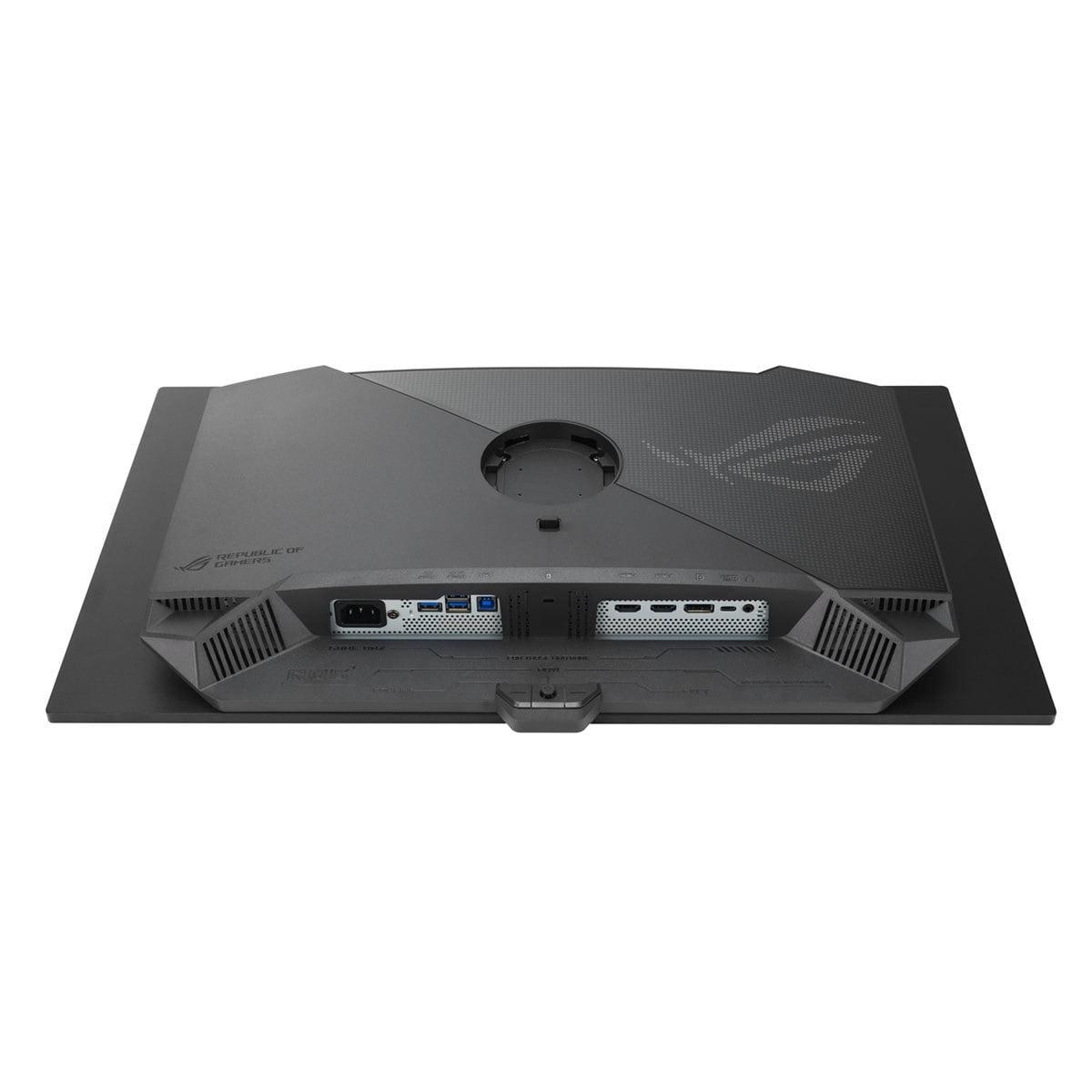
| 2x HDMI 2.1, 1x DisplayPort 1.4a, USB-C (15W PD) | 2x HDMI 2.1, 1x DisplayPort 1.4, USB-C (90W PD), built-in KVM switch |
| Power Consumption - Lower consumption saves energy and reduces heat | |
| 65W typical - Energy efficient operation | 80W typical - Higher consumption due to OLED technology and cooling |
| Durability Concerns - Long-term reliability affects total cost of ownership | |
| No burn-in risk - Worry-free for productivity and static content | Potential OLED burn-in - Requires careful use with static elements |
| Best Use Cases - Understanding ideal scenarios helps justify the investment | |
| 4K gaming, mixed productivity, single-player detail, budget-conscious buyers | Competitive gaming, dark room setups, HDR enthusiasts, premium experience seekers |
| Value Positioning - Price-to-performance ratio at time of purchase | |
| Excellent 4K value - High resolution at accessible price point | Premium OLED technology - Cutting-edge performance commands significant premium |
The ASUS ROG Strix OLED XG27ACDNG is significantly better for competitive gaming. Its 360Hz refresh rate and 0.03ms response time provide ultra-smooth motion and virtually eliminate input lag, giving players a real competitive advantage in fast-paced games like Counter-Strike and Valorant. The MSI MAG 274URFW is good for casual gaming but can't match the responsiveness needed for serious competition.
The core difference is resolution versus speed. The MSI MAG 274URFW focuses on 4K resolution for incredible detail and sharpness, while the ASUS ROG Strix OLED XG27ACDNG prioritizes ultra-high refresh rates and OLED technology for superior motion clarity and contrast. It's essentially a choice between seeing more detail or experiencing smoother, more responsive gameplay.
Picture quality depends on what you value most. The MSI MAG 274URFW delivers sharper images with 4K resolution that's excellent for detail work and productivity. However, the ASUS ROG Strix OLED XG27ACDNG provides dramatically better contrast with perfect blacks and vibrant HDR performance thanks to its OLED panel technology.
Yes, but the requirements differ significantly. The MSI MAG 274URFW needs a high-end GPU (RTX 4070 or better) to achieve high frame rates at 4K resolution. The ASUS ROG Strix OLED XG27ACDNG is more accessible, requiring mid-to-high-end cards (RTX 4060 Ti or better) to take advantage of its 360Hz refresh rate at 1440p resolution.
The MSI MAG 274URFW is far superior for productivity use. Its 4K resolution provides crisp text and detailed spreadsheets, while the IPS panel has no burn-in risk from static elements like taskbars and windows. The ASUS ROG Strix OLED XG27ACDNG can suffer from burn-in with prolonged desktop use and has text clarity issues due to its OLED subpixel structure.
The MSI MAG 274URFW uses IPS technology with no long-term durability concerns and offers worry-free operation. The ASUS ROG Strix OLED XG27ACDNG faces potential OLED burn-in issues if static content is displayed for extended periods, though ASUS includes protective features and a 3-year warranty that covers burn-in damage.
The MSI MAG 274URFW provides exceptional value, offering 4K resolution and 160Hz refresh rate at a very competitive price point. The ASUS ROG Strix OLED XG27ACDNG costs significantly more but delivers cutting-edge OLED technology and premium gaming performance that justifies the higher price for serious gamers.
Both monitors support console gaming with HDMI 2.1 connectivity. The MSI MAG 274URFW can display 4K at 120Hz for PlayStation 5 and Xbox Series X, maximizing visual detail. The ASUS ROG Strix OLED XG27ACDNG offers smoother motion at 1440p and includes features like Auto Low Latency Mode for optimized console performance.
The ASUS ROG Strix OLED XG27ACDNG dramatically outperforms in HDR content thanks to its perfect blacks and 1,000 nits peak brightness, creating stunning contrast for movies and HDR games. The MSI MAG 274URFW supports HDR but with limited impact due to its standard IPS contrast ratio and lower peak brightness.
Both monitors offer good connectivity, but the ASUS ROG Strix OLED XG27ACDNG has more premium features including 90W USB-C power delivery and a built-in KVM switch for managing multiple devices. The MSI MAG 274URFW provides essential connections with HDMI 2.1, DisplayPort, and USB-C with 15W power delivery, covering most users' needs effectively.
This depends on your priorities. Choose the MSI MAG 274URFW for games where visual detail matters most, like open-world RPGs and strategy games that benefit from 4K resolution. Pick the ASUS ROG Strix OLED XG27ACDNG for atmospheric games where dramatic lighting and contrast enhance immersion, particularly in dark gaming environments.
The MSI MAG 274URFW consumes about 65W during typical use, making it more energy-efficient and generating less heat. The ASUS ROG Strix OLED XG27ACDNG uses approximately 80W due to its OLED technology and active cooling system, resulting in higher electricity costs and more heat output in your gaming setup.
We've done our best to create useful and informative comparisons to help you decide what product to buy. Our research uses advanced automated methods to create this comparison and perfection is not possible - please contact us for corrections or questions. These are the sites we've researched in the creation of this article: youtube.com - bestbuy.com - rtings.com - youtube.com - guru3d.com - youtube.com - newegg.com - bhphotovideo.com - bestbuy.com - storage-asset.msi.com - shi.com - neweggbusiness.com - files.bbystatic.com - us-store.msi.com - msi.com - storage-asset.msi.com - storage-asset.msi.com - tomshardware.com - versus.com - pcguide.com - rog.asus.com - rtings.com - youtube.com - youtube.com - versus.com - displayninja.com - youtube.com - rog.asus.com - cdw.com - shi.com - colamco.com - rog.asus.com - microcenter.com - bestbuy.com - rtings.com - displayspecifications.com - compsource.com - rog.asus.com

Privacy Policy
Terms and Conditions - Affiliate Policy
Home Security
© Copyright 2008-2026.
11816 Inwood Rd #1211, Dallas, TX 75244