












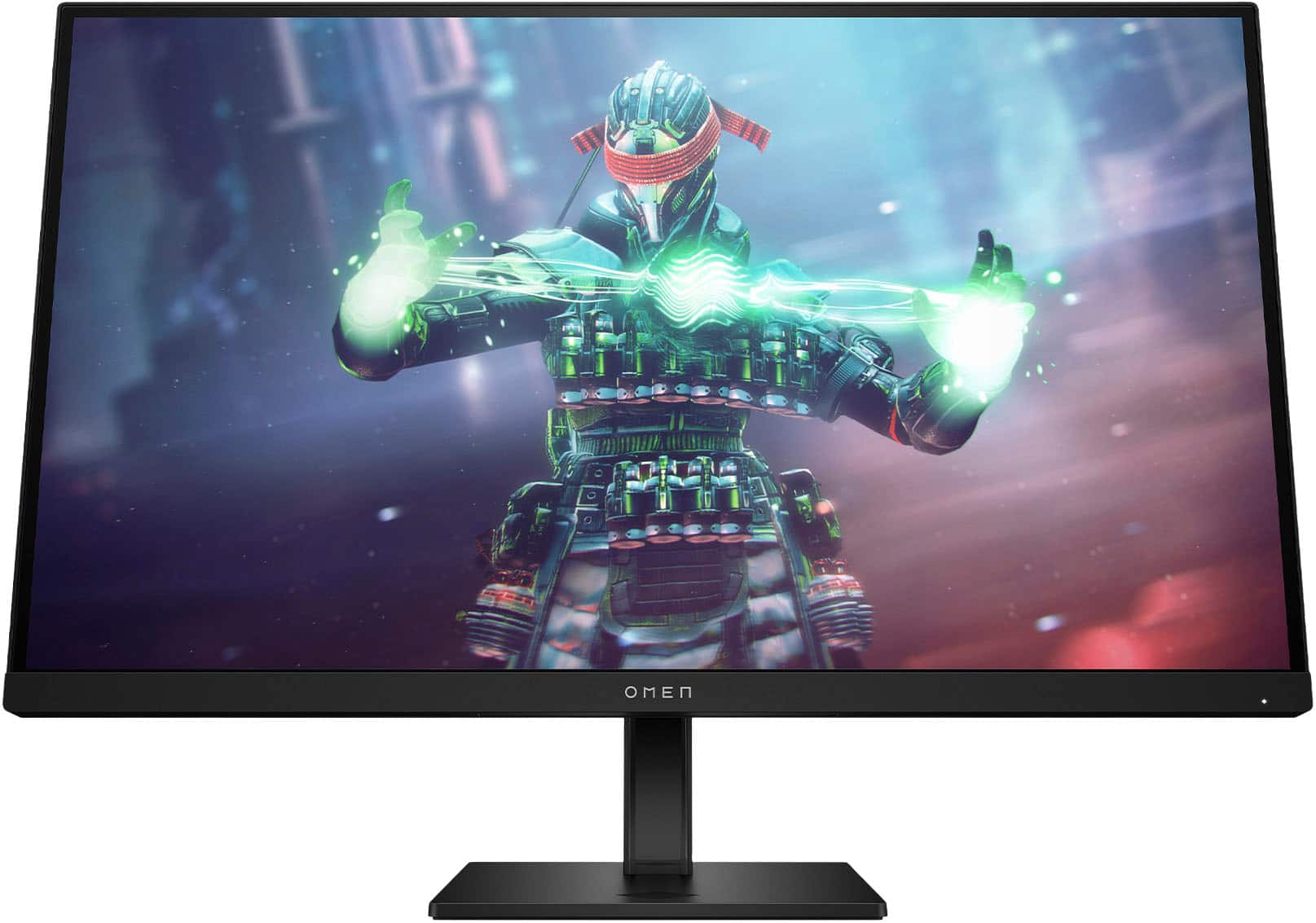
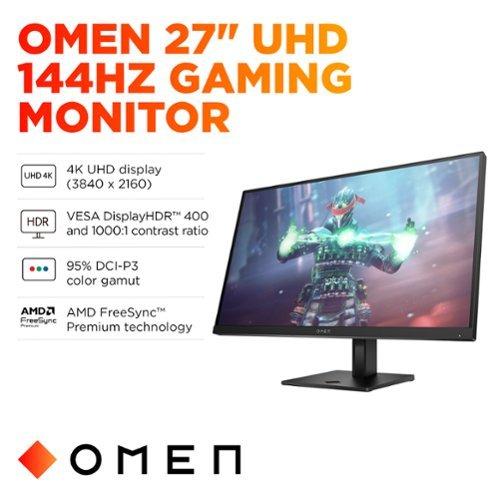
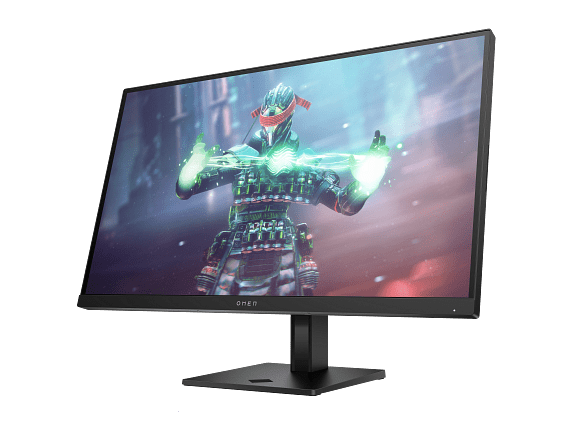
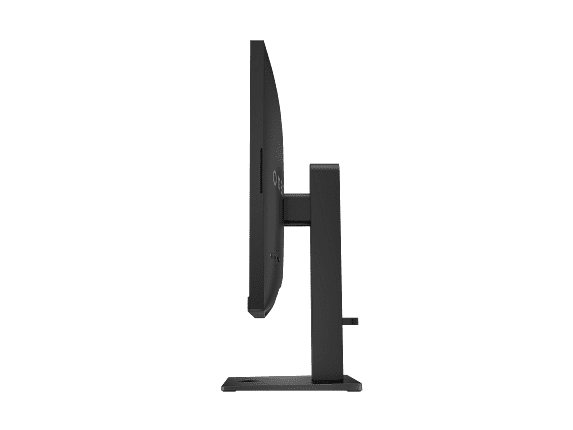
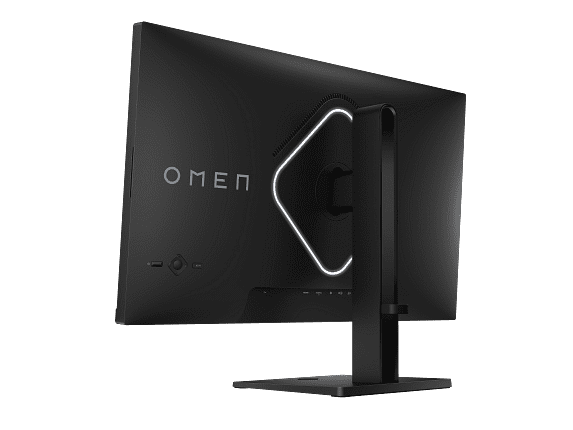
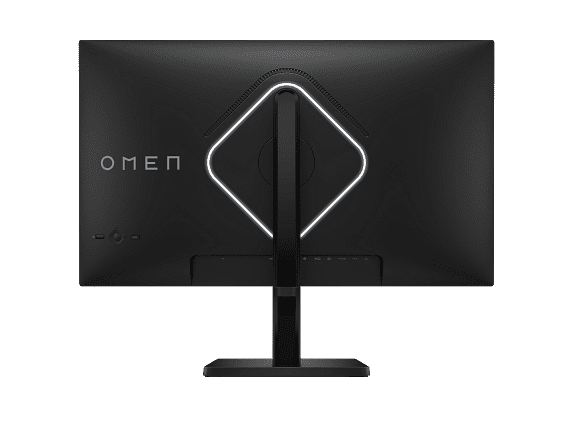
When you're shopping for a gaming monitor in 2024, you're facing one of the most exciting decisions in PC gaming. The display technology landscape has evolved dramatically, offering choices that would have seemed impossible just a few years ago. Today, we're comparing two fundamentally different approaches to high-performance gaming: the GIGABYTE MO27Q2 with its cutting-edge QD-OLED technology, and the HP Omen 27k with its crystal-clear 4K resolution and productivity features.
Both monitors launched in 2024, representing the latest thinking in gaming display design. But they take completely different paths to achieve gaming excellence, and understanding these differences will help you choose the right monitor for your specific needs and setup.
Before diving into the specifics, it's worth understanding what separates gaming monitors from regular displays. Gaming monitors prioritize three key areas: response time (how quickly pixels can change color), refresh rate (how many times per second the screen updates), and input lag (the delay between your action and seeing the result on screen).
Think of response time like a camera's shutter speed – faster is almost always better for motion clarity. Refresh rate is like frame rate in movies, but much higher; while movies run at 24 frames per second, gaming monitors can display 144, 240, or even higher frame rates. Input lag is the invisible delay that can mean the difference between landing a headshot or missing entirely in competitive games.
Modern gaming monitors also need to handle adaptive sync technology, which synchronizes your graphics card's output with the monitor's refresh rate to eliminate screen tearing – those annoying horizontal lines that appear when the display and graphics card get out of sync.
The most fundamental difference between the GIGABYTE MO27Q2 and HP Omen 27k lies in their display technology, and this choice affects everything else about how these monitors perform.
The GIGABYTE MO27Q2 uses QD-OLED technology, which combines the best aspects of OLED (Organic Light Emitting Diode) with quantum dot enhancement. In simple terms, each pixel can light itself up or turn completely off, creating true blacks that no other display technology can match. When a pixel displays black, it's actually off – producing no light at all.
This creates an infinite contrast ratio, meaning the difference between the brightest whites and darkest blacks is theoretically unlimited. In practice, this translates to images with incredible depth and realism. Dark scenes in games like horror titles or space simulators look genuinely dark, while bright elements pop with intensity that makes you feel like you're looking through a window rather than at a screen.
The quantum dot layer adds another benefit: exceptionally wide color coverage. The MO27Q2 can display 99% of the DCI-P3 color space, which is the standard used in movie production. This means colors appear more vivid and lifelike than traditional displays can achieve.
However, QD-OLED technology comes with considerations. The typical brightness of 250 nits is lower than many traditional monitors, which can be a limitation in very bright rooms. There's also the long-term concern about burn-in – the possibility of permanent image retention if static elements stay on screen for extended periods, though modern OLED monitors include sophisticated protection mechanisms.
The HP Omen 27k takes a different approach, using IPS (In-Plane Switching) technology paired with 4K resolution. IPS panels have been the gold standard for color accuracy and viewing angles for years, and they're incredibly mature and reliable.
At 4K resolution (3840×2160), the Omen 27k packs 163 pixels per inch compared to the MO27Q2's 109 pixels per inch. This difference is immediately noticeable in text clarity, fine details in games, and overall image sharpness. When you're playing open-world games or strategy titles with lots of UI elements, the extra resolution makes everything more readable and immersive.
The IPS panel also delivers 400 nits of brightness, making it much more suitable for bright rooms or daytime gaming. The contrast ratio of 1000:1 is respectable, though it can't compete with OLED's infinite contrast. Colors are accurate and consistent, covering 99% sRGB and 95% DCI-P3, making it excellent for both gaming and content creation work.
When it comes to pure gaming performance, these monitors represent different philosophies about what matters most.
The GIGABYTE MO27Q2 is built for competitive gaming excellence. Its 240Hz refresh rate means the screen updates 240 times per second, compared to the Omen 27k's 144Hz. While 144Hz is certainly smooth, 240Hz provides an even more fluid experience that competitive gamers often describe as "buttery smooth."
More importantly, the MO27Q2 achieves a 0.03ms gray-to-gray response time, which is essentially instantaneous. This eliminates motion blur and ghosting – those trailing effects you sometimes see behind moving objects. The Omen 27k manages a respectable 1ms response time, but the difference is noticeable in fast-paced games.
For esports titles like Counter-Strike, Valorant, or Overwatch, these specifications translate to a real competitive advantage. The MO27Q2 even includes a unique Tactical Switch that lets you instantly change from the full 27-inch display to a smaller 24-inch mode, which many professional players prefer for better focus on the action.
However, the HP Omen 27k delivers something the MO27Q2 cannot: true 4K gaming. In single-player games, open-world titles, and any content where visual detail matters more than split-second timing, the resolution advantage is dramatic.
Text is razor-sharp, distant objects in games are clearly defined, and user interfaces look crisp rather than slightly pixelated. If you play games like Cyberpunk 2077, The Witcher 3, or Microsoft Flight Simulator, the extra resolution makes these experiences significantly more immersive.
The Omen 27k also excels with console gaming. Its HDMI 2.1 port supports 4K at 120Hz for PlayStation 5 and Xbox Series X, making it an excellent choice if you game on both PC and consoles. The MO27Q2 can work with consoles but would need to run at lower resolutions to achieve high refresh rates.
Both monitors support HDR (High Dynamic Range), but they implement it very differently, and the results vary significantly.
The GIGABYTE MO27Q2 achieves VESA DisplayHDR True Black 400 certification, taking advantage of OLED's ability to produce true blacks. When you're in a dark cave in a game and step into bright sunlight, the contrast between deep shadows and brilliant highlights is genuinely stunning. However, the peak brightness limitation means very bright HDR content might not reach its full potential.
The HP Omen 27k features VESA DisplayHDR 400 with edge-lit LED backlighting. While it can't achieve true blacks like OLED, it can get brighter in HDR mode, making bright scenes more impactful. The trade-off is that dark scenes won't have the same depth, and you might notice some backlight bleeding around bright objects against dark backgrounds.
For HDR gaming, both monitors offer improvements over standard displays, but the MO27Q2 provides a more dramatic visual upgrade in content with strong contrast, while the Omen 27k handles bright, colorful content better.
This is where the HP Omen 27k demonstrates its broader appeal beyond pure gaming performance.
The Omen 27k includes a built-in KVM switch, which stands for Keyboard, Video, and Mouse. This feature allows you to control two different devices – say, your gaming PC and your work laptop – using the same monitor, keyboard, and mouse. You can switch between devices with a button press, making it incredibly convenient for people who work from home or use multiple computers.
This might seem like a minor feature, but it's transformative for productivity. I've found that having a single high-quality monitor for both work and gaming eliminates the need for a dual-monitor setup in smaller spaces, and the seamless switching makes transitioning between work and play effortless.
The Omen 27k also provides more comprehensive connectivity with HDMI 2.1, HDMI 2.0, DisplayPort 1.4, and USB-C with DisplayPort Alt Mode. The USB-C connection is particularly valuable for laptop users, as it can carry video, data, and limited power over a single cable.
The GIGABYTE MO27Q2 focuses more narrowly on gaming connectivity, with two HDMI 2.1 ports and DisplayPort 1.4, plus a USB-C port with more limited functionality. It's perfectly adequate for gaming setups but doesn't offer the same versatility for mixed-use scenarios.
If you're considering either monitor for a home theater or living room gaming setup, there are important factors to consider.
The HP Omen 27k's 4K resolution makes it excellent for movie watching, especially if you sit relatively close to the screen. The higher brightness also works better in rooms with ambient lighting. Its color accuracy makes movies and streaming content look natural and properly balanced.
However, both monitors are 27 inches, which is relatively small for a dedicated home theater setup. If you're planning to use either monitor primarily for couch gaming or movie watching, you might want to consider larger alternatives.
The GIGABYTE MO27Q2's OLED technology could theoretically provide an exceptional home theater experience with its perfect blacks and vibrant colors, but the lower resolution at 27 inches and potential burn-in concerns with static TV interface elements make it less ideal for this use case.
When investing in a premium gaming monitor, it's important to consider long-term ownership experience.
The HP Omen 27k uses mature IPS technology that's proven reliable over many years. There are no burn-in concerns, and the monitor should maintain its performance characteristics throughout its lifespan. The various productivity features also help ensure the monitor remains useful even as your computing needs evolve.
The GIGABYTE MO27Q2 represents newer technology with some unknowns. While OLED burn-in protection has improved significantly, it's still a consideration for users who might display static content for extended periods. GIGABYTE does include AI-based OLED protection and offers a 3-year warranty covering burn-in, which demonstrates confidence in the technology.
However, the visual advantages of OLED are so significant for gaming that many users find the slight additional care worthwhile. The technology has improved dramatically since early OLED displays, and modern implementations are much more robust.
At the time of writing, both monitors compete in the premium gaming market but target slightly different user profiles.
The HP Omen 27k generally commands a lower price point while offering 4K resolution and extensive connectivity features. This makes it an exceptional value for users who want high-resolution gaming combined with productivity capabilities. The versatility factor adds significant value for people with varied computing needs.
The GIGABYTE MO27Q2 typically costs more, reflecting its cutting-edge OLED technology and ultra-high refresh rate capabilities. For dedicated gaming enthusiasts who prioritize visual quality and competitive performance above all else, the premium may be justified.
The value calculation depends heavily on your specific use case and priorities. If you're primarily a competitive gamer who values response time and visual quality above resolution, the MO27Q2 delivers performance that's difficult to match. If you want a single monitor that excels at gaming while also handling work, content creation, and console gaming, the Omen 27k provides better overall versatility.
Choosing between the GIGABYTE MO27Q2 and HP Omen 27k ultimately comes down to understanding your priorities and how you'll actually use your monitor.
Choose the GIGABYTE MO27Q2 if you're serious about competitive gaming, want the most immersive visual experience possible, and primarily game in darker environments where OLED technology shines. The ultra-high refresh rate and perfect contrast make it ideal for dedicated gaming setups where visual quality is the top priority.
Choose the HP Omen 27k if you want sharp 4K visuals, need productivity features like the KVM switch, game during daytime hours, or want a single monitor that handles both work and play exceptionally well. The additional connectivity options and worry-free operation make it perfect for versatile computing setups.
Both monitors represent excellent examples of their respective technologies and approaches to gaming performance. The MO27Q2 pushes the boundaries of what's possible in gaming displays, while the Omen 27k delivers practical excellence with features that extend beyond gaming.
The gaming monitor market continues to evolve rapidly, with new technologies and features arriving regularly. Both of these monitors represent current thinking about what makes a great gaming display, but they do so from different perspectives that cater to different types of users and use cases.
Whatever you choose, both monitors will deliver a significant upgrade over older displays and provide years of excellent gaming performance. The decision comes down to whether you prioritize the cutting-edge visual experience of OLED technology or the practical versatility and crystal-clear resolution of a well-executed 4K IPS display.
| GIGABYTE MO27Q2 | HP Omen 27k |
|---|---|
| Display Technology - Determines contrast, color quality, and long-term reliability | |
| QD-OLED with infinite contrast and perfect blacks | IPS with consistent colors and no burn-in concerns |
| Resolution - Affects sharpness and GPU requirements | |
| 2560×1440 (QHD) - easier to drive at high fps | 3840×2160 (4K UHD) - much sharper text and details |
| Refresh Rate - Critical for competitive gaming smoothness | |
| 240Hz (ultra-smooth for esports) | 144Hz (smooth for most gaming needs) |
| Response Time - Eliminates motion blur in fast games | |
| 0.03ms (virtually instant pixel changes) | 1ms (fast enough for most competitive gaming) |
| Peak Brightness - Important for room lighting compatibility | |
| 250 nits (best in darker rooms) | 400 nits (works well in bright environments) |
| Color Coverage - Affects color vibrancy and accuracy | |
| 99% DCI-P3 with exceptional saturation | 99% sRGB, 95% DCI-P3 with accurate colors |
| HDR Support - Enhances contrast in supported content | |
| DisplayHDR True Black 400 (dramatic dark scenes) | DisplayHDR 400 (brighter highlights, some backlight bleed) |
| Console Gaming - Next-gen compatibility | |
| Limited to lower resolutions at high refresh rates | Full 4K 120Hz support via HDMI 2.1 |
| Connectivity - Affects device compatibility and workflow | |
| Basic gaming-focused ports | Comprehensive with KVM switch and USB-C |
| Productivity Features - Value for work and multi-device use | |
| Gaming-focused with tactical switching | KVM switch, USB hub, and laptop-friendly connections |
| Burn-in Risk - Long-term durability consideration | |
| Possible with static content (3-year warranty included) | No burn-in risk with IPS technology |
| Pixel Density - Text clarity and detail sharpness | |
| 109 PPI (good for gaming) | 163 PPI (excellent for text and fine details) |
The GIGABYTE MO27Q2 is superior for competitive gaming with its 240Hz refresh rate and 0.03ms response time, providing ultra-smooth motion and virtually no input lag. The HP Omen 27k offers solid competitive performance at 144Hz with 1ms response time, but the MO27Q2 gives serious esports players a clear advantage in fast-paced games.
The GIGABYTE MO27Q2 uses QD-OLED technology that produces perfect blacks and infinite contrast by turning pixels completely off, while the HP Omen 27k uses IPS technology with consistent colors and wide viewing angles. QD-OLED offers more dramatic visuals, but IPS is more reliable with no burn-in concerns.
Image quality depends on your priorities. The GIGABYTE MO27Q2 delivers superior contrast and more vivid colors thanks to its OLED technology, while the HP Omen 27k provides sharper details and text clarity with its 4K resolution. The MO27Q2 excels in dark scenes, while the Omen 27k shows more fine detail.
Yes, both work with next-gen consoles, but the HP Omen 27k is better suited for console gaming with full 4K 120Hz support via HDMI 2.1. The GIGABYTE MO27Q2 can connect to consoles but would need to run at lower resolutions to achieve high refresh rates.
The HP Omen 27k is significantly brighter at 400 nits compared to the GIGABYTE MO27Q2 at 250 nits, making the Omen 27k much better for bright rooms and daytime gaming. The MO27Q2 performs best in darker, controlled lighting environments.
The HP Omen 27k excels at multi-device support with its built-in KVM switch, USB-C connectivity, and comprehensive port selection, allowing seamless switching between devices. The GIGABYTE MO27Q2 has basic connectivity focused primarily on gaming setups rather than multi-device workflows.
The HP Omen 27k typically offers better overall value with 4K resolution, extensive connectivity features, and productivity capabilities at a competitive price point. The GIGABYTE MO27Q2 commands a premium for its cutting-edge OLED technology and ultra-high refresh rate, justified for dedicated gaming enthusiasts.
The GIGABYTE MO27Q2 has potential burn-in risk due to its OLED technology, though it includes AI-based protection and a 3-year warranty covering burn-in. The HP Omen 27k uses IPS technology with no burn-in concerns, making it worry-free for displaying static content over long periods.
The HP Omen 27k is significantly better for productivity work with its 4K resolution for sharp text, KVM switch for multi-device control, and comprehensive connectivity including USB-C. The GIGABYTE MO27Q2 is primarily designed for gaming and lacks the productivity features of the Omen 27k.
The GIGABYTE MO27Q2 offers a higher 240Hz refresh rate for ultra-smooth motion, while the HP Omen 27k provides 144Hz refresh rate. Both deliver smooth gaming, but the MO27Q2 provides an edge for competitive gaming, while 144Hz is sufficient for most gaming needs.
Both support HDR but differently. The GIGABYTE MO27Q2 achieves DisplayHDR True Black 400 with perfect blacks and dramatic contrast, while the HP Omen 27k features DisplayHDR 400 with brighter highlights but some backlight bleeding. The MO27Q2 excels in dark HDR content, while the Omen 27k handles bright HDR scenes better.
Choose the GIGABYTE MO27Q2 if you prioritize competitive gaming performance, want the best visual quality with perfect contrast, and game primarily in darker environments. Choose the HP Omen 27k if you need 4K resolution, want productivity features like KVM switching, game in bright rooms, or need a versatile monitor for both work and gaming.
We've done our best to create useful and informative comparisons to help you decide what product to buy. Our research uses advanced automated methods to create this comparison and perfection is not possible - please contact us for corrections or questions. These are the sites we've researched in the creation of this article: gigabyte.com - youtube.com - newegg.com - mezha.media - tech-critter.com - gigabyte.com - forum.pcmonitors.info - techspot.com - aorus.com - saltynewsnetwork.com - infiniarc.com - gigabyte.com - bestbuy.com - youtube.com - gigabyte.com - gigabyte.com - displayspecifications.com - aorus.com - gigabyte.com - gigabyte.com - tomshardware.com - windowscentral.com - digitaltrends.com - youtube.com - hp.com - youtube.com - hp.com - hp.com - displayspecifications.com - files.bbystatic.com - newegg.com - hp.com - hp.com - hp.com - hp.com - target.com - files.bbystatic.com - displayspecifications.com

Privacy Policy
Terms and Conditions - Affiliate Policy
Home Security
© Copyright 2008-2026.
11816 Inwood Rd #1211, Dallas, TX 75244