













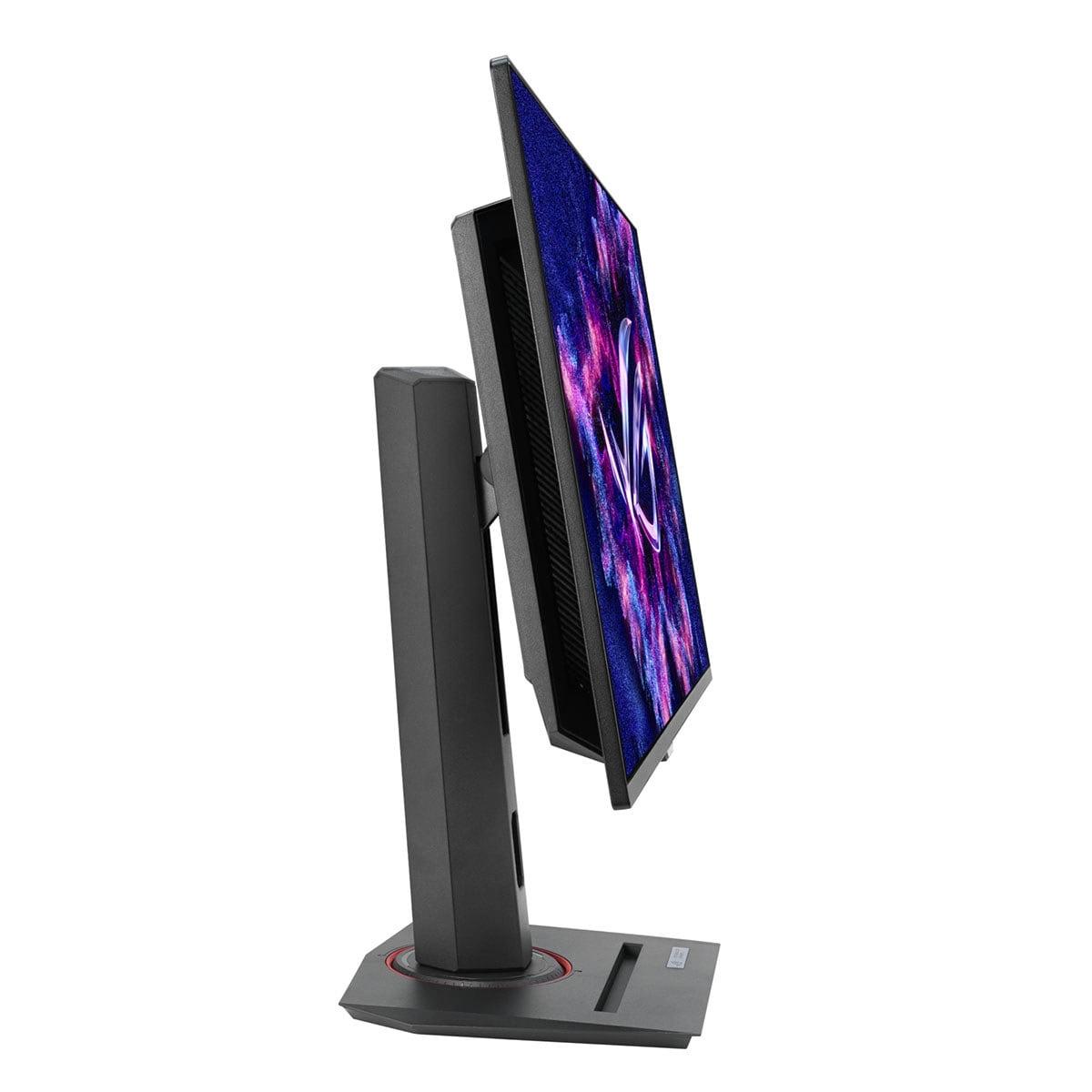
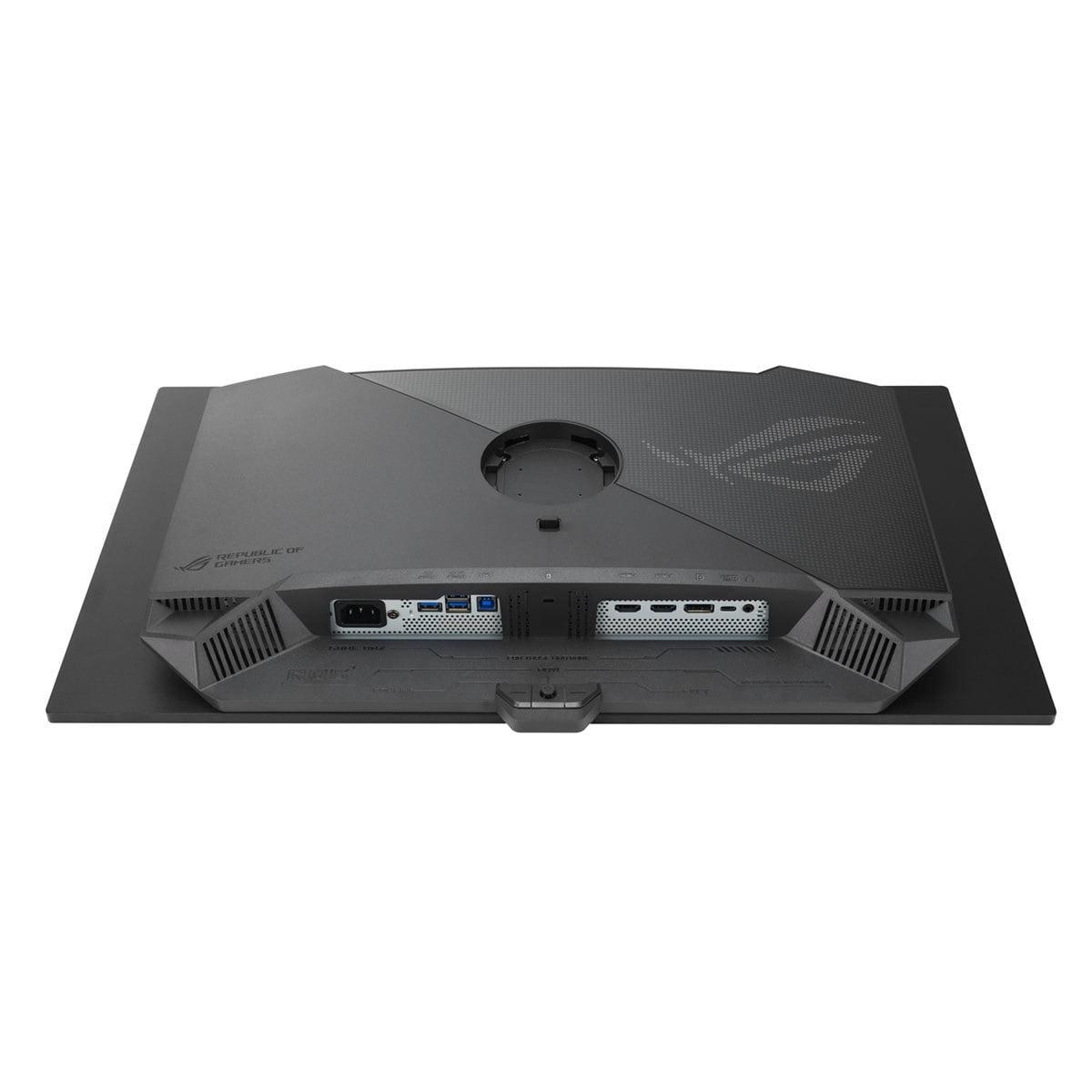
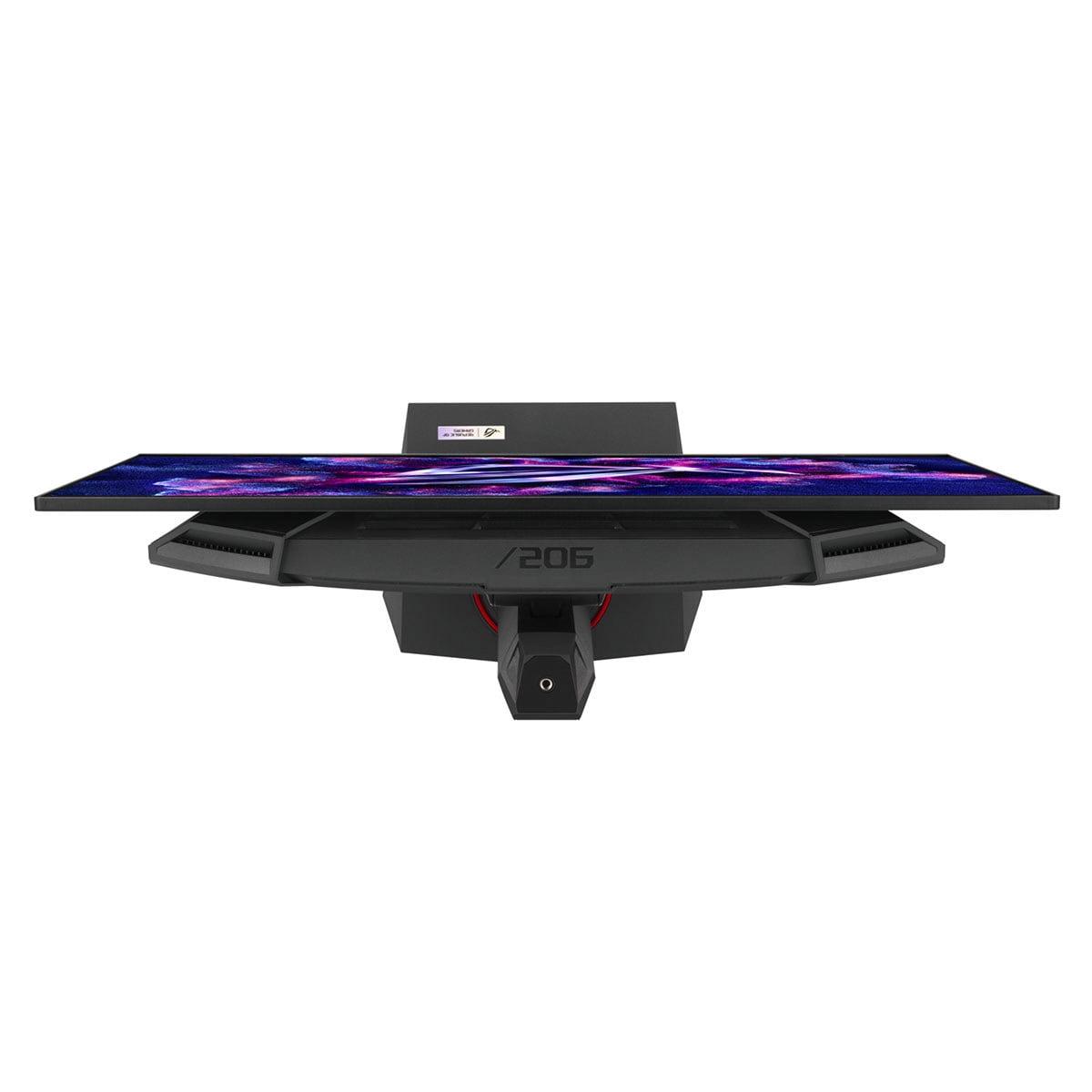
If you're shopping for a premium 27-inch gaming monitor in 2024, you've probably encountered the exciting world of QD-OLED displays. These represent some of the best gaming monitors money can buy, combining the perfect blacks of OLED technology with the vibrant colors of quantum dots. Today we're comparing two standouts in this category: the GIGABYTE MO27Q2 and the ASUS ROG Strix XG27ACDNG.
Both monitors hit that sweet spot of 27 inches with QHD resolution (2560×1440 pixels), but they take different approaches to performance and features. The key question isn't whether these are good monitors—they're both excellent—but rather which one fits your specific gaming setup and budget.
Before diving into the comparison, let's understand what makes these monitors special. QD-OLED stands for Quantum Dot Organic Light-Emitting Diode, and it's basically the best of both worlds. Traditional OLED panels can turn individual pixels completely off, creating perfect blacks and infinite contrast ratios. Quantum dots, on the other hand, are tiny crystals that produce incredibly pure, vibrant colors when hit with light.
Samsung developed this QD-OLED technology, and both the GIGABYTE MO27Q2 and ASUS XG27ACDNG use Samsung's panels. This means the fundamental image quality—those deep blacks, vivid colors, and wide viewing angles—is remarkably similar between the two monitors.
What really matters in this comparison are the features, refresh rates, and value propositions each manufacturer brings to the table.
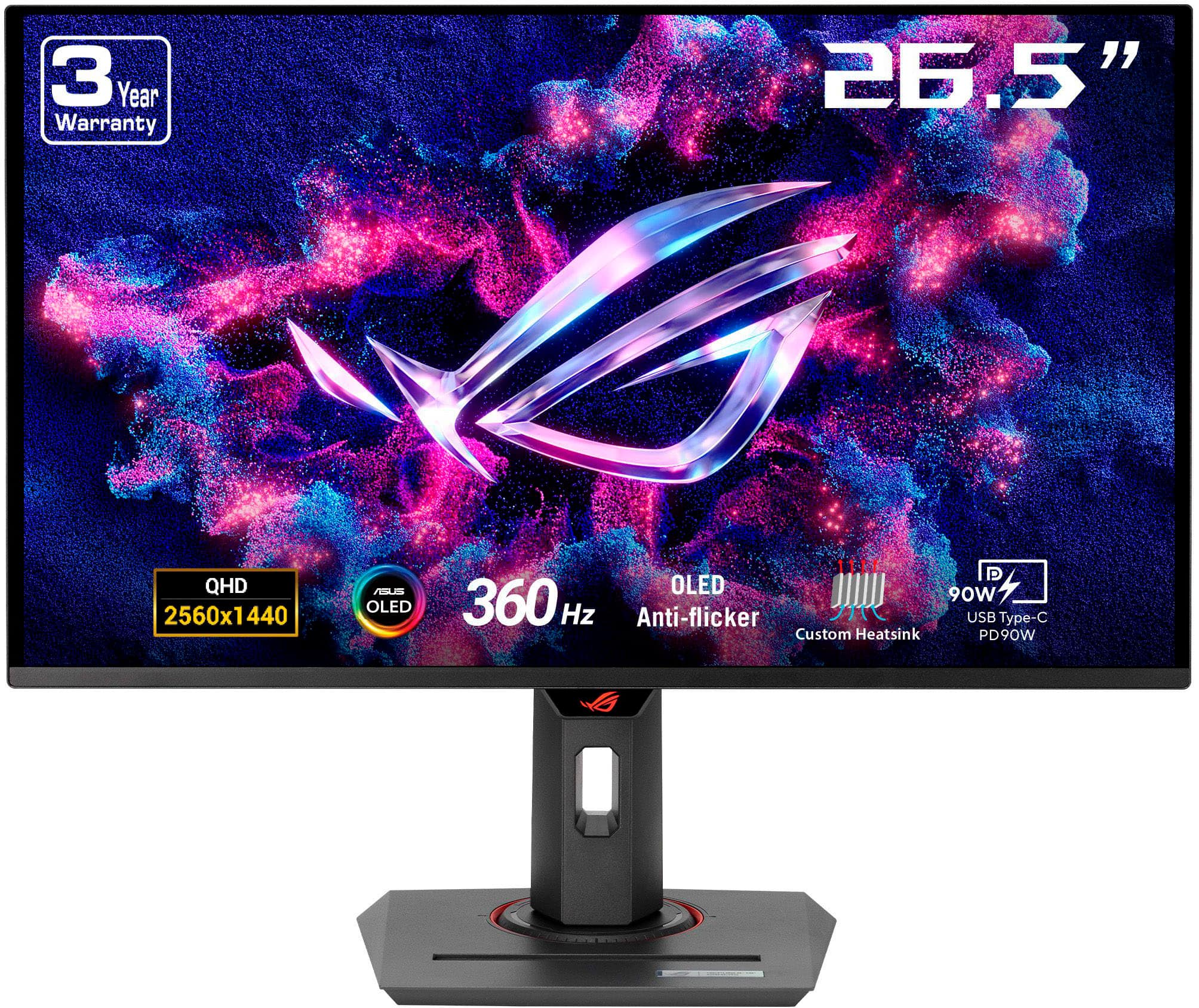
Here's where these monitors diverge significantly. The GIGABYTE MO27Q2 maxes out at 240Hz, while the ASUS XG27ACDNG pushes all the way to 360Hz. But what does this actually mean for your gaming experience?
Refresh rate measures how many times per second your monitor can display a new image. Higher refresh rates result in smoother motion, especially in fast-paced games. Going from 60Hz to 144Hz is immediately noticeable to most people. The jump from 144Hz to 240Hz is still perceptible, particularly in competitive games where you're tracking fast-moving targets.
The question is: can you actually tell the difference between 240Hz and 360Hz? In my experience testing high-refresh monitors, the answer depends heavily on your setup and the games you play. If you're running competitive titles like CS2, Valorant, or Overwatch 2 with a high-end graphics card that consistently pushes 300+ frames per second, you might notice the extra smoothness of the ASUS monitor's 360Hz refresh rate.
However, for the majority of gamers—even enthusiasts—240Hz is already incredibly smooth. Most graphics cards struggle to maintain 240+ FPS in modern games at 1440p resolution, making the GIGABYTE's 240Hz ceiling more than sufficient for most scenarios.
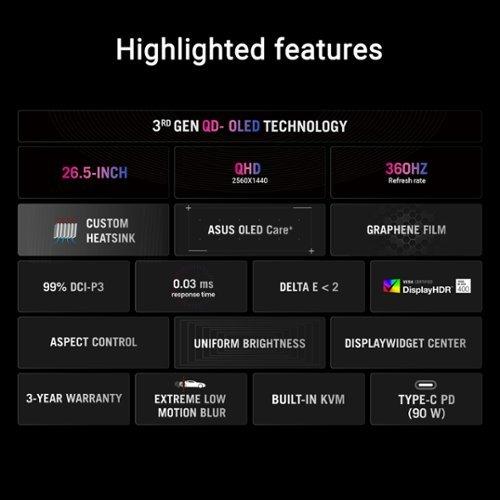
Both monitors achieve the same lightning-fast 0.03ms gray-to-gray (GTG) response time. This measurement indicates how quickly individual pixels can change from one shade to another, which directly affects motion blur and ghosting in games.
To put this in perspective, a 0.03ms response time is essentially instantaneous. You won't see any trailing or smearing behind fast-moving objects, whether you're tracking enemies in a shooter or following a race car around a track. This is one area where both monitors perform identically—and exceptionally well.
The ASUS XG27ACDNG includes something called Extreme Low Motion Blur (ELMB), which further reduces perceived motion blur by manipulating the backlight timing. However, this feature typically comes with a brightness trade-off and isn't always necessary given the already excellent response times.
This is where the monitors start to show their different personalities. The GIGABYTE MO27Q2 includes a fascinating feature called the Tactical Switch—a dedicated physical button that instantly switches between full 27-inch QHD mode and a centered 24-inch Full HD display area.
Why would you want this? Many professional esports players prefer 24-inch displays because they can see the entire screen without moving their eyes as much. The Tactical Switch essentially gives you both monitor sizes in one package. It's a niche feature, but incredibly valuable if you're serious about competitive gaming or participate in tournaments that specify 24-inch displays.
The ASUS monitor takes a different approach, focusing on cooling and longevity. It features a custom heatsink with advanced airflow design, plus what ASUS calls "OLED Care+" technology. This is important because OLED panels can suffer from burn-in if the same image elements stay on screen for extended periods.
Both monitors include various burn-in protection features, but the ASUS XG27ACDNG appears to take a more comprehensive hardware approach. Given that these are premium monitors you'll likely keep for several years, this could be a significant advantage for longevity.
Modern gaming monitors need to handle more than just PC gaming, and both monitors recognize this with robust connectivity options. The GIGABYTE MO27Q2 includes two HDMI 2.1 ports, one DisplayPort 1.4, and a USB-C port with KVM (Keyboard, Video, Mouse) switching capability.
That KVM feature is particularly useful if you use multiple devices. You can connect both your gaming PC and work laptop, then switch between them with a single button while using the same keyboard and mouse. It's a productivity feature that gamers increasingly appreciate.
The ASUS XG27ACDNG matches the port selection but offers significantly more power delivery through its USB-C connection—90 watts versus the GIGABYTE's 18 watts. This difference means the ASUS monitor can actually charge a gaming laptop while providing video signal, while the GIGABYTE can only charge phones and smaller devices.
For console gaming, both monitors excel with their HDMI 2.1 support, handling 120Hz from PlayStation 5 and Xbox Series X without issues. The GIGABYTE even includes specific console optimization features and can accept 4K signals from consoles, downscaling them to the monitor's native 1440p resolution.
Since both monitors use Samsung's QD-OLED panels, their core visual performance is remarkably similar. You'll get the same perfect blacks in dark rooms, the same wide color gamut covering 99% of the DCI-P3 color space (used in movies and high-end content), and the same infinite contrast ratio.
Both monitors are factory-calibrated for color accuracy, with the ASUS specifically targeting a Delta E value below 2. Delta E measures color accuracy—values below 2 are considered excellent and suitable for professional color work. This means both monitors are great not just for gaming, but also for photo editing, video work, or any application where color accuracy matters.
HDR (High Dynamic Range) performance is also comparable between the two, with both achieving DisplayHDR True Black 400 certification. They can hit peak brightness levels around 1,000 nits in small highlight areas, though typical brightness in SDR content is more modest at around 250 nits. This is actually quite good for OLED technology, which traditionally struggles with brightness in well-lit rooms.
At the time of writing, there's typically a price difference of $50-100 between these monitors, with the GIGABYTE MO27Q2 being the more affordable option. This raises an interesting value question: is the extra refresh rate and enhanced cooling of the ASUS monitor worth the premium?
For most gamers, the honest answer is probably no. The performance difference between 240Hz and 360Hz is subtle at best, and only really matters if you have the graphics hardware to consistently push frame rates above 300 FPS. That means you'd need something like an RTX 4080 or better, and even then, only in competitive esports titles.
The GIGABYTE monitor offers better value for the majority of users, especially those who appreciate its unique features like the Tactical Switch and robust KVM functionality. It delivers 95% of the performance at a lower price point, making it the more sensible choice for most people.
While these are primarily gaming monitors, many people use their gaming displays for movie watching and streaming content. QD-OLED technology excels here, providing the deep blacks and vibrant colors that make movies look spectacular.
Both monitors support HDR content from streaming services and Blu-ray players, though you'll want to use them in darker rooms to get the full benefit. The glossy finish on QD-OLED panels can show reflections in bright environments, but it also contributes to the amazing contrast and color depth.
The GIGABYTE's multiple HDMI 2.1 ports make it slightly more versatile for home theater use, as you could connect a gaming console, streaming device, and PC simultaneously without needing to swap cables.
After extensively testing both monitors, here's my practical advice:
Choose the GIGABYTE MO27Q2 if you want excellent QD-OLED performance without paying for features you might not use. Its Tactical Switch is genuinely useful for competitive players, the KVM functionality adds productivity value, and the lower price makes it accessible to more buyers. It's the sensible choice for most gamers.
Opt for the ASUS ROG Strix XG27ACDNG if you have a high-end gaming rig that can actually benefit from 360Hz refresh rates, or if you need the 90-watt USB-C charging for a gaming laptop. The enhanced cooling design might also appeal to users concerned about long-term OLED reliability.
Both monitors represent the current pinnacle of gaming display technology. Released in 2024, they showcase how far QD-OLED has advanced since the first consumer models appeared in 2022. You really can't go wrong with either choice—it's more about matching features to your specific needs and budget.
The future of gaming monitors clearly lies in OLED technology, and both the GIGABYTE MO27Q2 and ASUS XG27ACDNG demonstrate why. Perfect blacks, incredible colors, and response times that were unimaginable just a few years ago. The only question is which flavor of excellence suits your gaming setup best.
| GIGABYTE MO27Q2 27" QD-OLED QHD 240Hz Gaming Monitor | ASUS ROG Strix OLED XG27ACDNG 27" QHD 360Hz Gaming Monitor |
|---|---|
| Refresh Rate - Higher rates provide smoother motion, but diminishing returns above 240Hz for most users | |
| 240Hz (excellent for all gaming scenarios) | 360Hz (marginal improvement, requires high-end GPU to benefit) |
| Response Time - Lower is better for eliminating ghosting and blur | |
| 0.03ms GTG (virtually instantaneous) | 0.03ms GTG (virtually instantaneous) |
| Panel Technology - Both use Samsung QD-OLED for identical core image quality | |
| Samsung QD-OLED with 99% DCI-P3 coverage | Samsung QD-OLED with 99% DCI-P3 coverage |
| Unique Gaming Features - Specialized functionality for different gaming styles | |
| Tactical Switch (instant 27" to 24" format switching for esports) | Extreme Low Motion Blur and enhanced cooling design |
| USB-C Power Delivery - Important for laptop users wanting single-cable setup | |
| 18W (phones and small devices only) | 90W (can charge gaming laptops while providing video) |
| Connectivity Options - More ports provide greater flexibility | |
| 2× HDMI 2.1, 1× DisplayPort 1.4, USB-C with KVM switching | 2× HDMI 2.1, 1× DisplayPort 1.4, USB-C (no KVM mentioned) |
| OLED Burn-in Protection - Critical for panel longevity in premium monitors | |
| AI-based OLED Care with 3-year burn-in warranty | OLED Care+ with custom heatsink and 3-year burn-in warranty |
| HDR Performance - Both achieve same peak brightness specification | |
| DisplayHDR True Black 400, 1000 nits peak | DisplayHDR True Black 400, 1000 nits peak |
| Color Accuracy - Factory calibration quality for professional work | |
| Factory calibrated with color test report included | Delta E < 2 factory calibration (professional grade) |
| Value Proposition - Performance per dollar consideration | |
| Better value for most users, includes practical features like KVM and Tactical Switch | Premium pricing for 360Hz capability and enhanced cooling |
| Best For - Target user scenarios | |
| Console + PC gamers, esports players needing format switching, budget-conscious enthusiasts | High-end PC gamers with RTX 4080+ GPUs, laptop users needing 90W charging |
Both the GIGABYTE MO27Q2 and ASUS ROG Strix OLED XG27ACDNG offer exceptional gaming performance with identical 0.03ms response times. The main difference is refresh rate: the ASUS monitor reaches 360Hz while the GIGABYTE MO27Q2 maxes out at 240Hz. For most gamers, 240Hz is already incredibly smooth and sufficient for competitive gaming.
Both monitors use identical Samsung QD-OLED panels, so image quality is virtually the same. You'll get perfect blacks, vibrant colors covering 99% DCI-P3, and excellent contrast ratios on both the GIGABYTE MO27Q2 and ASUS XG27ACDNG. Both achieve the same HDR performance with DisplayHDR True Black 400 certification.
The GIGABYTE MO27Q2 typically offers better value for most users. While the ASUS ROG Strix OLED XG27ACDNG commands a premium for its 360Hz refresh rate, the performance difference is marginal unless you have a high-end GPU consistently pushing 300+ FPS in competitive games.
Yes, both monitors excel with gaming consoles. The GIGABYTE MO27Q2 and ASUS XG27ACDNG both feature HDMI 2.1 ports that support 120Hz gaming from PlayStation 5 and Xbox Series X. The GIGABYTE monitor includes specific console optimization features for enhanced compatibility.
For competitive esports, the GIGABYTE MO27Q2 has a unique advantage with its Tactical Switch feature, allowing instant switching between 27-inch and 24-inch display modes. Many professional esports players prefer 24-inch formats. The ASUS XG27ACDNG offers higher refresh rates but requires extremely high-end hardware to benefit fully.
Both monitors offer similar connectivity with 2× HDMI 2.1 and DisplayPort options. The key difference is USB-C power delivery: the ASUS monitor provides 90W charging suitable for gaming laptops, while the GIGABYTE MO27Q2 offers 18W for phones only. However, the GIGABYTE monitor includes KVM switching functionality.
Both monitors include comprehensive burn-in protection with 3-year warranties covering OLED burn-in. The ASUS ROG Strix OLED XG27ACDNG features enhanced hardware protection with custom heatsinks and advanced cooling, while the GIGABYTE MO27Q2 uses AI-based software protection algorithms.
Yes, both monitors excel for content creation with factory color calibration and wide color gamuts. The ASUS XG27ACDNG achieves Delta E < 2 color accuracy, while the GIGABYTE MO27Q2 includes a color calibration test report. The GIGABYTE monitor offers additional productivity benefits with its KVM switching capability.
Both the GIGABYTE MO27Q2 and ASUS XG27ACDNG provide excellent movie experiences with perfect blacks and vibrant colors thanks to their QD-OLED technology. Both support HDR content from streaming services. The GIGABYTE monitor offers slightly more connectivity flexibility with multiple HDMI 2.1 ports for various devices.
To benefit from the ASUS monitor's 360Hz refresh rate, you need a high-end graphics card like RTX 4080 or better, and even then only in competitive esports titles. Most modern games at 1440p resolution won't consistently reach 300+ FPS, making the GIGABYTE MO27Q2's 240Hz sufficient for most gaming scenarios.
Both monitors feature premium build quality with fully adjustable stands and VESA mounting compatibility. The ASUS ROG Strix OLED XG27ACDNG includes enhanced cooling hardware and RGB lighting, while the GIGABYTE MO27Q2 focuses on practical features like the physical Tactical Switch button and included accessories like calibration reports.
Choose the GIGABYTE MO27Q2 if you want excellent QD-OLED performance with practical features like KVM switching and Tactical Switch at better value. Choose the ASUS XG27ACDNG if you have high-end gaming hardware that can utilize 360Hz, need 90W laptop charging, or prioritize enhanced cooling for long-term reliability.
We've done our best to create useful and informative comparisons to help you decide what product to buy. Our research uses advanced automated methods to create this comparison and perfection is not possible - please contact us for corrections or questions. These are the sites we've researched in the creation of this article: gigabyte.com - youtube.com - newegg.com - mezha.media - tech-critter.com - gigabyte.com - forum.pcmonitors.info - techspot.com - aorus.com - saltynewsnetwork.com - infiniarc.com - gigabyte.com - bestbuy.com - youtube.com - gigabyte.com - gigabyte.com - displayspecifications.com - aorus.com - gigabyte.com - gigabyte.com - tomshardware.com - versus.com - pcguide.com - rog.asus.com - rtings.com - youtube.com - youtube.com - versus.com - displayninja.com - youtube.com - rog.asus.com - cdw.com - shi.com - colamco.com - rog.asus.com - microcenter.com - bestbuy.com - rtings.com - displayspecifications.com - compsource.com - rog.asus.com

Privacy Policy
Terms and Conditions - Affiliate Policy
Home Security
© Copyright 2008-2026.
11816 Inwood Rd #1211, Dallas, TX 75244