












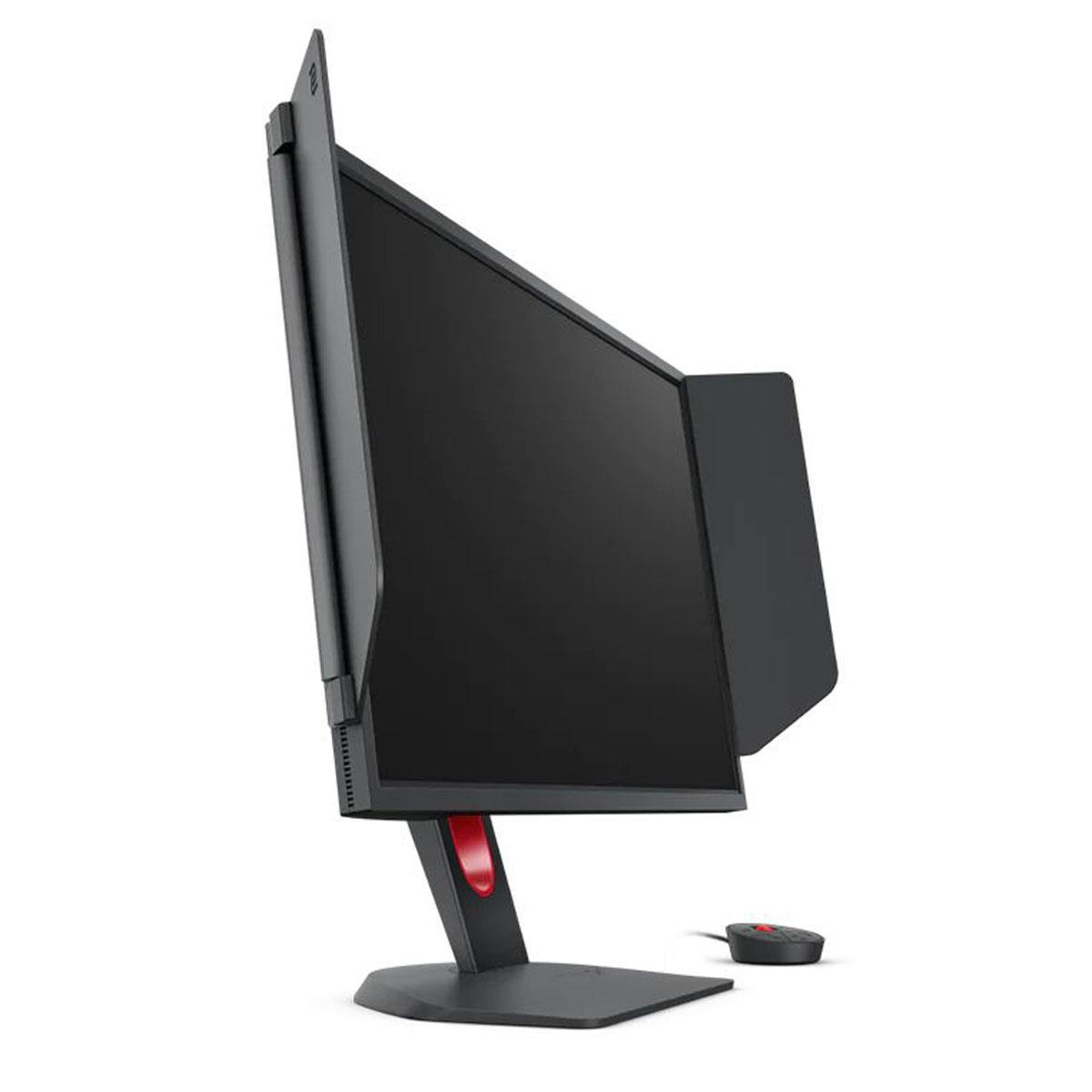
If you're shopping for a high-refresh gaming monitor in 2024, you've probably noticed that 240Hz displays have become the new standard for serious gamers. But here's where things get interesting: not all 240Hz monitors are created equal. Today we're comparing two very different approaches to competitive gaming displays—the GIGABYTE MO27Q2 with its cutting-edge QD-OLED technology, and the BenQ Zowie XL2746K with its esports-tuned TN panel.
These monitors represent a fascinating clash between old and new philosophies in gaming display design. One pushes the boundaries of visual quality while maintaining competitive performance, while the other doubles down on pure esports optimization with proven technology. Let's dive deep into what makes each special and help you figure out which one deserves a spot on your desk.
The high-refresh gaming monitor market has evolved dramatically over the past few years. When 240Hz monitors first appeared around 2017, they were mostly TN panels with basic feature sets. Fast forward to 2024, and we're seeing OLED technology finally mature enough for gaming, bringing with it incredible contrast and color reproduction that was previously impossible at these refresh rates.
The key considerations when choosing a 240Hz gaming monitor haven't changed much: you want the fastest response times possible, minimal input lag (the delay between your mouse click and the action appearing on screen), excellent motion clarity for tracking fast-moving targets, and enough brightness to see clearly in your gaming environment. What has changed is how different technologies achieve these goals.
Panel technology is probably the most important factor to understand. TN (Twisted Nematic) panels have been the go-to choice for competitive gaming because they offer extremely fast response times and low input lag. However, they sacrifice color accuracy, viewing angles, and contrast to achieve this speed. QD-OLED (Quantum Dot Organic Light Emitting Diode) represents a newer approach that combines quantum dot color enhancement with OLED's ability to turn pixels completely on or off, theoretically offering the best of both worlds.
The GIGABYTE MO27Q2, released in 2024, represents GIGABYTE's push into premium gaming displays. It features a 27-inch QD-OLED panel running at 2560×1440 resolution—what we call 1440p or QHD. This monitor costs more than traditional gaming displays but brings next-generation image quality to competitive gaming.
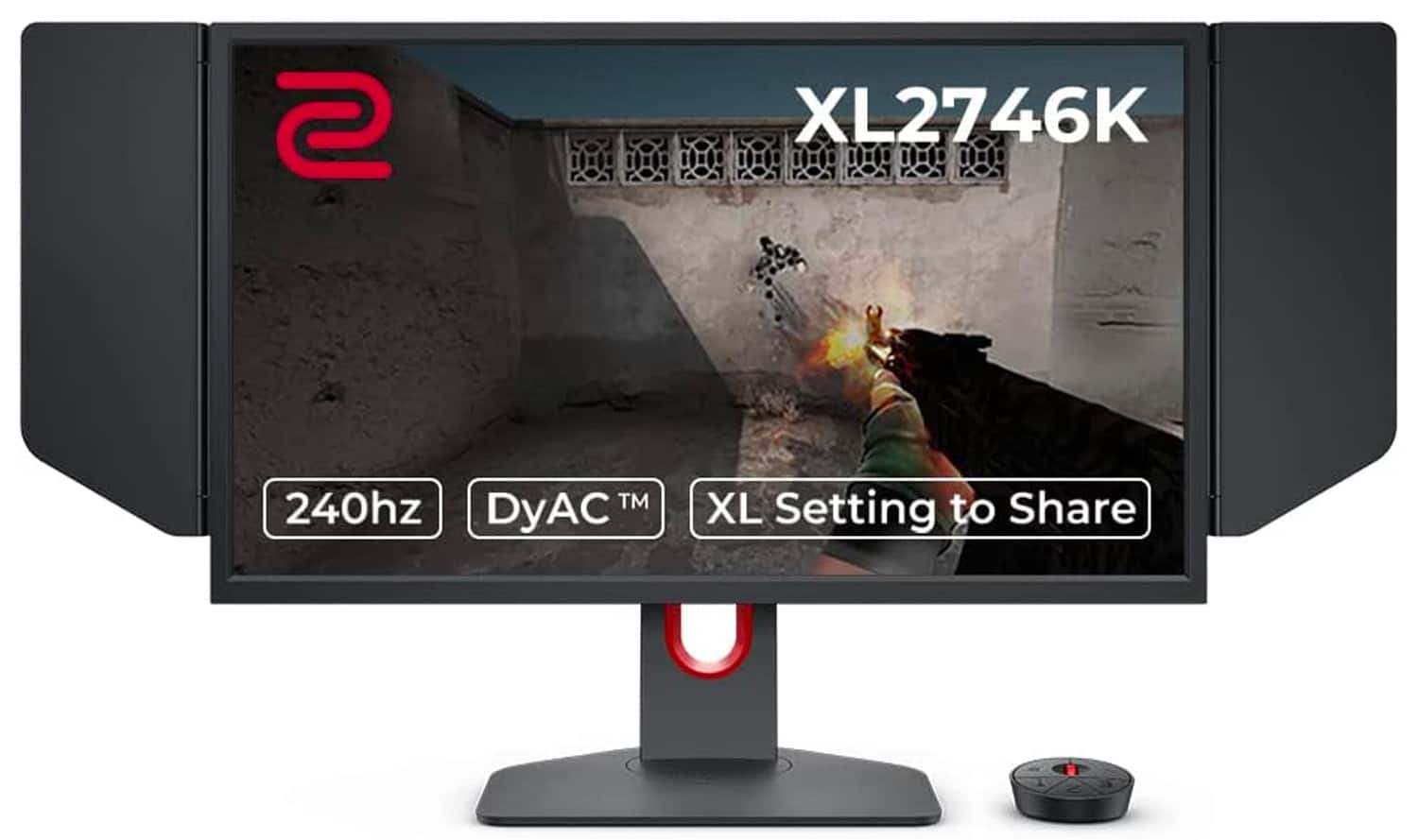
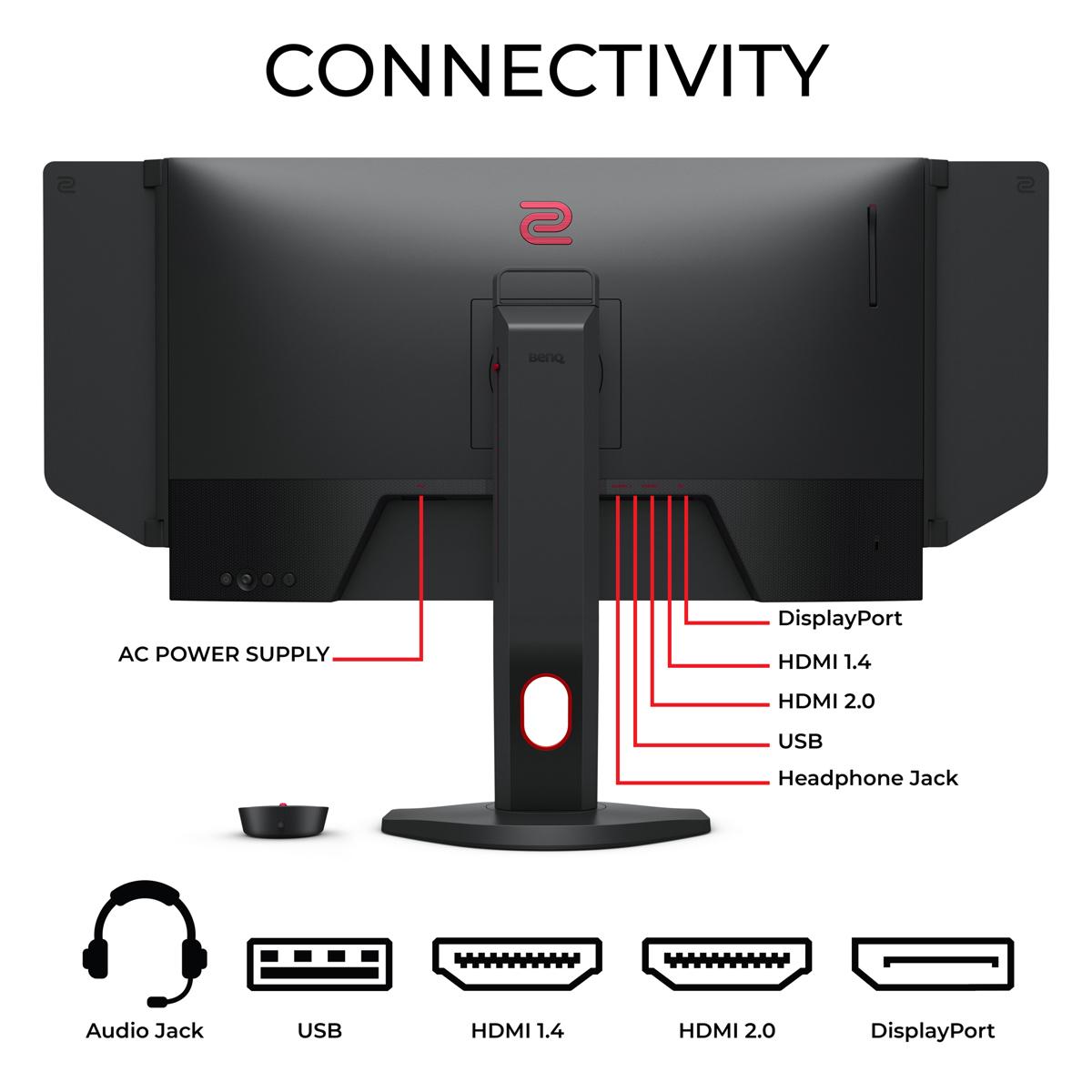
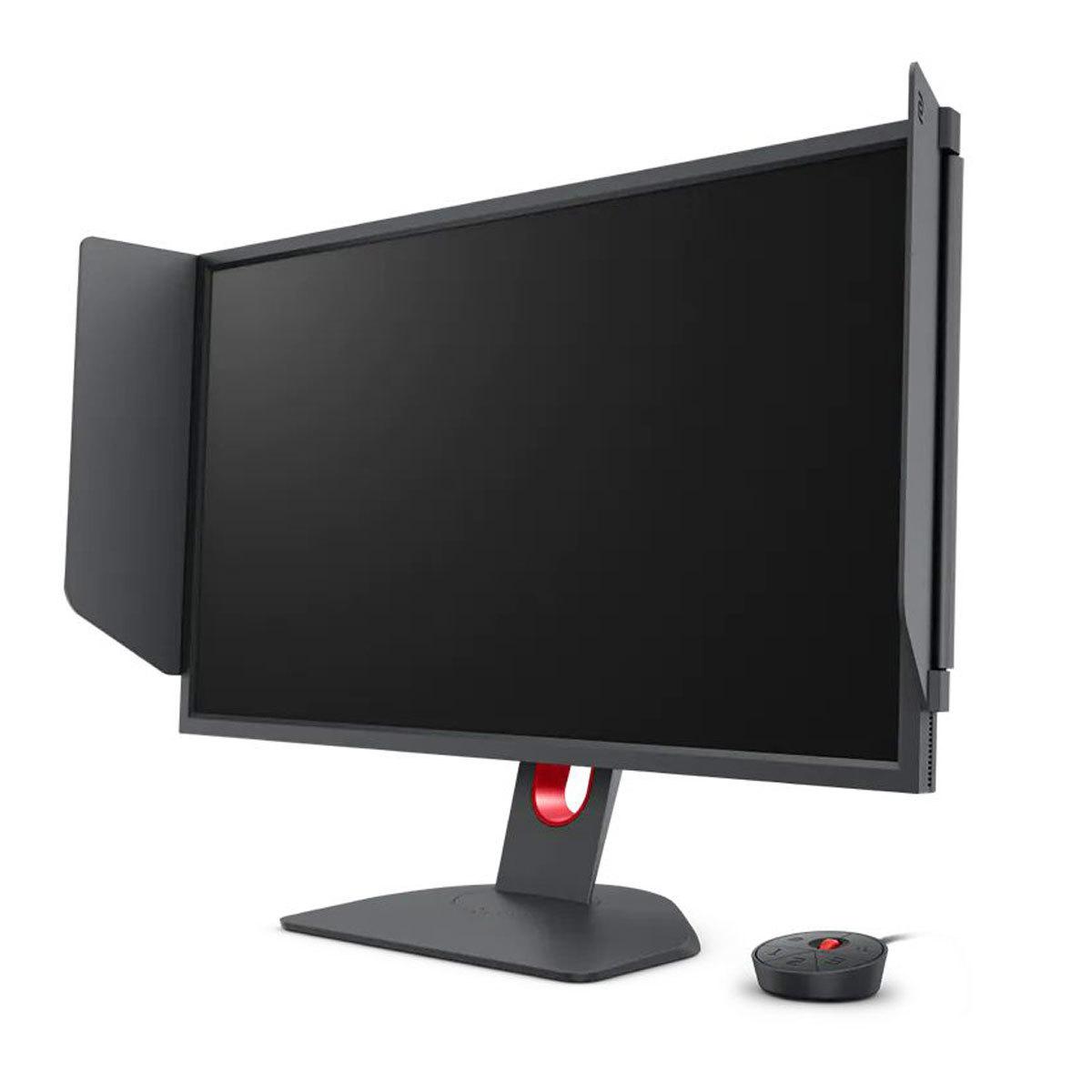
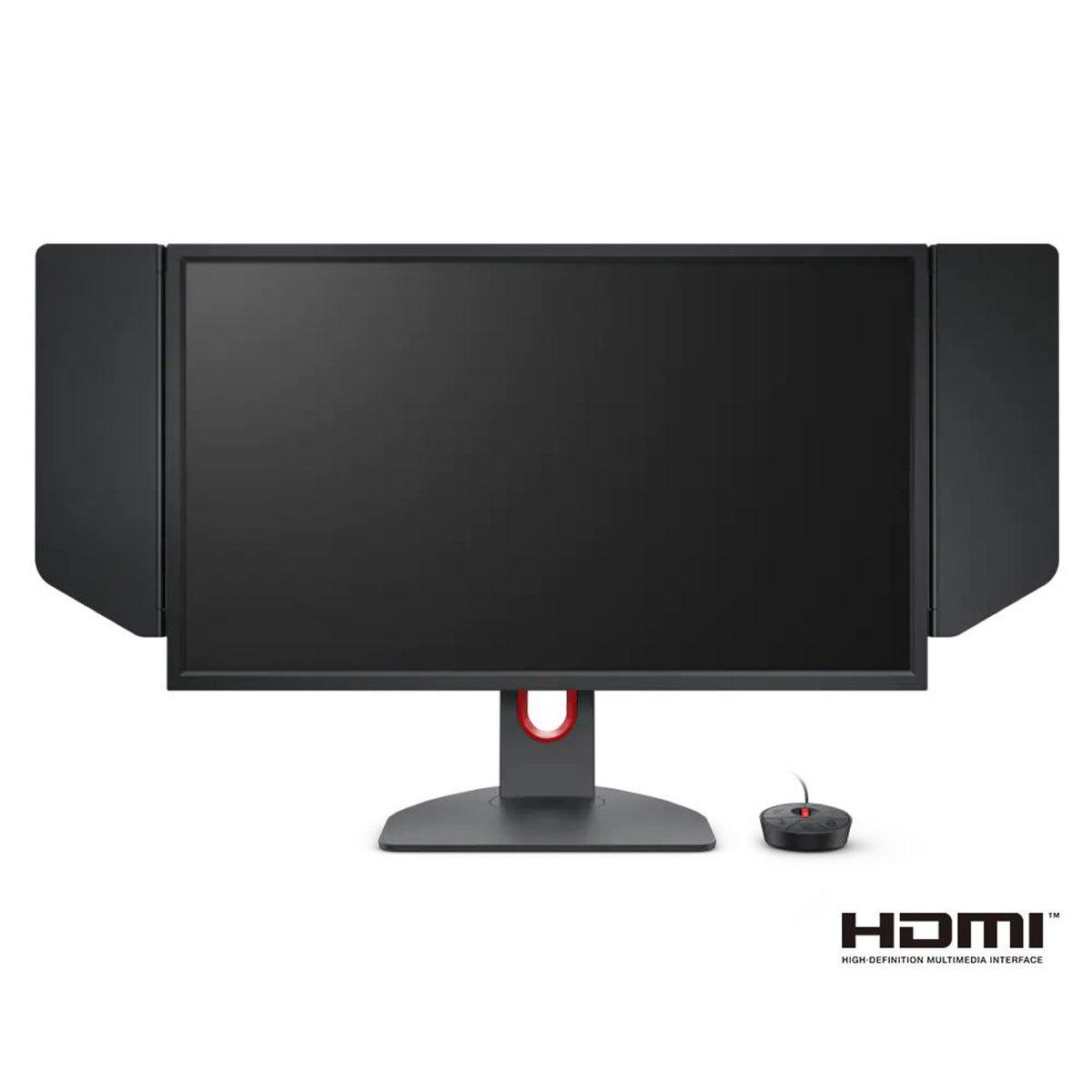
In contrast, the BenQ Zowie XL2746K, which hit the market in 2022, takes a more traditional approach. It uses a 27-inch TN panel at 1920×1080 resolution (1080p or Full HD) and focuses entirely on competitive gaming features. BenQ's Zowie line has been the choice of professional esports players for years, and this monitor continues that tradition with specialized tools designed specifically for FPS games.
The philosophy difference is striking: GIGABYTE wants to give you amazing visuals without sacrificing competitive performance, while BenQ focuses laser-sharp on giving competitive players every possible advantage, even if it means sacrificing some visual quality.
The GIGABYTE MO27Q2's QD-OLED panel represents a significant technological leap. Unlike traditional LCD monitors that use a backlight shining through liquid crystals, OLED pixels generate their own light. When a pixel needs to display black, it simply turns off completely, creating perfect blacks and an infinite contrast ratio. The quantum dot layer enhances color reproduction by converting blue OLED light into highly pure red and green colors.
This technology delivers a contrast ratio of 1,500,000:1 compared to the XL2746K's 1,000:1. In practical terms, this means darker scenes in games will have much deeper blacks, while bright elements pop with incredible intensity. Colors appear more vibrant and lifelike, covering 99% of the DCI-P3 color space (the standard used for digital cinema) compared to the roughly 100% sRGB coverage of the TN panel.
The MO27Q2 also supports 10-bit color depth, which means it can display over one billion colors instead of the 16.7 million colors of 8-bit displays. This results in smoother color gradients and more realistic color reproduction, particularly noticeable in games with rich environments or HDR content.
The BenQ Zowie XL2746K sticks with TN technology for good reasons. TN panels have been refined over decades specifically for competitive gaming. They offer consistent performance, don't suffer from burn-in issues (where static images can permanently damage the screen), and typically have the fastest native response times.
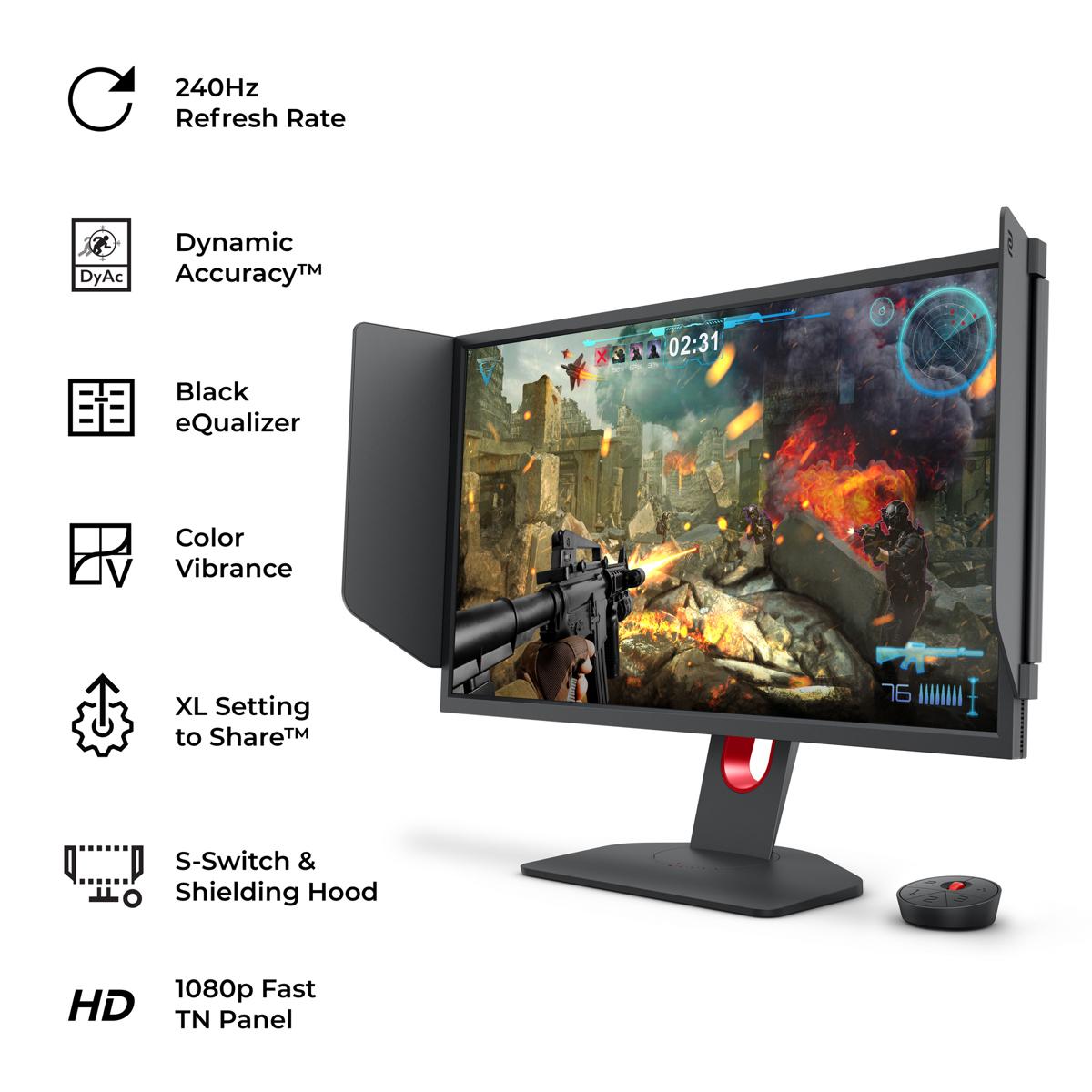
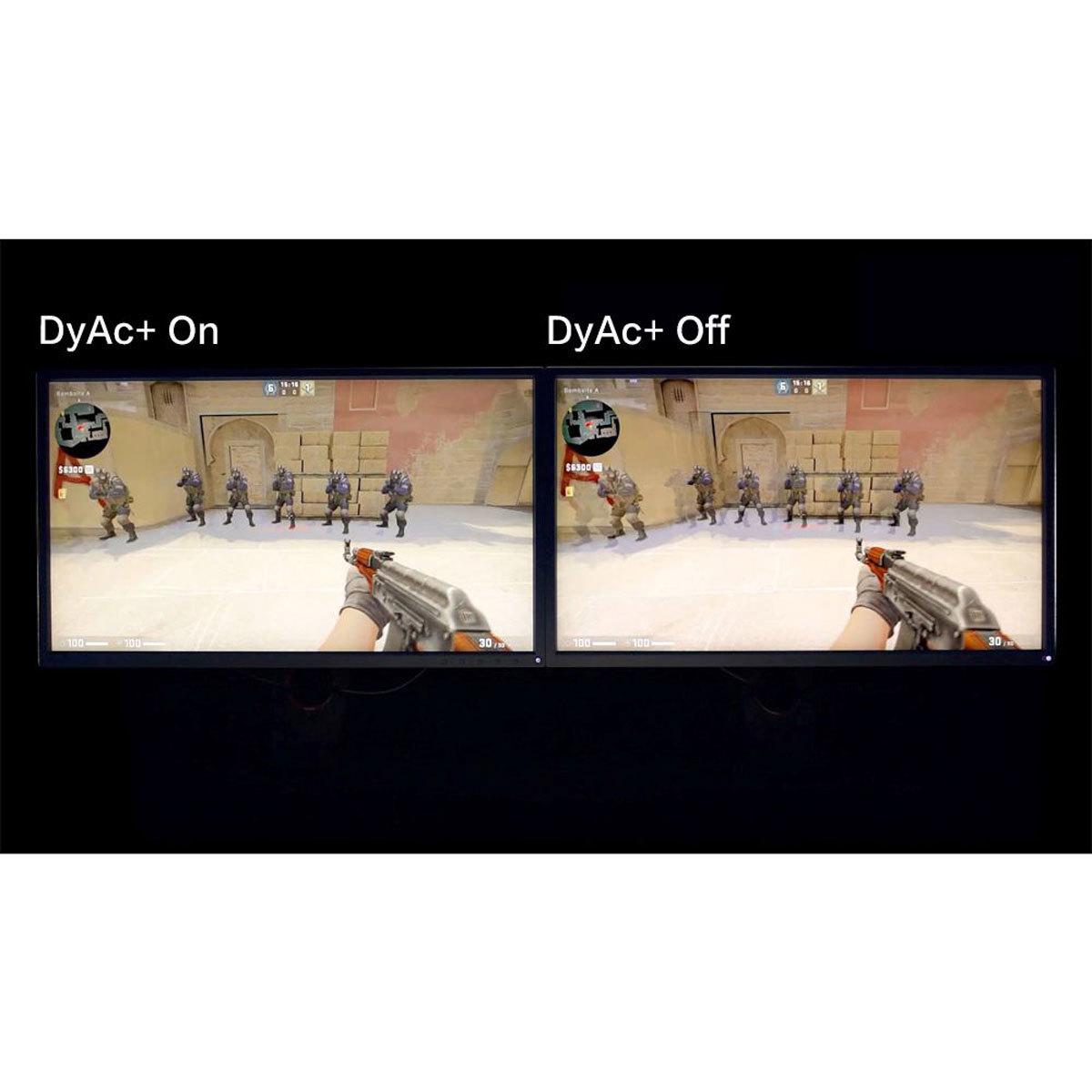
What TN panels lack in visual fidelity, they make up for in reliability and motion handling. The XL2746K includes BenQ's proprietary DyAc⁺ (Dynamic Accuracy Plus) technology, which strobes the backlight in sync with the refresh rate to reduce motion blur. This technique, called black frame insertion, creates clearer motion by inserting black frames between regular frames, making it easier to track moving targets in fast-paced games.
One of the biggest differences between these monitors is resolution, and this choice affects everything from visual quality to performance requirements.
The GIGABYTE MO27Q2's 1440p resolution provides 78% more pixels than 1080p. On a 27-inch screen, this translates to 109 pixels per inch (PPI) compared to the XL2746K's 82 PPI. The higher pixel density means sharper text, more detailed game visuals, and better desktop productivity when you're not gaming.
However, those extra pixels come with a significant performance cost. Running games at 1440p requires roughly 60-70% more GPU power than 1080p to achieve the same framerates. If you're trying to maintain 240 FPS in competitive games, this difference can be the deciding factor between smooth gameplay and occasional stutters.
Many professional esports players actually prefer 1080p not just for performance reasons, but because it can make enemies appear larger and easier to spot. The BenQ monitor's lower resolution means targets occupy more pixels on screen, which can provide a competitive advantage in games like Counter-Strike or Valorant.
For competitive gaming, motion clarity is absolutely crucial. When you're trying to track an enemy player moving across your screen or following your crosshair during rapid mouse movements, any blur or ghosting can mean the difference between landing a shot and missing.
The GIGABYTE MO27Q2 achieves motion clarity through sheer speed. With a claimed 0.03ms Gray-to-Gray (GTG) response time, OLED pixels can change colors almost instantaneously. There's no liquid crystal to twist or untwist, no backlight bleeding through slowly changing crystals. When a pixel needs to change, it just does.
This near-instantaneous response eliminates traditional ghosting (where you see faint trails behind moving objects) but comes with a potential downside. Some users report that OLED displays can cause eye strain due to the way pixels flicker when displaying certain content. It's not an issue for everyone, but it's worth considering if you're sensitive to display flicker.
The BenQ XL2746K takes a different approach with its DyAc⁺ technology. Instead of just relying on fast pixel response, it actively reduces perceived motion blur by strobing the backlight. When you're spraying bullets in an FPS game or tracking a fast-moving target, DyAc⁺ can make the action appear much clearer and easier to follow. Many professional players swear by this technology because it provides a tangible competitive advantage in fast-paced scenarios.
The trade-off is that DyAc⁺ reduces overall brightness and can't be used simultaneously with variable refresh rate technologies like FreeSync or G-Sync. You have to choose between smooth tear-free gaming or maximum motion clarity—you can't have both at the same time.
Both monitors include specialized features designed to give gamers an edge, but they approach this differently.
The GIGABYTE MO27Q2 includes a unique "Tactical Switch"—a physical button that instantly switches between the full 27-inch 1440p display and a centered 24-inch 1080p area. This feature lets you get the benefits of higher resolution for general gaming while switching to a more focused, smaller display area for competitive matches. It's like having two monitors in one, which is pretty clever for players who compete in different types of games.
The MO27Q2 also includes KVM (Keyboard, Video, Mouse) switch functionality, letting you control multiple devices with a single keyboard and mouse setup. If you have both a gaming PC and a work laptop, you can switch between them instantly using the monitor's controls.
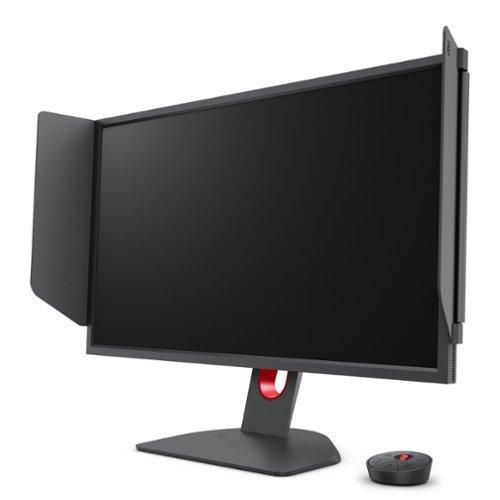
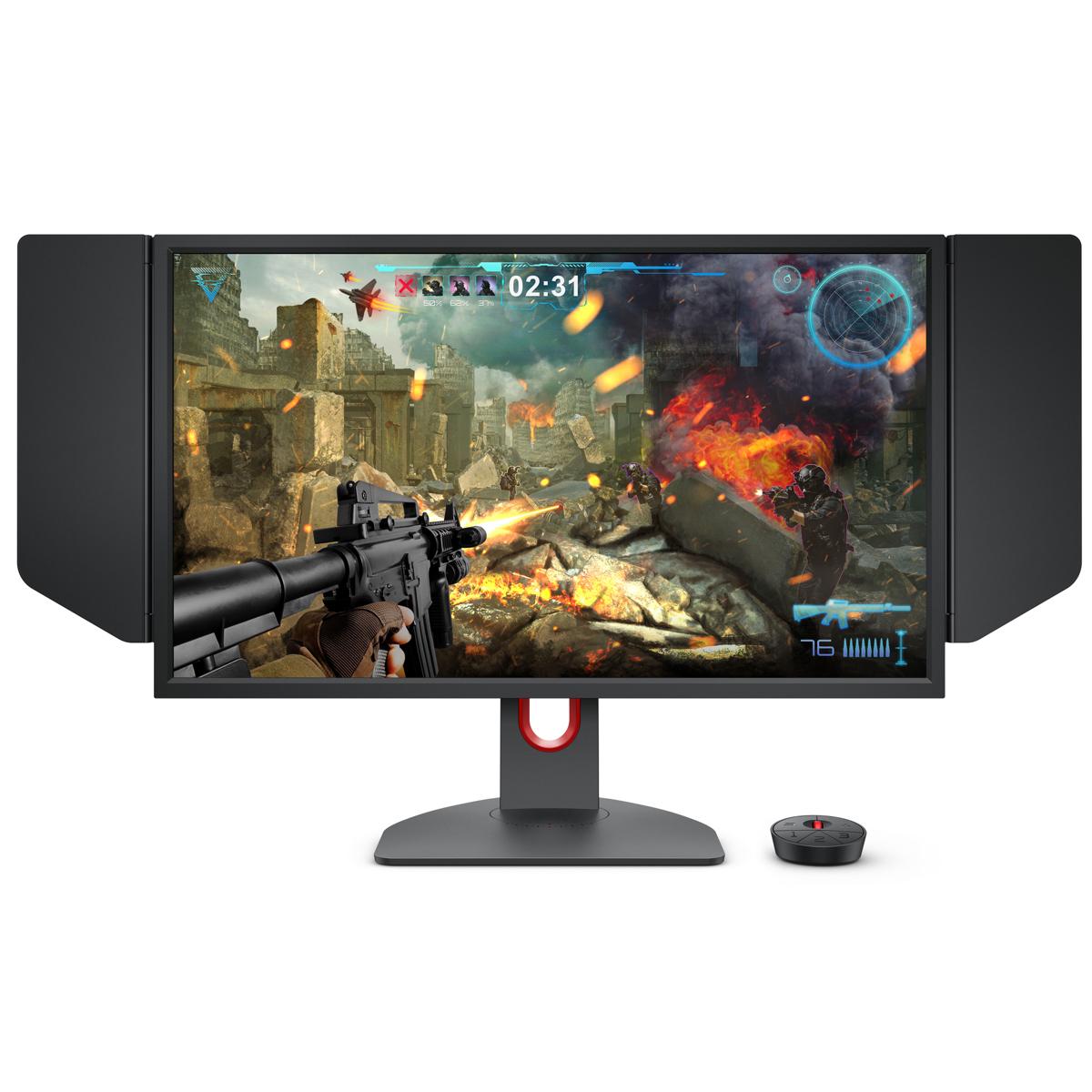
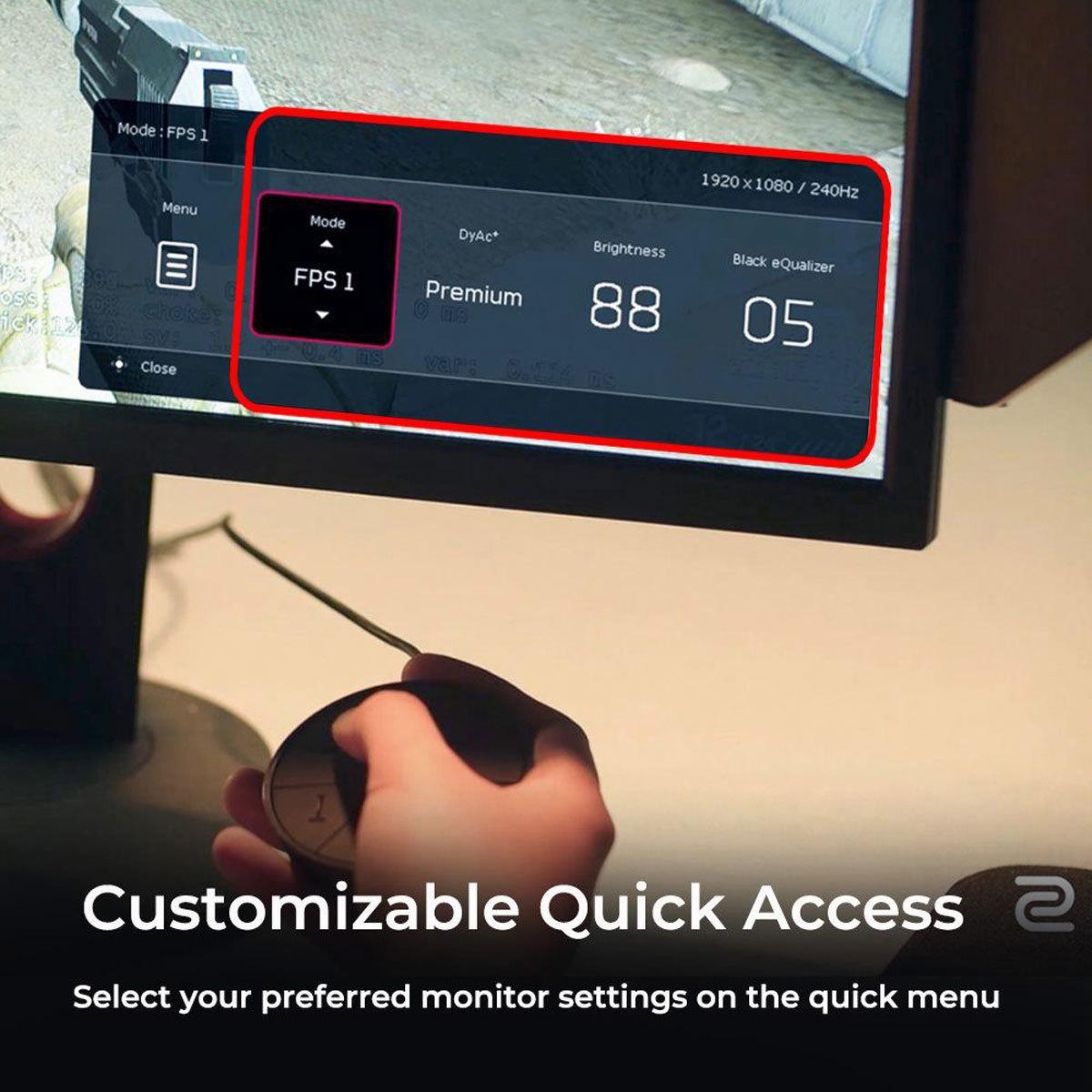
The BenQ Zowie XL2746K goes all-in on competitive gaming features. The included S Switch is a wireless controller that lets you quickly switch between three saved monitor profiles and adjust settings without touching the on-screen menu. This is invaluable during tournaments or LAN events where you need to adapt your settings quickly.
Black eQualizer is another standout feature—it brightens dark areas of the image without overexposing bright areas, making it easier to spot enemies hiding in shadows. Color Vibrance lets you adjust color saturation to make targets more visible, while the XL Setting to Share feature lets you import settings files from professional players or share your own configurations with teammates.
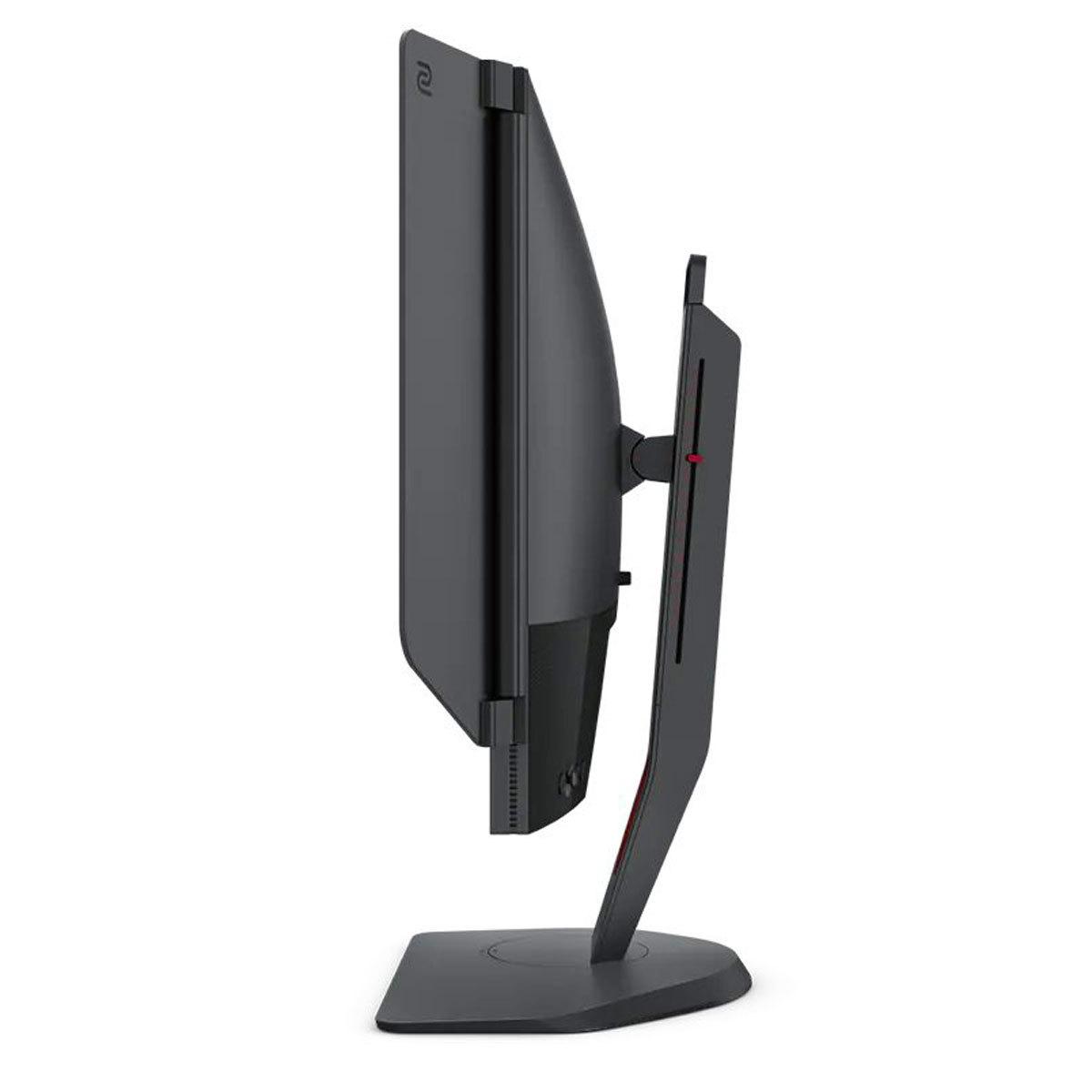
The XL2746K even includes a detachable "shielding hood"—physical panels that attach to the sides of the monitor to block peripheral distractions and ambient lighting. It might look unusual, but it's a common sight at esports tournaments for good reason.
Modern gaming monitors need to handle more than just PC gaming, and connectivity options can make or break the user experience.
The GIGABYTE MO27Q2 excels here with two HDMI 2.1 ports, one DisplayPort 1.4, and a USB-C port with Power Delivery. HDMI 2.1 support means you can connect PlayStation 5 or Xbox Series X consoles and enjoy 4K gaming at 120Hz, or 1440p at 240Hz. The USB-C port, while limited to 18W of power delivery (enough for phones but not laptops), adds convenient connectivity options.
The integrated USB hub with KVM functionality means you can connect your keyboard, mouse, and other peripherals to the monitor and switch between devices seamlessly. It's a genuinely useful feature that reduces cable clutter and simplifies multi-device setups.
The BenQ XL2746K takes a more focused approach with three HDMI 2.0 ports and one DisplayPort 1.2. There's no USB-C, no power delivery, and the USB port is primarily for the settings tool rather than general use. This isn't a limitation—it's a design choice. Competitive gamers typically want their setup optimized for performance and reliability rather than convenience features.
This is where the technology differences become most apparent. The GIGABYTE MO27Q2's QD-OLED panel delivers visuals that simply aren't possible on traditional LCD displays. Colors are more saturated and accurate, blacks are perfectly black, and the overall image has a depth and richness that makes games more immersive.
The monitor supports HDR (High Dynamic Range) with VESA DisplayHDR True Black 400 certification. While it doesn't get as bright as some high-end HDR displays, the infinite contrast ratio means HDR content looks more realistic than on conventional monitors. Peak brightness reaches around 1000 nits in small areas, though typical brightness is around 250 nits—sufficient for most gaming environments but potentially challenging in very bright rooms.
The BenQ XL2746K delivers what you'd expect from a quality TN panel: adequate colors for gaming with good brightness at 320 nits typical. It's not going to wow you with color reproduction or contrast, but it provides a consistent, reliable image that won't distract from competitive gaming. The matte coating reduces reflections effectively, making it suitable for brighter gaming environments.
At the time of writing, these monitors occupy different price tiers, with the GIGABYTE MO27Q2 commanding a premium over the BenQ XL2746K. The price difference reflects the advanced QD-OLED technology and higher resolution, but also raises questions about value for different types of users.
The MO27Q2 offers exceptional value for QD-OLED technology. When OLED gaming monitors first appeared, they cost significantly more, making this monitor an attractive entry point into premium display technology. If you value image quality and want a monitor that handles both competitive gaming and single-player experiences beautifully, the premium feels justified.
The BenQ monitor represents excellent value for competitive focused gamers. Every feature serves a purpose in esports competition, and there's no paying for capabilities you won't use. The specialized gaming features like DyAc⁺ and the S Switch aren't available on most other monitors at any price.
While both monitors are primarily designed for gaming, their versatility for other uses varies significantly.
The GIGABYTE MO27Q2 makes an excellent secondary display for media consumption. The QD-OLED panel's color accuracy and contrast make movies and TV shows look fantastic, especially HDR content. The higher resolution also improves text clarity for productivity work, making it a solid choice if your monitor needs to handle both gaming and general computing tasks.
For home theater use, the deep blacks and vibrant colors create an engaging viewing experience, though the 240Hz refresh rate doesn't add much value for movies (which typically run at 24 or 30 FPS). The glossy coating can be problematic in bright rooms, as it's more prone to reflections than matte displays.
The BenQ XL2746K is less versatile outside of gaming. The TN panel's narrow viewing angles and limited color reproduction make it less suitable for media consumption or color-critical work. However, if your monitor is primarily for competitive gaming with occasional web browsing or productivity tasks, it handles those duties adequately.
Choosing between these monitors comes down to understanding your priorities and gaming habits.
Choose the GIGABYTE MO27Q2 if you:
Choose the BenQ Zowie XL2746K if you:
The decision ultimately comes down to whether you prioritize visual excellence or competitive optimization. Both monitors excel in their intended roles, and both represent good value in their respective categories. The GIGABYTE MO27Q2 pushes the boundaries of what's possible in gaming displays, while the BenQ XL2746K perfects the established formula for competitive gaming success.
Consider your GPU performance, the types of games you play most often, and whether you need your monitor to handle tasks beyond gaming. Either choice will serve you well for high-refresh gaming—it's just a matter of which philosophy aligns better with your needs and preferences.
| GIGABYTE MO27Q2 | BenQ Zowie XL2746K |
|---|---|
| Panel Technology - Determines image quality, response time, and longevity | |
| QD-OLED (quantum dot + OLED for superior colors and contrast) | TN (proven fast response, tournament-reliable, no burn-in risk) |
| Resolution - Affects visual clarity and GPU performance requirements | |
| 2560×1440 (1440p/QHD - sharper but needs powerful GPU) | 1920×1080 (1080p/FHD - maximizes performance, preferred for esports) |
| Contrast Ratio - How well the monitor displays dark scenes and overall depth | |
| 1,500,000:1 (infinite blacks, dramatic visual improvement) | 1,000:1 (typical LCD performance, adequate for competitive gaming) |
| Response Time - Critical for eliminating ghosting in fast motion | |
| 0.03ms GTG (near-instantaneous OLED pixel switching) | Fast TN response + DyAc⁺ motion blur reduction technology |
| Color Coverage - Impacts color accuracy and vibrancy | |
| 99% DCI-P3, 10-bit color (cinema-grade colors, smoother gradients) | ~100% sRGB, 8-bit color (standard gaming colors, adequate reproduction) |
| HDR Support - Enhances contrast and brightness in compatible content | |
| VESA DisplayHDR True Black 400 (excellent contrast, moderate brightness) | No HDR support (focus purely on competitive gaming performance) |
| Specialized Gaming Features - Tools designed for competitive advantage | |
| Tactical Switch (instant resolution change), KVM switch, AI OLED Care | DyAc⁺ motion clarity, S Switch controller, Black eQualizer, shielding hood |
| Connectivity - Modern ports and device compatibility | |
| 2× HDMI 2.1, 1× DP 1.4, USB-C with KVM (excellent for consoles and multi-device) | 3× HDMI 2.0, 1× DP 1.2 (focused on gaming, no modern conveniences) |
| Ergonomics - Adjustability and comfort for long gaming sessions | |
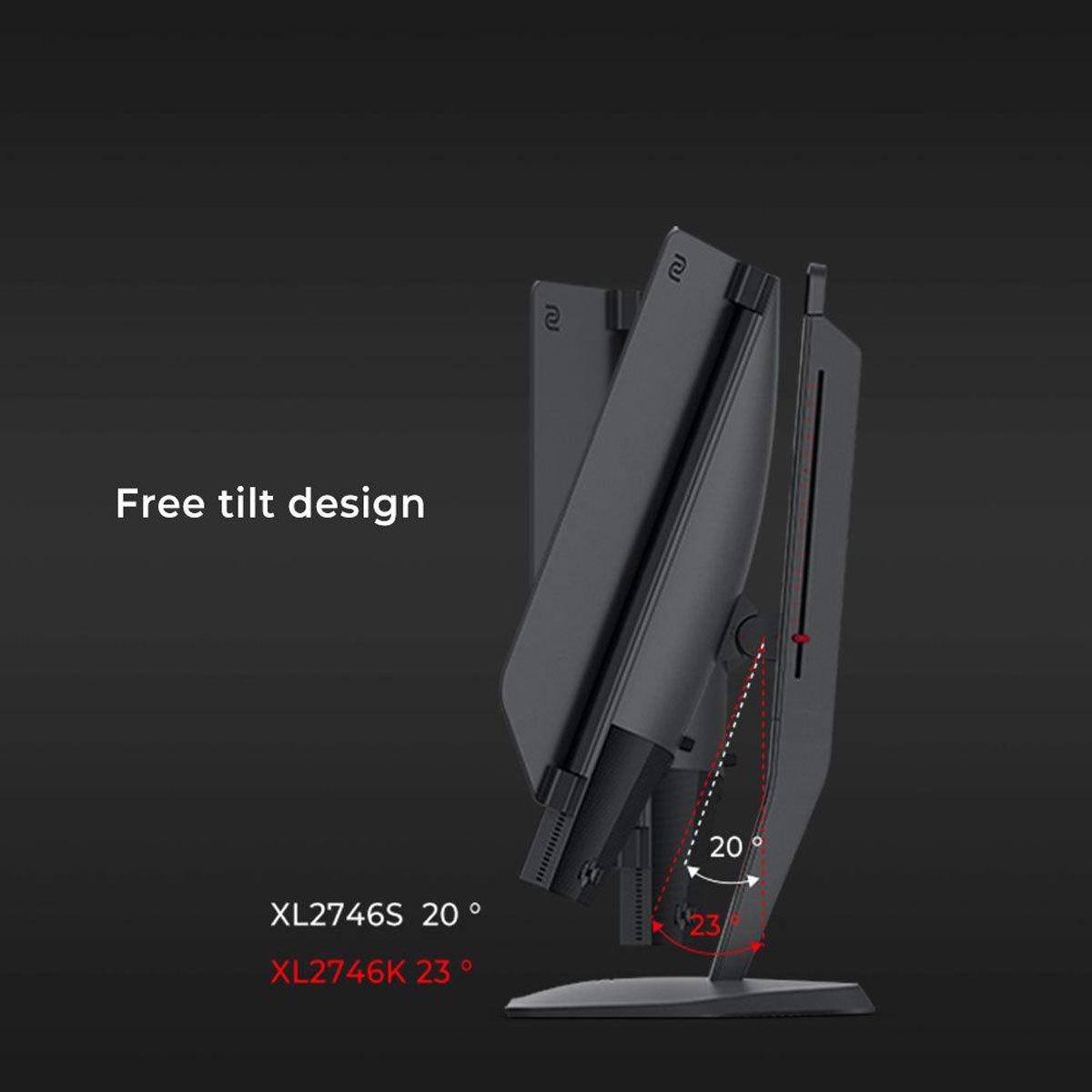
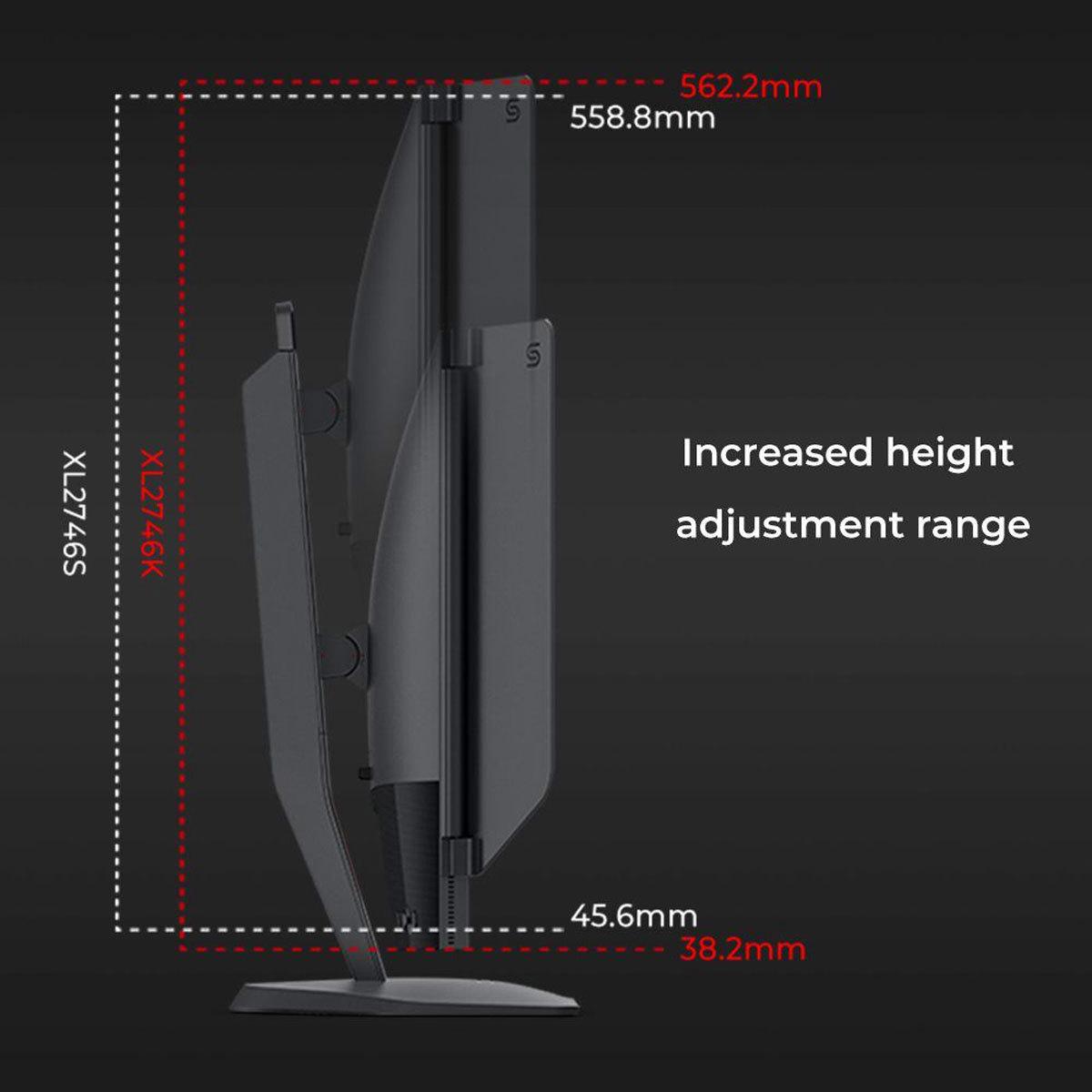
| Height, tilt, swivel, pivot adjustments (premium stand design) | Height, tilt, swivel, pivot adjustments (tournament-proven reliability) |
| Target Use Case - Who benefits most from each monitor's strengths | |
| Mixed gaming + productivity, visual quality enthusiasts, modern feature users | Competitive FPS players, esports professionals, performance-first gamers |
| Key Trade-offs - What you sacrifice for each monitor's benefits | |
| Higher GPU requirements, OLED burn-in risk, more expensive | Limited color/contrast, 1080p only, fewer modern features, specialized focus |
The BenQ Zowie XL2746K is specifically designed for competitive gaming with features like DyAc⁺ motion blur reduction, Black eQualizer for spotting enemies in shadows, and the S Switch controller for quick settings changes. Professional esports players widely use BenQ Zowie monitors in tournaments. However, the GIGABYTE MO27Q2 offers faster 0.03ms response times and excellent motion clarity through its OLED technology.
QD-OLED in the GIGABYTE MO27Q2 combines quantum dots with OLED pixels to deliver perfect blacks, infinite contrast, and vibrant colors with 99% DCI-P3 coverage. TN panels in the BenQ Zowie XL2746K prioritize speed and reliability with fast response times and no burn-in risk, but offer limited viewing angles and basic color reproduction. QD-OLED provides superior image quality while TN focuses on competitive performance.
The GIGABYTE MO27Q2's 1440p resolution offers 78% more pixels than 1080p, providing sharper visuals and better desktop productivity. However, it requires significantly more GPU power to maintain high framerates. The BenQ Zowie XL2746K's 1080p resolution maximizes performance and is preferred by many competitive players because enemies appear larger and easier to spot on screen.
Yes, both the GIGABYTE MO27Q2 and BenQ Zowie XL2746K support 240Hz refresh rates for ultra-smooth gaming. The MO27Q2 achieves 240Hz at 1440p resolution, while the XL2746K runs 240Hz at 1080p resolution. Both provide the high refresh rates needed for competitive gaming.
The GIGABYTE MO27Q2 significantly outperforms the BenQ Zowie XL2746K in color accuracy with 99% DCI-P3 coverage, 10-bit color depth, and VESA DisplayHDR True Black 400 certification. The QD-OLED panel delivers cinema-grade colors and true HDR performance. The XL2746K offers standard sRGB colors without HDR support, focusing purely on competitive gaming rather than visual quality.
The BenQ Zowie XL2746K includes DyAc⁺ motion blur reduction, Black eQualizer, Color Vibrance, S Switch hardware controller, and a detachable shielding hood for tournament use. The GIGABYTE MO27Q2 features a Tactical Switch for instant resolution changes, KVM functionality for multi-device control, and AI-based OLED care technology to prevent burn-in.
The GIGABYTE MO27Q2 is superior for console gaming with two HDMI 2.1 ports supporting 4K 120Hz from PlayStation 5 and Xbox Series X. It can also downscale 4K content to 1440p at 120Hz for enhanced visual quality. The BenQ Zowie XL2746K has HDMI 2.0 ports limited to 1080p output, making it less ideal for modern console gaming.
The GIGABYTE MO27Q2 uses OLED technology which can potentially experience burn-in from static images, though it includes AI-based OLED Care features and comes with a 3-year warranty covering burn-in. The BenQ Zowie XL2746K uses TN panel technology with no burn-in risk whatsoever, making it completely worry-free for extended gaming sessions with static elements like HUDs.
The GIGABYTE MO27Q2 provides superior connectivity with 2× HDMI 2.1, DisplayPort 1.4, USB-C with power delivery, and a built-in KVM switch for controlling multiple devices. The BenQ Zowie XL2746K offers 3× HDMI 2.0 and DisplayPort 1.2, focusing on gaming connectivity without modern conveniences like USB-C or KVM functionality.
Both monitors feature premium build quality with fully adjustable stands offering height, tilt, swivel, and pivot adjustments. The GIGABYTE MO27Q2 has a modern design with a glossy anti-reflective coating, while the BenQ Zowie XL2746K features a tournament-focused design with matte coating and includes a detachable shielding hood for competitive environments.
Value depends on your priorities. The BenQ Zowie XL2746K offers excellent value for competitive gamers with specialized esports features at a lower price point. The GIGABYTE MO27Q2 provides exceptional value for QD-OLED technology, delivering premium image quality and modern features that typically cost much more in other monitors.
The GIGABYTE MO27Q2 excels for productivity with its higher 1440p resolution, accurate colors covering 99% DCI-P3, and USB-C connectivity with KVM functionality. It's excellent for content creation and mixed-use scenarios. The BenQ Zowie XL2746K is adequate for basic productivity but limited by its 1080p resolution, narrow viewing angles, and focus on competitive gaming rather than color accuracy.
We've done our best to create useful and informative comparisons to help you decide what product to buy. Our research uses advanced automated methods to create this comparison and perfection is not possible - please contact us for corrections or questions. These are the sites we've researched in the creation of this article: gigabyte.com - youtube.com - newegg.com - mezha.media - tech-critter.com - gigabyte.com - forum.pcmonitors.info - techspot.com - aorus.com - saltynewsnetwork.com - infiniarc.com - gigabyte.com - bestbuy.com - youtube.com - gigabyte.com - gigabyte.com - displayspecifications.com - aorus.com - gigabyte.com - gigabyte.com - rtings.com - youtube.com - bestbuy.com - versus.com - youtube.com - versus.com - forums.blurbusters.com - pcmonitors.info - youtube.com - bhphotovideo.com - zowie.benq.com - bhphotovideo.com - device.report - newegg.com - bestbuy.com - displayspecifications.com - provantage.com - zowie.benq.com - smallonlineshop.com.sg - camcor.com

Privacy Policy
Terms and Conditions - Affiliate Policy
Home Security
© Copyright 2008-2026.
11816 Inwood Rd #1211, Dallas, TX 75244