












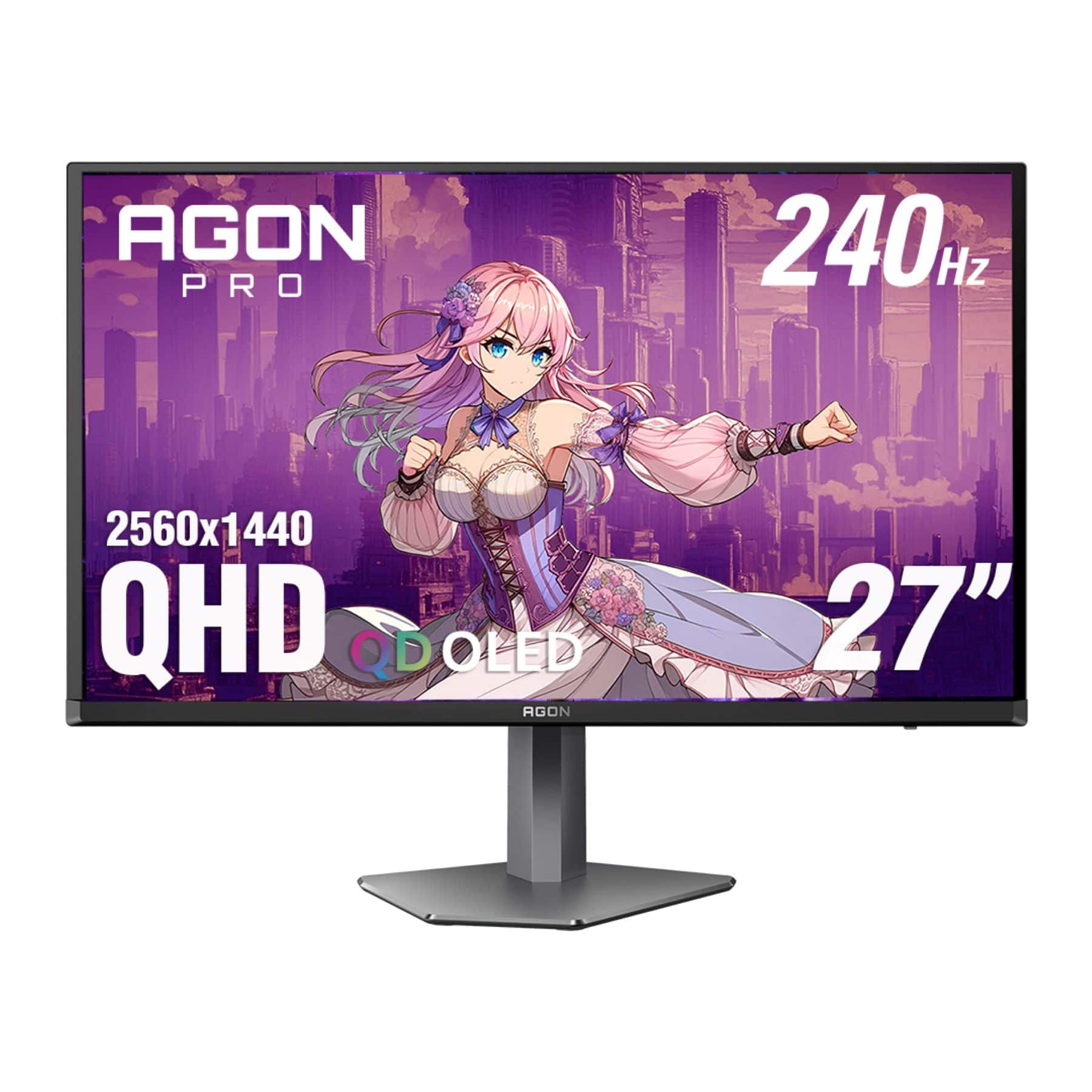
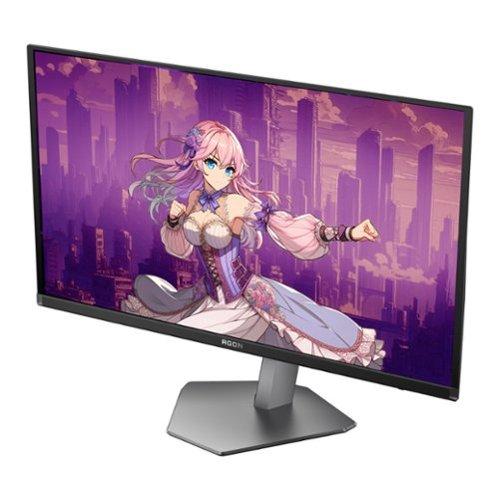
When you're ready to invest in a premium gaming monitor, the world of QD-OLED displays represents the current pinnacle of gaming performance. These cutting-edge screens combine the perfect blacks of OLED technology with quantum dot enhancement for incredibly vibrant colors. Today, I'm comparing two standout options from 2024-2025: the GIGABYTE MO27Q2 and the AOC AGON PRO AG276QZD2.
Both monitors share the same core DNA—27-inch screens with 2560×1440 resolution running at lightning-fast 240Hz—but their differences reveal themselves in the details that matter most for your gaming experience.
QD-OLED might sound like alphabet soup, but it's actually a fascinating technology that combines two display innovations. Traditional OLED uses organic compounds that emit their own light, creating perfect blacks when pixels are turned completely off. QD-OLED takes this a step further by adding a quantum dot layer that converts blue OLED light into red and green, resulting in more accurate and vibrant colors than standard OLED panels.
For gaming monitors in this category, you'll want to focus on several key performance areas. Response time measures how quickly pixels can change colors—crucial for eliminating motion blur in fast-paced games. Refresh rate determines how many times per second the screen updates, with higher numbers providing smoother motion. Input lag affects how quickly your mouse movements or controller inputs appear on screen, making it vital for competitive gaming.
Color accuracy and HDR (High Dynamic Range) implementation determine how lifelike and immersive your games will look. HDR expands the range between the darkest blacks and brightest whites, but not all HDR implementations are created equal. Finally, build quality and connectivity options affect your long-term satisfaction and how well the monitor integrates with your gaming setup.
Both the GIGABYTE MO27Q2 and AOC AGON PRO deliver identical core specifications that place them among the fastest gaming monitors available. They share the same 0.03ms GTG (Gray-to-Gray) response time, which is essentially instantaneous for human perception. To put this in perspective, a typical gaming LCD might have a 1ms response time, while these QD-OLED panels are thirty times faster.
The 240Hz refresh rate means each monitor updates its image 240 times per second. For competitive gamers, this translates to incredibly smooth motion tracking when following fast-moving targets. Even if your graphics card can't always push 240 frames per second, the high refresh rate reduces input lag and makes lower frame rates feel more responsive.
Both monitors cover 99% of the DCI-P3 color space, which is the standard used for digital cinema. This wide color gamut means games with rich, saturated environments—think of the lush forests in games like The Witcher 3 or the neon-soaked streets of Cyberpunk 2077—will display with exceptional vibrancy and accuracy.
The contrast ratio of 1.5 million to 1 might seem like marketing hyperbole, but it's actually a real advantage of OLED technology. When a pixel displays pure black, it's completely off, creating true darkness that makes bright elements pop dramatically. This is particularly noticeable in games with dramatic lighting, like exploring dark caves with torch light or space games with bright stars against the void.
While both monitors support VESA DisplayHDR True Black 400 certification, their HDR implementations reveal meaningful differences in real-world use. The GIGABYTE MO27Q2 demonstrates superior HDR processing, particularly in how it handles bright scenes.
HDR content often triggers something called ABL (Automatic Brightness Limiting) on OLED displays. This feature prevents panel damage by dimming the entire screen when large bright areas appear. However, aggressive ABL can make HDR content frustrating to watch, as the screen constantly dims and brightens based on scene content.
The GIGABYTE MO27Q2 manages this more elegantly, maintaining better brightness consistency across different content types. In practical terms, this means bright outdoor scenes in games like Horizon Zero Dawn or sunny environments in racing games won't cause dramatic brightness fluctuations that can be distracting during gameplay.
The AOC AGON PRO, while still capable of excellent HDR, suffers from what reviewers describe as "weird underuse of the gamut under HDR." This technical limitation means HDR content may not look as vibrant or rich as it should, requiring additional user calibration to achieve optimal performance.
Perhaps the most significant practical difference lies in connectivity options. The GIGABYTE MO27Q2 includes two HDMI 2.1 ports, while the AOC AGON PRO relies on HDMI 2.0. This might seem like a minor specification difference, but it has major implications for console gaming.
HDMI 2.1 supports higher bandwidth, enabling features like 4K resolution at 120Hz refresh rates. For PlayStation 5 and Xbox Series X owners, this means you can take advantage of these consoles' most advanced display modes. The GIGABYTE can even perform 4K UHD downsampling, which takes a 4K signal and intelligently scales it to the monitor's 1440p resolution, often resulting in sharper image quality than native 1440p rendering.
The GIGABYTE MO27Q2 also includes KVM (Keyboard, Video, Mouse) functionality through its USB-C port. KVM allows you to control multiple devices—say, your gaming PC and work laptop—with a single keyboard and mouse setup. You can switch between devices with the press of a button, making it invaluable for users who share their gaming setup with productivity work.
This USB-C port also provides 18W of power delivery, sufficient for charging smartphones or powering small devices. While it won't charge a laptop, it's convenient for keeping your phone topped up during long gaming sessions.
The construction differences between these monitors become apparent the moment you unbox them. The GIGABYTE MO27Q2 features a coated metal stand that feels substantial and premium. The low-profile base design takes up less desk space while providing excellent stability.
In contrast, the AOC AGON PRO uses plastic construction throughout its stand and base. While functionally adequate, it doesn't convey the same sense of premium quality. For a monitor that will likely sit on your desk for years, this difference in materials and construction quality can impact your daily satisfaction with the purchase.
The ergonomic adjustments on both monitors are comprehensive, including height, tilt, swivel, and pivot adjustments. However, the GIGABYTE's metal construction provides smoother, more precise adjustments that maintain their settings better over time.
For competitive gaming, both monitors excel, but the GIGABYTE MO27Q2 offers some unique advantages. Its Tactical Switch feature allows instant switching between the full 27-inch display and a centered 24-inch area with 1920×1080 resolution. Many professional esports players prefer smaller screen areas for better peripheral vision and faster eye movements when tracking targets.
This feature essentially gives you two monitors in one—the full 27-inch experience for immersive single-player games and the focused 24-inch area for competitive multiplayer matches. The switch is instantaneous and can be mapped to a dedicated physical button on the monitor.
Input lag measurements show both monitors perform exceptionally well at their maximum 240Hz refresh rate. However, the AOC AGON PRO shows increased input lag at lower refresh rates like 60Hz and 120Hz, which could impact console gaming performance where games often run at these lower frame rates.
Console gaming represents a significant use case where the GIGABYTE MO27Q2 clearly outperforms its competitor. The HDMI 2.1 connectivity isn't just about future-proofing—it provides immediate benefits for current-generation consoles.
PlayStation 5 and Xbox Series X games increasingly offer "Performance RT" modes that combine ray tracing with 120Hz refresh rates. Without HDMI 2.1, you're limited to either high resolution or high refresh rate, but not both simultaneously. The GIGABYTE allows you to experience these enhanced modes as developers intended.
The superior HDR implementation also benefits console gaming, where HDR content is becoming standard. Games like The Last of Us Part II or Forza Horizon 5 showcase dramatic lighting scenarios that really benefit from consistent, well-implemented HDR processing.
Both monitors achieve the same impressive 0.03ms response time, but this specification only tells part of the story. Motion clarity depends on several factors, including pixel response consistency across different color transitions and the effectiveness of any motion processing features.
QD-OLED technology inherently provides excellent motion clarity because individual pixels can change state almost instantly. Unlike LCD panels that rely on liquid crystal molecules physically rotating, OLED pixels simply turn on or off electronically. This results in what many describe as "CRT-like" motion clarity—a reference to the old cathode-ray tube monitors that competitive gamers still praise for their motion handling.
The 240Hz refresh rate ensures that even fast-moving objects in games maintain clear, defined edges. Whether you're tracking enemies in Counter-Strike or following a racing line in sim racing games, both monitors deliver exceptional motion performance that eliminates the blur and ghosting that can plague lower-tier displays.
While primarily designed for gaming, both monitors can serve double duty for home theater use, though with some important caveats. The 27-inch size places them in an interesting middle ground—larger than typical desktop monitors but smaller than dedicated TV displays.
The GIGABYTE MO27Q2 proves more versatile for home theater applications thanks to its superior HDR implementation and HDMI 2.1 connectivity. You can connect streaming devices, game consoles, and media players while taking advantage of the full range of supported formats and refresh rates.
However, both monitors use glossy coatings that can be problematic in bright rooms with significant ambient light. The deep blacks that make OLED technology so impressive can appear washed out when room lighting causes reflections on the screen surface. For optimal home theater use, you'll want to control room lighting, similar to how you'd set up a traditional home theater.
The built-in speakers on both monitors provide basic audio functionality, but serious home theater use will require external audio solutions. The sound quality is adequate for gaming and casual content consumption but lacks the depth and power needed for immersive movie watching.
At the time of writing, the GIGABYTE MO27Q2 commands a premium over the AOC AGON PRO, with the price difference typically ranging from $100 to $200 depending on sales and regional availability. This price gap reflects the additional features and premium construction of the GIGABYTE model.
For users who primarily game on PC and don't need advanced connectivity features, the AOC AGON PRO represents solid value. You get the core QD-OLED experience—perfect blacks, vibrant colors, and ultra-fast response times—at a more accessible price point.
However, the GIGABYTE's additional features often justify its premium pricing. HDMI 2.1 connectivity alone adds significant value for console gamers, while the KVM functionality and premium build quality benefit productivity users who share their setup between gaming and work.
The market positioning becomes clearer when you consider the target audience. The AOC AGON PRO serves as an excellent entry point into premium QD-OLED gaming, while the GIGABYTE MO27Q2 targets enthusiasts who want the complete high-end experience with no compromises.
Choose the GIGABYTE MO27Q2 if you game on both PC and consoles, need KVM functionality for productivity, or simply want the best possible implementation of QD-OLED technology with premium build quality. The superior HDR processing and HDMI 2.1 connectivity make it particularly appealing for users with modern consoles.
The AOC AGON PRO AG276QZD2 makes sense for budget-conscious PC gamers who want to experience QD-OLED technology without paying for features they won't use. If you primarily game on PC, don't need advanced connectivity, and are comfortable with potentially more manual HDR calibration, the AOC delivers the core QD-OLED benefits at a more accessible price.
Both monitors represent the current state-of-the-art in gaming display technology. Your choice ultimately depends on whether you value the comprehensive feature set and premium execution of the GIGABYTE or prefer the cost savings of the AOC while accepting some limitations. Either way, you'll be getting one of the best gaming experiences available today, with perfect blacks, incredible color accuracy, and response times that eliminate any display-related competitive disadvantages.
The QD-OLED monitor category continues evolving rapidly, with manufacturers refining their HDR implementations and adding new gaming-focused features. Both of these 2024-2025 models represent mature implementations of the technology, offering reliable performance that should serve gamers well for years to come.
| GIGABYTE MO27Q2 | AOC AGON PRO AG276QZD2 |
|---|---|
| Screen Size & Resolution - Both offer identical 27" QHD gaming experience | |
| 27" QD-OLED, 2560×1440 | 27" QD-OLED, 2560×1440 |
| Refresh Rate & Response Time - Critical for competitive gaming performance | |
| 240Hz, 0.03ms GTG | 240Hz, 0.03ms GTG |
| HDR Implementation - Affects visual quality and gaming immersion | |
| Superior brightness consistency, better high APL performance | More aggressive dimming, requires calibration |
| HDMI Connectivity - Essential for console gaming compatibility | |
| 2× HDMI 2.1 (4K/120Hz support) | 2× HDMI 2.0 (limited console features) |
| KVM Functionality - Valuable for multi-device productivity | |
| Full KVM with USB-C switching | No KVM functionality |
| Build Quality - Impacts long-term durability and desk presence | |
| Premium metal stand, low-profile design | Plastic construction, standard design |
| Console Gaming Features - Important for PS5/Xbox Series X users | |
| 4K UHD downsampling, HDMI 2.1 optimization | Limited console optimization |
| Unique Gaming Features - Competitive gaming advantages | |
| Tactical Switch (27" ↔ 24" mode), AI OLED Care | RGB lighting, standard OLED protection |
| Color Performance - Affects image quality across all content | |
| 99% DCI-P3, excellent sRGB emulation | 99% DCI-P3, good baseline performance |
| Warranty Coverage - Protection for premium OLED investment | |
| 3-year premium with burn-in coverage | 3-year standard with burn-in coverage |
| Target User - Who each monitor serves best | |
| Console + PC gamers, productivity users, enthusiasts | Budget-focused PC gamers, OLED newcomers |
| Value Proposition - Cost vs features balance | |
| Premium features justify higher cost | Core QD-OLED experience at lower price |
The GIGABYTE MO27Q2 is significantly better for console gaming due to its HDMI 2.1 ports, which support 4K at 120Hz for PlayStation 5 and Xbox Series X. The AOC AGON PRO only has HDMI 2.0, limiting console features. The GIGABYTE also offers superior HDR implementation with less aggressive brightness dimming during gameplay.
The primary differences are connectivity and build quality. The GIGABYTE MO27Q2 features HDMI 2.1 ports, KVM functionality, premium metal construction, and better HDR processing. The AOC AGON PRO offers the same core gaming performance but with HDMI 2.0, plastic build, and no KVM features at a lower price point.
Yes, both the GIGABYTE MO27Q2 and AOC AGON PRO deliver identical core gaming specs: 240Hz refresh rate, 0.03ms response time, and 99% DCI-P3 color coverage. Motion clarity and competitive gaming performance are essentially equivalent between the two monitors.
It depends on your needs. The AOC AGON PRO provides better value for PC-only gamers who don't need premium features. The GIGABYTE MO27Q2 offers better value for users who game on consoles, need KVM functionality, or want premium build quality and superior HDR performance.
Yes, major connectivity differences exist. The GIGABYTE MO27Q2 includes HDMI 2.1 ports, USB-C with KVM switching, and power delivery. The AOC AGON PRO has HDMI 2.0 ports and standard USB connectivity without KVM functionality. These differences significantly impact console compatibility and multi-device use.
Both monitors excel for competitive gaming with identical response times and refresh rates. However, the GIGABYTE MO27Q2 offers a unique Tactical Switch feature that instantly switches between 27-inch and 24-inch display modes, which many professional esports players prefer for better focus and faster target tracking.
No, the GIGABYTE MO27Q2 has superior HDR implementation with better brightness consistency and reduced automatic brightness limiting. The AOC AGON PRO can display HDR content but suffers from more aggressive dimming and requires more user calibration to achieve optimal HDR performance.
The GIGABYTE MO27Q2 features premium metal construction with a low-profile stand design that feels more substantial and takes up less desk space. The AOC AGON PRO uses plastic construction throughout, which is functional but doesn't convey the same premium feel or long-term durability.
Both monitors work for productivity, but the GIGABYTE MO27Q2 is better suited due to its KVM functionality, allowing seamless switching between devices like a gaming PC and work laptop. The GIGABYTE also has better sRGB emulation for color-accurate work, while the AOC AGON PRO lacks these productivity-focused features.
The GIGABYTE MO27Q2 offers AI-based OLED care for burn-in prevention and the Tactical Switch for screen size adjustment. The AOC AGON PRO features customizable RGB lighting and standard gaming modes. Both include adaptive sync support, but the GIGABYTE provides more comprehensive gaming optimization features.
If budget is your primary concern, the AOC AGON PRO delivers excellent QD-OLED gaming performance at a lower cost. You'll get the same core gaming specs as the GIGABYTE MO27Q2 but without premium features like HDMI 2.1, KVM functionality, or metal construction. It's an excellent entry point into QD-OLED gaming.
Both the GIGABYTE MO27Q2 and AOC AGON PRO use glossy coatings that can show reflections in bright rooms, as is typical with QD-OLED technology. However, the GIGABYTE handles ambient light slightly better due to its superior anti-glare treatment. For optimal performance, both monitors work best in controlled lighting environments.
We've done our best to create useful and informative comparisons to help you decide what product to buy. Our research uses advanced automated methods to create this comparison and perfection is not possible - please contact us for corrections or questions. These are the sites we've researched in the creation of this article: gigabyte.com - youtube.com - newegg.com - mezha.media - tech-critter.com - gigabyte.com - forum.pcmonitors.info - techspot.com - aorus.com - saltynewsnetwork.com - infiniarc.com - gigabyte.com - bestbuy.com - youtube.com - gigabyte.com - gigabyte.com - displayspecifications.com - aorus.com - gigabyte.com - gigabyte.com - tomshardware.com - techpowerup.com - tomshardware.com - aoc.com - tftcentral.co.uk - aoc.com - rtings.com - bestbuy.com - youtube.com - displayspecifications.com - aoc.com - microcenter.com - guru3d.com

Privacy Policy
Terms and Conditions - Affiliate Policy
Home Security
© Copyright 2008-2026.
11816 Inwood Rd #1211, Dallas, TX 75244