












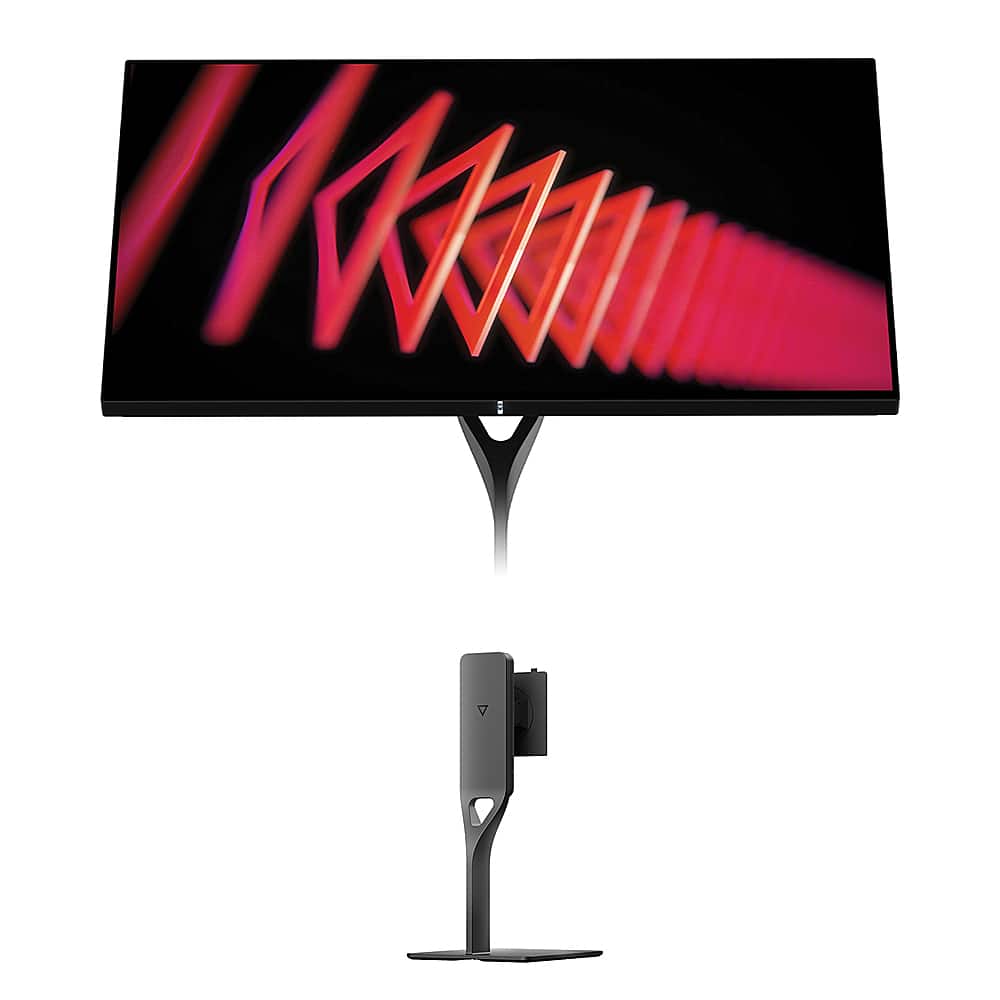
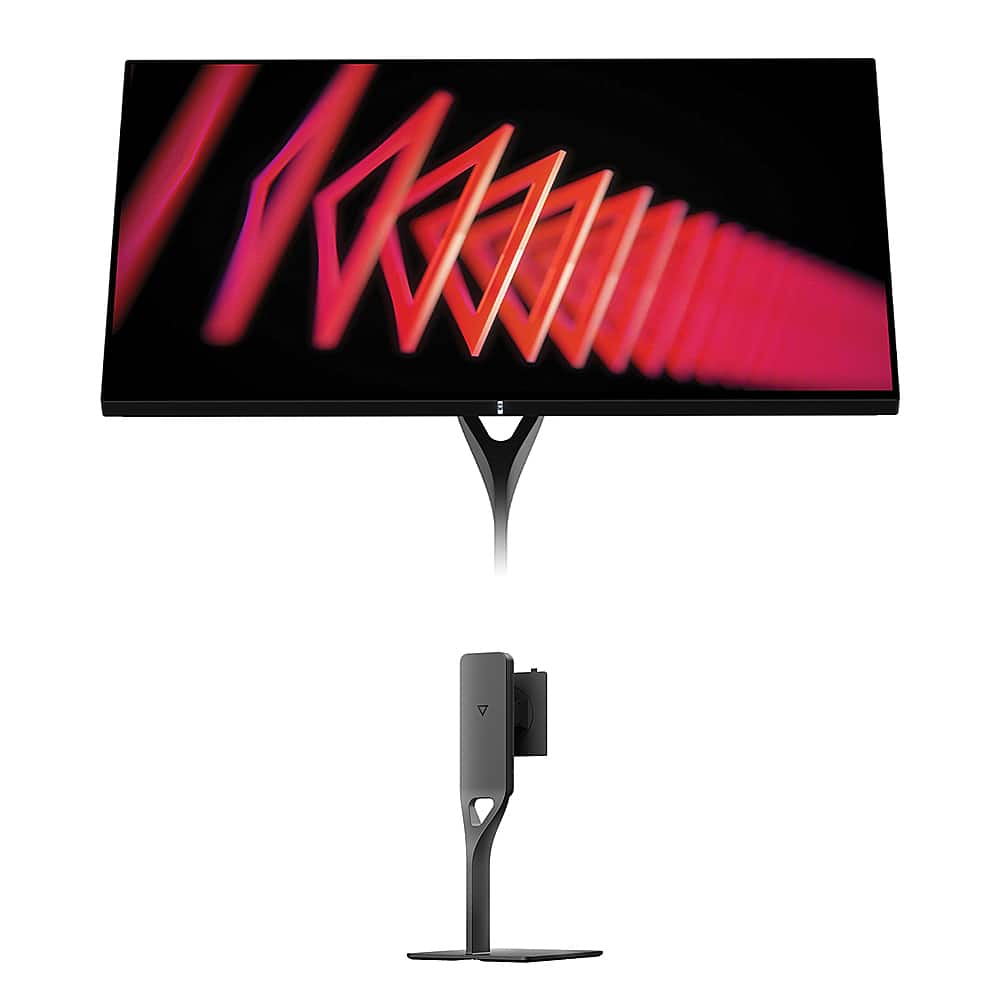
Gaming monitors have evolved dramatically over the past few years, and 2024-2025 has brought us some truly impressive displays that would have seemed impossible just a generation ago. Today we're comparing two fascinating approaches to premium 27-inch gaming: the GIGABYTE MO27Q2 with its cutting-edge QD-OLED technology, and the Dough Spectrum One with its unique Gorilla Glass coating and 4K resolution.
These monitors represent fundamentally different philosophies in display design, and understanding their strengths will help you make the right choice for your setup. At the time of writing, there's roughly a $300 price difference between them, but the value equation goes much deeper than the sticker price.
The premium gaming monitor market has become incredibly competitive, with manufacturers pushing boundaries in refresh rates, color accuracy, and build quality. We've moved well beyond the days when you had to choose between fast response times and good colors. Modern displays can deliver both, but they still require trade-offs.
The most important considerations when shopping for a premium gaming monitor include display technology (which affects contrast and color), resolution versus refresh rate balance, gaming-specific features, build quality, and connectivity options. These factors interact in complex ways that aren't always obvious from spec sheets alone.
The GIGABYTE MO27Q2 uses Samsung's QD-OLED technology, which is essentially a hybrid approach combining the best of OLED and quantum dot technologies. OLED stands for Organic Light-Emitting Diode, where each pixel produces its own light and can turn completely off for true blacks. The "QD" part refers to quantum dots—tiny semiconductor particles that can produce very pure colors when hit with light.
In traditional OLED displays, white light passes through color filters. QD-OLED is different: it uses blue OLED light to excite red and green quantum dots, creating more saturated and accurate colors while maintaining OLED's perfect contrast. The result is a 1.5 million-to-1 contrast ratio that simply isn't possible with traditional LCD panels.
Having used both OLED and traditional LCD monitors extensively, I can tell you that the difference in dark room gaming is immediately noticeable. Shadows in games like Cyberpunk 2077 or The Witcher 3 reveal details you simply can't see on LCD displays, and the overall image has a depth that's hard to describe until you experience it.
The Dough Spectrum One takes a more traditional but refined approach, using an IPS (In-Plane Switching) panel enhanced with Corning Gorilla Glass. IPS technology has been around for decades and is known for accurate colors and wide viewing angles. The pixels in an IPS display twist in place to control light passage, which provides consistent colors whether you're viewing from the side or straight on.
What makes the Spectrum One unique is its Gorilla Glass front surface—the same material used in smartphones for scratch resistance. This isn't just about durability; the glass creates what's called "perceived contrast enhancement." Colors appear more vibrant and blacks seem deeper compared to standard matte coatings, though they can't match OLED's true blacks.
The Spectrum One also includes factory calibration to achieve a Delta E of 0.6 or better, which means colors are extremely accurate out of the box. Delta E measures color difference—anything under 2.0 is considered good, while under 1.0 is excellent for professional work.
This is where the two monitors diverge most significantly. The GIGABYTE MO27Q2 offers QHD resolution (2560×1440 pixels), while the Dough Spectrum One delivers full 4K (3840×2160 pixels).
At 27 inches, QHD provides 109 pixels per inch, which offers sharp text and images without being overly demanding on your graphics card. I've found this resolution hits the sweet spot for gaming—you get noticeably sharper visuals compared to 1080p, but you can still achieve high frame rates without needing an absolute monster of a GPU.
The MO27Q2 even includes a clever "Tactical Switch" feature that lets you instantly switch to a 24-inch 1080p mode for competitive gaming. Many esports professionals prefer smaller display areas and lower resolutions for faster response times and easier target tracking in games like Counter-Strike or Valorant.
The Spectrum One's 4K resolution provides 163 pixels per inch, making text incredibly sharp and revealing fine details in games and media. This resolution shines for single-player games where you can appreciate environmental details, and it's excellent for productivity work like photo editing or programming where screen real estate matters.
However, 4K gaming at high frame rates requires serious GPU horsepower. Even with a high-end graphics card, you'll often need to adjust settings to maintain smooth frame rates in demanding games. The trade-off between visual quality and performance is very real at this resolution.
The GIGABYTE MO27Q2 pushes gaming performance with its 240Hz refresh rate and claimed 0.03ms gray-to-gray response time. These numbers are impressive, but let's break down what they actually mean for your gaming experience.
Refresh rate measures how many times per second the display can show a new image. Higher refresh rates reduce motion blur and make fast movements appear smoother. The difference between 144Hz and 240Hz is less dramatic than the jump from 60Hz to 144Hz, but competitive gamers will appreciate the extra smoothness, especially in fast-paced shooters.
Response time measures how quickly pixels can change from one shade of gray to another. Lower is better for reducing ghosting (trailing artifacts behind moving objects). The MO27Q2's 0.03ms claim is extraordinarily fast, though real-world performance typically varies depending on the specific color transitions.
The Dough Spectrum One offers a more conservative but still excellent 144Hz refresh rate with 1ms response time. For most gaming scenarios, including competitive play, 144Hz provides plenty of smoothness while being much easier to drive at 4K resolution.
Both monitors support HDR (High Dynamic Range), but they take different approaches. HDR allows displays to show a wider range of brightness levels, from deeper blacks to brighter highlights, more closely mimicking what our eyes see in real life.
The MO27Q2 achieves VESA DisplayHDR True Black 400 certification, with peak brightness reaching 1000 nits in small areas. The "True Black" part is crucial—it means the display can actually produce true blacks (0 nits), something impossible with traditional LCD backlights. This creates more dramatic contrast in HDR content.
The Spectrum One carries DisplayHDR 600 certification with 16-zone local dimming. Local dimming allows different areas of the screen to have different brightness levels, improving contrast in HDR content. While it can't match OLED's per-pixel control, 16 zones provide meaningful improvement over basic HDR implementations.
From my experience with HDR gaming, the difference is most noticeable in games with dramatic lighting—think exploring caves in Elden Ring that suddenly open to bright daylight, or the neon-soaked streets of cyberpunk games. The MO27Q2 will show more dramatic contrast in these scenarios, while the Spectrum One provides more consistent brightness across different content types.
The GIGABYTE MO27Q2 follows a more traditional monitor design approach, focusing engineering resources on display technology rather than premium materials. It includes a full-featured ergonomic stand with height, tilt, swivel, and pivot adjustments—everything you need out of the box.
What's particularly impressive is GIGABYTE's confidence in their OLED technology. They provide a three-year warranty that specifically covers burn-in damage, which addresses the main concern people have about OLED displays. The monitor also includes AI-based OLED Care features that automatically adjust brightness and shift pixels slightly to prevent static image retention.
The Dough Spectrum One takes a premium materials approach that's unique in the desktop monitor world. The Gorilla Glass front panel provides scratch resistance typically found only in smartphones and tablets. The aluminum construction gives it a more premium feel, though this comes at the cost of requiring a separately purchased stand.
The MO27Q2 includes several gaming-focused features that show thoughtful design. Beyond the Tactical Switch for resolution changes, it offers KVM (keyboard, video, mouse) switching to control multiple devices with one set of peripherals. The USB-C port provides basic connectivity, though at only 18W it's more suitable for peripherals than laptop charging.
The Spectrum One excels in connectivity with 100W USB-C power delivery, enabling true single-cable laptop docking. You can connect a laptop and have video, data, and charging all through one cable—incredibly convenient for mixed-use setups. The comprehensive USB hub includes multiple USB-A and USB-C ports running at USB 3.2 Gen 2 speeds (up to 10 Gbps).
While both monitors are designed primarily for desktop use, their large screens and high quality make them worth considering for bedroom or small space home theater setups.
The GIGABYTE MO27Q2 offers advantages for dark room viewing thanks to its perfect blacks and high contrast. The glossy finish enhances the cinematic experience, though it can be problematic if you have uncontrolled lighting. OLED technology really shines for movie watching—dark scenes maintain detail without the gray wash you get from LCD backlights.
The Dough Spectrum One provides better versatility for mixed lighting conditions. The 4K resolution is ideal for streaming high-resolution content from services like Netflix or Disney+, and the factory color calibration ensures accurate reproduction of filmmaker intentions. The anti-reflective properties of the Gorilla Glass help in rooms with some ambient light.
Neither monitor includes built-in speakers worth mentioning for home theater use, so you'll want to plan for external audio solutions.
For competitive esports titles like Counter-Strike 2, Valorant, or League of Legends, the MO27Q2 has clear advantages. The 240Hz refresh rate provides smoother motion tracking, and the lower resolution means higher frame rates are easier to achieve. The Tactical Switch feature is genuinely useful for switching between casual and competitive gaming modes.
For single-player adventure games, racing simulators, or RPGs where visual quality matters more than ultimate responsiveness, the Spectrum One's 4K resolution reveals incredible detail. Games like Red Dead Redemption 2, Cyberpunk 2077, or Microsoft Flight Simulator benefit enormously from the additional pixel density.
The Dough Spectrum One clearly wins for professional applications. The factory calibration, 4K resolution, and comprehensive connectivity make it suitable for photo editing, video work, and other color-critical tasks. The 100W USB-C power delivery is particularly valuable for laptop users who want a single-cable docking solution.
The GIGABYTE MO27Q2 can handle professional work, but the QHD resolution limits screen real estate, and OLED displays require more care to prevent burn-in from static UI elements in professional software.
At the time of writing, the GIGABYTE MO27Q2 represents exceptional value for gaming-focused users. QD-OLED technology was extremely expensive just a year ago, and having it available at this price point with a comprehensive warranty makes it compelling for gamers who want the best possible visual experience.
The Dough Spectrum One commands a premium price that reflects its materials, build quality, and versatility. When you factor in the cost of a stand, the total investment is significant, but you're getting a monitor that can serve multiple roles effectively.
Long-term durability considerations favor different aspects of each display. OLED technology, despite improvements and warranties, still carries some burn-in risk if you frequently display static images. The Spectrum One's IPS panel and Gorilla Glass construction should provide years of consistent performance with minimal degradation.
Choose the GIGABYTE MO27Q2 if gaming performance is your primary concern, especially competitive gaming. The combination of QD-OLED technology, 240Hz refresh rate, and gaming-focused features provides an experience that's hard to match at this price point. The complete package with stand and comprehensive warranty makes it an excellent value for dedicated gaming setups.
Choose the Dough Spectrum One if you need a versatile display that excels at both gaming and professional work. The 4K resolution, premium build quality, and extensive connectivity options make it ideal for users who want one high-quality display to handle all their computing needs.
Consider your specific use case carefully. If you're primarily gaming and want the most immersive visual experience possible, the MO27Q2's OLED technology provides something special. If you need a display that can seamlessly transition between gaming, work, and media consumption, the Spectrum One's versatility and build quality justify its premium positioning.
Both monitors represent the current state of the art in their respective approaches, and either choice will provide years of excellent performance. The key is matching the monitor's strengths to your specific needs and usage patterns.
| GIGABYTE MO27Q2 | Dough Spectrum One |
|---|---|
| Display Technology - Determines contrast quality and color vibrancy | |
| QD-OLED with 1.5M:1 contrast ratio and perfect blacks | IPS with Gorilla Glass coating and 98% DCI-P3 coverage |
| Resolution - Affects image sharpness and GPU requirements | |
| 2560×1440 (QHD) at 109 PPI, easier on graphics cards | 3840×2160 (4K) at 163 PPI, requires powerful GPU for gaming |
| Refresh Rate - Impact on motion smoothness and competitive gaming | |
| 240Hz maximum for ultra-smooth competitive gaming | 144Hz, still excellent for most gaming and mixed use |
| Response Time - Affects ghosting and motion blur | |
| 0.03ms GTG claimed, exceptional for fast-paced games | 1ms GTG, perfectly adequate for all gaming scenarios |
| HDR Performance - Enhanced contrast and brightness in supported content | |
| DisplayHDR True Black 400, 1000 nits peak with perfect blacks | DisplayHDR 600, 750 nits peak with 16-zone local dimming |
| Build Quality - Durability and premium feel | |
| Traditional plastic construction with full ergonomic stand included | Corning Gorilla Glass front panel, aluminum elements, stand sold separately |
| Connectivity - Determines versatility for different devices | |
| 2× HDMI 2.1, DP 1.4, USB-C with 18W power and KVM switching | 2× HDMI 2.1, DP 1.4, USB-C with 100W power delivery and comprehensive hub |
| Gaming Features - Specialized tools for competitive play | |
| Tactical Switch for instant resolution changes, AI OLED Care protection | Pixel-perfect scaling for retro games, 60Hz single-strobe mode |
| Professional Use - Color accuracy and productivity features | |
| Good for gaming-focused setups, burn-in considerations for static content | Factory calibrated to Delta E ≤ 0.6, excellent for content creation |
| Warranty Coverage - Peace of mind for technology investment | |
| 3-year warranty including OLED burn-in protection | 3-year standard warranty, though company support history varies |
| Best For - Target user and primary use cases | |
| Competitive gamers wanting cutting-edge OLED at accessible pricing | Multi-use professionals needing 4K clarity with premium build quality |
The GIGABYTE MO27Q2 is superior for competitive gaming due to its 240Hz refresh rate and 0.03ms response time. The QHD resolution is easier for graphics cards to drive at high frame rates, and the Tactical Switch feature allows instant switching to a 24-inch gaming mode preferred by esports professionals.
The GIGABYTE MO27Q2 uses QD-OLED technology, which provides perfect blacks and infinite contrast with vibrant quantum dot colors. The Dough Spectrum One uses IPS technology with Gorilla Glass coating, offering consistent colors and wide viewing angles but cannot achieve true blacks like OLED.
Both excel in different ways. The GIGABYTE MO27Q2 delivers superior contrast for dark room viewing with perfect blacks that enhance movie experiences. The Dough Spectrum One offers 4K resolution for sharper detail and factory color calibration for accurate filmmaker intentions.
The Dough Spectrum One's 4K resolution provides noticeably sharper text and game details, especially beneficial for productivity work and single-player gaming. The GIGABYTE MO27Q2's QHD resolution offers a good balance of sharpness and performance, requiring less GPU power for high frame rates.
The Dough Spectrum One is better suited for professional work with its 4K resolution, factory color calibration (Delta E ≤ 0.6), and 100W USB-C power delivery for laptop docking. The GIGABYTE MO27Q2 can handle work tasks but may have burn-in concerns with static UI elements.
The GIGABYTE MO27Q2 includes AI-based OLED Care protection and a 3-year warranty covering burn-in damage. While burn-in risk exists with static images, modern OLED monitors have significantly improved longevity compared to earlier generations.
The Dough Spectrum One provides superior connectivity with 100W USB-C power delivery, comprehensive USB 3.2 hub, and true single-cable laptop docking. The GIGABYTE MO27Q2 offers good connectivity including KVM switching but with limited 18W USB-C power.
The GIGABYTE MO27Q2 offers 240Hz versus the Dough Spectrum One's 144Hz. While both provide smooth gaming, 240Hz offers additional smoothness that competitive gamers appreciate, though the difference is less dramatic than jumping from 60Hz to 144Hz.
The GIGABYTE MO27Q2 typically offers better value for gaming-focused users, providing cutting-edge QD-OLED technology with a complete stand and warranty package. The Dough Spectrum One justifies its premium pricing with 4K resolution, Gorilla Glass durability, and professional features.
Both monitors support HDMI 2.1 for next-gen consoles. The GIGABYTE MO27Q2 excels with its OLED contrast for cinematic games, while the Dough Spectrum One can display 4K console content at native resolution, though console games rarely exceed 120Hz anyway.
The Dough Spectrum One features premium materials including Corning Gorilla Glass and aluminum construction, though the stand is sold separately. The GIGABYTE MO27Q2 uses traditional monitor construction but includes a full ergonomic stand and comprehensive warranty coverage.
For users who game, work, and consume media, the Dough Spectrum One offers more versatility with 4K clarity, professional color accuracy, and laptop docking capabilities. The GIGABYTE MO27Q2 is ideal if gaming performance is the primary concern with occasional other uses.
We've done our best to create useful and informative comparisons to help you decide what product to buy. Our research uses advanced automated methods to create this comparison and perfection is not possible - please contact us for corrections or questions. These are the sites we've researched in the creation of this article: gigabyte.com - youtube.com - newegg.com - mezha.media - tech-critter.com - gigabyte.com - forum.pcmonitors.info - techspot.com - aorus.com - saltynewsnetwork.com - infiniarc.com - gigabyte.com - bestbuy.com - youtube.com - gigabyte.com - gigabyte.com - displayspecifications.com - aorus.com - gigabyte.com - gigabyte.com - createdtech.com - pcgamesn.com - tomshardware.com - imore.com - bestbuy.com - youtube.com - youtube.com - newegg.com - 9to5mac.com - bhphotovideo.com - bhphotovideo.com - sears.com - bhphotovideo.com - bestbuy.com - petra.com - petra.com - bestbuy.com - microcenter.com - youtube.com - petra.com

Privacy Policy
Terms and Conditions - Affiliate Policy
Home Security
© Copyright 2008-2026.
11816 Inwood Rd #1211, Dallas, TX 75244