








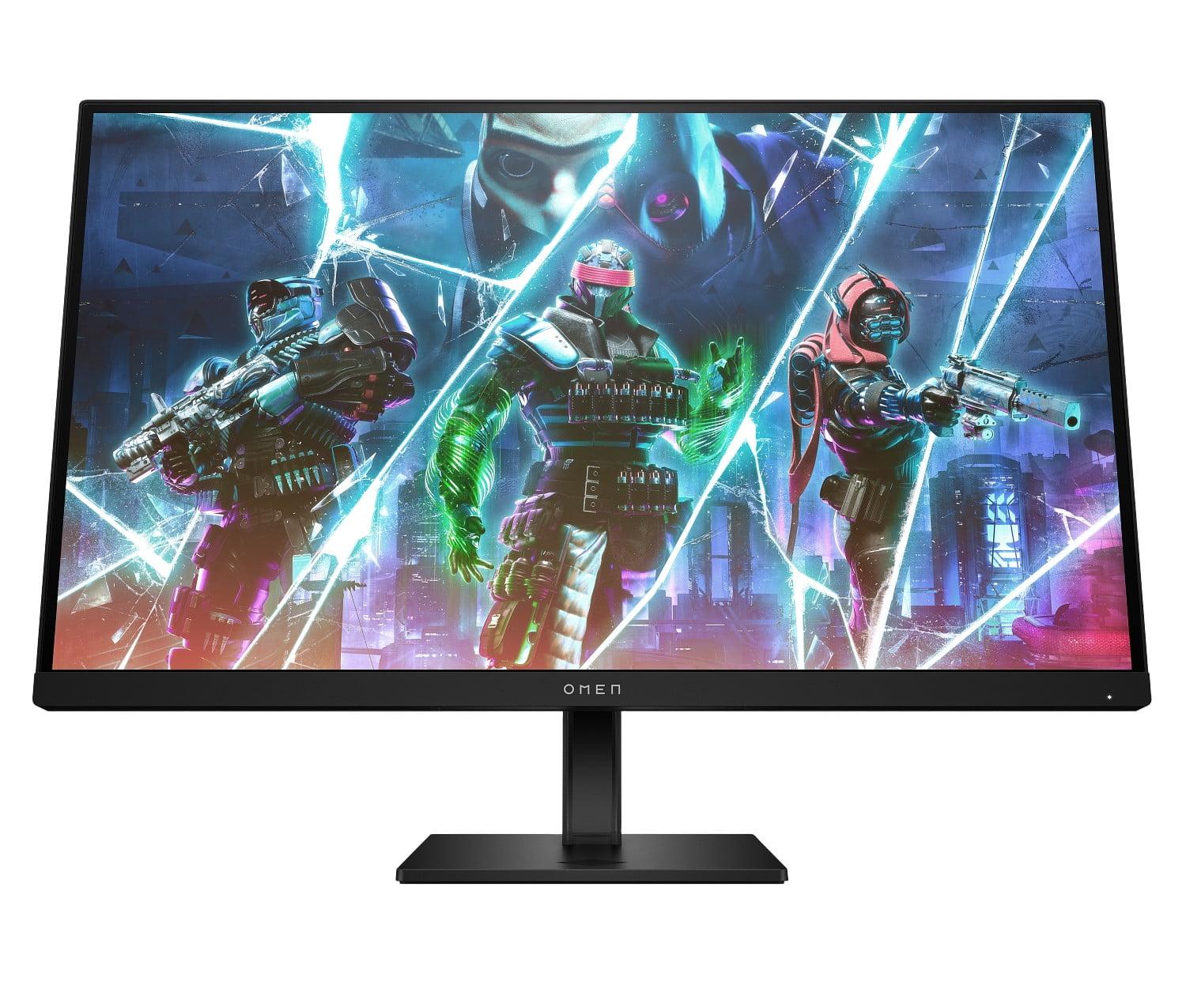

Gaming monitors have come a long way since the early days of chunky CRT displays. Today's market offers everything from budget-friendly options under $100 to professional-grade displays that cost more than many gaming PCs. Two monitors that perfectly illustrate this spectrum are the Sceptre E275W-FW100T and the HP OMEN 27s—both 27-inch Full HD displays that take completely different approaches to gaming performance.
At the time of writing, these monitors represent vastly different value propositions. The Sceptre E275W-FW100T sits in budget territory, while the HP OMEN 27s commands more than double the price for its premium feature set. But which one actually delivers better value for your specific needs? Let's dive deep into what separates these monitors and help you make an informed decision.
Before comparing specific models, it's worth understanding what actually matters in a gaming monitor. The most critical factors include refresh rate (how many times per second the screen updates), response time (how quickly pixels change color), panel technology (the underlying display method), and color accuracy. Each of these elements directly impacts your gaming experience in different ways.
Refresh rate, measured in Hertz (Hz), determines how smooth motion appears on screen. Higher refresh rates reduce motion blur and can provide competitive advantages in fast-paced games. Response time, measured in milliseconds (ms), affects ghosting—those annoying trails that follow moving objects. Panel technology influences everything from viewing angles to contrast ratios, fundamentally shaping how content looks on your screen.
The gaming monitor landscape has evolved significantly since 2020. We've seen mainstream adoption of high refresh rate displays, improved color accuracy even in budget models, and better adaptive sync technology that eliminates screen tearing. Both monitors we're examining launched during this period of rapid advancement, incorporating technologies that were previously reserved for expensive displays.
The Sceptre E275W-FW100T and HP OMEN 27s represent fundamentally different approaches to gaming monitor design. Sceptre focused on delivering essential gaming features at an accessible price point, using a VA (Vertical Alignment) panel that prioritizes contrast ratio and deep blacks. HP took the premium route, implementing an IPS (In-Plane Switching) panel with a focus on competitive gaming performance and professional features.
Released in 2023, the Sceptre E275W-FW100T reflects the market's push toward making higher refresh rates accessible to budget-conscious gamers. Its 100Hz refresh rate was considered a solid upgrade over standard 60Hz displays when it launched, offering meaningful improvements in motion smoothness without breaking the bank.
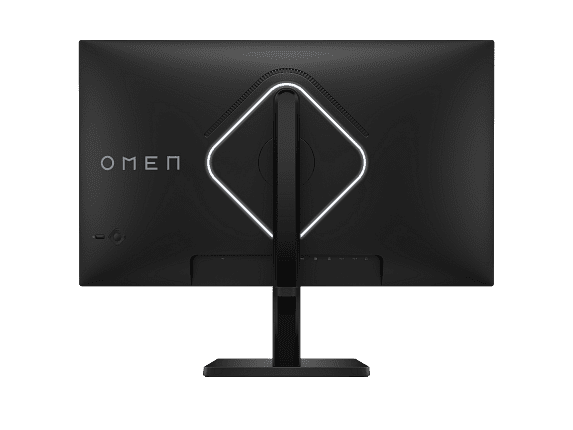
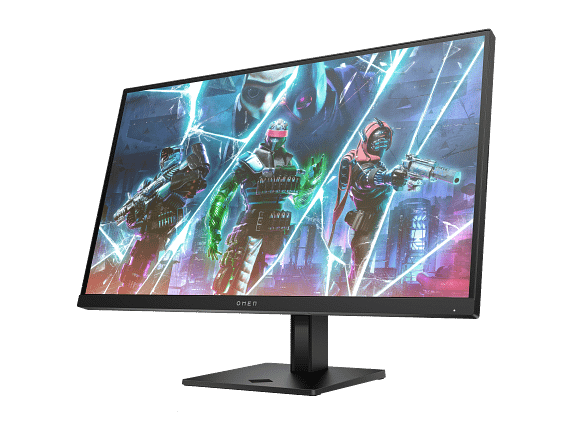
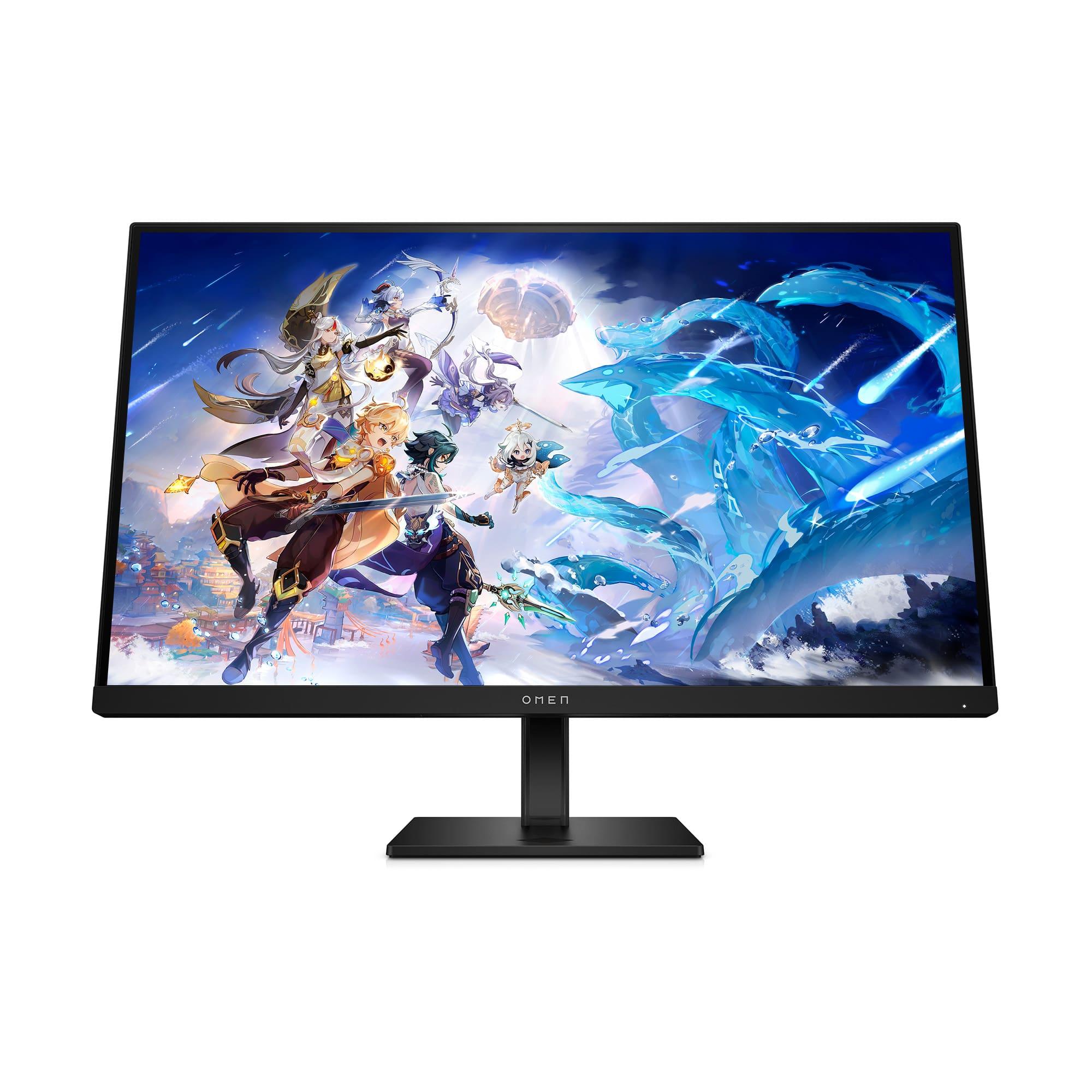
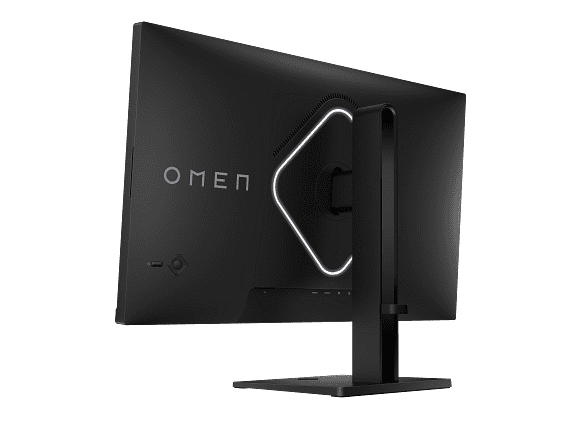
The HP OMEN 27s, also launching in 2023, represents HP's commitment to the competitive gaming market. With its 240Hz refresh rate, it targets serious gamers who demand the smoothest possible motion and lowest input lag. This monitor incorporates several years of HP's gaming display development, building on lessons learned from earlier OMEN displays.
The choice between VA and IPS panel technology represents the most fundamental difference between these monitors, affecting virtually every aspect of visual performance.
The Sceptre E275W-FW100T uses a VA panel, which excels at producing deep blacks and high contrast ratios. VA technology works by aligning liquid crystals vertically when no voltage is applied, effectively blocking light and creating true blacks. This results in a 3000:1 contrast ratio—three times higher than typical IPS panels. In practical terms, this means darker scenes in games and movies look more realistic, with shadows that appear genuinely black rather than grayish.
However, VA panels have trade-offs. They can exhibit color shifting when viewed from extreme angles, and response times are typically slower than IPS alternatives. The Sceptre monitor addresses the response time concern reasonably well with its 5ms gray-to-gray specification, but you might notice slight ghosting in extremely fast-paced gaming scenarios.
The HP OMEN 27s employs an IPS panel, which prioritizes color accuracy and viewing angles over contrast ratio. IPS technology keeps liquid crystals aligned in a plane, allowing more consistent light transmission from all viewing angles. This results in colors that remain accurate whether you're sitting directly in front of the screen or viewing from the side—crucial if you share your gaming space with others or use the monitor for collaborative work.
IPS panels typically achieve faster response times than VA alternatives, and the HP OMEN 27s delivers an impressive 1ms gray-to-gray response time with overdrive enabled. This virtually eliminates ghosting, ensuring fast-moving objects appear crisp and clear. The trade-off is a lower 1000:1 contrast ratio, meaning blacks appear more grayish in dark scenes.
Perhaps no specification generates more debate among gamers than refresh rate, and these monitors sit at opposite ends of the mainstream spectrum. The difference between 100Hz and 240Hz represents more than just numbers—it's about fundamentally different gaming experiences.
The Sceptre E275W-FW100T operates at 100Hz, which provides a noticeable improvement over standard 60Hz displays. When gaming at 100 frames per second, you'll experience smoother motion in fast-paced games, reduced input lag, and less motion blur. This refresh rate hits a sweet spot for casual gaming, offering meaningful improvements without requiring top-tier graphics hardware to maintain frame rates.
For most single-player games and less competitive multiplayer titles, 100Hz feels significantly smoother than 60Hz while remaining achievable with mid-range graphics cards. The difference becomes most apparent in first-person shooters, racing games, and any title with rapid camera movements.
The HP OMEN 27s pushes refresh rates to 240Hz—a specification that was previously reserved for expensive esports monitors. At 240 frames per second, motion appears almost impossibly smooth, with individual frames blending seamlessly together. This high refresh rate provides tangible advantages in competitive gaming, where tracking fast-moving targets and rapid directional changes can determine victory or defeat.
However, achieving 240fps consistently requires powerful graphics hardware and often involves reducing visual settings in demanding games. The monitor truly shines with competitive titles like Counter-Strike, Valorant, and Rocket League, where high frame rates are more achievable and provide genuine competitive advantages.
Color reproduction affects everything from gaming immersion to productivity tasks, and these monitors take different approaches to color accuracy and gamut coverage.
The Sceptre E275W-FW100T covers 100% of the sRGB color space, which represents the standard color gamut for most web content, games, and general computing tasks. This coverage ensures that colors appear as developers intended, with accurate reds, greens, and blues across the spectrum. The monitor supports true 8-bit color depth, displaying 16.7 million colors without using Frame Rate Control (FRC) dithering—a technique that can introduce slight color banding in gradients.
Combined with its high contrast ratio, the Sceptre monitor produces vibrant colors that pop against deep blacks. This makes it particularly well-suited for movie watching and immersive single-player games, where cinematic visuals benefit from strong contrast. The 280-nit brightness specification handles typical indoor lighting conditions adequately, though it may struggle in very bright rooms or near windows.
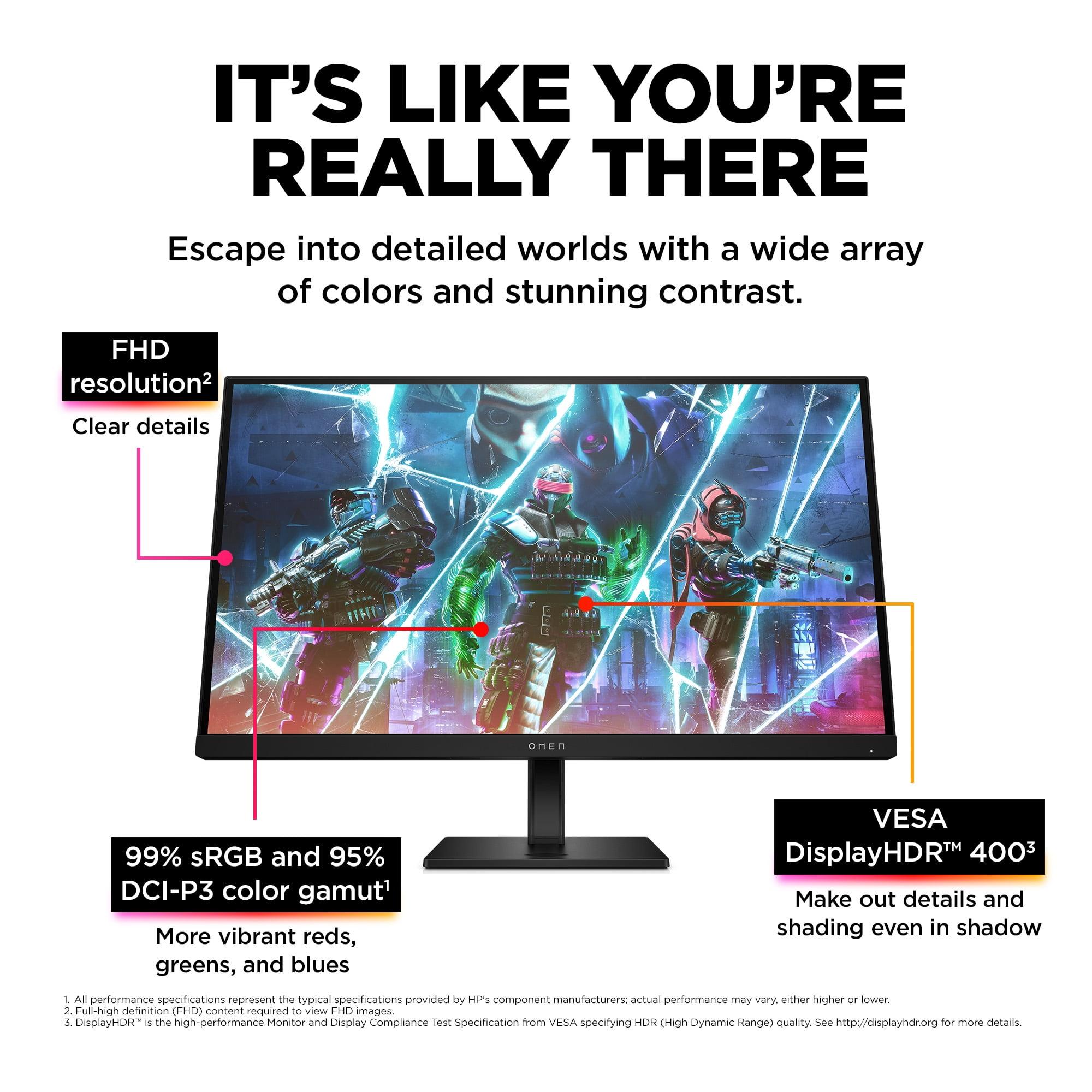
The HP OMEN 27s goes beyond standard sRGB coverage, supporting 99% sRGB and an impressive 95% of the DCI-P3 color space. DCI-P3 represents a wider color gamut than sRGB, encompassing more vivid greens and reds that create more lifelike and saturated visuals. This expanded color gamut proves particularly beneficial for modern games that support wide color gamuts and HDR content.
With 400 nits of peak brightness and VESA DisplayHDR 400 certification, the HP OMEN 27s can display brighter highlights and handle more challenging lighting conditions. The HDR support, while entry-level, provides enhanced detail in both shadows and highlights compared to standard SDR displays. However, the lower contrast ratio means HDR performance doesn't match dedicated HDR displays with local dimming.
Both monitors support adaptive sync technology, which synchronizes the display's refresh rate with your graphics card's frame output to eliminate screen tearing—those horizontal lines that appear when frame rates and refresh rates don't align.
The Sceptre E275W-FW100T supports AMD FreeSync within a 48-100Hz range, providing tear-free gaming when paired with compatible AMD graphics cards or newer NVIDIA GPUs that support FreeSync. This variable refresh rate (VRR) technology works automatically, adjusting the monitor's refresh rate to match your game's frame rate in real-time.
The adaptive sync range of 48-100Hz covers most gaming scenarios effectively. When your frame rate drops below 48fps, the monitor may exhibit some tearing, but this occurs primarily in very demanding games or when graphics settings are too high for your hardware.
The HP OMEN 27s offers broader compatibility with both NVIDIA G-SYNC and AMD FreeSync support, plus VESA Certified Adaptive Sync. This dual compatibility ensures optimal performance regardless of your graphics card choice, and the wider VRR range accommodates the monitor's 240Hz maximum refresh rate. The premium adaptive sync implementation provides smoother transitions and better handling of frame rate fluctuations.
Physical design and adjustment capabilities significantly impact daily use, especially during extended gaming sessions or productivity work.
The Sceptre E275W-FW100T takes a minimalist approach to ergonomics, offering only tilt adjustment through its basic stand. While this limits positioning flexibility, the monitor includes VESA 100x100mm mounting compatibility for aftermarket arms or wall mounts. The overall build feels solid for the price point, though the 7.21-pound weight reflects cost-conscious construction materials.
Cable management is basic, and the monitor lacks USB hub functionality, requiring separate connections for peripherals like keyboards and mice. The two HDMI 2.0 ports and single DisplayPort 1.2 input provide adequate connectivity for most gaming setups, though the older DisplayPort standard may limit future upgrade paths.
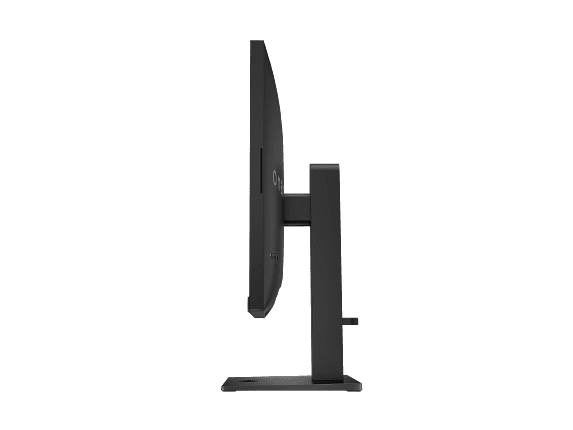
The HP OMEN 27s delivers premium ergonomics with height, tilt, pivot, and swivel adjustments. This flexibility proves crucial for finding the optimal viewing position, reducing neck strain during extended gaming sessions, and accommodating different desk heights and user preferences. The substantial 19.1-pound weight suggests robust construction with quality materials throughout.
Beyond physical adjustments, the HP OMEN 27s includes a USB hub with two USB-A 3.2 ports, allowing direct connection of gaming peripherals to the monitor. This simplifies cable management and enables easy switching between PC and console gaming setups. The newer DisplayPort 1.4 specification supports higher bandwidth for future compatibility with advanced display features.
Real-world gaming performance depends on how these specifications translate to actual gameplay experiences across different game genres and competitive scenarios.
For competitive esports titles, the HP OMEN 27s provides clear advantages. The 240Hz refresh rate combined with 1ms response time creates an almost lag-free experience where fast movements appear crystal clear. In games like CS:GO, Valorant, or Overwatch, this translates to better target tracking, smoother aim adjustments, and reduced motion blur that can obscure enemies.
The competitive advantage becomes most apparent during rapid directional changes, flick shots, and tracking fast-moving targets. Professional gamers often credit high refresh rates with improving their reaction times and accuracy, though the benefits require consistent high frame rates to fully realize.
The Sceptre E275W-FW100T offers solid performance for casual and semi-competitive gaming. The 100Hz refresh rate provides noticeable smoothness improvements over 60Hz displays, making fast-paced games more enjoyable without requiring extreme graphics hardware to maintain frame rates. Most gamers will find 100Hz perfectly adequate for single-player adventures, RPGs, and less competitive multiplayer games.
For cinematic gaming experiences, the Sceptre monitor's high contrast ratio enhances immersion in games with dramatic lighting and dark environments. Games like Cyberpunk 2077, The Witcher 3, or horror titles benefit from the deeper blacks and improved shadow detail that VA panels provide.
Many gamers use their monitors for more than just gaming, and both displays offer different advantages for movie watching and streaming content.
The Sceptre E275W-FW100T excels as a home theater display thanks to its VA panel technology. The 3000:1 contrast ratio creates genuinely dark blacks that enhance the cinematic experience, particularly in darkened rooms. Movies with dramatic lighting, such as sci-fi thrillers or noir films, benefit significantly from the improved contrast. The 100% sRGB color accuracy ensures movies appear as directors intended, with natural skin tones and accurate colors throughout.
However, the 280-nit brightness may feel dim in well-lit living spaces, and the lack of HDR support means you'll miss out on enhanced dynamic range in modern streaming content and 4K Blu-rays.
The HP OMEN 27s takes a different approach with its higher brightness and DisplayHDR 400 certification. While the HDR implementation is entry-level, it provides noticeable improvements in highlight detail and overall dynamic range compared to standard SDR displays. The 400-nit brightness handles various lighting conditions better, making it more versatile for different viewing environments.
The wider DCI-P3 color gamut creates more vibrant and lifelike colors in compatible content, though the lower contrast ratio means dark scenes won't appear as convincing as on the Sceptre. The IPS panel's wide viewing angles make it better suited for group viewing scenarios where people sit at different positions relative to the screen.
After extensive research and evaluation of user reviews and professional assessments, both monitors serve their intended audiences well, but excel in different scenarios.
Choose the Sceptre E275W-FW100T if you prioritize value and contrast performance. At the time of writing, it represents exceptional value for budget-conscious gamers who want meaningful improvements over standard 60Hz displays without spending premium prices. The VA panel's high contrast ratio makes it particularly appealing for movie watching and immersive single-player gaming in darker environments.
This monitor works best for casual gamers, office users needing larger screen real estate, and anyone who values deep blacks over ultra-high refresh rates. If your gaming consists primarily of single-player adventures, RPGs, or less competitive multiplayer titles, the 100Hz refresh rate provides adequate smoothness while keeping costs reasonable.
The HP OMEN 27s justifies its premium pricing for serious gamers and competitive players. The 240Hz refresh rate and 1ms response time provide genuine advantages in fast-paced competitive games, while the comprehensive feature set includes premium conveniences like USB hub functionality and advanced ergonomics.
Choose this monitor if competitive gaming performance matters more than cost considerations. The investment makes sense for esports players, enthusiasts who want future-proof specifications, and users who value premium build quality and extensive customization options through HP's OMEN Gaming Hub software.
For most buyers, the decision comes down to budget and gaming priorities. The Sceptre offers remarkable value and solid performance that exceeds expectations at its price point. The HP OMEN delivers professional-grade features that justify the premium cost for users who can appreciate and utilize its advanced capabilities.
Both monitors represent smart choices within their respective market segments, proving that good gaming experiences are available across a wide price spectrum. Your specific needs, budget, and gaming preferences will ultimately determine which approach suits you better.
| Sceptre E275W-FW100T | HP OMEN 27s |
|---|---|
| Refresh Rate - Critical for competitive gaming smoothness | |
| 100Hz (smooth for casual gaming, good value upgrade) | 240Hz (ultra-smooth for esports, requires powerful GPU) |
| Panel Type - Determines contrast and viewing angles | |
| VA panel (deeper blacks, better for dark rooms) | IPS panel (consistent colors, wider viewing angles) |
| Response Time - Affects motion blur and ghosting | |
| 5ms GtG (minor ghosting possible in fast scenes) | 1ms GtG (virtually eliminates ghosting) |
| Contrast Ratio - How deep blacks appear | |
| 3000:1 (excellent dark scene detail) | 1000:1 (typical IPS limitation, grayer blacks) |
| Brightness - Important for bright room viewing | |
| 280 nits (adequate for typical indoor lighting) | 400 nits (better for bright rooms, supports HDR) |
| Color Gamut - Affects color vibrancy | |
| 100% sRGB (accurate for gaming and general use) | 99% sRGB + 95% DCI-P3 (wider colors, better for content creation) |
| Adaptive Sync - Eliminates screen tearing | |
| AMD FreeSync only (48-100Hz range) | FreeSync + G-SYNC Compatible (broader GPU support) |
| Stand Adjustability - Ergonomic flexibility | |
| Tilt only (basic positioning, VESA mount compatible) | Height, tilt, pivot, swivel (full ergonomic adjustment) |
| Connectivity - Peripheral and device connections | |
| 2x HDMI 2.0, 1x DP 1.2 (no USB hub) | 2x HDMI 2.0, 1x DP 1.4, USB hub with 2x USB-A ports |
| HDR Support - Enhanced dynamic range | |
| None (standard SDR only) | DisplayHDR 400 (entry-level HDR with brighter highlights) |
| Build Quality - Physical construction and weight | |
| 7.21 lbs (lightweight, cost-focused materials) | 19.1 lbs (premium construction, substantial build) |
| Target User - Best suited for | |
| Budget-conscious casual gamers, office use | Competitive gamers, enthusiasts, content creators |
The HP OMEN 27s is significantly better for competitive gaming due to its 240Hz refresh rate and 1ms response time. This combination provides ultra-smooth motion and virtually eliminates ghosting, giving you a competitive edge in fast-paced games like CS:GO, Valorant, and Overwatch. The Sceptre E275W-FW100T offers decent gaming performance at 100Hz, but it's better suited for casual gaming rather than competitive esports.
The primary difference is refresh rate and target audience. The HP OMEN 27s operates at 240Hz for serious gamers, while the Sceptre E275W-FW100T runs at 100Hz for budget-conscious users. They also use different panel technologies - the Sceptre uses VA for better contrast, while the HP uses IPS for faster response times and better viewing angles.
The Sceptre E275W-FW100T delivers superior movie-watching experience thanks to its VA panel's 3000:1 contrast ratio, which produces deeper blacks and better dark scene detail. However, the HP OMEN 27s offers brighter images at 400 nits and supports DisplayHDR 400 for enhanced dynamic range in HDR content.
Both monitors work well with consoles, but serve different needs. The Sceptre E275W-FW100T is excellent for casual console gaming with its 100Hz refresh rate supporting Xbox Series S/X and PS5 games. The HP OMEN 27s can display 120Hz console games at maximum smoothness, making it ideal for competitive console gaming.
The Sceptre E275W-FW100T provides exceptional value for budget-conscious buyers, offering 100Hz gaming and good color accuracy at a fraction of the cost. The HP OMEN 27s justifies its premium price with professional-grade features like 240Hz refresh rate, USB hub, and full ergonomic adjustments for serious gamers.
The HP OMEN 27s supports both NVIDIA G-SYNC Compatible and AMD FreeSync for broad GPU compatibility. The Sceptre E275W-FW100T only supports AMD FreeSync (though newer NVIDIA cards can use FreeSync), limiting its compatibility compared to the HP model.
The Sceptre E275W-FW100T excels in dark environments due to its VA panel's superior 3000:1 contrast ratio, producing true blacks without the grayish appearance common in IPS monitors. This makes horror games and cinematic titles more immersive. The HP OMEN 27s has typical IPS contrast limitations but compensates with faster response times.
Both monitors work for productivity tasks, but with different strengths. The HP OMEN 27s offers better ergonomics with full stand adjustments and USB hub functionality for connecting peripherals. The Sceptre E275W-FW100T provides good screen real estate and accurate colors for office work at a budget-friendly price point.
The Sceptre E275W-FW100T includes 2x HDMI 2.0 and 1x DisplayPort 1.2 for basic connectivity. The HP OMEN 27s offers the same video inputs plus newer DisplayPort 1.4 and adds a USB hub with 2x USB-A ports for connecting keyboards, mice, and other peripherals directly to the monitor.
The HP OMEN 27s features premium build quality with a substantial 19-pound construction, full ergonomic adjustments, and quality materials throughout. The Sceptre E275W-FW100T has solid but basic build quality at 7 pounds, with a simple tilt-only stand that reflects its budget-focused design approach.
The HP OMEN 27s is better for content creation with its 95% DCI-P3 color gamut coverage, providing wider color reproduction for photo and video editing. The Sceptre E275W-FW100T offers accurate sRGB colors suitable for basic content work, but its VA panel may show color shifting at extreme viewing angles during collaborative work.
For first-time gaming monitor buyers, the choice depends on budget and gaming intensity. Choose the Sceptre E275W-FW100T if you want good gaming performance without breaking the bank, especially for casual gaming and movie watching. Select the HP OMEN 27s if you're serious about gaming performance and want a monitor that won't need upgrading as your skills and hardware improve.
We've done our best to create useful and informative comparisons to help you decide what product to buy. Our research uses advanced automated methods to create this comparison and perfection is not possible - please contact us for corrections or questions. These are the sites we've researched in the creation of this article: pcvarge.com - walmart.com - cubed.run - productchart.com - displayninja.com - target.com - youtube.com - versus.com - youtube.com - youtube.com - sceptre.com - sceptre.com - bestbuy.com - hp.com - shi.com - hp.com - bestbuy.com - hp.com - tomshardware.com - hp.com - rtings.com - hp.com - displayspecifications.com - support.hp.com - publicsector.shidirect.com - objects.icecat.biz - files.bbystatic.com - hp.com - displayspecifications.com

Privacy Policy
Terms and Conditions - Affiliate Policy
Home Security
© Copyright 2008-2026.
11816 Inwood Rd #1211, Dallas, TX 75244