








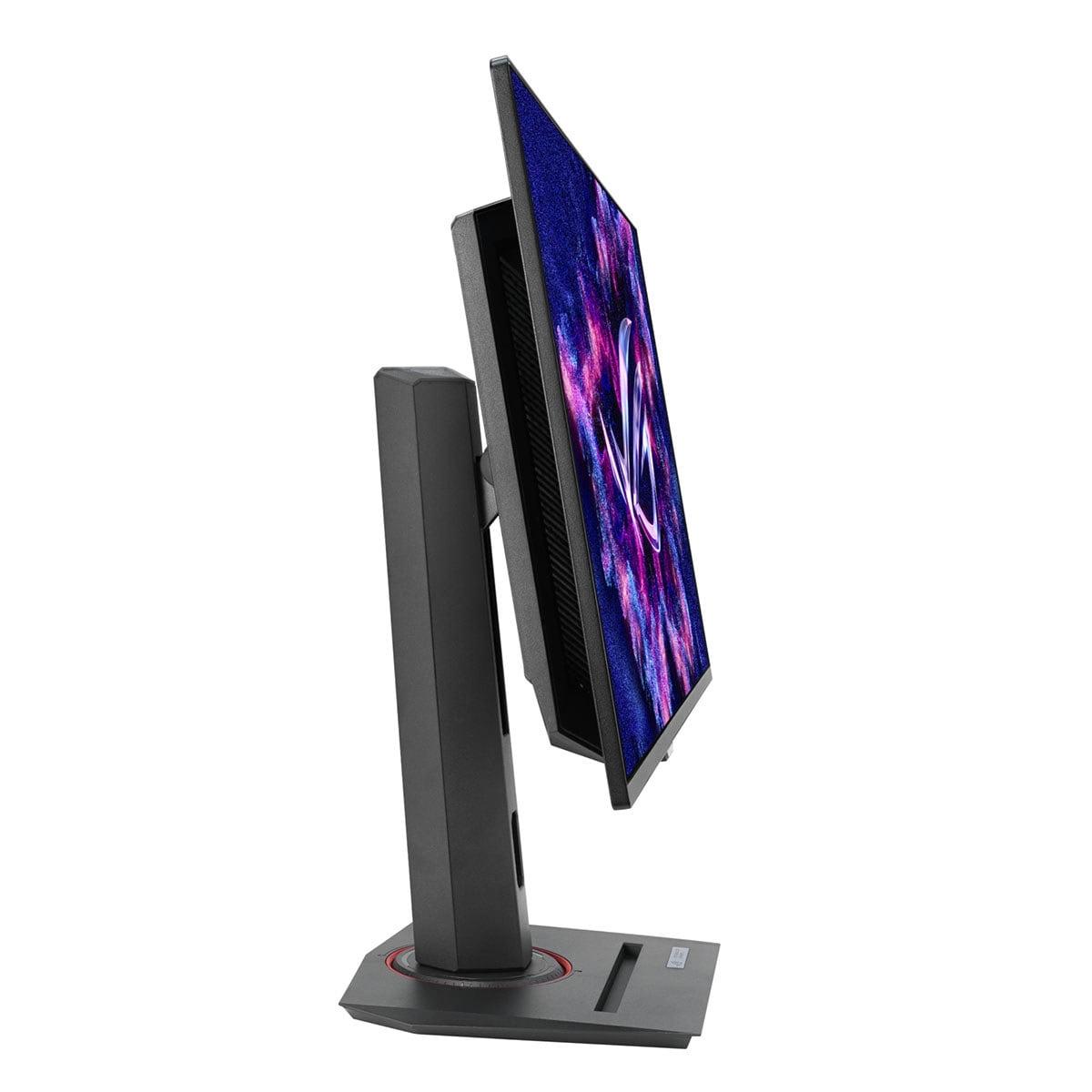
Gaming monitors have evolved dramatically over the past few years, and choosing the right one can feel overwhelming when you're looking at options that range from under $100 to well over $700. Today we're comparing two monitors that represent opposite ends of the gaming display spectrum: the budget-friendly Sceptre E275W-FW100T and the premium ASUS ROG Strix OLED XG27ACDNG.
These monitors showcase just how different your gaming experience can be depending on how much you're willing to invest. The Sceptre targets casual gamers who want a step up from basic 60Hz displays without breaking the bank, while the ASUS aims at serious gamers and content creators who demand cutting-edge technology and maximum performance.
Before diving into specifics, it's worth understanding what makes a gaming monitor different from a regular display. Gaming monitors prioritize three key areas: refresh rate (how many times per second the screen updates), response time (how quickly pixels can change colors), and input lag (the delay between your actions and seeing results on screen).
Refresh rate, measured in Hertz (Hz), directly impacts how smooth motion appears. Most standard monitors run at 60Hz, updating the image 60 times per second. Gaming monitors typically offer 100Hz, 144Hz, or even higher rates. The difference is immediately noticeable—fast-moving objects appear clearer, and competitive games feel more responsive.
Response time, measured in milliseconds (ms), determines how quickly pixels transition between colors. Slower response times create "ghosting"—blurry trails behind moving objects that can seriously hurt your gaming performance, especially in fast-paced shooters.
Panel technology affects everything from color accuracy to contrast ratios. VA (Vertical Alignment) panels offer good contrast but slower response times. IPS panels provide excellent colors and viewing angles but typically cost more. OLED technology eliminates backlights entirely, with each pixel producing its own light for perfect blacks and incredible contrast.
The most fundamental difference between the Sceptre E275W and ASUS ROG Strix OLED lies in their panel technology—and this difference justifies much of the price gap.
The Sceptre uses a VA panel with LED backlighting, a tried-and-true technology that's been refined over many years. VA panels excel at producing deeper blacks than IPS displays, achieving a respectable 3,000:1 contrast ratio. This means dark scenes in games like horror titles or space games will have genuinely dark blacks rather than the grayish appearance you might see on cheaper IPS panels.
However, VA technology has limitations. The pixels respond more slowly than other technologies, leading to noticeable ghosting during fast motion. You'll see blurry trails behind moving characters or vehicles, which can be distracting during competitive gaming. VA panels also suffer from color shifting when viewed from side angles, though this isn't a major issue if you're sitting directly in front of the monitor.
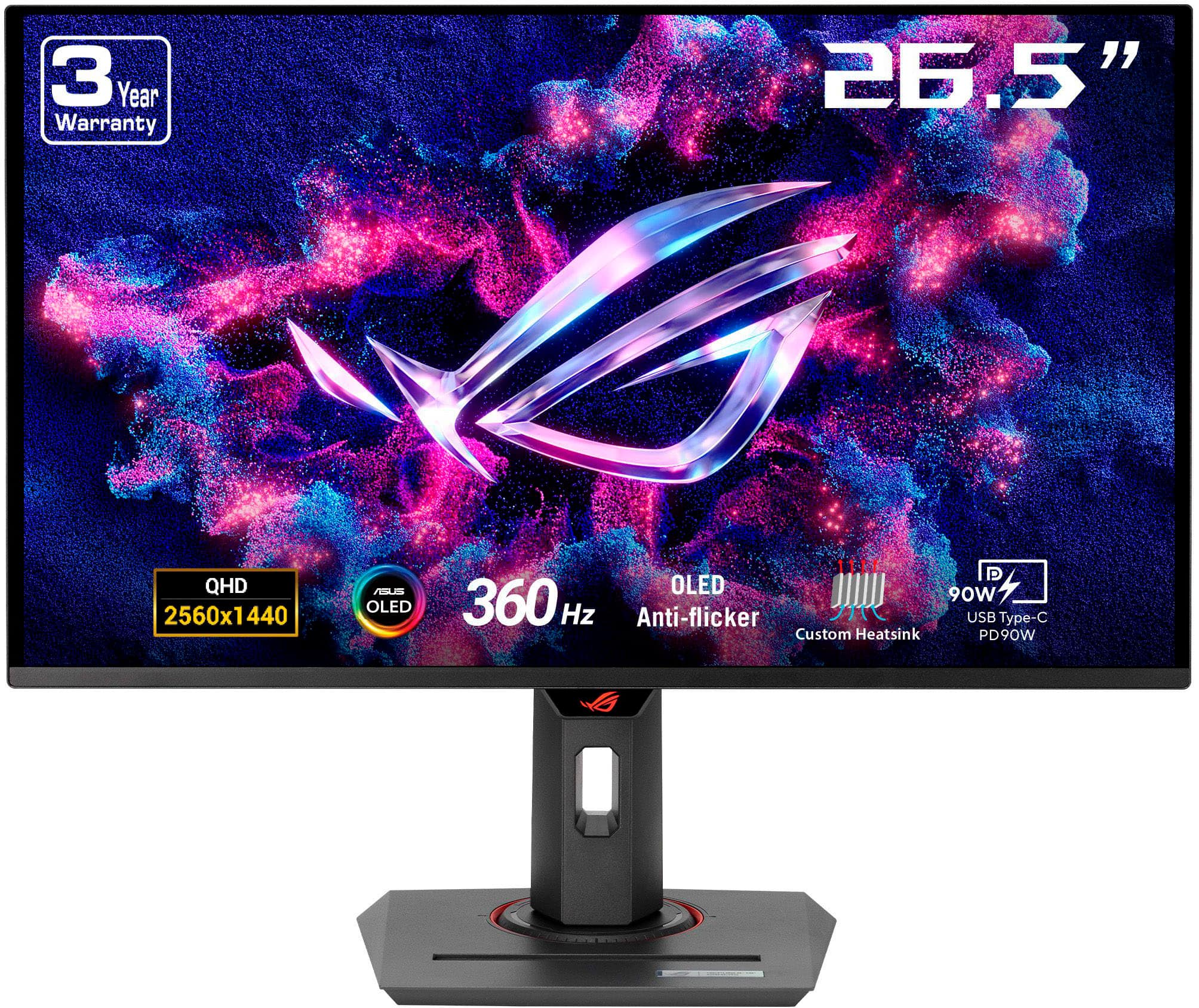
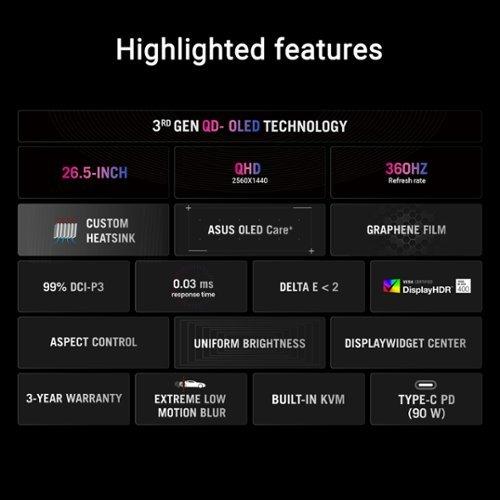
The ASUS, released in 2024, represents the latest evolution in display technology: QD-OLED (Quantum Dot Organic Light-Emitting Diode). This third-generation OLED technology combines the perfect blacks of traditional OLED with quantum dot enhancement for wider color reproduction. Each pixel generates its own light and can turn completely off, creating an astronomical 1,500,000:1 contrast ratio—literally 500 times better than the Sceptre.
QD-OLED technology eliminates virtually all the compromises of traditional panels. There's no backlight bleeding, no slow pixel response causing ghosting, and colors remain accurate from any viewing angle. The quantum dot layer enhances color saturation, covering 99% of the professional DCI-P3 color space used in movie production and 135% of the standard sRGB space.
This technology advancement comes with trade-offs, though. OLED panels can suffer from burn-in if static images remain on screen for extended periods. ASUS addresses this with their OLED Care+ system, which includes pixel refresh algorithms and screen movement features, backed by a three-year warranty that covers burn-in damage.
Here's where these monitors take different philosophical approaches. The Sceptre E275W delivers 1920×1080 (Full HD) resolution on its 27-inch screen, resulting in 81 pixels per inch (PPI). At this screen size, Full HD starts to look noticeably pixelated, especially for text and fine details. You'll see individual pixels if you look closely, and text won't be as crisp as smaller monitors with the same resolution.
The lower resolution does have advantages: it's much easier for graphics cards to drive, meaning you can achieve higher frame rates with less powerful hardware. If you're gaming on a budget system with something like a GTX 1660 or RTX 3060, Full HD ensures you can actually utilize that 100Hz refresh rate in most games.
The ASUS steps up to 2560×1440 (QHD) resolution, providing 110 PPI for noticeably sharper visuals. This resolution hits a sweet spot for 27-inch gaming—text is crisp enough for productivity work, games look detailed without being overly demanding on your graphics card, and you get about 77% more screen real estate than Full HD.
QHD does require significantly more graphics processing power. You'll need something like an RTX 4070 or better to consistently hit high frame rates in demanding games, especially if you want to utilize the monitor's full 360Hz potential.
This is where the performance gap becomes crystal clear. Gaming performance depends on several factors working together: refresh rate, response time, and how well the monitor handles motion.
The Sceptre offers 100Hz refresh rate, which is a meaningful upgrade from standard 60Hz displays. The difference is immediately apparent—scrolling through menus feels smoother, and fast-paced action appears less choppy. However, the monitor's 5ms gray-to-gray response time creates noticeable ghosting behind moving objects.
During our research into user experiences, the consensus is clear: while 100Hz provides smoother motion than 60Hz, the slow pixel response undermines the benefit. In competitive shooters like Counter-Strike or Valorant, you'll see blurry trails behind moving targets, making precise aiming more difficult. The monitor includes overdrive settings to speed up pixel transitions, but reviewers note these introduce overshoot artifacts without fully eliminating ghosting.
The ASUS operates in a completely different performance tier. Its 360Hz refresh rate updates the image 3.6 times more frequently than the Sceptre, while the 0.03ms response time is literally 167 times faster. These aren't just numbers on a spec sheet—they translate to tangible gaming advantages.
At 360Hz, motion appears incredibly smooth and fluid. Fast camera movements in FPS games don't blur together, and tracking moving targets becomes much easier. The near-instantaneous pixel response means virtually no ghosting or smearing, even in the fastest-paced games. Professional esports players often prefer these high-refresh displays because they provide every possible competitive advantage.
The ASUS also supports both AMD FreeSync Premium Pro and NVIDIA G-SYNC Compatible adaptive sync across its full 48-360Hz range. Adaptive sync eliminates screen tearing by synchronizing the monitor's refresh rate with your graphics card's frame output. The Sceptre includes basic FreeSync support, but only in the 48-100Hz range.
Color reproduction affects everything from game immersion to content creation possibilities. The Sceptre covers 100% of the sRGB color space with 8-bit color depth, supporting about 16.7 million colors. This is adequate for gaming and basic media consumption, though colors may appear less vibrant than premium displays.
The ASUS dramatically expands color capabilities with true 10-bit color depth supporting over 1 billion colors. It covers 99% of the professional DCI-P3 color space used in movie production and game development. This wider color gamut means more saturated, lifelike colors that make games more immersive and allows for professional photo or video editing work.
Factory calibration ensures Delta E < 2 color accuracy on the ASUS, meaning colors appear exactly as content creators intended. The Sceptre offers reasonable color accuracy out of the box but isn't calibrated to professional standards.
The feature gap between these monitors reflects their target markets and price points. The Sceptre includes basic connectivity with DisplayPort 1.2, two HDMI 2.0 ports, and a headphone jack. Built-in 2-watt speakers provide emergency audio but sound quality is poor—you'll want dedicated speakers or headphones.
The stand offers only tilt adjustment, though VESA mount compatibility provides upgrade options. The monitor includes basic gaming modes and blue light reduction features, but overall functionality remains minimal.
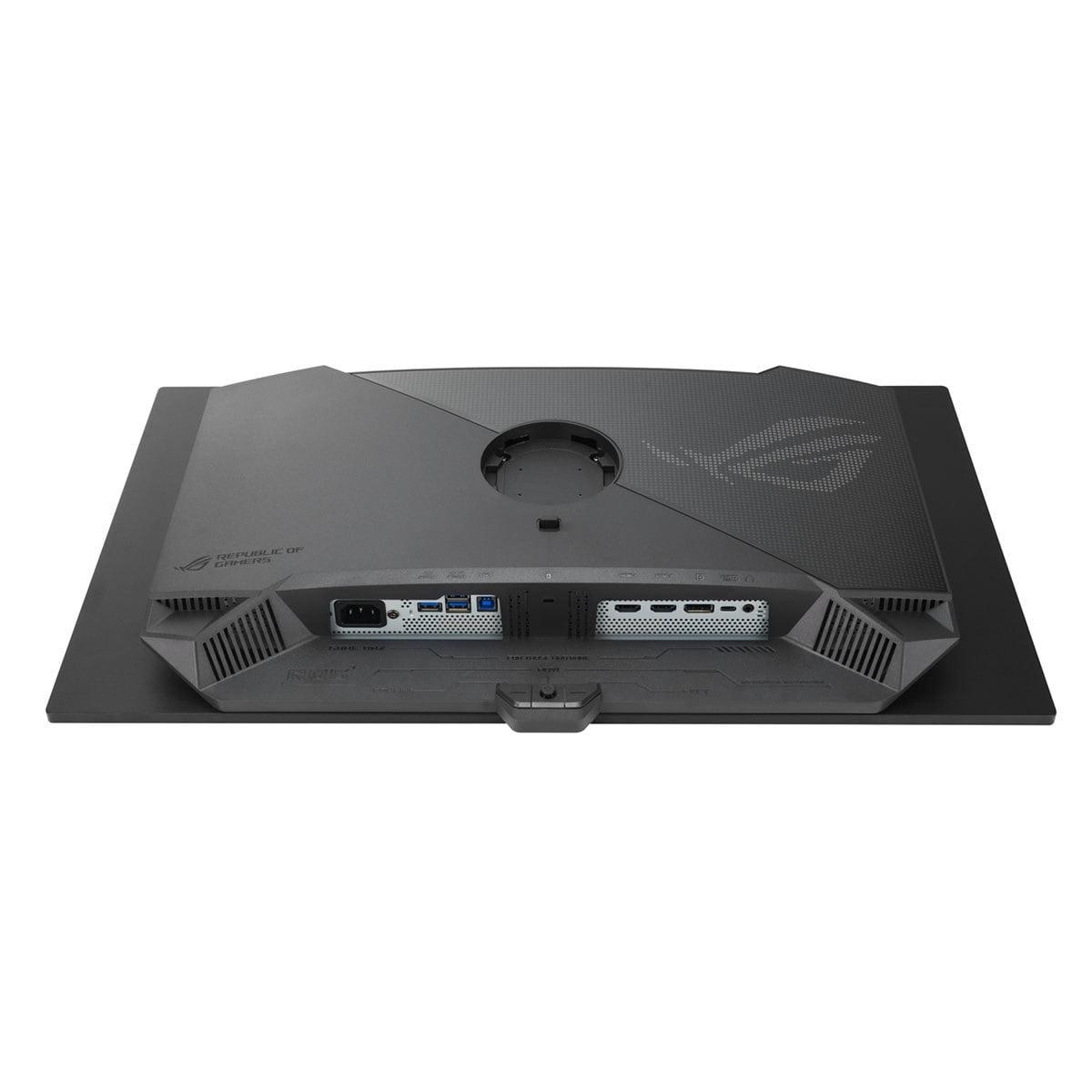
The ASUS showcases what premium pricing enables. Connectivity includes DisplayPort 1.4 with Display Stream Compression for full 360Hz support, two HDMI 2.1 ports for next-gen console compatibility, and a USB-C port with 90W power delivery that can charge laptops while providing display connectivity.
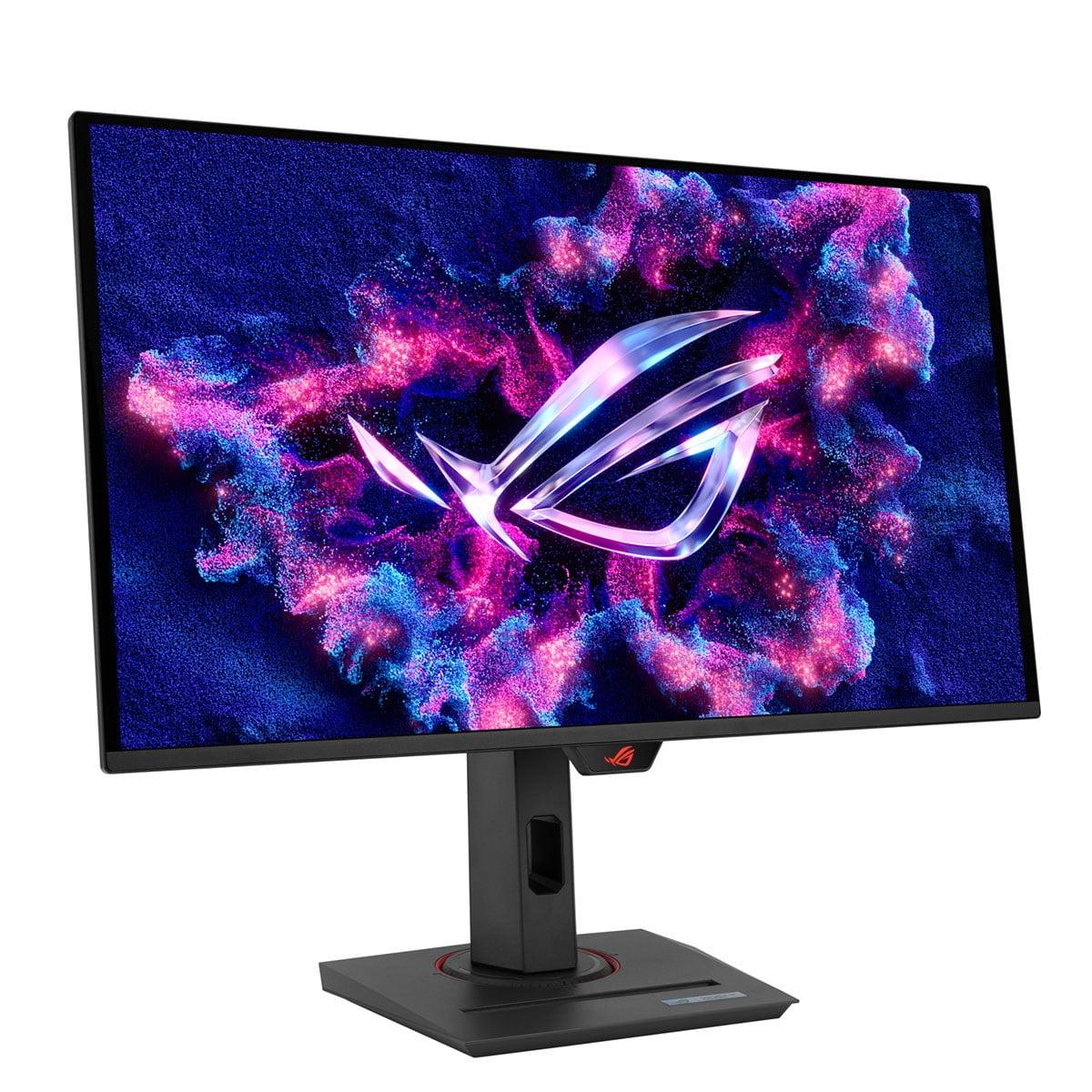
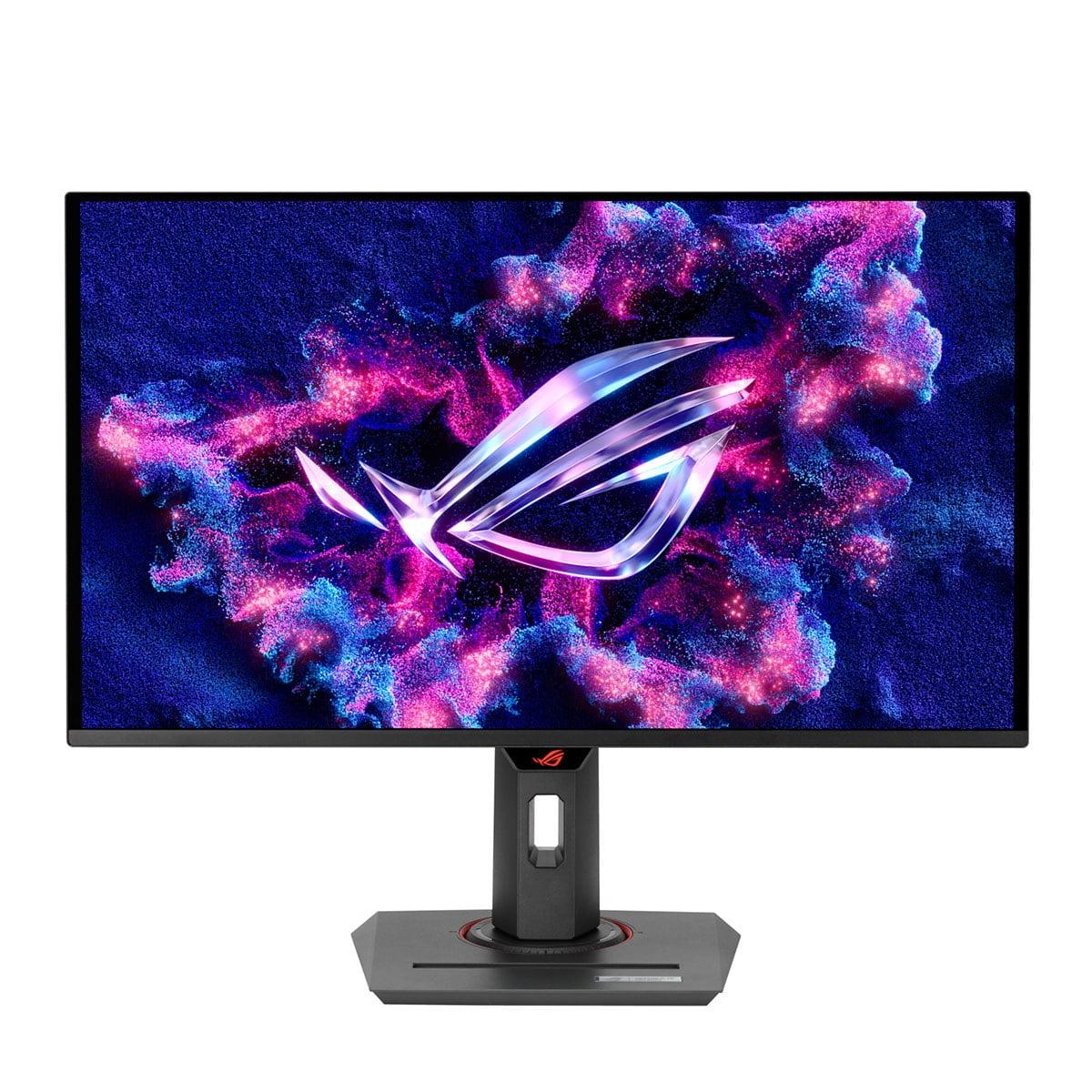
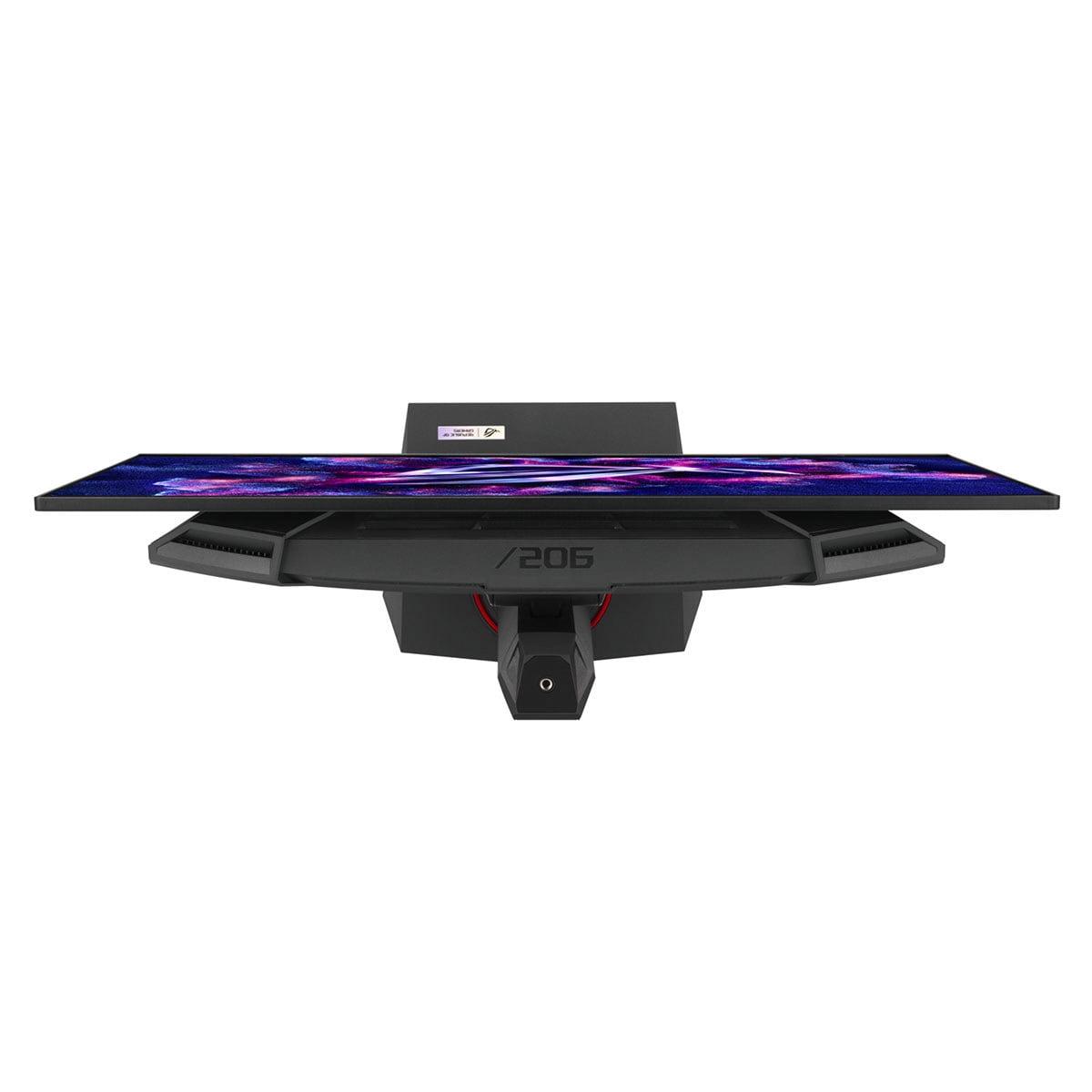
The USB hub with KVM (Keyboard, Video, Mouse) switch functionality allows controlling multiple connected devices with a single keyboard and mouse setup—invaluable for content creators or professionals who need to switch between gaming PC and work laptop. The stand provides full ergonomic adjustment including height, swivel, tilt, and 90-degree pivot for portrait orientation.
Advanced features include customizable RGB lighting, a smartphone holder integrated into the base, and ASUS's DisplayWidget Center software for easy settings adjustment. The custom heatsink and advanced airflow design help maintain OLED panel longevity during extended gaming sessions.
At the time of writing, these monitors represent dramatically different value propositions. The Sceptre costs roughly one-eighth the price of the ASUS, but the performance gap is much larger than the price difference suggests.
For budget-conscious gamers, the Sceptre provides a noticeable upgrade from basic 60Hz displays without requiring significant investment. However, expert reviews suggest better alternatives exist at similar price points, particularly models offering 1440p resolution or faster IPS panels with better response times.
The ASUS justifies its premium pricing through cutting-edge technology that wasn't available at any price just a few years ago. QD-OLED panels remain expensive to manufacture, and 360Hz performance requires sophisticated electronics. You're paying for access to the absolute latest display technology.
Both monitors can serve double duty for media consumption, though with different strengths. The Sceptre works adequately for casual movie watching, with its VA panel providing decent contrast for dark scenes. However, the 1080p resolution looks soft on a 27-inch screen, and color reproduction isn't spectacular.
The ASUS excels for home theater use thanks to its OLED technology. Deep blacks rival dedicated TV displays, and the wide color gamut reproduces movie content as directors intended. The 1440p resolution provides sharp detail for streaming content, though it's not quite 4K quality. HDR support enhances compatible content with brighter highlights and deeper shadows.
The Sceptre E275W makes sense for specific scenarios: casual gamers who primarily play single-player titles or less competitive multiplayer games, users upgrading from basic 60Hz displays who want to experience higher refresh rates without major investment, or anyone needing a secondary monitor for basic tasks.
It's particularly suitable for younger gamers or students with limited budgets who still want a gaming-oriented display. The 100Hz refresh rate provides a meaningful improvement over standard monitors, even if it can't match premium displays.
However, be aware of its limitations. Text won't be particularly sharp at 27 inches, making it less suitable for productivity work. The slow response time creates noticeable ghosting in fast-paced games, potentially hurting competitive performance.
The ASUS ROG Strix OLED targets serious gamers who want maximum performance, content creators needing color accuracy, and enthusiasts who appreciate cutting-edge technology. If you're competitive in esports titles, the 360Hz refresh rate and instant response time provide tangible advantages.
It's also excellent for content creators who need accurate colors for photo editing, video production, or streaming. The combination of gaming performance and color accuracy makes it a versatile professional tool.
The premium price requires realistic assessment of your needs and usage patterns. If you primarily play casual games or use older graphics hardware that can't push high frame rates, you won't realize the monitor's full potential.
These monitors represent fundamentally different approaches to gaming displays. The Sceptre offers accessible performance improvements for budget-conscious users, while the ASUS provides cutting-edge technology for users willing to invest in premium performance.
Consider your graphics card capabilities—there's no point buying a 360Hz monitor if your GPU can only push 60-80 frames per second in your favorite games. Similarly, if you're primarily playing competitive esports titles where every advantage matters, the performance difference may justify the significant price premium.
The Sceptre suits users who want a step up from basic displays without major investment, understanding they're accepting compromises in response time, resolution, and features. The ASUS appeals to users who want the absolute best gaming performance and are willing to pay for access to the latest display technology.
Both monitors serve their intended audiences well, but the vast price difference reflects genuinely different performance tiers rather than just brand premium. Your choice should align with your budget, gaming priorities, and long-term upgrade plans.
| Sceptre E275W-FW100T | ASUS ROG Strix OLED XG27ACDNG |
|---|---|
| Panel Technology - Foundation that determines image quality and performance | |
| VA panel with LED backlighting | QD-OLED (Quantum Dot OLED) |
| Resolution - Affects sharpness and GPU requirements | |
| 1920×1080 (Full HD), 81 PPI | 2560×1440 (QHD), 110 PPI |
| Refresh Rate - Higher rates provide smoother motion and competitive advantage | |
| 100Hz (decent upgrade from 60Hz) | 360Hz (elite esports performance) |
| Response Time - Lower is better for eliminating ghosting in fast games | |
| 5ms GtG (noticeable ghosting) | 0.03ms (virtually instant) |
| Contrast Ratio - Determines how deep blacks appear | |
| 3,000:1 (good for VA panel) | 1,500,000:1 (perfect OLED blacks) |
| Color Gamut - Wider coverage means more vibrant, accurate colors | |
| 100% sRGB, 8-bit | 99% DCI-P3, 135% sRGB, 10-bit |
| Adaptive Sync - Eliminates screen tearing for smoother gameplay | |
| FreeSync 48-100Hz (basic VRR support) | FreeSync Premium Pro + G-SYNC Compatible 48-360Hz |
| Connectivity - Modern ports enable full performance and convenience | |
| DP 1.2, 2× HDMI 2.0, headphone jack | DP 1.4, 2× HDMI 2.1, USB-C 90W, USB hub, KVM |
| Ergonomics - Affects comfort during long gaming sessions | |
| Tilt only (-5°/15°) | Full adjustment (height, swivel, tilt, pivot) |
| Special Features - Premium conveniences and performance enhancements | |
| Basic gaming modes, blue light filter | OLED Care+, RGB lighting, smartphone holder, custom heatsink |
| Best For - Target user and primary use cases | |
| Budget gamers, casual use, secondary monitor | Competitive gamers, content creators, premium setups |
| Key Limitation - Main compromise at this price point | |
| Ghosting in fast games, low pixel density | OLED burn-in risk, premium pricing |
The ASUS ROG Strix OLED XG27ACDNG offers significantly better gaming performance with its 360Hz refresh rate and 0.03ms response time compared to the Sceptre E275W-FW100T's 100Hz and 5ms response time. The ASUS provides smoother motion, virtually no ghosting, and better competitive gaming advantages, while the Sceptre offers a basic upgrade from 60Hz displays at a much lower cost.
The main difference is display technology and performance level. The Sceptre E275W-FW100T uses traditional VA panel technology with Full HD resolution, while the ASUS ROG Strix OLED XG27ACDNG features cutting-edge QD-OLED technology with QHD resolution. This results in dramatically different image quality, response times, and gaming performance between the two monitors.
The Sceptre E275W-FW100T offers better value for budget-conscious users who want a basic gaming upgrade without premium features. However, the ASUS ROG Strix OLED XG27ACDNG provides better long-term value for serious gamers due to its future-proof technology, superior performance, and comprehensive feature set, despite the significantly higher price.
For competitive gamers and esports enthusiasts, the ASUS ROG Strix OLED XG27ACDNG's 360Hz refresh rate provides tangible advantages in fast-paced games. However, casual gamers may find the Sceptre E275W-FW100T's 100Hz sufficient for most gaming scenarios, making the premium less justified unless you specifically need maximum performance.
The ASUS ROG Strix OLED XG27ACDNG is better for next-gen console gaming with its HDMI 2.1 ports supporting full 4K/120Hz from PlayStation 5 and Xbox Series X. The Sceptre E275W-FW100T has older HDMI 2.0 ports that limit console performance, though it still works adequately for casual console gaming at 1080p.
The ASUS ROG Strix OLED XG27ACDNG excels at productivity work with its sharp 1440p resolution, accurate colors, and full ergonomic adjustments. The Sceptre E275W-FW100T is less suitable for office work due to its lower 1080p resolution making text less sharp on a 27-inch screen, plus limited stand adjustability.
The ASUS ROG Strix OLED XG27ACDNG offers superior color accuracy with factory calibration achieving Delta E < 2, plus wider DCI-P3 color coverage suitable for professional work. The Sceptre E275W-FW100T provides basic sRGB color coverage adequate for gaming but not professional color-critical tasks.
The Sceptre E275W-FW100T uses proven VA panel technology with no burn-in risks but may have shorter overall lifespan due to budget construction. The ASUS ROG Strix OLED XG27ACDNG includes potential OLED burn-in concerns, but ASUS addresses this with OLED Care+ features and a 3-year warranty covering burn-in damage.
The ASUS ROG Strix OLED XG27ACDNG provides superior movie viewing with perfect blacks, high contrast, and accurate colors that rival premium TVs. The Sceptre E275W-FW100T offers decent movie viewing for casual use, though the 1080p resolution may appear soft on the 27-inch screen.
The Sceptre E275W-FW100T works well with budget graphics cards like GTX 1660 or RTX 3060 due to its 1080p resolution. The ASUS ROG Strix OLED XG27ACDNG requires more powerful graphics cards like RTX 4070 or better to fully utilize its 1440p resolution and 360Hz capabilities in demanding games.
The ASUS ROG Strix OLED XG27ACDNG offers comprehensive modern connectivity including USB-C with 90W power delivery, HDMI 2.1, USB hub, and KVM switch functionality. The Sceptre E275W-FW100T provides basic connectivity with DisplayPort and HDMI 2.0 ports suitable for simple setups.
Choose the Sceptre E275W-FW100T if you're a casual gamer on a tight budget who wants a basic upgrade from 60Hz displays. Choose the ASUS ROG Strix OLED XG27ACDNG if you're a serious gamer, content creator, or enthusiast who wants cutting-edge performance and is willing to invest in premium display technology.
We've done our best to create useful and informative comparisons to help you decide what product to buy. Our research uses advanced automated methods to create this comparison and perfection is not possible - please contact us for corrections or questions. These are the sites we've researched in the creation of this article: pcvarge.com - walmart.com - cubed.run - productchart.com - displayninja.com - target.com - youtube.com - versus.com - youtube.com - youtube.com - sceptre.com - sceptre.com - tomshardware.com - versus.com - pcguide.com - rog.asus.com - rtings.com - youtube.com - youtube.com - versus.com - displayninja.com - youtube.com - rog.asus.com - cdw.com - shi.com - colamco.com - rog.asus.com - microcenter.com - bestbuy.com - rtings.com - displayspecifications.com - compsource.com - rog.asus.com

Privacy Policy
Terms and Conditions - Affiliate Policy
Home Security
© Copyright 2008-2026.
11816 Inwood Rd #1211, Dallas, TX 75244