









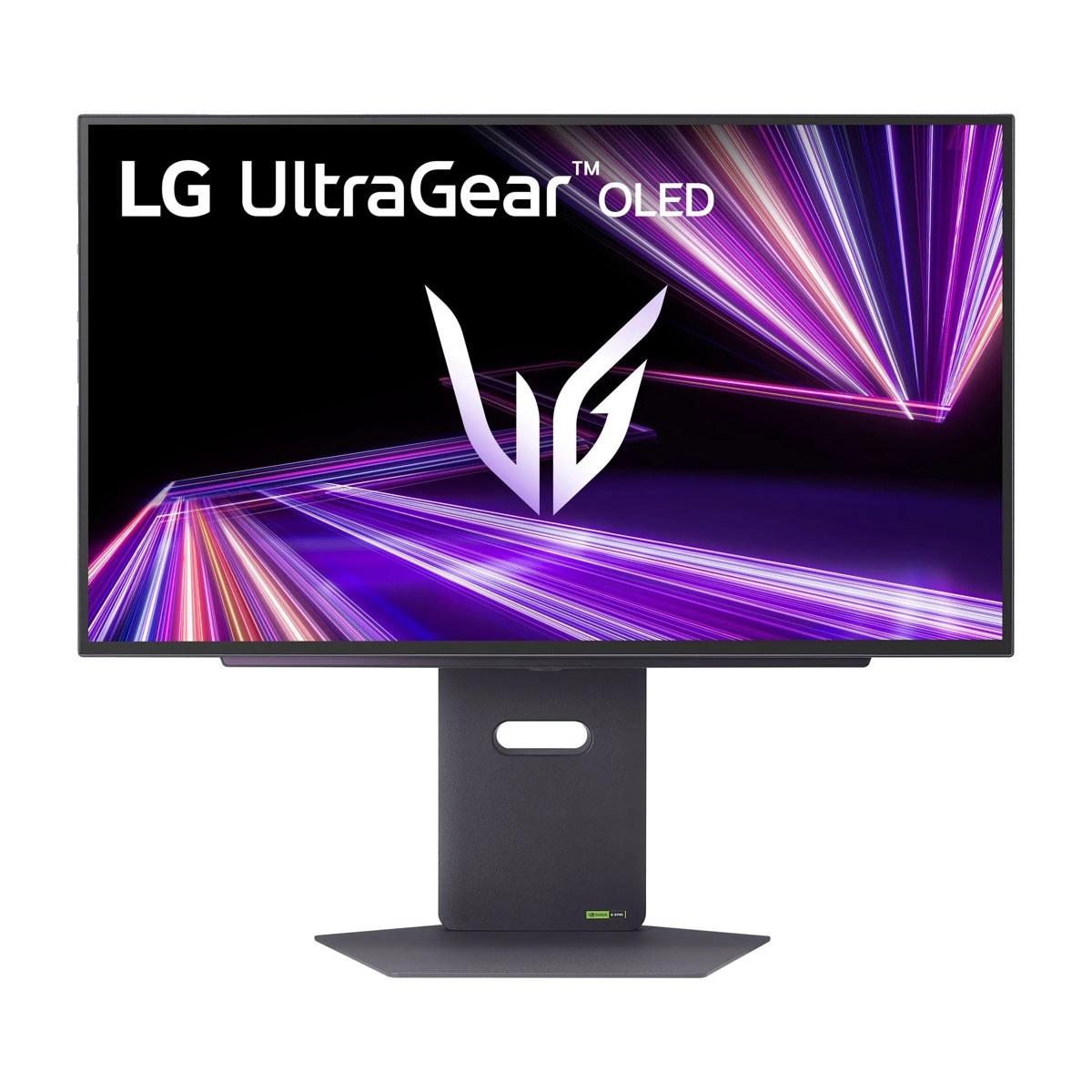


Gaming monitors have become the cornerstone of any serious gaming setup, and choosing the right one can dramatically impact your gaming experience. Today we're comparing two monitors that represent opposite ends of the spectrum: the budget-friendly Sceptre E275W-FW100T and the premium LG UltraGear 27" OLED QHD 480Hz. These monitors showcase just how far display technology has evolved and help illustrate what you're really paying for when you step up from entry-level to flagship gaming displays.
Before diving into our comparison, it's worth understanding what separates gaming monitors from regular displays. Gaming monitors prioritize three key performance metrics that directly impact your gaming experience: refresh rate (how many times per second the screen updates), response time (how quickly pixels can change colors), and input lag (the delay between your actions and seeing results on screen).
Think of refresh rate like frames per second for your monitor – a 60Hz display shows 60 new images every second, while a 100Hz display shows 100. Higher refresh rates create smoother motion, especially noticeable when tracking fast-moving objects or during quick camera movements in first-person shooters.
Response time, measured in milliseconds, determines how quickly pixels can transition from one color to another. Slower response times create "ghosting" – blurry trails behind moving objects that can be distracting during gameplay. Input lag is the total delay from when you press a button to when you see the action on screen, combining processing delays from your graphics card, monitor, and everything in between.
The Sceptre E275W-FW100T, released in 2023, represents solid budget gaming performance at an accessible price point. At the time of writing, it typically costs under $150, making it an attractive option for gamers building their first dedicated gaming setup or those looking to upgrade from basic office displays without breaking the bank.
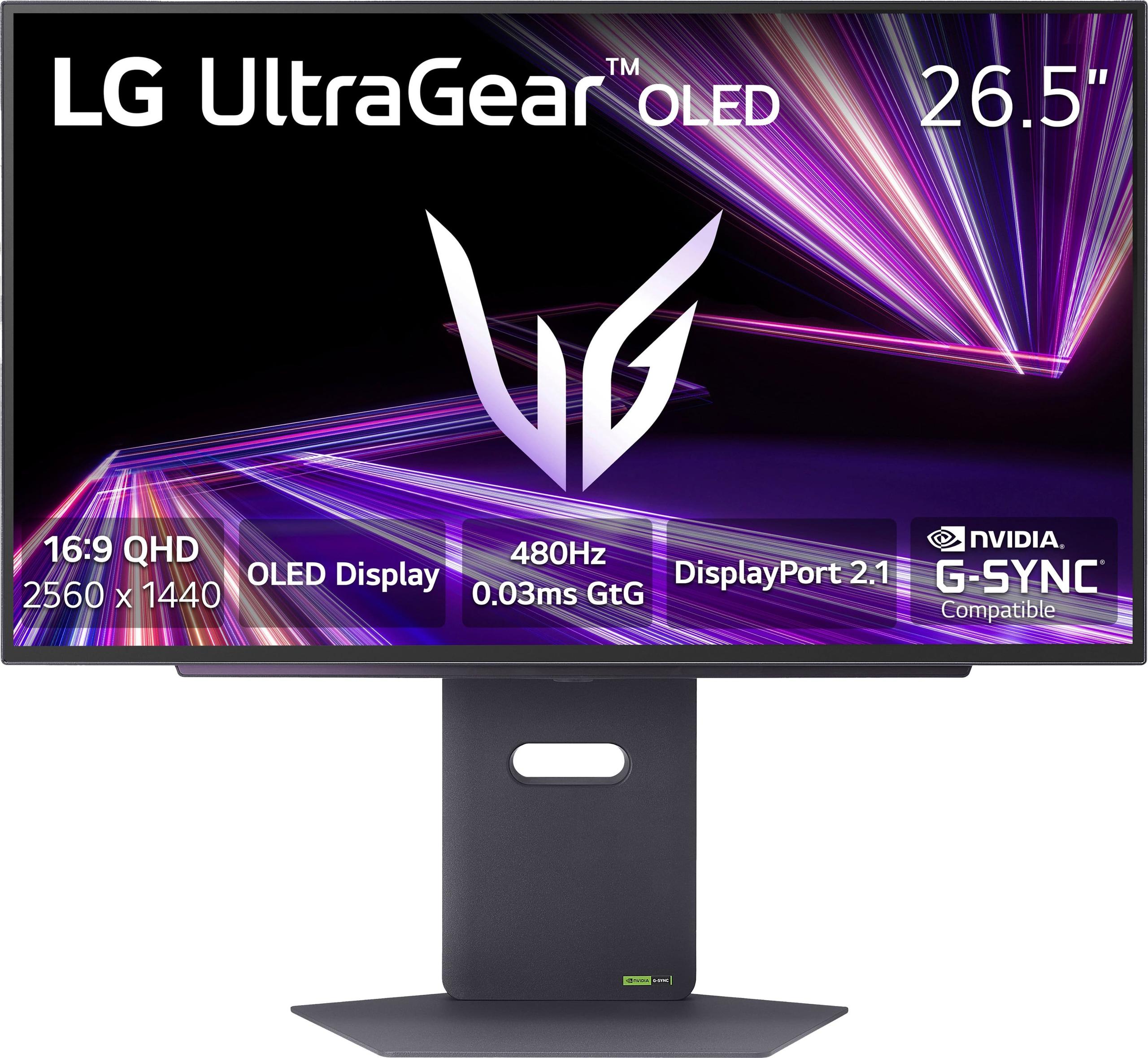
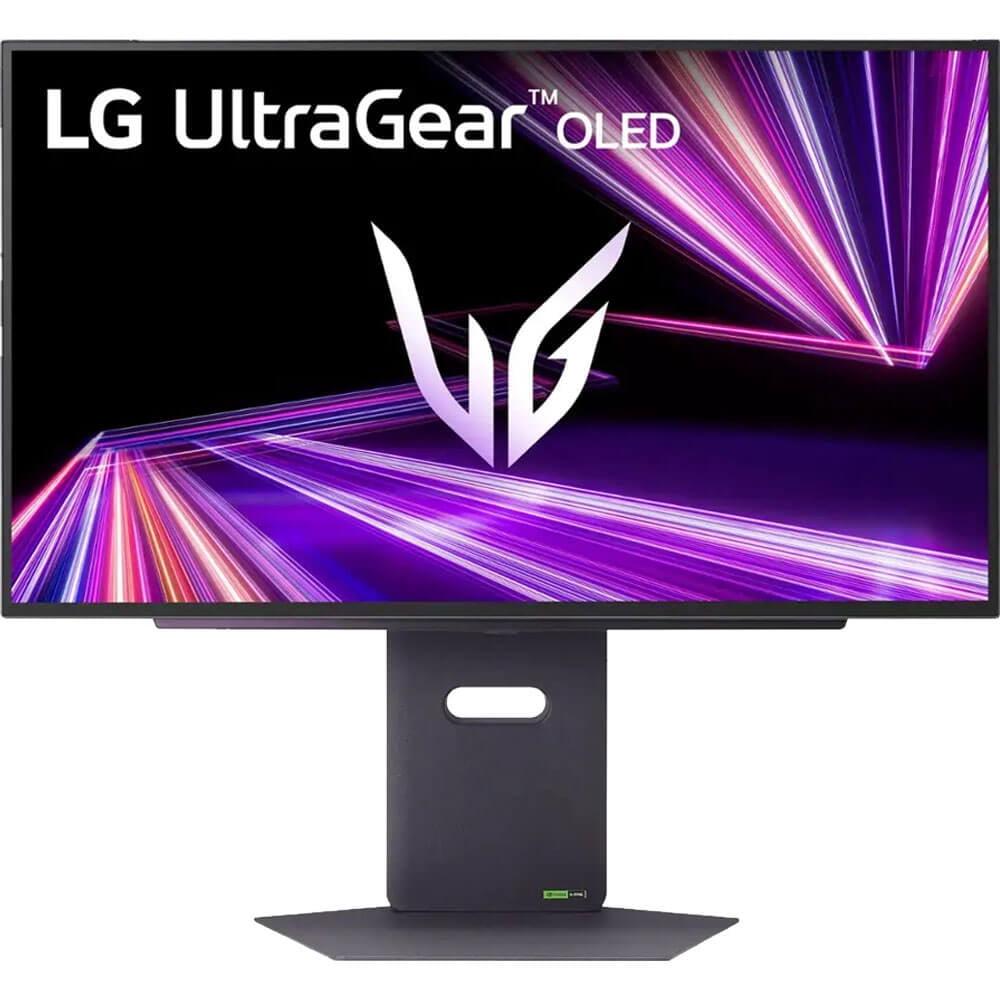
On the opposite end, the LG UltraGear 27" OLED QHD 480Hz, launched in late 2024, showcases cutting-edge display technology. With a price tag approaching $800 at the time of writing, it costs roughly five to six times more than the Sceptre – but that premium brings some remarkable technological advances that weren't available even a few years ago.
The core difference between these monitors lies in their display technology, which affects virtually every aspect of their performance. The Sceptre monitor uses a VA (Vertical Alignment) LCD panel, while the LG display employs OLED (Organic Light-Emitting Diode) technology.
VA panels excel at producing deep blacks compared to other LCD technologies because they can block more backlight when displaying dark content. The Sceptre's 3,000:1 contrast ratio means its brightest whites are 3,000 times brighter than its darkest blacks – impressive for an LCD display in this price range. This translates to more immersive dark scenes in games, whether you're exploring caves in Minecraft or navigating shadowy corridors in horror games.
OLED technology takes contrast to an entirely different level. Since each pixel produces its own light, the LG monitor can achieve perfect blacks by simply turning pixels completely off. Its 1,500,000:1 contrast ratio isn't just a bigger number – it represents fundamentally superior image quality with true blacks that make dark game scenes dramatically more immersive. When playing atmospheric games like Resident Evil or Cyberpunk 2077, the difference is immediately noticeable.
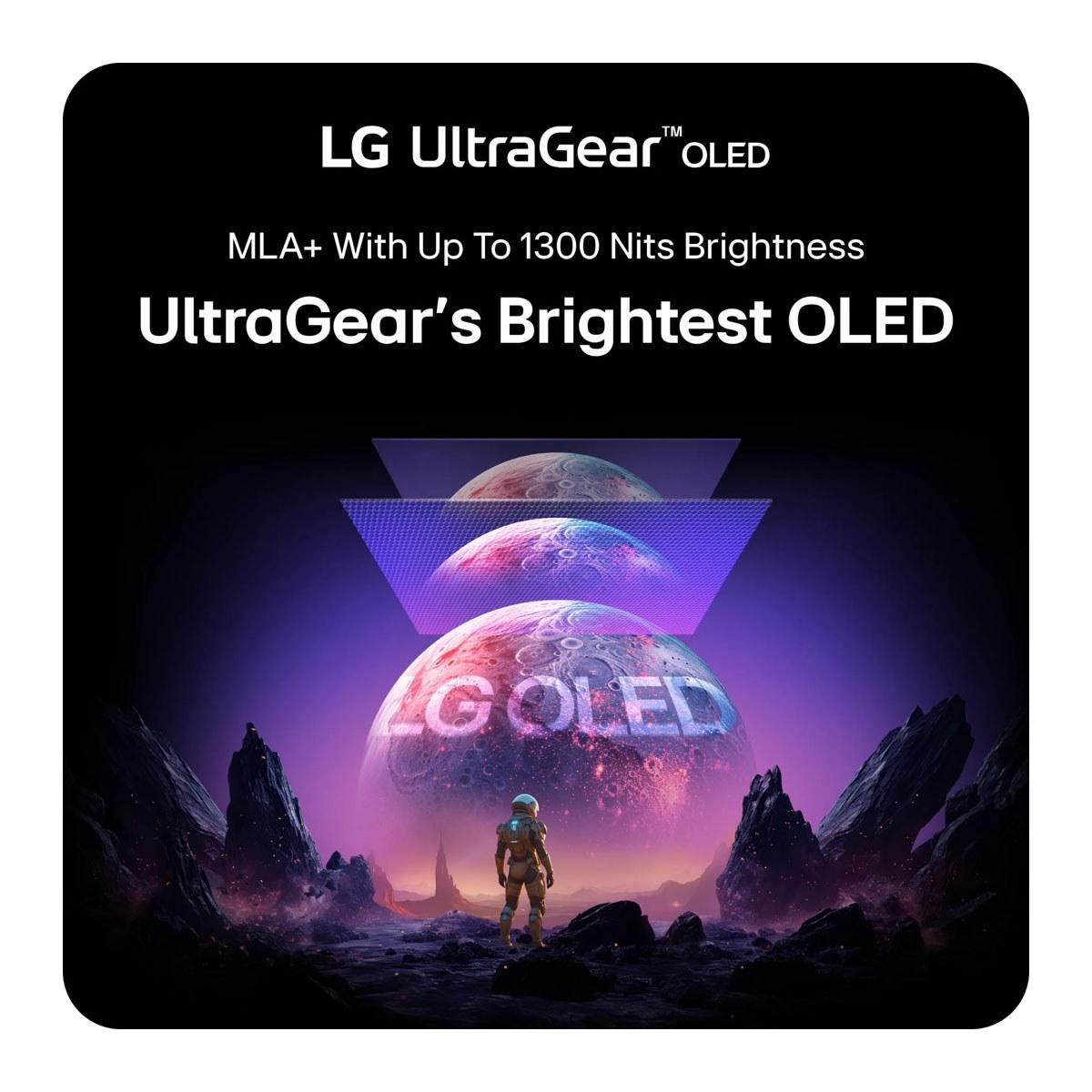
The LG's OLED panel also incorporates Micro Lens Array+ (MLA+) technology, a recent innovation that uses microscopic lenses to direct more light toward the viewer. This addresses OLED's traditional weakness of lower peak brightness compared to high-end LCDs, allowing the monitor to reach up to 1,300 nits in small highlight areas – bright enough for impressive HDR (High Dynamic Range) performance.
Resolution differences significantly impact daily usability. The Sceptre's 1920×1080 Full HD resolution spread across 27 inches results in roughly 82 pixels per inch. While adequate for gaming, this pixel density makes text and fine details appear less sharp than ideal for a screen this size. It's similar to the difference between reading a paperback book versus a high-quality magazine – both are readable, but one is noticeably crisper.
The LG monitor's 2560×1440 QHD resolution provides about 109 pixels per inch – a substantial 78% increase in total pixels. This higher pixel density makes everything from game textures to web browsing notably sharper. The difference is particularly apparent in text-heavy scenarios like reading gaming forums, Discord chats, or game menus with small fonts.
For gaming specifically, higher resolution allows you to spot distant enemies more easily in competitive shooters and appreciate fine details in single-player adventures. However, driving games at 1440p requires significantly more graphics processing power than 1080p – roughly 60-70% more in most cases.
The Sceptre's 100Hz refresh rate represents a meaningful upgrade from standard 60Hz displays. The difference between 60Hz and 100Hz is immediately noticeable when panning the camera or tracking moving objects – motion appears smoother and more fluid. For competitive gaming, this translates to clearer visual information during fast-paced scenarios.
The LG monitor's 480Hz refresh rate pushes into uncharted territory. To put this in perspective, it can display nearly five times as many unique frames per second as the Sceptre. At these extreme refresh rates, the smoothness improvement becomes more subtle but can provide competitive advantages in esports scenarios where every millisecond matters. Professional Counter-Strike or Valorant players often report that ultra-high refresh rates help them track targets more precisely during rapid movements.
However, achieving 480 frames per second requires exceptional hardware. Even flagship graphics cards like the RTX 4090 typically need reduced settings or competitive game titles (like Counter-Strike 2 or Valorant) to approach these frame rates at 1440p resolution.
Response time differences between these monitors are dramatic. The Sceptre's 5-millisecond gray-to-gray response time is respectable for its price range but can produce visible ghosting – faint trails behind fast-moving objects. This ghosting is most noticeable in high-contrast scenes, like bright objects moving against dark backgrounds.
The LG OLED's 0.03-millisecond response time is virtually instantaneous. OLED pixels can change states almost immediately because they don't rely on liquid crystals physically rotating like LCD technology. This eliminates ghosting entirely, creating crystal-clear motion even during the most chaotic gaming moments.
Both monitors support adaptive sync technology, which synchronizes the display's refresh rate with your graphics card's output to eliminate screen tearing (visible horizontal lines during fast motion) and reduce stuttering.
The Sceptre supports AMD FreeSync in the 48-100Hz range, providing smooth gameplay when your frame rates stay within this window. This works well for most gaming scenarios with mid-range graphics cards.
The LG monitor supports both AMD FreeSync Premium Pro and NVIDIA G-Sync compatibility across its entire refresh rate range, offering more flexibility and broader compatibility with different graphics cards and gaming scenarios.
Color reproduction capabilities differ significantly between these displays. The Sceptre monitor covers 100% of the sRGB color space – the standard range used for most web content and many games. Its true 8-bit color depth can display 16.7 million distinct colors without using dithering techniques, resulting in smooth color gradients.
The LG OLED covers 98.5% of the wider DCI-P3 color space, which includes about 25% more colors than sRGB. This expanded color gamut allows for more vibrant and lifelike colors, particularly noticeable in HDR content and games with rich, colorful art styles like Horizon Forbidden West or Ori and the Will of the Wisps.
The LG's VESA DisplayHDR True Black 400 certification indicates genuine HDR capability with deep blacks and bright highlights. HDR gaming transforms compatible titles by increasing the contrast between the darkest shadows and brightest highlights, creating more realistic lighting effects.
Connection options reveal each monitor's intended audience and longevity. The Sceptre includes two HDMI 2.0 ports and one DisplayPort 1.2 connection, adequate for current 1080p gaming at 100Hz. These connections handle most gaming scenarios comfortably, including next-generation consoles at 1080p resolution.
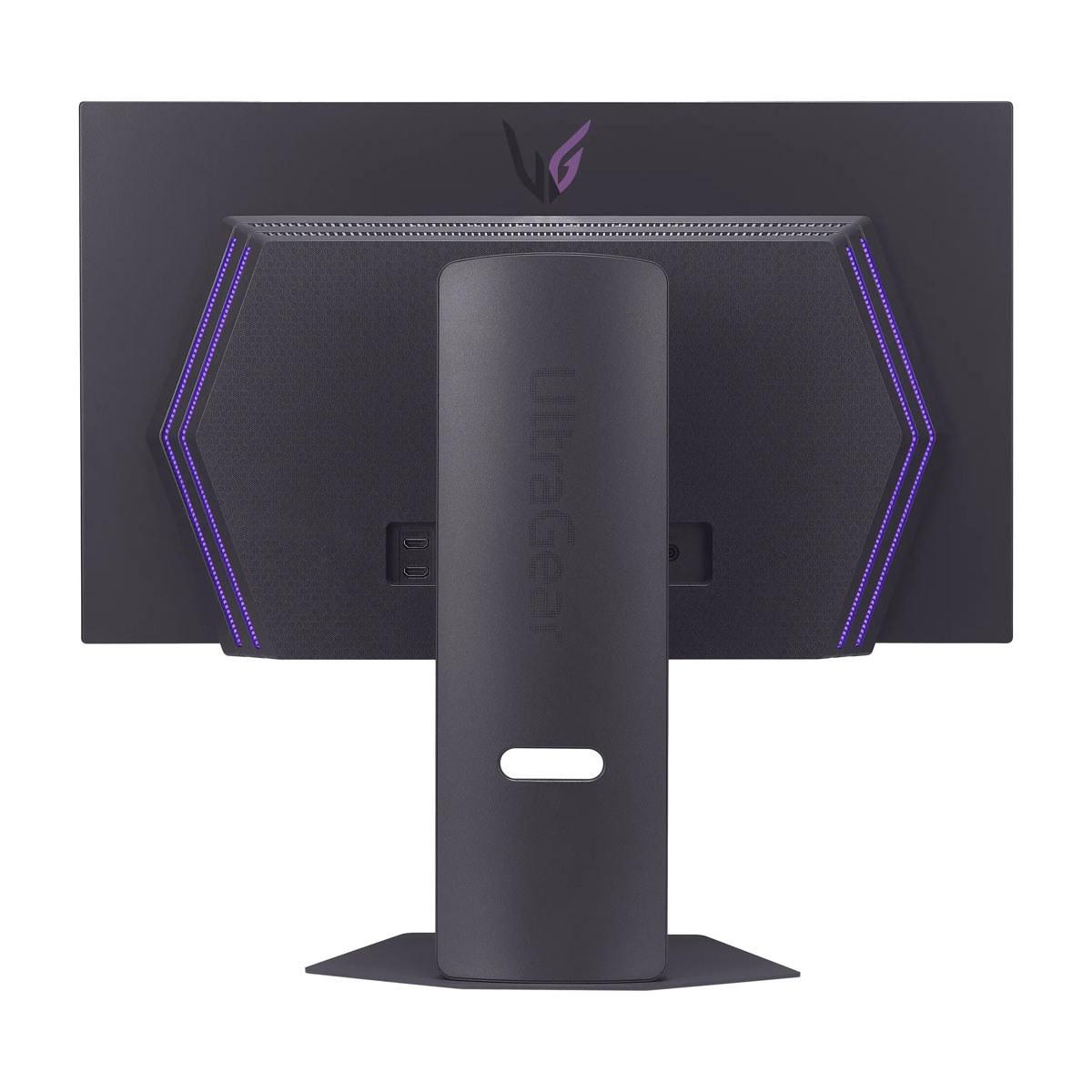
The LG monitor features more advanced connectivity with DisplayPort 2.1 and dual HDMI 2.1 ports. DisplayPort 2.1 provides significantly higher bandwidth than previous versions, essential for driving 1440p at 480Hz without compression. HDMI 2.1 ensures compatibility with PlayStation 5 and Xbox Series X/S consoles at their maximum capabilities.
The LG display also includes USB 3.0 hub functionality, allowing you to connect peripherals directly to the monitor – convenient for reducing cable clutter and easily switching devices between multiple computers.
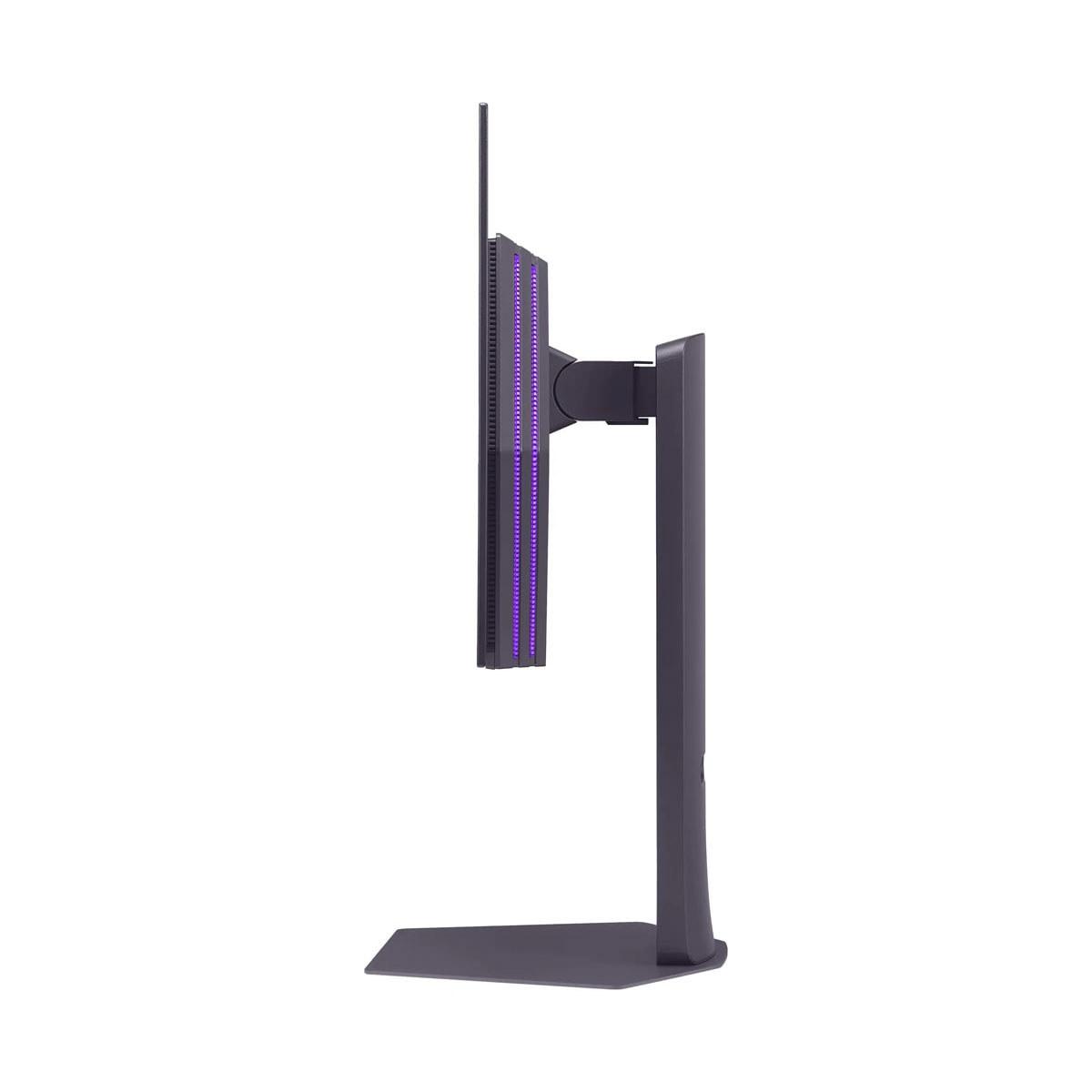
Physical design differences reflect their market positioning. The Sceptre monitor features a basic stand with tilt adjustment only, which may require a third-party monitor arm for optimal positioning. The build quality is functional but not premium, with plastic construction throughout.
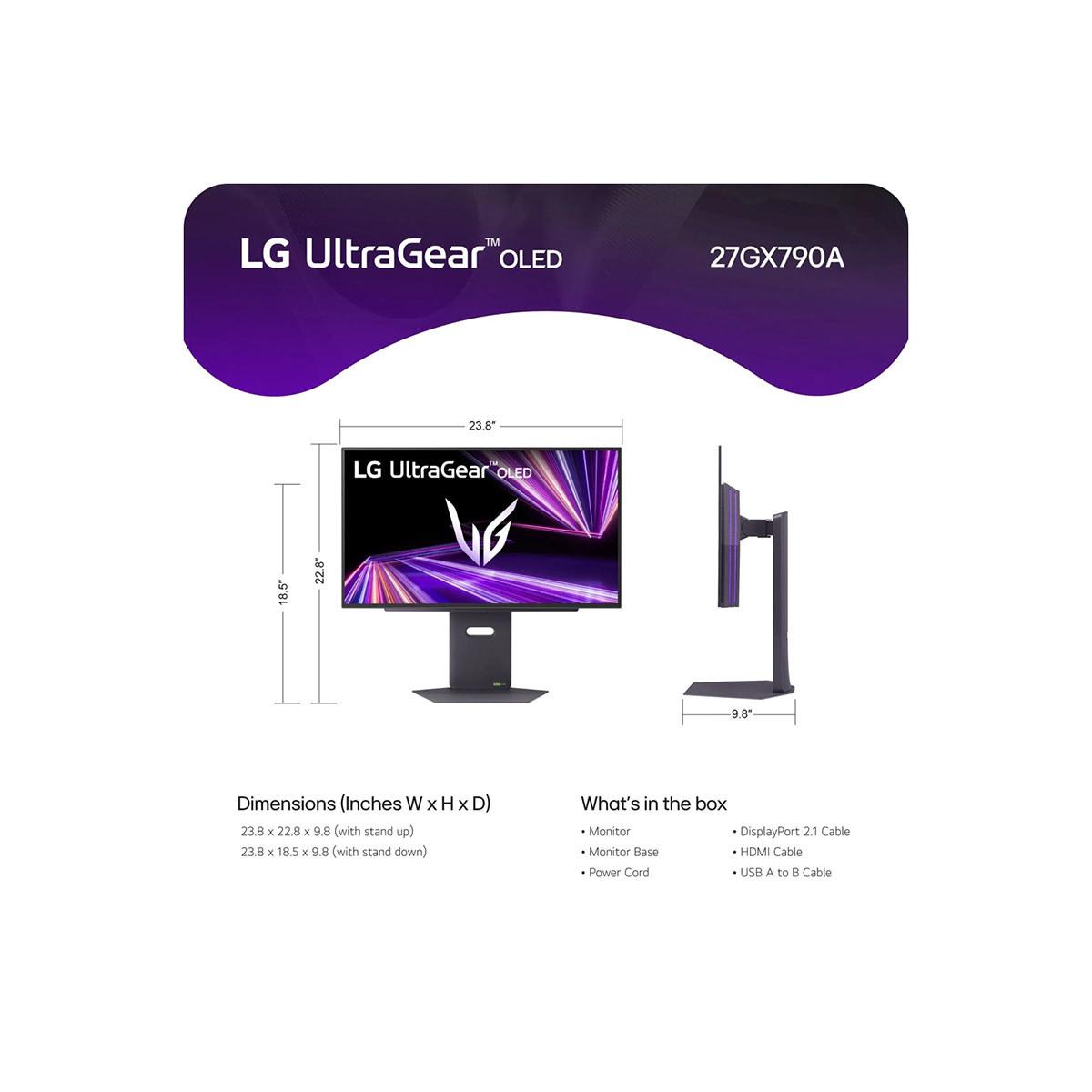
The LG OLED includes a more sophisticated stand supporting height, tilt, swivel, and pivot adjustments. This flexibility allows precise positioning for extended gaming sessions and different viewing scenarios. The overall build quality feels more premium, with better materials and attention to detail.
Both monitors support VESA mounting for wall or arm installation, providing upgrade paths for better ergonomics regardless of their included stands.
For living room gaming or media consumption, these monitors serve different purposes. The Sceptre's 1080p resolution matches Blu-ray movies perfectly and works well for console gaming from typical couch distances. Its VA panel provides good contrast for movie watching, though the smaller 27-inch size limits its home theater appeal.
The LG OLED excels in home theater scenarios with genuine HDR support, perfect blacks for movie watching, and higher resolution for detailed viewing. OLED technology traditionally dominates home theater applications, and this monitor brings that same visual quality to gaming applications. Its 480Hz capability also future-proofs against rapidly advancing console and PC gaming technology.
OLED displays require different maintenance considerations than LCD monitors. The LG monitor includes OLED Care features designed to prevent burn-in (permanent image retention), and LG backs it with a 2-year OLED-specific warranty. While burn-in remains a theoretical concern, modern OLED displays with proper care features rarely experience issues during normal gaming usage patterns.
The Sceptre monitor represents a more traditional ownership experience with fewer special considerations but also a shorter expected lifespan due to its budget construction. However, its lower initial cost makes replacement more affordable when technology advances make upgrades attractive.
Different game types highlight each monitor's strengths. For competitive multiplayer games like Counter-Strike, Valorant, or League of Legends, the LG OLED's extreme refresh rate and instantaneous response time provide measurable advantages in reaction time and target tracking accuracy.
For single-player adventures and RPGs, the LG's superior contrast ratio, color accuracy, and HDR support create more immersive experiences with better visual quality. Games like The Witcher 3, Red Dead Redemption 2, or Cyberpunk 2077 benefit significantly from OLED's visual superiority.
The Sceptre monitor handles most gaming scenarios competently, providing smooth gameplay in both competitive and single-player titles, though without the visual refinement or extreme performance of the premium option.
The Sceptre E275W-FW100T makes sense for several specific audiences: first-time gaming monitor buyers upgrading from basic displays, budget-conscious gamers who need decent performance without premium costs, users building dual or triple monitor setups where individual monitor cost matters, and gamers with mid-range graphics cards that can't fully utilize higher-end displays anyway.
The LG UltraGear OLED targets a different audience entirely: competitive esports players seeking every possible advantage, enthusiast gamers with high-end hardware who want the best visual experience available, content creators who need excellent color accuracy and HDR support, and users who view their monitor as a long-term investment in cutting-edge technology.
These monitors represent fundamentally different approaches to gaming displays, making direct comparison somewhat like comparing a reliable economy car to a high-performance sports car – both accomplish transportation, but they're designed for different needs and budgets.
The Sceptre E275W-FW100T delivers solid gaming performance at an accessible price point, making it an excellent choice for gamers seeking meaningful improvements over basic displays without spending premium money. Its 100Hz refresh rate and decent color accuracy provide genuine benefits for most gaming scenarios.
The LG UltraGear OLED represents the current pinnacle of gaming monitor technology, offering performance levels that seemed impossible just a few years ago. Its combination of extreme refresh rate, perfect contrast, and advanced features justifies its premium pricing for users who demand the absolute best gaming experience.
Your choice ultimately depends on your budget, gaming intensity, and hardware capabilities. The Sceptre offers excellent value for mainstream gamers, while the LG OLED delivers uncompromising performance for those willing to invest in cutting-edge technology. Both serve their intended audiences well, just at very different price points and performance levels.
| Sceptre 27-inch Gaming Monitor E275W-FW100T | LG UltraGear 27" OLED QHD 480Hz Gaming Monitor |
|---|---|
| Display Technology - Determines contrast, color accuracy, and overall image quality | |
| VA LCD panel with LED backlighting | WOLED (White OLED) with Micro Lens Array+ technology |
| Resolution & Pixel Density - Affects text sharpness and detail clarity | |
| 1920×1080 Full HD (81.59 PPI) | 2560×1440 QHD (108.79 PPI) - 78% more pixels |
| Refresh Rate - Higher rates provide smoother motion and competitive advantage | |
| 100Hz (good improvement over 60Hz) | 480Hz (industry-leading smoothness for esports) |
| Response Time - Lower values reduce ghosting and motion blur | |
| 5ms GtG (some visible ghosting in fast scenes) | 0.03ms GtG (virtually zero motion blur) |
| Contrast Ratio - Higher ratios create deeper blacks and more immersive visuals | |
| 3,000:1 static (excellent for LCD technology) | 1,500,000:1 (perfect OLED blacks, infinite contrast) |
| Color Coverage - Wider gamuts display more vibrant, lifelike colors | |
| 100% sRGB (standard web/gaming colors) | 98.5% DCI-P3 (25% wider than sRGB, cinema-grade colors) |
| Peak Brightness - Higher values improve HDR performance and bright room viewing | |
| 280 nits (adequate for most environments) | Up to 1,300 nits (excellent HDR highlights) |
| HDR Support - Enhances contrast and color in compatible games and media | |
| No HDR certification | VESA DisplayHDR True Black 400 certified |
| Adaptive Sync - Eliminates screen tearing and stuttering | |
| AMD FreeSync (48-100Hz range) | Both G-SYNC Compatible & FreeSync Premium Pro |
| Connectivity - Determines compatibility with PCs, consoles, and future devices | |
| 2× HDMI 2.0, 1× DisplayPort 1.2 | 2× HDMI 2.1, 1× DisplayPort 2.1, USB 3.0 hub |
| Stand Adjustability - Affects comfort during extended gaming sessions | |
| Tilt only (-5° to +15°) | Full adjustment: height, tilt, swivel, pivot |
| Audio Features - Built-in sound options | |
| Dual 2W speakers, headphone jack | 4-pole headphone out with DTS Headphone:X, no speakers |
| Gaming Features - Specialized modes and enhancements for different game types | |
| FPS/RTS game modes, Blue Light Shift | Advanced gaming presets, RGB backlighting, crosshair overlays |
| Warranty & Longevity - Protection against defects and burn-in concerns | |
| Standard LCD warranty | 2-year OLED limited warranty with OLED Care features |
| Target Hardware Requirements - Graphics card power needed to maximize performance | |
| Mid-range GPUs (GTX 1660, RTX 3060) for 1080p 60-100fps | High-end GPUs (RTX 4080/4090) for 1440p high refresh gaming |
| Best Use Cases - Ideal scenarios for each monitor | |
| Budget gaming, first monitor upgrade, dual setups | Competitive esports, enthusiast gaming, content creation |
The LG UltraGear 27" OLED QHD 480Hz Gaming Monitor is significantly better for competitive gaming. Its 480Hz refresh rate and 0.03ms response time provide maximum smoothness and virtually eliminate motion blur, giving competitive players every possible advantage. The Sceptre 27-inch Gaming Monitor E275W-FW100T offers decent performance at 100Hz, but serious esports players will benefit from the LG's extreme specifications.
The biggest difference is display technology. The LG UltraGear OLED uses OLED panels that produce perfect blacks and infinite contrast, while the Sceptre E275W-FW100T uses VA LCD technology with good but limited contrast. The LG also offers higher 1440p resolution versus the Sceptre's 1080p, making everything appear sharper and more detailed.
The Sceptre 27-inch Gaming Monitor E275W-FW100T provides excellent value for budget-conscious gamers, offering 100Hz gaming performance at a fraction of premium monitor costs. The LG UltraGear OLED offers cutting-edge technology but at a premium price point that's only justified if you need the absolute best performance and have high-end hardware to match.
Yes, but with different capabilities. The Sceptre E275W-FW100T works well with consoles at 1080p resolution through its HDMI 2.0 ports. The LG UltraGear OLED offers better console compatibility with HDMI 2.1 ports, supporting higher resolutions and refresh rates that next-gen consoles can provide.
The LG UltraGear 27" OLED QHD 480Hz Gaming Monitor excels for story-driven games thanks to its perfect blacks, vibrant colors, HDR support, and higher resolution. These features make atmospheric games more immersive with better visual quality. The Sceptre monitor handles story games adequately but without the visual refinement of OLED technology.
The Sceptre E275W-FW100T works well with mid-range graphics cards like RTX 3060 or GTX 1660 for 1080p gaming at 60-100fps. The LG UltraGear OLED requires high-end GPUs like RTX 4080 or RTX 4090 to fully utilize its 480Hz capability at 1440p resolution, making it more demanding on your system.
The LG UltraGear OLED offers superior color accuracy with 98.5% DCI-P3 coverage and HDR support, making it excellent for content creation and photo/video editing. The Sceptre monitor provides decent colors with 100% sRGB coverage but lacks the wider color gamut and accuracy needed for professional creative work.
The Sceptre E275W-FW100T uses traditional LCD technology with standard reliability expectations. The LG UltraGear OLED uses OLED technology that theoretically can experience burn-in, but LG includes OLED Care features and a 2-year warranty specifically addressing these concerns. Modern OLED monitors rarely have issues with proper usage.
The LG UltraGear 27" OLED QHD 480Hz Gaming Monitor is superior for media consumption with its perfect blacks, HDR support, and excellent contrast ratio that make movies look cinematic. The Sceptre monitor handles movies adequately with its VA panel providing good contrast for LCD technology, but lacks the visual impact of OLED.
Both the Sceptre E275W-FW100T and LG UltraGear OLED support VESA 100x100mm mounting, allowing installation on monitor arms or wall mounts. The Sceptre's basic tilt-only stand makes mounting more beneficial, while the LG includes a fully adjustable stand that may reduce the need for aftermarket mounting solutions.
The LG UltraGear OLED offers more advanced connectivity with DisplayPort 2.1, dual HDMI 2.1 ports, and a USB 3.0 hub for connecting peripherals. The Sceptre monitor provides basic but adequate connectivity with DisplayPort 1.2 and dual HDMI 2.0 ports, sufficient for most current gaming setups but less future-proof.
For your first gaming monitor upgrade, the Sceptre 27-inch Gaming Monitor E275W-FW100T is often the better choice, providing significant improvements over basic displays without requiring premium investment. Only choose the LG UltraGear OLED if you have high-end hardware, compete seriously in esports, or want the absolute best visual experience regardless of cost.
We've done our best to create useful and informative comparisons to help you decide what product to buy. Our research uses advanced automated methods to create this comparison and perfection is not possible - please contact us for corrections or questions. These are the sites we've researched in the creation of this article: pcvarge.com - walmart.com - cubed.run - productchart.com - displayninja.com - target.com - youtube.com - versus.com - youtube.com - youtube.com - sceptre.com - sceptre.com - bestbuy.com - bhphotovideo.com - engadget.com - newegg.com - youtube.com - bestbuy.com - techpowerup.com - techpowerup.com - rtings.com - lg.com - lgnewsroom.com - rtings.com - bestbuy.com - jonesapplianceandtv.com - thefrogpadappliances.com - lg.com - lg.com - lg.com - techpowerup.com - lg.com - lg.com

Privacy Policy
Terms and Conditions - Affiliate Policy
Home Security
© Copyright 2008-2026.
11816 Inwood Rd #1211, Dallas, TX 75244