









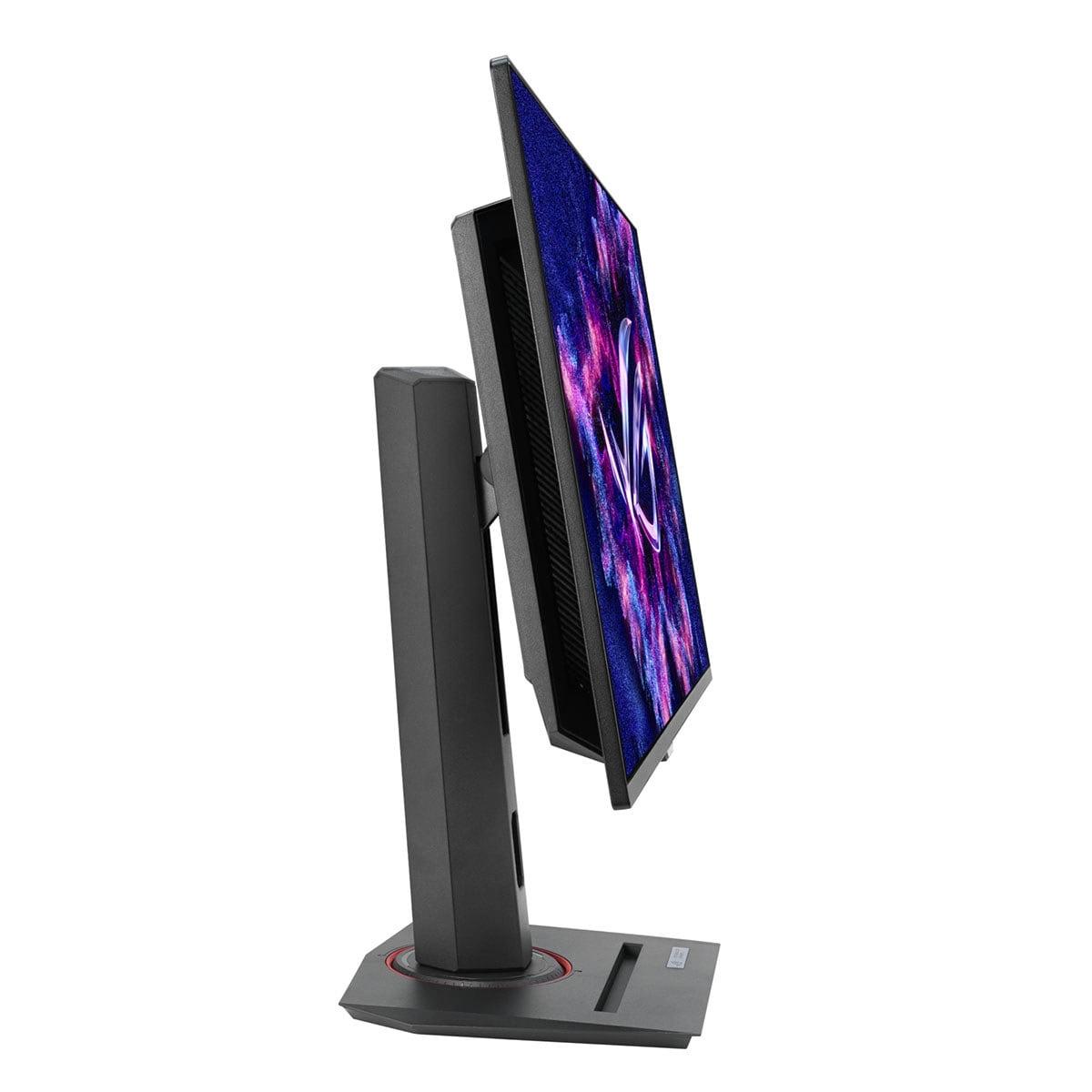
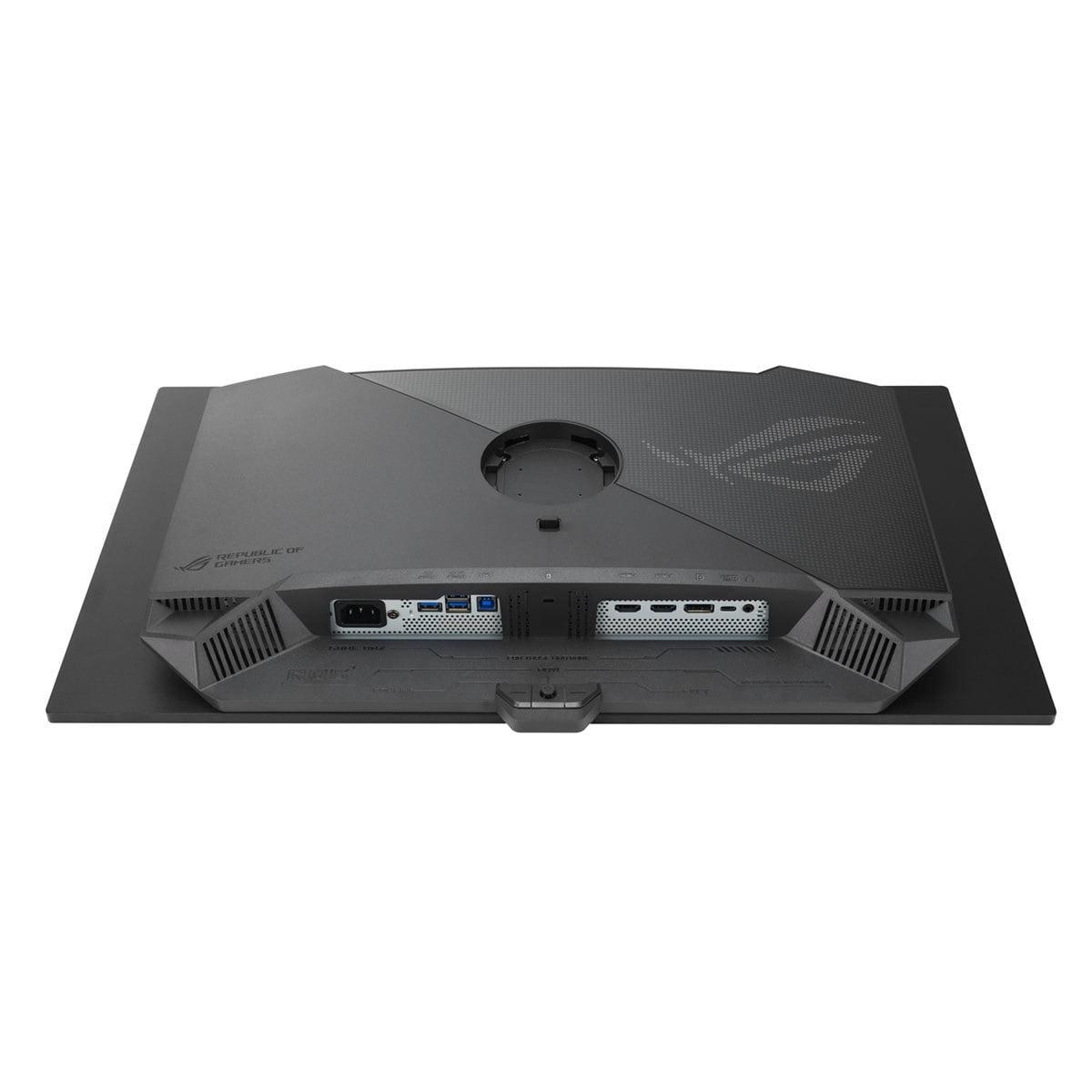
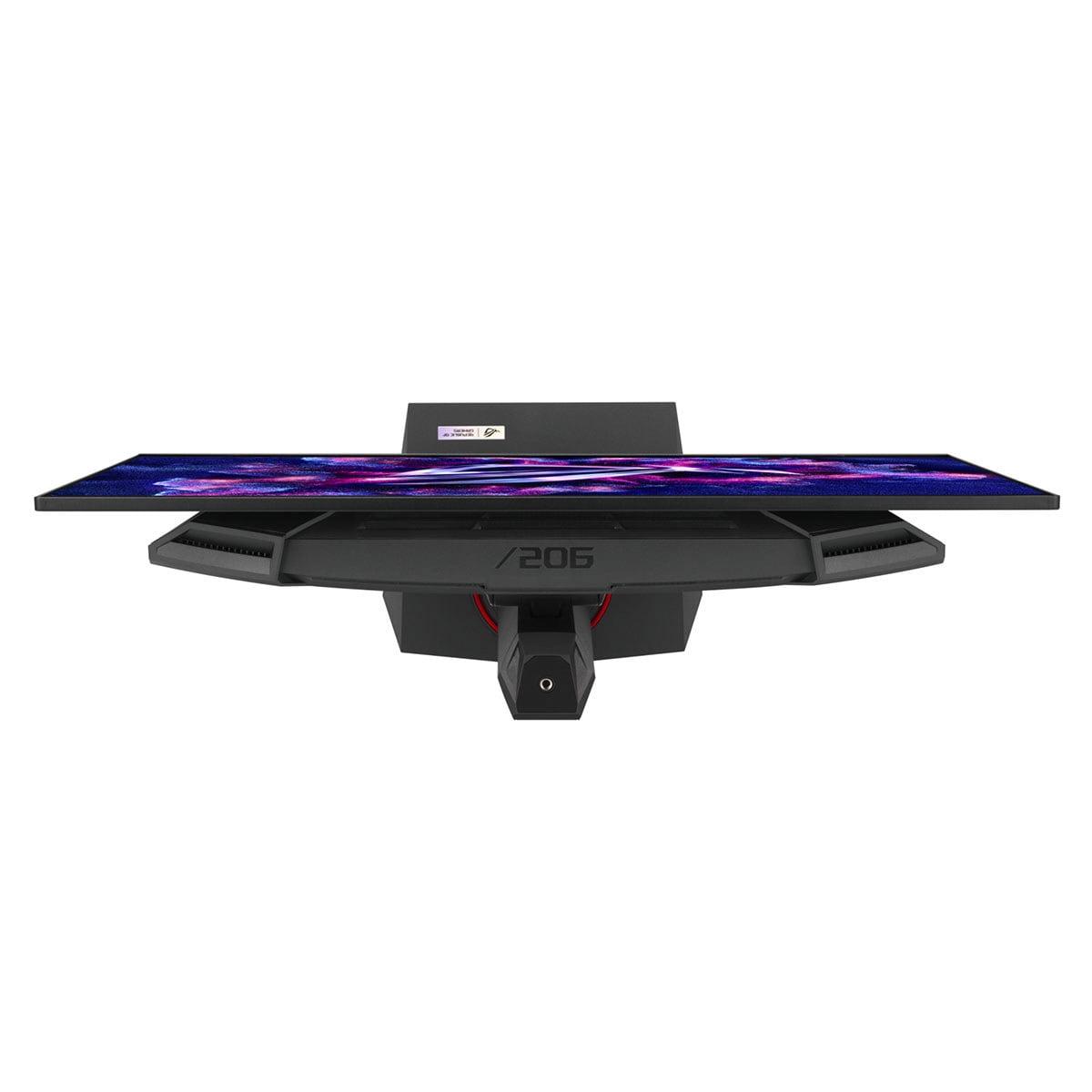
Shopping for a premium gaming monitor in 2025 feels like choosing between two completely different philosophies. On one hand, you have the LG UltraGear 27" 4K 240Hz Dual Mode Gaming Monitor pushing the boundaries of resolution and refresh rate combinations. On the other, there's the ASUS ROG Strix OLED XG27ACDNG delivering what many consider the ultimate in motion clarity and visual contrast. Both represent the cutting edge of display technology, but they take fundamentally different approaches to achieving gaming excellence.
Before diving into specifics, it's worth understanding what makes today's premium gaming monitors so impressive. The display world has evolved dramatically over the past few years, with manufacturers finally delivering on promises that seemed impossible just a generation ago. We're talking about refresh rates that were once exclusive to professional esports setups, color accuracy that rivals professional monitors, and response times measured in fractions of milliseconds.
The key considerations when evaluating high-end gaming monitors include panel technology (which determines how the display creates images), the balance between resolution and refresh rate, real-world HDR performance (not just marketing specs), actual motion clarity during fast gameplay, color accuracy both out of the box and after calibration, modern connectivity standards, and overall value for your specific needs.
The LG UltraGear 27G850A, released in 2025, represents something genuinely groundbreaking – it's the world's first 27-inch monitor to combine 4K resolution with a 240Hz refresh rate using an IPS panel. This achievement required significant technological advances, particularly in DisplayPort bandwidth and panel manufacturing.
What makes this monitor unique isn't just the specs on paper. LG developed what they call "Dual Mode" functionality, allowing users to switch between 4K at 240Hz for maximum visual clarity or 1080p at 480Hz for ultra-competitive gaming. When in 1080p mode, the monitor can actually reduce its active display area to 24 inches, creating a more focused competitive gaming experience – though you can also use the full 27-inch screen if you prefer.
The panel uses Nano IPS Black technology, which is LG's answer to the contrast limitations that have historically plagued IPS displays. Where traditional IPS panels typically achieve contrast ratios around 1000:1, this monitor manages 2000:1 – still nowhere near OLED levels, but a meaningful improvement that results in deeper blacks and more vibrant colors.
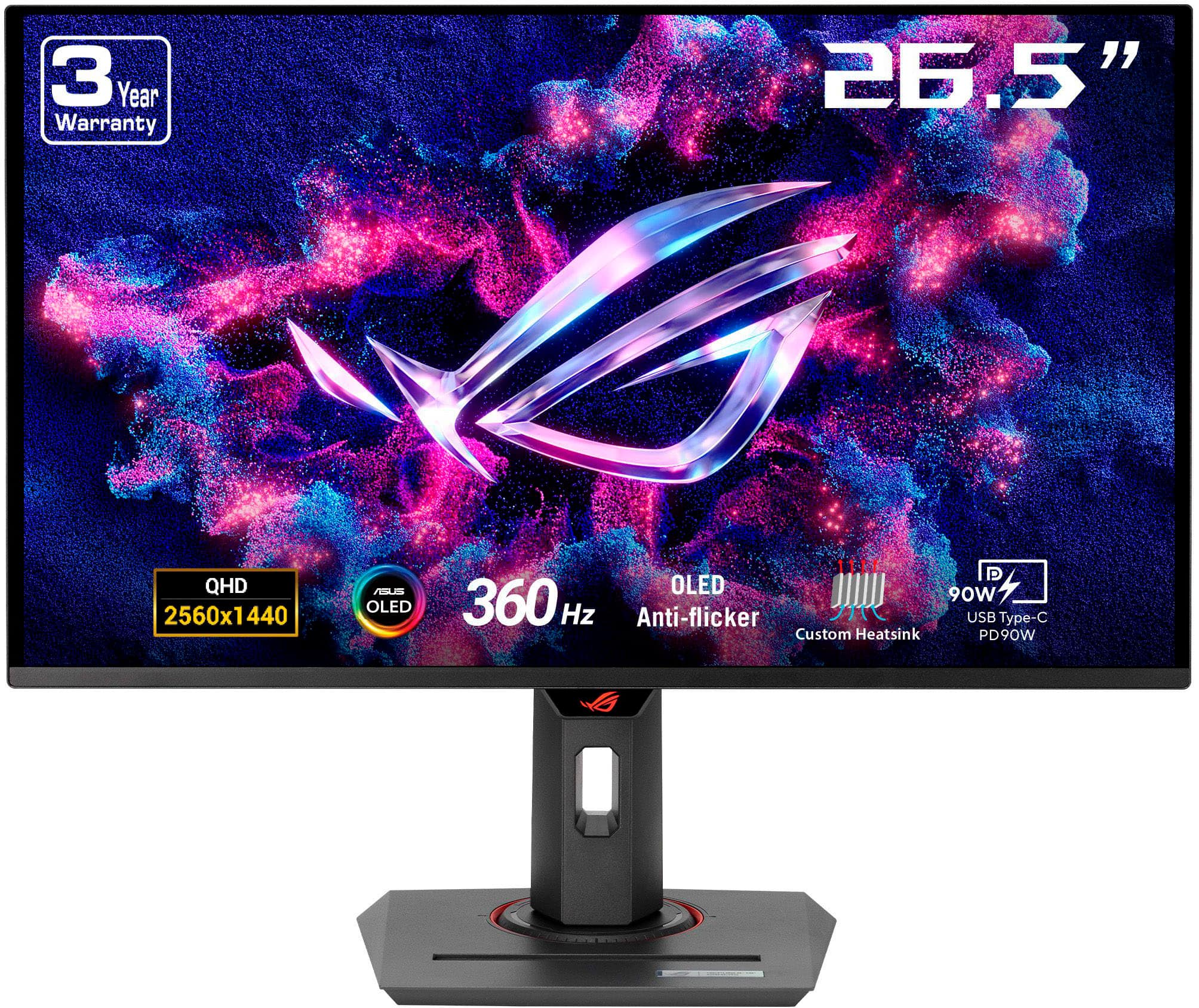
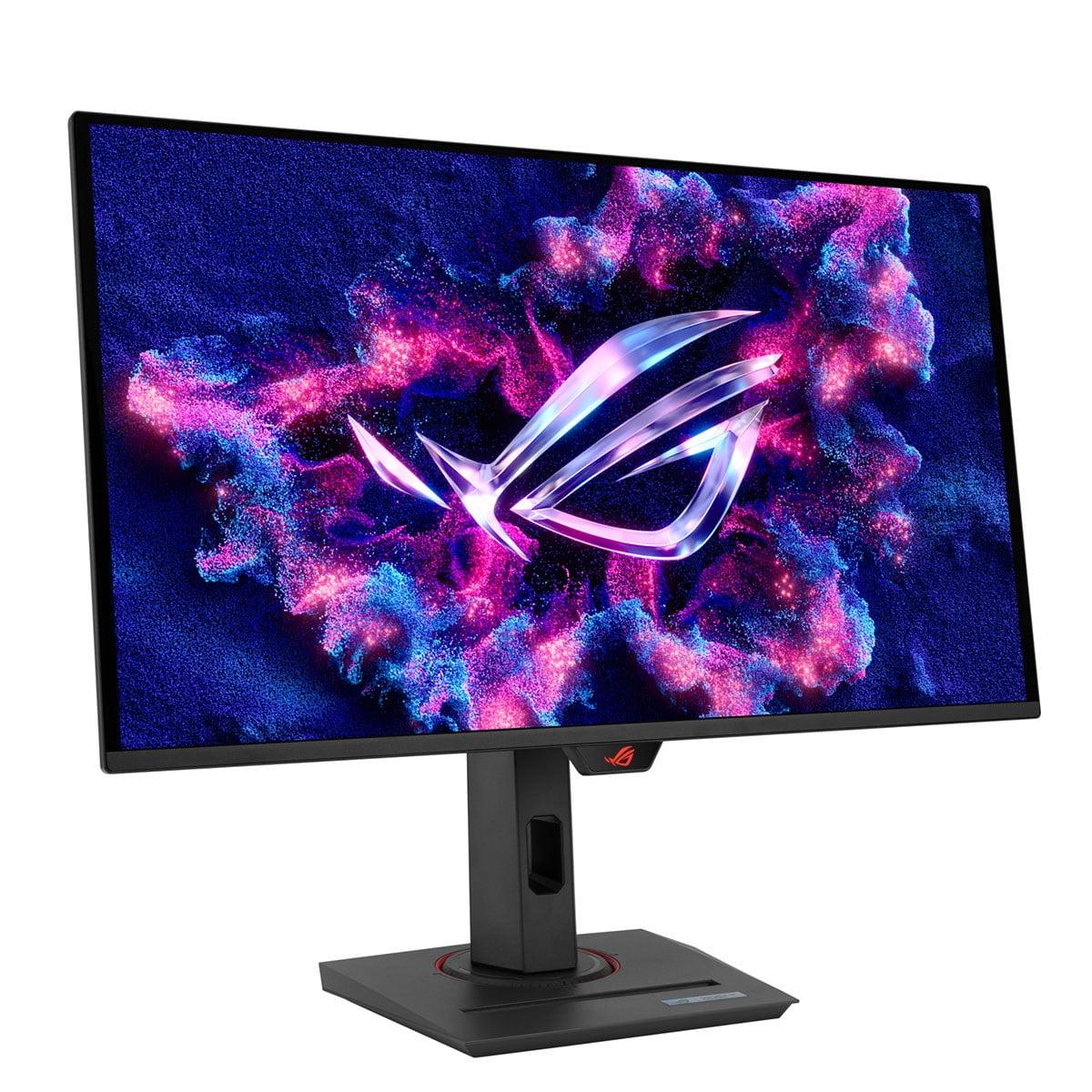
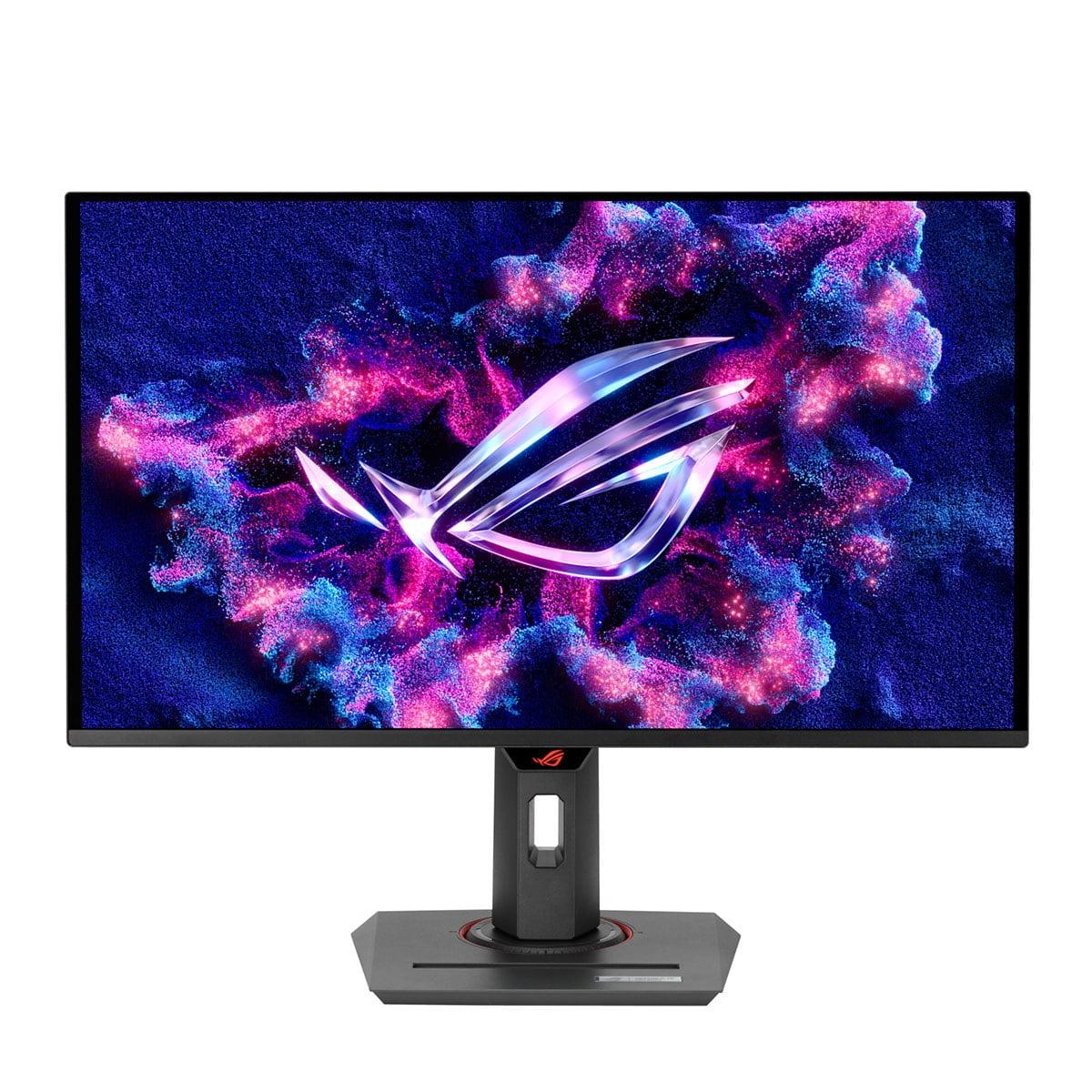
The ASUS ROG Strix OLED XG27ACDNG, also launched in 2025, takes a completely different approach. Rather than pushing resolution boundaries, ASUS focused on delivering the best possible gaming experience through QD-OLED technology combined with a 360Hz refresh rate at QHD (2560×1440) resolution.
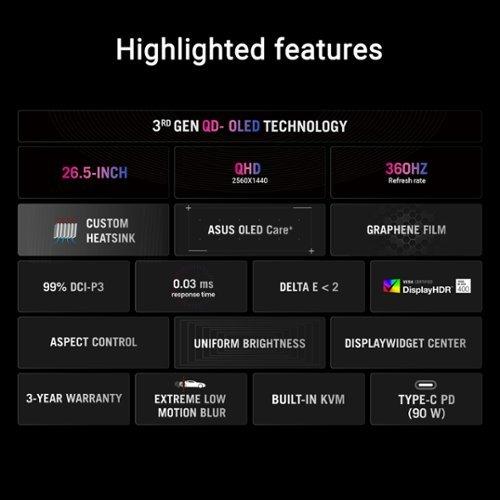
QD-OLED stands for Quantum Dot Organic Light-Emitting Diode – essentially combining the perfect blacks and infinite contrast of OLED with the color vibrancy of quantum dot technology. Each pixel can turn completely off, creating true blacks, while quantum dots enhance color saturation and accuracy. The result is a contrast ratio of 1,500,000:1 – a number so high it's essentially infinite for practical purposes.
ASUS has also addressed one of OLED's biggest concerns: burn-in. Their OLED Care+ technology includes pixel refresh cycles, screen movement features, and other protective measures. They're confident enough to offer a 3-year warranty that specifically covers burn-in – something that was unthinkable just a few years ago.
When it comes to pure sharpness, the LG UltraGear has a significant advantage. With 4K resolution packed into 27 inches, you get a pixel density of 163 pixels per inch (PPI). This means text is razor-sharp, fine details in games are clearly visible, and you can fit more content on screen for productivity work.
However, pixel density is just one aspect of image quality. The ASUS ROG Strix OLED delivers something that no IPS panel can match: perfect blacks. When displaying a dark scene in a game or movie, areas that should be black are actually black – not the dark gray that characterizes even the best LCD panels. This creates an incredible sense of depth and makes HDR content genuinely impressive.
Color accuracy is excellent on both monitors, but they achieve it differently. The LG monitor supports hardware calibration, meaning you can adjust color settings directly in the monitor's internal processing rather than relying on software corrections. This is crucial for professional color work. The ASUS display comes factory-calibrated to achieve Delta E < 2 accuracy (Delta E measures color accuracy – lower numbers are better, and anything under 2 is considered excellent).
This is where the differences become most pronounced, and frankly, where the ASUS OLED runs away with the victory. OLED panels have an inherent advantage in response time because each pixel can change state almost instantaneously. The ASUS monitor achieves a true 0.03ms gray-to-gray response time, which is essentially instantaneous.
The LG monitor, despite advertising a 1ms response time, actually measures closer to 4.6ms in real-world testing. This might not sound like a huge difference, but it's visible during fast-paced gaming. You'll notice more ghosting (trailing images behind moving objects) on the LG, particularly at the highest refresh rates.
Here's where it gets interesting though – the LG's Dual Mode feature means competitive gamers can drop to 1080p and push the refresh rate to 480Hz. At these extreme refresh rates, the difference in response time becomes less noticeable because frames are updating so quickly. It's an interesting compromise that gives the LG monitor a unique competitive edge in specific scenarios.
Response time isn't just about specifications – it's about how smooth and clear motion appears during actual gameplay. Fast-moving objects should remain sharp and clear, without trailing or blur. OLED technology simply excels here in a way that current LCD technology, even advanced IPS implementations, cannot match.
HDR (High Dynamic Range) support has become a standard feature on premium monitors, but the implementation quality varies dramatically. This is one area where you need to look beyond the marketing specifications to understand real-world performance.
The LG monitor carries VESA DisplayHDR 600 certification, which sounds impressive until you dig into the details. It uses only 8 edge-lit dimming zones to control backlight brightness across different areas of the screen. With such limited zone count, the monitor can't provide the localized dimming needed for true HDR impact. Bright objects often cause blooming (unwanted light spillage) into dark areas.
The ASUS OLED carries a lower HDR certification (DisplayHDR 400 True Black), but delivers superior real-world HDR performance. Each pixel acts as its own dimming zone – we're talking about 3.7 million individual zones compared to the LG's 8. This means bright stars can appear against perfectly black space backgrounds, or bright explosions can pop against dark game environments without any blooming or halo effects.
Peak brightness is where things get more complex. The LG monitor can achieve higher sustained brightness levels across the entire screen, making it better for bright room usage. The ASUS OLED can hit 1000 nits in small highlights but averages lower brightness across larger areas. This is actually how HDR content is mastered – with bright highlights against darker overall scenes.
Both monitors support modern connectivity standards, but with different focuses. The LG UltraGear includes DisplayPort 2.1 (though limited to UHBR10 speeds rather than the full specification), which is necessary to drive 4K at 240Hz. It also has dual HDMI 2.1 ports for console gaming.
The ASUS OLED includes more versatile connectivity with USB-C supporting 90W power delivery – enough to charge a laptop while using it as a display. It also features a built-in KVM switch, allowing you to control multiple computers with a single keyboard and mouse setup. This is particularly useful for streamers or anyone working with multiple systems.
For competitive gaming, motion clarity trumps almost everything else. The ability to track enemies smoothly, see muzzle flashes clearly, and maintain visual clarity during rapid camera movements can mean the difference between winning and losing crucial rounds.
The ASUS OLED provides a clear advantage here. The combination of true 0.03ms response time and 360Hz refresh rate creates an incredibly smooth, responsive experience. Professional esports players often describe OLED gaming as feeling more "connected" – there's less perceived lag between input and visual response.
However, the LG monitor's 480Hz mode in 1080p shouldn't be dismissed. Some competitive players prefer lower resolutions anyway, as they can maintain higher frame rates and spot enemies more easily. The 480Hz capability is genuinely impressive and provides an experience that few monitors can match.
For content creators, photographers, or anyone doing color-critical work, the LG UltraGear has significant advantages. The 4K resolution provides more screen real estate for timelines, toolbars, and detailed editing work. Hardware calibration ensures color accuracy remains consistent over time, and there are no burn-in concerns when working with static interfaces for hours.
The higher pixel density also makes text considerably sharper. QD-OLED panels, while visually stunning, can exhibit color fringing around text due to their subpixel layout. It's not a dealbreaker, but it's noticeable if you're doing a lot of reading or coding.
For single-player gaming and movie watching, the ASUS OLED creates a more immersive experience. The perfect blacks make horror games genuinely scary, space scenes feel infinite, and HDR content pops with incredible contrast. Games like Cyberpunk 2077 or The Witcher 3 look absolutely stunning on OLED technology.
The LG monitor counters with incredible detail thanks to its 4K resolution. You'll notice fine textures, distant objects, and environmental details that simply aren't visible at lower resolutions. It's particularly impressive in open-world games where you want to see far into the distance.
Both monitors work well in dedicated home theater setups, but with different strengths. The ASUS OLED excels in dark room movie watching, where its perfect blacks and excellent HDR performance shine. It's like having a high-end OLED TV in monitor form.
The LG monitor works better in mixed-use entertainment spaces where ambient light is present. Its higher peak brightness and lack of burn-in concerns make it more versatile for varied content consumption patterns.
At the time of writing, both monitors command premium pricing that reflects their cutting-edge technology. The LG UltraGear typically carries a price premium for its pioneering 4K/240Hz combination, while the ASUS OLED is competitively priced within the QD-OLED monitor market.
Long-term value involves more than just initial purchase price. The LG monitor has no burn-in risk and should maintain consistent performance throughout its lifespan. The ASUS OLED includes comprehensive burn-in protection and a 3-year warranty covering burn-in issues, but OLED panels do gradually lose brightness over time.
Both monitors should remain relevant for many years. The LG's 4K resolution ensures it won't become outdated as graphics cards become more powerful, while the ASUS's motion performance advantages will remain apparent regardless of future technology developments.
The choice between these monitors ultimately comes down to your priorities and primary use cases.
Choose the LG UltraGear 27G850A if you value maximum resolution, need a monitor for mixed professional and gaming use, work in bright environments, or want the flexibility of dual-mode operation. The 4K resolution provides a level of detail and screen real estate that's genuinely useful for both productivity and gaming. The lack of burn-in concerns makes it a safer long-term investment for varied usage patterns.
Choose the ASUS ROG Strix OLED XG27ACDNG if gaming performance is your primary concern, you appreciate superior image quality with perfect blacks and vivid colors, or you want the most immersive entertainment experience possible. The motion clarity advantage is significant and immediately noticeable during gaming.
Both monitors represent excellent examples of how display technology has advanced. The LG pushes the boundaries of what's possible with LCD technology, while the ASUS demonstrates OLED's potential for gaming applications. Neither choice is wrong – they're simply optimized for different priorities in the premium gaming monitor space.
The decision often comes down to whether you value the "wow factor" of OLED's perfect blacks and motion clarity, or the practical advantages of 4K resolution and traditional LCD reliability. Both will deliver exceptional gaming experiences that were impossible to achieve just a few years ago.
| LG UltraGear 27" 4K 240Hz Dual Mode Gaming Monitor | ASUS ROG Strix OLED XG27ACDNG 27" QHD 360Hz Gaming Monitor |
|---|---|
| Resolution - Higher resolution means sharper text and more detailed visuals | |
| 3840×2160 (4K) - 78% more pixels than QHD | 2560×1440 (QHD) - Standard for high-end gaming |
| Panel Technology - Determines contrast, colors, and motion performance | |
| Nano IPS Black (2000:1 contrast, no burn-in risk) | QD-OLED (1,500,000:1 contrast, perfect blacks) |
| Refresh Rate - Higher rates provide smoother motion in fast games | |
| 240Hz at 4K / 480Hz at 1080p (Dual Mode) | 360Hz at QHD (consistently high performance) |
| Response Time - Lower is better for motion clarity and competitive gaming | |
| 1ms advertised (~4.6ms actual with visible ghosting) | 0.03ms (true near-instantaneous response) |
| HDR Performance - Real-world brightness and contrast for movies/games | |
| DisplayHDR 600 with 8 edge-lit zones (limited impact) | DisplayHDR 400 True Black with per-pixel dimming (superior) |
| Color Accuracy - Important for content creation and professional work | |
| Hardware calibration support, 99% DCI-P3 coverage | Factory calibrated Delta E < 2, 99% DCI-P3 coverage |
| Connectivity - Modern ports and features for versatility | |
| DisplayPort 2.1, 2× HDMI 2.1, basic gaming features | DisplayPort 1.4, 2× HDMI 2.1, USB-C 90W PD, KVM switch |
| Burn-In Risk - Long-term reliability consideration | |
| No burn-in risk (LCD technology advantage) | OLED Care+ protection, 3-year burn-in warranty |
| Peak Brightness - Affects visibility in bright rooms | |
| 450 nits SDR / 750 nits HDR (better for bright environments) | Variable based on content size (excellent in dark rooms) |
| Text Clarity - Important for productivity and desktop use | |
| Excellent due to high pixel density and IPS technology | Good but may show color fringing due to QD-OLED subpixels |
| Best Use Case - Who should buy each monitor | |
| Mixed professional/gaming use, 4K content creation, bright rooms | Competitive gaming, immersive entertainment, dark room setups |
The ASUS ROG Strix OLED XG27ACDNG delivers superior overall picture quality with perfect blacks, infinite contrast (1,500,000:1), and more vibrant colors thanks to QD-OLED technology. The LG UltraGear 27" 4K 240Hz Dual Mode Gaming Monitor offers sharper details due to its 4K resolution but cannot match OLED's contrast and color depth. For immersive gaming experiences, the ASUS OLED provides more stunning visuals.
The LG UltraGear monitor uses 4K resolution (3840×2160) which provides 78% more pixels than the ASUS ROG Strix OLED's QHD resolution (2560×1440). This means the LG displays sharper text, more detailed game textures, and allows for more screen real estate. However, QHD still provides excellent clarity for gaming while being easier to drive at high frame rates.
The ASUS ROG Strix OLED XG27ACDNG excels for competitive gaming with its true 0.03ms response time and 360Hz refresh rate, providing superior motion clarity and minimal ghosting. While the LG UltraGear offers 480Hz in 1080p Dual Mode, its slower actual response time (around 4.6ms) creates more motion blur during fast gameplay.
Both monitors support console gaming through HDMI 2.1 ports. The LG UltraGear 27" 4K monitor is ideal for PS5 and Xbox Series X 4K gaming, while the ASUS OLED provides exceptional motion clarity for competitive console titles. The ASUS also offers better HDR performance for console games that support it.
The ASUS ROG Strix OLED XG27ACDNG delivers significantly better HDR with per-pixel dimming and true blacks, despite having a lower HDR certification. The LG UltraGear has DisplayHDR 600 certification but only 8 edge-lit dimming zones, which limits its real-world HDR impact compared to the OLED's millions of individually controlled pixels.
The LG UltraGear 27" 4K 240Hz monitor is better for productivity with its higher resolution providing more screen space, excellent text clarity, and hardware calibration support for color-accurate work. The ASUS OLED may show slight color fringing around text and has burn-in concerns for static desktop interfaces, making it less ideal for extended productivity use.
The ASUS ROG Strix OLED XG27ACDNG includes OLED Care+ technology and a 3-year warranty covering burn-in, but OLED panels can still develop burn-in with prolonged static content. The LG UltraGear uses LCD technology with no burn-in risk, making it safer for mixed desktop and gaming use over time.
The ASUS ROG Strix OLED provides more versatile connectivity with USB-C supporting 90W power delivery, a built-in KVM switch, and comprehensive USB hub functionality. The LG UltraGear focuses on display connectivity with DisplayPort 2.1 and dual HDMI 2.1 ports but lacks the additional features for multi-device setups.
The LG UltraGear 27" 4K 240Hz monitor handles bright rooms better with higher sustained brightness (450 nits SDR) and no issues with ambient light affecting black levels. The ASUS OLED may appear less impressive in very bright environments as its black levels can appear slightly purple when ambient light is present.
The ASUS ROG Strix OLED XG27ACDNG provides a superior movie-watching experience with perfect blacks, excellent HDR performance, and vibrant colors that make films more immersive. The LG UltraGear offers sharper 4K detail but cannot match the OLED's contrast for dark room movie viewing.
The ASUS ROG Strix OLED delivers exceptional motion clarity with virtually no ghosting due to its true 0.03ms response time. The LG UltraGear shows more visible ghosting and motion blur despite its high refresh rates, as LCD technology cannot match OLED's instantaneous pixel response times.
The choice depends on your priorities: the LG UltraGear 27" 4K 240Hz monitor offers better longevity with no burn-in risk and consistent performance over time, while the ASUS ROG Strix OLED provides superior gaming performance and image quality but requires more careful usage to prevent burn-in. Both represent excellent value in their respective categories.
We've done our best to create useful and informative comparisons to help you decide what product to buy. Our research uses advanced automated methods to create this comparison and perfection is not possible - please contact us for corrections or questions. These are the sites we've researched in the creation of this article: bestbuy.com - displayninja.com - rtings.com - youtube.com - lg.com - rtings.com - tftcentral.co.uk - bestbuy.com - techpowerup.com - lg.com - lg.com - lg.com - tomshardware.com - versus.com - pcguide.com - rog.asus.com - rtings.com - youtube.com - youtube.com - versus.com - displayninja.com - youtube.com - rog.asus.com - cdw.com - shi.com - colamco.com - rog.asus.com - microcenter.com - bestbuy.com - rtings.com - displayspecifications.com - compsource.com - rog.asus.com

Privacy Policy
Terms and Conditions - Affiliate Policy
Home Security
© Copyright 2008-2026.
11816 Inwood Rd #1211, Dallas, TX 75244