








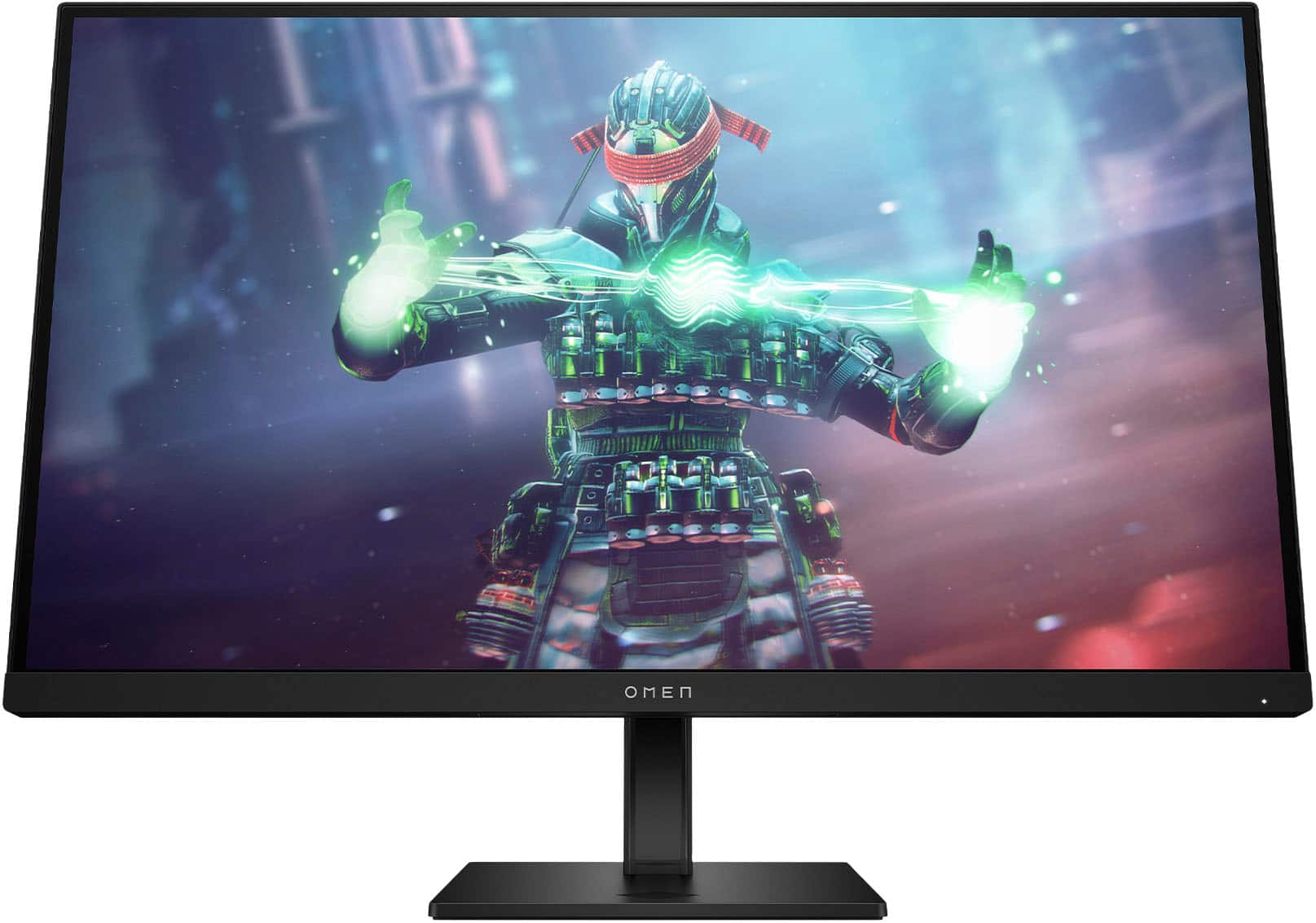
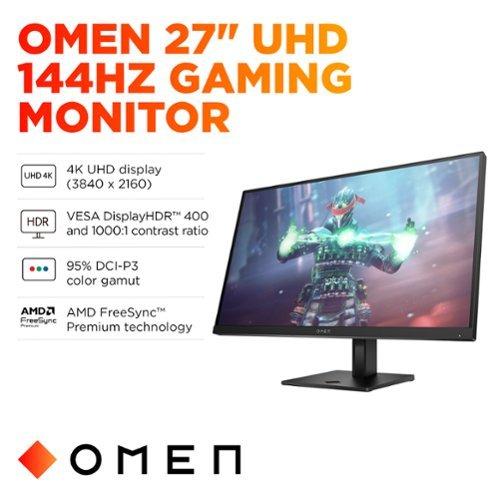
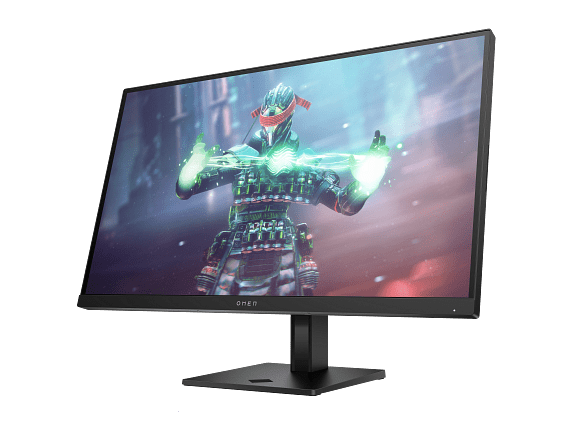
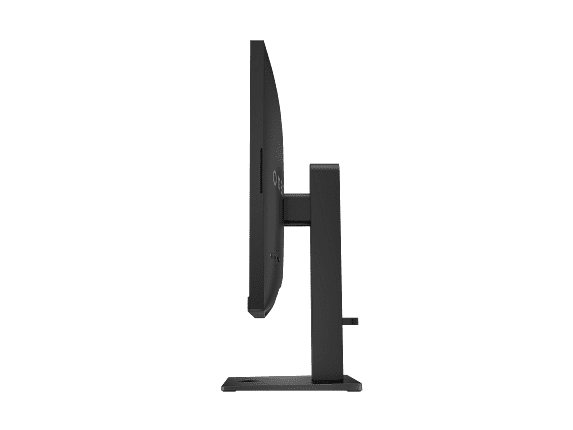
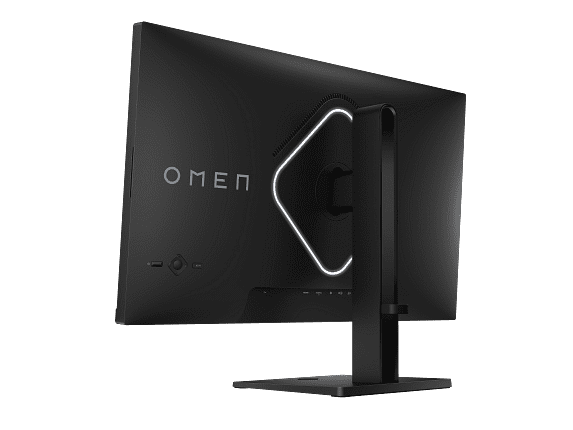
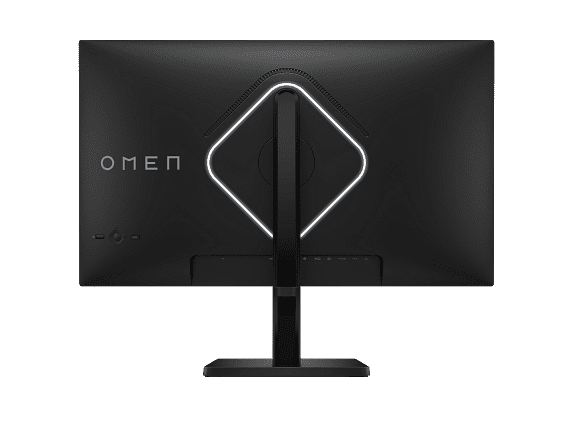
When you're shopping for a premium 4K gaming monitor, the decision often comes down to whether you want cutting-edge performance or exceptional value. Today we're comparing two compelling options: the LG UltraGear 27" 4K 240Hz Dual Mode Gaming Monitor and the HP Omen 27k 4K UHD 144Hz Gaming Monitor. Both deliver stunning 4K visuals, but they take very different approaches to getting there.
Before diving into specifics, let's talk about what really matters in this category. A 4K gaming monitor needs to excel in several key areas to justify its premium price tag.
Resolution and pixel density form the foundation. At 3840 x 2160 pixels on a 27-inch screen, you're getting incredibly sharp detail—about 163 pixels per inch. This means text looks crisp, game textures show fine details, and you can spot enemies at longer distances in competitive games.
Refresh rate determines how smooth motion appears. Traditional monitors refresh at 60Hz, meaning they show 60 new images per second. Gaming monitors push this much higher—144Hz shows 144 images per second, while 240Hz doubles that again. The difference is immediately noticeable, especially in fast-paced games where every millisecond counts.
Panel technology affects everything from color accuracy to viewing angles. IPS (In-Plane Switching) panels offer the best balance of color reproduction and wide viewing angles, though they traditionally struggled with contrast compared to VA (Vertical Alignment) panels.
HDR (High Dynamic Range) capability allows displays to show brighter highlights and deeper shadows simultaneously, creating more realistic and immersive visuals. However, not all HDR implementations are equal—some are marketing checkboxes rather than meaningful improvements.
The LG UltraGear monitor and HP Omen 27k both tackle these challenges, but with very different priorities and price points.
The most significant difference between these monitors lies in their refresh rate capabilities. The LG UltraGear 27G850A broke new ground in 2025 as the world's first 27-inch monitor to achieve 240Hz at native 4K resolution. This was a major technological leap—previously, you had to choose between high resolution or high refresh rates.
What makes this even more impressive is the monitor's Dual Mode feature. You can switch between 4K at 240Hz for stunning visual detail, or drop to 1080p resolution to unlock an incredible 480Hz refresh rate. This flexibility means competitive esports players can prioritize speed when needed, while still enjoying beautiful 4K visuals for single-player adventures.
The HP Omen 27k, released around the same time, takes a more practical approach with 144Hz at 4K. While this might seem modest compared to the LG's headline numbers, 144Hz represents a sweet spot for most gamers. It's significantly smoother than 60Hz, and most graphics cards can actually achieve frame rates in this range at 4K settings.
Here's where real-world performance gets interesting: achieving these high refresh rates requires serious graphics horsepower. To properly utilize the LG monitor's 240Hz capability, you need a top-tier graphics card like an RTX 4080 or better. Even then, you'll only hit those frame rates in less demanding games or with reduced graphics settings. The HP monitor's 144Hz target is much more achievable with mid-to-high-end graphics cards.
Both monitors use IPS panel technology, but the LG UltraGear incorporates significant advances. Its Nano IPS Black technology applies nanometer-sized particles to the panel, improving contrast ratios beyond traditional IPS displays. This results in a 2000:1 static contrast ratio—double what you'd typically see from IPS panels.
The improvement is noticeable in dark scenes where traditional IPS panels often appear grayish. The LG monitor produces deeper blacks while maintaining IPS's trademark wide viewing angles and color accuracy. It covers 99% of the DCI-P3 color space, which is crucial for both gaming and content creation work.
The HP Omen 27k uses more conventional IPS technology with a 1000:1 contrast ratio, which is still perfectly adequate for gaming. Professional reviewers consistently praise its out-of-box color accuracy, requiring no calibration for most users. It covers 99% of sRGB and 95% of DCI-P3—excellent coverage that handles both gaming and productivity tasks well.
Response time measures how quickly pixels can change from one color to another, typically measured as "gray-to-gray" (GtG). Both monitors claim 1ms GtG response times, but the reality is more complex.
The LG UltraGear achieves its 1ms specification, but testing reveals an interesting quirk. Despite its 240Hz capability, some reviews noted it was "the blurriest" among tested 240Hz monitors. This suggests that while the panel can refresh 240 times per second, the actual pixel response characteristics may limit the practical benefit of that high refresh rate.
The HP Omen 27k also achieves 1ms response times, but only with aggressive overdrive settings that can introduce ghosting artifacts. Most users find better results with slightly less aggressive settings, which still provide excellent motion clarity for 144Hz gaming.
Input lag—the delay between your mouse click and the corresponding action on screen—is crucial for competitive gaming. Both monitors excel here, with sub-millisecond processing delays that won't handicap your gaming performance.
Both monitors support modern adaptive sync technologies. The LG monitor is certified for NVIDIA G-SYNC Compatible, AMD FreeSync Premium Pro, and VESA AdaptiveSync. This comprehensive support ensures smooth, tear-free gaming regardless of your graphics card.
The HP Omen 27k offers similar adaptive sync support, including FreeSync Premium and G-SYNC compatibility. The key difference is operational range—the HP monitor works from 55Hz to 144Hz, while the LG can synchronize across its full 240Hz range.
For most gamers, this distinction matters less than you might think. Frame rates rarely stay perfectly consistent, so having adaptive sync work across the monitor's full range prevents jarring stutters when performance fluctuates.
HDR support varies dramatically between these monitors. The LG UltraGear carries VESA DisplayHDR 600 certification, indicating it can reach peak brightness levels of 600 nits or higher. In testing, it actually exceeds this, hitting around 670 nits peak brightness.
The monitor uses edge-lit local dimming to achieve better contrast in HDR content. However, it only has basic edge-lighting zones, which limits how precisely it can control brightness across the screen. This can create "haloing" effects around bright objects on dark backgrounds.
The HP Omen 27k has DisplayHDR 400 certification, a lower tier that requires 400 nits peak brightness. However, it exceeds this specification in practice and uses an eight-zone edge-lit backlight system. While still limited compared to full-array local dimming or mini-LED technology, it provides reasonable HDR enhancement for the price point.
Honestly, neither monitor delivers reference-quality HDR performance. For truly impressive HDR, you'd need to step up to monitors with hundreds of local dimming zones or OLED technology. But both provide meaningful improvements over standard dynamic range content, especially in games designed to take advantage of HDR.
The LG monitor stands out with hardware calibration support—unusual for gaming monitors. This means color adjustments are made at the panel level rather than through graphics card software, providing more accurate and stable results. Combined with its wide color gamut coverage (99% DCI-P3, 94% Adobe RGB), it's genuinely suitable for professional photo and video work.
The HP Omen 27k offers excellent color accuracy out of the box without requiring calibration. Its color coverage is strong for general use, and most users will find its image quality perfectly satisfactory for both gaming and productivity tasks.
The LG UltraGear incorporates cutting-edge connectivity with DisplayPort 2.1 (UHBR10) and dual HDMI 2.1 ports. DisplayPort 2.1 provides the massive bandwidth needed for 4K at 240Hz, though it requires Display Stream Compression (DSC) to fit within available bandwidth limits.
This is important to understand: even with the latest connectivity standards, uncompressed 4K at 240Hz exceeds current bandwidth capabilities. DSC uses smart compression that's visually lossless but adds a tiny processing delay. For most users, this is unnoticeable, but competitive esports players might prefer lower refresh rates without compression.
The HP Omen 27k takes a more practical approach with DisplayPort 1.4, HDMI 2.1, and HDMI 2.0 ports. It also includes USB-C connectivity with DisplayPort Alt Mode, making it easy to connect laptops with a single cable. The built-in USB hub adds convenience for connecting peripherals.
The HP monitor's built-in KVM (Keyboard, Video, Mouse) switch is genuinely useful. You can connect two computers—say, a gaming PC and a work laptop—and switch between them with a button press while using the same keyboard and mouse. This feature alone justifies the monitor for many users with mixed computing needs.
The LG UltraGear focuses more on gaming-specific features like customizable RGB backlighting and comprehensive gaming overlays. Its Dual Mode switching capability is unique and genuinely innovative, even if the practical benefits depend heavily on your gaming preferences and hardware capabilities.
At the time of writing, these monitors sit in very different price categories. The LG UltraGear commands a significant premium—roughly 80% more than the HP Omen 27k. This price difference reflects the substantial technology gap, particularly in refresh rate capabilities and panel advancement.
The value equation depends heavily on your specific needs and budget. The LG monitor represents bleeding-edge technology that pushes boundaries but requires top-tier hardware to fully utilize. The HP monitor offers proven performance that's accessible to a broader range of systems and budgets.
For most gamers, the performance difference between 144Hz and 240Hz is much smaller than the price gap suggests. Unless you're competing professionally in esports where every millisecond matters, the HP monitor delivers exceptional 4K gaming performance at a much more reasonable price point.
Both monitors work well as large desktop displays, but their home theater suitability is limited. At 27 inches, they're too small for comfortable couch viewing distances. However, if you're building a compact home theater setup or want a high-quality display for a bedroom gaming setup, both offer excellent image quality.
The HP Omen 27k's multiple HDMI inputs and console compatibility make it particularly suitable for mixed-use scenarios where you might connect multiple gaming consoles alongside a PC.
Choose the LG UltraGear 27G850A if you're an enthusiast who values cutting-edge technology and has the budget and hardware to support it. It's particularly compelling for competitive esports players who can benefit from ultra-high refresh rates, or content creators who need professional-grade color accuracy with gaming performance.
The HP Omen 27k makes more sense for most buyers. It delivers excellent 4K gaming performance, comprehensive connectivity, and practical features like the KVM switch at a much more accessible price point. Unless you specifically need 240Hz performance, it provides 90% of the gaming experience at roughly 55% of the cost.
Both monitors represent excellent engineering and will serve gamers well for years to come. The choice ultimately comes down to whether you prioritize absolute performance or exceptional value—both valid approaches to building an outstanding gaming setup.
| LG UltraGear 27" 4K 240Hz Dual Mode Gaming Monitor | HP Omen 27k 4K UHD 144Hz Gaming Monitor |
|---|---|
| Refresh Rate - The most significant performance difference between these monitors | |
| 240Hz at 4K / 480Hz at 1080p (Dual Mode) | 144Hz at 4K |
| Panel Technology - Affects contrast, colors, and overall image quality | |
| Nano IPS Black with 2000:1 contrast ratio | Standard IPS with 1000:1 contrast ratio |
| Response Time - Critical for competitive gaming and motion clarity | |
| 1ms GtG (though testing shows some motion blur) | 1ms GtG (optimized for 144Hz performance) |
| Color Coverage - Important for content creation and vibrant gaming visuals | |
| 99% DCI-P3, 94% Adobe RGB (professional grade) | 99% sRGB, 95% DCI-P3 (excellent for gaming) |
| HDR Performance - Enhances contrast and brightness in supported content | |
| VESA DisplayHDR 600, up to 670 nits peak brightness | VESA DisplayHDR 400, exceeds 400 nits with 8-zone dimming |
| Connectivity - Determines compatibility with modern GPUs and consoles | |
| DisplayPort 2.1, 2x HDMI 2.1, USB 3.0 | DisplayPort 1.4, HDMI 2.1 + 2.0, USB-C Alt Mode |
| Unique Features - Standout capabilities that differentiate each monitor | |
| Dual Mode switching, RGB lighting, hardware calibration | Built-in KVM switch, integrated speakers, USB hub |
| GPU Requirements - Hardware needed to fully utilize each monitor | |
| RTX 4080+ or RX 7900 XTX for full 240Hz potential | RTX 4070+ or RX 7800 XT for solid 144Hz performance |
| Value Positioning - Performance per dollar and target market | |
| Premium pricing for cutting-edge 240Hz technology | Excellent value with proven 144Hz performance |
| Best For - Primary use cases where each monitor excels | |
| Competitive esports, content creation, tech enthusiasts | Value-conscious gamers, multi-device setups, productivity hybrid |
The LG UltraGear 27" 4K 240Hz Dual Mode Gaming Monitor is superior for competitive gaming due to its 240Hz refresh rate at 4K and unique 480Hz mode at 1080p. This higher refresh rate provides smoother motion and reduced input lag, giving competitive players an edge. However, the HP Omen 27k 4K UHD 144Hz Gaming Monitor still offers excellent gaming performance at 144Hz, which is more than sufficient for most competitive scenarios and requires less powerful hardware to achieve.
The primary difference is refresh rate capability. The LG UltraGear monitor offers 240Hz at 4K resolution with a Dual Mode that switches to 480Hz at 1080p, while the HP Omen 27k provides 144Hz at 4K. The LG also uses advanced Nano IPS Black technology for better contrast, whereas the HP uses standard IPS technology but includes practical features like a built-in KVM switch.
The HP Omen 27k 4K UHD 144Hz Gaming Monitor provides significantly better value for most users. It delivers excellent 4K gaming performance, comprehensive connectivity, and useful features like KVM switching at a much lower price point. The LG UltraGear monitor commands a premium for its cutting-edge 240Hz technology, which only benefits users with top-tier graphics cards and competitive gaming needs.
Yes, both require capable graphics cards, but to different degrees. The LG UltraGear 27" 4K 240Hz monitor needs high-end GPUs like RTX 4080 or better to fully utilize its 240Hz capability at 4K. The HP Omen 27k is more accessible, working well with mid-to-high-end cards like RTX 4070 or RX 7800 XT to achieve solid 144Hz performance at 4K resolution.
The LG UltraGear monitor is better suited for professional work due to its hardware calibration support, wider color gamut coverage (99% DCI-P3, 94% Adobe RGB), and superior Nano IPS Black panel technology. The HP Omen 27k offers excellent color accuracy out of the box and covers 99% sRGB, making it perfectly adequate for most content creation tasks, though it lacks professional-grade calibration features.
The LG UltraGear 27" 4K 240Hz monitor features cutting-edge DisplayPort 2.1 and dual HDMI 2.1 ports for maximum bandwidth. The HP Omen 27k 4K UHD 144Hz Gaming Monitor offers more practical connectivity with DisplayPort 1.4, HDMI 2.1, HDMI 2.0, USB-C with DisplayPort Alt Mode, and a built-in USB hub, making it more versatile for multiple device connections.
Both monitors work well with modern consoles. The HP Omen 27k may be more practical for console gaming due to its multiple HDMI inputs, built-in KVM switch for switching between devices, and 144Hz capability that matches well with console performance. The LG UltraGear monitor supports console gaming but its 240Hz capability is underutilized since consoles typically target 60-120fps at 4K.
The LG UltraGear 27" 4K 240Hz monitor offers superior HDR with VESA DisplayHDR 600 certification and peak brightness up to 670 nits. The HP Omen 27k has DisplayHDR 400 certification with eight-zone edge-lit dimming. While neither delivers reference-quality HDR, the LG provides more impressive HDR enhancement, though both offer meaningful improvements over standard displays.
At 27 inches, both monitors are too small for traditional home theater use from couch viewing distances. However, they work well for compact gaming setups or bedroom entertainment systems. The HP Omen 27k 4K UHD 144Hz Gaming Monitor might be more suitable for mixed-use scenarios due to its multiple HDMI inputs and practical features for connecting various devices.
Both the LG UltraGear monitor and HP Omen 27k claim 1ms gray-to-gray response times. However, the LG may have some motion blur issues despite its high refresh rate, while the HP delivers optimized motion clarity at 144Hz. For most gaming scenarios, both provide sufficiently fast response times to prevent noticeable ghosting or motion artifacts.
The LG UltraGear 27" 4K 240Hz Dual Mode Gaming Monitor is more future-proof with its DisplayPort 2.1 connectivity and 240Hz capability, preparing for when graphics cards can better drive 4K at these high refresh rates. However, the HP Omen 27k 4K UHD 144Hz Gaming Monitor offers practical future-proofing with comprehensive connectivity options and proven performance that will remain relevant for years.
For most gamers, the 144Hz of the HP Omen 27k provides excellent performance that's achievable with current mid-to-high-end graphics cards. The 240Hz capability of the LG UltraGear monitor is primarily beneficial for competitive esports players with top-tier hardware. The difference between 144Hz and 240Hz is less noticeable than the jump from 60Hz to 144Hz, making the HP monitor's refresh rate sufficient for most gaming scenarios.
We've done our best to create useful and informative comparisons to help you decide what product to buy. Our research uses advanced automated methods to create this comparison and perfection is not possible - please contact us for corrections or questions. These are the sites we've researched in the creation of this article: bestbuy.com - displayninja.com - rtings.com - youtube.com - lg.com - rtings.com - tftcentral.co.uk - bestbuy.com - techpowerup.com - lg.com - lg.com - lg.com - tomshardware.com - windowscentral.com - digitaltrends.com - youtube.com - hp.com - youtube.com - hp.com - hp.com - displayspecifications.com - files.bbystatic.com - newegg.com - hp.com - hp.com - hp.com - hp.com - target.com - files.bbystatic.com - displayspecifications.com

Privacy Policy
Terms and Conditions - Affiliate Policy
Home Security
© Copyright 2008-2026.
11816 Inwood Rd #1211, Dallas, TX 75244