








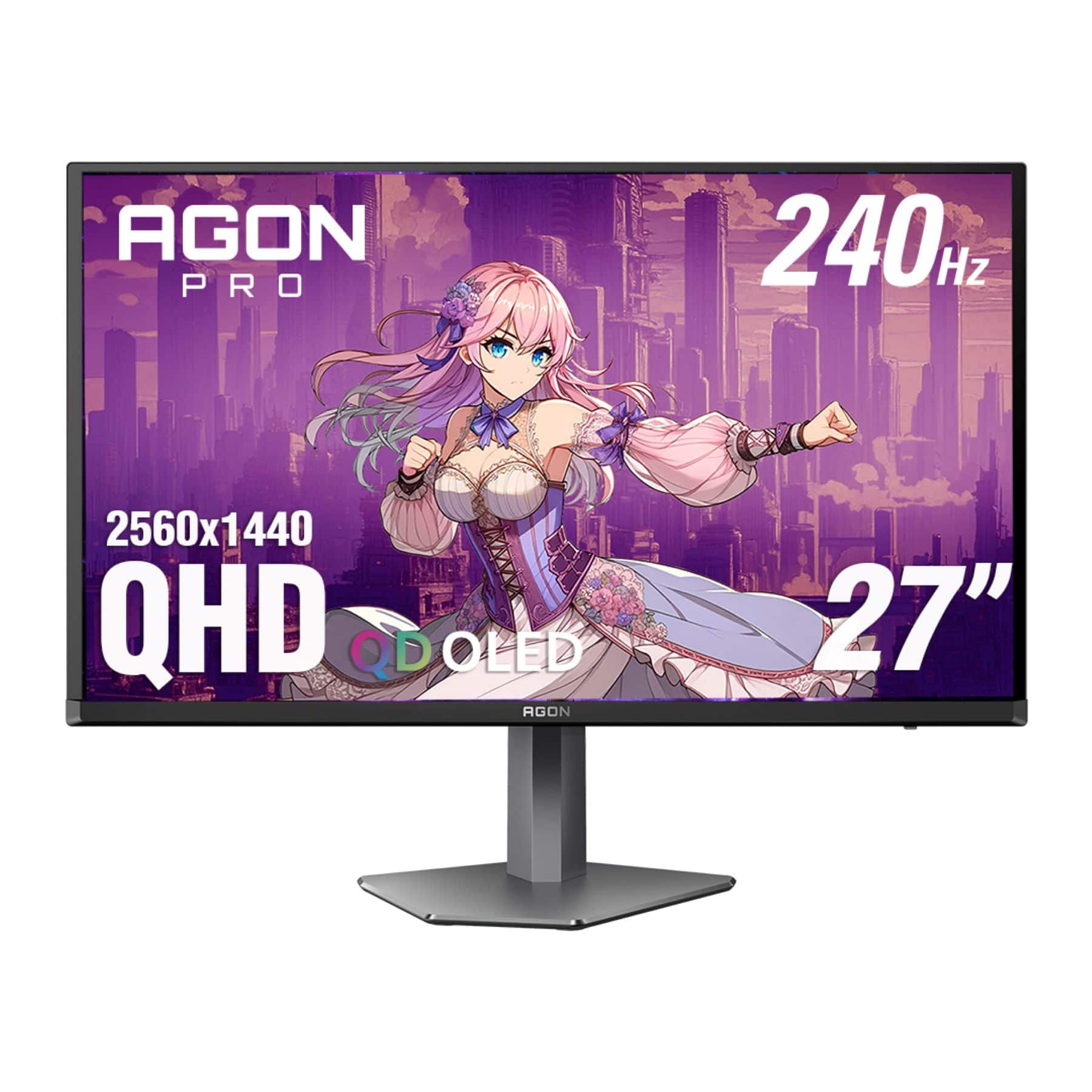
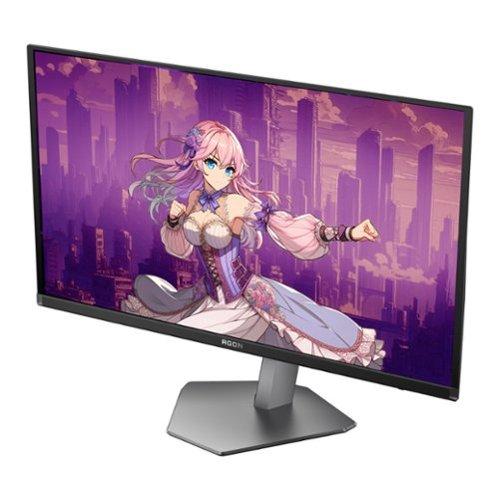
When you're shopping for a premium 27-inch gaming monitor, you'll quickly discover that the landscape has become incredibly exciting—and perhaps a bit overwhelming. Two monitors that perfectly illustrate the current state of high-end gaming displays are the LG UltraGear 27G850A-B and the AOC Agon Pro AG276QZD2. These represent fundamentally different philosophies in monitor design, each with compelling arguments for why they deserve a spot on your desk.
At the time of writing, both monitors fall into the premium gaming category, though they take distinctly different approaches to achieving gaming excellence. The LG UltraGear pushes resolution to its limits with true 4K gaming, while the AOC Agon Pro leverages cutting-edge OLED technology for unmatched contrast and responsiveness.
To really appreciate what makes these monitors special, we need to understand their core technologies. The LG UltraGear 27G850A-B uses something called Nano IPS Black technology. Think of traditional IPS panels as having tiny liquid crystals that twist to control light—they're great at color accuracy and viewing angles, but they've always struggled with deep blacks because some light always leaks through. LG's Nano IPS Black adds nanometer-sized particles that help absorb this unwanted light, creating deeper blacks and better contrast than regular IPS panels. It's still not perfect black, but it's a significant improvement.
The AOC Agon Pro AG276QZD2, on the other hand, uses QD-OLED technology. Here's where things get really interesting: OLED stands for Organic Light-Emitting Diode, which means each pixel creates its own light. When a pixel needs to be black, it simply turns off completely—no backlight bleeding, no compromise. The "QD" part stands for Quantum Dot, which adds another layer of color enhancement. This combination delivers perfect blacks and incredibly vibrant colors that traditional LCD panels simply can't match.
Both technologies emerged prominently in 2024 as manufacturers pushed the boundaries of what gaming monitors could achieve. The LG UltraGear represents the pinnacle of IPS evolution, while the AOC Agon Pro brings OLED technology—previously reserved for TVs and ultra-premium monitors—to a more accessible gaming market.
Here's where these monitors take completely different paths. The LG UltraGear 27G850A-B delivers true 4K resolution at 3840×2160 pixels. On a 27-inch screen, this creates incredibly sharp text and detailed images. Every game asset, every UI element, every piece of text looks crisp and clean. It's particularly noticeable if you're coming from a 1080p monitor—the difference is night and day.
But here's the thing about 4K gaming: it's demanding. Really demanding. To hit 240Hz at 4K resolution, you need a graphics card that costs as much as some people's entire gaming setup. Even with a high-end GPU, many games will require settings adjustments to maintain those ultra-high frame rates.
The AOC Agon Pro AG276QZD2 takes a different approach with QHD resolution (2560×1440). While it's not as sharp as 4K, it's still significantly better than 1080p, and it hits a sweet spot for gaming performance. Most modern graphics cards can reasonably drive QHD at high refresh rates without breaking the bank or forcing you to compromise heavily on game settings.
What makes the LG UltraGear particularly interesting is its dual-mode capability. You can run it at 4K 240Hz for stunning visuals, or switch to 1080p at an incredible 480Hz for competitive gaming. This flexibility is unique—you're essentially getting two different monitors in one package.
Response time is where the AOC Agon Pro shows its OLED advantage most clearly. With a 0.03ms gray-to-gray response time, pixels change color almost instantaneously. In practical terms, this means virtually no ghosting or motion blur, even in the fastest-moving scenes. When you're tracking an opponent across the screen in a competitive shooter, this responsiveness can be the difference between landing your shot and missing it.
The LG UltraGear achieves a very respectable 1ms response time, which is excellent for an IPS panel. In most gaming scenarios, you won't notice the difference between 0.03ms and 1ms—both are fast enough that motion blur isn't a concern. However, the most competitive players might appreciate that extra responsiveness from the OLED panel.
Input lag—the delay between when you press a button and when you see the result on screen—is crucial for gaming. Both monitors excel here, but with some important differences. The LG UltraGear maintains consistently low input lag across all its refresh rates, whether you're running 4K at 240Hz or 1080p at 480Hz. The AOC Agon Pro is incredibly responsive at its native 240Hz, but input lag increases noticeably when running at 60Hz or 120Hz, which could affect console gaming experiences.
Adaptive sync technology prevents screen tearing and stuttering when your frame rate doesn't perfectly match your monitor's refresh rate. Both monitors support the major standards—G-SYNC Compatible and FreeSync—ensuring smooth gameplay regardless of whether you're team NVIDIA or team AMD.
This is where the fundamental difference between these technologies becomes most apparent. The AOC Agon Pro AG276QZD2 delivers what can only be described as stunning visual quality in dark scenes. When you're exploring a dimly lit dungeon in an RPG or hiding in shadows in a stealth game, the perfect blacks create an almost three-dimensional depth that LCD panels simply can't match. Colors pop with incredible saturation, and the contrast feels limitless.
The LG UltraGear 27G850A-B fights back with superior brightness and color volume. HDR content looks more impressive in well-lit rooms, and the monitor maintains its performance across a wider range of lighting conditions. The Nano IPS Black technology delivers excellent color accuracy—covering 99% of the DCI-P3 color space—making it suitable for both gaming and professional work.
Color accuracy is where the LG UltraGear has a unique advantage: hardware calibration support. This allows precise color tuning directly at the monitor level, something that's rare in gaming monitors and invaluable for content creators who need accurate colors for photo editing or video work.
HDR (High Dynamic Range) is where these monitors showcase their different strengths and limitations. The LG UltraGear achieves VESA DisplayHDR 600 certification, with peak brightness reaching up to 670 nits. This means HDR highlights like explosions or bright skies can really pop. However, it uses edge-lit local dimming with limited zones, which means the contrast enhancement isn't as dramatic as it could be.
The AOC Agon Pro takes a different approach with VESA DisplayHDR True Black 400. While its peak brightness is lower, those perfect OLED blacks create incredible perceived contrast. In a dark room, HDR content looks stunning because the monitor can display true black alongside bright highlights. However, reviewers have noted that the HDR color gamut is somewhat narrower than competing OLED monitors, so some HDR content may appear less vibrant than expected.
Here's where the LG UltraGear 27G850A-B shows its forward-thinking design. It includes DisplayPort 2.1, which is essential for 4K 240Hz gaming without compression artifacts. This newer connection standard ensures you're getting the full, uncompressed signal that makes 4K gaming look its absolute best. The two HDMI 2.1 ports also ensure compatibility with current and next-generation gaming consoles.
The AOC Agon Pro AG276QZD2 uses more traditional connectivity with DisplayPort 1.4 and HDMI 2.0 ports. While these are perfectly adequate for QHD 240Hz gaming, they represent older standards that may limit future upgrade paths. However, it includes a built-in USB hub, which adds practical convenience for connecting peripherals.
If you're considering either monitor for home theater use, there are important factors to consider. The AOC Agon Pro's OLED technology excels in dark room movie watching. The perfect blacks and excellent color saturation create a cinematic experience that's surprisingly immersive for a 27-inch screen. However, the lower overall brightness means it's less suitable for daytime viewing in bright rooms.
The LG UltraGear offers better versatility for mixed lighting conditions. Its higher brightness and excellent color accuracy make it suitable for both dark room movie nights and daytime content consumption. The 4K resolution also means you're getting full detail from 4K streaming content and Blu-rays.
One consideration that can't be ignored with OLED technology is burn-in—permanent image retention that occurs when static elements are displayed for extended periods. The AOC Agon Pro includes a three-year warranty covering burn-in, which shows confidence in the technology, but it still requires more careful usage than traditional LCD panels.
If you frequently use your monitor for productivity work with static taskbars, browser windows, or desktop icons, burn-in is a legitimate concern. The LG UltraGear has no such limitations—you can leave it displaying anything for any length of time without worry.
When evaluating gaming monitors, several key metrics determine real-world performance:
Motion clarity is perhaps most important for competitive gaming. Both monitors excel here, though the AOC Agon Pro has a slight edge due to OLED's instant pixel response.
Input lag affects how responsive your games feel. Both monitors perform excellently at their native refresh rates, making them suitable for competitive play.
Color accuracy and coverage matter for both gaming immersion and content creation. The LG UltraGear edges ahead for professional work, while the AOC Agon Pro delivers more visually striking gaming experiences.
HDR performance varies significantly between the two. Choose based on your viewing environment and content preferences.
At the time of writing, both monitors command premium prices, but they target slightly different market segments. The LG UltraGear 27G850A-B typically costs more, reflecting its 4K resolution and advanced connectivity. For users who need maximum resolution and professional features, this premium feels justified.
The AOC Agon Pro AG276QZD2 generally offers better value for pure gaming performance. You're getting OLED technology at a more accessible price point, though with some compromises in resolution and connectivity.
Choose the LG UltraGear 27G850A-B if you want the sharpest possible image quality, need professional color accuracy, prefer burn-in-free technology, or want maximum future-proofing. The dual-mode capability makes it incredibly versatile, and the 4K resolution ensures your games and content look their absolute best.
Choose the AOC Agon Pro AG276QZD2 if gaming performance is your primary concern, you love incredibly rich contrast and colors, you're comfortable with OLED maintenance requirements, or you want OLED technology at a more accessible price point. The superior motion clarity and perfect blacks create a gaming experience that's hard to match.
Consider your typical usage patterns, room lighting, and upgrade timeline. Both monitors represent excellent choices in their respective approaches to high-performance gaming displays. The LG UltraGear offers versatility and cutting-edge specifications, while the AOC Agon Pro delivers the pure visual impact that only OLED can provide.
Ultimately, both monitors push the boundaries of what's possible in gaming displays, just in different directions. Your choice between them says as much about your priorities and gaming setup as it does about the monitors themselves.
| LG UltraGear 27" 4K 240Hz Dual Mode Gaming Monitor | AOC Agon Pro 27" QD-OLED 240Hz Gaming Monitor |
|---|---|
| Panel Technology - Determines contrast, colors, and long-term reliability | |
| Nano IPS Black (enhanced LCD with deeper blacks than standard IPS) | QD-OLED (perfect blacks, infinite contrast, but potential burn-in risk) |
| Resolution - Higher resolution means sharper images but requires more GPU power | |
| 4K (3840×2160) - Ultra-sharp but demanding on graphics cards | QHD (2560×1440) - Great clarity with better performance balance |
| Refresh Rate Options - Higher rates provide smoother motion in fast games | |
| 240Hz at 4K, 480Hz at 1080p (dual mode flexibility) | 240Hz at QHD (consistent high performance) |
| Response Time - Lower is better for eliminating motion blur | |
| 1ms GtG (excellent for IPS technology) | 0.03ms GtG (near-instant OLED advantage) |
| HDR Performance - Enhances contrast and color range in supported content | |
| DisplayHDR 600 (brighter highlights but limited local dimming zones) | DisplayHDR True Black 400 (perfect blacks but lower peak brightness) |
| Color Coverage - Important for both gaming visuals and content creation | |
| 99% DCI-P3, 94% Adobe RGB with hardware calibration support | 99% DCI-P3, 98% Adobe RGB with more saturated, vivid colors |
| Connectivity - Future-proofing and compatibility considerations | |
| DisplayPort 2.1, 2×HDMI 2.1 (cutting-edge for 4K gaming) | 2×DisplayPort 1.4, 2×HDMI 2.0 (adequate for QHD, includes USB hub) |
| Burn-In Risk - Critical consideration for varied content usage | |
| No burn-in risk (safe for productivity work and static content) | Potential burn-in with 3-year warranty coverage (requires careful usage) |
| Best Use Cases - Who should consider each monitor | |
| 4K gaming enthusiasts, content creators, users wanting maximum flexibility | Competitive gamers, dark room gaming, OLED experience on a budget |
| Value Proposition - What you're paying for | |
| Premium price for cutting-edge specs and professional features | Better gaming performance per dollar with OLED technology |
The AOC Agon Pro 27" QD-OLED 240Hz Gaming Monitor has a slight edge for competitive gaming due to its 0.03ms response time and perfect blacks that help you spot enemies in dark corners. However, the LG UltraGear 27" 4K 240Hz Dual Mode Gaming Monitor offers unique flexibility with its 480Hz mode at 1080p, which some competitive players may prefer for maximum refresh rates.
The primary difference is panel technology: the LG UltraGear uses Nano IPS Black technology with 4K resolution, while the AOC Agon Pro uses QD-OLED technology with QHD resolution. This means the LG offers sharper images but requires more GPU power, while the AOC provides perfect blacks and infinite contrast with better performance balance.
Picture quality depends on your environment. The AOC Agon Pro 27" QD-OLED delivers superior contrast with perfect blacks and more vivid colors, especially in dark rooms. The LG UltraGear offers sharper 4K detail and better brightness for well-lit rooms, plus superior color accuracy for professional work.
The LG UltraGear 27" 4K 240Hz requires a high-end graphics card to fully utilize its 4K 240Hz capability. The AOC Agon Pro is more accessible, as QHD resolution at 240Hz is achievable with mid-to-high-range graphics cards, making it better for most gaming setups.
Both monitors work with consoles, but the LG UltraGear has better console compatibility with HDMI 2.1 ports supporting 4K gaming. The AOC Agon Pro has higher input lag at 60Hz and 120Hz, which may affect console gaming performance, and its HDMI 2.0 ports limit resolution options.
For movie watching, the AOC Agon Pro 27" QD-OLED excels in dark rooms with its perfect blacks and cinematic contrast. The LG UltraGear is more versatile for mixed lighting conditions and offers true 4K resolution for streaming content, making it better for daytime viewing.
The AOC Agon Pro QD-OLED does have potential burn-in risk with static content, though it comes with a 3-year burn-in warranty. The LG UltraGear has no burn-in concerns, making it safer for productivity work, web browsing, or leaving static images on screen for extended periods.
The AOC Agon Pro typically offers better gaming performance per dollar, bringing OLED technology at a more accessible price point. The LG UltraGear 27" 4K commands a premium for its cutting-edge 4K 240Hz specs and professional features, justified if you need maximum resolution and versatility.
The LG UltraGear is better for professional work with its 4K resolution, hardware calibration support, and excellent color accuracy covering 94% Adobe RGB. While the AOC Agon Pro has good color coverage, the burn-in risk with static editing interfaces makes it less suitable for extended creative work.
The LG UltraGear 27" 4K offers superior future-proofing with DisplayPort 2.1 and dual HDMI 2.1 ports, essential for 4K gaming without compression. The AOC Agon Pro uses older DisplayPort 1.4 and HDMI 2.0 standards but includes a convenient built-in USB hub for peripherals.
The LG UltraGear performs much better in bright environments with higher peak brightness and anti-glare coating. The AOC Agon Pro QD-OLED can struggle in bright rooms as ambient light causes black levels to rise, reducing its contrast advantage and making it better suited for darker gaming environments.
Choose the LG UltraGear 27" 4K 240Hz Dual Mode if you want maximum resolution, professional color work capability, no burn-in concerns, and future-proof connectivity. Choose the AOC Agon Pro 27" QD-OLED if you prioritize gaming performance, love incredible contrast and colors, game primarily in dark rooms, and want OLED technology at a more accessible price point.
We've done our best to create useful and informative comparisons to help you decide what product to buy. Our research uses advanced automated methods to create this comparison and perfection is not possible - please contact us for corrections or questions. These are the sites we've researched in the creation of this article: bestbuy.com - displayninja.com - rtings.com - youtube.com - lg.com - rtings.com - tftcentral.co.uk - bestbuy.com - techpowerup.com - lg.com - lg.com - lg.com - tomshardware.com - techpowerup.com - tomshardware.com - aoc.com - tftcentral.co.uk - aoc.com - rtings.com - bestbuy.com - youtube.com - displayspecifications.com - aoc.com - microcenter.com - guru3d.com

Privacy Policy
Terms and Conditions - Affiliate Policy
Home Security
© Copyright 2008-2026.
11816 Inwood Rd #1211, Dallas, TX 75244