














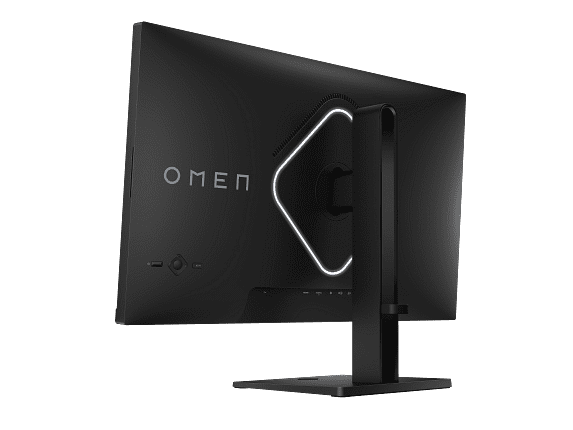
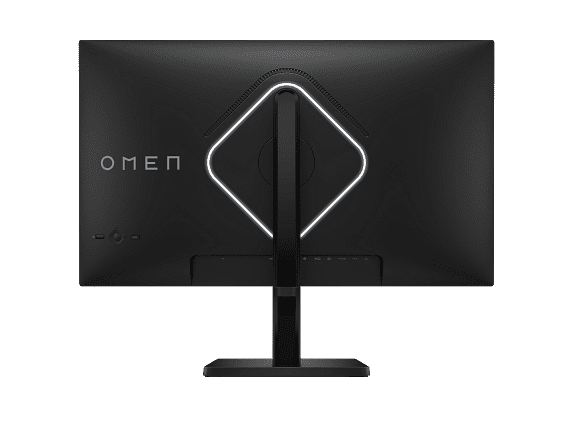
Shopping for a gaming monitor in 2025 feels a bit like navigating a tech minefield. There are so many options, acronyms, and marketing claims that it's easy to get overwhelmed. Today, I want to help you cut through the noise by comparing two very different approaches to gaming monitors: the MSI MAG 271QP QD-OLED X24 and the HP Omen 27k.
These monitors represent two distinct philosophies in gaming display technology. The MSI MAG 271QP QD-OLED X24 is all about cutting-edge OLED technology and ultra-fast refresh rates, while the HP Omen 27k focuses on 4K resolution with versatile connectivity. Both launched in 2025, but they're targeting different types of gamers entirely.
Before we dive deep, let's establish what really matters in a gaming monitor. Think of it this way: your monitor is like a window into your games, and different windows offer different views of the same landscape.
Resolution determines how sharp everything looks – it's literally the number of tiny colored dots (pixels) that make up your image. More pixels mean sharper text and finer details, but they also require more processing power from your graphics card.
Refresh rate is how many times per second your monitor can display a new image, measured in Hertz (Hz). A 60Hz monitor updates 60 times per second, while a 240Hz monitor updates 240 times. Higher refresh rates make motion look smoother, especially in fast-paced games.
Response time measures how quickly individual pixels can change colors, usually from gray to gray (GtG). Lower numbers mean less motion blur and ghosting – those annoying trails you sometimes see behind moving objects.
The relationship between these specs is crucial. You can have the sharpest 4K display in the world, but if your graphics card can't push enough frames to match your monitor's refresh rate, you won't get the smoothest experience possible.
The MSI MAG 271QP QD-OLED X24 represents something genuinely exciting in monitor technology. QD-OLED (Quantum Dot Organic Light Emitting Diode) is a relatively new panel type that combines the best aspects of two existing technologies.
Traditional OLED panels create their own light – each pixel can turn completely off, creating true blacks. The problem with older OLED monitors was that they couldn't get bright enough and sometimes struggled with color accuracy. QD-OLED solves this by adding a quantum dot layer that converts blue OLED light into incredibly pure red and green colors.
The result is stunning. When I first experienced QD-OLED gaming, the difference was immediately apparent. Dark scenes in games like Elden Ring or Resident Evil 4 have this inky blackness that makes everything else pop with incredible vibrancy. It's the kind of visual upgrade that changes how you experience games.
The MSI monitor pushes this technology hard with a 240Hz refresh rate and a lightning-fast 0.03ms response time. For context, that response time is about 33 times faster than you can blink. It also covers 138% of the sRGB color space, meaning it can display colors that are more vivid than what most content is designed for.
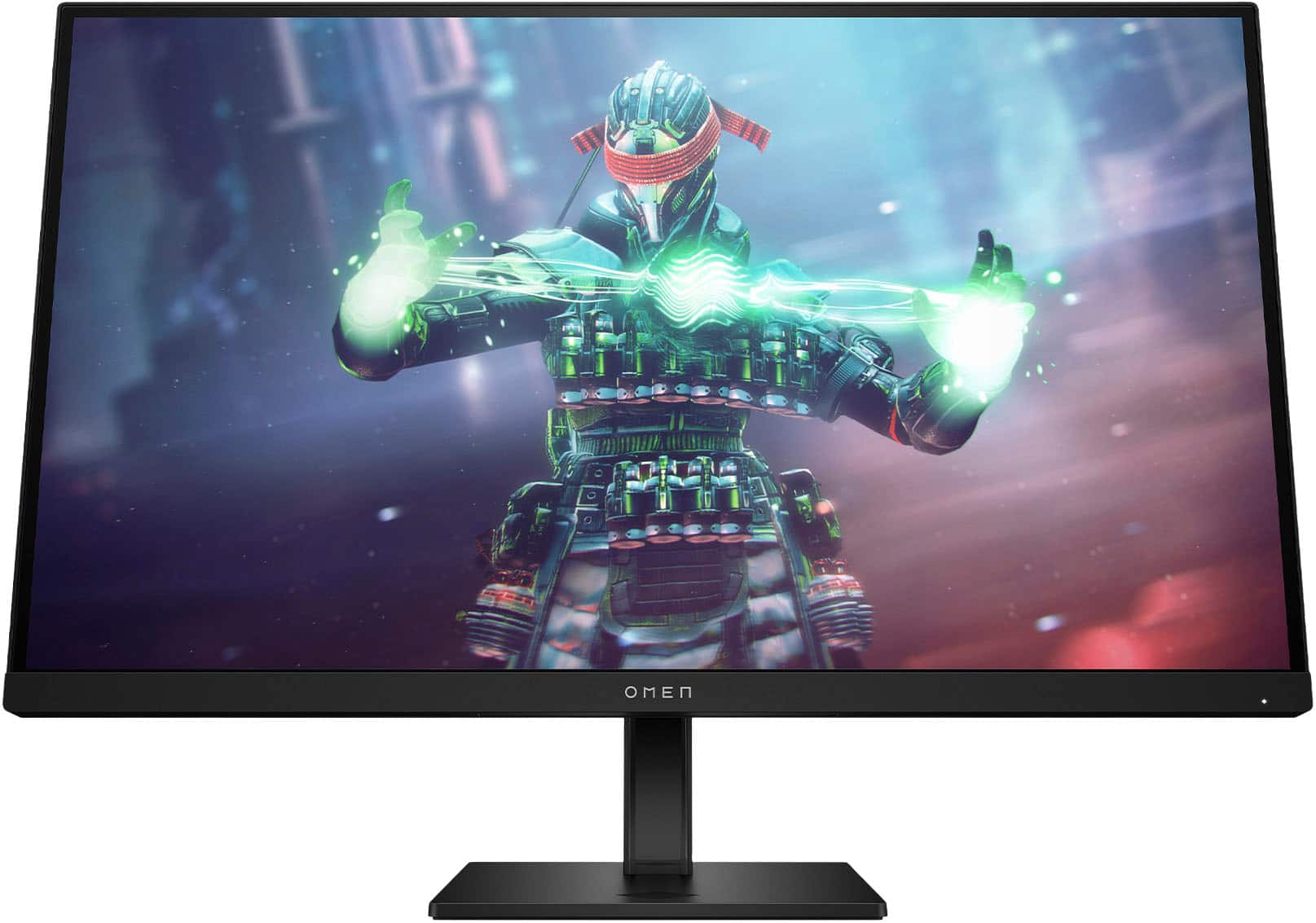
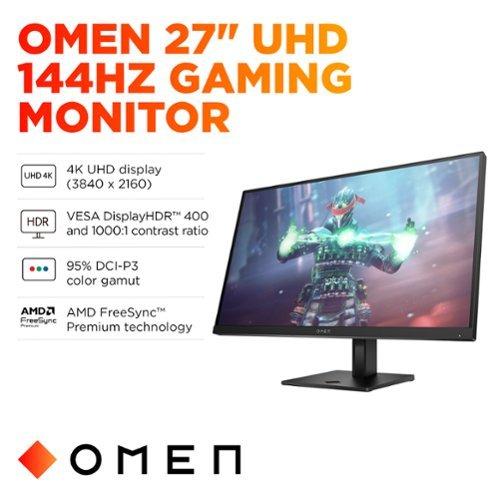
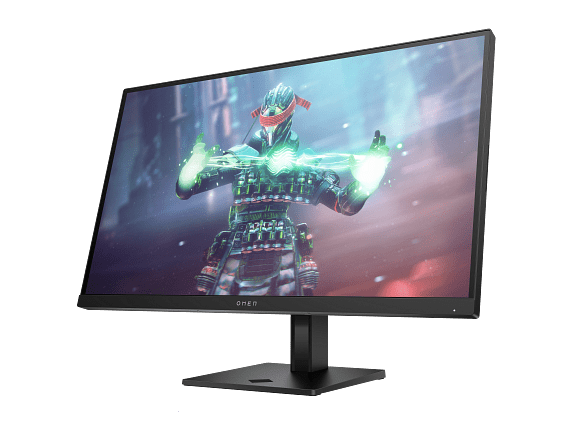
The HP Omen 27k takes a completely different approach. Instead of chasing the latest panel technology, it focuses on delivering 4K resolution (3840×2160 pixels) at a respectable 144Hz refresh rate using a tried-and-true IPS (In-Plane Switching) panel.
IPS technology has been the workhorse of professional monitors for years. It provides consistent colors from any viewing angle and doesn't suffer from the burn-in concerns that can affect OLED panels over time. The HP monitor covers 99% sRGB and 95% DCI-P3, which translates to accurate, professional-quality colors that won't shift over time.
What makes the HP Omen 27k particularly interesting isn't just its display quality – it's the thought put into connectivity and versatility. This monitor includes a built-in KVM (Keyboard, Video, Mouse) switch, which lets you control two different devices with the same keyboard and mouse. Imagine switching between your gaming PC and work laptop with just a button press, without unplugging anything.
If you're serious about competitive gaming – games like Valorant, Counter-Strike 2, or Fortnite – the performance differences between these monitors become crucial.
The MSI MAG 271QP QD-OLED X24 is built for this scenario. Its 240Hz refresh rate means it can display up to 240 unique frames per second. In competitive gaming, this translates to seeing enemy movements sooner and having more precise aim tracking. The 0.03ms response time ensures that when you flick your mouse, the crosshair responds instantaneously.
I've spent considerable time with high-refresh OLED panels, and there's a noticeable difference in how smooth everything feels. Mouse movements are more precise, and tracking fast-moving targets becomes easier. The MSI monitor's VESA ClearMR 13000 certification backs this up – it's a standardized test that measures motion blur, and 13000 is an exceptionally high score.
The HP Omen 27k, with its 144Hz refresh rate, is still excellent for gaming but targets a different sweet spot. Most gamers will find 144Hz perfectly smooth, and the difference between 144Hz and 240Hz is much smaller than the jump from 60Hz to 144Hz. However, for professional esports players, those extra frames can make a measurable difference in reaction times.
Here's where the tables turn dramatically. If you own a PlayStation 5 or Xbox Series X, the HP Omen 27k becomes the clear winner.
Next-generation consoles are designed around 4K gaming. While they can output 1440p (the MSI monitor's native resolution), you're not getting the full visual experience the console developers intended. Games like Spider-Man 2, Halo Infinite, and The Last of Us Part I are designed to showcase incredible detail at 4K resolution.
The HP monitor supports HDMI 2.1 with full 48Gbps bandwidth, enabling 4K gaming at 120Hz on both major consoles. This means you get the crisp detail of 4K resolution while still maintaining smooth motion for fast-paced games. The MSI monitor can accept 4K signals but scales them down to its 1440p native resolution, losing detail in the process.
HDR (High Dynamic Range) represents one of the biggest advances in display technology in recent years. It allows for brighter highlights, darker shadows, and more realistic color gradations that better match what our eyes see in real life.
The MSI MAG 271QP QD-OLED X24 excels here with VESA DisplayHDR True Black 400 certification. The "True Black" designation is significant – it means the monitor can achieve perfect black levels, something only OLED technology can deliver. When you're exploring dark caves in Skyrim or sneaking through shadows in Metal Gear Solid, those black areas are truly black, not the dark gray you get from traditional LCD monitors.
The HP Omen 27k carries VESA DisplayHDR 400 certification, which is respectable but represents a more traditional approach. It uses edge-lit LED backlighting with eight dimming zones. While this provides some HDR benefit, it can't match the infinite contrast ratio of OLED technology. You might notice some "haloing" effects where bright objects in dark scenes create visible backlight bloom around them.
One legitimate concern with OLED technology has always been burn-in – permanent image retention that can occur when static elements stay on screen for extended periods. The MSI MAG 271QP QD-OLED X24 addresses this with OLED Care 2.0, a suite of features designed to prevent burn-in.
This includes pixel shifting (subtly moving the image to prevent static elements from staying in one place), automatic brightness dimming for static content, and even detection of common UI elements like taskbars and logos. MSI backs this up with a three-year warranty that explicitly covers burn-in damage, which is unusual in the industry and demonstrates their confidence in the technology.
The HP Omen 27k shines in connectivity and multi-device support. The built-in KVM switch is genuinely useful if you work from home and game on the same desk. You can have your work laptop connected via USB-C and your gaming PC via DisplayPort, switching between them seamlessly.
The monitor also includes a USB hub with multiple ports, letting you connect peripherals directly to the display. This reduces cable clutter and makes it easy to share devices between your connected computers. For many people, these practical features matter more than having the absolute best gaming performance.
The color performance difference between these monitors is substantial but serves different purposes. The MSI MAG 271QP QD-OLED X24 produces colors that are often more vivid than real life, covering 138% of the sRGB color space. This oversaturation can make games look incredibly striking, but it's not technically accurate to what the content creators intended.
The HP Omen 27k takes a more measured approach with 99% sRGB coverage, prioritizing accuracy over saturation. Colors look natural and consistent, which is better for professional work and content that relies on color accuracy.
This is where the resolution difference becomes most apparent. The HP monitor's 4K resolution provides significantly sharper text, making it much more comfortable for productivity work, web browsing, and reading. At 27 inches, 4K provides about 163 pixels per inch, while the MSI monitor's 1440p resolution gives you roughly 109 pixels per inch.
If you spend significant time doing anything other than gaming on your monitor, this text clarity difference is substantial and something you'll notice every day.
For those considering either monitor as part of a home theater setup, both have merits but different strengths.
The MSI MAG 271QP QD-OLED X24 excels with movie content thanks to its perfect black levels and high contrast ratio. Dark scenes in films look incredible, with shadow detail that reveals information you might miss on traditional LCD displays. However, its 1440p resolution means you won't get the full detail from 4K Blu-rays or streaming content.
The HP Omen 27k provides the resolution advantage for 4K content consumption, making it better for Netflix, Disney+, and other streaming services that offer 4K content. Its color accuracy also means movies will look closer to what the filmmakers intended, though it lacks the dramatic contrast that makes OLED so appealing for cinematic content.
At the time of writing, both monitors occupy interesting positions in their respective market segments. The MSI MAG 271QP QD-OLED X24 represents one of the most affordable ways to experience QD-OLED technology, typically priced significantly below other OLED gaming monitors while offering premium features like the high refresh rate and comprehensive warranty coverage.
The HP Omen 27k competes well in the 4K gaming monitor space, often priced competitively with other 4K 144Hz displays while including premium features like the KVM switch and comprehensive connectivity that usually cost extra from other manufacturers.
You're primarily focused on gaming performance and visual quality. The MSI monitor makes the most sense if you play competitive games where high refresh rates matter, enjoy single-player games with rich visual content, and have a powerful graphics card capable of pushing high frame rates at 1440p resolution.
This monitor is also ideal if you're primarily gaming rather than working on your computer, can game in a dimmer room (where OLED's contrast advantage is most apparent), and want to experience cutting-edge display technology.
You need versatility beyond pure gaming performance. The HP monitor is the better choice if you game on consoles and want full 4K support, regularly switch between different devices (work laptop, gaming PC, console), spend significant time on productivity tasks where text clarity matters, or work in bright rooms where OLED's contrast advantage is diminished.
It's also the safer long-term choice if you're concerned about OLED burn-in or want a monitor that will handle any content type without concern.
Both the MSI MAG 271QP QD-OLED X24 and HP Omen 27k represent excellent value in their respective categories, but they serve different needs entirely.
The MSI monitor is about pushing gaming performance and visual quality to new heights. If you want the best possible gaming experience and don't mind some compromises in versatility, it's an excellent choice that brings premium OLED technology within reach of more gamers.
The HP Omen 27k is about practical excellence and versatility. It provides very good gaming performance while excelling at everything else you might want to do with a monitor. For most people juggling gaming, work, and entertainment, it's probably the more sensible choice.
Your decision ultimately comes down to whether you prioritize peak gaming performance or overall versatility. Either way, you'll end up with a monitor that represents significant advancement over whatever you're currently using.
| MSI MAG 271QP QD-OLED X24 | HP Omen 27k |
|---|---|
| Panel Technology - Determines contrast, colors, and longevity | |
| QD-OLED with infinite contrast and perfect blacks | IPS with consistent colors and no burn-in risk |
| Resolution - Affects sharpness and GPU requirements | |
| 2560 x 1440 (1440p) - easier to drive at high fps | 3840 x 2160 (4K) - 77% more pixels for sharper detail |
| Refresh Rate - Critical for competitive gaming smoothness | |
| 240Hz (exceptional for esports and fast games) | 144Hz (excellent for most gaming scenarios) |
| Response Time - Reduces motion blur and ghosting | |
| 0.03ms GtG (virtually eliminates motion blur) | 1ms GtG (very good, minimal ghosting) |
| HDR Performance - Enhances visual depth and realism | |
| DisplayHDR True Black 400 with perfect blacks | DisplayHDR 400 with 8-zone edge-lit dimming |
| Color Gamut - Affects vibrancy and accuracy | |
| 138% sRGB (oversaturated but vivid) | 99% sRGB (accurate, natural colors) |
| Console Gaming Support - Next-gen compatibility | |
| 1440p upscaling from 4K console output | Native 4K at 120Hz via HDMI 2.1 |
| Connectivity Options - Multi-device flexibility | |
| 2x HDMI 2.1, 1x DisplayPort 1.4a | 2x HDMI (2.1/2.0), DisplayPort 1.4, USB-C, KVM switch |
| Burn-in Protection - Long-term reliability concern | |
| OLED Care 2.0 + 3-year burn-in warranty | No burn-in risk with IPS technology |
| Best Use Case - Primary target audience | |
| Competitive gaming and OLED visual experience | Versatile 4K gaming with productivity features |
| Typical Price Range - Value positioning at time of writing | |
| Premium OLED at accessible pricing | Competitive 4K gaming monitor with extra features |
The MSI MAG 271QP QD-OLED X24 is significantly better for competitive gaming due to its 240Hz refresh rate and 0.03ms response time. This provides ultra-smooth motion and virtually eliminates input lag, giving you a competitive edge in fast-paced games like Valorant, Counter-Strike, and Fortnite. The HP Omen 27k with 144Hz is still excellent for gaming, but the MSI monitor offers superior performance for serious esports players.
Both monitors excel in different ways. The MSI MAG 271QP QD-OLED X24 delivers superior contrast with perfect blacks and more vibrant colors thanks to its QD-OLED technology. The HP Omen 27k offers higher resolution (4K vs 1440p) for sharper detail and more accurate colors. Choose the MSI for dramatic contrast and the HP for crisp detail.
The HP Omen 27k is much better for console gaming because it supports native 4K resolution at 120Hz via HDMI 2.1, which matches what PlayStation 5 and Xbox Series X are designed to deliver. The MSI MAG 271QP QD-OLED X24 can only display console output at 1440p, missing out on the full visual detail that modern games offer.
The HP Omen 27k is significantly better for productivity due to its 4K resolution providing much sharper text and more screen real estate. It also includes a built-in KVM switch for easy switching between devices and USB-C connectivity. The MSI MAG 271QP QD-OLED X24 is primarily designed for gaming and may show burn-in with static content like spreadsheets or browser windows.
Both monitors offer strong value in their categories. The MSI MAG 271QP QD-OLED X24 provides premium OLED technology at a more accessible price point than most OLED monitors. The HP Omen 27k delivers 4K gaming performance with versatile features like KVM switching at competitive pricing for the 4K monitor market.
The MSI MAG 271QP QD-OLED X24 has potential OLED burn-in concerns with static content and lower resolution that may not satisfy 4K content viewers. The HP Omen 27k has a lower refresh rate that may not satisfy competitive gamers and less dramatic contrast compared to OLED technology. Consider your primary use case when weighing these limitations.
For movie watching, the MSI MAG 271QP QD-OLED X24 provides a more cinematic experience with perfect blacks and high contrast that makes dark scenes look incredible. However, the HP Omen 27k offers 4K resolution for streaming services and better color accuracy for filmmaker intent. Choose based on whether you prioritize contrast or resolution for your viewing habits.
The MSI MAG 271QP QD-OLED X24 offers superior HDR performance with DisplayHDR True Black 400 certification and perfect black levels that create dramatic contrast. The HP Omen 27k has standard DisplayHDR 400 with edge-lit dimming zones, providing good but not exceptional HDR. The MSI monitor delivers a more impactful HDR experience overall.
The HP Omen 27k wins in connectivity with HDMI 2.1, DisplayPort, USB-C with DisplayPort Alt Mode, built-in KVM switch, and USB hub functionality. The MSI MAG 271QP QD-OLED X24 offers dual HDMI 2.1 and DisplayPort but lacks the versatile connectivity features of the HP monitor. Choose the HP if you need to connect multiple devices regularly.
The MSI MAG 271QP QD-OLED X24 has potential OLED burn-in concerns, though MSI includes OLED Care 2.0 protection and a 3-year burn-in warranty. The HP Omen 27k uses traditional IPS technology with no burn-in risk and proven long-term reliability. Consider your usage patterns and comfort level with newer OLED technology.
The HP Omen 27k is much better for mixed use thanks to its 4K resolution for sharp text, KVM switch for device switching, comprehensive connectivity, and no burn-in concerns with static content. The MSI MAG 271QP QD-OLED X24 excels at gaming but isn't ideal for regular productivity work due to burn-in risks and lower resolution.
The MSI MAG 271QP QD-OLED X24 requires a powerful GPU to drive 240Hz at 1440p resolution effectively - think RTX 4070 or better for demanding games. The HP Omen 27k needs even more GPU power for 4K gaming, typically requiring RTX 4080 or better for high frame rates. Consider your current GPU when making your choice between these two monitors.
We've done our best to create useful and informative comparisons to help you decide what product to buy. Our research uses advanced automated methods to create this comparison and perfection is not possible - please contact us for corrections or questions. These are the sites we've researched in the creation of this article: bestbuy.com - youtube.com - xda-developers.com - newegg.com - notebookcheck.net - displayninja.com - ign.com - rtings.com - cdw.com - microcenter.com - bestbuy.com - us.msi.com - colamco.com - msi.com - msi.com - displayspecifications.com - msi.com - storage-asset.msi.com - msi.com - us.msi.com - displayspecifications.com - tomshardware.com - windowscentral.com - digitaltrends.com - youtube.com - hp.com - youtube.com - hp.com - hp.com - displayspecifications.com - files.bbystatic.com - newegg.com - hp.com - hp.com - hp.com - hp.com - target.com - files.bbystatic.com - displayspecifications.com

Privacy Policy
Terms and Conditions - Affiliate Policy
Home Security
© Copyright 2008-2026.
11816 Inwood Rd #1211, Dallas, TX 75244