














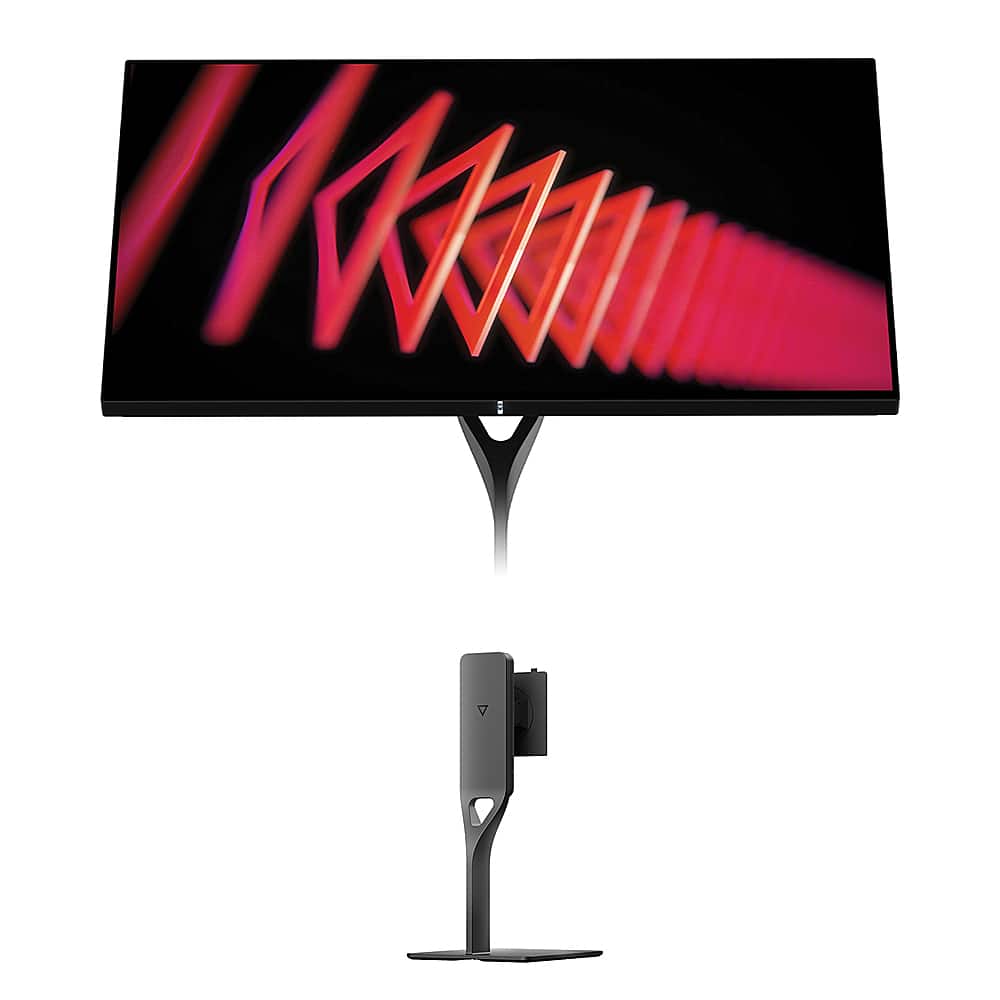
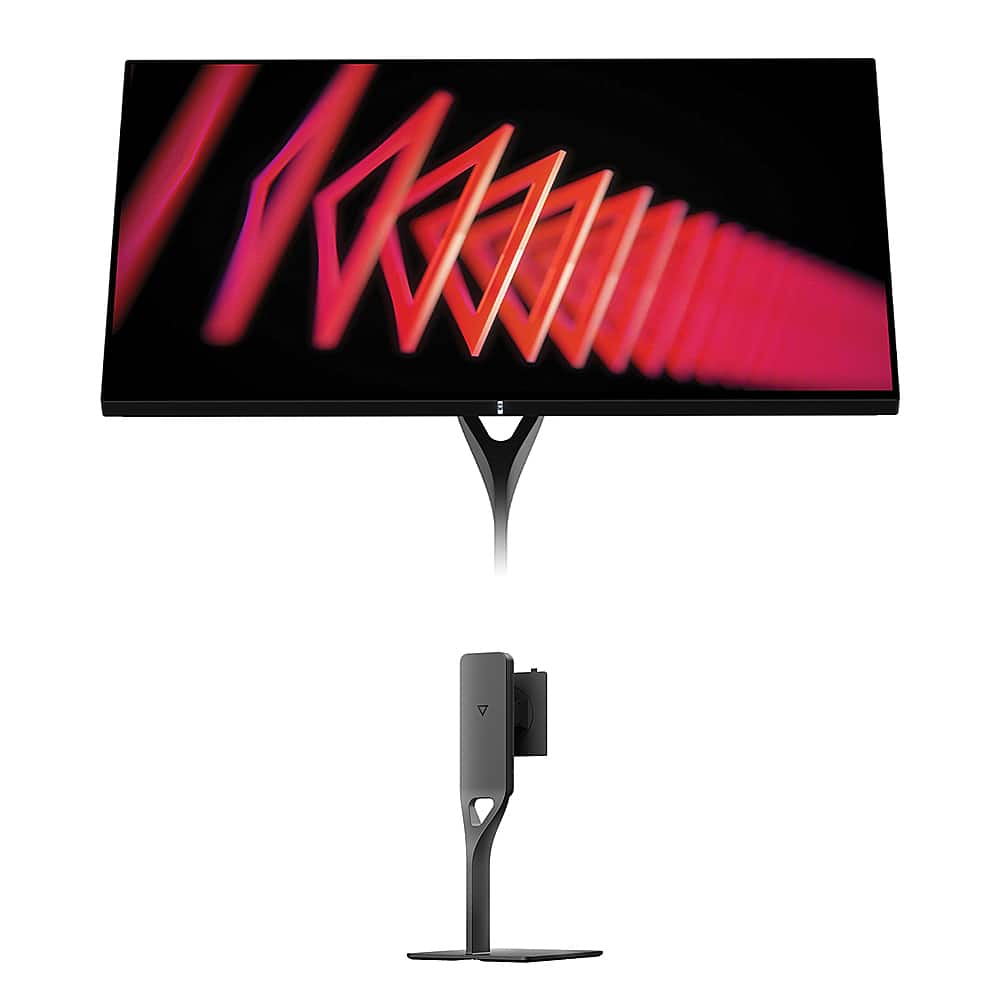
Picking a premium gaming monitor in 2025 feels like choosing between two different philosophies. Do you want the mind-blowing contrast and buttery-smooth motion of cutting-edge OLED technology, or the razor-sharp detail and professional versatility of 4K resolution? The MSI MAG 271QP QD-OLED X24 and Dough Spectrum One represent these two approaches perfectly, and honestly, both have compelling arguments.
I've spent considerable time with both OLED and high-end IPS displays, and the differences are more nuanced than you might expect. Let me walk you through what makes each special and help you figure out which one matches your needs.
The premium gaming monitor space has exploded over the past few years. We're no longer just choosing between "fast" and "pretty" – modern displays can deliver both, but they take different paths to get there. The main considerations boil down to a few key areas:
Panel technology determines how your monitor creates images. Think of it like choosing between a plasma TV and an LCD from back in the day, but with much more advanced options now. Resolution versus refresh rate is the eternal trade-off – more pixels mean sharper images, but higher refresh rates create smoother motion. Response time and input lag matter enormously for competitive gaming, where milliseconds can decide matches. Color accuracy and HDR capabilities become crucial if you're doing any creative work or want movies and games to look their absolute best.
The connectivity and feature set separates premium monitors from budget options. Modern displays need to handle everything from high-end gaming PCs to the latest consoles, plus potentially serve as laptop docks for productivity work.
The MSI MAG 271QP QD-OLED X24 launched in 2025, representing MSI's push to make OLED technology more accessible to serious gamers. At its heart sits a third-generation QD-OLED panel – that's quantum dot organic light-emitting diode technology, which sounds complex but basically means each pixel can turn completely off for perfect blacks while quantum dots boost color vibrancy.
This monitor targets the competitive gaming crowd with a 240Hz refresh rate and 2560×1440 resolution. That refresh rate means it can display 240 unique frames every second, compared to a standard 60Hz monitor that shows just 60. For fast-paced games like first-person shooters or racing games, this creates incredibly smooth motion that can give you a real competitive edge.
The Dough Spectrum One, released in 2023, takes a different route entirely. This monitor pioneered something pretty unique – using actual Corning Gorilla Glass (the same stuff that protects your smartphone screen) as the front surface of a desktop monitor. That might sound like a gimmick, but it creates a remarkably clear, scratch-resistant display with reduced reflections compared to traditional anti-glare coatings.
The focus here is on maximum resolution – 3840×2160, or 4K – paired with a 144Hz refresh rate. That's 78% more pixels than the MSI monitor, providing incredibly sharp detail for everything from gaming to professional photo editing.
This is where things get really interesting, and where your personal priorities will largely determine which monitor suits you better.
OLED technology has revolutionized TVs over the past decade, and it's finally becoming viable for computer monitors. The key advantage is that each pixel produces its own light and can turn completely off. When a pixel displays black, it's actually off – no light whatsoever. This creates what's called "infinite contrast" because you're dividing any brightness level by zero.
The MSI monitor uses QD-OLED specifically, which adds a quantum dot layer to enhance color production. Quantum dots are microscopic semiconductors that emit very specific colors when hit with light, allowing the display to produce incredibly vivid, accurate colors. The result is coverage of 138% of the sRGB color space (the standard for most content) and 99% of DCI-P3 (used for digital cinema).
In practical terms, this means games and movies look incredibly punchy. Dark scenes in games like horror titles or space settings reveal details you simply can't see on traditional monitors. The contrast makes everything from starfields to shadow details pop in a way that's genuinely striking.
However, OLED isn't perfect. The organic compounds that create the light gradually degrade over time, and static images can potentially cause "burn-in" where permanent shadows are left on the screen. MSI addresses this with their OLED Care 2.0 system, which includes pixel shifting (slightly moving the image to prevent static elements from staying in one place), automatic brightness adjustments for static content, and scheduled pixel refreshing cycles.
The Dough Spectrum One uses IPS (In-Plane Switching) technology, which has been the gold standard for professional displays for years. IPS panels use a backlight behind the entire screen, with liquid crystals that twist to block or allow light through. This creates very consistent colors across wide viewing angles – you can look at the screen from the side without colors shifting dramatically.
The unique aspect here is the Corning Gorilla Glass front surface. Most monitors use plastic or basic glass with anti-glare coatings that can make the image look slightly hazy. The Gorilla Glass on the Dough monitor provides exceptional clarity and durability while the DXC (Diamond Extreme Coating) anti-reflective treatment reduces reflections without sacrificing image sharpness.
IPS technology can't achieve the perfect blacks of OLED – when displaying black, the backlight is still on, and some light inevitably leaks through. However, modern IPS panels offer excellent color accuracy, and this particular model is factory calibrated to achieve Delta E ≤ 0.6. Delta E measures color accuracy – values under 2 are considered excellent, so 0.6 represents professional-grade accuracy right out of the box.
This might be the most important decision point between these monitors, and it depends heavily on how you use your display.
The MSI monitor's 2560×1440 resolution hits what many consider the sweet spot for gaming. It provides significantly more detail than 1080p – about 78% more pixels – while remaining much easier to drive than 4K. This matters because achieving high frame rates is crucial for competitive gaming, and your graphics card has to work much harder at higher resolutions.
At 27 inches, QHD provides a pixel density of about 109 pixels per inch. Text and UI elements look crisp without being too small, and games maintain excellent detail without overwhelming your GPU. If you're playing competitive titles like Counter-Strike, Valorant, or Rocket League, this resolution lets you maintain very high frame rates while still enjoying sharp visuals.
The 240Hz refresh rate becomes the real star here. Each frame is displayed for just 4.17 milliseconds compared to 6.94ms on a 144Hz display. That difference might sound tiny, but in fast-paced games, it translates to noticeably smoother motion and potentially faster reaction times.
The Dough Spectrum One's 4K resolution provides 8.3 million pixels compared to QHD's 3.7 million. At 27 inches, this creates a pixel density of 163 pixels per inch – dense enough that individual pixels become virtually invisible at normal viewing distances.
For content creation, this extra resolution is transformative. Photo editing reveals more detail in your images, video editing provides more timeline space, and even web browsing becomes more pleasant with incredibly sharp text. If you do any professional creative work, the difference is immediately obvious.
Gaming at 4K also provides benefits, though they're more subtle than you might expect. The extra detail becomes most apparent in games with lots of small elements – strategy games, simulation titles, or RPGs with complex UIs. Modern AAA games designed with 4K in mind can look absolutely stunning, revealing texture details and environmental elements that get lost at lower resolutions.
The trade-off is performance. Driving 4K at high frame rates requires significantly more graphics processing power. Even high-end graphics cards from 2024 struggle to maintain consistent frame rates above 100 fps in demanding games at 4K resolution.
For competitive gaming, the MSI monitor has clear advantages that extend beyond just the higher refresh rate. The 0.03ms gray-to-gray response time is genuinely impressive – this measures how quickly pixels can change from one shade of gray to another, which directly impacts motion blur.
OLED technology inherently provides faster response times because pixels can change states almost instantaneously. There's no liquid crystal to physically rotate or backlight to modulate – the pixel simply turns on or off. This eliminates the ghosting and trailing that can occur with fast-moving objects on other display types.
The combination of 240Hz refresh rate and near-instantaneous response times creates motion clarity that's particularly noticeable in first-person shooters. Tracking moving targets becomes easier, and the overall gaming experience feels more immediate and responsive.
From my experience with high refresh rate OLED displays, the difference is most apparent when you go back to a standard monitor. The motion smoothness and clarity spoil you quickly.
For single-player games and immersive experiences, both monitors offer compelling but different advantages. The MSI's OLED panel creates incredible atmosphere in dark scenes. Horror games, space sims, and any title with dramatic lighting become significantly more engaging when you can actually see detail in shadows and achieve true blacks in dark areas.
The contrast ratio of 1,500,000:1 (which is effectively infinite) means bright highlights can coexist with truly dark areas in the same scene. This creates a sense of depth and realism that's difficult to achieve with traditional backlighting.
The Dough monitor, while unable to match OLED's contrast, provides its own advantages for immersive gaming. The 4K resolution reveals incredible detail in game worlds. Texture work, environmental details, and UI elements all appear sharper and more defined. Games designed with high resolution in mind – think recent releases like Cyberpunk 2077 or Microsoft Flight Simulator – can look absolutely stunning.
If your monitor needs to pull double duty for work, the considerations shift significantly.
The MSI monitor actually has some surprising advantages for color-critical work. The QD-OLED panel covers 138% of the sRGB color space and 99% of DCI-P3, providing a wider color gamut than many professional displays. The infinite contrast also helps when editing HDR content or working with images that contain deep shadows.
However, OLED displays can have some quirks for professional use. The automatic brightness limiting that prevents burn-in can interfere with color accuracy when working with bright, static images for extended periods.
For general productivity work, the Dough Spectrum One pulls ahead significantly. The 4K resolution provides much more screen real estate – you can fit more windows, see more content without scrolling, and work with higher detail in applications like photo editors or CAD programs.
The USB-C connectivity with 100W power delivery transforms the monitor into a complete docking solution for laptops. A single cable handles video, data, and charging, which is incredibly convenient for anyone who switches between desktop and laptop work regularly.
The factory calibration to Delta E ≤ 0.6 also ensures consistent, accurate colors for professional work right out of the box, without needing expensive calibration equipment.
Both monitors support HDR (High Dynamic Range), but they approach it very differently.
The MSI monitor achieves VESA DisplayHDR True Black 400 certification, which specifically applies to displays that can produce true blacks. The peak brightness reaches 1000 nits in small highlights, which provides excellent contrast for HDR content. The OLED technology means bright highlights can appear alongside truly dark areas, creating the dramatic contrast that makes HDR compelling.
The Dough monitor earns DisplayHDR 600 certification with its 750-nit peak brightness and 16-zone local dimming. While it can't achieve true blacks like OLED, the higher sustained brightness can make HDR content appear more impactful in bright viewing environments.
For HDR gaming and movie watching, both provide good experiences with different characteristics. The MSI excels in dark rooms where the infinite contrast really shines, while the Dough performs better in brighter environments where ambient light would wash out OLED blacks anyway.
If you're considering either monitor for home theater use, there are important factors to consider.
The MSI monitor actually makes an excellent option for dark room movie watching. The OLED panel provides the same benefits that make OLED TVs so popular – perfect blacks, infinite contrast, and vibrant colors. The 27-inch size works well for desktop viewing distances, though it's obviously smaller than a traditional TV.
The Dough monitor offers 4K resolution that matches modern streaming content and UHD Blu-rays perfectly. The IPS panel maintains consistent brightness and colors even when viewed from off-axis seating positions, which can be important if multiple people are watching.
Both monitors support modern HDR standards and have the refresh rates needed for smooth content playback. The choice again comes down to whether you prioritize contrast (MSI) or resolution (Dough).
At the time of writing, these monitors occupy different price brackets, which factors significantly into their value propositions.
The MSI MAG 271QP QD-OLED X24 represents exceptional value in the OLED monitor space. OLED displays traditionally commanded premium prices, but MSI has positioned this monitor to make the technology more accessible to gaming enthusiasts. The inclusion of a full-featured stand and comprehensive warranty coverage (including specific burn-in protection) adds significant value.
The Dough Spectrum One sits in a higher price bracket and requires purchasing the stand separately, which affects the total cost of ownership. However, the premium build quality, professional calibration, and unique Gorilla Glass implementation help justify the pricing for users who need the extra features.
After extensive consideration of both approaches, your choice should align with your primary use case and priorities.
Choose the MSI MAG 271QP QD-OLED X24 if competitive gaming is your main focus, you want to experience OLED technology at a reasonable price point, you primarily game in darker environments where OLED excels, or you prefer higher refresh rates over maximum resolution. The gaming performance and contrast advantages are genuinely compelling, and the value proposition is strong.
Choose the Dough Spectrum One if you need 4K resolution for detailed work or future-proofing, require professional color accuracy for creative work, frequently connect laptops and want comprehensive docking features, work in bright environments where IPS performs better, or prioritize maximum build quality and durability.
Both monitors represent excellent options in the premium gaming space, but they serve different priorities. The MSI delivers gaming performance and OLED experience at an accessible price, while the Dough provides professional features and maximum resolution in a premium package. Your choice should reflect which set of advantages matters most for how you actually use your display day to day.
The monitor market continues evolving rapidly, but both of these represent strong examples of their respective approaches. Whether you choose cutting-edge OLED gaming performance or professional-grade 4K versatility, you'll be getting a display that can handle whatever you throw at it for years to come.
| MSI MAG 271QP QD-OLED X24 | Dough Spectrum One |
|---|---|
| Panel Technology - Determines contrast, color accuracy, and durability | |
| QD-OLED with infinite contrast and perfect blacks | IPS with Corning Gorilla Glass for scratch resistance |
| Resolution - Affects detail level and GPU requirements | |
| 2560×1440 (QHD) - easier to drive at high frame rates | 3840×2160 (4K) - 78% more pixels for sharper detail |
| Refresh Rate - Critical for competitive gaming smoothness | |
| 240Hz - exceptional for esports and fast-paced games | 144Hz - plenty smooth for most gaming scenarios |
| Response Time - Impacts motion blur and ghosting | |
| 0.03ms GtG - virtually eliminates motion blur | 1ms GtG - excellent for IPS technology |
| Color Gamut - Important for content creation and vibrant visuals | |
| 138% sRGB, 99% DCI-P3 - exceptional color coverage | 100% sRGB, 98% DCI-P3 - professional-grade accuracy |
| HDR Performance - Enhances contrast in compatible content | |
| DisplayHDR True Black 400, 1000 nits peak | DisplayHDR 600, 750 nits peak with 16-zone dimming |
| Connectivity - Determines device compatibility and convenience | |
| 2× HDMI 2.1, 1× DisplayPort 1.4a | 2× HDMI 2.1, 1× DisplayPort 1.4, USB-C with 100W power delivery |
| Stand and Ergonomics - Affects comfort and desk space | |
| Full adjustable stand included (tilt, swivel, height, pivot) | Stand sold separately - must factor into total cost |
| Burn-in Protection - Critical consideration for OLED longevity | |
| OLED Care 2.0 with 3-year burn-in warranty | No burn-in risk with IPS technology |
| Target Use Case - Who each monitor serves best | |
| Competitive gamers wanting OLED experience | Content creators and productivity users needing 4K |
The MSI MAG 271QP QD-OLED X24 is significantly better for competitive gaming due to its 240Hz refresh rate and 0.03ms response time. This provides smoother motion and virtually eliminates ghosting compared to the Dough Spectrum One's 144Hz refresh rate. The OLED technology also delivers faster pixel response times, giving competitive gamers a real advantage in fast-paced scenarios.
QD-OLED panels like the MSI monitor can turn pixels completely off for perfect blacks and infinite contrast, while IPS panels like the Dough Spectrum One use a backlight that can't achieve true blacks. However, IPS technology doesn't risk burn-in and maintains consistent brightness across the entire screen, making it more reliable for productivity work.
The Dough Spectrum One offers 4K resolution (3840×2160) compared to the MSI MAG 271QP QD-OLED X24's QHD resolution (2560×1440). This means 78% more pixels for sharper text, more detailed images, and better screen real estate for productivity tasks like photo editing or coding.
Both monitors support modern consoles well. The Dough Spectrum One matches the 4K resolution of PS5 and Xbox Series X games, while the MSI monitor provides higher refresh rates for supported titles. Both include HDMI 2.1 ports that enable variable refresh rate and auto low latency mode for optimal console gaming.
For movie watching, the MSI MAG 271QP QD-OLED X24 excels in dark rooms due to its perfect blacks and infinite contrast, creating a more cinematic experience. The Dough Spectrum One offers 4K resolution that matches modern streaming content but can't achieve the same contrast levels as OLED technology.
The MSI monitor includes OLED Care 2.0 technology with pixel shifting, static screen detection, and automatic refresh cycles to prevent burn-in. MSI also provides a 3-year warranty that specifically covers burn-in damage. The Dough Spectrum One uses IPS technology that has no burn-in risk whatsoever.
The Dough Spectrum One provides superior connectivity with USB-C power delivery (100W), allowing single-cable laptop connections for video, data, and charging. The MSI MAG 271QP QD-OLED X24 lacks USB-C but includes standard DisplayPort and HDMI 2.1 connections that work well for desktop gaming setups.
Both monitors offer excellent color accuracy, but serve different needs. The Dough Spectrum One is factory calibrated to Delta E ≤ 0.6 for professional work, while the MSI monitor covers 138% sRGB and 99% DCI-P3 for vibrant gaming visuals. The Dough model is better suited for color-critical professional work.
The MSI MAG 271QP QD-OLED X24 offers exceptional value by bringing OLED technology to a more accessible price point with a full adjustable stand included. The Dough Spectrum One costs more and requires purchasing a stand separately, but provides 4K resolution and premium build quality with Gorilla Glass protection.
The MSI monitor achieves VESA DisplayHDR True Black 400 certification with 1000 nits peak brightness, leveraging OLED's perfect blacks for dramatic contrast. The Dough Spectrum One offers DisplayHDR 600 with 750 nits peak brightness and 16-zone local dimming, providing good HDR performance though without true blacks.
The Dough Spectrum One uses Corning Gorilla Glass for exceptional scratch resistance and IPS technology that doesn't degrade over time. The MSI MAG 271QP QD-OLED X24 uses organic compounds that can degrade gradually, but includes comprehensive burn-in protection and warranty coverage to address longevity concerns.
Choose the MSI monitor's 240Hz if you prioritize competitive gaming and smooth motion over maximum detail. Select the Dough Spectrum One's 4K resolution if you do content creation, want maximum detail for single-player games, or need sharp text for productivity work. Consider your graphics card's capability to drive either high refresh rates or high resolution effectively.
We've done our best to create useful and informative comparisons to help you decide what product to buy. Our research uses advanced automated methods to create this comparison and perfection is not possible - please contact us for corrections or questions. These are the sites we've researched in the creation of this article: bestbuy.com - youtube.com - xda-developers.com - newegg.com - notebookcheck.net - displayninja.com - ign.com - rtings.com - cdw.com - microcenter.com - bestbuy.com - us.msi.com - colamco.com - msi.com - msi.com - displayspecifications.com - msi.com - storage-asset.msi.com - msi.com - us.msi.com - displayspecifications.com - createdtech.com - pcgamesn.com - tomshardware.com - imore.com - bestbuy.com - youtube.com - youtube.com - newegg.com - 9to5mac.com - bhphotovideo.com - bhphotovideo.com - sears.com - bhphotovideo.com - bestbuy.com - petra.com - petra.com - bestbuy.com - microcenter.com - youtube.com - petra.com

Privacy Policy
Terms and Conditions - Affiliate Policy
Home Security
© Copyright 2008-2026.
11816 Inwood Rd #1211, Dallas, TX 75244