

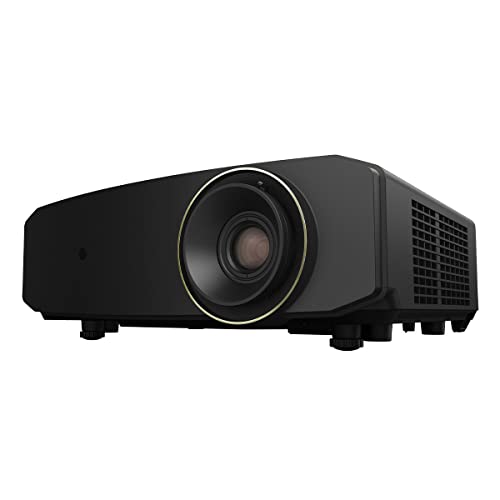
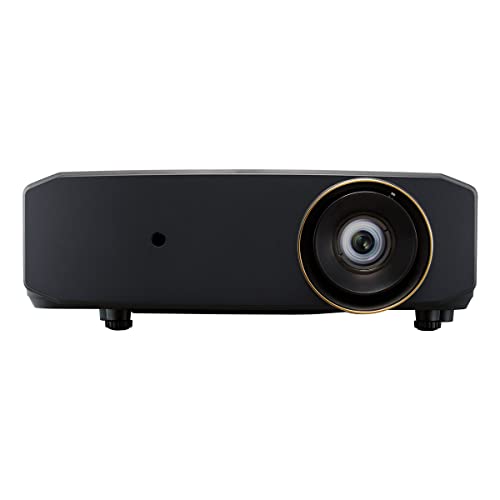
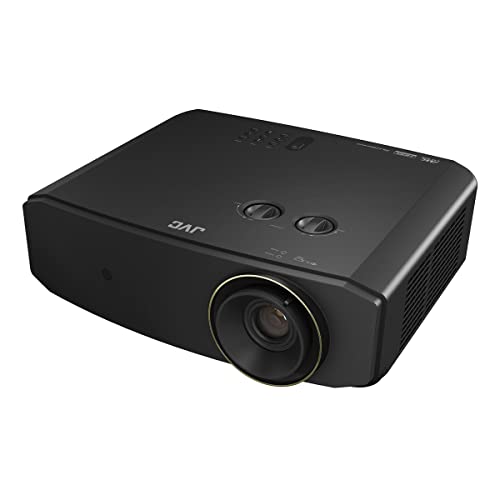
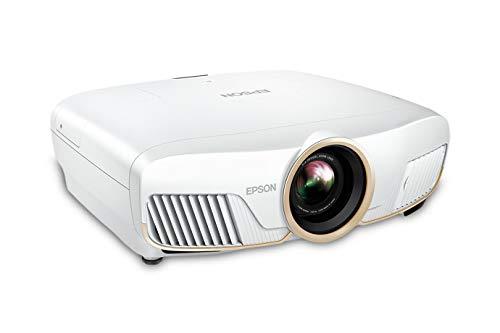
Home theater projectors have come a long way since the early days of dim, noisy boxes that required near-total darkness to produce a watchable image. Today's 4K projectors can fill massive screens with bright, colorful images that rival what you'd see in a commercial cinema. But with so many options available, choosing the right one can feel overwhelming.
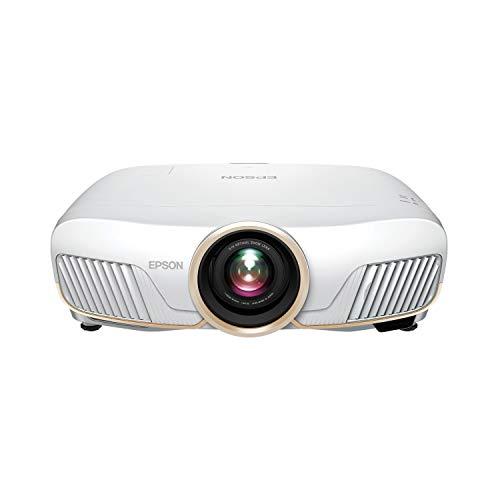
Two projectors that frequently come up in discussions are the JVC LX-NZ30, released in 2023, and the Epson Home Cinema 5050UB, which has been a popular choice for several years now. At the time of writing, both sit in similar price ranges, but they take very different approaches to delivering that big-screen experience. Understanding these differences is crucial to picking the right one for your setup.
Before diving into specifics, let's talk about what makes these projectors tick. Both the JVC LX-NZ30 and Epson Home Cinema 5050UB use something called "pixel-shifting" to create 4K images, rather than having native 4K panels. Think of pixel-shifting as a rapid-fire magic trick – the projector takes a 1080p image and quickly shifts those pixels around to different positions, creating the appearance of four times more detail.
This might sound like a compromise, but the reality is that at normal viewing distances, pixel-shifted 4K looks virtually identical to "true" native 4K. The technology has become so refined that even videophiles struggle to see the difference on typical home theater screens.
The more important distinctions lie in how these projectors handle light, color, and contrast – areas where the JVC LX-NZ30 and Epson Home Cinema 5050UB couldn't be more different.
One of the biggest differences between these projectors is their light source, which affects everything from brightness to maintenance requirements. The JVC LX-NZ30 uses a laser light source, while the Epson Home Cinema 5050UB relies on traditional lamp technology.
Laser projectors represent the newer approach. The JVC's BLU-Escent laser system is rated for an impressive 20,000 hours of operation. To put that in perspective, if you watched three hours of content every single day, the laser would last about 18 years. More realistically, for most families watching 10-15 hours per week, you're looking at decades of use without needing any maintenance.
Traditional lamps, like the one in the Epson 5050UB, typically last between 3,000 to 5,000 hours depending on the brightness setting you use. That translates to roughly 4-7 years of regular use before you need to spend a few hundred dollars on a replacement bulb. While this might seem like a hassle, lamp-based projectors have been the gold standard for image quality for decades, and the Epson demonstrates why that reputation exists.
The practical implications go beyond just maintenance. Laser projectors like the JVC can adjust their brightness instantly, enabling what's called "dynamic contrast." When a movie scene shifts from a bright explosion to a dark cave, the laser can dim or brighten in real-time to make blacks look deeper and highlights more dramatic. Traditional lamps can't do this as quickly or precisely.
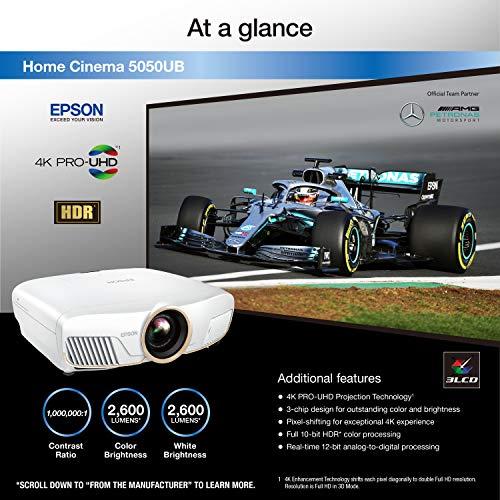
Brightness, measured in lumens, determines how well your projector performs in different lighting conditions. The JVC LX-NZ30 outputs 3,300 lumens compared to the Epson 5050UB's 2,600 lumens – a 27% advantage that proves significant in real-world use.
That extra brightness means the JVC can handle ambient light much better. If your projector will live in a living room where you can't always control the lighting, or if you want to watch sports during the day, those extra 700 lumens make a noticeable difference. The image stays vibrant and colors remain saturated even when some room lights are on.
The Epson, while dimmer, still provides plenty of light for most home theater setups. Where it shines is in dedicated, darkened theater rooms where you can control every source of light. In those environments, the Epson's slightly lower brightness actually becomes an advantage, allowing its superior contrast capabilities to create deeper, more realistic blacks.
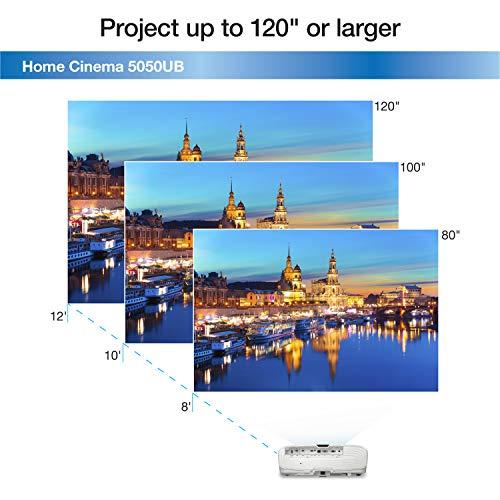
This brightness difference also affects screen size capabilities. The JVC can comfortably fill screens up to 200 inches while maintaining good image quality, whereas the Epson performs best on screens up to about 150 inches, though it technically supports larger sizes in very dark rooms.
Contrast ratio – the difference between the brightest whites and darkest blacks – might be the most important factor in creating a truly cinematic image. This is where the Epson Home Cinema 5050UB shows its strength.
The Epson uses something called UltraBlack technology, which involves a special filter that controls how light polarizes within the projector. The result is genuinely deep blacks that look black, not the dark gray you often see on lesser projectors. When you're watching a movie scene in a dark cave or a space sequence, those blacks provide the foundation that makes bright elements pop and creates a sense of depth and dimension.
The JVC LX-NZ30 approaches contrast differently. Its DLP (Digital Light Processing) technology uses millions of tiny mirrors that flip on and off to create images. While DLP excels in sharpness and color vibrancy, it traditionally struggles with black levels compared to other technologies. The JVC compensates by using its laser's instant brightness adjustment to create what they call "infinite dynamic contrast," but physics still limits how deep those blacks can appear.
In practical terms, if you're watching "Blade Runner 2049" or "Dune" – movies with lots of dark, atmospheric scenes – the Epson will likely provide a more immersive experience in a properly darkened room. The JVC counters with brighter, more vibrant images that work better when you can't achieve perfect darkness.
Gaming on a massive screen is an incredible experience, but it requires specific technical capabilities. The JVC LX-NZ30 was clearly designed with gamers in mind, while the Epson 5050UB focuses purely on traditional home theater use.
Input lag measures how long it takes for the projector to display an image after receiving the signal from your gaming console or PC. For competitive gaming, every millisecond counts. The JVC achieves an impressive 6.25 milliseconds of input lag at 1080p resolution, which is fast enough for even serious competitive gaming. At 4K resolution, it still manages a respectable 25 milliseconds.
More importantly, the JVC supports high refresh rates – up to 240Hz at 1080p and 60Hz at 4K. High refresh rates mean smoother motion and reduced blur during fast-paced gaming. If you play competitive shooters, racing games, or fighting games, these features make a tangible difference in your performance and enjoyment.
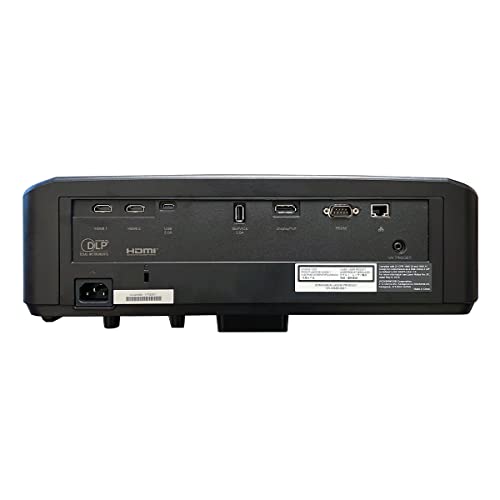
The JVC also includes gaming-specific picture modes and connects via DisplayPort and USB-C, common on gaming PCs. These connections support the full bandwidth needed for high refresh rate gaming.
The Epson 5050UB, in contrast, wasn't designed with gaming as a priority. Its input lag hovers around 28 milliseconds at best, which is acceptable for casual single-player games but not ideal for competitive online play. It also lacks high refresh rate support and gaming-optimized picture modes.
Both projectors support HDR (High Dynamic Range), which allows for brighter highlights, deeper shadows, and more vibrant colors than traditional video. However, they handle HDR processing very differently.
The Epson Home Cinema 5050UB takes the enthusiast approach. It covers an impressive 97% of the DCI-P3 color space (the standard used in movie theaters) and provides extensive calibration options. If you're the type of person who enjoys tweaking settings or hiring a professional calibrator, the Epson can achieve reference-level color accuracy that matches what directors intended.
The Epson's 3LCD technology ensures that color brightness matches white brightness – a technical advantage that prevents colors from looking washed out at high brightness levels. This consistency across the entire brightness range contributes to more natural-looking images.
The JVC LX-NZ30 prioritizes convenience and automation. Its Auto Tone Mapping feature analyzes each piece of HDR content and automatically adjusts the picture settings for optimal results. While you can still make manual adjustments, the JVC aims to deliver great HDR performance right out of the box without requiring extensive setup.
The JVC covers 100% of the Rec. 709 standard (used for regular HD content) and is compatible with the wider BT.2020 color space used in some HDR content. While not quite as wide as the Epson's color coverage, it's more than sufficient for most viewers.
Setting up a projector often involves compromises based on your room's layout, ceiling height, and screen placement. This is where the Epson Home Cinema 5050UB shows a significant advantage.
The Epson features a fully motorized lens system with a generous 2.1x zoom range and extensive lens shift capabilities. Lens shift lets you move the image up, down, left, or right without physically repositioning the projector – crucial for ceiling-mounted installations. The Epson can shift its image up to 96% vertically and 47% horizontally, meaning you have tremendous flexibility in projector placement.
Even better, the Epson includes lens memory, which saves different zoom and shift positions. This feature is invaluable if you watch content in different aspect ratios or want to quickly switch between a larger image for movies and a smaller one for gaming.
The JVC LX-NZ30 uses manual lens controls with a more limited 1.6x zoom and smaller shift range (60% vertical, 23% horizontal). While this keeps the projector simpler and potentially more reliable, it means you need to physically access the projector to make adjustments. For ceiling-mounted installations, this can be problematic.
However, the JVC's manual system does have one advantage – there are fewer motorized parts to potentially break over time.
Both projectors are well-built, but they make different compromises. The JVC LX-NZ30 is more compact and lighter, making it easier to mount and install. Its laser cooling system runs relatively quietly, though you'll still notice fan noise during operation.
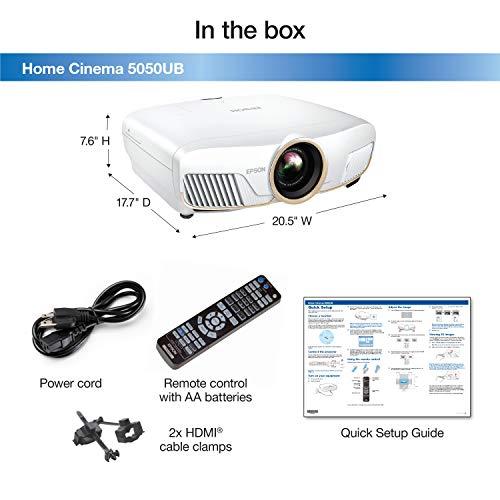
The Epson Home Cinema 5050UB is larger and heavier but includes more sophisticated cooling for its lamp system. In eco mode, it can run as quietly as 20 decibels, which is nearly silent during quiet movie scenes.
Neither projector includes built-in speakers, which is typical for this class of projector. Both assume you'll connect to a proper sound system for the full home theater experience.
When evaluating these projectors, consider the total cost over several years. The JVC LX-NZ30's laser advantage becomes clear when you factor in maintenance costs.
Over a typical 10-year ownership period, the Epson 5050UB will likely require 2-3 lamp replacements at several hundred dollars each. The JVC requires no such maintenance, potentially saving you $600-900 over its lifetime while maintaining consistent brightness performance.
However, the Epson generally costs less upfront at the time of writing, somewhat offsetting this long-term cost difference. The math works out roughly even over 7-8 years, after which the JVC becomes significantly more economical.
After researching extensive professional reviews and user feedback, clear patterns emerge about who each projector serves best.
Choose the JVC LX-NZ30 if you:
Choose the Epson Home Cinema 5050UB if you:
Both projectors excel in their intended roles, but they target different users with different priorities. The JVC LX-NZ30 represents the modern, versatile approach – bright enough for any room, gaming-capable, and maintenance-free. It's the better choice for most people who want a single projector that does everything well.
The Epson Home Cinema 5050UB serves the traditional home theater enthusiast who has a dedicated dark room and prioritizes image quality above all else. Its superior contrast and color accuracy create the most cinematic experience possible, but only under ideal conditions.
At the time of writing, both projectors offer solid value in their respective categories. The JVC provides more future-proofing with its laser technology and gaming features, while the Epson delivers peak image quality for movie enthusiasts.
Consider your primary use case, room environment, and long-term plans. If you're unsure, the JVC LX-NZ30's versatility and low maintenance make it the safer choice for most buyers. But if you're building a dedicated home theater and image quality is your top priority, the Epson Home Cinema 5050UB remains one of the best options available.
| JVC LX-NZ30 | Epson Home Cinema 5050UB |
|---|---|
| Brightness - Critical for ambient light performance and large screens | |
| 3,300 lumens (excellent for rooms with ambient light) | 2,600 lumens (best in controlled lighting environments) |
| Light Source - Determines maintenance costs and longevity | |
| BLU-Escent laser (20,000-hour lifespan, no replacements) | UHP lamp (3,500-hour lifespan, requires periodic replacement) |
| Display Technology - Affects color accuracy and image characteristics | |
| Single-chip DLP with 0.47" DMD | 3-chip 3LCD with 0.74" panels |
| Gaming Performance - Essential for responsive gaming experience | |
| 6.25ms input lag, supports 1080p/240Hz and 4K/60Hz | ~28ms input lag, designed for movies not gaming |
| Contrast Performance - Determines black levels and image depth | |
| Infinite dynamic contrast via laser dimming (DLP blacks) | 1,000,000:1 with UltraBlack technology (superior blacks) |
| Lens Flexibility - Critical for installation and setup options | |
| 1.6x manual zoom, ±60% vertical/±23% horizontal shift | 2.1x motorized zoom, ±96% vertical/±47% horizontal shift |
| 4K Implementation - How each achieves 4K resolution | |
| E-shift pixel shifting from native 1080p | 4K PRO-UHD pixel shifting from native 1080p |
| HDR Support - Enhanced color and brightness range | |
| HDR10, HLG with Auto Tone Mapping | HDR10, HLG with 16-step manual adjustment |
| Color Gamut Coverage - Determines color accuracy and vibrancy | |
| 100% Rec. 709, BT.2020 compatible | 97% DCI-P3 color space coverage |
| Maximum Screen Size - Practical limits for image quality | |
| Up to 200" (brightness-limited) | Up to 300" (contrast-optimized for smaller sizes) |
| Connectivity Options - Modern device compatibility | |
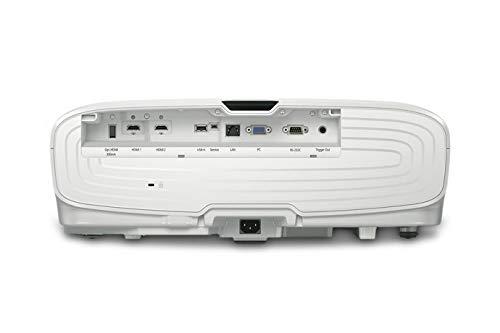
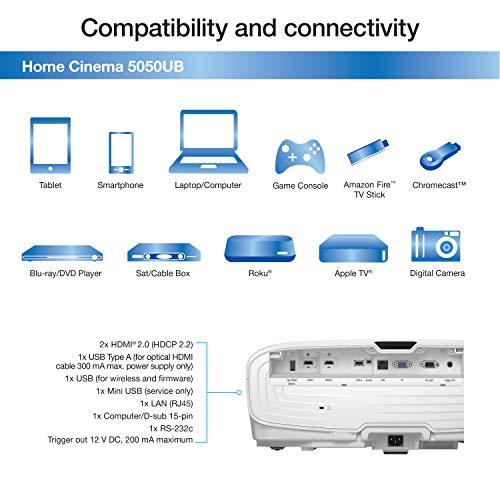
| 2x HDMI 2.0, DisplayPort, USB-C, RS-232C, LAN | 2x HDMI 2.0 (HDCP 2.2), USB-A, VGA, RS-232, LAN |
| Lens Memory - Convenience for multiple configurations | |
| Not available (manual lens system) | Yes (saves zoom/shift positions for different setups) |
| Fan Noise - Important for quiet viewing environments | |
| 29-34 dB depending on mode | 20-31 dB (quieter in eco mode) |
| Long-term Ownership Costs - Total cost beyond initial purchase | |
| No lamp replacements needed | Lamp replacements every 4-7 years (~$200-300 each) |
The JVC LX-NZ30 is significantly better for gaming with 6.25ms input lag and support for 1080p at 240Hz refresh rates. The Epson Home Cinema 5050UB has higher input lag around 28ms and lacks high refresh rate support, making it unsuitable for competitive gaming but acceptable for casual play.
The JVC LX-NZ30 produces 3,300 lumens compared to the Epson Home Cinema 5050UB's 2,600 lumens. This 27% brightness advantage makes the JVC better for rooms with ambient light, while the Epson performs best in darkened home theater environments.
The Epson Home Cinema 5050UB delivers superior black levels thanks to its UltraBlack technology and 3LCD design. While the JVC LX-NZ30 offers infinite dynamic contrast through laser dimming, DLP technology inherently produces dark grays rather than true blacks like the Epson.
The JVC LX-NZ30 uses a laser light source rated for 20,000 hours with no lamp replacements needed. The Epson Home Cinema 5050UB uses a traditional UHP lamp that lasts 3,500-5,000 hours and requires periodic replacement every 4-7 years of regular use.
The Epson Home Cinema 5050UB offers superior installation flexibility with motorized zoom, focus, and lens shift (±96% vertical, ±47% horizontal) plus lens memory. The JVC LX-NZ30 has manual controls with more limited lens shift range, requiring more precise initial placement.
The JVC LX-NZ30 supports screens up to 200 inches while maintaining good image quality due to its higher brightness. The Epson Home Cinema 5050UB technically supports up to 300 inches but performs best on screens under 150 inches in darkened rooms.
The Epson Home Cinema 5050UB excels in color accuracy with 97% DCI-P3 coverage and extensive calibration options. The JVC LX-NZ30 covers 100% Rec. 709 with good automated HDR processing, making it more plug-and-play but less customizable than the Epson.
Both the JVC LX-NZ30 and Epson Home Cinema 5050UB use pixel-shifting technology to achieve 4K resolution from native 1080p panels. The JVC uses e-shift while the Epson employs 4K PRO-UHD, both producing visually equivalent 4K images.
The Epson Home Cinema 5050UB is ideal for dedicated home theaters with its superior contrast, deeper blacks, and excellent color accuracy in controlled lighting. The JVC LX-NZ30 works better in multi-purpose rooms where ambient light control isn't perfect.
The JVC LX-NZ30 includes 2 HDMI 2.0 ports, DisplayPort, USB-C, and network connectivity, making it more gaming-friendly. The Epson Home Cinema 5050UB offers 2 HDMI 2.0 ports, USB-A, VGA, and network connections, focusing on traditional home theater sources.
The JVC LX-NZ30 provides better long-term value due to its maintenance-free laser lasting 20,000 hours. While the Epson Home Cinema 5050UB may cost less upfront, it requires lamp replacements every few years, making the JVC more economical over time.
Both support HDR10 and HLG formats. The JVC LX-NZ30 features automated HDR processing with tone mapping for easy setup, while the Epson Home Cinema 5050UB offers 16-step manual HDR adjustment for precise control. The Epson may deliver slightly better HDR performance when properly calibrated.
We've done our best to create useful and informative comparisons to help you decide what product to buy. Our research uses advanced automated methods to create this comparison and perfection is not possible - please contact us for corrections or questions. These are the sites we've researched in the creation of this article: t3.com - crutchfield.com - stuff.tv - projectorcentral.com - projectorreviews.com - data.heimkinowelt.at - bestbuy.com - eu.jvc.com - projectorreviews.com - listenup.com - youtube.com - eu.jvc.com - dreamediaav.com - projectorreviews.com - projectorscreen.com - projectorcentral.com - device.report - technologyinteriors.com - rtings.com - projectorscreen.com - hometechnologyreview.com - thesmarthomehookup.com - youtube.com - rtings.com - techgearlab.com - projectorcentral.com - projectorreviews.com - projectorcentral.com - avsforum.com - rtings.com - projectorreviews.com - projectorreviews.com - avsforum.com - avsforum.com - audiogeneral.com - hifiheaven.net - manuals.plus - crutchfield.com - projectorcentral.com - epson.com - mediaserver.goepson.com - bestbuy.com - ngxptech.com - projectorcentral.com - projectorreviews.com

Privacy Policy
Terms and Conditions - Affiliate Policy
Home Security
© Copyright 2008-2026.
11816 Inwood Rd #1211, Dallas, TX 75244