

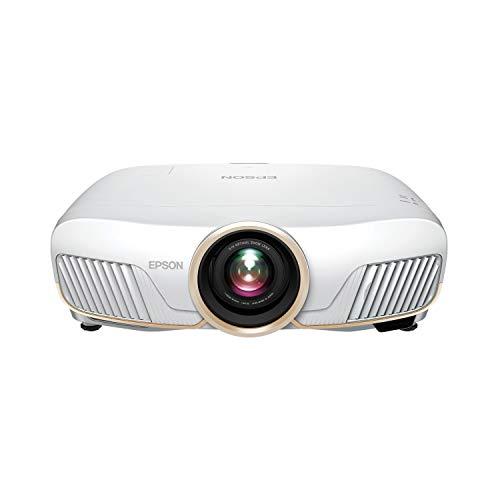
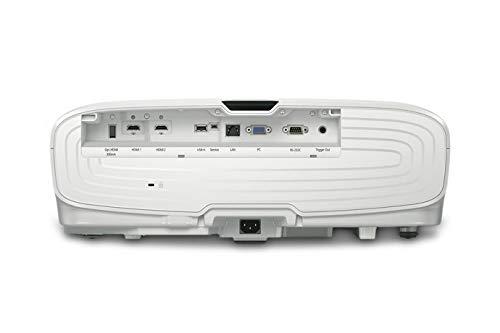
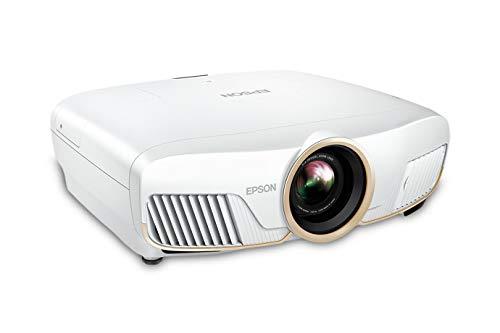
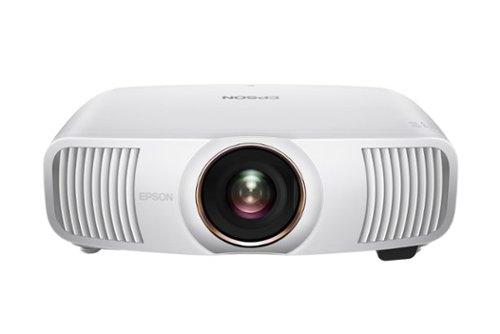
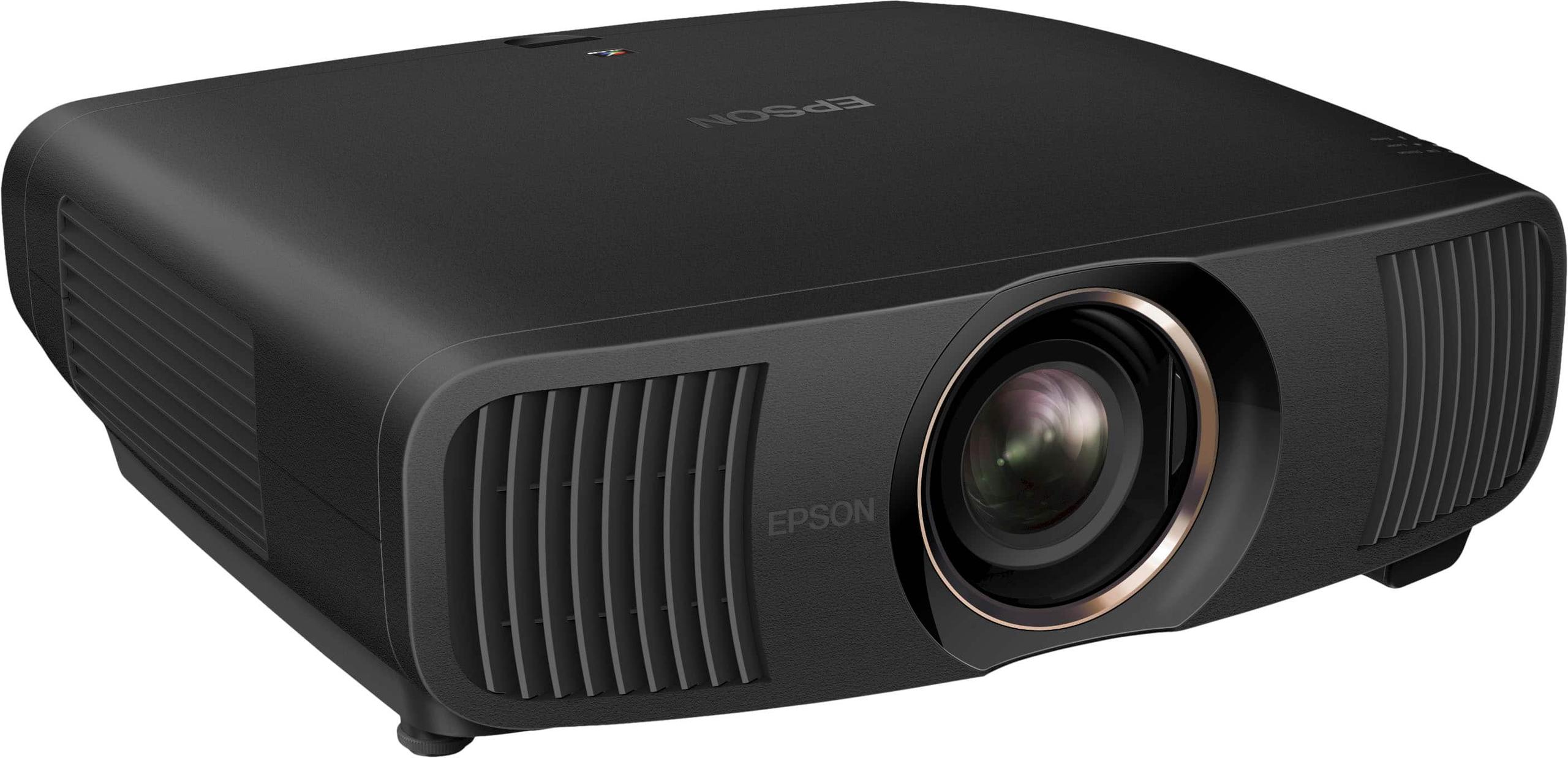

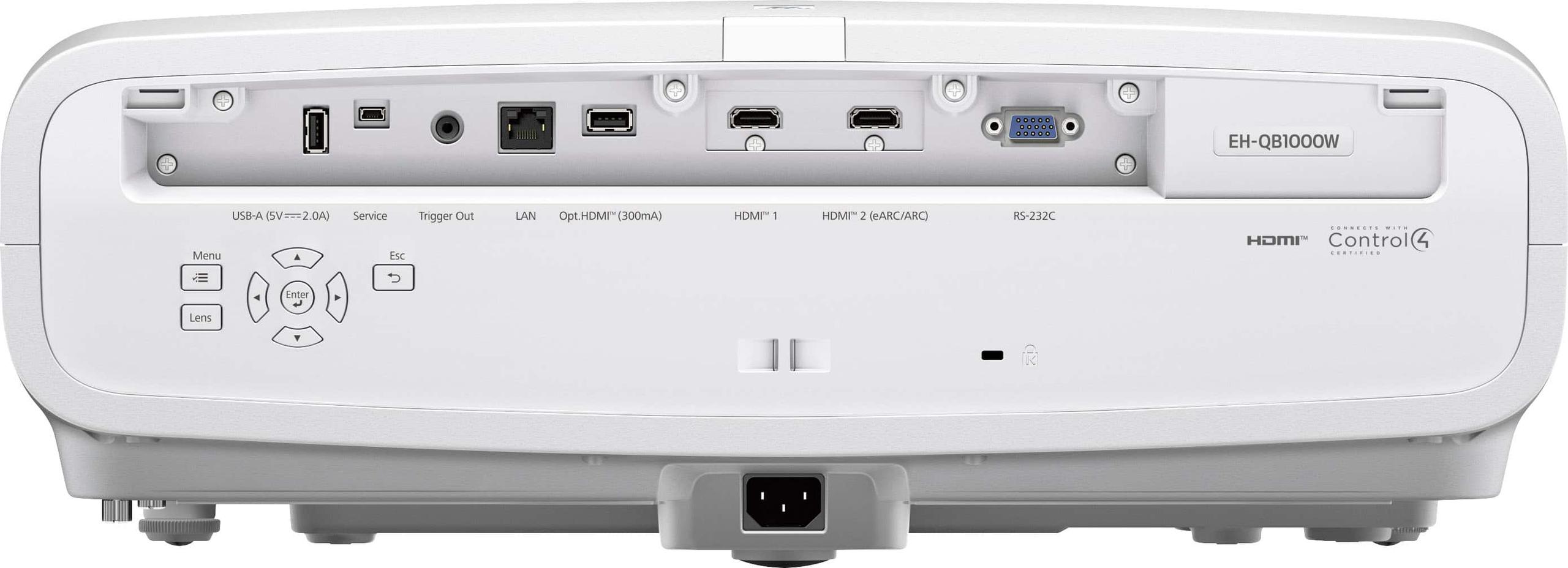
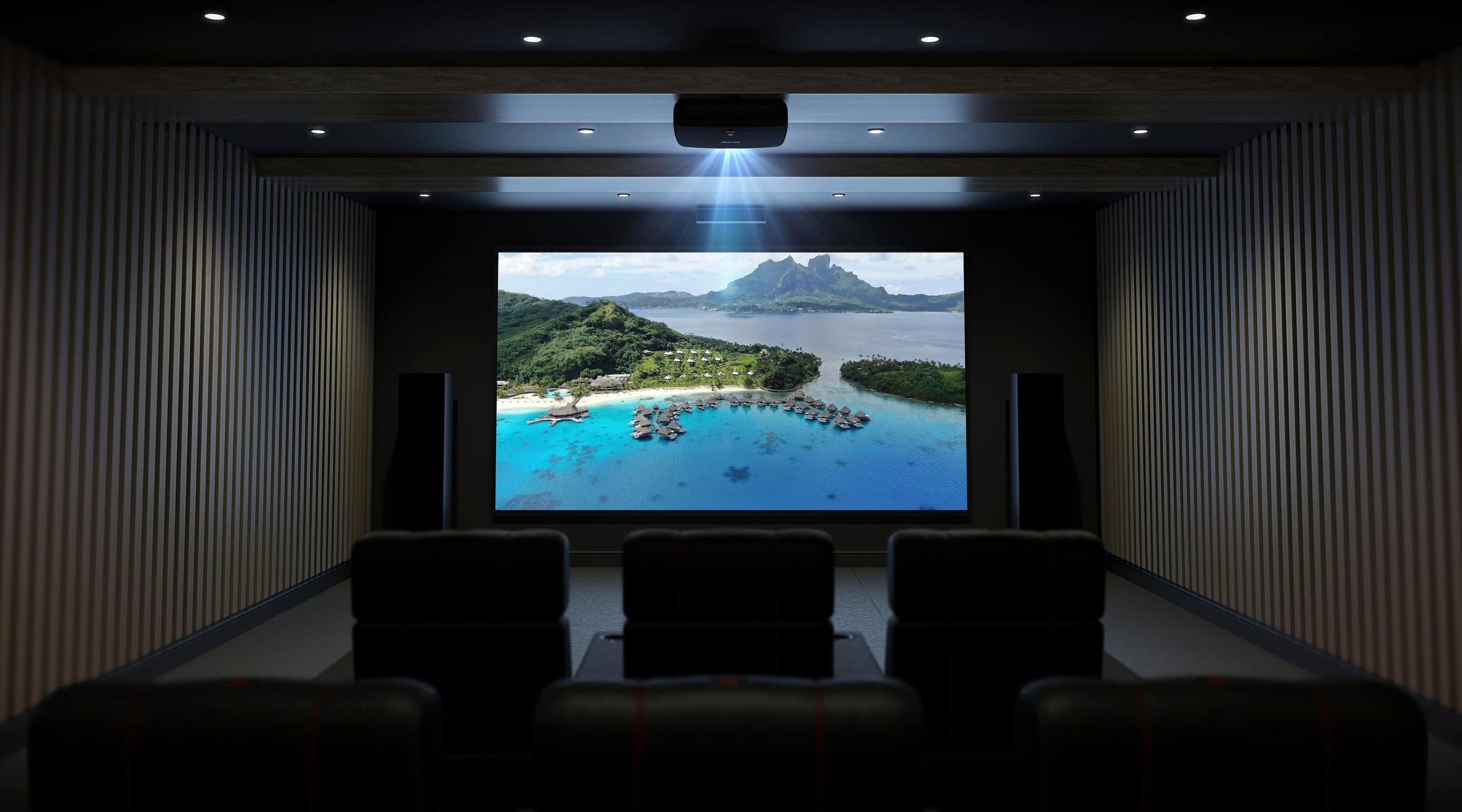
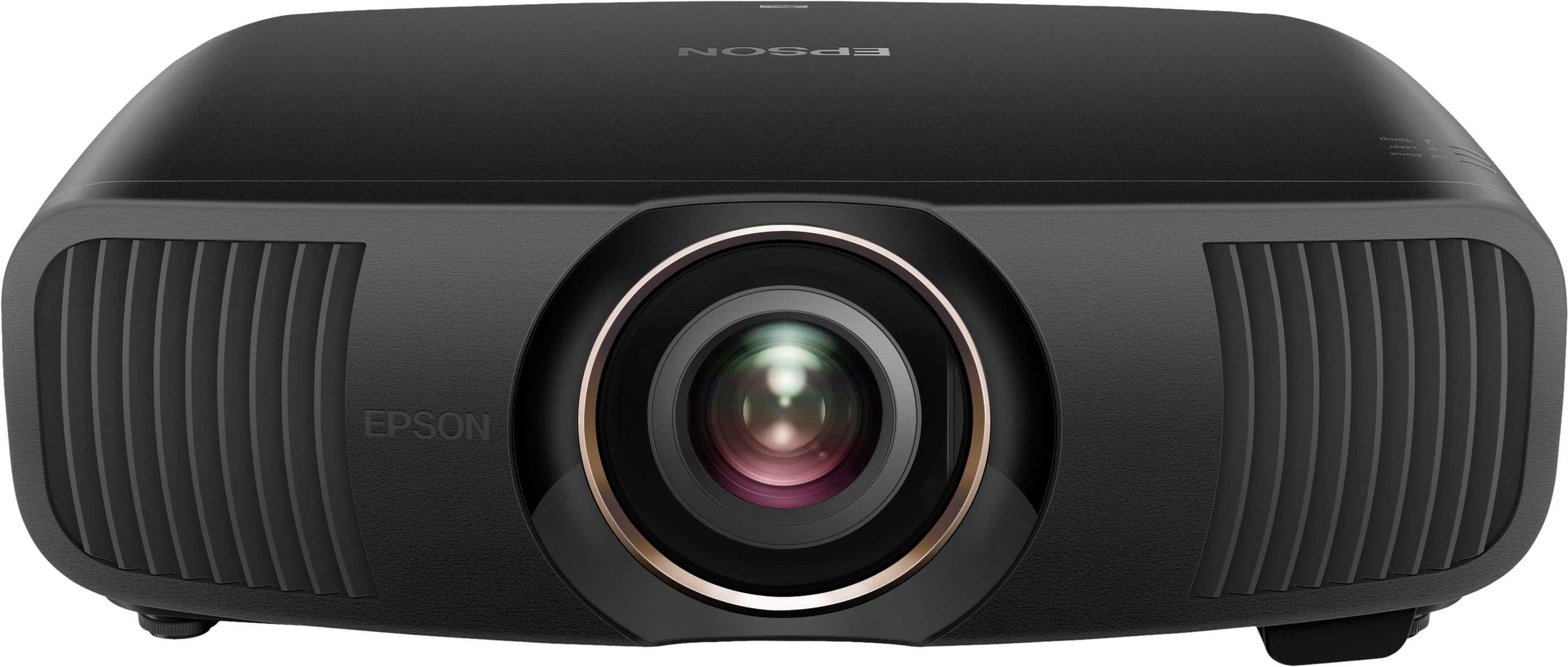
If you're serious about home theater and looking to replace that 75-inch TV with something truly cinematic, you've probably discovered that premium projectors offer an experience no flat screen can match. Two standout options from Epson's lineup represent different approaches to achieving that movie theater magic at home: the battle-tested Home Cinema 5050UB and the cutting-edge QB1000.
At the time of writing, these projectors sit in different price tiers—the 5050UB positioned as a premium value option while the QB1000 commands flagship pricing roughly 2.5 times higher. But raw price only tells part of the story when you're investing in equipment designed to last a decade or more.
Before diving into specifics, let's establish what makes a projector truly premium. Unlike budget models that compromise on brightness, color accuracy, or features, premium projectors excel across multiple dimensions simultaneously. They deliver cinema-quality images on screens ranging from 100 to 300 inches diagonal—sizes that would cost tens of thousands in equivalent TV technology.
The most critical factors separating good from exceptional projectors include light source technology (how they generate light), resolution delivery (how sharp the image appears), color accuracy (how realistic colors look), and contrast ratio (the difference between the brightest whites and deepest blacks). Installation flexibility through motorized lens adjustments also becomes crucial at this level, since you're likely mounting these substantial units permanently.
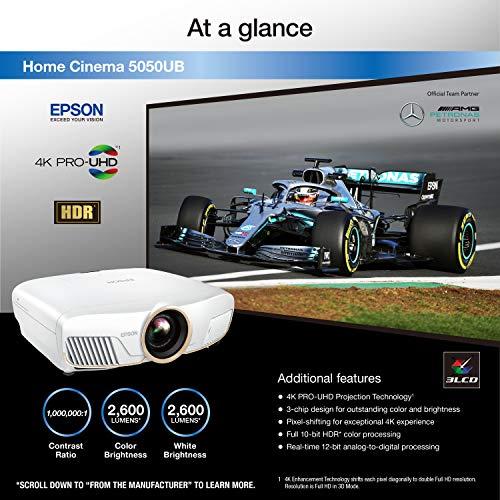
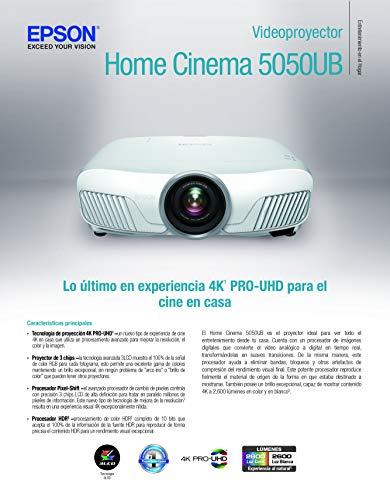
Both the 5050UB and QB1000 use Epson's 3LCD technology, which employs three separate LCD panels—one each for red, green, and blue light. This approach eliminates the "rainbow effect" (brief flashes of color that some people see with competing DLP technology) and ensures color brightness matches white brightness, a significant advantage over single-chip projectors that often sacrifice color vibrancy for peak brightness.
The Home Cinema 5050UB launched around 2018 as Epson's flagship lamp-based projector, representing the pinnacle of traditional projector design. It quickly earned acclaim for delivering performance typically found in projectors costing significantly more, establishing itself as the value king of premium home theater.
The QB1000 arrived in 2024 as part of Epson's new Q-series, incorporating laser light source technology and advanced processing that wasn't available when the 5050UB was designed. This six-year gap represents a full generation of technological advancement in projector engineering.
Perhaps the most fundamental difference lies in how these projectors generate light. The 5050UB uses a traditional 250-watt Ultra High Efficiency (UHE) bulb—essentially a very sophisticated, high-pressure mercury vapor lamp designed specifically for projection. These bulbs produce excellent color reproduction and can achieve high brightness levels, but they gradually dim over time and require replacement every 3,500 to 5,000 hours of use.
In practical terms, if you watch movies three hours every evening, you'd replace the bulb roughly every three to four years. Replacement bulbs typically cost several hundred dollars, so this becomes a meaningful ongoing expense. However, lamp-based projectors often achieve superior native contrast ratios because the lamp can be completely shut off during black scenes.
The QB1000 employs a laser array light source—multiple laser diodes working together to generate the required light output. Lasers offer several compelling advantages: they're rated for 20,000+ hours of operation (potentially decades of normal use), maintain consistent brightness throughout their lifespan, and enable instant on/off operation without warm-up periods. They also allow for sophisticated dynamic dimming that can adjust brightness scene-by-scene for enhanced contrast.
The trade-off historically has been that laser projectors cost more upfront and sometimes struggled to match the deep black levels of quality lamp projectors. However, modern laser implementations like the one in the QB1000 have largely closed this gap through advanced optical engineering.
Both projectors achieve 4K-like resolution through pixel-shifting rather than native 4K panels, but they use different generations of this technology. Understanding pixel-shifting is crucial because it affects image sharpness in ways that specifications don't fully capture.
Traditional projectors use fixed pixel grids—each pixel stays in one position. Pixel-shifting technology literally moves the entire image slightly between frames, allowing a lower-resolution panel to display more detail than its native resolution would suggest. Think of it like rapidly moving a stamp to create a more detailed impression than the stamp alone could produce.
The 5050UB uses 2-way pixel-shifting, taking its native 1920×1080 panels and shifting each pixel diagonally by half a pixel width. This effectively creates about 4.15 million pixels on screen—more than double Full HD but not quite reaching true 4K's 8.3 million pixels. The result is noticeably sharper than standard 1080p projection, though fine details like single-pixel lines in test patterns won't reproduce perfectly.
The QB1000 advances to 4-way pixel-shifting, which moves pixels in four different positions to achieve the full 8.29 million pixels of true 4K UHD. Expert reviews consistently note that this produces images that are virtually indistinguishable from native 4K projectors when viewed at normal seating distances. The difference in sharpness between these two systems becomes apparent when examining fine details like text or intricate patterns.
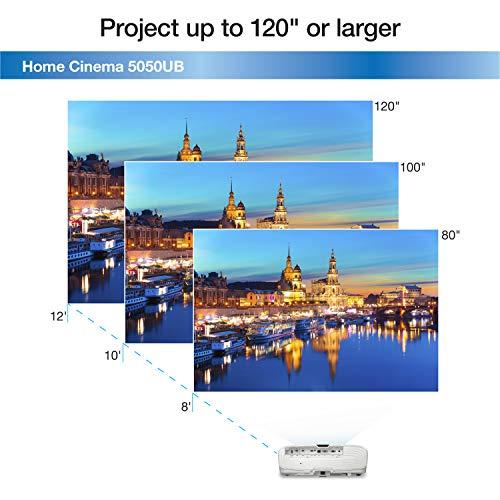
For most viewers sitting 10-12 feet from a 120-inch screen, both projectors deliver satisfyingly sharp images. However, if you plan to sit closer, use a very large screen, or frequently watch content with fine details, the QB1000's superior pixel-shifting provides a meaningful advantage.
Brightness specifications seem straightforward—more lumens equals brighter images—but the reality involves several nuances. The 5050UB produces 2,600 lumens while the QB1000 outputs 3,300 lumens. That 27% increase might not sound dramatic, but it significantly expands installation possibilities.
Projector brightness requirements scale with screen size and ambient light conditions. For a 100-inch screen in a dedicated dark room, 2,000-2,500 lumens provides excellent performance. However, if you want a 150-inch screen or need to accommodate some ambient light for mixed-use rooms, that extra 700 lumens from the QB1000 becomes crucial.
Both projectors benefit from Epson's 3LCD architecture, which maintains color brightness equal to white brightness. Many competing technologies sacrifice color vibrancy when displaying peak brightness, but these Epson models deliver full color saturation even in their brightest modes.
The QB1000's laser light source also enables more sophisticated brightness control. While the 5050UB has basic eco modes that dim the entire bulb, the QB1000 can dynamically adjust laser output scene-by-scene, brightening for daylight scenes and dimming for dark sequences to enhance perceived contrast.
Contrast ratio—the difference between the brightest whites and deepest blacks—arguably matters more than raw brightness for cinematic image quality. Deep blacks make colors appear more vibrant and create the sense of depth that transforms flat projection into immersive experiences.
The 5050UB achieves its exceptional reputation largely through Epson's UltraBlack technology, which uses proprietary optical filters to control light polarization and suppress stray light within the projector. Independent measurements show it achieving around 8,000:1 native contrast—exceptional performance that rivals projectors costing twice as much. In dark scenes, blacks appear truly black rather than the dark gray that plagues lesser projectors.
The QB1000 claims a dynamic contrast ratio exceeding 5,000,000:1 through its aggressive laser dimming system. During fade-to-black sequences, the laser essentially turns off completely, creating perfect blacks. However, its native contrast (what you get without dynamic processing) likely doesn't match the 5050UB's impressive static performance.
In practical viewing, both projectors deliver satisfying black levels that enhance the cinematic experience. The 5050UB excels in consistently dark scenes like space movies or noir films, while the QB1000's dynamic system handles mixed content—scenes with both bright and dark elements—more effectively.
Color reproduction involves two key aspects: how much of the visible color spectrum the projector can display (color gamut) and how accurately it reproduces intended colors (color accuracy). Both projectors excel here, but with subtle differences.
The 5050UB covers approximately 97% of the DCI-P3 color space—the standard used in commercial movie theaters. This wide color gamut results from an additional color filter that extends the projector's color range beyond standard Rec. 709 television colors. For movie enthusiasts who want to see films as directors intended, this broad color coverage proves invaluable.
The QB1000 covers about 90% of DCI-P3—still excellent but slightly less than its older sibling. However, it benefits from more advanced color processing through Epson's QZX processor, which handles color management and calibration more sophisticatedly.
Both projectors support extensive calibration options, allowing enthusiasts or professional calibrators to achieve exceptional color accuracy. Out of the box, both deliver pleasing, well-balanced colors that most users will find satisfying without additional adjustment.
High Dynamic Range (HDR) content has become increasingly important as streaming services and 4K Blu-rays adopt these formats for enhanced brightness range and color depth. The two projectors handle HDR differently, reflecting their generational gap.
The 5050UB supports HDR10 and HLG (Hybrid Log Gamma) with 16-step manual HDR adjustment. This system requires some user optimization—you'll need to adjust the HDR curve based on your room conditions and personal preferences—but offers precise control once properly configured.
The QB1000 supports HDR10, HDR10+, HLG, and Dolby Vision—essentially all current HDR formats. Its QZX processor includes dynamic tone mapping that automatically adjusts HDR presentation scene-by-scene, optimizing brightness and detail without user intervention. For users who want excellent HDR performance without technical tweaking, this represents a significant convenience advantage.
Neither projector can match the peak brightness of premium HDR displays (which can exceed 4,000 nits), but both deliver satisfying HDR experiences that enhance color depth and detail in bright scenes while maintaining shadow detail in dark areas.
Gaming performance has become increasingly important as PlayStation 5 and Xbox Series X push 4K gaming at higher frame rates. Input lag—the delay between controller input and on-screen response—becomes crucial for responsive gameplay.
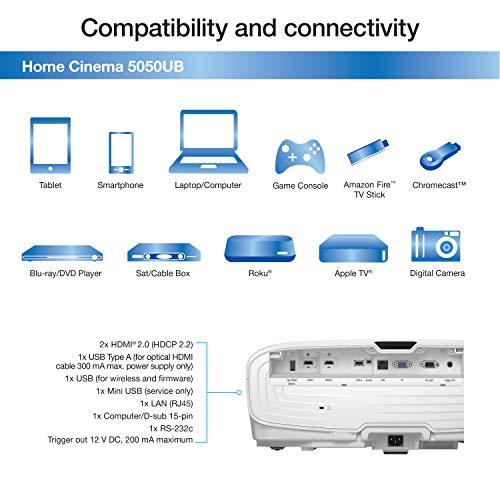
The 5050UB achieves 22.5ms input lag at 4K resolution, which works well for single-player games and casual multiplayer but may feel sluggish for competitive gaming. Its HDMI 2.0 connectivity limits it to 4K at 60Hz, missing the higher frame rates that current consoles can deliver.
The QB1000 improves slightly to 20ms input lag while adding HDMI 2.1 support for 4K at 120Hz. This enables the full performance potential of current gaming consoles, providing smoother motion in supported games. The projector also includes Auto Low Latency Mode (ALLM), which automatically switches to game mode when gaming sources are detected.
For serious gamers, the QB1000's modern connectivity proves essential. Casual gamers will find either projector acceptable, though the 5050UB's slightly higher lag might be noticeable in fast-paced titles.
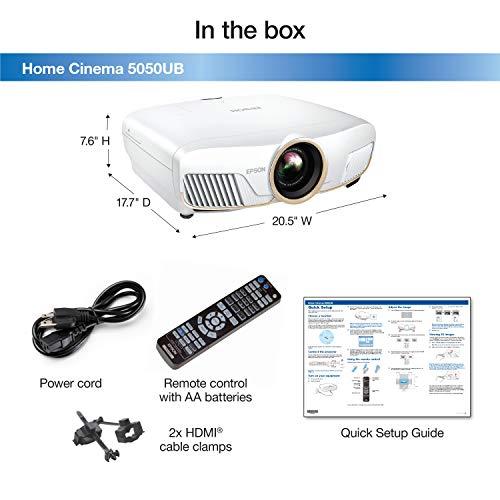
Both projectors share identical lens systems and installation options, reflecting Epson's consistency in optical design. The motorized 2.1x zoom lens provides installation flexibility rarely found at these price points—you can place the projector anywhere from about 10 feet to 30 feet from your screen while maintaining proper image size.
The extensive lens shift capability (±96% vertical, ±47% horizontal) means you can mount the projector significantly off-center from your screen and still achieve perfect image alignment without keystone distortion. Lens memory functions allow you to save multiple configurations for different aspect ratios—useful if you watch both standard movies and ultra-wide content.
Both projectors measure roughly 20 inches wide and weigh around 25-28 pounds, requiring sturdy ceiling mounts but fitting in most installation scenarios. The QB1000's laser light source eliminates lamp access concerns, potentially allowing for more restrictive installations.
Evaluating value requires considering both initial investment and long-term costs. At the time of writing, the 5050UB costs significantly less upfront—roughly 40% of the QB1000's price. However, lamp replacements add ongoing expenses that partially close this gap over time.
Assuming moderate usage requiring lamp replacement every four years, the 5050UB's total cost of ownership over a decade might reach 60-70% of the QB1000's initial price when including replacement bulbs. The QB1000's laser source eliminates these ongoing costs while providing consistent brightness throughout its lifespan.
Performance-wise, the 5050UB delivers roughly 80-90% of the QB1000's image quality at 40% of the initial cost. For many users, this represents exceptional value that's hard to ignore. However, the QB1000's advantages in sharpness, brightness, HDR processing, and gaming capability justify its premium for users who need these specific improvements.
The 5050UB makes sense for dedicated home theater enthusiasts who prioritize image quality over convenience features. If you have a light-controlled room, use screens up to 120 inches diagonal, primarily watch movies rather than gaming, and want maximum performance per dollar, this projector remains one of the best values in premium projection. Its exceptional contrast and wide color gamut deliver a cinematic experience that rivals much more expensive alternatives.
The QB1000 suits users who need its specific advantages or want the most advanced technology available. Choose this projector if you require brightness for screens over 120 inches, have rooms with ambient light, own current-generation gaming consoles and want 4K/120Hz support, have extensive Dolby Vision libraries, or simply prefer maintenance-free operation with cutting-edge processing.
Both projectors excel in their intended roles, making this decision more about matching capabilities to your specific needs rather than choosing between good and bad options. The 5050UB proves that exceptional image quality doesn't require flagship pricing, delivering performance that satisfies even demanding enthusiasts. The QB1000 represents the current state of the art, incorporating technological advances that provide meaningful improvements for users who need them.
Consider your room size, screen dimensions, ambient light conditions, content preferences, and budget constraints carefully. If the 5050UB's capabilities meet your needs, its value proposition remains compelling. However, if you require the QB1000's advanced features—particularly its superior brightness, 4K/120Hz gaming support, or maintenance-free operation—the premium pricing delivers proportional value.
The beauty of choosing between these projectors lies in knowing that either option will transform your viewing experience. The question isn't whether you'll be satisfied, but rather which combination of performance and features best matches your specific home theater goals and budget reality.
| Epson Home Cinema 5050UB | Epson QB1000 |
|---|---|
| Light Source Technology - Determines maintenance costs and longevity | |
| 250W UHE bulb (3,500-5,000 hour lifespan, requires periodic replacement) | Laser array (20,000+ hours, maintenance-free operation) |
| Resolution Technology - Affects image sharpness and detail | |
| 2-way pixel shifting (4.15 million effective pixels, very sharp) | 4-way pixel shifting (8.29 million pixels, virtually native 4K quality) |
| Brightness Output - Critical for screen size and room lighting flexibility | |
| 2,600 lumens (ideal for 100-120" screens in dark rooms) | 3,300 lumens (supports 120-150"+ screens and moderate ambient light) |
| Contrast Performance - Key factor for cinematic black levels and depth | |
| 8,000:1 measured native contrast with UltraBlack technology | 5,000,000:1 dynamic contrast with aggressive laser dimming |
| Color Gamut Coverage - Determines color accuracy and vibrancy | |
| 97% DCI-P3 coverage (wider than newer models, exceptional color range) | 90% DCI-P3 coverage (still excellent, slightly less than 5050UB) |
| HDR Format Support - Important for modern streaming and 4K Blu-ray content | |
| HDR10 and HLG with 16-step manual adjustment | HDR10, HDR10+, HLG, and Dolby Vision with dynamic tone mapping |
| Gaming Performance - Matters for PlayStation 5 and Xbox Series X owners | |
| 22.5ms input lag, 4K@60Hz max via HDMI 2.0 | 20ms input lag, 4K@120Hz support via HDMI 2.1 with ALLM |
| Installation Flexibility - Both offer identical professional-grade lens systems | |
| 2.1x motorized zoom, ±96% vertical/±47% horizontal lens shift, lens memory | 2.1x motorized zoom, ±96% vertical/±47% horizontal lens shift, lens memory |
| Total Cost Consideration - Upfront price vs long-term ownership costs | |
| Lower initial investment, ongoing lamp replacement costs every 3-4 years | Higher upfront cost, no maintenance expenses over projector lifetime |
| Best For - Target user and use case scenarios | |
| Dedicated dark room theaters, movie enthusiasts prioritizing value and contrast | Mixed-use rooms, large screens, current-gen gaming, maintenance-free operation |
For dedicated dark room home theaters, the Epson Home Cinema 5050UB offers exceptional value with superior native contrast and wider color gamut coverage. However, the Epson QB1000 provides better overall performance with sharper 4K images, higher brightness for larger screens, and maintenance-free laser operation that's ideal for long-term home theater setups.
The primary difference is light source technology: the Epson Home Cinema 5050UB uses a traditional lamp that requires periodic replacement, while the Epson QB1000 features a laser light source rated for 20,000+ hours of maintenance-free operation. The QB1000 also offers 4-way pixel shifting for sharper 4K images compared to the 5050UB's 2-way system.
The Epson QB1000 is brighter at 3,300 lumens compared to the Epson Home Cinema 5050UB's 2,600 lumens. This 27% brightness advantage allows the QB1000 to handle larger screens (120-150+ inches) and rooms with moderate ambient light more effectively.
Yes, both the Epson Home Cinema 5050UB and Epson QB1000 deliver 4K-like resolution through pixel shifting technology. The 5050UB uses 2-way pixel shifting while the QB1000 employs advanced 4-way pixel shifting that displays all 8.29 million pixels of true 4K content for noticeably sharper images.
The Epson QB1000 is superior for gaming with 20ms input lag, HDMI 2.1 support for 4K@120Hz, and Auto Low Latency Mode compatibility with PlayStation 5 and Xbox Series X. The Epson Home Cinema 5050UB offers 22.5ms input lag but is limited to 4K@60Hz through HDMI 2.0.
The Epson Home Cinema 5050UB uses a lamp rated for 3,500-5,000 hours depending on brightness mode, requiring replacement every 3-4 years with moderate use. The Epson QB1000 features a laser light source rated for over 20,000 hours, potentially lasting decades without maintenance.
The Epson QB1000 offers superior HDR support with HDR10, HDR10+, HLG, and Dolby Vision formats plus dynamic tone mapping. The Epson Home Cinema 5050UB supports HDR10 and HLG with 16-step manual adjustment but lacks the newer HDR formats and automatic processing of the QB1000.
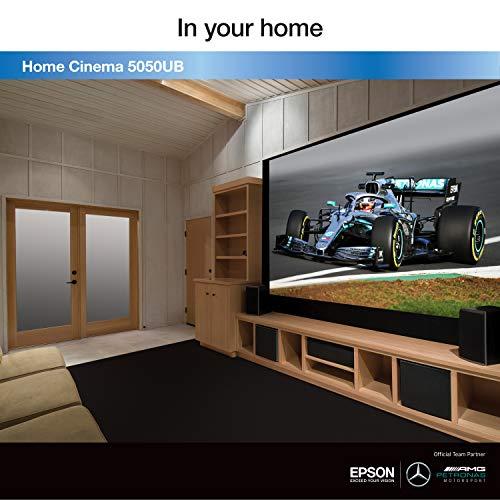
The Epson Home Cinema 5050UB performs optimally with 100-120 inch screens in dark rooms, while the Epson QB1000 can comfortably handle 120-150+ inch screens thanks to its higher 3,300 lumen output. Both projectors support screen sizes from 50 to 300 inches with their flexible lens systems.
The Epson Home Cinema 5050UB provides exceptional value for dedicated home theater use, delivering flagship-level performance for significantly less initial investment. The Epson QB1000 offers better long-term value for users who need its advanced features like laser longevity, 4K@120Hz gaming, and higher brightness capabilities.
Both the Epson Home Cinema 5050UB and Epson QB1000 feature extensive motorized lens shift (±96% vertical, ±47% horizontal) and 2.1x zoom that accommodate flexible placement. While professional installation ensures optimal performance, both projectors offer enough adjustment flexibility for skilled DIY installation.
The Epson Home Cinema 5050UB achieves superior native contrast around 8,000:1 thanks to UltraBlack technology, delivering exceptionally deep blacks. The Epson QB1000 uses dynamic laser dimming for impressive contrast in mixed content but may not match the 5050UB's consistent black level performance in dark scenes.
The Epson Home Cinema 5050UB requires lamp replacements every 3-4 years, adding several hundred dollars in ongoing maintenance costs. The Epson QB1000 eliminates ongoing expenses with its laser light source, making the total cost of ownership more predictable despite the higher initial investment compared to the 5050UB.
We've done our best to create useful and informative comparisons to help you decide what product to buy. Our research uses advanced automated methods to create this comparison and perfection is not possible - please contact us for corrections or questions. These are the sites we've researched in the creation of this article: rtings.com - projectorscreen.com - hometechnologyreview.com - thesmarthomehookup.com - youtube.com - rtings.com - techgearlab.com - projectorcentral.com - projectorreviews.com - projectorcentral.com - avsforum.com - rtings.com - projectorreviews.com - projectorreviews.com - avsforum.com - avsforum.com - audiogeneral.com - hifiheaven.net - manuals.plus - crutchfield.com - projectorcentral.com - epson.com - mediaserver.goepson.com - bestbuy.com - ngxptech.com - projectorcentral.com - projectorreviews.com - bestbuy.com - news.epson.com - projectorcentral.com - avscience.com - projectorscreen.com - epson.com - dreamediaav.com - epson.ca - epson.com - bestbuy.com - hifiheaven.net - bjorns.com - thepowercentre.ca - audiogeneral.com

Privacy Policy
Terms and Conditions - Affiliate Policy
Home Security
© Copyright 2008-2026.
11816 Inwood Rd #1211, Dallas, TX 75244