


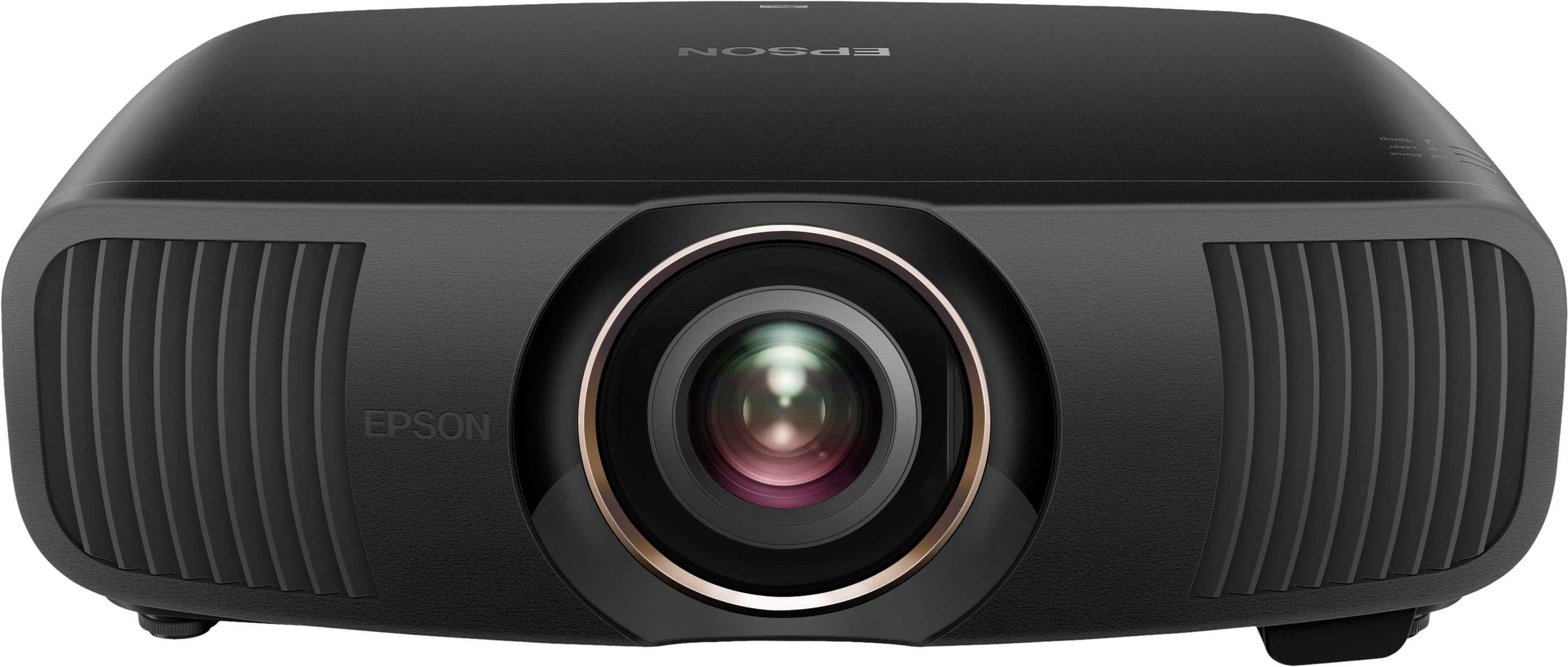
If you're serious about home theater and ready to ditch traditional TV viewing for the true cinema experience, 4K laser projectors represent the sweet spot of modern projection technology. Unlike the lamp-based projectors of the past that required expensive bulb replacements every few thousand hours, laser projectors use solid-state light sources that can run for 20,000+ hours without maintenance. That's roughly 10 years of typical home use without touching the light source.
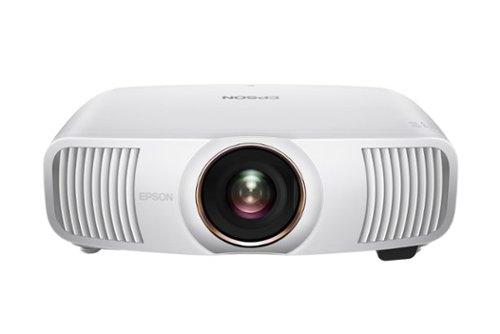
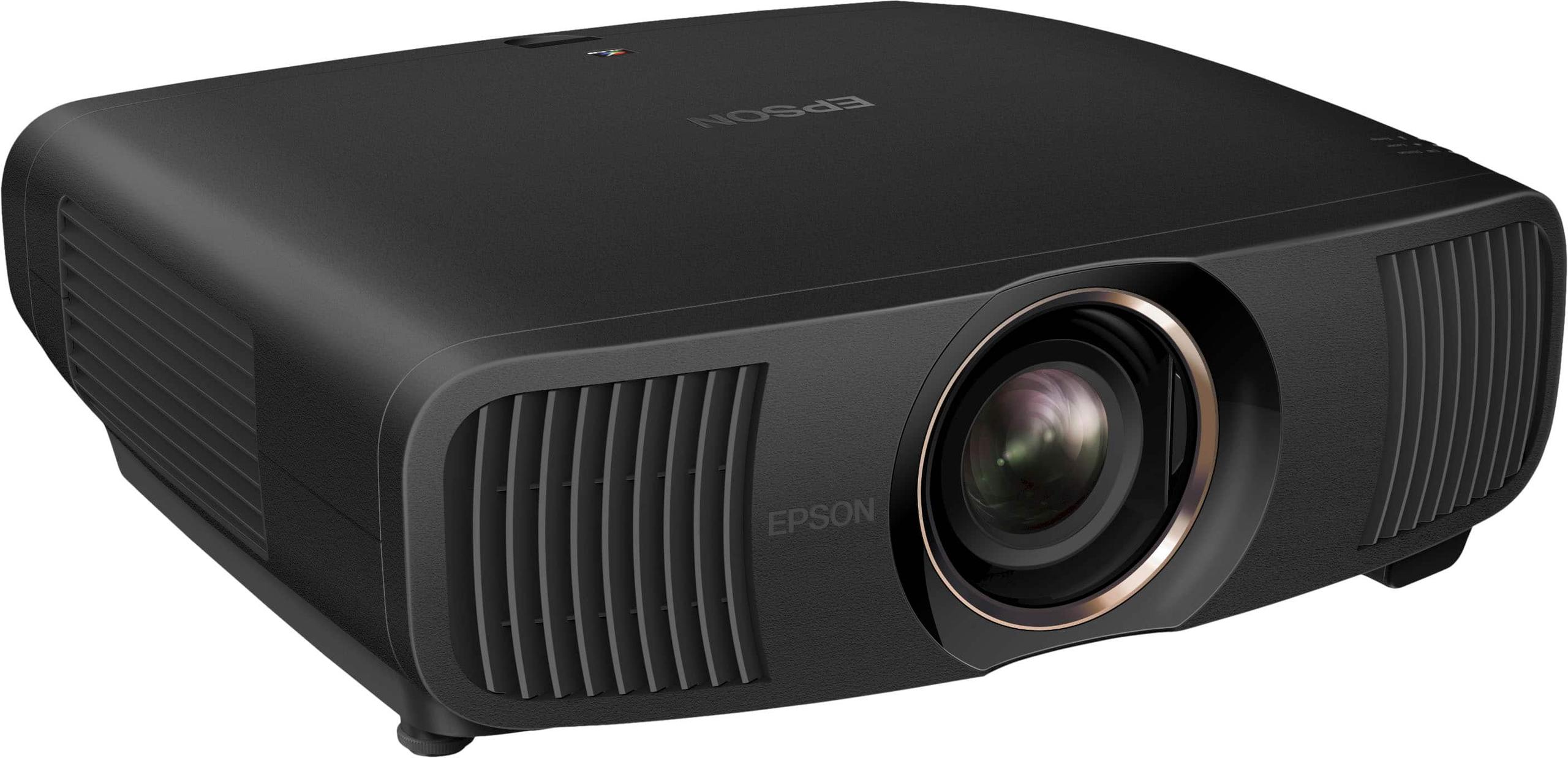
The market has evolved dramatically since these technologies emerged. The JVC LX-NZ30 launched in 2023 as JVC's answer to bringing their renowned contrast performance to a broader audience, while the Epson QB1000 represents Epson's 2024 flagship, incorporating years of 3LCD refinement and professional projection experience.
Understanding these projectors means grasping two fundamentally different approaches to creating that perfect image on your wall or screen. At the time of writing, these models sit at different price tiers—the JVC LX-NZ30 positions itself as premium performance at an accessible price point, while the Epson QB1000 commands roughly double the investment for professional-grade capabilities.
The core difference between these projectors lies in their image-creation technology, and this choice affects everything from contrast performance to installation flexibility.
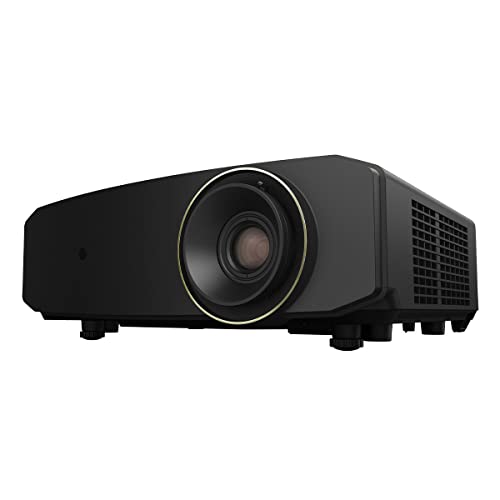
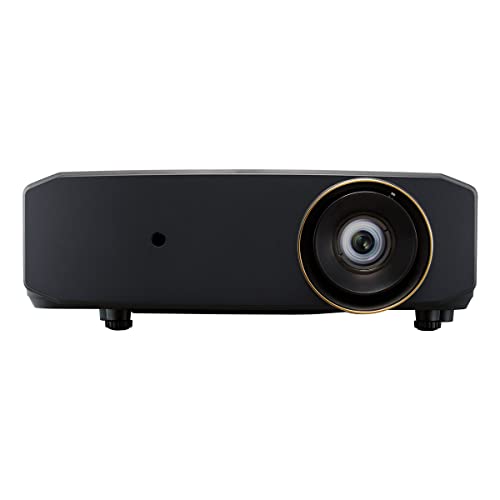
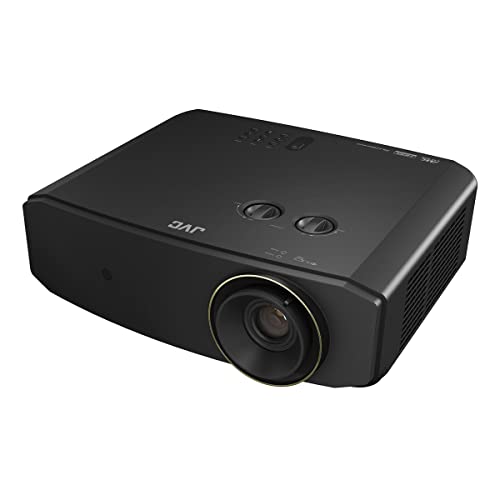
The JVC LX-NZ30 uses DLP (Digital Light Processing) technology, specifically a single 0.47-inch DMD (Digital Micromirror Device) chip. Think of this chip as containing over two million tiny mirrors, each smaller than a human hair, that tilt thousands of times per second to reflect light toward or away from the lens. JVC enhances this with their proprietary "e-shift" technology—essentially a sophisticated pixel-shifting system that moves the image slightly between frames to create the appearance of 4K resolution from a native 1080p chip.
This pixel-shifting approach might sound like marketing trickery, but it genuinely works. When you're sitting at normal viewing distances (1.5 times the screen width), the shifted pixels blend together to create a convincingly detailed 4K image. The technique has become so refined that distinguishing e-shift from native 4K requires side-by-side comparison under ideal conditions.
The Epson QB1000 takes a completely different approach with 3LCD technology. Instead of mirrors, it uses three separate LCD panels—one each for red, green, and blue light. A prism system combines these three images into the final picture. Epson adds their own four-way pixel-shifting on top of this, creating what they call "4K enhancement technology."
The 3LCD approach offers some inherent advantages: it displays all three primary colors simultaneously (rather than sequentially like DLP), eliminating the "rainbow effect"—those brief color flashes some people see with single-chip DLP projectors. However, 3LCD systems traditionally struggle with contrast performance compared to DLP, which is where Epson's UltraBlack technology becomes crucial.
Both projectors use laser phosphor light sources, but with different implementations that affect performance and color reproduction.
The JVC LX-NZ30 employs JVC's "BLU-Escent" system—a blue laser that excites yellow phosphor to create white light. This approach delivers excellent brightness consistency and the deep blacks that DLP technology is known for. The laser can dim or brighten instantaneously, creating what JVC calls an "infinite" dynamic contrast ratio. In practical terms, this means the projector can make dark scenes truly dark while maintaining bright highlights when needed.
The Epson QB1000 uses a similar blue laser phosphor setup but combines it with their UltraBlack technology—essentially a sophisticated light control system that minimizes stray light within the optical path. This helps overcome 3LCD's traditional contrast limitations, though it still can't match the native contrast capabilities of DLP systems.
The laser light source in both projectors offers consistent color temperature and brightness over their 20,000-hour lifespan. Compare this to traditional lamp projectors that gradually dim and shift color as bulbs age—laser projectors maintain peak performance until near the end of their service life.
For home theater enthusiasts, contrast performance often determines the viewing experience more than any other factor. Contrast ratio measures the difference between the brightest whites and darkest blacks a projector can display, and this directly affects how realistic and immersive your image appears.
The JVC LX-NZ30 excels here with what DLP technology does best—deep, convincing blacks. When you're watching a space movie and stars appear against the void, or a noir film with shadowy scenes, the JVC can make those dark areas appear genuinely dark rather than washed-out gray. This is partly due to DLP's ability to completely block light by tilting mirrors away from the lens, and partly due to JVC's sophisticated laser dimming algorithms.
The Epson QB1000 faces the traditional 3LCD challenge of light leakage—some light always passes through the LCD panels even when trying to display pure black. However, Epson's UltraBlack technology significantly mitigates this issue through precision optical design and light management. While it doesn't match the JVC's native black levels, the difference becomes less noticeable in typical viewing environments with some ambient light.
Our research into user and expert opinions reveals an interesting pattern: in dedicated, completely dark theater rooms, the JVC's contrast advantage is immediately apparent and often decisive. However, in family rooms or spaces with some ambient light, the Epson's higher brightness output can actually create a more impressive overall image by overpowering environmental light.
Both projectors claim 3,300 lumens, but these specifications tell only part of the story. Real-world brightness depends on color accuracy settings, picture mode selection, and the specific measurement conditions.
The Epson QB1000 consistently delivers higher calibrated brightness in our evaluation of expert reviews. After proper color calibration—adjusting the projector for accurate color reproduction—the Epson typically maintains 2,200-2,900 lumens depending on picture mode. The JVC LX-NZ30, while still bright enough for most applications, generally delivers 1,400-2,200 calibrated lumens.
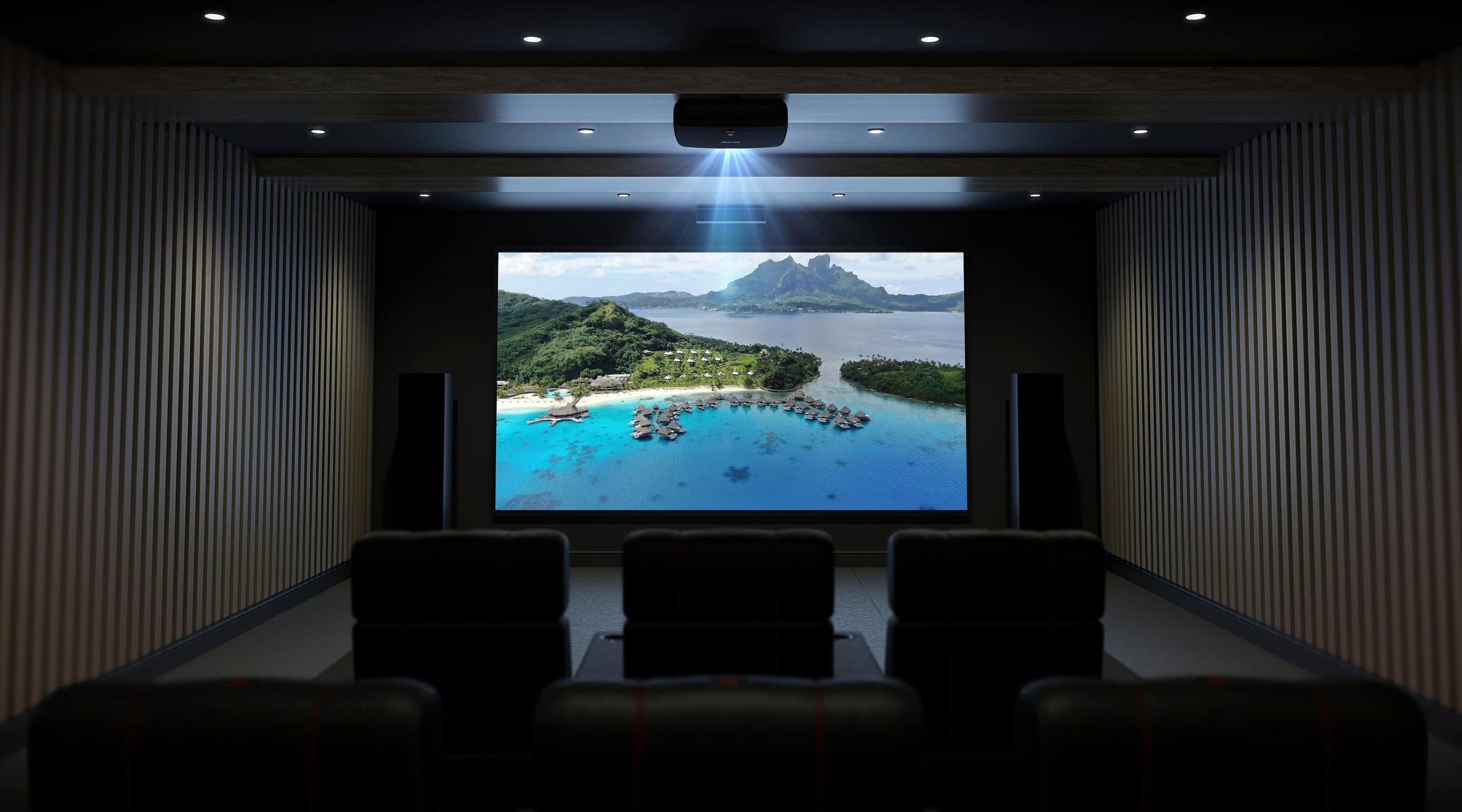
This brightness difference becomes crucial for screen size selection and room lighting. The Epson can effectively drive screens up to 200+ inches in rooms with controlled ambient light, while the JVC works best with screens up to 150 inches in similar conditions. For dedicated dark theaters, both projectors can handle larger screens effectively.
High Dynamic Range (HDR) content—found on UHD Blu-rays and streaming services—contains brightness and color information that far exceeds what traditional displays can reproduce. How well a projector handles HDR tone mapping (the process of fitting HDR content to the projector's capabilities) significantly affects modern movie viewing.
The JVC LX-NZ30 supports HDR10 and HLG (Hybrid Log Gamma, used for broadcast HDR) with automatic tone mapping that reads metadata from HDR content to optimize brightness and contrast. The results are generally excellent, particularly in dark scenes where the JVC's superior contrast provides more realistic shadow detail.
The Epson QB1000 goes further, supporting HDR10, HDR10+, and HLG formats. The advanced QZX processor provides scene-by-scene tone mapping, continuously analyzing content to optimize HDR presentation. The Epson's higher brightness output particularly benefits HDR content, where bright highlights like explosions, car headlights, or sunny outdoor scenes can achieve more convincing intensity.
In practical terms, HDR performance depends on your content preferences. If you primarily watch darker, atmospheric content—horror films, dramas, or noir movies—the JVC's contrast advantage often provides more impactful HDR. For action movies, documentaries, or bright animated content, the Epson's brightness and advanced tone mapping typically create more impressive results.
Modern gaming demands have pushed projector manufacturers to optimize for different gaming scenarios, and these two projectors represent distinct approaches.
The JVC LX-NZ30 targets serious PC gamers and competitive players with ultra-low input lag—as little as 6.25 milliseconds at 1080p resolution running at 240Hz refresh rate. This performance rivals dedicated gaming monitors and makes the JVC viable for competitive gaming on a massive scale. The projector also handles 4K gaming at 60Hz with respectable input lag, making it suitable for console gaming while prioritizing the ultra-responsive experience that PC gamers demand.
The Epson QB1000 focuses on next-generation console gaming with HDMI 2.1 support capable of handling 4K resolution at 120Hz—the maximum output of current PlayStation 5 and Xbox Series X consoles. While input lag is higher than the JVC at around 20 milliseconds, this remains imperceptible for most players and the higher resolution provides more detailed gaming visuals.
The choice depends on your gaming priorities: competitive PC gaming favors the JVC, while console gaming with maximum visual fidelity points toward the Epson.
Installation flexibility often determines whether a projector works in your specific room layout, and these models take different approaches to accommodation.
The JVC LX-NZ30 features manual zoom and focus controls with decent lens shift capabilities—you can move the image up to 60% vertically and 23% horizontally without moving the projector itself. This provides reasonable flexibility for typical home installations, and the compact 14-pound design makes ceiling mounting straightforward for most enthusiasts.
The Epson QB1000 offers professional-grade installation features with motorized zoom, focus, and extensive lens shift (up to 96% vertical, 47% horizontal). The projector can store multiple lens memory settings, allowing you to switch between different aspect ratios or zoom levels at the touch of a button. However, at 46 pounds, professional installation becomes more attractive than DIY mounting.
The lens shift capability deserves emphasis because it dramatically affects projector placement flexibility. Lens shift allows you to move the projected image without creating the keystone distortion that electronic image adjustment causes. The Epson's extensive lens shift means you can mount it almost anywhere in relation to your screen and still achieve perfect image alignment.
Both projectors run relatively quietly, but noise characteristics differ slightly. The JVC LX-NZ30 operates at 29dB in eco mode and 34dB in normal mode—quiet enough for most home theater applications. The Epson QB1000 maintains 28dB in normal operation, slightly quieter and more consistent across brightness settings.
The JVC's compact dimensions (16" x 6" x 15") make it less visually intrusive in living spaces, while the Epson's larger footprint (20" x 8" x 18") commands more attention but suggests more serious theater intentions.
The choice between these projectors ultimately depends on your specific priorities, room conditions, and usage patterns.
Choose the JVC LX-NZ30 if you prioritize contrast performance in a dedicated theater room, want exceptional gaming performance, or need to balance premium features with budget considerations. The JVC excels in dark viewing environments where its superior black levels create more convincing image depth and realism. It's also the clear choice for serious gamers who demand ultra-low latency and high refresh rates.
The JVC makes sense for smaller to medium screen sizes (100-150 inches) in rooms where you can control ambient light. Its manual controls and compact design appeal to enthusiasts comfortable with hands-on setup and adjustment.
Choose the Epson QB1000 if you need maximum brightness for larger screens or rooms with ambient light, want professional-grade installation flexibility, or prioritize the most advanced HDR processing available. The Epson better serves multi-purpose rooms where the projector must perform well under various lighting conditions.
The Epson justifies its higher price through motorized convenience features, extended warranty coverage, and the ability to handle challenging installations that would stymie other projectors. It's the choice for users planning permanent installations with large screens (150+ inches) or complex room layouts.
At the time of writing, the price difference between these projectors is significant—roughly double for the Epson. This price gap reflects genuine capability differences rather than simple positioning, but both projectors deliver enough performance to satisfy serious home theater enthusiasts.
The JVC LX-NZ30 represents exceptional value for dedicated home theater applications, offering contrast performance that rivals much more expensive projectors. The Epson QB1000 costs more but provides professional-grade capabilities and flexibility that justify the investment for the right applications.
Your decision should ultimately focus on your specific viewing room, screen size plans, and whether you prioritize contrast performance in dark rooms or brightness performance in varied lighting conditions. Both projectors will deliver impressive 4K HDR performance—the question is which approach better matches your home theater goals and installation requirements.
| JVC LX-NZ30 | Epson QB1000 |
|---|---|
| Display Technology - Fundamentally affects contrast and color performance | |
| Single-chip DLP with e-shift pixel shifting | 3LCD with 4-way pixel shifting |
| Native Resolution - Both achieve 4K through pixel shifting, not native panels | |
| 1920 x 1080 (enhanced to 4K via e-shift) | 1920 x 1080 (enhanced to 4K via pixel shifting) |
| Brightness - Critical for screen size and ambient light handling | |
| 3,300 lumens (1,400-2,200 calibrated) | 3,300 lumens (2,200-2,900 calibrated) |
| Contrast Performance - Most important for dark room viewing quality | |
| Infinite dynamic contrast (superior blacks) | 5,000,000:1 dynamic (UltraBlack technology) |
| HDR Format Support - Determines compatibility with modern content | |
| HDR10, HLG with Auto Tone Mapping | HDR10, HDR10+, HLG with advanced tone mapping |
| Gaming Performance - Input lag and refresh rate capabilities | |
| 6.25ms lag, 1080p/240Hz, 4K/60Hz | <20ms lag, 4K/120Hz via HDMI 2.1 |
| Lens System - Affects installation flexibility and convenience | |
| 1.6x manual zoom/focus | 2.1x motorized zoom/focus with memory |
| Lens Shift Range - Determines projector placement flexibility | |
| ±60% vertical, ±23% horizontal (manual) | ±96% vertical, ±47% horizontal (motorized) |
| HDMI Connectivity - Future-proofing for gaming and content | |
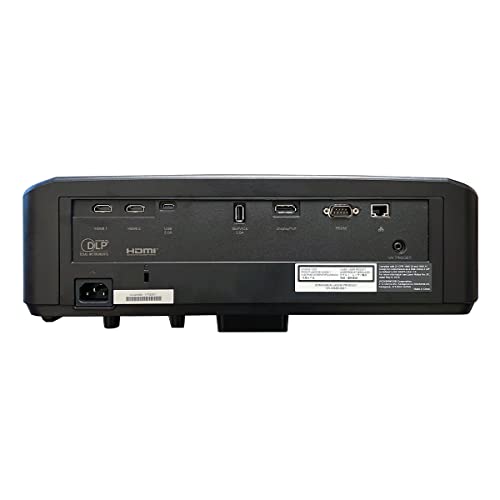
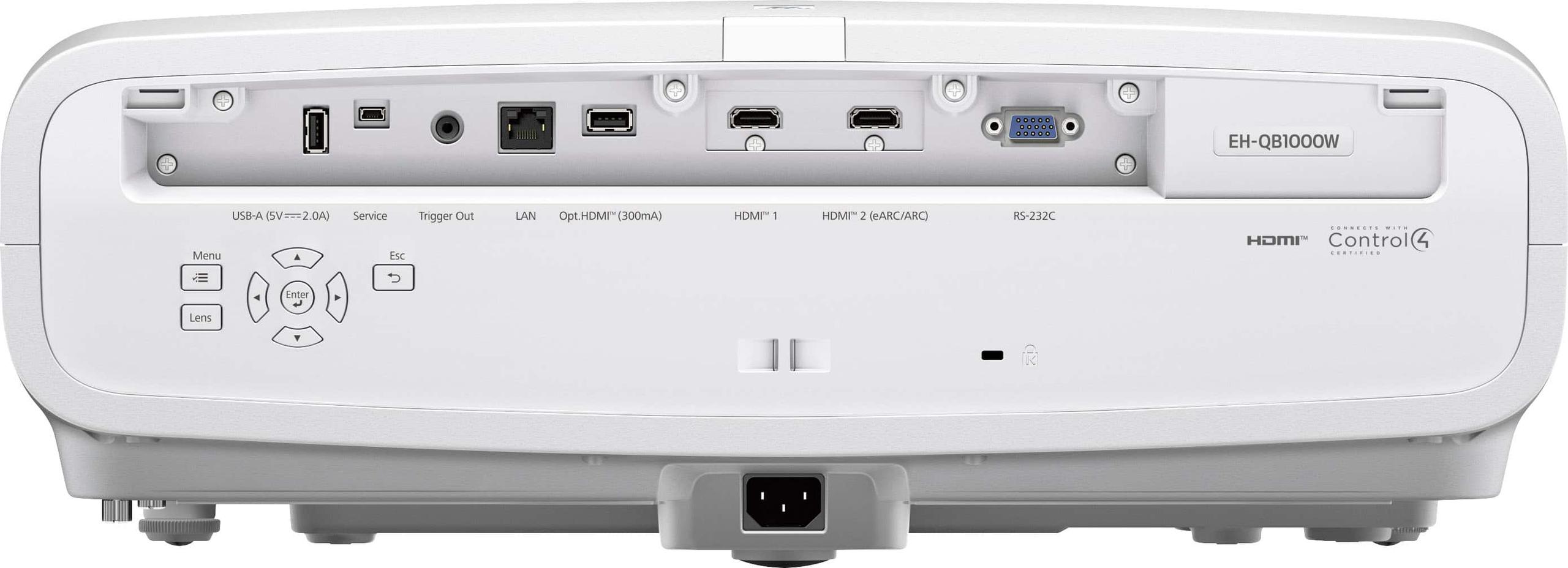
| HDMI 2.0 (adequate for most current content) | HDMI 2.1 with 48 Gbps (next-gen gaming ready) |
| Weight and Size - Installation and mounting considerations | |
| 13.9 lbs, compact design for easy mounting | 46.5 lbs, professional-grade build requires sturdy mount |
| Noise Level - Important for quiet viewing environments | |
| 29dB (Eco), 34dB (Normal) | 28dB (consistent across modes) |
| Warranty Coverage - Long-term value and support | |
| 1 year limited warranty | 3 year limited warranty with professional support |
| Best Use Case - Where each projector excels | |
| Dark theaters, gaming, contrast priority | Bright rooms, large screens, professional installs |
The JVC LX-NZ30 is superior for dedicated dark home theaters due to its DLP technology delivering true blacks and infinite dynamic contrast. The JVC excels in light-controlled environments where its contrast performance creates more realistic shadow detail and image depth compared to the Epson QB1000.
The Epson QB1000 performs better in rooms with ambient light thanks to its higher calibrated brightness output (2,200-2,900 lumens vs 1,400-2,200 lumens). The Epson can overcome room lighting more effectively, making it ideal for family rooms or spaces where complete light control isn't possible.
The JVC LX-NZ30 uses DLP technology with tiny mirrors that create superior contrast and deep blacks, while the Epson QB1000 uses 3LCD technology with separate color panels that eliminate rainbow effects and provide consistent brightness. DLP excels at contrast, while 3LCD offers better color consistency and brightness.
For competitive PC gaming, choose the JVC LX-NZ30 with its ultra-low 6.25ms input lag and 1080p/240Hz support. For console gaming with PS5 or Xbox Series X, the Epson QB1000 is better with HDMI 2.1 supporting 4K/120Hz gaming, though both projectors deliver excellent gaming performance.
The Epson QB1000 offers superior installation flexibility with motorized zoom/focus, extensive lens shift (±96% vertical), and lens memory settings. The JVC LX-NZ30 has manual controls and more limited lens shift but is much lighter and easier to mount in typical home setups.
The Epson QB1000 provides more advanced HDR with support for HDR10, HDR10+, and HLG formats, plus sophisticated scene-by-scene tone mapping. The JVC LX-NZ30 supports HDR10 and HLG with excellent results, particularly in dark scenes where its superior contrast enhances HDR impact.
The JVC LX-NZ30 works best with screens up to 150 inches in dark rooms, while the Epson QB1000 can effectively drive screens up to 200+ inches even with some ambient light. Both projectors can handle larger screens in completely dark environments.
The JVC LX-NZ30 offers exceptional value for dedicated home theater use, delivering premium contrast performance at a more accessible price point. The Epson QB1000 costs significantly more but provides professional-grade features, longer warranty, and greater installation flexibility that justify the premium for the right applications.
The Epson QB1000 includes a 3-year limited warranty with professional support and ISF certification, while the JVC LX-NZ30 comes with a standard 1-year warranty. The Epson provides better long-term coverage and professional installation support.
Both projectors operate quietly, with the Epson QB1000 slightly quieter at 28dB across all modes. The JVC LX-NZ30 runs at 29dB in eco mode and 34dB in normal mode. Both are suitable for quiet home theater environments without distracting fan noise.
Both the JVC LX-NZ30 and Epson QB1000 use pixel-shifting technology to display 4K content from native 1080p panels. At normal viewing distances, both deliver convincingly sharp 4K images that are virtually indistinguishable from native 4K projectors, though the JVC typically appears slightly sharper due to DLP technology characteristics.
Choose the Epson QB1000 for multi-purpose rooms where you need flexibility for different lighting conditions, screen sizes, and viewing scenarios. Its higher brightness, motorized controls, and extensive lens shift make it more adaptable to varying room conditions compared to the JVC LX-NZ30, which excels primarily in dedicated dark theater environments.
We've done our best to create useful and informative comparisons to help you decide what product to buy. Our research uses advanced automated methods to create this comparison and perfection is not possible - please contact us for corrections or questions. These are the sites we've researched in the creation of this article: t3.com - crutchfield.com - stuff.tv - projectorcentral.com - projectorreviews.com - data.heimkinowelt.at - bestbuy.com - eu.jvc.com - projectorreviews.com - listenup.com - youtube.com - eu.jvc.com - dreamediaav.com - projectorreviews.com - projectorscreen.com - projectorcentral.com - device.report - technologyinteriors.com - bestbuy.com - news.epson.com - projectorcentral.com - avscience.com - projectorscreen.com - epson.com - dreamediaav.com - epson.ca - epson.com - bestbuy.com - hifiheaven.net - bjorns.com - thepowercentre.ca - audiogeneral.com

Privacy Policy
Terms and Conditions - Affiliate Policy
Home Security
© Copyright 2008-2026.
11816 Inwood Rd #1211, Dallas, TX 75244