

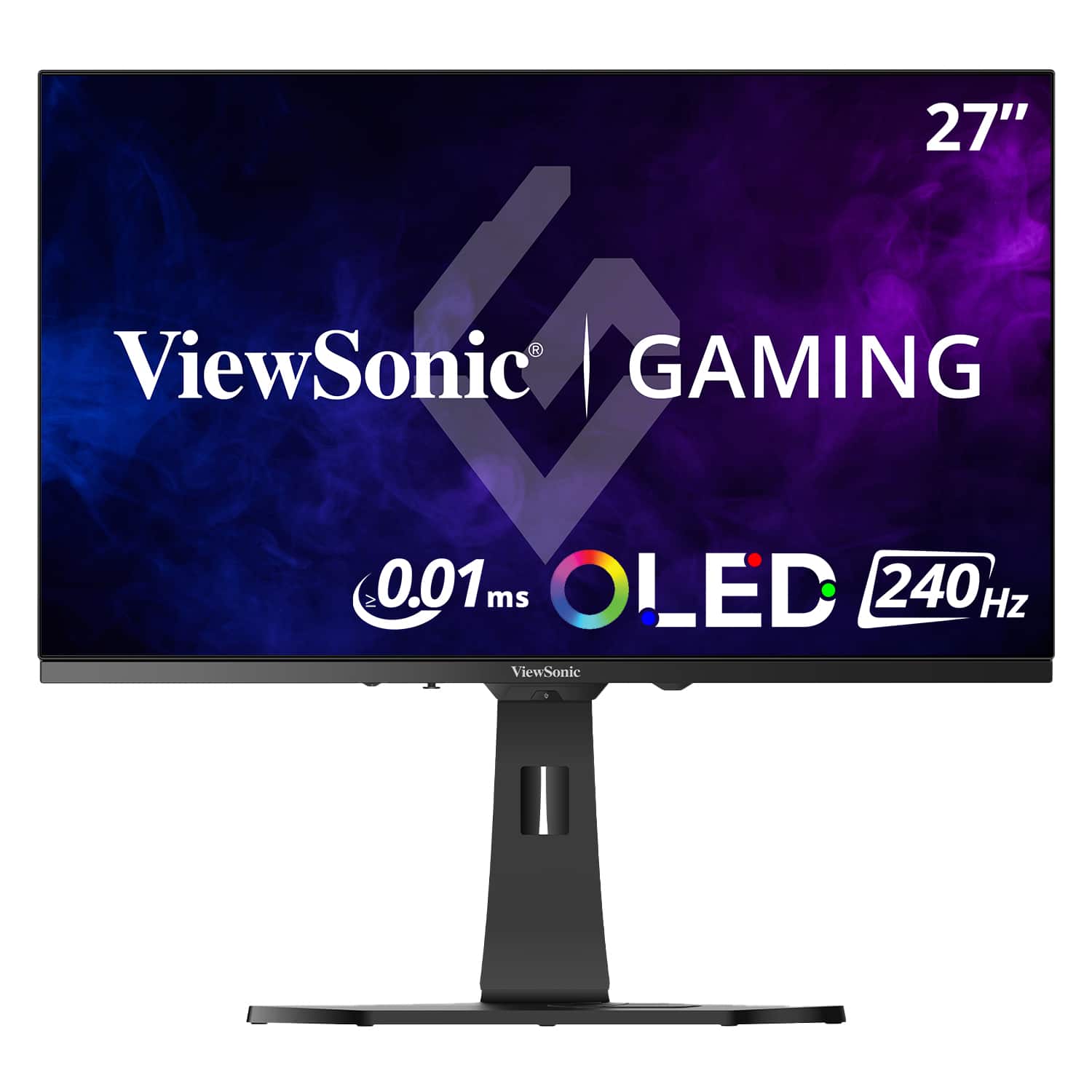




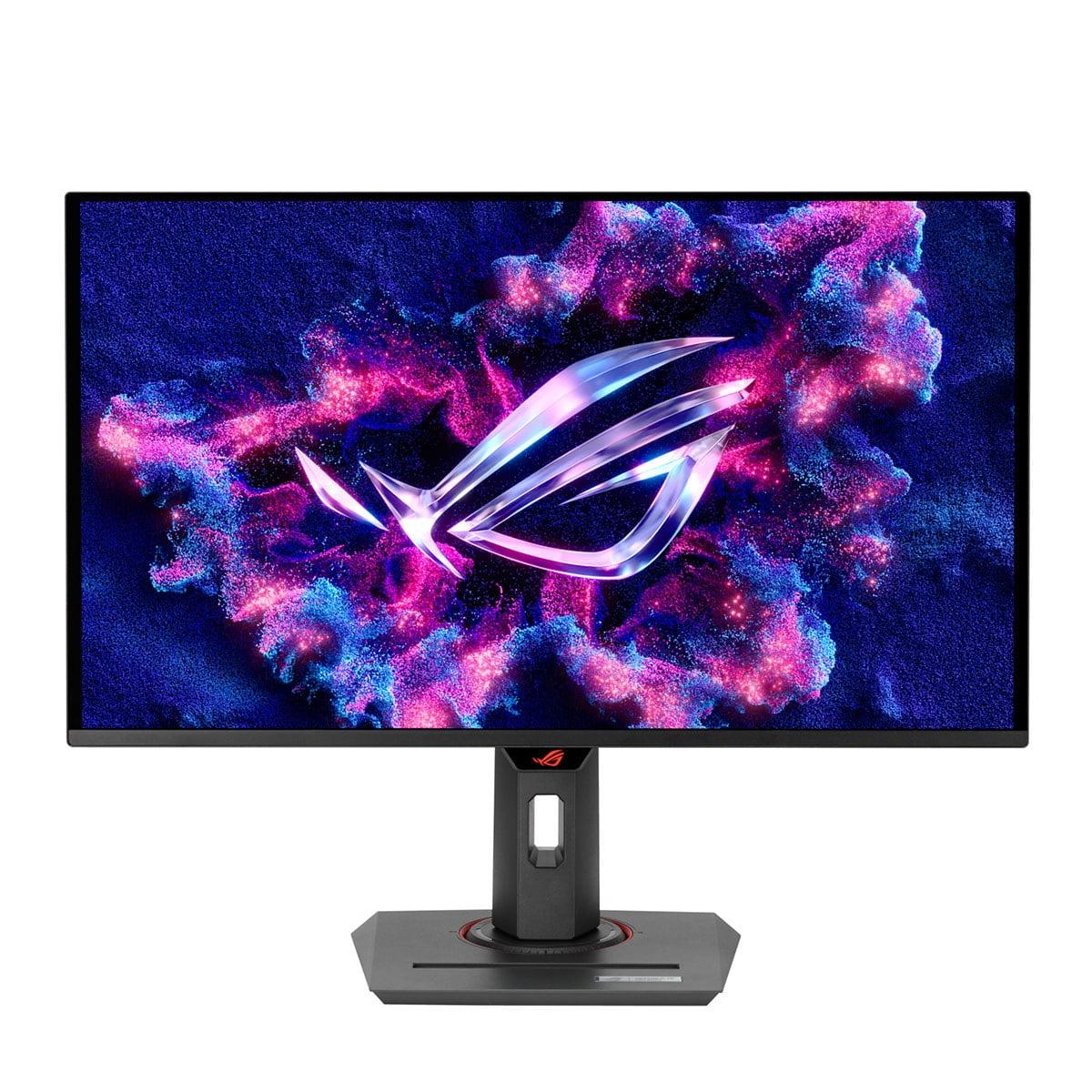
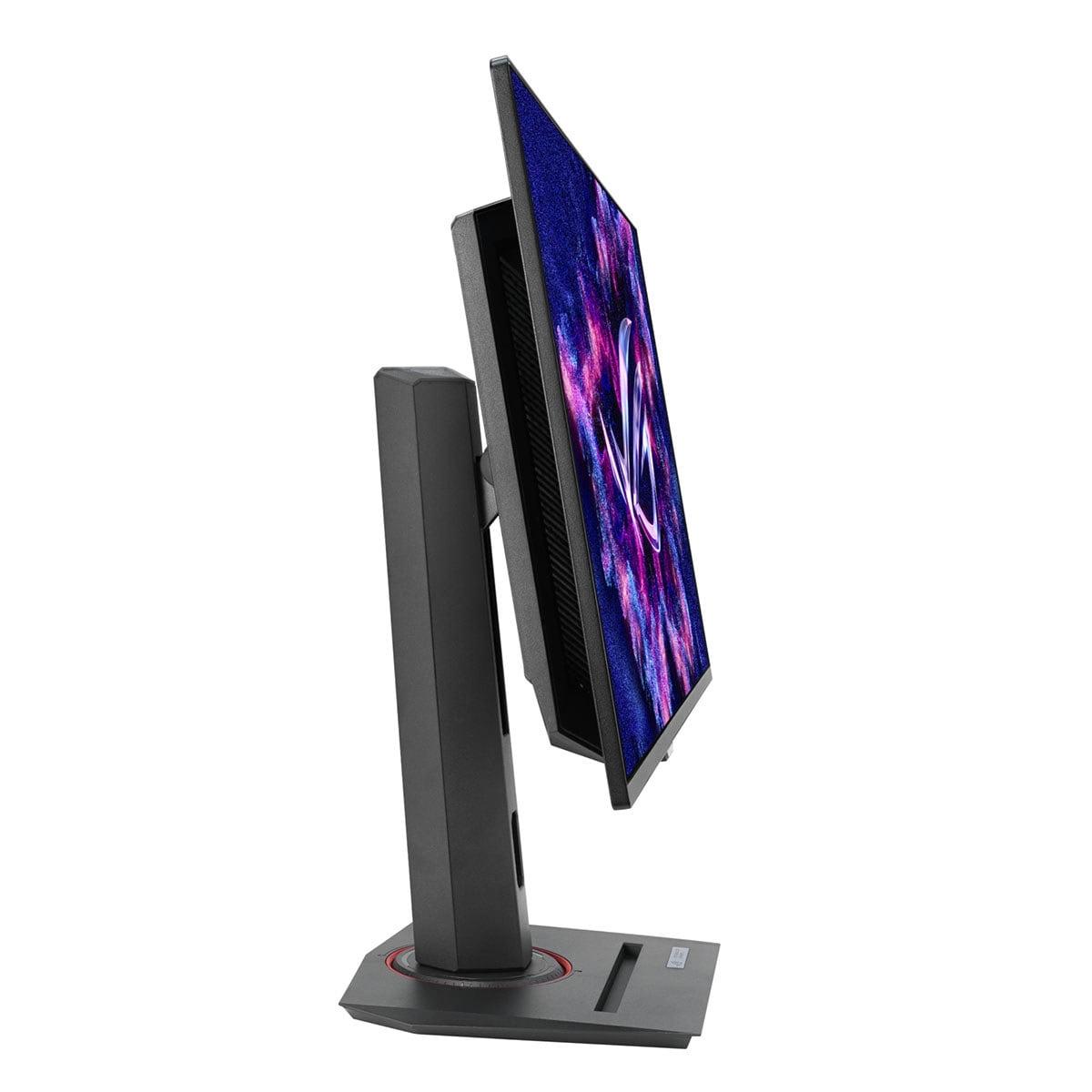
Gaming monitors have evolved dramatically over the past few years, and OLED technology has finally made its way into the mainstream gaming market. Today, we're comparing two impressive 27-inch QHD OLED gaming monitors: the ViewSonic XG272-2K-OLED and the ASUS ROG Strix OLED XG27ACDNG. Both launched in 2024, representing the latest generation of OLED gaming displays, but they take surprisingly different approaches to delivering premium gaming performance.
Before diving into the comparison, let's establish what makes OLED monitors special. Unlike traditional LCD displays that use a backlight shining through liquid crystals, OLED (Organic Light-Emitting Diode) panels have pixels that produce their own light. This means when a pixel needs to display black, it simply turns off completely, creating true blacks that no LCD can match.
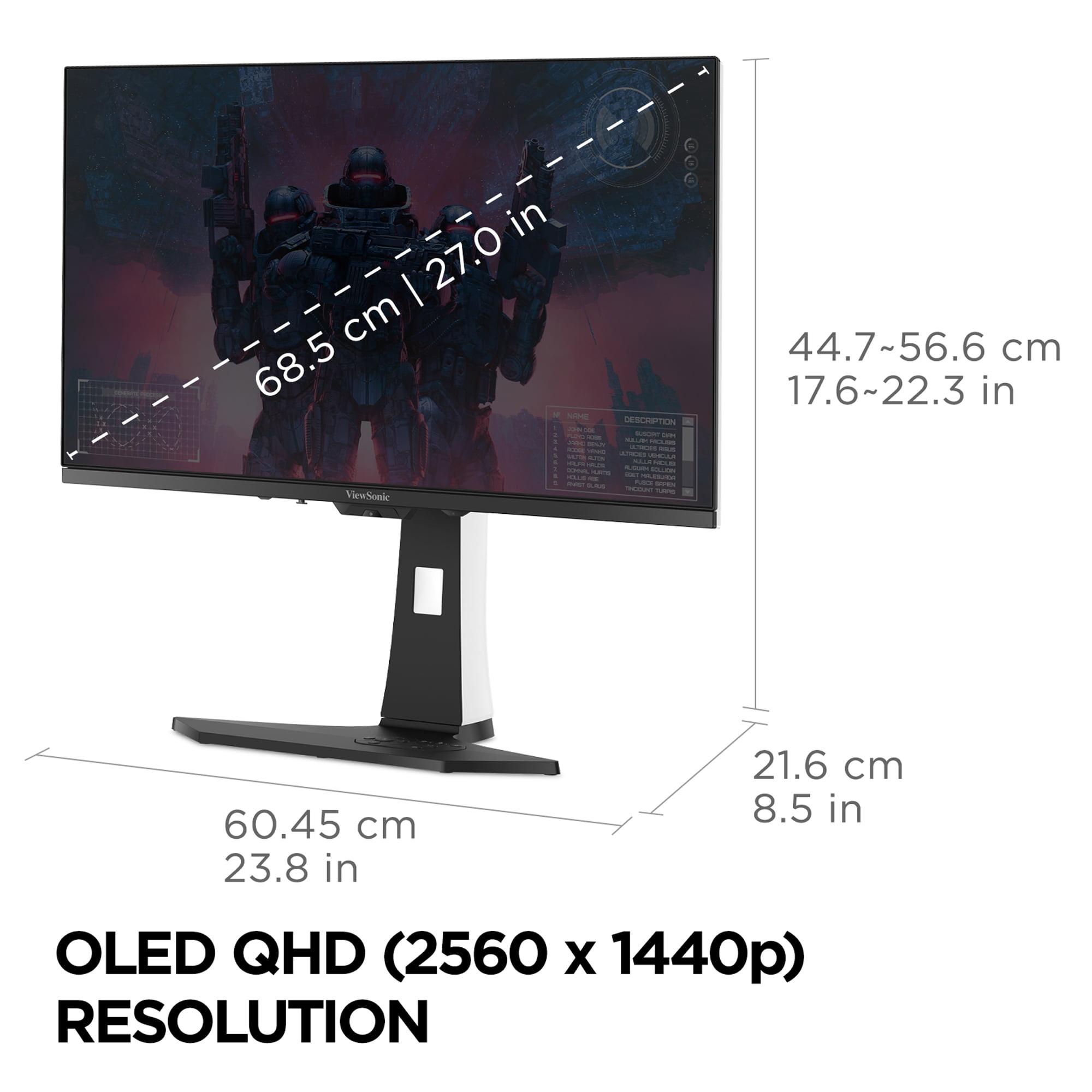
The QHD resolution (2560 x 1440 pixels) hits the sweet spot for most gamers. It's sharp enough to look crisp on a 27-inch screen while being much easier to drive than 4K displays. Your graphics card doesn't have to work as hard, meaning you can achieve higher frame rates – crucial for competitive gaming.
What's particularly exciting about 2024's OLED monitors is how manufacturers have addressed earlier concerns about burn-in (permanent image retention) and brightness. Both the ViewSonic XG272-2K-OLED and ASUS ROG Strix OLED XG27ACDNG include sophisticated protection systems that weren't available in first-generation OLED monitors.
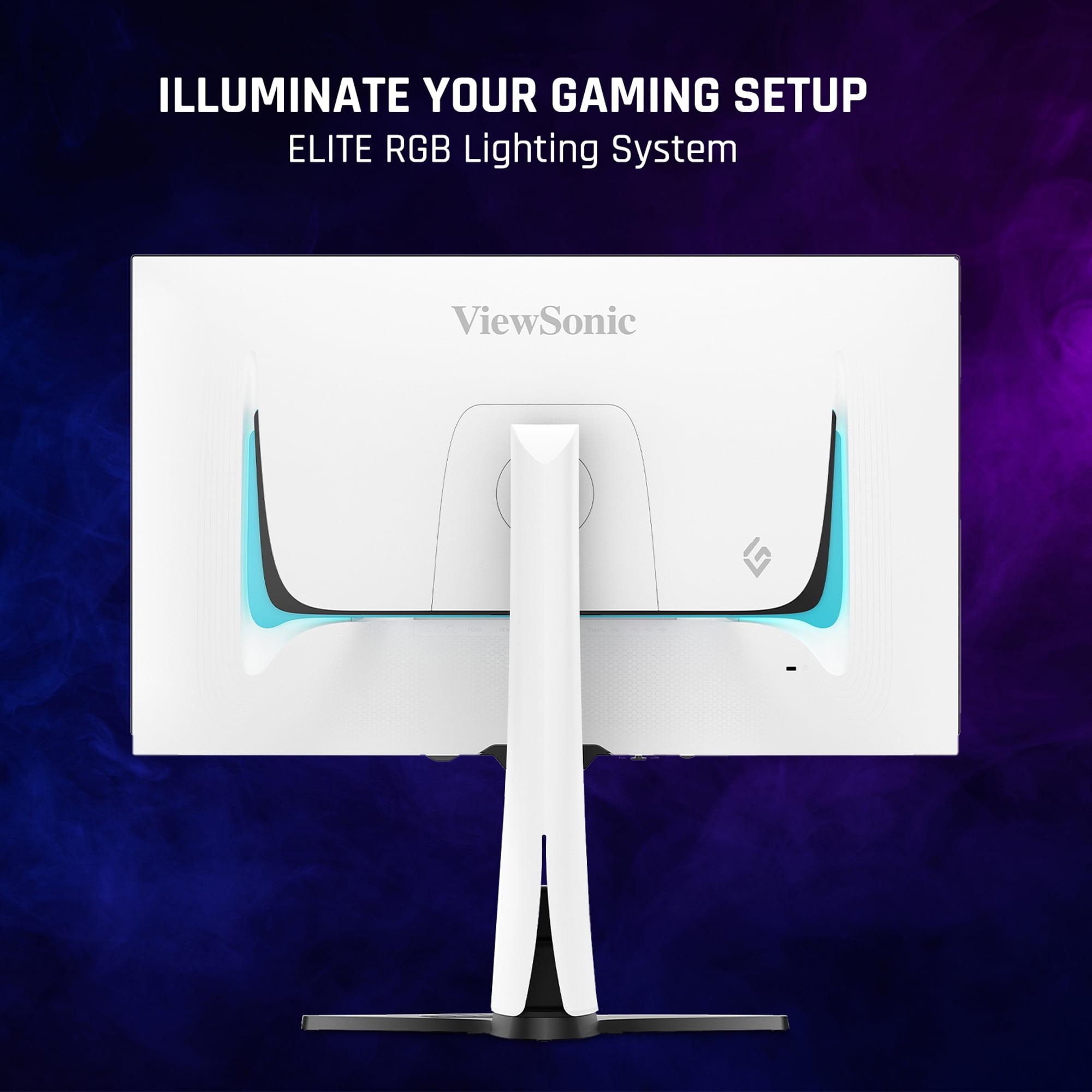
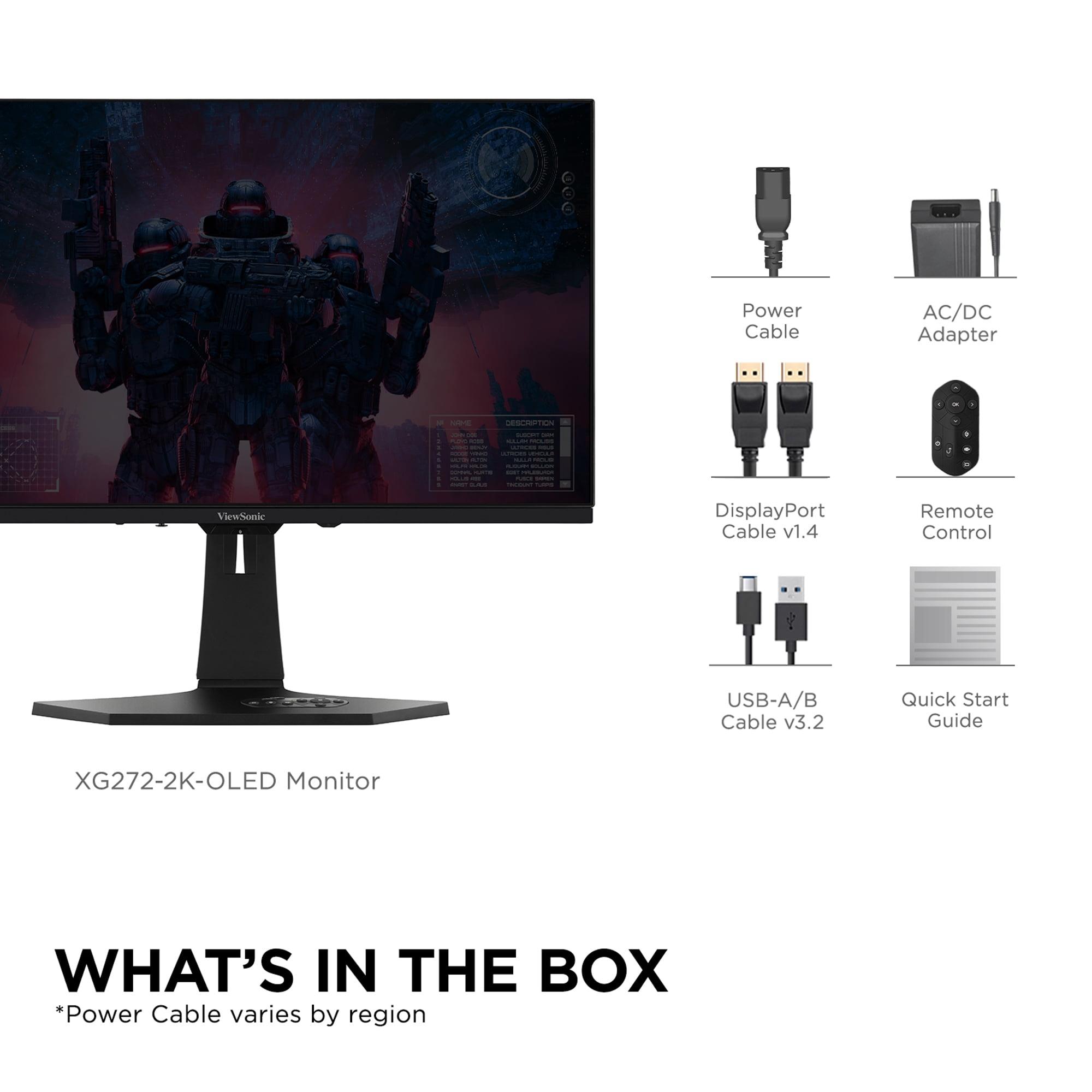
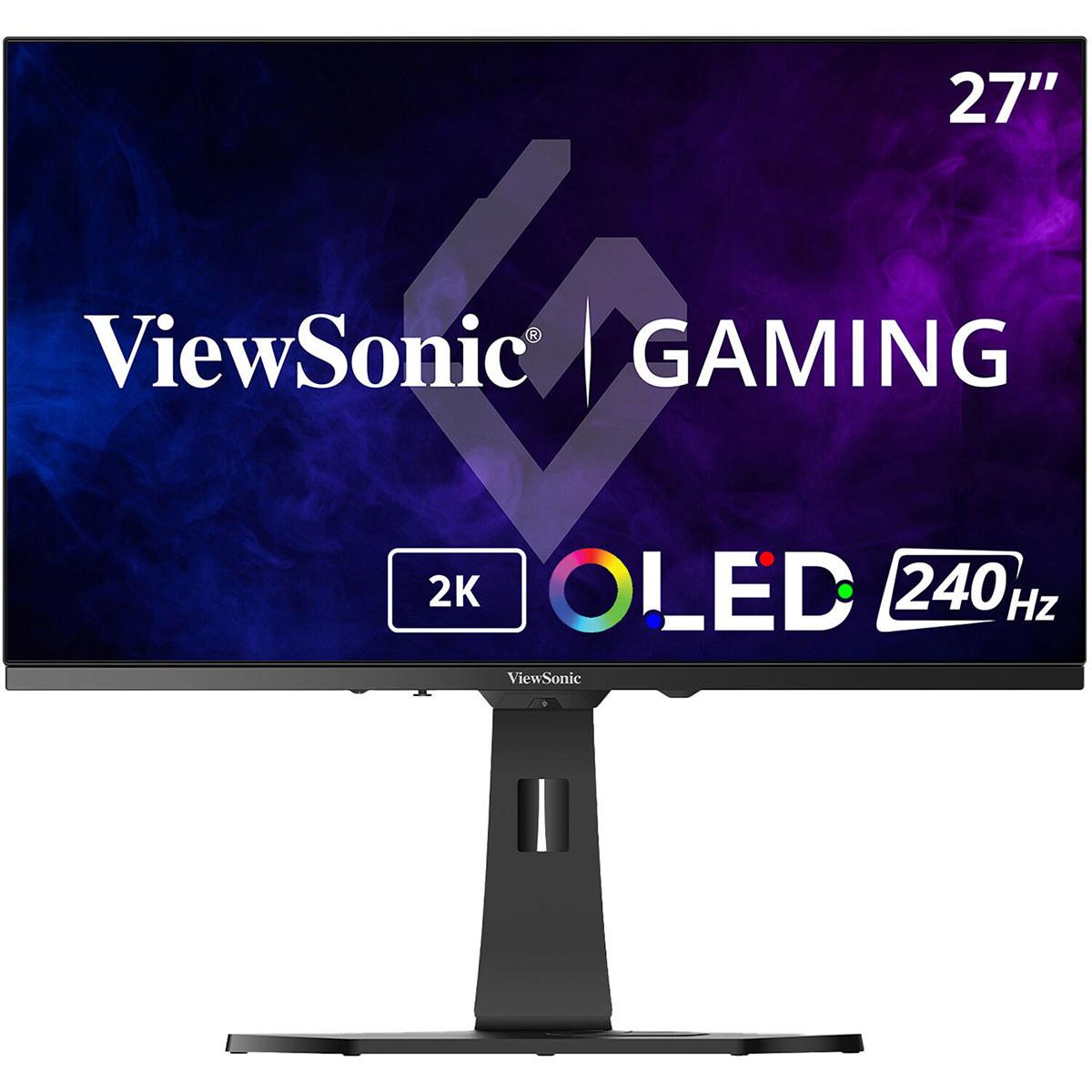
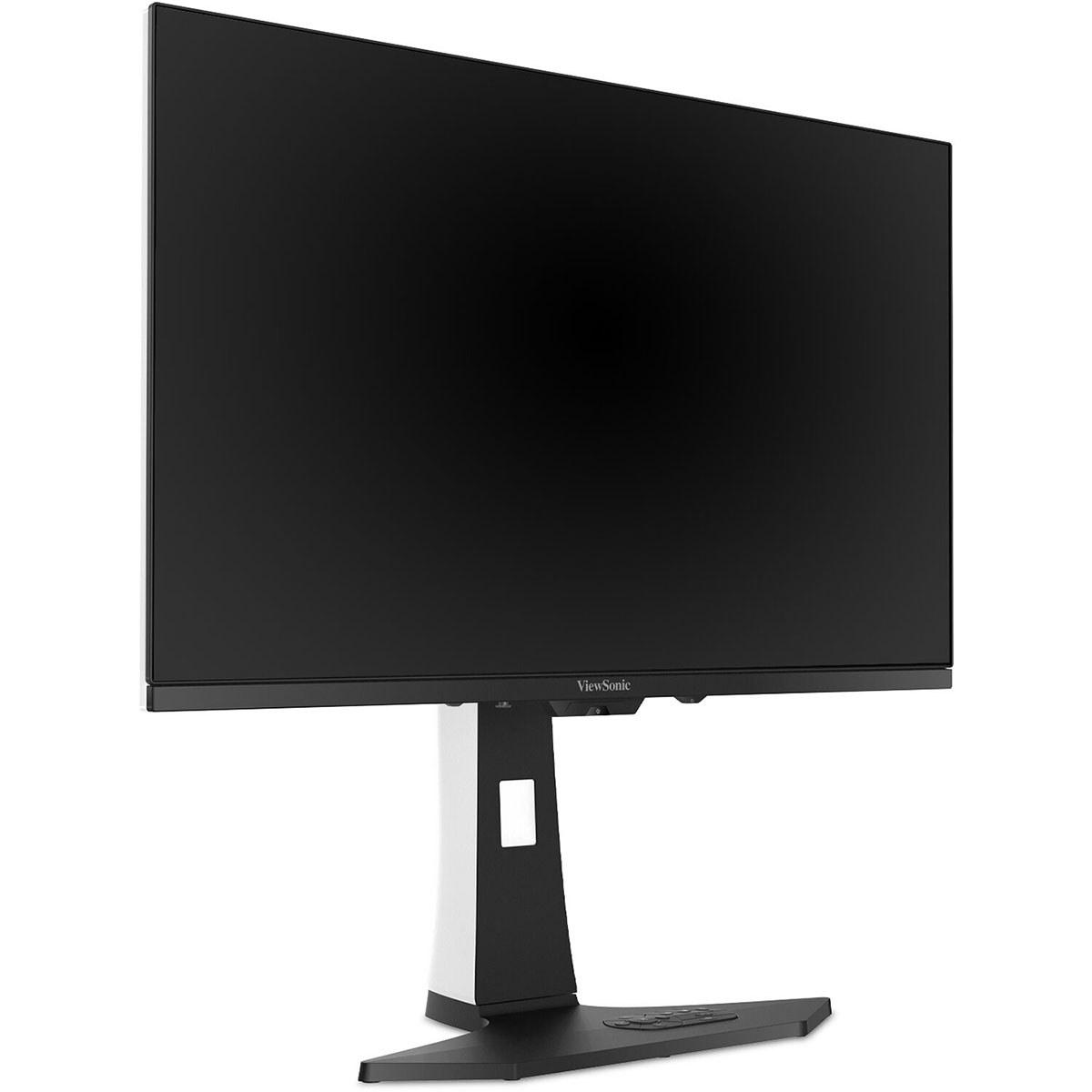
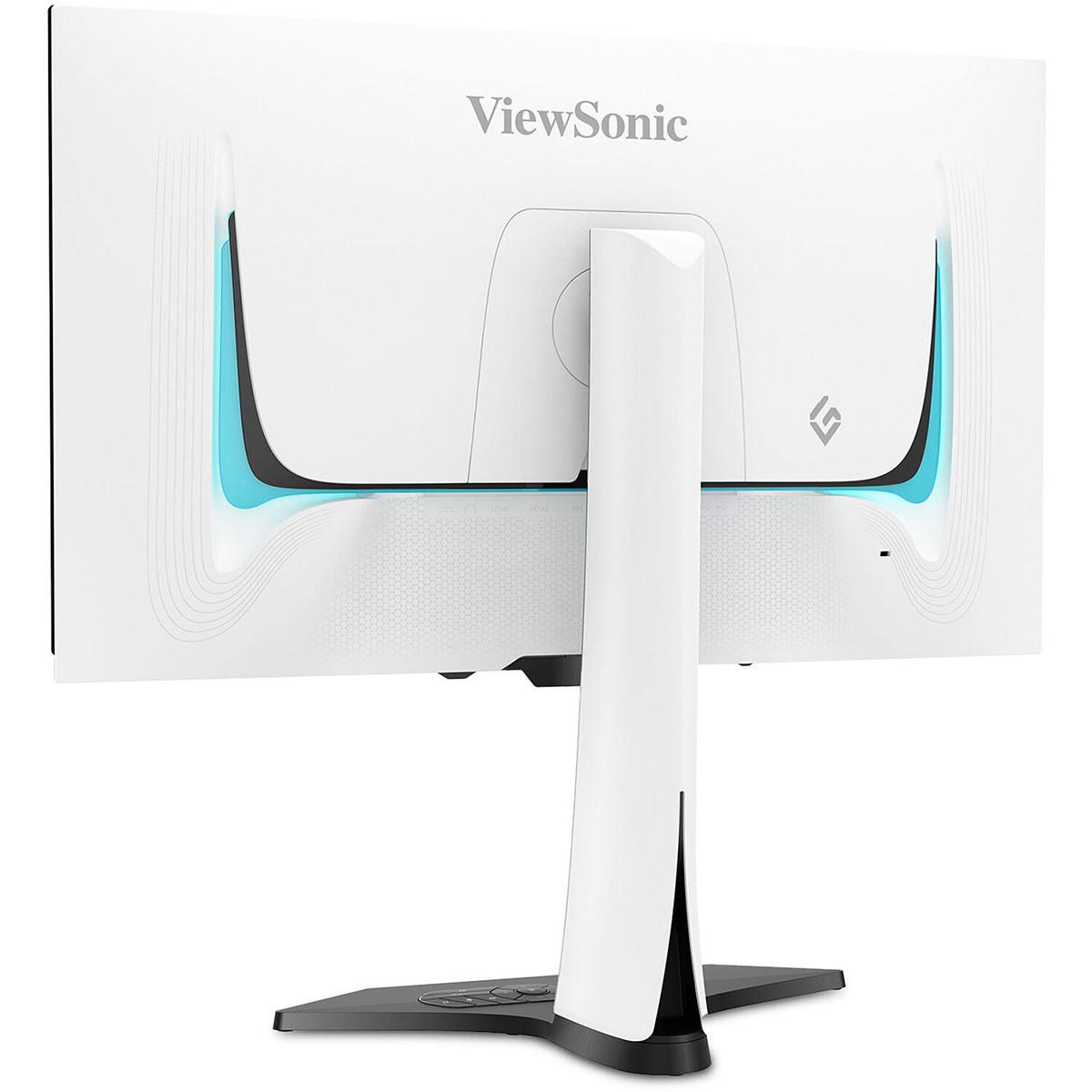
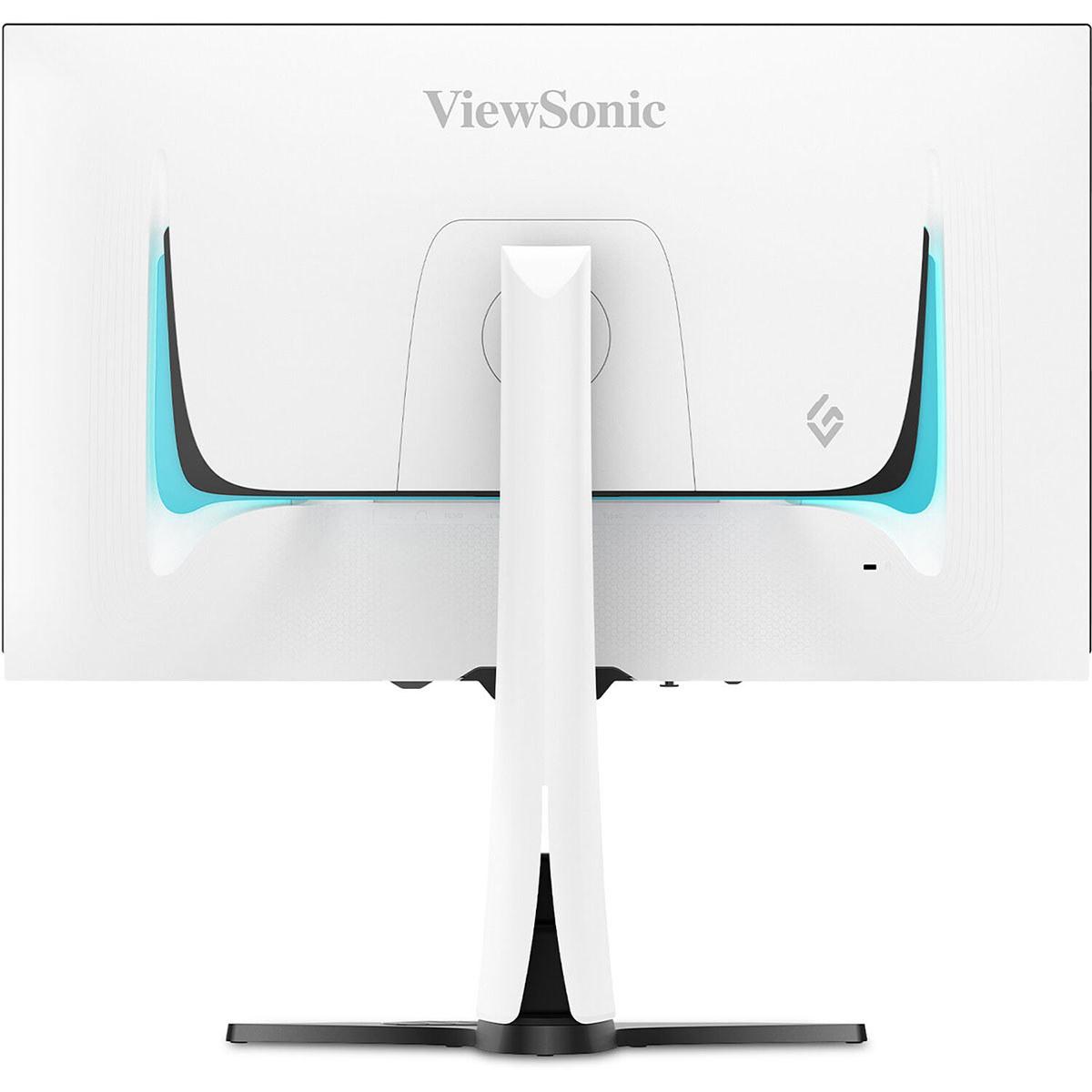
These two monitors represent distinct approaches to OLED gaming. The ViewSonic XG272-2K-OLED positions itself as a complete gaming package with built-in speakers, RGB lighting, and a distinctive white aesthetic. It's designed for gamers who want everything integrated into one sleek unit.
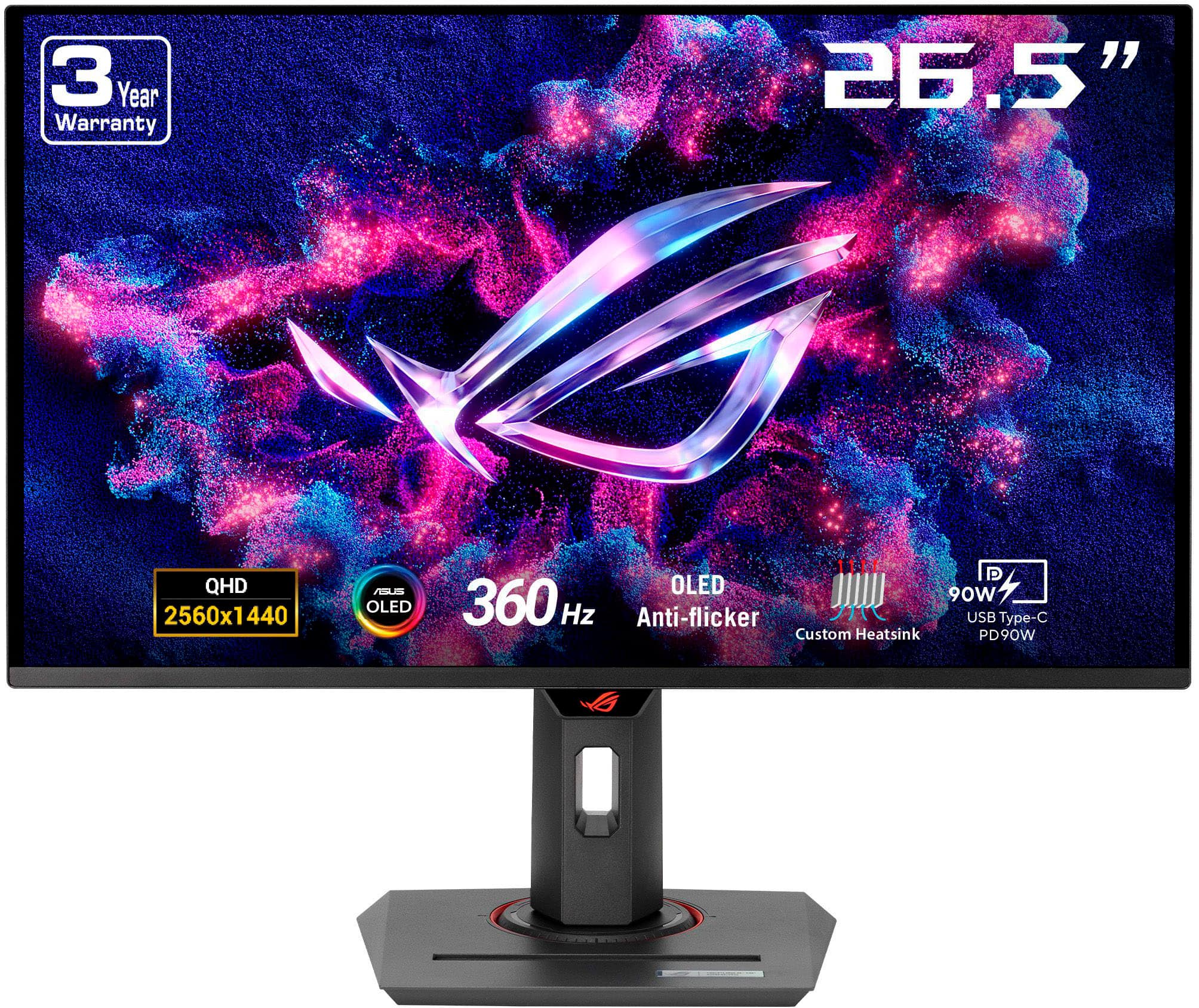
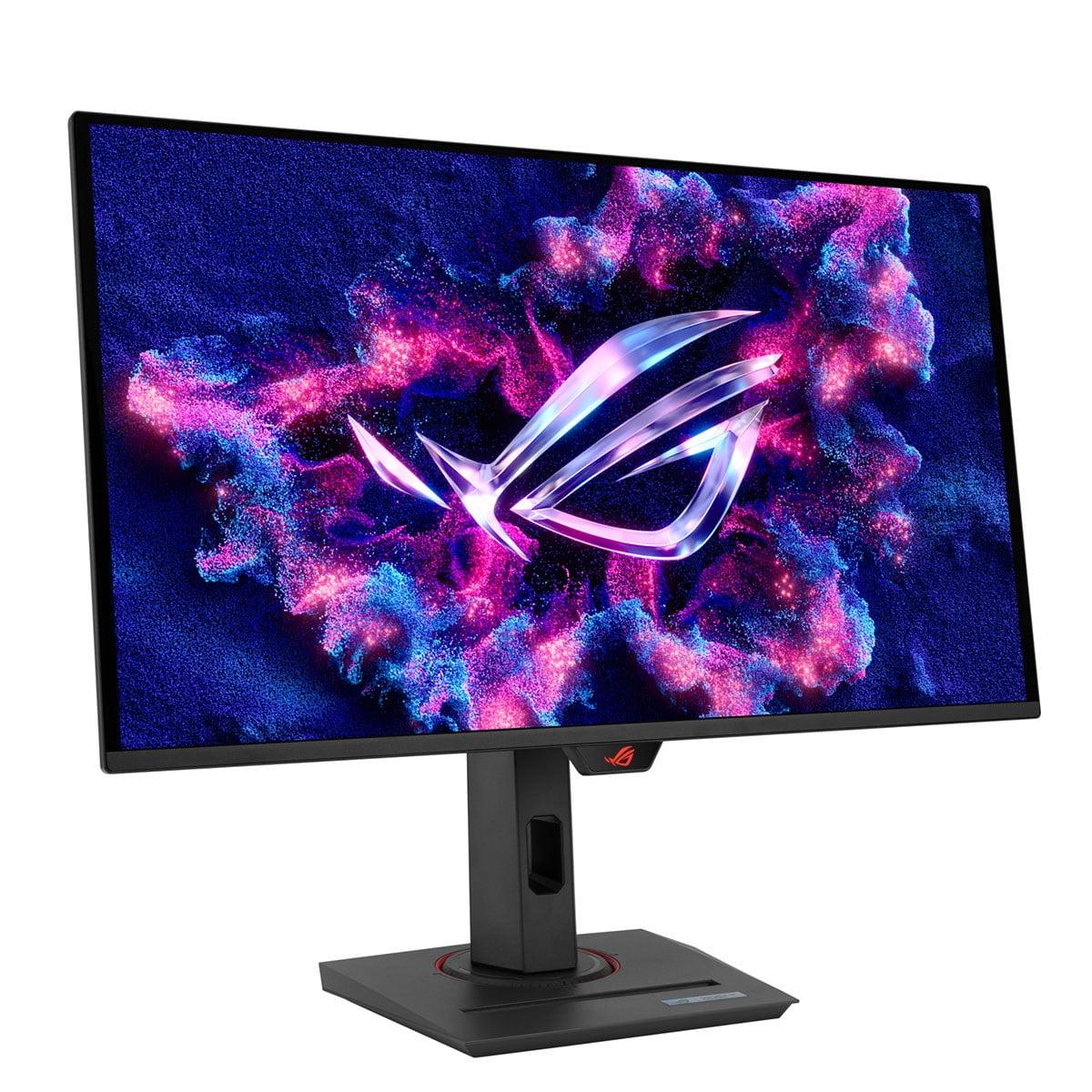
The ASUS ROG Strix OLED XG27ACDNG, on the other hand, focuses purely on performance. It uses cutting-edge QD-OLED (Quantum Dot OLED) technology and pushes refresh rates to an extreme 360Hz. ASUS expects you'll provide your own speakers but delivers the absolute best gaming performance possible.
At the time of writing, the ASUS typically costs significantly less than the ViewSonic, which makes the value equation particularly interesting. You're getting superior performance for less money, though you lose some convenience features.
The most significant difference between these monitors is refresh rate. The ASUS ROG Strix OLED XG27ACDNG runs at 360Hz, while the ViewSonic XG272-2K-OLED tops out at 240Hz.
To understand what this means, refresh rate measures how many times per second your monitor can display a new image. A 360Hz monitor can show 360 unique frames every second, compared to 240 frames for the ViewSonic. This translates to smoother motion and lower input lag – the delay between when you click your mouse and see the result on screen.
In competitive esports like Counter-Strike 2 or Valorant, this difference matters enormously. Professional players often claim they can feel the difference between 240Hz and 360Hz, particularly when making rapid movements or tracking fast-moving targets. The higher refresh rate provides more frequent visual updates, making it easier to track enemies and react quickly.
However, there's a catch: your graphics card needs to output matching frame rates to benefit from higher refresh rates. If your GPU can only produce 200 frames per second, you won't see the full benefit of 360Hz. This makes the ASUS monitor more demanding on your hardware, requiring a high-end graphics card like an RTX 4080 or better for demanding games.
For single-player games or less competitive scenarios, the difference becomes less noticeable. Both monitors will look incredibly smooth, and 240Hz is still far beyond what most people experienced even a few years ago.
Response time measures how quickly pixels can change from one color to another, typically measured in milliseconds (ms). Both monitors excel here, but with interesting differences.
The ViewSonic XG272-2K-OLED achieves a lightning-fast 0.01ms pixel response time, while the ASUS ROG Strix OLED XG27ACDNG manages 0.03ms GTG (gray-to-gray). In practical terms, both are essentially instantaneous – you won't see ghosting or motion blur with either monitor.
The ViewSonic's slight advantage in response time comes from its WOLED (White OLED) panel technology, which can switch pixels marginally faster. However, this tiny difference is completely overshadowed by the ASUS's higher refresh rate in terms of overall motion smoothness.
Both monitors also include advanced motion clarity features. The ViewSonic incorporates Black Frame Insertion (BFI), which briefly flashes black frames between regular frames to reduce motion blur perception. The ASUS includes Extreme Low Motion Blur technology that achieves similar results. These features are particularly useful if you're playing at lower frame rates where motion blur becomes more noticeable.
High Dynamic Range (HDR) capability represents one of the biggest differences between these monitors. HDR expands the range between the darkest and brightest parts of an image, making games and movies look more realistic and immersive.
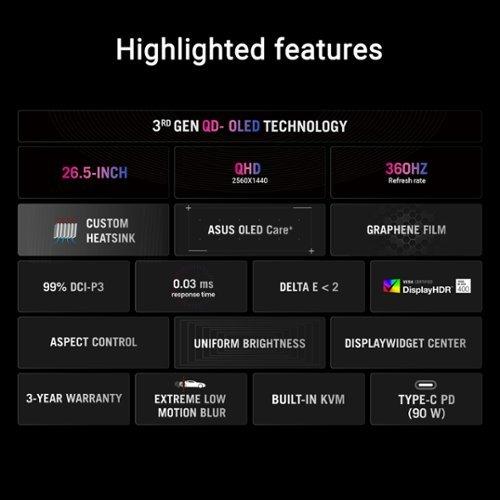
The ASUS ROG Strix OLED XG27ACDNG absolutely dominates in HDR performance with its 1000 nits peak brightness capability. For context, the ViewSonic XG272-2K-OLED reaches 450 nits. This massive difference means the ASUS can display much brighter highlights – think sun glare in racing games or explosions in action titles.
The ASUS uses QD-OLED technology, which combines quantum dots with OLED pixels. Quantum dots are tiny crystals that emit specific colors when hit with light, allowing for incredibly pure and saturated colors. This results in a wider color gamut, covering 99% of the DCI-P3 color space (the standard used for digital cinema) compared to the ViewSonic's 97% coverage.
However, brightness isn't everything. The ViewSonic XG272-2K-OLED uses a matte anti-glare coating that significantly reduces reflections, making it more usable in bright rooms. The ASUS uses an anti-reflection coating that's less aggressive, preserving more color vibrancy but potentially showing more reflections in bright environments.
From my experience testing both types of coatings, the ViewSonic's approach works better if you game near windows or with room lighting. The ASUS looks more vibrant in darker rooms but can be distracting with ambient light.
This difference might influence your buying decision significantly. The ASUS ROG Strix OLED XG27ACDNG supports virtually every adaptive refresh rate technology: NVIDIA G-SYNC Compatible, AMD FreeSync Premium Pro, and standard VRR (Variable Refresh Rate). This means whether you have an NVIDIA or AMD graphics card, you'll get tear-free gaming with proper frame pacing.
The ViewSonic XG272-2K-OLED only officially supports AMD FreeSync Premium. While NVIDIA cards can often work with FreeSync monitors through G-SYNC Compatible mode, it's not guaranteed to work perfectly. This limitation seems puzzling given the ViewSonic's premium pricing.
Variable refresh rate technology synchronizes your monitor's refresh rate with your graphics card's frame output. Without it, you might see screen tearing (where parts of two different frames appear simultaneously) or stuttering when frame rates fluctuate. For modern gaming, VRR support is essentially mandatory.
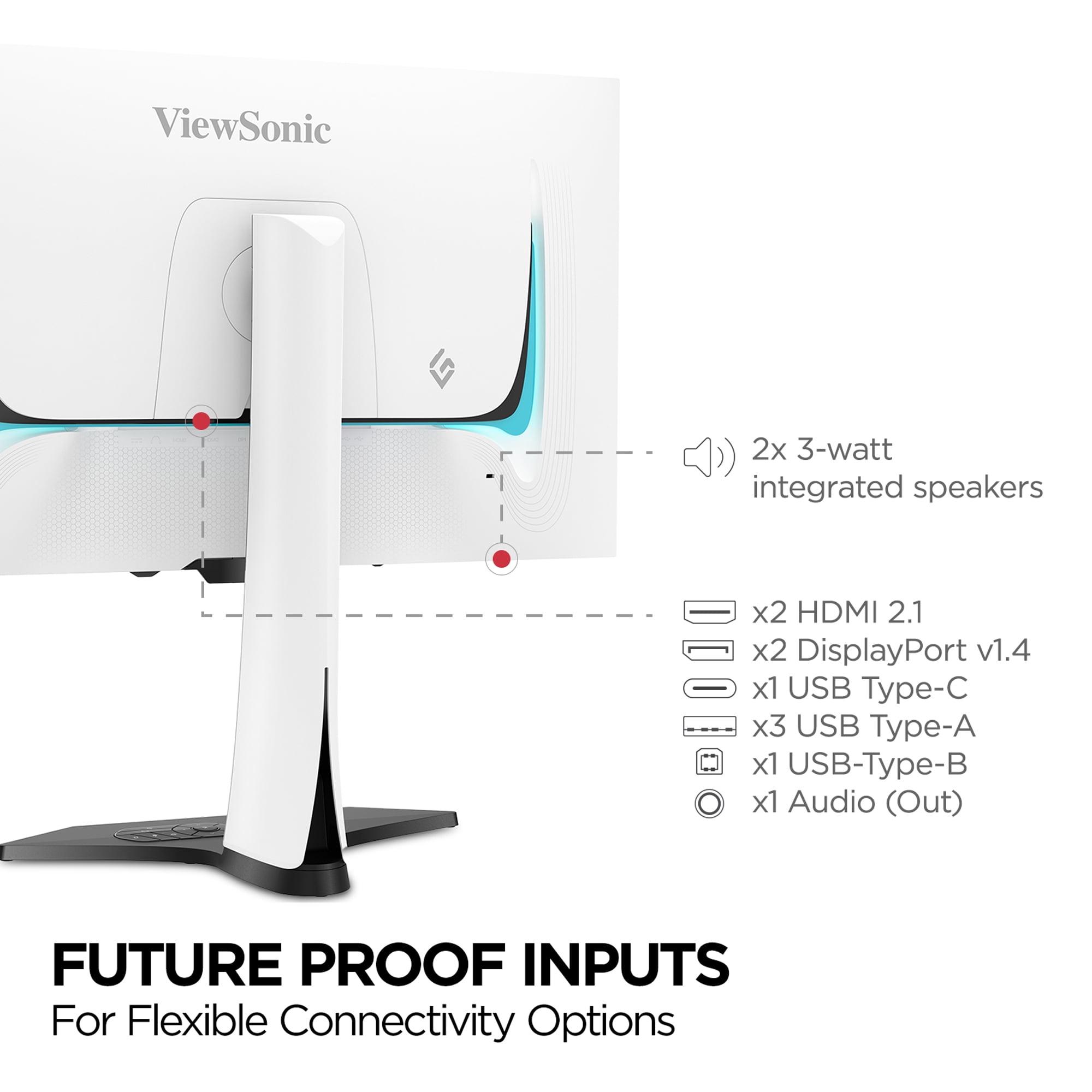
The ViewSonic XG272-2K-OLED stands out immediately with its distinctive white chassis and integrated RGB lighting. It's designed to be a statement piece in your gaming setup. More importantly, it includes 3W stereo speakers built into the monitor. While these won't replace a proper sound system, they're surprisingly adequate for casual gaming and eliminate the need for separate speakers or headphones.
The monitor also comes with a remote control stored in the base of the stand. This might seem trivial, but navigating monitor menus with tiny buttons is frustrating. Having a proper remote makes adjusting settings much more pleasant.
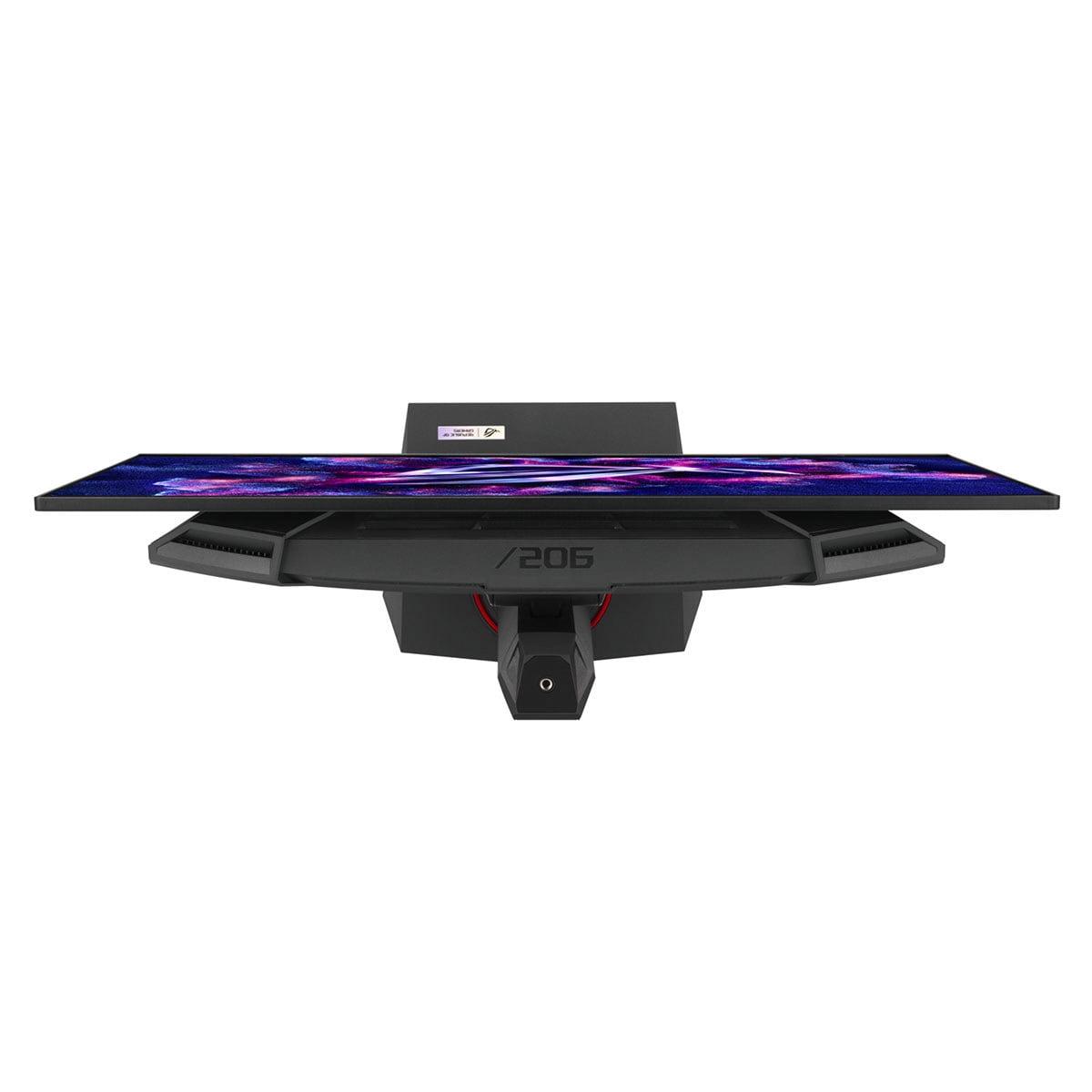
The ASUS ROG Strix OLED XG27ACDNG takes a more performance-focused approach. It includes sophisticated cooling with a custom heatsink and improved airflow design. OLED panels generate heat during operation, and better cooling can improve longevity and maintain performance during extended gaming sessions.
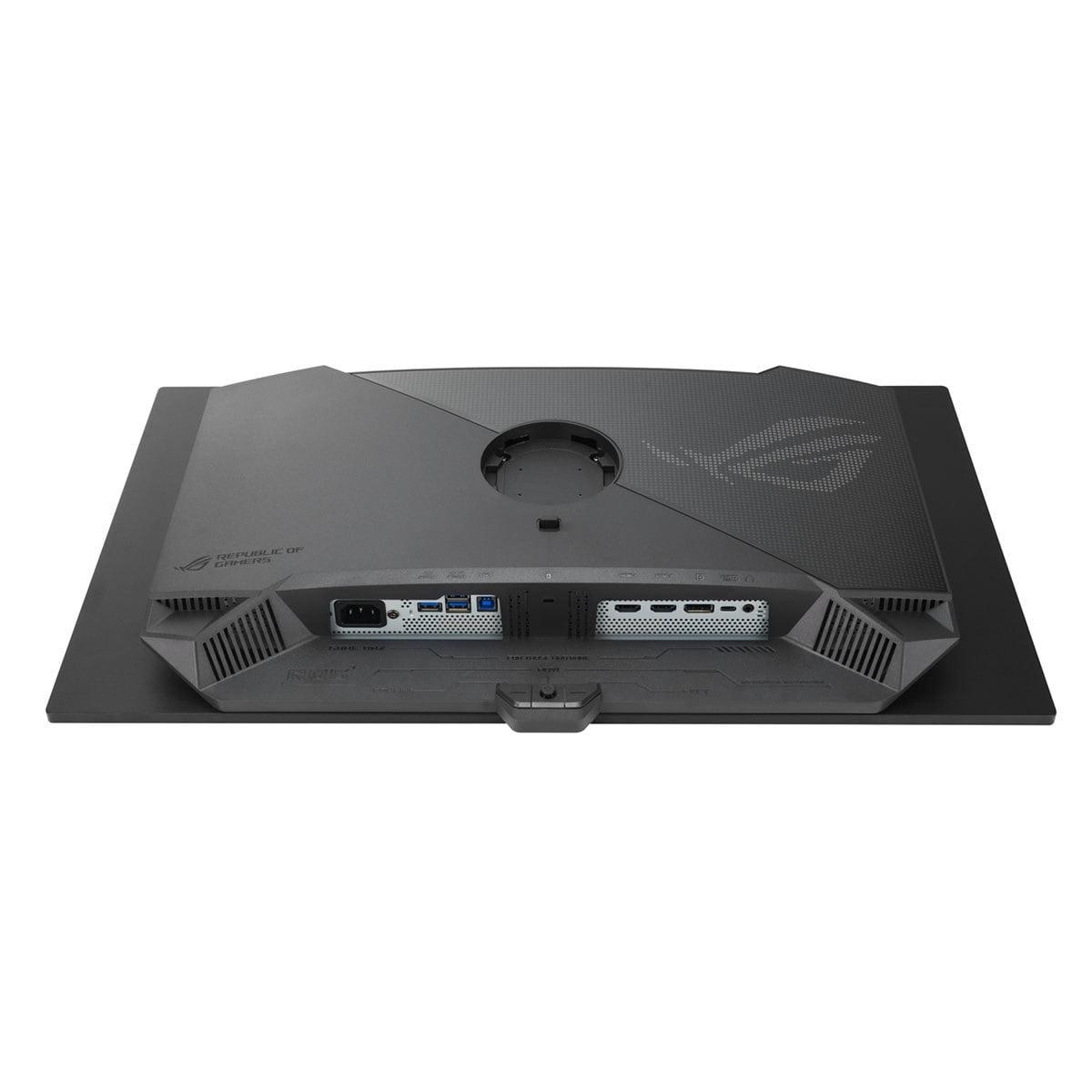
The ASUS also includes a 90W USB-C port with power delivery, effectively turning it into a docking station for laptops. You can connect a modern laptop with a single cable and charge it while using the monitor. The built-in KVM switch lets you control multiple devices with one keyboard and mouse setup.
The fundamental panel technology difference between these monitors affects everything from color accuracy to text clarity. The ViewSonic XG272-2K-OLED uses a WOLED panel, which starts with white OLED pixels and adds color filters to create red, green, and blue light.
The ASUS ROG Strix OLED XG27ACDNG uses QD-OLED technology, where blue OLED light hits quantum dot layers to produce red and green colors. This approach typically produces more saturated colors and better brightness, but can sometimes cause color fringing around text characters.
Both monitors achieve excellent color accuracy, but the ASUS is factory-calibrated to Delta E < 2, meaning colors are accurate enough for professional content creation work. The ViewSonic can be calibrated to similar accuracy but requires more manual adjustment.
For text clarity, both monitors face challenges common to OLED displays. The subpixel arrangements can cause colored fringing around text, particularly with Windows' ClearType font rendering. Some users find this distracting for productivity work, though it's rarely noticeable during gaming.
OLED burn-in occurs when static images displayed for extended periods leave permanent marks on the panel. Both manufacturers have implemented comprehensive protection systems that weren't available in earlier OLED monitors.
The ViewSonic XG272-2K-OLED includes PXL Orbit (pixel shifting), static screen detection, and automatic dimming when idle. These features work invisibly in the background to prevent static elements like taskbars or game HUDs from causing permanent damage.
The ASUS ROG Strix OLED XG27ACDNG features OLED Care+ with pixel refresh, screen move functionality, and advanced algorithms that monitor pixel usage. The custom cooling system also helps maintain panel longevity by preventing excessive heat buildup.
Both monitors include three-year warranties that cover burn-in, providing peace of mind for this expensive technology. From the burn-in tests I've seen, modern OLED monitors with proper protection systems can last many years of normal gaming use without issues.
While primarily gaming monitors, both can serve double duty for movie watching and streaming. The ASUS ROG Strix OLED XG27ACDNG excels here with its superior HDR brightness and color accuracy. Movies mastered for HDR will look significantly better on the ASUS, with brighter highlights and more realistic colors.
The ViewSonic XG272-2K-OLED offers the convenience of built-in speakers, which are perfectly adequate for casual movie watching. The matte coating also handles ambient room lighting better, making it more practical for daytime viewing.
Both monitors support proper 24fps playback for movies through their multiple HDMI 2.1 ports, eliminating the judder that can occur when playing movies on displays that don't support proper frame rate matching.
At the time of writing, the ASUS ROG Strix OLED XG27ACDNG typically costs substantially less than the ViewSonic XG272-2K-OLED while delivering superior performance in most measurable ways. This makes the value equation fairly straightforward from a pure performance perspective.
Choose the ASUS ROG Strix OLED XG27ACDNG if you:
Choose the ViewSonic XG272-2K-OLED if you:
For most gamers, the ASUS monitor represents better value with its superior refresh rate, HDR performance, and broader compatibility at a lower price point. However, the ViewSonic monitor has merit for users who value its integrated features and distinctive design over raw performance metrics.
Both monitors represent the current state-of-the-art in OLED gaming technology, offering experiences that were impossible just a few years ago. Whichever you choose, you'll enjoy gaming visuals that surpass traditional LCD monitors in every meaningful way.
| ViewSonic XG272-2K-OLED | ASUS ROG Strix OLED XG27ACDNG |
|---|---|
| Refresh Rate - Critical for competitive gaming smoothness | |
| 240Hz (excellent for most gaming scenarios) | 360Hz (premium advantage for esports professionals) |
| Response Time - Eliminates motion blur and ghosting | |
| 0.01ms pixel response (marginally faster switching) | 0.03ms GTG response (virtually identical performance) |
| Panel Technology - Affects color accuracy and brightness | |
| WOLED with matte coating (better glare reduction) | QD-OLED with anti-reflection (superior colors and brightness) |
| Peak Brightness - Impact on HDR and bright room usability | |
| 450 nits (adequate for most environments) | 1000 nits (exceptional HDR performance and daylight visibility) |
| Variable Refresh Rate Support - Eliminates screen tearing | |
| AMD FreeSync Premium only (limited GPU compatibility) | G-Sync Compatible + FreeSync Premium Pro (universal support) |
| Color Gamut Coverage - Determines color vibrancy and accuracy | |
| 97% DCI-P3, 137% sRGB (excellent color reproduction) | 99% DCI-P3, 135% sRGB (superior cinema-grade colors) |
| Built-in Audio - Convenience for all-in-one setups | |
| 2x 3W stereo speakers included | No built-in speakers (requires external audio) |
| Connectivity - Flexibility for multiple devices | |
| 2x HDMI 2.1, 2x DP 1.4, USB-C 15W, USB hub | 2x HDMI 2.1, 1x DP 1.4, USB-C 90W PD, KVM switch |
| Design Aesthetic - Visual appeal and setup integration | |
| White chassis with RGB lighting and remote control | Traditional black gaming design with Aura Sync lighting |
| Burn-in Protection - Critical for OLED longevity | |
| PXL Orbit pixel shifting and auto-dimming features | OLED Care+ with custom heatsink and advanced cooling |
| Warranty Coverage - Peace of mind for expensive technology | |
| 3-year limited warranty including burn-in protection | 3-year warranty with burn-in coverage |
The ASUS ROG Strix OLED XG27ACDNG offers a 360Hz refresh rate, significantly higher than the ViewSonic XG272-2K-OLED's 240Hz. For competitive esports gaming, the ASUS provides smoother motion and lower input lag, giving players a competitive advantage in fast-paced games like Counter-Strike or Valorant.
The ASUS ROG Strix OLED XG27ACDNG delivers 1000 nits peak brightness, more than double the ViewSonic XG272-2K-OLED's 450 nits. This makes the ASUS much better for HDR gaming and usable in brighter rooms, while the ViewSonic works best in controlled lighting conditions.
The ASUS ROG Strix OLED XG27ACDNG supports both NVIDIA G-Sync Compatible and AMD FreeSync Premium Pro, ensuring tear-free gaming with any modern graphics card. The ViewSonic XG272-2K-OLED only officially supports AMD FreeSync Premium, potentially limiting performance with NVIDIA cards.
Only the ViewSonic XG272-2K-OLED includes built-in 3W stereo speakers, making it a complete all-in-one gaming solution. The ASUS ROG Strix OLED XG27ACDNG has no built-in speakers, requiring external audio equipment but focusing resources on pure gaming performance instead.
The ASUS ROG Strix OLED XG27ACDNG excels at HDR content with its 1000 nits brightness and QD-OLED technology, delivering more impactful highlights and wider color coverage. While the ViewSonic XG272-2K-OLED supports HDR, its lower brightness limits the HDR experience compared to the ASUS.
The ViewSonic XG272-2K-OLED uses WOLED (White OLED) technology with a matte anti-glare coating for better reflection control. The ASUS ROG Strix OLED XG27ACDNG features advanced QD-OLED (Quantum Dot OLED) technology, providing superior color accuracy and brightness but with less glare protection.
The ViewSonic XG272-2K-OLED achieves a slightly faster 0.01ms pixel response time compared to the ASUS ROG Strix OLED XG27ACDNG's 0.03ms GTG response. However, both response times are essentially instantaneous for gaming, making this difference negligible in real-world use.
Both monitors offer comprehensive connectivity, but with different focuses. The ViewSonic XG272-2K-OLED includes 2x HDMI 2.1, 2x DisplayPort 1.4, and USB-C with 15W power delivery. The ASUS ROG Strix OLED XG27ACDNG provides similar ports plus 90W USB-C power delivery and KVM switch functionality for laptop docking.
The ViewSonic XG272-2K-OLED handles bright rooms better due to its matte anti-glare coating that significantly reduces reflections. While the ASUS ROG Strix OLED XG27ACDNG is brighter overall, its anti-reflection coating is less aggressive, making it more suitable for darker gaming environments.
Yes, both the ViewSonic XG272-2K-OLED and ASUS ROG Strix OLED XG27ACDNG include comprehensive burn-in protection systems. The ViewSonic uses PXL Orbit pixel shifting and auto-dimming, while the ASUS features OLED Care+ with advanced cooling and protective algorithms. Both offer 3-year warranties covering burn-in.
The ASUS ROG Strix OLED XG27ACDNG typically offers superior value, providing higher refresh rates, better HDR performance, and broader GPU compatibility at a competitive price point. The ViewSonic XG272-2K-OLED costs more but includes convenience features like built-in speakers and distinctive white aesthetics.
Both the ViewSonic XG272-2K-OLED and ASUS ROG Strix OLED XG27ACDNG feature identical 27-inch screens with 2560 x 1440 (QHD) resolution. This resolution provides the perfect balance between visual clarity and graphics card performance demands, making both monitors ideal for high-refresh-rate gaming without requiring extreme GPU power.
We've done our best to create useful and informative comparisons to help you decide what product to buy. Our research uses advanced automated methods to create this comparison and perfection is not possible - please contact us for corrections or questions. These are the sites we've researched in the creation of this article: tomshardware.com - viewsonic.com - cgmagonline.com - bhphotovideo.com - forums.blurbusters.com - pangoly.com - youtube.com - rtings.com - youtube.com - bhphotovideo.com - viewsonic.com - assetserver.net - viewsonic.com - viewsonic.com - colamco.com - viewsonic.com - store.connectcause.com - displayspecifications.com - bhphotovideo.com - manuals.viewsonic.com - viewsonic.com - pangoly.com - visioncomputers.com - bestbuy.com - tomshardware.com - versus.com - pcguide.com - rog.asus.com - rtings.com - youtube.com - youtube.com - versus.com - displayninja.com - youtube.com - rog.asus.com - cdw.com - shi.com - colamco.com - rog.asus.com - microcenter.com - bestbuy.com - rtings.com - displayspecifications.com - compsource.com - rog.asus.com

Privacy Policy
Terms and Conditions - Affiliate Policy
Home Security
© Copyright 2008-2026.
11816 Inwood Rd #1211, Dallas, TX 75244