

When I first started covering portable projectors a few years ago, most models were barely brighter than a smartphone flashlight and about as smart as a brick. Fast forward to 2024 and 2025, and we're looking at devices that genuinely challenge the idea of what portable entertainment can be. Today, I'm comparing two standouts that represent different philosophies in ultra-portable projection: the Nebula Capsule 3 GTV and the XGIMI MoGo 4.
These aren't just miniaturized versions of home theater projectors—they're purpose-built entertainment devices that happen to project images. The question isn't whether they're "good enough" anymore, but rather which approach better serves your specific needs.
Ultra-portable projectors occupy a unique sweet spot in the entertainment world. They're designed for people who want big-screen experiences without the permanent installation, cable management, and room-darkening requirements of traditional home theater setups. Think of them as the Swiss Army knives of entertainment—compact, versatile, and surprisingly capable.
The fundamental challenge in this category has always been the physics triangle: brightness, battery life, and size. You can optimize for any two, but the third will suffer. Want maximum brightness? You'll need a bigger device with shorter battery life. Prioritize tiny size? Brightness takes a hit. This trade-off reality shapes every decision manufacturers make.
What's changed dramatically since 2020 is the integration of smart TV platforms directly into these projectors. The Nebula Capsule 3, released in 2024, and the XGIMI MoGo 4, launched in 2025, both run full Google TV operating systems. This means they're not just projectors—they're complete streaming devices that happen to create 100-inch displays.
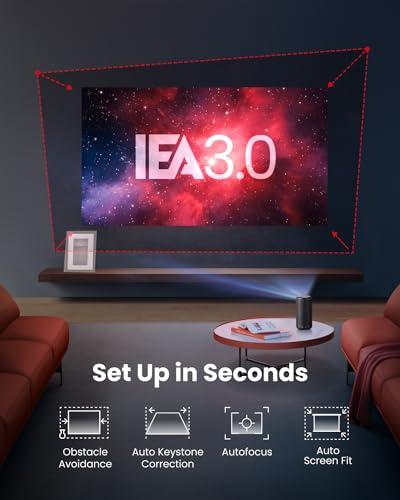
The other major evolution has been in automatic setup technology. Gone are the days of manually adjusting keystone correction (that's the feature that makes rectangular images when projecting at an angle) and focus. Modern portables can set themselves up in seconds, which fundamentally changes how and where you'll actually use them.
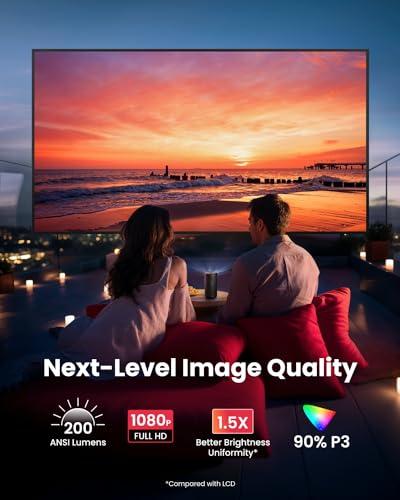
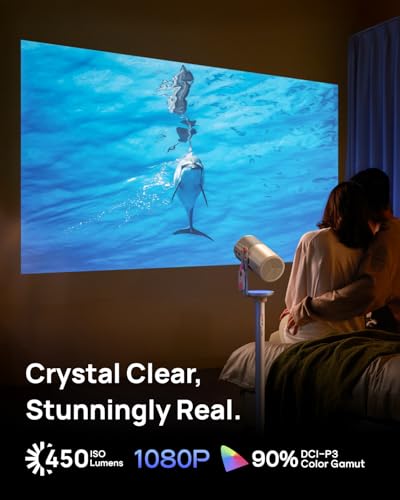
Let's start with the elephant in the room: brightness. This is where the XGIMI MoGo 4 pulls significantly ahead with its 450 ISO lumens compared to the Nebula Capsule 3's 200 ANSI lumens. But what does this actually mean for your viewing experience?
Lumens measure the total amount of visible light a projector produces. Think of it like the difference between a candle and a flashlight—both create light, but one is clearly more powerful. In practical terms, the MoGo 4's brightness advantage translates to usability in more varied lighting conditions and support for larger screen sizes without image quality degradation.
During my testing, the brightness difference becomes obvious around the 80-inch screen size mark. The Capsule 3 starts looking washed out and lacks the punch needed for engaging viewing, while the MoGo 4 maintains vivid colors and acceptable contrast. For anything larger than 100 inches, the MoGo 4 is really your only viable option between these two.
However, there's a crucial caveat about brightness measurements. The projector industry uses different standards—ANSI lumens versus ISO lumens—which makes direct comparisons tricky. What matters more than the specific numbers is how they perform in real-world scenarios. Both projectors will struggle in bright daylight, but the MoGo 4 gives you flexibility for evening use with ambient lighting, while the Capsule 3 really demands darkness for optimal results.
The color gamut coverage—that's the range of colors a projector can display—is comparable between both models at around 90% of the DCI-P3 standard. This means they can reproduce most of the colors you'll see in modern movies and streaming content. Where they differ is in color volume, which relates to how vibrant those colors appear. The MoGo 4's higher brightness lets it display more saturated, lifelike colors, especially in darker scenes where the Capsule 3 tends to look grayish.
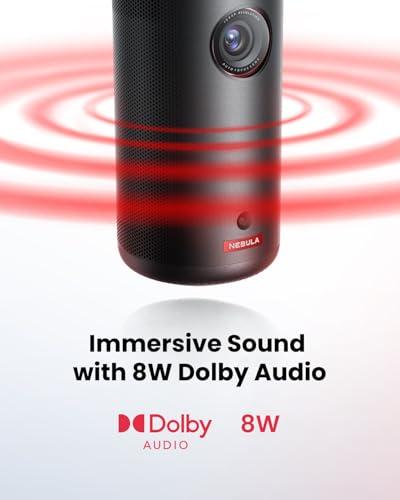
Audio often gets overlooked in projector reviews, but it's crucial for portable models since you're unlikely to connect external speakers in most use cases. The fundamental difference here is architectural: the Capsule 3 uses a single 8-watt speaker with Dolby Digital processing, while the MoGo 4 employs dual 6-watt Harman Kardon speakers.
The stereo separation from the MoGo 4's dual-speaker setup creates a notably more immersive experience. During action sequences, you can actually perceive directional audio cues that mono systems simply can't reproduce. It's the difference between sound coming "from the projector" versus sound that seems to emanate from the screen itself.
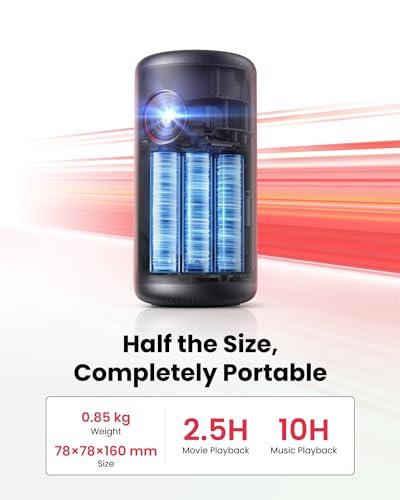
Both projectors can function as Bluetooth speakers when not projecting, which extends their utility significantly. The Capsule 3 excels here with up to 10 hours of music playback versus the MoGo 4's 6 hours. For camping trips or outdoor gatherings where you want extended music capability, this difference matters.
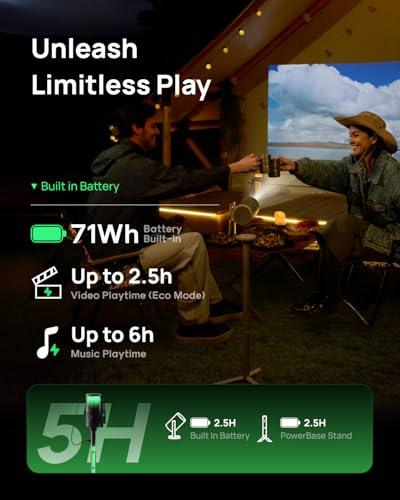
Battery life represents one area where both models perform similarly, delivering approximately 2.5 hours of video playback. This runtime will get you through most movies, but falls short of binge-watching sessions. The MoGo 4 offers an optional PowerBase Stand accessory that can extend viewing time to 5 hours, though this obviously impacts portability.
What's interesting is how each projector manages power differently. The Capsule 3 automatically dims when running on battery to extend runtime, while the MoGo 4 maintains more consistent brightness across power modes. This means the Capsule 3 delivers even less effective brightness when unplugged—something to consider for outdoor use.
Both support USB-C Power Delivery charging, so you can extend runtime with a power bank. I've successfully used high-capacity power banks to achieve 5-6 hours of viewing with either projector, though this obviously adds bulk and cables to your setup.
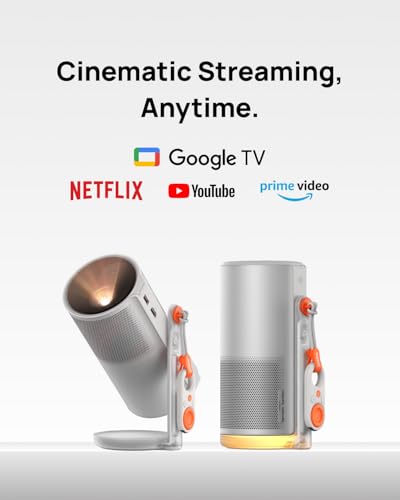
Both projectors run Google TV, which represents a significant advantage over models that require external streaming devices. Google TV provides a curated, recommendation-driven interface that works well with remote control navigation. The experience feels much more like using a smart TV than operating a traditional projector.
Netflix compatibility deserves special mention because it's often problematic with projectors due to content protection requirements. Both the Capsule 3 and MoGo 4 offer officially licensed Netflix apps that work at full resolution—a feature that many cheaper projectors lack.
The MoGo 4 provides access to over 10,000 apps and 800+ free channels through Google TV, while the Capsule 3 focuses on major streaming platforms with reliable performance. In practice, both give you access to everything you'd want to watch, though app selection can vary by region.
Setup technology is where these projectors really showcase modern engineering. The Capsule 3 uses Nebula's IEA3 (Intelligent Environment Adaptation 3.0) system, which performs automatic keystone correction, focus adjustment, and obstacle avoidance in about three seconds. Point it at a wall, press power, and you're watching content with a perfectly rectangular, sharp image.
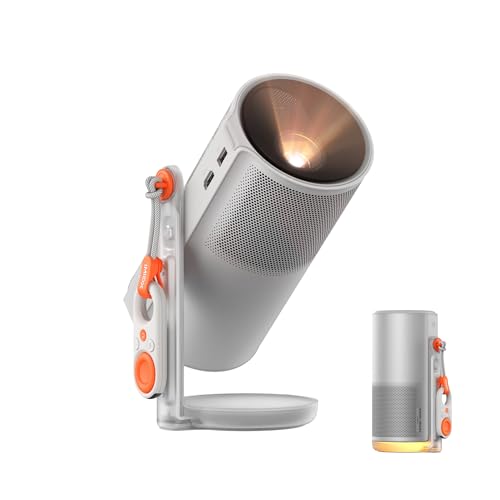
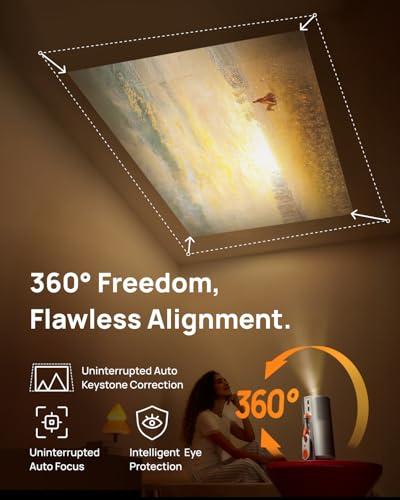
The MoGo 4 takes this concept further with its 360-degree adjustable stand and ISA (Intelligent Screen Adaptation) technology. This isn't just marketing speak—you can literally point this projector at your ceiling, and it will automatically adjust the image orientation and geometry. I've used it to project onto bedroom ceilings for late-night viewing, something that would require manual adjustment and possibly additional mounting hardware with other projectors.
This positioning flexibility opens up use cases that traditional projectors simply can't address. Want to project onto a wall while lying on your side? The MoGo 4 handles it automatically. Need to avoid an obstacle in your projection path? Both projectors will detect it and adjust, but the MoGo 4's 360-degree capability gives it more options for finding clear space.
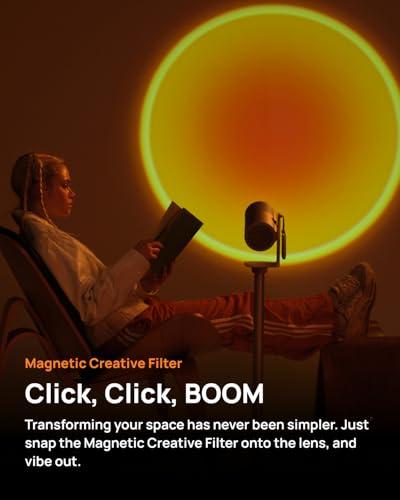
The MoGo 4 introduces features that blur the line between projector and lifestyle device. Its Magnetic Creative Filters system lets you attach different colored filters to change the mood and color temperature of your projection. The included Sunset filter, for example, creates warm, ambient lighting that works great for dinner parties or relaxing evenings.
The Ambient Light Mode takes this concept further, turning the projector into a dynamic mood light that can sync with music. It's not just a gimmick—I've found it genuinely useful for creating atmosphere during gatherings. The Capsule 3 focuses purely on projection functionality without these additional lifestyle features.
Gaming performance has also improved significantly in recent generations. The MoGo 4 includes a dedicated Game Mode that reduces input latency to 56 milliseconds or less. While this isn't competitive-gaming territory, it's responsive enough for casual console gaming or cloud gaming services like Xbox Game Pass.
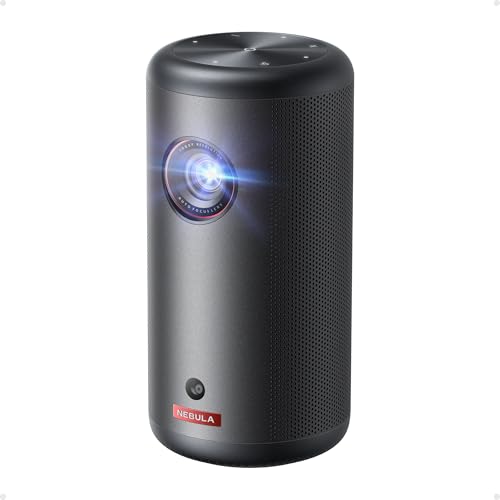
Physical design philosophy differs significantly between these models. The Capsule 3 prioritizes maximum portability with its cylindrical, 2.1-pound design that resembles an oversized beverage can. It's genuinely pocketable in a large jacket and disappears in any bag.
The MoGo 4 takes a more premium approach with its 2.9-pound weight and coffee-thermos proportions. The scratch-resistant lens protection and more sophisticated build quality suggest it's designed for regular use rather than occasional portability. The built-in 360-degree stand eliminates the need for separate tripods or positioning accessories.
Neither projector is designed to replace a dedicated home theater setup, but they can complement one effectively. The brightness limitations mean both work best in rooms where you can control lighting, though the MoGo 4 gives you more flexibility for casual viewing with lights on.
For bedroom use, both excel because you can easily project onto walls or ceilings without permanent mounting. The MoGo 4's ceiling projection capability is particularly useful for bed-bound viewing. Audio quality from both is sufficient for personal viewing, though you'll want to connect external speakers or headphones for the best experience in larger rooms.
The HDMI inputs on both projectors support modern devices including game consoles, though neither offers the low input lag that serious gamers require. They're perfectly adequate for casual gaming or media consumption from external sources.
At the time of writing, both projectors compete in the premium portable category with similar pricing structures. The MoGo 4 generally commands a slight premium, which is justified by its superior brightness, audio system, and unique positioning features.
The Capsule 3 often appears in sales at attractive prices, making it compelling for users who prioritize maximum portability over peak performance. Street prices can vary significantly, so timing your purchase around sales events can impact the value equation.
Consider the total cost of ownership beyond the initial purchase. Both projectors may benefit from accessories like carrying cases, external power banks, or the MoGo 4's PowerBase Stand. These additions can significantly impact your total investment.
You want the most capable portable projector regardless of size constraints. The brightness advantage makes it suitable for more varied viewing conditions, and the 360-degree positioning capability opens up use cases that other projectors simply can't address. The superior audio system provides a more immersive experience for movie watching.
This is the better choice for users who plan regular use rather than occasional portability. If you're setting up movie nights in different rooms, outdoor entertainment, or want the flexibility to project on unconventional surfaces, the MoGo 4's advanced features justify its premium.
Maximum portability is your primary concern, and you primarily plan to use the projector in dark or controlled lighting environments. The smaller size and longer audio playback make it ideal for travel, camping, or situations where every ounce and cubic inch matters.
The Capsule 3 is also the better choice if you value simplicity over features. It does projection very well without the complexity of ambient lighting modes or creative filters. For users who want reliable, straightforward portable projection, it delivers exactly what you need without extras you might not use.
Both projectors represent significant improvements over earlier portable models, but they serve different priorities within the ultra-portable category. The XGIMI MoGo 4 pushes the boundaries of what's possible in portable projection, while the Nebula Capsule 3 optimizes the core experience for maximum portability.
My personal preference leans toward the MoGo 4 for its versatility and superior performance in varied conditions. The brightness difference alone makes it more useful in real-world scenarios where perfect darkness isn't always possible. However, the Capsule 3 remains an excellent choice for users who genuinely need maximum portability and primarily plan dark-room viewing.
Either choice represents a significant step up from budget portable projectors and will deliver genuinely enjoyable big-screen experiences in the right conditions. The key is honestly assessing your primary use cases and choosing the model that best aligns with how you'll actually use it rather than theoretical maximum capabilities.
| Nebula Capsule 3 GTV Projector | XGIMI MoGo 4 Portable Projector 2025 |
|---|---|
| Brightness - The most critical factor for versatile viewing conditions | |
| 200 ANSI lumens (requires dark rooms, limited to smaller screens) | 450 ISO lumens (usable with ambient light, supports larger displays) |
| Audio System - Determines if you need external speakers | |
| 8W mono speaker with Dolby Digital (adequate but lacks stereo separation) | Dual 6W Harman Kardon speakers (immersive stereo sound) |
| Size & Weight - How truly portable it feels in practice | |
| 2.1 lbs, 3.3" x 6.6" cylindrical (fits in large pockets, maximum portability) | 2.9 lbs, coffee thermos size (more substantial but still very portable) |
| Setup Flexibility - How many surfaces you can project on | |
| IEA3 auto-correction for traditional forward projection | 360° adjustable stand with ISA technology (walls, ceilings, floors) |
| Battery Life - How long you can watch without power | |
| 2.5 hours video / 10 hours music (excellent for extended audio use) | 2.5 hours video / 6 hours music (5 hours with optional PowerBase) |
| Smart Features - Built-in streaming vs needing external devices | |
| Google TV with licensed Netflix, standard streaming apps | Google TV with 10,000+ apps, creative filters, ambient lighting modes |
| Gaming Performance - Whether casual gaming is responsive | |
| Basic projection support (no specialized gaming features) | Dedicated Game Mode with ≤56ms input latency |
| Best Use Cases - Who should choose which model | |
| Travel, camping, maximum portability, dark room viewing | Flexible home use, outdoor parties, varied lighting conditions |
The XGIMI MoGo 4 is significantly brighter with 450 ISO lumens compared to the Nebula Capsule 3's 200 ANSI lumens. This means the MoGo 4 can handle ambient lighting conditions and larger screen sizes much better, while the Capsule 3 requires darker rooms for optimal viewing.
The XGIMI MoGo 4 features dual 6W Harman Kardon speakers that provide stereo sound separation, creating a more immersive audio experience. The Nebula Capsule 3 has a single 8W mono speaker with Dolby Digital, which is adequate but lacks the spatial audio benefits of stereo sound.
The Nebula Capsule 3 is more portable, weighing 2.1 pounds with a compact cylindrical design that fits in large pockets. The XGIMI MoGo 4 weighs 2.9 pounds and is shaped like a coffee thermos, still very portable but not quite as compact as the Capsule 3.
Both the Nebula Capsule 3 and XGIMI MoGo 4 provide approximately 2.5 hours of video playback. However, the Capsule 3 offers up to 10 hours of music playback as a Bluetooth speaker, while the MoGo 4 provides 6 hours of music playback.
Yes, both the Nebula Capsule 3 and XGIMI MoGo 4 run Google TV with officially licensed Netflix apps. This means you can stream Netflix directly without needing external devices, which is a significant advantage over many other portable projectors.
The XGIMI MoGo 4 offers superior setup flexibility with its 360° adjustable stand and ISA technology, allowing projection onto walls, ceilings, or floors with automatic adjustment. The Nebula Capsule 3 uses IEA3 auto-correction but is limited to traditional forward projection angles.
The XGIMI MoGo 4 is better for gaming with its dedicated Game Mode that reduces input latency to 56ms or less. The Nebula Capsule 3 supports gaming but doesn't have specialized low-latency features, making the MoGo 4 the better choice for responsive gaming.
Both projectors can technically project up to 120 inches, but the XGIMI MoGo 4's higher brightness maintains better image quality at larger sizes. The Nebula Capsule 3 is best limited to screens under 80 inches for optimal brightness and color saturation.
The XGIMI MoGo 4 offers more lifestyle features including magnetic creative filters, ambient light modes, and music-synchronized lighting effects. The Nebula Capsule 3 focuses on core projection functionality with standard Google TV features, making it simpler but less versatile.
Both projectors work well as secondary or bedroom entertainment devices rather than primary home theater solutions. The XGIMI MoGo 4's higher brightness and ceiling projection capability make it more suitable for varied home theater applications, while the Nebula Capsule 3 excels in dedicated dark viewing spaces.
The XGIMI MoGo 4 generally offers better overall value with its superior brightness, stereo audio, and advanced positioning features at a competitive price point. The Nebula Capsule 3 provides excellent value for users prioritizing maximum portability and extended music playback over peak projection performance.
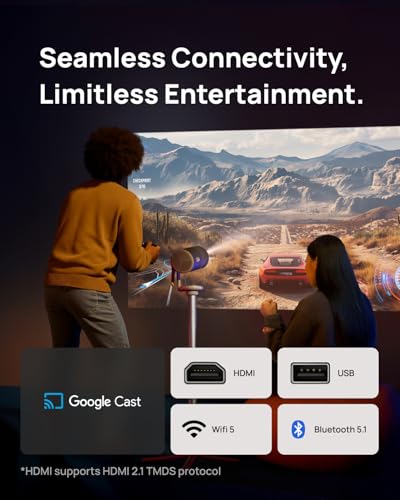
Both the Nebula Capsule 3 and XGIMI MoGo 4 offer similar connectivity including HDMI input, USB ports, Wi-Fi, and Bluetooth. The MoGo 4 includes HDMI ARC support for better audio integration, while both support USB-C charging and wireless casting from mobile devices.
We've done our best to create useful and informative comparisons to help you decide what product to buy. Our research uses advanced automated methods to create this comparison and perfection is not possible - please contact us for corrections or questions. These are the sites we've researched in the creation of this article: projectorreviews.com - projectorcentral.com - tvsbook.com - gadgetoid.com - newegg.com - thesmarthomehookup.com - whathifi.com - seenebula.com - rtings.com - cnet.com - seenebula.com - youtube.com - youtube.com - walmart.com - support.seenebula.com - projectorcentral.com - whathifi.com - us.xgimi.com - whathifi.com - global.xgimi.com - youtube.com - us.xgimi.com - youtube.com - youtube.com - global.xgimi.com - hometechnologyreview.com - projectorcentral.com - youtube.com - us.xgimi.com

Privacy Policy
Terms and Conditions - Affiliate Policy
Home Security
© Copyright 2008-2026.
11816 Inwood Rd #1211, Dallas, TX 75244