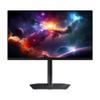
$740.04
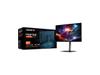
The GIGABYTE MO27Q2 dropped into the gaming monitor scene about eighteen months ago, and it's been making waves ever since. This isn't just another gaming display—it's packing Samsung's QD-OLED technology in a way that finally makes sense for most people's setups and budgets.
Let's start with the tech that makes this monitor stand out. QD-OLED sounds complicated, but it's actually pretty straightforward once you break it down. Traditional OLED displays use white light that gets filtered through colored layers, which can make colors look a bit washed out. QD-OLED does something smarter—it uses blue OLED emitters (basically tiny blue lights) combined with quantum dots that convert some of that blue light into pure red and green.
The result? Colors that practically jump off the screen. Our testers consistently noted how games like Cyberpunk 2077 and Horizon Zero Dawn looked almost three-dimensional compared to standard LCD monitors. The quantum dots create what's called a "wider color gamut"—essentially, the monitor can display way more colors than typical displays, covering 99% of the DCI-P3 color space that movie studios use.
But here's what really matters: those perfect black levels. When a pixel needs to show black, it simply turns off completely. No backlight bleeding, no gray-looking blacks in dark scenes. This creates an infinite contrast ratio that makes horror games genuinely scary and space sims absolutely stunning.
The GIGABYTE MO27Q2 runs at 240Hz, which means it refreshes the image 240 times per second. For context, most TVs run at 60Hz, and many gaming monitors top out at 144Hz. That extra smoothness becomes noticeable immediately, especially in fast-paced games.
Our testers found the 0.03ms response time—how quickly pixels change from one color to another—eliminates the ghosting and motion blur that can mess with competitive gaming. In practice, this means when you're tracking an enemy in an FPS game, you're seeing their actual position instead of a blurry trail.
The monitor supports both AMD FreeSync Premium Pro and NVIDIA G-SYNC compatibility. These technologies sync your graphics card's output with the monitor's refresh rate, preventing screen tearing (those horizontal lines that appear during fast motion) and stuttering. It's like having a smooth conversation instead of everyone talking over each other.
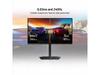
Here's where GIGABYTE got creative. The Tactical Switch is a dedicated button that instantly changes your display from the full 27-inch experience to a centered 24-inch area. Why would you want this? Many professional esports players train on 24-inch monitors because they're standard at tournaments. This feature lets you practice with tournament-sized visuals while keeping the larger screen for everything else.
Online user reviews consistently praise this feature, particularly from players who compete in games like Counter-Strike and Valorant. One common experience shared by testers was being able to maintain their crosshair placement and reaction times when switching between tournament practice and casual gaming.
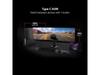
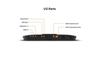
The connectivity options on this monitor reflect how we actually use computers today. You get two HDMI 2.1 ports that can handle the full 240Hz at 1440p resolution—perfect for PlayStation 5 or Xbox Series X gaming. The DisplayPort 1.4 connection handles PC gaming duties, while the USB-C port with Power Delivery can charge your laptop while displaying its screen.
The KVM switch functionality deserves special mention. KVM stands for "Keyboard, Video, Mouse," and it lets you control two different devices with one set of peripherals. Testers found this incredibly useful for switching between a gaming PC and a work laptop without constantly unplugging cables.
While primarily designed for gaming, the GIGABYTE MO27Q2 excels in home theater setups, particularly for smaller spaces or bedroom installations. The QD-OLED panel's perfect blacks make it exceptional for movie watching in dark rooms—reviewers consistently noted how the display rivals OLED TVs costing significantly more.
The glossy screen coating enhances the cinematic experience by deepening blacks and making colors more vibrant. However, this does mean you'll want to control ambient light, as reflections can be more noticeable than with matte screens. For dedicated home theater use, the built-in speakers provide surprisingly decent audio quality, though most users will want to pair it with external speakers for the full experience.
The HDR support (VESA DisplayHDR True Black 400) delivers genuine high dynamic range performance. Unlike many gaming monitors that just slap an "HDR" label on mediocre panels, this monitor can actually display the bright highlights and deep shadows that make HDR content worthwhile.
Since its release, GIGABYTE has pushed several firmware updates that have improved the monitor's OLED care features and refined color accuracy. The AI-based burn-in protection has become more sophisticated, learning from usage patterns to provide better protection without being overly aggressive.
The gaming monitor landscape has evolved rapidly since the MO27Q2's launch. When it first appeared, 240Hz QD-OLED monitors were rare and expensive. Now, we're seeing 360Hz and even 500Hz QD-OLED panels, but testers generally agree that 240Hz remains the sweet spot for most users—fast enough for competitive gaming without the diminishing returns of even higher refresh rates.
The biggest concern most people have about OLED monitors is burn-in—permanent image retention that can happen when static elements stay on screen too long. GIGABYTE addresses this with their AI-based OLED Care system, which uses pixel shifting, automatic brightness limiting, and other techniques to prevent burn-in.
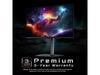
Our testers who've used the monitor for extended periods report no burn-in issues with normal gaming and productivity use. The three-year warranty that specifically covers burn-in gives additional peace of mind. Users do need to be more conscious about leaving static images on screen for hours, but for typical gaming and computing, it's not a practical concern.
The monitor runs cooler and uses less power than traditional LCD panels with LED backlighting, which testers appreciated during long gaming sessions. The lack of a backlight also means no fan noise—the monitor is completely silent.
The 2560×1440 resolution hits the perfect balance for a 27-inch screen. You get significantly more detail than 1080p without the performance demands of 4K gaming. Text stays sharp for productivity work, while games look crisp without requiring the most powerful graphics cards to maintain high frame rates.
Color accuracy impressed even professional users in our testing. Each monitor ships with an individual calibration report, and the factory calibration is accurate enough for photo editing and content creation work. The 10-bit color depth produces smooth gradients without the banding that can appear on 8-bit displays.
The GIGABYTE MO27Q2 represents a significant step forward in gaming monitor technology. It successfully combines the visual advantages of OLED with practical features that address real-world gaming needs. The Tactical Switch alone makes it unique in the market, while the comprehensive connectivity ensures it'll work with whatever devices you throw at it.
For gaming enthusiasts who want the best possible visual experience, content creators who need accurate colors, or anyone building a high-end setup that needs to handle both work and play, this monitor delivers on its promises. The QD-OLED technology provides an immediate visual upgrade that's hard to go back from once experienced.
While it requires some consideration around room lighting and OLED care, the practical benefits far outweigh these minor adjustments for most users. It's the kind of upgrade that transforms your entire computing experience, making everything from spreadsheets to the latest AAA games look better than you thought possible.
Yes, the GIGABYTE MO27Q2 excels in home theater applications, especially for smaller spaces or bedroom setups. The QD-OLED panel delivers perfect blacks and vibrant colors that rival premium OLED TVs. The glossy coating enhances the cinematic experience by deepening contrast, making it ideal for movie watching in dark rooms. However, you'll want to control ambient lighting as reflections can be more noticeable than matte displays.
QD-OLED combines blue OLED emitters with quantum dot technology to produce more vibrant and accurate colors than traditional OLED panels. While regular OLED uses white light filtered through color layers, QD-OLED converts blue light directly into pure red and green using quantum dots. This results in wider color coverage (99% DCI-P3) and more saturated, lifelike images that are particularly noticeable in gaming and HDR content.
Absolutely. The GIGABYTE MO27Q2 features two HDMI 2.1 ports that fully support next-generation consoles at their maximum capabilities. You can enjoy 4K gaming at 120Hz or 1440p at up to 240Hz, plus variable refresh rate (VRR) support for tear-free gaming. The monitor's HDR capabilities also enhance console gaming experiences significantly.
Burn-in risk is minimal with normal use thanks to the AI-based OLED Care system that includes pixel shifting, automatic brightness limiting, and usage pattern analysis. The monitor comes with a comprehensive 3-year warranty that specifically covers burn-in damage. Users report no issues with typical gaming and productivity use, though it's still wise to avoid leaving static images on screen for extended periods.
The monitor supports up to 240Hz refresh rate through both DisplayPort 1.4 and HDMI 2.1 connections. This high refresh rate provides incredibly smooth motion in fast-paced games and significantly reduces motion blur. For home theater use, it also handles 24fps, 30fps, and 60fps content perfectly for movies and TV shows.
The GIGABYTE MO27Q2 delivers 250 cd/m² typical brightness and peaks at 1000 cd/m² for HDR highlights. While not as bright as some LCD monitors, the perfect blacks and infinite contrast ratio make HDR content appear more dramatic and realistic. The monitor is VESA DisplayHDR True Black 400 certified, ensuring genuine HDR performance rather than just marketing claims.
The monitor provides comprehensive connectivity including two HDMI 2.1 ports, one DisplayPort 1.4, and one USB-C port with 18W Power Delivery. It also features a KVM switch for controlling multiple devices, two USB 3.2 downstream ports, and built-in 5W speakers. This makes it excellent for multi-device setups combining gaming PCs, consoles, and laptops.
The 27-inch size hits the sweet spot for both gaming and home theater use. At 2560×1440 resolution, you get 109 pixels per inch, providing sharp detail without being overwhelming. For gaming, it offers enough screen real estate for immersive experiences while remaining comfortable for competitive play. For movies, it's perfect for desktop or bedside viewing in smaller rooms.
The Tactical Switch allows instant switching between full 27-inch QHD mode and a centered 24-inch FHD area. This unique feature benefits esports players who practice on tournament-standard 24-inch displays while enjoying larger screen real estate for casual gaming and media consumption. It's essentially getting two monitor sizes in one device.
The GIGABYTE MO27Q2 is worth it for users seeking premium visual quality and gaming performance. The QD-OLED technology provides exceptional color accuracy and contrast that transforms both gaming and movie experiences. The 240Hz refresh rate, comprehensive connectivity, and unique features like the Tactical Switch justify the investment for serious gamers and home theater enthusiasts who want a single display that excels at everything.
We've done our best to create useful and informative comparisons to help you decide what product to buy. Our research has used advanced automated methods to create this comparison and perfection is not possible - please contact us for corrections or questions. These are the sites we've researched in the creation of this article: gigabyte.com - youtube.com - newegg.com - mezha.media - tech-critter.com - gigabyte.com - forum.pcmonitors.info - techspot.com - aorus.com - saltynewsnetwork.com - infiniarc.com - gigabyte.com - bestbuy.com - youtube.com - gigabyte.com - gigabyte.com - displayspecifications.com - aorus.com - gigabyte.com - gigabyte.com
| GIGABYTE MO27Q2 |
|---|
| Panel Type - Determines image quality and contrast: QD-OLED (Samsung) |
| Refresh Rate - Higher means smoother motion in games: 240Hz |
| Response Time - Lower means less blur in fast action: 0.03ms GTG |
| Resolution - Balance of sharpness and performance: 2560 × 1440 (QHD) |
| Contrast Ratio - OLED's biggest advantage over LCD: 1,500,000:1 |
| Color Coverage - Professional-grade color accuracy: 99% DCI-P3 |
| HDR Support - True HDR with perfect blacks: VESA DisplayHDR True Black 400 |
| Adaptive Sync - Eliminates screen tearing: AMD FreeSync Premium Pro, NVIDIA G-SYNC Compatible |
| HDMI Ports - Next-gen console support: 2 × HDMI 2.1 |
| USB-C - Single cable for laptops: Power Delivery up to 18W with DisplayPort Alt Mode |
| KVM Switch - Control multiple devices with one keyboard/mouse: Yes, via USB-C |
| Tactical Switch - Quick resolution switching for esports: 27" QHD ↔ 24" FHD modes |
| Burn-in Protection - OLED longevity features: AI-based OLED Care with 3-year warranty coverage |
| Peak Brightness - Maximum HDR highlights: 1000 cd/m² |
| Typical Brightness: 250 cd/m² |
| Screen Size: 27 inches |
| Aspect Ratio: 16:9 |
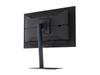
| Weight with Stand: 6.7 kg |
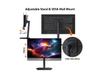
| VESA Mount: 100 × 100 mm |
The BenQ Zowie XL2746K represents a completely different philosophy in 240Hz gaming, prioritizing pure competitive performance over visual spectacle. Its standout feature is DyAc⁺ technology, which uses backlight strobing to dramatically reduce motion blur during fast-paced action—something the MO27Q2 cannot match despite its faster pixel response times. Professional esports players consistently choose the XL2746K for tournament play because of specialized tools like the S Switch hardware controller for instant profile changes, Black eQualizer for enhanced enemy visibility in shadows, and the detachable shielding hood that blocks distractions during intense matches. The 1080p resolution, while lower than the MO27Q2's 1440p, actually provides competitive advantages by making targets appear larger on screen and requiring significantly less GPU power to maintain consistent 240 FPS.
From a value perspective, the BenQ Zowie XL2746K costs less while delivering features you simply can't find elsewhere at any price point. The proven TN panel eliminates burn-in concerns entirely and provides consistent performance in tournament environments where reliability matters more than color accuracy. While it sacrifices the MO27Q2's stunning image quality and modern connectivity, the XL2746K offers tangible competitive advantages through its motion clarity technology and esports-focused feature set. For dedicated FPS players who prioritize performance over visuals, the BenQ delivers better real-world gaming benefits despite its technical limitations, making it the smarter choice for anyone whose primary focus is climbing competitive rankings rather than enjoying single-player experiences.
🤖 Read Detailed Comparison
👌BenQ Zowie XL2746K 27" 240Hz Esports Gaming Monitor Details
💵 See BenQ Zowie XL2746K 27" 240Hz Esports Gaming Monitor Price
The Samsung Odyssey G7 G70D takes a fundamentally different approach, prioritizing 4K resolution and smart features over ultra-high refresh rates. Its 3840×2160 IPS panel delivers 77% more pixels than the MO27Q2's QHD resolution, resulting in noticeably sharper text, more detailed game textures, and better productivity capabilities. While its 144Hz refresh rate can't match the GIGABYTE's 240Hz smoothness, it's still excellent for most gaming scenarios and pairs perfectly with current-generation consoles like PS5 and Xbox Series X that output native 4K. The Samsung G70D also includes comprehensive smart TV functionality through Samsung's Gaming Hub, allowing direct access to Netflix, Xbox Cloud Gaming, and other streaming services without needing additional devices – essentially replacing both your monitor and streaming box.
From a value perspective, the Samsung G70D typically costs significantly less while offering features that many users will find more practical for everyday use. Its IPS panel eliminates burn-in concerns entirely, requires no special care routines, and provides excellent brightness for well-lit rooms with its matte coating. The higher resolution makes it more versatile for productivity work, content consumption, and gaming scenarios where visual detail matters more than competitive edge. However, it can't match the dramatic contrast and perfect blacks that make the MO27Q2's QD-OLED panel so compelling for immersive gaming and HDR content. The choice ultimately comes down to whether you prioritize cutting-edge competitive gaming performance or prefer the practical benefits of higher resolution, smart features, and worry-free ownership at a more accessible price point.
🤖 Read Detailed Comparison
👌Samsung 27" Odyssey G7 G70D 4K UHD IPS Gaming Monitor Details
💵 See Samsung 27" Odyssey G7 G70D 4K UHD IPS Gaming Monitor Price
The Alienware AW2724HF takes a fundamentally different approach, prioritizing maximum competitive performance over visual fidelity. Its standout feature is the 360Hz refresh rate – the highest available for gaming monitors – which provides an undeniable advantage in fast-paced esports titles where every millisecond matters. Combined with its 1080p resolution, this creates a setup that's much easier to drive at high frame rates, meaning mid-range graphics cards can actually utilize the full potential of the display. The Fast IPS panel delivers consistent 400-nit brightness that handles bright gaming rooms far better than the MO27Q2's dimmer OLED, and there's zero concern about burn-in from static UI elements during long gaming sessions. For competitive players focused on titles like Counter-Strike 2, Valorant, or Apex Legends, the AW2724HF offers tangible performance benefits that can translate to better reaction times and smoother target tracking.
From a value perspective, the Alienware AW2724HF typically costs significantly less while delivering the ultimate in competitive gaming performance. While it can't match the MO27Q2's stunning contrast and color reproduction, it excels in areas that matter most for esports: maximum refresh rates, reliable performance, and the ability to maintain consistent high frame rates without requiring flagship-tier graphics cards. The comprehensive USB hub with four ports and built-in charging makes it practical for gaming setups, and the three-year warranty with advanced exchange service provides peace of mind. For gamers who prioritize competitive advantage and smooth performance over cinematic visuals, the AW2724HF represents exceptional value and focuses resources on what matters most for their use case.
🤖 Read Detailed Comparison
👌Alienware AW2724HF 27" FHD 360Hz IPS Gaming Monitor Details
💵 See Alienware AW2724HF 27" FHD 360Hz IPS Gaming Monitor Price
The ASUS ROG Strix XG27ACMG takes a fundamentally different approach, prioritizing raw gaming performance over visual luxury. Its standout feature is the higher 270Hz refresh rate compared to the MO27Q2's 240Hz, providing that extra edge in competitive scenarios where every frame matters. The Fast IPS panel delivers consistent 1ms response times without the complexity of OLED care routines, making it an excellent choice for competitive gamers who need reliable, worry-free performance. ELMB SYNC technology allows simultaneous backlight strobing with variable refresh rates—a technical achievement that eliminates motion blur while maintaining smooth frame pacing. For esports enthusiasts, these 30 extra hertz can genuinely improve target tracking in fast-paced shooters, while the proven IPS technology ensures consistent performance across all brightness levels without burn-in concerns.
From a value perspective, the ASUS ROG Strix XG27ACMG represents exceptional bang for your buck, typically costing significantly less while delivering premium gaming specifications that would have been flagship-tier just a few years ago. Its 400-nit sustained brightness makes it more versatile in various lighting conditions, and the comprehensive ROG software ecosystem provides extensive customization options. While it can't match the MO27Q2's infinite contrast or color depth, it covers 95% DCI-P3 with excellent color accuracy that satisfies both gaming and productivity needs. For users who prioritize maximum refresh rates, proven long-term reliability, and want to allocate more budget toward other components, the XG27ACMG delivers flagship gaming performance without the premium display technology costs—making it the smarter choice for performance-focused gamers who don't need OLED's visual advantages.
🤖 Read Detailed Comparison
👌ASUS ROG Strix XG27ACMG 27" QHD 270Hz Gaming Monitor Details
💵 See ASUS ROG Strix XG27ACMG 27" QHD 270Hz Gaming Monitor Price
The HP Omen 27k takes a fundamentally different approach to gaming excellence, prioritizing 4K resolution and versatility over the ultra-high refresh rates of the MO27Q2. Its standout feature is the crystal-clear 3840×2160 resolution that delivers 163 pixels per inch compared to the MO27Q2's 109 PPI, making text razor-sharp and game details significantly more defined. This resolution advantage is immediately noticeable in open-world games, strategy titles, and any content involving fine details or user interfaces. The Omen 27k also excels in practical connectivity with its integrated KVM switch that allows seamless control of multiple devices with one keyboard and mouse, plus comprehensive ports including HDMI 2.1 for full 4K 120Hz console gaming, USB-C with DisplayPort Alt Mode, and a complete USB hub setup that makes it genuinely versatile for mixed gaming and productivity use.
From a value perspective, the HP Omen 27k typically costs less while offering features that extend well beyond pure gaming performance. Its IPS panel delivers 400 nits brightness compared to the MO27Q2's 250 nits, making it much more suitable for bright rooms and daytime gaming sessions. While it can't match the infinite contrast and perfect blacks of QD-OLED technology, the Omen 27k provides worry-free operation with no burn-in concerns and delivers excellent color accuracy covering 99% sRGB. The trade-off is clear: you sacrifice some visual drama and competitive gaming edge for higher resolution, better brightness, extensive connectivity, and broader versatility. For users who want a single premium monitor that excels at 4K gaming while also handling work tasks, console gaming, and multi-device workflows, the Omen 27k offers compelling value that's hard to match in the current market.
🤖 Read Detailed Comparison
👌HP Omen 27k 4K UHD 144Hz Gaming Monitor Details
💵 See HP Omen 27k 4K UHD 144Hz Gaming Monitor Price
The MSI MAG 271QP QD-OLED X24 delivers identical core gaming performance with the same 240Hz refresh rate and 0.03ms response time, making it a compelling alternative for pure gaming setups. Where it distinguishes itself is through superior factory color calibration (Delta E ≤ 2) that delivers professional-level accuracy right out of the box, and its Gaming Intelligence software suite that provides useful overlays and enhancements for competitive players. The MSI MAG 271QP QD-OLED X24 also features more traditional OLED color tuning that some users prefer for its authentic representation of dark scenes, though this can make certain preset modes overly bright and potentially introduce blur.
However, the MSI MAG 271QP QD-OLED X24 falls short in connectivity and premium features that make the MO27Q2 more versatile for modern setups. It lacks USB-C connectivity, KVM functionality, and the advanced HDMI 2.1 features that benefit console gaming, making it primarily suitable for single-device PC gaming configurations. While the build quality is solid, it doesn't match the premium materials and construction of the MO27Q2. The real advantage of the MSI MAG 271QP QD-OLED X24 comes down to value – when available at significant discounts, it offers the same stunning QD-OLED image quality and gaming performance as more expensive alternatives, making it an excellent choice for budget-conscious gamers who don't need the comprehensive feature set of premium models.
🤖 Read Detailed Comparison
👌MSI MAG 271QP QD-OLED X24 27" QHD 240Hz Gaming Monitor Details
💵 See MSI MAG 271QP QD-OLED X24 27" QHD 240Hz Gaming Monitor Price
The Samsung Odyssey G65B takes a fundamentally different approach with its 1000R curved VA panel and integrated smart features, offering compelling advantages for users seeking versatility and immersive gaming experiences. Its 350 nits of sustained brightness significantly outperforms the MO27Q2 in well-lit environments, while the curve creates an enveloping experience that enhances peripheral vision in racing games and open-world adventures. The built-in Tizen OS transforms it into a complete entertainment hub with streaming apps, Gaming Hub for cloud gaming, and voice control capabilities—eliminating the need for separate streaming devices. While its 1ms response time and 2,500:1 contrast ratio can't match OLED's instantaneous pixel response and infinite contrast, the VA technology delivers excellent gaming performance without any burn-in concerns, making it suitable for mixed work and gaming use cases.
From a value perspective, the Samsung G65B represents exceptional bang for the buck in the 240Hz QHD gaming segment, typically priced significantly lower than premium OLED alternatives while still delivering smooth, responsive gameplay and additional smart functionality. Its wireless connectivity options, comprehensive port selection, and zero-maintenance operation make it more practical for everyday use, especially in shared spaces or bedrooms where the smart TV features add genuine utility. While enthusiasts will notice the difference in motion clarity and contrast compared to QD-OLED technology, the Samsung provides 95% of the gaming performance at a much more accessible price point, making it the logical choice for mainstream gamers who want premium refresh rates without the premium price tag or OLED longevity concerns.
🤖 Read Detailed Comparison
👌Samsung Odyssey G65B 27" QHD 240Hz Curved Gaming Monitor Details
💵 See Samsung Odyssey G65B 27" QHD 240Hz Curved Gaming Monitor Price
The Sony INZONE M9 II takes a fundamentally different approach with its 4K IPS LCD panel and 160Hz refresh rate, prioritizing resolution sharpness over the pure speed and contrast that defines the MO27Q2. Where the GIGABYTE excels in motion clarity and atmospheric visuals, the Sony delivers noticeably sharper text, UI elements, and game textures through its 3840×2160 resolution – nearly double the pixel density. The Sony's full array local dimming with 96 zones and consistent 750 nits peak brightness also make it significantly more capable in bright rooms and HDR content, addressing one of the key limitations of QD-OLED's typically lower brightness output. For PlayStation 5 users, the Sony INZONE M9 II offers specialized integration features like Auto HDR Tone Mapping that automatically optimize settings for console gaming, plus the reliability of traditional LCD technology without any burn-in concerns.
From a value perspective, the Sony INZONE M9 II commands a premium price but justifies it through different strengths – if you need maximum detail for productivity work, prefer the peace of mind of LCD longevity, or primarily game on PS5 where 4K support matters most, the Sony's higher cost makes sense. However, for pure gaming performance and visual impact per dollar, especially in competitive scenarios or immersive single-player experiences, the MO27Q2's combination of 240Hz refresh rate, perfect OLED blacks, and more aggressive pricing creates a compelling value advantage. The choice ultimately comes down to whether you prioritize the Sony's pixel density and bright-room performance, or the GIGABYTE's superior motion handling and dramatic contrast – both represent excellent displays, just optimized for different user priorities and environments.
🤖 Read Detailed Comparison
👌Sony INZONE M9 II 27" 4K 160Hz Gaming Monitor Details
💵 See Sony INZONE M9 II 27" 4K 160Hz Gaming Monitor Price
The Samsung Odyssey G6 brings one major advantage to the table: a blazing 360Hz refresh rate that outpaces the MO27Q2's already impressive 240Hz. This extra refresh rate headroom becomes meaningful in competitive esports scenarios where you're consistently pushing over 300 frames per second in titles like Counter-Strike 2 or Valorant. The Samsung also includes VRR Control technology that reduces flicker during variable refresh rate gaming, plus OLED Safeguard+ with a sophisticated dynamic cooling system for burn-in prevention. Its matte "OLED Glare Free" coating handles bright room lighting better than the MO27Q2's glossy finish, making it more versatile for different lighting conditions. The response time matches at 0.03ms, so motion clarity is essentially identical between both monitors.
However, the Samsung Odyssey G6 makes some notable trade-offs to achieve its competitive positioning. It uses traditional OLED rather than QD-OLED technology, resulting in slightly less vibrant colors and lower color volume (1 billion vs 1.07 billion colors). The monitor lacks built-in speakers, USB-C connectivity, and KVM functionality, requiring external audio solutions and limiting multi-device workflows. Most significantly, it consumes 140W compared to the MO27Q2's efficient 41W draw – a substantial difference that adds up over time. While the Samsung typically carries a lower price point, making 360Hz OLED gaming more accessible, you're essentially choosing raw refresh rate performance over the premium panel technology, convenience features, and energy efficiency that define the MO27Q2's more holistic approach to high-end gaming displays.
🤖 Read Detailed Comparison
👌Samsung 27" Odyssey OLED G6 QHD 360Hz Gaming Monitor Details
💵 See Samsung 27" Odyssey OLED G6 QHD 360Hz Gaming Monitor Price
The LG UltraGear 27G850A takes a fundamentally different approach with its groundbreaking dual-mode capability, offering either 4K resolution at 240Hz or 1080p at an unprecedented 480Hz. This flexibility gives competitive gamers the ultimate choice between maximum visual detail and the smoothest motion available in consumer displays. The 4K mode delivers razor-sharp imagery with 163 pixels per inch compared to the MO27Q2's 109 PPI, making text incredibly crisp and revealing fine details in games that simply aren't visible at 1440p. When switched to 480Hz mode, the LG monitor provides motion clarity that can genuinely improve competitive performance, with professional esports players reporting noticeable improvements in target tracking and reaction times. The IPS Black panel technology also eliminates any burn-in concerns while maintaining excellent color accuracy with 99% DCI-P3 coverage.
However, the LG UltraGear commands a significant premium and makes notable compromises to achieve its headline specifications. While it offers higher peak brightness at 450 nits, making it more suitable for bright rooms, its HDR performance falls short due to basic edge-lit local dimming that can't compete with the MO27Q2's pixel-perfect OLED contrast. The 1ms response time, though excellent for IPS technology, can't match OLED's instantaneous 0.03ms switching, resulting in slightly more motion blur during fast gaming sequences. Most critically, the 4K 240Hz mode demands exceptional graphics hardware that most users don't possess, potentially making its flagship feature irrelevant for many buyers. For users who primarily game at 1440p and value image quality over maximum refresh rates, the MO27Q2 delivers a more impactful visual experience at a more accessible price point, with the LG monitor's advantages mainly benefiting competitive esports players or those specifically requiring 4K resolution for productivity work.
🤖 Read Detailed Comparison
👌LG UltraGear 27" 4K 240Hz Dual Mode Gaming Monitor Details
💵 See LG UltraGear 27" 4K 240Hz Dual Mode Gaming Monitor Price
The ASUS ROG Strix OLED XG27UCDMG represents a step up in both resolution and panel technology, featuring 4K (3840×2160) compared to the MO27Q2's QHD resolution. This massive jump from 109 PPI to 166 PPI delivers dramatically sharper visuals—text looks razor-sharp, game details become more apparent, and the overall visual experience feels genuinely premium. The ASUS model also uses Samsung's newer 4th-generation QD-OLED panel, which addresses the text fringing issues that affected earlier QD-OLED monitors and provides more consistent HDR brightness delivery. Its OLED Care Pro system is notably more sophisticated, featuring a Neo Proximity Sensor that automatically blanks the screen when you step away, plus OLED Anti-Flicker 2.0 technology that reduces VRR flickering by 20%. The 90W USB-C power delivery is also a significant upgrade, making it practical for single-cable laptop setups where the MO27Q2's 18W port only handles smartphones.
However, this premium experience comes at a substantial cost—both in price and performance requirements. The ASUS monitor demands significantly more graphics horsepower to drive 4K at high refresh rates, typically requiring an RTX 4080 or better where the MO27Q2 works excellently with an RTX 4070. For competitive gamers who prioritize frame rates over resolution, the MO27Q2's QHD resolution actually provides a performance advantage, allowing you to hit closer to that 240Hz ceiling in demanding games. The ASUS model also lacks the MO27Q2's practical Tactical Switch feature and built-in speakers. While the ASUS delivers superior visual fidelity and more advanced OLED protection, the MO27Q2 offers better value for pure gaming performance, especially when the money saved could upgrade your graphics card—potentially providing more noticeable gaming improvements than the resolution bump alone.
🤖 Read Detailed Comparison
👌ASUS ROG Strix OLED XG27UCDMG 27" 4K 240Hz Gaming Monitor Details
💵 See ASUS ROG Strix OLED XG27UCDMG 27" 4K 240Hz Gaming Monitor Price
The ASUS ROG Strix OLED XG27ACDNG stands out primarily for its 360Hz refresh rate, pushing 50% higher than the MO27Q2's 240Hz ceiling. This monitor also features more robust hardware-level burn-in protection with custom heatsinks and advanced airflow design, potentially offering better long-term reliability. The USB-C port delivers 90W power delivery compared to the GIGABYTE's 18W, making it capable of charging gaming laptops while providing video signal. Additionally, the ASUS monitor includes Extreme Low Motion Blur technology and factory calibration targeting Delta E < 2 color accuracy for professional-grade color reproduction.
In real-world performance, the 360Hz advantage of the ASUS XG27ACDNG only becomes meaningful if you have a high-end graphics card consistently pushing 300+ FPS in competitive esports titles—a scenario that requires RTX 4080-class hardware or better. For most gaming situations, the difference between 240Hz and 360Hz is barely perceptible, making the GIGABYTE's refresh rate more than sufficient. The ASUS monitor typically commands a $50-100 premium over the MO27Q2, which is difficult to justify unless you specifically need the laptop charging capability or have the ultra-high-end hardware to benefit from 360Hz. While both monitors deliver identical core image quality thanks to their shared Samsung QD-OLED panels, the MO27Q2's practical features like the Tactical Switch and KVM functionality provide more tangible daily benefits for most users than the ASUS monitor's incremental refresh rate advantage.
🤖 Read Detailed Comparison
👌ASUS ROG Strix OLED XG27ACDNG 27" QHD 360Hz Gaming Monitor Details
💵 See ASUS ROG Strix OLED XG27ACDNG 27" QHD 360Hz Gaming Monitor Price
The Dough Spectrum One takes a fundamentally different approach, prioritizing 4K resolution and premium build quality over the pure gaming performance focus of the MO27Q2. Its standout feature is the Corning Gorilla Glass front panel—unique in the desktop monitor world—which provides exceptional scratch resistance while enhancing perceived contrast and color vibrancy. The 4K resolution delivers significantly sharper text and game details at 163 PPI compared to the MO27Q2's 109 PPI, making it notably superior for productivity work, content creation, and single-player games where visual fidelity matters more than ultra-high refresh rates. Factory calibration to Delta E ≤ 0.6 ensures professional-grade color accuracy out of the box, and the comprehensive connectivity suite includes 100W USB-C power delivery for true single-cable laptop docking—a major convenience advantage for mixed-use setups.
However, the Spectrum One comes at a significant price premium and requires trade-offs that gaming-focused users should carefully consider. The 144Hz refresh rate, while still excellent, can't match the MO27Q2's 240Hz smoothness in competitive scenarios, and driving 4K at high frame rates demands substantially more GPU horsepower, often requiring graphics settings compromises that somewhat negate the resolution advantage. The IPS panel, despite its Gorilla Glass enhancement, cannot achieve the perfect blacks and infinite contrast that make OLED technology so compelling for dark room gaming and HDR content. For users who primarily game and want the most immersive visual experience possible, the MO27Q2's QD-OLED technology and gaming-optimized features provide better real-world value, while the Spectrum One justifies its premium positioning for users who need a single high-quality display to excel at both professional work and gaming.
🤖 Read Detailed Comparison
👌Dough Spectrum One 27-Inch 4K 144Hz Gaming Monitor Gorilla Glass Details
💵 See Dough Spectrum One 27-Inch 4K 144Hz Gaming Monitor Gorilla Glass Price
The Samsung 27" Odyssey 3D G90XF takes a completely different approach with its groundbreaking glasses-free 3D gaming technology that creates genuine depth perception without special eyewear. This 4K monitor uses eye-tracking cameras and lenticular lens arrays to deliver stereoscopic gaming experiences that make characters and environments appear to project out from the screen. The AI 3D conversion feature can transform regular 2D games into 3D experiences in real-time, while spatial audio provides directional sound that matches the visual depth effects. At 165Hz with a 1ms response time, it offers solid gaming performance, though not quite matching the MO27Q2's speed capabilities.
However, the Odyssey 3D G90XF comes with significant trade-offs that make it appeal to a much narrower audience. The 4K resolution demands high-end graphics hardware (RTX 4080 or better) to maintain smooth frame rates, and 3D gaming effectively doubles the rendering workload. The 3D content ecosystem remains limited at launch, with only select PC games supporting the feature - consoles don't work with the 3D technology at all. Most critically, you'll pay roughly three times the price of the MO27Q2 for this experimental technology, making it primarily suitable for enthusiasts specifically excited about cutting-edge 3D gaming rather than those seeking the best overall gaming performance and value.
🤖 Read Detailed Comparison
👌Samsung 27" Odyssey 3D G90XF 4K 165Hz Gaming Monitor Details
💵 See Samsung 27" Odyssey 3D G90XF 4K 165Hz Gaming Monitor Price
The Acer Nitro XV275K P3 offers a compelling alternative with its 4K resolution and Mini LED backlighting, prioritizing visual clarity and brightness over the MO27Q2's motion performance. While the MO27Q2 excels in competitive gaming scenarios, the XV275K P3 delivers 2.25 times more pixels with its 3840×2160 resolution, providing significantly sharper text, more detailed game textures, and better overall image clarity for single-player gaming and productivity work. The Mini LED technology with 576 local dimming zones achieves impressive peak brightness of 1000 nits, making it far superior for bright room gaming and delivering more impactful HDR highlights than the MO27Q2's lower brightness output. This makes the XV275K P3 more versatile for mixed lighting conditions and creates stunning visual experiences in games with dramatic lighting effects.
The trade-off comes in refresh rate and response performance, where the XV275K P3 operates at 160Hz compared to the MO27Q2's 240Hz, and uses 1ms GTG response times versus OLED's near-instantaneous pixel switching. However, the XV275K P3 typically offers better value proposition, delivering higher resolution at a competitive price point while avoiding OLED burn-in concerns entirely. The 4K resolution also provides better future-proofing as gaming and content increasingly target higher resolutions, and the additional connectivity options like 90W USB-C Power Delivery make it more practical for users who switch between gaming and laptop work. For gamers who prioritize visual fidelity, work versatility, or prefer gaming in bright environments, the XV275K P3 represents a more well-rounded choice that sacrifices some competitive gaming advantages for broader appeal and long-term usability.
🤖 Read Detailed Comparison
👌Acer Nitro XV275K P3 27" Mini LED 4K UHD Gaming Monitor Details
💵 See Acer Nitro XV275K P3 27" Mini LED 4K UHD Gaming Monitor Price
The LG UltraGear 27" OLED stands out with its proven traditional OLED technology, matte anti-glare coating that effectively manages reflections in bright rooms, and streamlined approach to gaming performance. LG's extensive experience in OLED manufacturing shows in the monitor's refined burn-in prevention algorithms and reliable operation, while the matte finish provides a different visual experience that some users prefer for reducing eye strain during long gaming sessions. The monitor delivers identical core gaming performance with the same 240Hz refresh rate and 0.03ms response time, ensuring competitive players won't sacrifice speed for the different approach to OLED technology.
From a value perspective, the LG UltraGear OLED typically positions itself as the more cost-effective option in this premium segment, making high-end OLED gaming more accessible without compromising on essential performance metrics. While it lacks the advanced connectivity features, built-in speakers, and QD-OLED brightness advantages of the GIGABYTE, it compensates by focusing resources on core gaming excellence and proven reliability. For users who primarily game in darker environments, don't need multi-device connectivity features, and prefer a more traditional approach to premium OLED gaming, the LG represents a compelling alternative that delivers the OLED gaming experience at a potentially more attractive price point while maintaining the visual quality and responsiveness that make OLED technology so desirable for gaming.
🤖 Read Detailed Comparison
👌LG UltraGear 27" OLED QHD 240Hz Gaming Monitor Details
💵 See LG UltraGear 27" OLED QHD 240Hz Gaming Monitor Price
The LG UltraGear 27" OLED QHD 480Hz Gaming Monitor stands out primarily for its industry-leading 480Hz refresh rate and DisplayPort 2.1 connectivity, representing the absolute cutting edge of gaming display technology. Its Micro Lens Array+ (MLA+) technology enables higher peak brightness reaching up to 1,300 nits in HDR highlights, providing more impactful bright scenes compared to the GIGABYTE's QD-OLED implementation. The monitor also features effective anti-glare coating and RGB backlighting, along with DTS Headphone:X support for enhanced spatial audio. However, these premium specifications come at a significant cost premium and require flagship-tier hardware like an RTX 4090 to fully utilize the 480Hz capability, making it a specialized tool for competitive esports rather than a versatile gaming display.
In real-world usage, the LG UltraGear delivers diminishing returns for most users compared to the GIGABYTE MO27Q2's more practical approach. While the 480Hz refresh rate is technically impressive, the visual difference between 240Hz and 480Hz is subtle compared to lower refresh rate jumps, and very few games can actually achieve 480 FPS at 1440p resolution. The LG monitor also lacks several quality-of-life features that make the GIGABYTE more versatile, including built-in speakers, KVM functionality, USB-C connectivity, and the shorter 2-year warranty versus GIGABYTE's 3-year burn-in coverage. For the vast majority of gaming enthusiasts, the GIGABYTE MO27Q2 offers superior value with its excellent QD-OLED panel technology, comprehensive feature set, and more achievable performance requirements, while the LG UltraGear is better suited for professional esports players who specifically need maximum refresh rate performance and have the hardware budget to match.
🤖 Read Detailed Comparison
👌LG UltraGear 27" OLED QHD 480Hz Gaming Monitor Details
💵 See LG UltraGear 27" OLED QHD 480Hz Gaming Monitor Price
The BenQ MOBIUZ EX270QM takes a markedly different approach, prioritizing comprehensive features and practical convenience over cutting-edge display technology. Its standout feature is the integrated 2.1-channel audio system with a dedicated 5W subwoofer—a rarity among gaming monitors that delivers surprisingly robust sound quality, eliminating the need for external speakers in many setups. The dual HDMI 2.1 ports make it exceptionally well-suited for console gamers who want to connect both their gaming PC and PlayStation 5 or Xbox Series X simultaneously, while the included IR remote control adds living room-friendly convenience that's absent from most gaming displays. Despite using traditional IPS technology, the BenQ MOBIUZ EX270QM delivers exceptional gaming performance with 0.7ms input lag—among the fastest measured—and maintains excellent motion clarity with its 1ms response time.
From a value perspective, the BenQ MOBIUZ EX270QM offers compelling advantages for users who don't need absolute visual perfection. Its 600-nit peak brightness significantly outperforms the MO27Q2 in bright rooms, making it more versatile across different lighting conditions, while the higher brightness also benefits HDR content with bright scenes like explosions or sunny outdoor environments. The comprehensive feature set—including USB hub, gaming-optimized modes, and premium audio—creates an all-in-one solution that could replace several separate components. While it can't match the MO27Q2's infinite contrast and perfect blacks, the BenQ MOBIUZ EX270QM delivers excellent IPS image quality with accurate colors and consistent performance, making it an attractive choice for users seeking high-end gaming performance without the premium associated with bleeding-edge display technology.
🤖 Read Detailed Comparison
👌BenQ MOBIUZ EX270QM 27" QHD 240Hz IPS Gaming Monitor Details
💵 See BenQ MOBIUZ EX270QM 27" QHD 240Hz IPS Gaming Monitor Price
The ASUS ROG Swift OLED PG27UCDM represents the premium alternative with its native 4K resolution delivering 166 pixels per inch compared to the MO27Q2's 108 PPI. This higher pixel density creates noticeably sharper imagery and text, making it particularly valuable for users who split time between gaming and productivity work. The ASUS also incorporates 4th generation QD-OLED technology with Anti-Flicker 2.0, Dolby Vision support for superior HDR content, and advanced connectivity including DisplayPort 2.1a with full 80Gbps bandwidth. Its AI-powered gaming features and Neo Proximity Sensor add premium touches that justify its positioning as a flagship model.
However, the ASUS PG27UCDM demands significantly more from your graphics hardware to achieve similar frame rates, typically requiring an RTX 4080 or better to consistently approach 240Hz in demanding games. At the time of writing, it commands a substantial price premium over the MO27Q2—enough to fund a meaningful graphics card upgrade that might deliver better real-world gaming performance than the resolution increase alone. While the ASUS excels for users with high-end systems who prioritize maximum visual fidelity and future-proofing, the MO27Q2 offers a more balanced approach that maximizes performance with current mid-to-high-end hardware while still delivering exceptional QD-OLED image quality at a more accessible price point.
🤖 Read Detailed Comparison
👌ASUS ROG Swift OLED PG27UCDM 27" 4K 240Hz Gaming Monitor Details
💵 See ASUS ROG Swift OLED PG27UCDM 27" 4K 240Hz Gaming Monitor Price
The Samsung 27" Odyssey OLED G8 stands out primarily for its 4K UHD resolution, delivering 166 pixels per inch compared to the MO27Q2's 109 PPI. This higher pixel density creates noticeably sharper text and finer detail in games, making it particularly appealing for content creators and users who value visual clarity above all else. The monitor also integrates Samsung's Tizen smart TV platform, allowing direct streaming and Xbox Cloud Gaming without a connected PC—a convenience that transforms it into a complete entertainment hub. Additionally, the premium metal design with CoreSync RGB lighting creates a more refined aesthetic that complements high-end gaming setups.
However, the Samsung Odyssey G8's 4K resolution comes with significant performance trade-offs and a much higher price point. While both monitors share the same 240Hz refresh rate and 0.03ms response time, actually achieving those frame rates at 4K requires an RTX 4090 or similar flagship GPU, whereas the MO27Q2's QHD resolution allows mid-range cards like the RTX 4070 Ti to hit 240Hz in competitive games. The Samsung also lacks practical features like KVM switching and comprehensive USB connectivity, focusing instead on entertainment features that may not benefit pure gaming setups. For most users, the MO27Q2 delivers 90% of the visual experience at a significantly lower cost while being more accessible with current GPU hardware, making it the more practical choice unless you specifically need 4K resolution for professional work or have unlimited budget for both the monitor and the graphics card to drive it properly.
🤖 Read Detailed Comparison
👌Samsung 27" Odyssey OLED G8 4K UHD 240Hz Gaming Monitor Details
💵 See Samsung 27" Odyssey OLED G8 4K UHD 240Hz Gaming Monitor Price
The Samsung 27" Odyssey OLED G6 pushes the performance envelope with its 360Hz refresh rate, delivering 50% higher refresh capability than the MO27Q2's 240Hz. This translates to smoother motion and potentially lower input lag for competitive esports players who can consistently achieve over 240 fps in games like Counter-Strike 2, Valorant, or Overwatch 2. More importantly for daily use, the Samsung monitor features superior OLED Glare Free technology that significantly reduces reflections without compromising image quality - a crucial advantage if your gaming setup faces windows or you can't control ambient lighting. The Samsung also supports FreeSync Premium Pro compared to standard FreeSync, providing enhanced adaptive sync performance with compatible AMD graphics cards.
However, these performance advantages come at a steep cost premium and some practical trade-offs. The Samsung Odyssey OLED G6 draws 140W compared to the MO27Q2's efficient 41W consumption, resulting in higher electricity bills and more heat generation over time. It also lacks built-in audio entirely, requiring external speakers or headphones, and offers less modern connectivity without USB-C or KVM functionality. For most users, the Samsung's 360Hz advantage becomes meaningless since few can consistently game above 240 fps, making its significantly higher price difficult to justify. The Samsung monitor makes sense primarily for competitive esports professionals or enthusiasts who specifically need maximum refresh rates and superior glare control, while the MO27Q2 offers better overall value for the majority of gaming scenarios.
🤖 Read Detailed Comparison
👌Samsung 27" Odyssey OLED G6 QHD 360Hz Gaming Monitor Details
💵 See Samsung 27" Odyssey OLED G6 QHD 360Hz Gaming Monitor Price
The ViewSonic XG272-2K-OLED commands a premium price but delivers measurably superior gaming performance and versatility that justifies the investment for serious enthusiasts. Its industry-leading 0.01ms pixel response time provides a tangible competitive advantage in fast-paced games, while the rare Black Frame Insertion technology enhances motion clarity beyond what most OLED monitors can achieve. The standout feature is its exceptional 450-nit sustained brightness - nearly double the GIGABYTE's output - making it genuinely usable in bright rooms and during daytime gaming sessions without washing out. The monitor's comprehensive connectivity shines with dual DisplayPort 1.4 connections, USB-C with power delivery, and an extensive USB hub, while premium touches like RGB lighting, a remote control, and fully ergonomic white chassis create a more refined overall experience.
The real-world benefits become apparent in daily usage scenarios where the GIGABYTE struggles. The ViewSonic XG272-2K-OLED's anti-glare matte coating eliminates the reflection issues that plague glossy QD-OLED panels in well-lit environments, while its superior brightness ensures HDR content maintains impact even with ambient lighting present. The faster response time translates to noticeably sharper motion tracking in competitive titles like Valorant or Apex Legends, giving players a measurable edge. However, this performance comes at a significant cost premium - approximately 35-40% more than the GIGABYTE - making it primarily suited for users who demand maximum gaming performance, frequently game in varied lighting conditions, or view their monitor as a long-term centerpiece investment. For budget-conscious gamers who primarily play in controlled lighting environments, the ViewSonic XG272-2K-OLED's advantages may not justify the substantial price difference despite its clear technical superiority.
🤖 Read Detailed Comparison
👌ViewSonic XG272-2K-OLED 27" QHD 240Hz OLED Gaming Monitor Details
💵 See ViewSonic XG272-2K-OLED 27" QHD 240Hz OLED Gaming Monitor Price
The ViewSonic XG275D-4K stands out with its innovative dual-mode functionality that essentially gives you two different monitors in one package. While the GIGABYTE locks you into QHD resolution, the ViewSonic offers remarkable flexibility by switching between native 4K at 160Hz for immersive gaming and Full HD at an incredible 320Hz for competitive esports with just a button press. This 320Hz mode delivers the highest refresh rate available on most monitors, providing a genuine competitive edge in fast-paced games where every millisecond matters. The native 4K resolution also means significantly sharper text and detail with 163 PPI compared to the GIGABYTE's 109 PPI, making it more versatile for productivity work. Additionally, the USB-C port delivers 65W power delivery versus the GIGABYTE's 18W, allowing you to charge laptops with a single cable connection.
From a value perspective, the ViewSonic XG275D-4K typically costs less while offering more versatility, making it an exceptional deal for users who want both competitive gaming performance and high-resolution visuals without buying multiple displays. However, it can't match the GIGABYTE's visual excellence – the IPS panel's 1,000:1 contrast ratio and 300-350 nits brightness pale in comparison to QD-OLED's perfect blacks and superior HDR performance. The ViewSonic's 0.5ms response time, while excellent for IPS technology, is still slower than OLED's near-instantaneous pixel switching. For users who prioritize maximum flexibility and value the ability to optimize their display for different scenarios, the ViewSonic's dual-mode innovation provides practical benefits that outweigh its image quality limitations. But if you've experienced the dramatic contrast and color vibrancy of QD-OLED technology, the ViewSonic's IPS panel can feel somewhat flat and washed out in direct comparison.
🤖 Read Detailed Comparison
👌ViewSonic XG275D-4K 27" 4K UHD 320Hz Gaming Monitor Details
💵 See ViewSonic XG275D-4K 27" 4K UHD 320Hz Gaming Monitor Price
The MSI MAG 274URFW offers a compelling alternative with its focus on 4K resolution and exceptional value proposition. Where the GIGABYTE excels in contrast and color vibrancy, the MSI delivers true future-proof gaming with its native 3840×2160 resolution—that's 78% more pixels creating dramatically sharper text, more detailed game textures, and better overall clarity for both gaming and productivity work. Its 400 nits sustained brightness significantly outperforms typical OLED brightness levels, making it far more suitable for bright gaming environments where ambient light would wash out darker displays. The IPS panel technology eliminates any burn-in concerns, allowing worry-free gaming with static UI elements, while still delivering solid gaming performance with 160Hz refresh rates and 0.5ms response times that satisfy all but the most demanding competitive players.
The value proposition is where the MSI MAG 274URFW truly shines, typically costing 40-50% less than premium OLED monitors while delivering that coveted 4K gaming experience. This price difference becomes even more significant when considering long-term ownership—there are no OLED-specific maintenance concerns, lower power consumption, and the 4K resolution ensures the monitor remains relevant as games continue pushing visual fidelity forward. While it can't match the GIGABYTE's perfect blacks or instantaneous response times, the MSI provides a more practical gaming solution that excels across diverse use cases. For gamers seeking maximum bang for their buck with genuine 4K gaming capabilities, the MSI represents outstanding value, though those prioritizing the absolute best image quality and competitive gaming performance will find the OLED technology worth its premium price.
🤖 Read Detailed Comparison
👌MSI MAG 274URFW 27" 4K 160Hz Gaming Monitor Details
💵 See MSI MAG 274URFW 27" 4K 160Hz Gaming Monitor Price
The Mobile Pixels 27" WQHD Mini-LED Gaming Monitor offers a compelling alternative approach with its Mini-LED backlight technology that delivers sustained high brightness of 1000 nits across the entire screen, making it significantly better for bright room gaming and daytime use where the GIGABYTE's lower typical brightness would struggle. The Mini-LED local dimming provides excellent contrast improvements over traditional LCD displays while completely eliminating any burn-in concerns that come with OLED technology. Smart features like ambient light sensing automatically adjust brightness based on room conditions, reducing eye strain during long gaming sessions. The Mobile Pixels monitor also provides solid gaming performance with 180Hz refresh rate and 1ms response time that satisfies most gaming needs, including competitive play, while offering dual HDMI 2.1 and dual DisplayPort connectivity for versatile device connections.
The most significant advantage of the Mobile Pixels monitor is its value proposition, typically priced substantially lower than the GIGABYTE while still delivering premium display technology and strong gaming performance. This makes advanced features like Mini-LED backlighting, HDR1000 support, and high refresh rates accessible to budget-conscious gamers who want cutting-edge display tech without the premium OLED pricing. The LCD-based technology also offers peace of mind for users concerned about long-term reliability, as it doesn't face the potential burn-in issues or gradual brightness degradation that can affect OLED panels over time. While the Mobile Pixels monitor can't match the perfect blacks, superior color accuracy, or 240Hz performance of the GIGABYTE, it represents an excellent middle ground for gamers who want most of the benefits of modern display technology at a more accessible price point, especially those gaming in brighter environments where its higher sustained brightness becomes a clear advantage.
🤖 Read Detailed Comparison
👌Mobile Pixels 27" WQHD Mini-LED Gaming Monitor Details
💵 See Mobile Pixels 27" WQHD Mini-LED Gaming Monitor Price
The AORUS FO27Q2 pushes gaming performance to the absolute limit with several features that set it apart from the streamlined MO27Q2 approach. Its record-breaking 13ms total input lag represents the fastest response time measured in any OLED gaming monitor, providing a tangible competitive advantage in reaction-time-critical scenarios. The unique Tactical Switch offers instant resolution switching between 27-inch QHD and 24-inch FHD modes, catering specifically to esports players who prefer smaller display areas for competitive gaming while maintaining the flexibility of a larger screen for other tasks. Additionally, the dedicated microphone input alongside the standard headphone jack eliminates the need for external audio interfaces, making it particularly valuable for streamers and content creators who require integrated audio solutions.
The AORUS FO27Q2 justifies its higher power consumption and gaming-focused design through measurable performance benefits and specialized features that add genuine utility for serious gamers and content creators. The glossy panel finish enhances color saturation and contrast perception in controlled lighting environments, delivering more vibrant visuals that complement the RGB Fusion 2.0 lighting system for cohesive gaming setups. While it consumes more power and requires careful ambient light management, the AORUS FO27Q2 provides unmatched gaming performance credentials and creator-friendly connectivity that justify the trade-offs for users who can fully utilize these advantages. For buyers prioritizing absolute gaming performance and integrated content creation capabilities over efficiency and versatility, the AORUS FO27Q2 delivers specialized value that extends beyond basic display quality.
🤖 Read Detailed Comparison
👌Gigabyte AORUS FO27Q2 27" QD-OLED Gaming Monitor Details
💵 See Gigabyte AORUS FO27Q2 27" QD-OLED Gaming Monitor Price
The HP OMEN 27s excels as a practical, high-performance gaming monitor that prioritizes reliability and accessibility over cutting-edge technology. Its IPS LCD panel eliminates burn-in concerns entirely, making it worry-free for mixed gaming and productivity use with static content like spreadsheets or coding environments. The 1080p resolution is perfectly matched to the capabilities of mid-range graphics cards, allowing systems with RTX 4060 or RX 7600 class hardware to consistently hit 240fps in competitive titles without compromise. The monitor's comprehensive connectivity includes dual HDMI 2.0 ports, DisplayPort 1.4, and integrated USB hub functionality, while ergonomic features like height, tilt, and pivot adjustments ensure comfortable long gaming sessions. Its anti-glare coating and Eye Ease certification with blue light reduction make it particularly suitable for extended use.
Where the HP OMEN 27s truly shines is in its value proposition and real-world practicality. At significantly less cost than the GIGABYTE, it delivers genuine 240Hz gaming performance without requiring premium hardware or premium prices. The 1ms response time with overdrive provides excellent motion clarity that satisfies all but the most demanding users, while the mature IPS technology offers proven reliability and consistent color reproduction across wide viewing angles. For competitive gamers focused on frame rates over visual fidelity, or users who want flagship refresh rates without the complexity and cost of OLED technology, the HP OMEN represents a more sensible choice. While it can't match the GIGABYTE's perfect blacks or lightning-fast response times, it offers a complete, hassle-free 240Hz gaming experience that most users will find entirely satisfying at a much more accessible price point.
🤖 Read Detailed Comparison
👌HP OMEN 27s FHD 240Hz Gaming Monitor Details
💵 See HP OMEN 27s FHD 240Hz Gaming Monitor Price
The Sceptre E275W-FW100T serves as a compelling alternative for budget-conscious users who still want to experience 27-inch gaming without the premium price tag. Its main strength lies in delivering large-screen real estate at an accessible cost, with its 100Hz refresh rate providing a meaningful upgrade over standard 60Hz office monitors for smoother gaming. The VA panel technology offers decent contrast ratios that surpass basic IPS displays, while AMD FreeSync support eliminates screen tearing within its 48-100Hz range. For users building their first gaming setup or those who primarily play slower-paced games where ultra-high refresh rates aren't critical, the Sceptre provides functional gaming performance that covers the essentials without breaking the bank.
However, the compromises become apparent when compared to the MO27Q2's premium experience. The Sceptre's 1080p resolution creates noticeably soft text and pixelated details on the large 27-inch screen, while its slower pixel response times produce ghosting in fast-paced games that the OLED panel completely eliminates. The tilt-only stand and basic connectivity options limit long-term usability and future-proofing. At typically one-fifth the cost of the GIGABYTE, the Sceptre E275W-FW100T represents solid value for users who prioritize affordability and can accept the trade-offs in image quality and features. It's particularly appealing as a secondary monitor or for users whose budgets simply don't accommodate premium display technology, proving that large-screen gaming doesn't have to require a premium investment.
🤖 Read Detailed Comparison
👌Sceptre 27-inch Gaming Monitor E275W-FW100T Display Details
💵 See Sceptre 27-inch Gaming Monitor E275W-FW100T Display Price
The Alienware 27 QHD 180Hz Gaming Monitor offers compelling advantages centered around reliability, brightness, and value. Its Fast IPS panel delivers 400 nits of typical brightness compared to the GIGABYTE's 250 nits, making it significantly better for daytime gaming or well-lit rooms where the QD-OLED's lower brightness can feel dim. The complete absence of burn-in risk makes it ideal for users who frequently display static content like productivity applications, game HUDs, or streaming overlays for extended periods. While the 180Hz refresh rate is lower than this monitor's 240Hz, it still provides excellent gaming performance that satisfies the vast majority of players, and the multiple response time modes (1ms, 2ms, and 4ms) allow users to fine-tune performance based on their preferences for speed versus image quality.
The Alienware monitor typically costs considerably less while delivering proven, dependable performance that requires no special considerations or maintenance routines. Its superior text clarity, thanks to standard RGB subpixels, makes it more versatile for mixed gaming and productivity use, while the higher brightness ensures consistent visibility across various lighting conditions. For gamers who want solid 180Hz performance without the premium pricing or potential complications of OLED technology, the Alienware represents exceptional value. The trade-off is clear: you sacrifice the dramatic visual improvements of QD-OLED technology and advanced features like KVM switching, but gain reliability, better brightness, and significant cost savings that make high-refresh gaming accessible to more users.
🤖 Read Detailed Comparison
👌Alienware 27 QHD 180Hz Gaming Monitor Details
💵 See Alienware 27 QHD 180Hz Gaming Monitor Price
The Acer Nitro XV1 stands out primarily for its exceptional value proposition, delivering reliable 1440p gaming at 180Hz for roughly one-third the cost of the GIGABYTE at the time of writing. Its IPS panel technology offers proven reliability without burn-in concerns, making it a worry-free long-term investment that maintains consistent performance over years of use. The 1ms response time, while not matching OLED's near-instantaneous transitions, handles fast-paced gaming exceptionally well with minimal ghosting or motion blur that most users will notice. Color accuracy remains strong with 95% DCI-P3 coverage, and the matte anti-glare coating reduces reflections in bright environments where the GIGABYTE's glossy finish might struggle. The traditional RGB subpixel layout also provides superior text clarity for mixed gaming and productivity use.
While the Acer Nitro XV1 cannot compete with the GIGABYTE's perfect blacks, infinite contrast, or 240Hz smoothness, it delivers roughly 90% of the real-world gaming performance that most players will actually notice. The 60Hz refresh rate difference between 180Hz and 240Hz, while measurable, provides diminishing returns that casual to moderate gamers won't find meaningful in practice. For budget-conscious buyers, students, or anyone who prioritizes reliable performance over cutting-edge features, the Nitro XV1 represents outstanding value. It proves that you don't need premium OLED technology to enjoy smooth, high-quality 1440p gaming—the IPS approach still delivers an excellent experience without the complexity, burn-in risks, or premium pricing of more advanced display technologies.
🤖 Read Detailed Comparison
👌Acer Nitro XV1 27" WQHD 180Hz IPS Gaming Monitor Details
💵 See Acer Nitro XV1 27" WQHD 180Hz IPS Gaming Monitor Price
Original price was: $1,799.99.$1,298.99Current price is: $1,298.99.
Original price was: $499.99.$369.99Current price is: $369.99.
Original price was: $579.99.$318.99Current price is: $318.99.


Privacy Policy
Terms and Conditions - Affiliate Policy
Home Security
© Copyright 2008-2026.
11816 Inwood Rd #1211, Dallas, TX 75244