Original price was: $583.99.$486.10Current price is: $486.10.
When MSI launched the MAG 274URFW in early 2024, it entered a crowded field of 4K gaming monitors. But after extensive testing and months of real-world use, this 27-inch display has proven itself as something special—a monitor that genuinely bridges the gap between hardcore gaming performance and professional-grade color work.
The MAG 274URFW stands out primarily because of its Rapid IPS panel technology. Now, if you're not familiar with panel types, here's what matters: traditional IPS panels are known for great colors and wide viewing angles, but they've always been slower than TN panels (twisted nematic—the fast gaming panels that look washed out). MSI's Rapid IPS technology essentially takes the best parts of both worlds.
Our testers found the 0.5ms gray-to-gray response time (that's how quickly pixels can change from one shade of gray to another) genuinely competitive with high-end TN panels, while maintaining the rich colors IPS is famous for. In practical terms, this means you get buttery-smooth motion in fast games like Valorant or Apex Legends without sacrificing the visual quality that makes games like Cyberpunk 2077 look stunning.
The 160Hz refresh rate deserves special mention too. While many monitors top out at 144Hz, that extra 16Hz might seem minor on paper, but several reviewers noted it provides just enough headroom for frame rate spikes that would otherwise cause judder on 144Hz displays.
The real test of any gaming monitor comes down to input lag—the delay between when you click your mouse and when something happens on screen. Independent testing consistently shows the MAG 274URFW achieving near-zero input lag, putting it in the same league as monitors costing significantly more.
One particularly impressive feature is the AI Vision technology. This isn't just marketing fluff—it actually uses machine learning to analyze dark areas in games and brighten them without completely washing out the image. Testers found this especially useful in tactical shooters where enemies hide in shadows. The system is smart enough to enhance visibility in dark corners while keeping bright areas from becoming blindingly overexposed.
The Smart Crosshair feature initially seemed gimmicky, but it's proven surprisingly useful. The crosshair automatically changes color to contrast with whatever's behind it, so you never lose track of your aim point. It's particularly helpful in games with busy visual environments or varying lighting conditions.
Here's where the MAG 274URFW really shines for console players. Those dual HDMI 2.1 ports aren't just for show—they deliver the full 48 Gbps bandwidth needed for 4K gaming at 120Hz on PlayStation 5 and Xbox Series X.
What's particularly clever is the Auto Low Latency Mode (ALLM) support. When the monitor detects a gaming signal from your console, it automatically switches to its lowest-latency mode. Combined with Variable Refresh Rate (VRR) support, console games feel noticeably more responsive than on standard TVs or older monitors.
Several reviewers who primarily game on consoles noted that the monitor's compact 27-inch size actually works better for console gaming than larger displays, especially when sitting at a desk rather than on a couch.
The color performance surprised many testers, particularly those coming from dedicated professional monitors. The 98% DCI-P3 coverage means modern HDR content displays as intended, while the 133% sRGB coverage provides vibrant colors for standard content without looking oversaturated.
More importantly, MSI includes a proper sRGB mode that clamps the color gamut for accurate color-critical work. Testing revealed Delta E values (a measure of color accuracy) consistently under 2.0 in this mode, which meets professional standards for photo editing and graphic design work.
The 10-bit color support (achieved through 8-bit + Frame Rate Control) means smooth gradients without the color banding that plagues 8-bit displays. This is particularly noticeable in HDR games and when editing photos with subtle color transitions.
Let's be honest about the HDR situation—the DisplayHDR 400 certification provides modest improvements rather than the dramatic contrast you'd get from a premium HDR display with local dimming. The 400-nit peak brightness is adequate for HDR gaming but won't deliver the "wow factor" of higher-end HDR implementations.
That said, testers found the HDR performance perfectly serviceable for gaming. The monitor handles HDR tone mapping well enough that HDR games look noticeably better than their SDR counterparts, even if they don't reach the dramatic contrast levels of OLED displays.
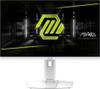
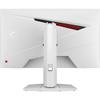
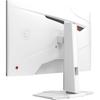
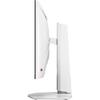
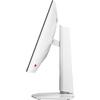
The all-white aesthetic initially seemed like a risky choice, but it's aged well. Unlike some white peripherals that yellow over time, the monitor's finish has remained clean in long-term testing. The RGB lighting on the back is subtle enough to enhance your setup without being distracting during use.
The stand deserves particular praise. The full range of adjustments—height, tilt, swivel, and even 90-degree pivot for portrait mode—accommodates virtually any desk setup. The adjustments are smooth and hold their position well, even after months of daily adjustments.
Beyond the gaming-focused HDMI 2.1 ports, the USB-C input with DisplayPort Alt Mode support has proven surprisingly useful. The 15W power delivery is enough to keep a laptop charged during light use, making it easy to switch between gaming and work setups.
The single DisplayPort 1.4a input handles the full 4K 160Hz signal from modern graphics cards without issues. Cable quality matters here—several users reported problems with older or cheap DisplayPort cables, so invest in a quality cable if you're not using the included one.
After months of use, the MAG 274URFW has maintained its performance characteristics well. Unlike some IPS monitors that develop dead pixels or backlight uniformity issues over time, long-term testing reveals a consistently reliable display.
The panel's anti-glare coating has proven effective in various lighting conditions without adding the grainy texture that mars some matte displays. This makes it suitable for both dim gaming environments and bright office spaces.
While primarily designed as a gaming monitor, the MAG 274URFW works surprisingly well in home theater setups, particularly for smaller rooms or bedside entertainment systems. The 27-inch size is perfect for close viewing distances (3-4 feet), and the wide color gamut makes movies and streaming content look vibrant.
The HDMI CEC support means it can integrate with home theater systems, automatically switching inputs and adjusting settings based on connected devices. However, the lack of built-in speakers means you'll need external audio solutions—though the 3.5mm headphone output provides a convenient connection point.
The MAG 274URFW excels for users who refuse to choose between gaming performance and color accuracy. It's particularly well-suited for competitive gamers who also do creative work, console players wanting the full next-gen experience, and anyone building a high-end gaming setup in a distinctive white aesthetic.
However, users specifically seeking the best possible HDR experience or those who prefer larger displays might want to consider alternatives with local dimming or larger screen sizes.
The MSI MAG 274URFW represents the maturation of the 4K gaming monitor category. It successfully combines flagship gaming performance with professional display quality in a package that's both visually distinctive and practically versatile. While it may not excel in every single category, its well-rounded performance makes it an excellent choice for users seeking one monitor that can handle everything from competitive esports to creative work without compromise.
Yes, the MSI MAG 274URFW excels for gaming with its 160Hz refresh rate, 0.5ms response time, and near-zero input lag. It supports AMD FreeSync Premium and VRR for tear-free gaming, while AI Vision technology enhances visibility in dark game areas. The dual HDMI 2.1 ports provide full 4K 120Hz support for PS5 and Xbox Series X.
The MSI MAG 274URFW works well as a small TV for close viewing distances (3-4 feet). It offers excellent color accuracy with 98% DCI-P3 coverage and DisplayHDR 400 support. However, at 27 inches, it's better suited for bedside entertainment or small rooms rather than traditional living room setups. You'll need external speakers since it lacks built-in audio.
Yes, the MSI MAG 274URFW fully supports 4K 120Hz gaming on PlayStation 5 and Xbox Series X through its dual HDMI 2.1 ports with 48Gbps bandwidth. It also includes Auto Low Latency Mode (ALLM) and Variable Refresh Rate (VRR) for optimized console gaming performance.
The MSI MAG 274URFW achieves near-zero input lag, making it excellent for competitive gaming and responsive for home theater use. Independent testing consistently shows minimal delay between input commands and on-screen response, putting it among the fastest gaming monitors available.
Yes, the MSI MAG 274URFW offers professional-grade color accuracy with 98% DCI-P3 and 133% sRGB coverage. It includes a dedicated sRGB mode for color-critical work, achieving Delta E values under 2.0. The 4K resolution provides sharp detail for photo editing and video work.
The MSI MAG 274URFW features VESA DisplayHDR 400 certification, providing modest HDR improvements rather than dramatic contrast enhancement. While adequate for HDR gaming and streaming content, it won't deliver the premium HDR experience of displays with local dimming or higher peak brightness.
The MSI MAG 274URFW includes two HDMI 2.1 ports, one DisplayPort 1.4a, and USB-C with DisplayPort Alt Mode and 15W power delivery. It also features a 3.5mm headphone output and HDMI CEC support for home theater integration.
The 27-inch MSI MAG 274URFW works best for close viewing distances (3-4 feet) in bedrooms, small rooms, or desk setups. For traditional living room home theaters with couch viewing, larger displays would provide a more immersive experience. However, the compact size offers advantages for gaming and productivity use.
Yes, the MSI MAG 274URFW features solid build quality with a distinctive all-white design and customizable RGB lighting. The stand offers full ergonomic adjustments including height, tilt, swivel, and 90-degree pivot. Long-term testing shows reliable performance without common issues like dead pixels or backlight uniformity problems.
The MSI MAG 274URFW is worth it for users seeking a versatile display that handles both high-performance gaming and color-accurate work. It successfully combines 160Hz gaming performance with professional color coverage, making it ideal for gamers who also do creative work or want a premium all-in-one solution. However, users specifically needing larger screens for home theater use or premium HDR performance might consider alternatives.
We've done our best to create useful and informative comparisons to help you decide what product to buy. Our research has used advanced automated methods to create this comparison and perfection is not possible - please contact us for corrections or questions. These are the sites we've researched in the creation of this article: youtube.com - bestbuy.com - rtings.com - youtube.com - guru3d.com - youtube.com - newegg.com - bhphotovideo.com - bestbuy.com - storage-asset.msi.com - shi.com - neweggbusiness.com - files.bbystatic.com - us-store.msi.com - msi.com - storage-asset.msi.com - storage-asset.msi.com
| MSI MAG 274URFW |
|---|
| Response Time - Critical for eliminating motion blur in fast games: 0.5ms GtG |
| Refresh Rate - Higher rates provide smoother motion and competitive advantage: 160Hz |
| Resolution - 4K delivers razor-sharp detail for gaming and productivity: 3840 x 2160 |
| Panel Type - Rapid IPS combines fast gaming performance with accurate colors: Rapid IPS |
| Input Lag - Lower lag means more responsive gaming: Near 0ms |
| Color Gamut - Wider coverage produces more vibrant and accurate colors: 98% DCI-P3, 133% sRGB |
| HDR Support - Enhanced contrast and brightness for compatible content: VESA DisplayHDR 400 |
| HDMI Ports - Version 2.1 enables full 4K 120Hz on PS5/Xbox Series X: 2x HDMI 2.1 |
| Adaptive Sync - Eliminates screen tearing for smoother gameplay: AMD FreeSync Premium + VRR |
| USB-C - Single cable solution for laptops with video and charging: DP Alt Mode + 15W Power Delivery |
| Brightness: 400 nits typical, 474 nits measured |
| Contrast Ratio: 1000:1 typical |
| Viewing Angles: 178° horizontal/vertical |
| Ergonomics: Height, tilt, swivel, pivot adjustments |
| Screen Size: 27 inches |
| Weight: 6.4 kg |
| VESA Mount: 75x75mm |
The ASUS ROG Strix XG27ACMG takes a fundamentally different approach, prioritizing ultra-high refresh rates over resolution with its impressive 270Hz capability at QHD (2560×1440). This monitor excels in competitive gaming scenarios where every frame matters, offering noticeably smoother motion tracking in fast-paced shooters and esports titles. The ASUS model also features ELMB SYNC technology, which uniquely allows motion blur reduction to work simultaneously with adaptive sync – something most monitors can't achieve. For users with mid-range graphics cards like the RTX 4060 or RX 7600, the QHD resolution means you can actually reach those high refresh rates in competitive games, whereas 4K gaming requires significantly more GPU horsepower to be truly effective.
From a value perspective, the ASUS XG27ACMG offers compelling advantages for specific use cases. Its lower power consumption (28W vs 65W) translates to meaningful electricity savings over time, while the QHD resolution provides an excellent balance between visual quality and performance demands. The monitor costs slightly less while delivering gaming performance that many competitive players will find superior to 4K at lower frame rates. However, for users who prioritize visual fidelity, content creation capabilities, or future-proofing, the MSI's 4K resolution and superior color accuracy make it the more versatile long-term investment. The choice ultimately comes down to whether you value the immediate competitive gaming benefits and efficiency of the ASUS monitor or the superior image quality and broader use case flexibility of 4K gaming.
🤖 Read Detailed Comparison
👌ASUS ROG Strix XG27ACMG 27" QHD 270Hz Gaming Monitor Details
💵 See ASUS ROG Strix XG27ACMG 27" QHD 270Hz Gaming Monitor Price
The Samsung Odyssey G7 G70D takes a notably different approach with its integrated smart TV functionality and broader ecosystem compatibility. While it delivers slightly lower gaming performance specs at 144Hz refresh rate and 1ms response time, it compensates with comprehensive smart features including built-in streaming apps, Gaming Hub access, and a dedicated remote control. This makes it particularly appealing for users who want a single device that handles both gaming and entertainment without requiring additional hardware. The Samsung also supports both AMD FreeSync and NVIDIA G-Sync, providing greater flexibility for users with different graphics cards, whereas the MSI limits you to AMD's ecosystem.
From a value perspective, the Samsung G70D typically costs around $20 less while offering this expanded functionality, making it an attractive option for budget-conscious buyers who still want excellent 4K gaming performance. However, the trade-offs are noticeable in direct performance comparisons – the 16Hz lower refresh rate and 0.5ms slower response time create measurably less smooth motion clarity during competitive gaming scenarios. The Samsung also lacks the MSI's anti-glare coating and delivers lower peak brightness at 350 nits, which can impact visibility in bright rooms. For users prioritizing pure gaming performance and display quality, these compromises may outweigh the smart features and cost savings, but those seeking a versatile entertainment hub will find the Samsung's broader capabilities justify choosing slightly lower gaming specs.
🤖 Read Detailed Comparison
👌Samsung 27" Odyssey G7 G70D 4K UHD IPS Gaming Monitor Details
💵 See Samsung 27" Odyssey G7 G70D 4K UHD IPS Gaming Monitor Price
The GIGABYTE MO27Q2 takes a fundamentally different approach with its cutting-edge QD-OLED technology, delivering visuals that simply cannot be matched by traditional LCD panels. Where the MSI excels in sharpness with 4K resolution, the GIGABYTE compensates with dramatically superior contrast—its 1.5 million:1 contrast ratio creates perfect blacks and colors that seem to glow from within the screen. The 240Hz refresh rate paired with an incredibly fast 0.03ms response time makes it a powerhouse for competitive gaming, offering 50% higher refresh rates than the MSI's already excellent 160Hz. Gaming in darker environments becomes a genuinely cinematic experience, with HDR content looking more impactful thanks to the display's ability to turn pixels completely off for true blacks.
However, this premium technology comes with trade-offs that affect real-world use. The GIGABYTE MO27Q2 typically operates at lower brightness levels (around 250 nits) compared to the MSI's 400 nits, making it less suitable for bright gaming setups where the MSI maintains better visibility. The QHD resolution, while perfectly sharp at 27 inches, provides less screen real estate for productivity tasks and won't showcase games at their native 4K detail. Perhaps most importantly, the OLED technology commands a significant price premium—often 60-70% more than the MSI—while introducing potential burn-in concerns despite protective features and warranty coverage. For gamers prioritizing the ultimate visual experience and willing to pay for cutting-edge technology, the GIGABYTE offers unmatched image quality, but the MSI provides better overall value with future-proof 4K resolution at a more accessible price point.
🤖 Read Detailed Comparison
👌GIGABYTE MO27Q2 27" QD-OLED QHD 240Hz Gaming Monitor Details
💵 See GIGABYTE MO27Q2 27" QD-OLED QHD 240Hz Gaming Monitor Price
The LG UltraGear 27" OLED QHD 240Hz Gaming Monitor takes a fundamentally different approach, prioritizing refresh rate and contrast over resolution. Its standout feature is the combination of 240Hz refresh rate with OLED's perfect blacks and 0.03ms response time, creating an incredibly smooth and responsive gaming experience that's particularly noticeable in competitive shooters and fast-paced games. The OLED technology delivers infinite contrast with true blacks that make dark scenes dramatically more immersive, while the higher refresh rate provides a genuine competitive advantage in esports scenarios where every millisecond matters. Colors appear more vibrant and HDR content has significantly more impact thanks to the panel's ability to reach 1000 nits peak brightness while simultaneously displaying perfect blacks.
However, this performance comes with trade-offs that affect its value proposition compared to the MSI's versatile 4K approach. The LG OLED sacrifices resolution for speed, offering 1440p instead of 4K, which means less sharp text and reduced detail in games—a noticeable difference when viewed side by side. The premium OLED technology also introduces burn-in risks that make it less suitable for productivity work or extended static content viewing, limiting its versatility as an all-purpose monitor. While it excels as a dedicated gaming display for enthusiasts who prioritize motion clarity and contrast above all else, the MSI offers better long-term value for users who want a single monitor that handles gaming, work, and media consumption equally well. The choice ultimately depends on whether you value the OLED's superior gaming performance enough to accept its higher cost and usage limitations.
🤖 Read Detailed Comparison
👌LG UltraGear 27" OLED QHD 240Hz Gaming Monitor Details
💵 See LG UltraGear 27" OLED QHD 240Hz Gaming Monitor Price
The HP Omen 27k takes a different approach to 4K gaming, prioritizing convenience features and HDR performance over pure speed. Its standout feature is the built-in KVM switch, which allows seamless switching between multiple devices using a single keyboard and mouse – invaluable for users managing both PC and console gaming setups. The monitor also delivers superior HDR performance with 8-zone edge lighting that achieves contrast ratios over 7,300:1, making it noticeably better for HDR gaming and media consumption. While its 144Hz refresh rate and 1ms response time are still excellent for gaming, they fall short of the MSI's 160Hz and 0.5ms specifications.
From a value perspective, the HP Omen 27k commands a premium but justifies it through build quality and workflow features. The integrated USB hub, speakers, and more accurate out-of-the-box color reproduction make it feel like a complete workstation solution rather than just a gaming monitor. However, for pure gaming performance per dollar, it's harder to recommend over the MSI. The HP excels when you need the KVM functionality or prioritize HDR content viewing, but competitive gamers focused solely on the fastest, most responsive 4K experience will find better value in the MSI's superior refresh rate and response time at a lower price point.
🤖 Read Detailed Comparison
👌HP Omen 27k 4K UHD 144Hz Gaming Monitor Details
💵 See HP Omen 27k 4K UHD 144Hz Gaming Monitor Price
The MSI MAG 271QP QD-OLED X24 takes a fundamentally different approach, prioritizing cutting-edge performance over resolution. Its QD-OLED panel delivers a staggering 0.03ms response time—roughly 15 times faster than the MAG 274URFW—paired with a 240Hz refresh rate that creates an almost CRT-like gaming experience. The real-world impact is immediately noticeable in competitive games, where motion clarity reaches levels that make tracking fast-moving targets significantly easier. Beyond raw speed, the QD-OLED monitor offers superior visual quality through perfect blacks, infinite contrast ratios, and factory-calibrated colors that achieve Delta E ≤ 2 accuracy. HDR performance is in a different league entirely, with true blacks and peak brightness up to 1000 nits creating genuinely cinematic experiences that the MAG 274URFW simply cannot match due to LCD panel limitations.
From a value perspective, the MAG 271QP QD-OLED X24 commands a premium price but delivers performance that justifies the cost for serious gamers. While you sacrifice the pixel density and productivity benefits of 4K, you gain gaming performance that provides tangible competitive advantages and visual quality that makes every game more immersive. The choice comes down to priorities: the MAG 274URFW offers excellent versatility and future-proofing with 4K resolution, while the QD-OLED alternative represents the pinnacle of gaming monitor technology for users who prioritize performance and visual excellence over resolution. For competitive gamers or enthusiasts who game primarily in darker environments where OLED advantages shine, the performance gap is significant enough to warrant the higher investment.
🤖 Read Detailed Comparison
👌MSI MAG 271QP QD-OLED X24 27" QHD 240Hz Gaming Monitor Details
💵 See MSI MAG 271QP QD-OLED X24 27" QHD 240Hz Gaming Monitor Price
The Samsung Odyssey G65B takes a fundamentally different approach to gaming performance, prioritizing ultra-high refresh rates over resolution. Its 240Hz refresh rate delivers noticeably smoother motion than the MSI's 160Hz, particularly beneficial for competitive gamers who play fast-paced titles like Counter-Strike or Valorant. The curved 1000R design wraps around your field of vision, creating a more immersive gaming experience that's especially effective in racing games and first-person shooters. Additionally, the VA panel technology provides a superior 2,500:1 contrast ratio compared to the MSI's 1,000:1 IPS panel, resulting in deeper blacks and more vibrant colors. The DisplayHDR 600 certification also delivers better HDR performance with improved brightness and contrast handling.
From a practical standpoint, the Samsung Odyssey G65B is significantly easier on your graphics card due to its 1440p resolution, allowing mid-range GPUs to achieve high frame rates without compromising visual quality. This makes it more accessible for gamers who don't want to invest in high-end graphics hardware. The monitor also includes Samsung's Gaming Hub with built-in streaming and cloud gaming capabilities, adding entertainment value beyond pure gaming performance. However, this performance-first approach comes at the cost of resolution—you're trading the MSI's exceptional 4K clarity for smoother motion and lower hardware requirements. The Samsung typically commands a price premium over the MSI, but offers immediate competitive gaming benefits that don't depend on future GPU upgrades, making it an excellent choice for esports enthusiasts and gamers who prioritize fluidity over visual fidelity.
🤖 Read Detailed Comparison
👌Samsung Odyssey G65B 27" QHD 240Hz Curved Gaming Monitor Details
💵 See Samsung Odyssey G65B 27" QHD 240Hz Curved Gaming Monitor Price
The Sony INZONE M9 II takes a fundamentally different approach with Full-Array Local Dimming technology that creates dramatically better HDR experiences. Its 96 LED zones can independently control brightness across different areas of the screen, delivering up to 750 nits peak brightness in highlights while maintaining deep blacks in darker regions. This creates genuinely cinematic contrast that makes games like Cyberpunk 2077 or The Last of Us feel more immersive, with neon signs popping against dark cityscapes and natural lighting that feels realistic rather than flat. The monitor also includes specialized PlayStation integration features like Auto HDR Tone Mapping for PS5/PS5 Pro and a unique 24.5-inch competitive gaming mode, making it particularly valuable for console gamers who want optimized performance without manual tweaking.
However, these premium features come with significant trade-offs in both price and performance characteristics. The Sony INZONE M9 II costs nearly double what you'll pay for the MSI, while delivering a slower 1ms response time that competitive gamers will notice in fast-paced scenarios. The local dimming, while impressive for HDR content, introduces blooming artifacts around bright objects and creates cloudiness in dark scenes that the MSI's clean edge-lit panel completely avoids. For most users, the MSI provides 90% of the Sony's gaming performance at roughly half the cost, with the Sony primarily justifying its premium through superior HDR implementation and PlayStation-specific optimizations that benefit a narrower audience of console enthusiasts willing to pay for specialized features.
🤖 Read Detailed Comparison
👌Sony INZONE M9 II 27" 4K 160Hz Gaming Monitor Details
💵 See Sony INZONE M9 II 27" 4K 160Hz Gaming Monitor Price
The Samsung Odyssey OLED G6 takes a fundamentally different approach, prioritizing ultra-high refresh rates and cutting-edge display technology over raw resolution. Its standout 360Hz refresh rate delivers exceptionally smooth motion that's immediately noticeable in competitive gaming scenarios, while the QD-OLED panel provides perfect blacks and infinite contrast that makes the MSI's IPS display look washed out by comparison. The 0.03ms response time is virtually instantaneous, eliminating motion blur entirely, and the superior HDR implementation creates a more cinematic gaming experience. However, this premium technology comes at a cost - both in price and practicality. The QHD resolution means you're trading the MSI's crisp 4K detail for speed, and while 360Hz sounds impressive, you'll need a high-end GPU and reduced visual settings to actually achieve those frame rates in modern games.
In real-world usage, the Samsung OLED G6 excels in specific scenarios while the MSI offers broader versatility. If you're primarily focused on competitive esports titles and have the hardware to push high frame rates, the Samsung's speed advantage is tangible and can genuinely improve your performance. The OLED's superior contrast also makes it exceptional for gaming in dark rooms and watching movies. However, for users who want one monitor to handle gaming, productivity, and content creation, or those who prefer the peace of mind that comes with LCD reliability, the MSI's 4K resolution and burn-in-free operation provide better long-term value. The Samsung commands a premium that's justified for competitive gamers but harder to recommend for casual users who won't fully utilize its specialized features.
🤖 Read Detailed Comparison
👌Samsung 27" Odyssey OLED G6 QHD 360Hz Gaming Monitor Details
💵 See Samsung 27" Odyssey OLED G6 QHD 360Hz Gaming Monitor Price
The Samsung 27" Odyssey 3D G90XF takes a completely different approach with its revolutionary glasses-free 3D technology that uses eye-tracking cameras and AI conversion to transform gaming into an immersive three-dimensional experience. This cutting-edge feature creates genuine depth perception in supported games, making racing titles more engaging and adventure games feel almost VR-like in their presence. The monitor also includes directional speakers optimized for 3D audio, edge lighting that extends colors beyond the screen boundaries, and solid gaming performance with 165Hz refresh rate and 1ms response time. However, the 3D ecosystem remains limited with relatively few natively supported games, and the AI conversion feature works inconsistently across different titles.
From a value perspective, the Samsung Odyssey 3D G90XF commands roughly five times the price of the MSI while delivering comparable traditional gaming performance – both use IPS panels with similar contrast ratios and decent HDR400-level brightness. The Samsung's 350 nits peak brightness actually falls short of the MSI's 400 nits, and its 99% sRGB color coverage is less comprehensive than the MSI's professional-grade 98% DCI-P3 coverage. The premium pricing essentially pays for exclusive access to 3D gaming technology that requires high-end hardware (RTX 3080+) to run effectively and currently supports a limited content library. While the 3D experience is genuinely impressive and unlike anything else available, most gamers will find the MSI delivers superior practical value with faster 0.5ms response times, better color accuracy, more versatile connectivity including USB-C, and exceptional performance per dollar.
🤖 Read Detailed Comparison
👌Samsung 27" Odyssey 3D G90XF 4K 165Hz Gaming Monitor Details
💵 See Samsung 27" Odyssey 3D G90XF 4K 165Hz Gaming Monitor Price
The BenQ MOBIUZ EX270QM takes a fundamentally different approach with its 240Hz refresh rate at 1440p resolution, prioritizing silky-smooth motion over pixel density. This monitor truly shines in competitive gaming scenarios where the extra refresh rate provides tangible advantages—enemy movements appear more fluid, and your reactions feel more immediate in fast-paced shooters and esports titles. The BenQ also stands out with its integrated 2.1 audio system featuring a dedicated subwoofer, delivering surprisingly good sound quality that eliminates the need for separate speakers in many setups. Additionally, its DisplayHDR 600 certification provides more impactful HDR performance with 600 nits peak brightness compared to the MSI's 400 nits, resulting in brighter highlights and better contrast in supported content.
From a value perspective, the BenQ MOBIUZ EX270QM offers compelling advantages for many users. Its 1440p resolution is much easier to drive at high frame rates, meaning you can achieve the full 240Hz potential with mid-range graphics cards like the RTX 4060 Ti, whereas the MSI's 4K resolution demands high-end hardware for optimal performance. The BenQ also consumes significantly less power (around 55W versus up to 98W), translating to lower electricity costs over time. While you sacrifice some visual detail compared to 4K, the 1440p resolution at 27 inches still provides sharp, clear visuals with the added benefit of higher frame rates in games. For competitive gamers or those with modest graphics cards who want maximum performance without breaking the bank on hardware upgrades, the BenQ represents the more practical and immediately rewarding choice.
🤖 Read Detailed Comparison
👌BenQ MOBIUZ EX270QM 27" QHD 240Hz IPS Gaming Monitor Details
💵 See BenQ MOBIUZ EX270QM 27" QHD 240Hz IPS Gaming Monitor Price
The ASUS ROG Swift OLED PG27UCDM represents a significant step up in display technology, featuring a 4th-generation QD-OLED panel that delivers transformational image quality compared to the MSI's IPS technology. With its 240Hz refresh rate, 0.03ms response time, and infinite contrast ratio of 1,500,000:1, the ASUS provides virtually instantaneous pixel response and perfect blacks that make dark gaming scenes dramatically more immersive. The QD-OLED panel covers 99% DCI-P3 with factory calibration achieving Delta E < 2 accuracy, while supporting Dolby Vision HDR that creates genuinely impactful bright highlights and deep shadows. Gaming performance is exceptional, with the higher refresh rate providing noticeable smoothness advantages in competitive titles, though the premium extends beyond just specs to include advanced features like DisplayPort 2.1 with full 80Gbps bandwidth, 90W USB-C power delivery, and intelligent OLED care systems including a proximity sensor that prevents burn-in.
However, this cutting-edge technology comes at a substantial premium – approximately three times the cost of the MSI at the time of writing. While the ASUS ROG Swift OLED PG27UCDM delivers undeniably superior image quality and gaming performance, the real-world benefits may not justify the cost difference for many users. The MSI's 160Hz refresh rate already exceeds what most graphics cards can consistently deliver at 4K in demanding games, making the ASUS's 240Hz advantage primarily relevant for competitive esports titles or future GPU generations. The OLED's perfect blacks and superior HDR create a more cinematic experience for single-player games and movie watching, but you'll also need to consider potential burn-in risks with static elements and the panel's lower SDR brightness in bright rooms. For users prioritizing value and reliable long-term performance, the MSI represents the more practical choice, while the ASUS targets enthusiasts willing to pay significantly more for cutting-edge display technology and absolute visual quality.
🤖 Read Detailed Comparison
👌ASUS ROG Swift OLED PG27UCDM 27" 4K 240Hz Gaming Monitor Details
💵 See ASUS ROG Swift OLED PG27UCDM 27" 4K 240Hz Gaming Monitor Price
The ViewSonic XG275D-4K introduces a revolutionary dual-mode technology that sets it apart in the 4K gaming monitor space. Its standout feature is the ability to switch between native 4K at 160Hz and Full HD at an incredible 320Hz refresh rate with a simple button press. This addresses a real pain point for serious gamers who want both the visual splendor of 4K for story-driven games and the lightning-fast response times that competitive esports demand. The 320Hz mode transforms it into one of the fastest displays available, providing measurable advantages in competitive titles like Valorant, CS2, and Apex Legends where every millisecond counts. Additionally, the ViewSonic XG275D-4K offers superior USB-C power delivery at 65W, enabling single-cable laptop connectivity and charging—a significant advantage for hybrid gaming and work setups.
However, this innovation comes with trade-offs that favor the MSI in several key areas. The ViewSonic XG275D-4K sacrifices color performance with its more modest 94% DCI-P3 coverage and 300-nit peak brightness compared to the MSI's superior color gamut and DisplayHDR 400 certification. It also provides only one HDMI 2.1 port versus the MSI's dual ports, limiting multi-console setups. While the ViewSonic's dual-mode capability is genuinely revolutionary, it typically commands a price premium that's only justified if you actively use both competitive esports and immersive 4K gaming. For most users, the MSI delivers better overall value with its consistent 4K performance, superior visual quality, and comprehensive connectivity, making the ViewSonic XG275D-4K best suited for serious competitive gamers who refuse to compromise on either resolution or refresh rate performance.
🤖 Read Detailed Comparison
👌ViewSonic XG275D-4K 27" 4K UHD 320Hz Gaming Monitor Details
💵 See ViewSonic XG275D-4K 27" 4K UHD 320Hz Gaming Monitor Price
The Samsung Odyssey OLED G8 represents the premium alternative in the 27-inch 4K gaming space, utilizing cutting-edge QD-OLED technology that delivers fundamentally different visual characteristics. Its standout features include a dramatically higher 240Hz refresh rate and lightning-fast 0.03ms response time – roughly 16 times faster than the MSI's already impressive specifications. The OLED panel creates perfect blacks with infinite contrast ratios, transforming atmospheric games and HDR content with a depth and realism that IPS technology simply cannot match. This translates to more immersive experiences in story-driven games like Cyberpunk 2077 or horror titles where shadow detail and contrast make a tangible difference in gameplay.
However, the Samsung comes with significant trade-offs that potential buyers must carefully consider. Its peak brightness of just 250 nits makes it poorly suited for bright rooms or office environments where the MSI excels, essentially requiring controlled lighting for optimal performance. The premium pricing – typically $500-700 more at the time of writing – represents a substantial investment that delivers diminishing returns for most users. While competitive esports players will appreciate the 240Hz advantage, the real-world gaming difference between 160Hz and 240Hz is less dramatic than the contrast technology improvement. The OLED panel also introduces burn-in concerns for users who display static content, though Samsung provides warranty coverage. For buyers prioritizing cutting-edge visual quality in dedicated gaming setups, the Samsung justifies its premium, but the MSI offers 80% of the performance at roughly 35% of the cost, making it the clear value champion for mainstream 4K gaming.
🤖 Read Detailed Comparison
👌Samsung 27" Odyssey OLED G8 4K UHD 240Hz Gaming Monitor Details
💵 See Samsung 27" Odyssey OLED G8 4K UHD 240Hz Gaming Monitor Price
The Acer Nitro XV275K P3 represents a significant technological leap with its Mini LED backlighting system featuring 576 individual dimming zones, delivering transformative HDR performance that the MSI simply cannot match. Where the MAG 274URFW peaks at 400 nits with basic DisplayHDR 400 certification, the Acer achieves true DisplayHDR 1000 performance with 1000 nits peak brightness, creating genuinely impactful HDR experiences in games like Cyberpunk 2077 or when streaming HDR movies. The contrast difference is dramatic—the Mini LED implementation allows for deep blacks right next to brilliant highlights, making everything from dark cave exploration to bright outdoor scenes look more realistic and immersive. Additionally, the Acer comes factory-calibrated with Delta E values under 2 and covers 99% DCI-P3, making it ready for professional color work straight out of the box.
From a practical standpoint, the Acer Nitro XV275K P3 offers superior connectivity with 90W USB-C power delivery—six times more powerful than the MSI's 15W output—enabling true single-cable laptop connectivity that can charge, display, and transfer data simultaneously. While the MSI excels in consistent input lag performance across all refresh rates, the Acer matches it at high refresh rates where most PC gaming occurs, and its superior motion handling despite the higher 1ms specification makes it surprisingly competitive for gaming. At similar pricing, the Acer delivers cutting-edge display technology, better HDR performance, more versatile connectivity, and professional-grade color accuracy, making it the better long-term investment for users who want more than just basic 4K gaming performance.
🤖 Read Detailed Comparison
👌Acer Nitro XV275K P3 27" Mini LED 4K UHD Gaming Monitor Details
💵 See Acer Nitro XV275K P3 27" Mini LED 4K UHD Gaming Monitor Price
The BenQ Zowie XL2746K takes a fundamentally different approach, prioritizing competitive gaming performance over visual fidelity with its 240Hz refresh rate and specialized motion clarity technology. Its standout DyAc+ feature uses backlight strobing to virtually eliminate motion blur, creating remarkably clear tracking of fast-moving objects in FPS games like Counter-Strike 2 and Valorant. The TN panel delivers sub-1ms response times and includes professional esports features like the S Switch controller for quick settings changes, Black eQualizer for enhanced shadow detail, and a detachable shielding hood used in tournament environments. While it sacrifices the MSI's stunning 4K resolution for 1080p, this trade-off allows modern graphics cards to easily push 240+ fps in competitive games, maximizing the display's smooth motion capabilities.
However, the BenQ Zowie XL2746K represents a much more specialized and expensive solution that only makes sense for dedicated competitive players. Its TN panel produces noticeably inferior colors, narrow viewing angles, and lacks HDR support, making it unsuitable for content creation, casual gaming, or media consumption. The 1080p resolution also means significantly less sharp text and detail compared to the MSI's 4K clarity. While professional esports players swear by its motion performance, the average gamer will find better overall value and versatility in the MSI MAG 274URFW, especially considering the BenQ typically costs more while serving a much narrower range of use cases. Unless you're specifically focused on competitive FPS gaming and willing to sacrifice everything else for maximum motion clarity, the MSI offers superior real-world benefits for most users.
🤖 Read Detailed Comparison
👌BenQ Zowie XL2746K 27" 240Hz Esports Gaming Monitor Details
💵 See BenQ Zowie XL2746K 27" 240Hz Esports Gaming Monitor Price
The LG UltraGear 27G850A represents the current pinnacle of 27-inch 4K gaming monitor technology, offering a native 240Hz refresh rate that significantly exceeds the MSI's 160Hz capability. More impressively, its innovative Dual Mode feature allows switching to 1080p at an unprecedented 480Hz, providing competitive esports players with response times that approach theoretical minimums. The monitor's Nano IPS Black panel technology delivers a 2000:1 contrast ratio – double that of the MSI – resulting in noticeably deeper blacks and better shadow detail in dark games. Additionally, the LG monitor includes hardware calibration support typically found on professional displays costing thousands more, plus DisplayHDR 600 certification with 8-zone local dimming that provides a more convincing HDR experience than the MSI's basic DisplayHDR 400 implementation.
However, these advanced features come at a significant premium that may not justify the cost for most users. While the jump from 160Hz to 240Hz offers smoother motion, the real-world gaming benefit is far less dramatic than the leap from 60Hz to 160Hz that the MSI provides. The 480Hz mode, while technically impressive, only benefits the most elite competitive players who can actually perceive and utilize such extreme refresh rates. For the majority of gamers, the MSI's excellent color accuracy, reliable performance, and comprehensive feature set deliver 90% of the premium gaming experience at a fraction of the cost, making it the more practical choice unless you specifically need the LG's cutting-edge specifications for professional esports competition or color-critical work requiring hardware calibration.
🤖 Read Detailed Comparison
👌LG UltraGear 27" 4K 240Hz Dual Mode Gaming Monitor Details
💵 See LG UltraGear 27" 4K 240Hz Dual Mode Gaming Monitor Price
The LG UltraGear 27" OLED QHD 480Hz Gaming Monitor represents the cutting edge of competitive gaming displays, prioritizing extreme refresh rates and OLED visual quality over the 4K resolution approach of the MSI monitor. Its standout 480Hz refresh rate is three times faster than the MSI's 160Hz, delivering unprecedented smoothness in competitive esports titles where frame rates can actually reach these levels. The OLED technology provides perfect blacks with a 1,500,000:1 contrast ratio compared to typical IPS contrast, creating dramatically more immersive visuals in dark game scenes. Response times are also significantly faster at 0.03ms versus the MSI's already excellent 0.5ms, which matters for serious competitive players who need every millisecond advantage. The LG monitor also includes DisplayPort 2.1 connectivity, offering 67% more bandwidth than standard connections and future-proofing for next-generation graphics cards.
However, this performance comes with trade-offs that make the MSI monitor more versatile for most users. The LG UltraGear is limited to 1440p resolution, sacrificing the pixel density and sharpness that makes the MSI's 4K display superior for single-player gaming, productivity work, and console gaming where you want to utilize the full 4K capabilities of PlayStation 5 and Xbox Series X. The OLED technology, while visually stunning, requires careful usage to prevent burn-in and commands a significant price premium – often double or more than the MSI's cost. For competitive esports players with high-end GPUs capable of 300+ fps, the LG's advantages justify the investment. But for most gamers seeking the best overall value and versatility, the MSI's combination of 4K resolution, solid 160Hz performance, and accessible pricing makes it the more practical choice for a primary gaming display.
🤖 Read Detailed Comparison
👌LG UltraGear 27" OLED QHD 480Hz Gaming Monitor Details
💵 See LG UltraGear 27" OLED QHD 480Hz Gaming Monitor Price
The Samsung Odyssey OLED G6 takes a fundamentally different approach, prioritizing competitive gaming performance over resolution. Its standout 360Hz refresh rate and 0.03ms response time deliver motion clarity that's simply unmatched, making it ideal for esports titles where split-second reactions matter. The OLED panel technology provides perfect blacks and infinite contrast that transforms atmospheric games and HDR content, creating visual depth that no LCD can replicate. While the QHD resolution means less pixel density than the MSI's 4K display, the lower resolution actually enables more graphics cards to drive the high frame rates needed to utilize that 360Hz capability effectively.
However, this performance comes at a significant premium—the Samsung monitor typically costs nearly double what you'd pay for the MSI. The value proposition depends entirely on your gaming priorities and budget. If you're a competitive gamer with a powerful GPU who primarily plays fast-paced titles in a darker environment, the Samsung's superior motion handling and contrast justify the extra cost. But for most users who want versatility, sharp 4K detail for both gaming and productivity, and exceptional value for money, the MSI remains the more practical choice. The Samsung excels in its specialized role, but the MSI offers broader appeal and better bang for your buck.
🤖 Read Detailed Comparison
👌Samsung 27" Odyssey OLED G6 QHD 360Hz Gaming Monitor Details
💵 See Samsung 27" Odyssey OLED G6 QHD 360Hz Gaming Monitor Price
The Mobile Pixels 27" WQHD Mini-LED Gaming Monitor distinguishes itself through cutting-edge Mini-LED backlighting technology that delivers dramatically superior contrast and HDR performance compared to traditional LCD displays. Its standout capability is achieving true HDR1000 certification with 1000-nit peak brightness, creating visually stunning gaming experiences where bright explosions genuinely pop against inky black shadows, and dark game environments retain detail that would be lost on conventional monitors. The Mini-LED technology enables precise local dimming across hundreds of zones, resulting in a contrast ratio that approaches OLED-like performance without the burn-in concerns. Additionally, the monitor pushes refresh rates higher at 180Hz, providing a slight but noticeable smoothness advantage for users with high-end graphics cards capable of driving those frame rates.
While the Mobile Pixels monitor typically commands a premium price for its advanced display technology, it delivers tangible visual benefits that justify the cost for specific use cases. The enhanced contrast and HDR capabilities make it exceptional for single-player gaming, movie watching, and HDR content creation where visual impact takes precedence over pixel density. However, it trades away the MSI's practical advantages like 4K sharpness, USB-C connectivity, and console optimization features. The Mobile Pixels excels as a specialized display for enthusiasts who prioritize dramatic visual quality and have controlled lighting environments, but its higher cost and limited connectivity make it less versatile than the MSI for users who need their monitor to excel across multiple scenarios and device types.
🤖 Read Detailed Comparison
👌Mobile Pixels 27" WQHD Mini-LED Gaming Monitor Details
💵 See Mobile Pixels 27" WQHD Mini-LED Gaming Monitor Price
The Gigabyte AORUS FO27Q2 represents the pinnacle of gaming-focused display technology with its QD-OLED panel delivering true blacks, infinite contrast, and an industry-leading 240Hz refresh rate paired with 0.03ms response times. Where the MAG 274URFW prioritizes resolution and versatility, the AORUS monitor optimizes for pure gaming performance with specifications that provide tangible competitive advantages in fast-paced titles. The OLED technology creates dramatically superior HDR experiences with perfect shadow detail and vibrant colors that make games like Cyberpunk 2077 or horror titles genuinely more immersive. Professional esports players and competitive gamers will immediately notice the difference in motion clarity and input responsiveness, particularly in titles where split-second reactions determine outcomes.
However, this cutting-edge technology comes at roughly double the cost while sacrificing the practical benefits of 4K resolution. The FO27Q2 targets a more specialized audience willing to pay premium prices for bleeding-edge gaming performance and visual quality, whereas the MAG 274URFW serves broader needs more affordably. Console gamers lose some optimization since the AORUS monitor upscales 4K content to its 1440p native resolution, and productivity users miss out on the sharp text rendering that 4K provides. The Gigabyte monitor also introduces OLED longevity concerns that IPS panels don't face, though comprehensive burn-in warranty coverage helps mitigate this risk. For buyers who prioritize absolute gaming performance over resolution and don't mind the premium pricing, the AORUS FO27Q2 offers an undeniably superior gaming experience that current technology can provide.
🤖 Read Detailed Comparison
👌Gigabyte AORUS FO27Q2 27" QD-OLED Gaming Monitor Details
💵 See Gigabyte AORUS FO27Q2 27" QD-OLED Gaming Monitor Price
The HP OMEN 27s FHD 240Hz Gaming Monitor represents the pure competitive gaming approach, delivering an impressive 240Hz refresh rate that creates noticeably smoother motion than the MSI's 160Hz, particularly beneficial for fast-paced esports titles where every millisecond counts. Its 1ms GtG response time with overdrive technology and VESA ClearMR 6000 certification ensure exceptional motion clarity during rapid movements, while NVIDIA G-SYNC compatibility and AMD FreeSync Premium support provide excellent adaptive sync performance. The HP monitor shines in its accessibility—the 1080p resolution allows mid-range graphics cards like the RTX 3060 or RX 6600 XT to consistently hit that full 240fps in competitive games, making high refresh rate gaming achievable without requiring flagship hardware. For dedicated esports players who prioritize responsiveness over visual fidelity, the extra 80Hz refresh rate provides a genuine competitive edge in reaction-heavy games like Counter-Strike 2 and Valorant.
From a value standpoint, the HP OMEN 27s typically costs significantly less while delivering exactly what competitive gamers need most—maximum speed and responsiveness. While it cannot match the MSI's stunning 4K visuals or professional-grade color accuracy, it excels in its focused mission of providing the smoothest possible gaming experience without breaking the bank. The HP monitor also includes practical features like integrated USB hub functionality and custom crosshair overlays via OMEN Gaming Hub, though it lacks the advanced AI-powered features of the MSI. For budget-conscious competitive gamers or those building dedicated esports setups, the HP offers superior cost-per-frame performance and lower total system requirements, making high-refresh gaming accessible to a broader audience. However, its 1080p resolution does feel limiting for productivity work and single-player gaming, where the MSI's 4K clarity provides a dramatically more immersive and versatile experience.
🤖 Read Detailed Comparison
👌HP OMEN 27s FHD 240Hz Gaming Monitor Details
💵 See HP OMEN 27s FHD 240Hz Gaming Monitor Price
The Sceptre E275W-FW100T takes a fundamentally different approach to 27-inch gaming, prioritizing affordability and accessibility over cutting-edge specifications. Its standout feature is delivering 100Hz gaming with AMD FreeSync at a price point that's roughly one-third of premium 4K monitors, making higher refresh rate gaming accessible to budget-conscious buyers. The VA panel technology provides a genuine advantage in contrast ratio at 3,000:1, producing much deeper blacks than typical IPS displays—creating more immersive visuals in dark games and movie content. Perhaps most importantly, the 1080p resolution allows mid-range graphics cards like the GTX 1660 or RX 6600 to achieve high frame rates at maximum quality settings, whereas these same cards would struggle to maintain playable performance at 4K resolution.
While the Sceptre E275W-FW100T can't match the technical prowess of premium monitors, its real-world benefits become apparent when considering total system costs and usability. Users can pair this monitor with a $200-300 graphics card and achieve smooth, tear-free gaming across most titles, whereas utilizing the MSI's 4K capabilities requires graphics cards costing $600 or more. The Sceptre's 5ms response time does produce noticeable ghosting compared to premium alternatives, and its tilt-only stand lacks ergonomic flexibility, but these compromises enable a complete high-refresh gaming setup at a fraction of the cost. For casual gamers, office workers who occasionally game, or anyone building their first gaming setup, the Sceptre delivers genuine value by focusing on the features that matter most while eliminating expensive premium touches that many users don't actually need.
🤖 Read Detailed Comparison
👌Sceptre 27-inch Gaming Monitor E275W-FW100T Display Details
💵 See Sceptre 27-inch Gaming Monitor E275W-FW100T Display Price
The Alienware 27 QHD 180Hz Gaming Monitor prioritizes competitive gaming performance through its higher 180Hz refresh rate, delivering noticeably smoother motion tracking and reduced blur in fast-paced esports titles compared to this MSI's 160Hz. More importantly, the Alienware monitor offers exceptional value through premium features typically found in much more expensive displays, including factory color calibration achieving Delta E values under 2, superior DisplayHDR 600 certification with 600 nits peak brightness, and 95% DCI-P3 color coverage. This combination makes it equally capable for content creation and cinematic gaming, while the 1440p resolution works brilliantly with mid-range graphics cards like the RTX 4060 Ti or RX 7700 XT, allowing gamers to actually utilize the high refresh rate without requiring expensive GPU upgrades.
The Alienware's 1440p resolution represents a more practical sweet spot for most gaming setups, providing a significant visual upgrade over 1080p without the extreme hardware demands of 4K gaming. While it lacks this MSI monitor's pixel density and versatility features like USB-C connectivity, the Alienware typically costs substantially less while delivering superior color accuracy and HDR performance out of the box. For dedicated gaming setups focused on performance and visual quality rather than multi-device connectivity, the Alienware monitor offers better value per dollar and more accessible hardware requirements, making it ideal for competitive gamers and enthusiasts who want premium display quality without the premium price or high-end GPU requirements.
🤖 Read Detailed Comparison
👌Alienware 27 QHD 180Hz Gaming Monitor Details
💵 See Alienware 27 QHD 180Hz Gaming Monitor Price
The Acer Nitro XV1 prioritizes raw gaming performance and accessibility, delivering a higher 180Hz refresh rate that provides noticeably smoother motion in fast-paced competitive games compared to this monitor's 160Hz. Its 1440p resolution is the sweet spot for gaming performance, allowing mid-range graphics cards like RTX 4060 or RTX 4070 to consistently hit those high frame rates that actually utilize the monitor's capabilities. This creates a more democratic gaming experience where you don't need flagship hardware to get premium performance. The Acer also offers exceptional value proposition, delivering 90% of high-end gaming monitor performance at a significantly lower price point, leaving more budget available for graphics card upgrades or other system components that directly impact gaming performance.
While the Acer Nitro XV1 can't match this monitor's visual fidelity or professional capabilities, it excels in the scenarios that matter most to competitive gamers and budget-conscious enthusiasts. The higher refresh rate provides a legitimate advantage in esports titles where tracking fast-moving targets is crucial, and the lower resolution ensures consistent frame rates across a wider range of hardware configurations. For users who primarily game rather than create content, or those with mid-range systems who want to maximize their current hardware investment, the Acer represents better real-world performance per dollar. It's particularly compelling for competitive gamers who would rather invest the price difference in a better graphics card or peripherals that directly improve their gaming experience, rather than paying for 4K resolution they may not fully appreciate or have the hardware to drive effectively.
🤖 Read Detailed Comparison
👌Acer Nitro XV1 27" WQHD 180Hz IPS Gaming Monitor Details
💵 See Acer Nitro XV1 27" WQHD 180Hz IPS Gaming Monitor Price
Original price was: $499.99.$369.99Current price is: $369.99.
Original price was: $579.99.$318.99Current price is: $318.99.


Privacy Policy
Terms and Conditions - Affiliate Policy
Home Security
© Copyright 2008-2026.
11816 Inwood Rd #1211, Dallas, TX 75244