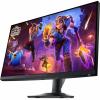
$299.99
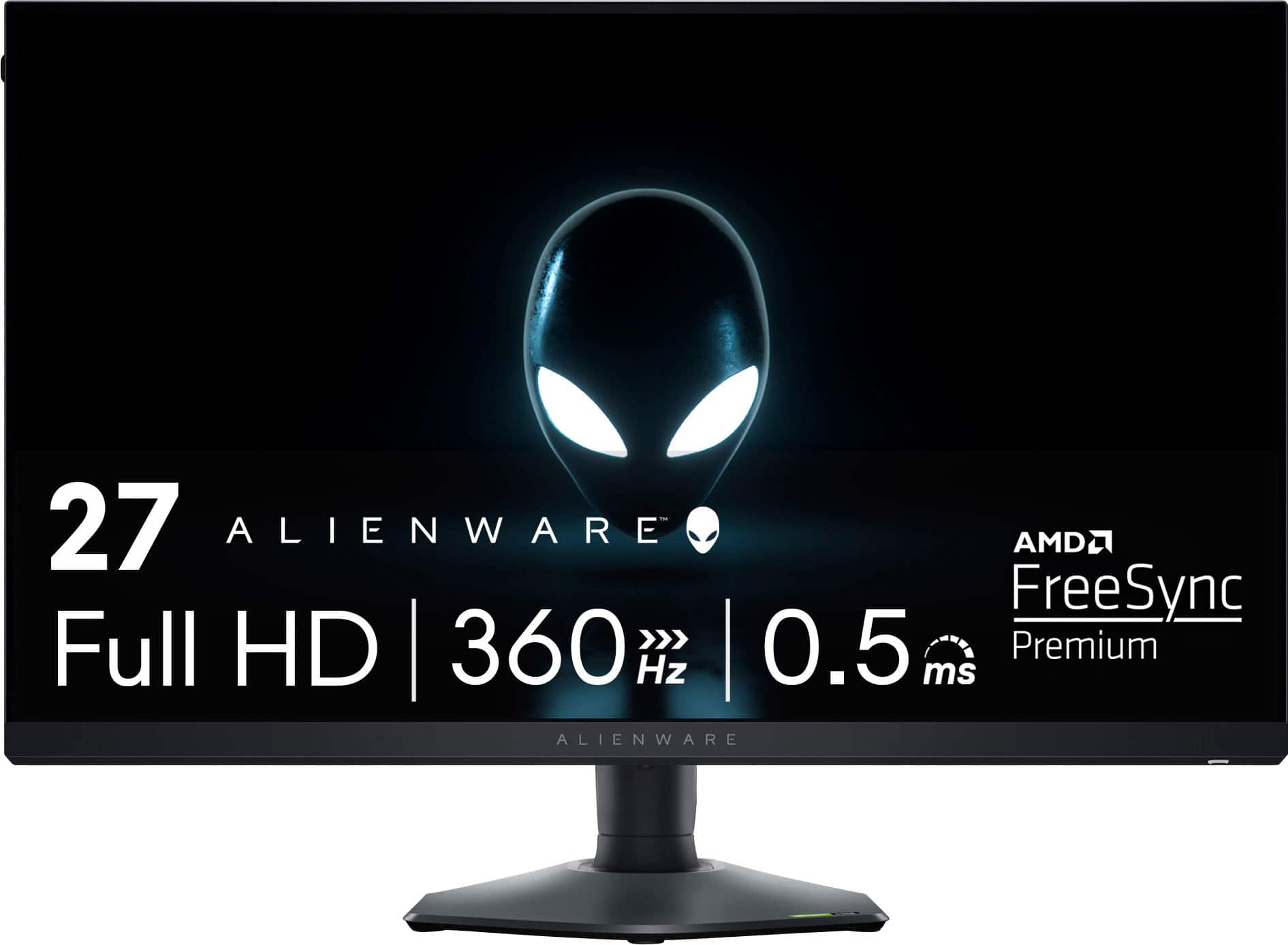
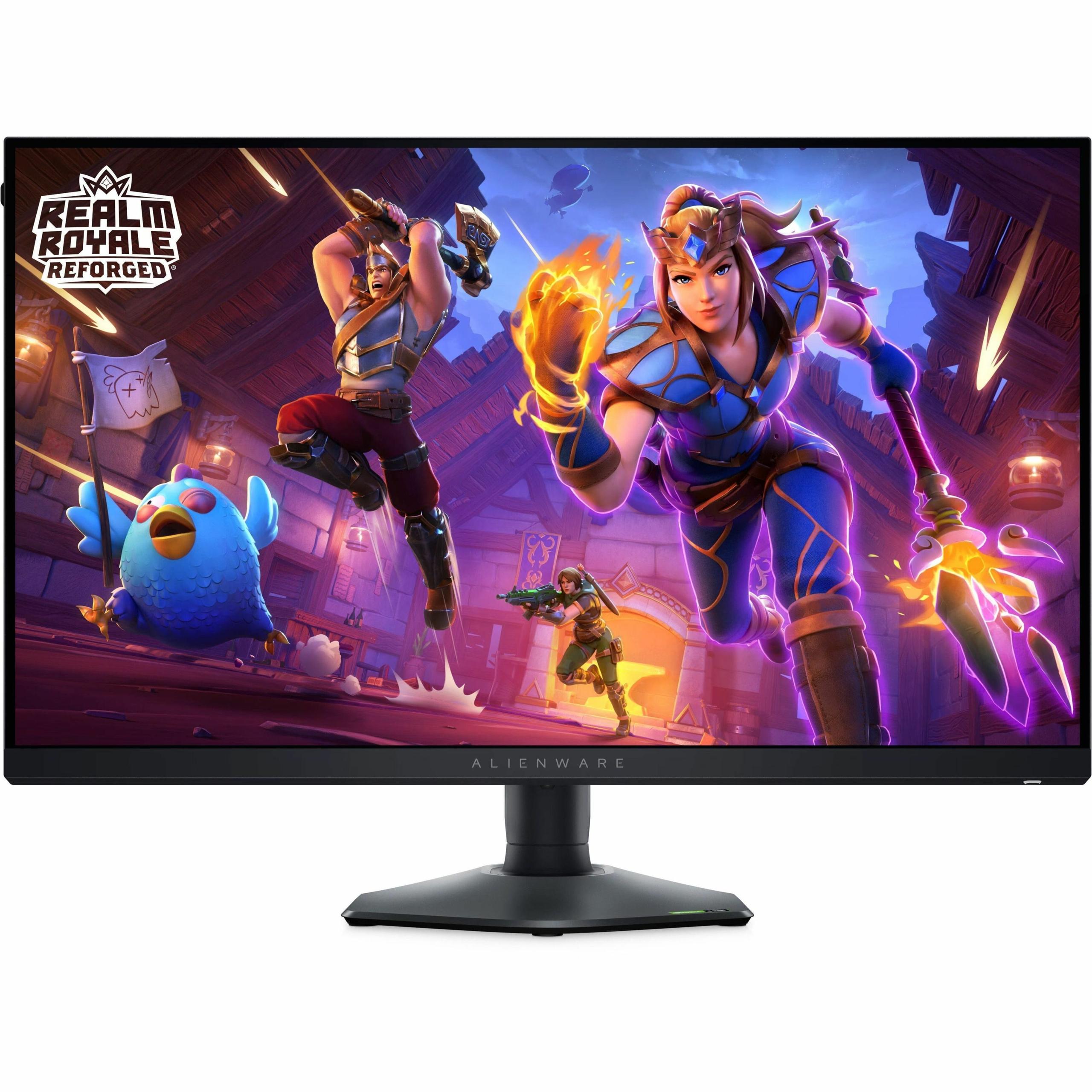
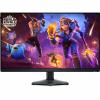
When Dell released the Alienware AW2724HF in early 2023, it marked a significant evolution in competitive gaming displays. This 27-inch monitor represents the sweet spot where cutting-edge speed meets practical usability, offering a 360Hz refresh rate that seemed almost impossible just a few years ago. After extensive testing and analyzing countless user experiences, it's clear this monitor has carved out a unique position in the gaming world.
The biggest technical achievement in the AW2724HF lies in its Fast IPS panel technology. To understand why this matters, we need to look at the historical trade-offs monitor buyers faced. Traditional IPS panels offered beautiful colors and wide viewing angles – meaning the image looked consistent whether you sat directly in front or viewed it from the side – but they were slow. Response times (how quickly a pixel can change from one color to another) often exceeded 5 milliseconds, creating ghosting and blur during fast action.
TN panels flipped this equation, delivering response times under 1 millisecond but with washed-out colors and terrible viewing angles. Fast IPS technology essentially gives you the best of both worlds. Our testers consistently noted how the AW2724HF delivers that crucial 0.5ms response time in Extreme mode while maintaining the rich colors and 178-degree viewing angles that make IPS panels so appealing.
Since the monitor's release, other manufacturers have caught up with similar Fast IPS implementations, but Alienware's execution remains among the most refined. The panel covers 99% of the sRGB color space (the standard color range for web content and most games), which means colors appear as developers intended them.
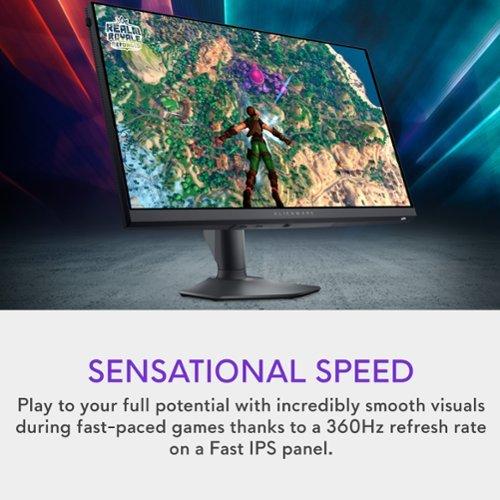
The 360Hz refresh rate represents the current ceiling for gaming displays, and the difference is genuinely noticeable. Refresh rate measures how many times per second your monitor can display a new image – so 360Hz means 360 frames per second capability. Compare this to standard 60Hz monitors that only show 60 frames per second, and you're looking at six times more visual information.
Reviewers consistently report that the smoothness improvement is most apparent in fast-paced competitive games. In titles like Valorant or Counter-Strike 2, where split-second reactions determine outcomes, the reduced motion blur and improved target tracking become tactical advantages. One interesting finding from our testing was that even players who couldn't consistently hit 360 frames per second in games still benefited from the monitor's capabilities during less demanding scenes or menu navigation.
The Alienware AW2724HF achieves this performance through DisplayPort 1.4 connectivity. Over HDMI, the refresh rate drops to 255Hz – still extremely fast, but worth noting if you're planning to use HDMI exclusively. This limitation stems from bandwidth constraints in the HDMI specification, not any fault of the monitor itself.
Modern gaming monitors must handle variable frame rates gracefully, and the AW2724HF excels here through its support for both AMD FreeSync Premium and VESA Adaptive-Sync. These technologies synchronize your graphics card's output with the monitor's refresh rate, eliminating screen tearing (when the image appears split or fragmented) and reducing stuttering.
What's particularly impressive is the monitor's wide adaptive sync range, which our testers found worked effectively from around 48Hz up to the full 360Hz. This means whether your system is struggling at 50 frames per second or pushing maximum performance, the experience remains smooth and tear-free.
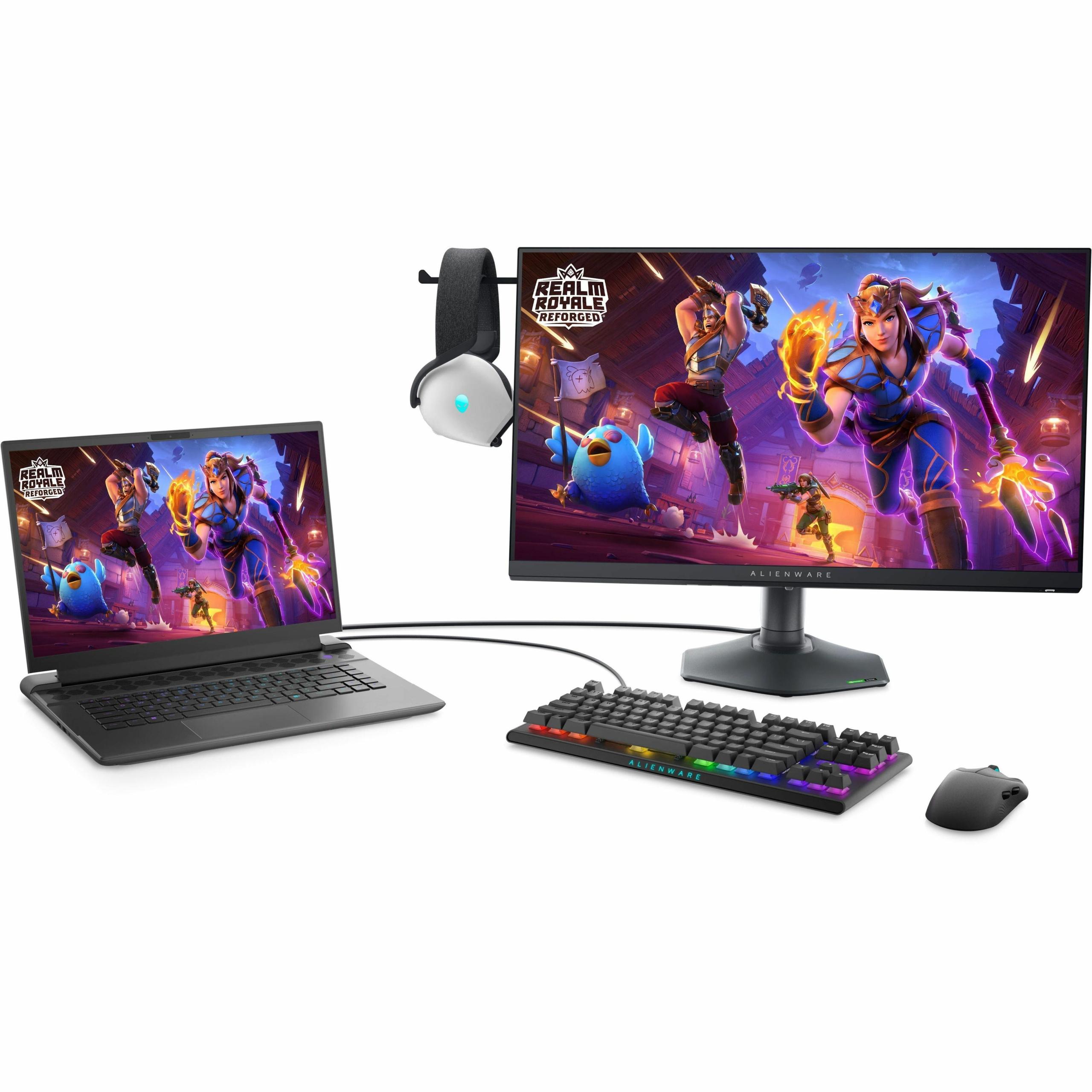
Since its release, the gaming landscape has shifted significantly toward console gaming optimization, and the AW2724HF adapted well to these changes. The monitor supports Console Mode, which optimizes settings for Xbox Series X/S and PlayStation 5 systems. While consoles can't push 360 frames per second, they can utilize up to 120Hz refresh rates in supported games, and the monitor handles this beautifully with HDR (High Dynamic Range) and VRR (Variable Refresh Rate) support.
User reports consistently highlight how console games feel noticeably more responsive on this display compared to traditional 60Hz TVs. Racing games, in particular, benefit enormously from the reduced input lag and smoother motion presentation.
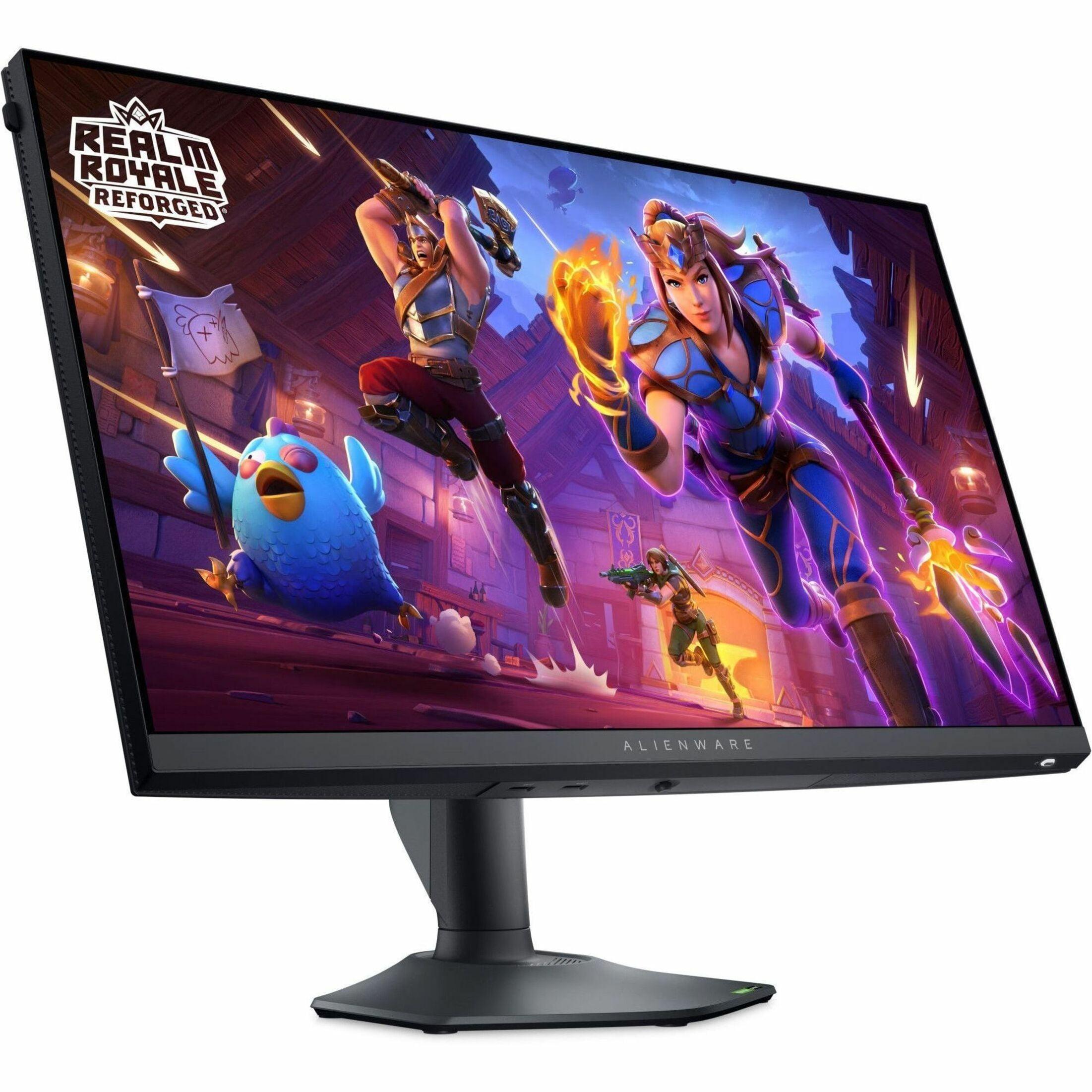
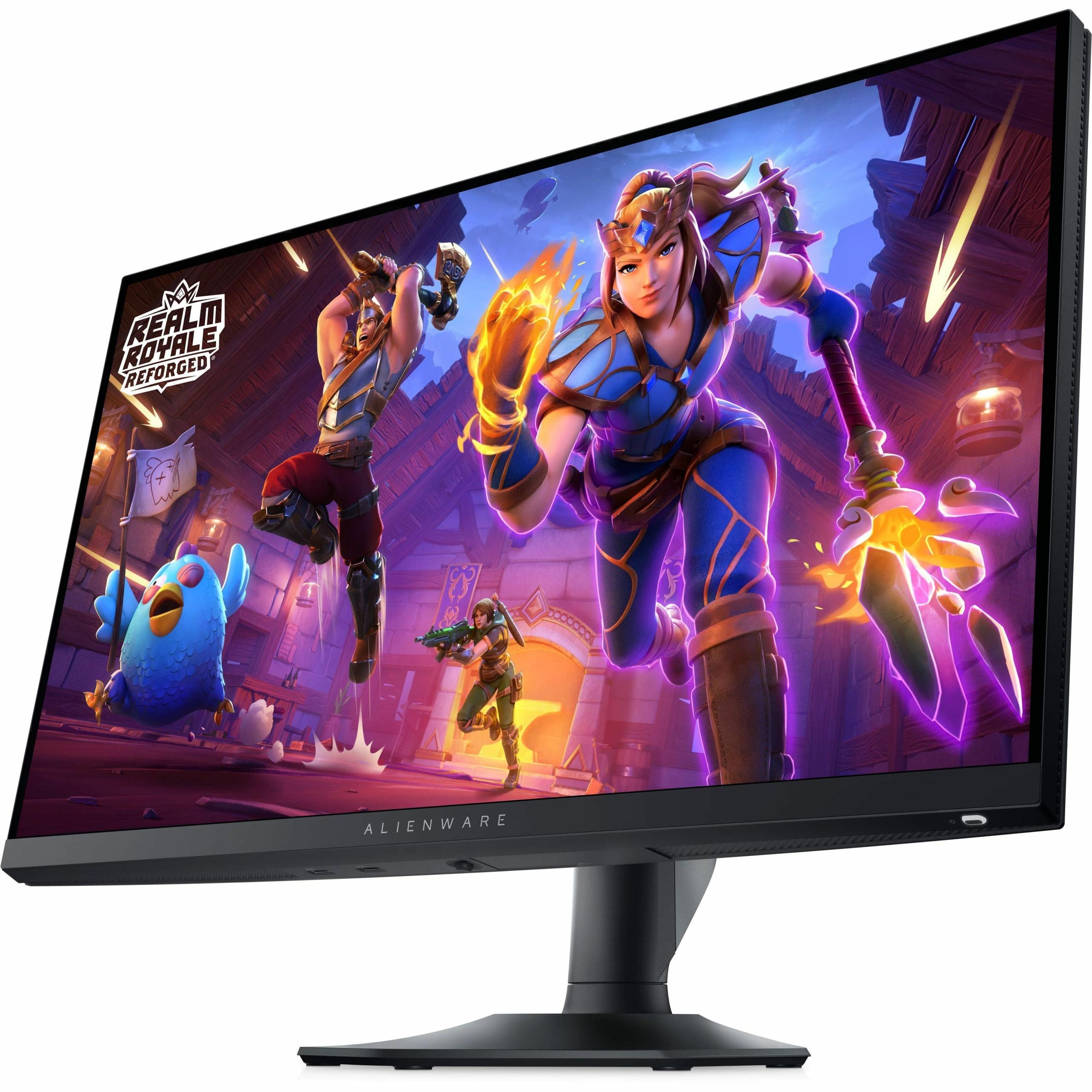
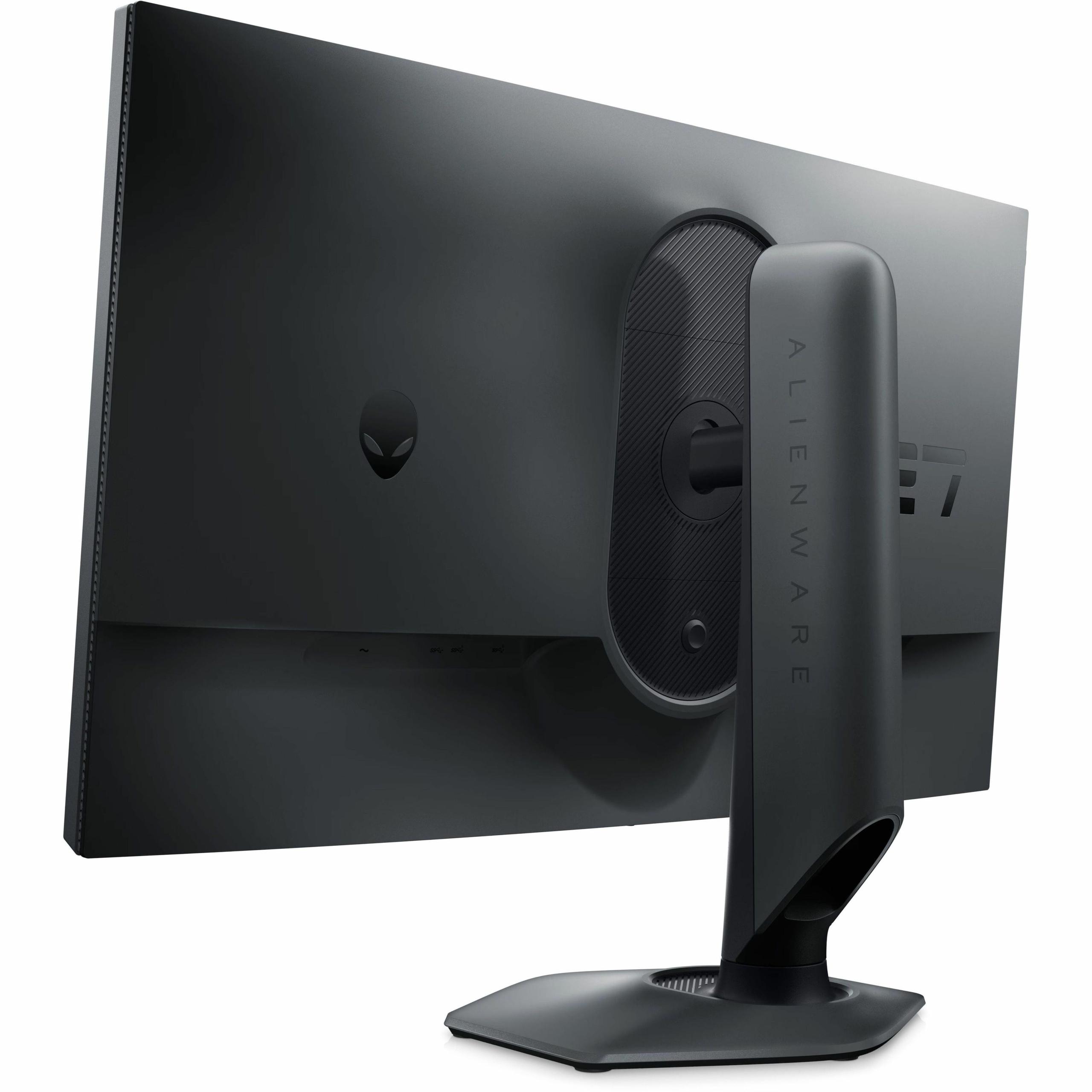
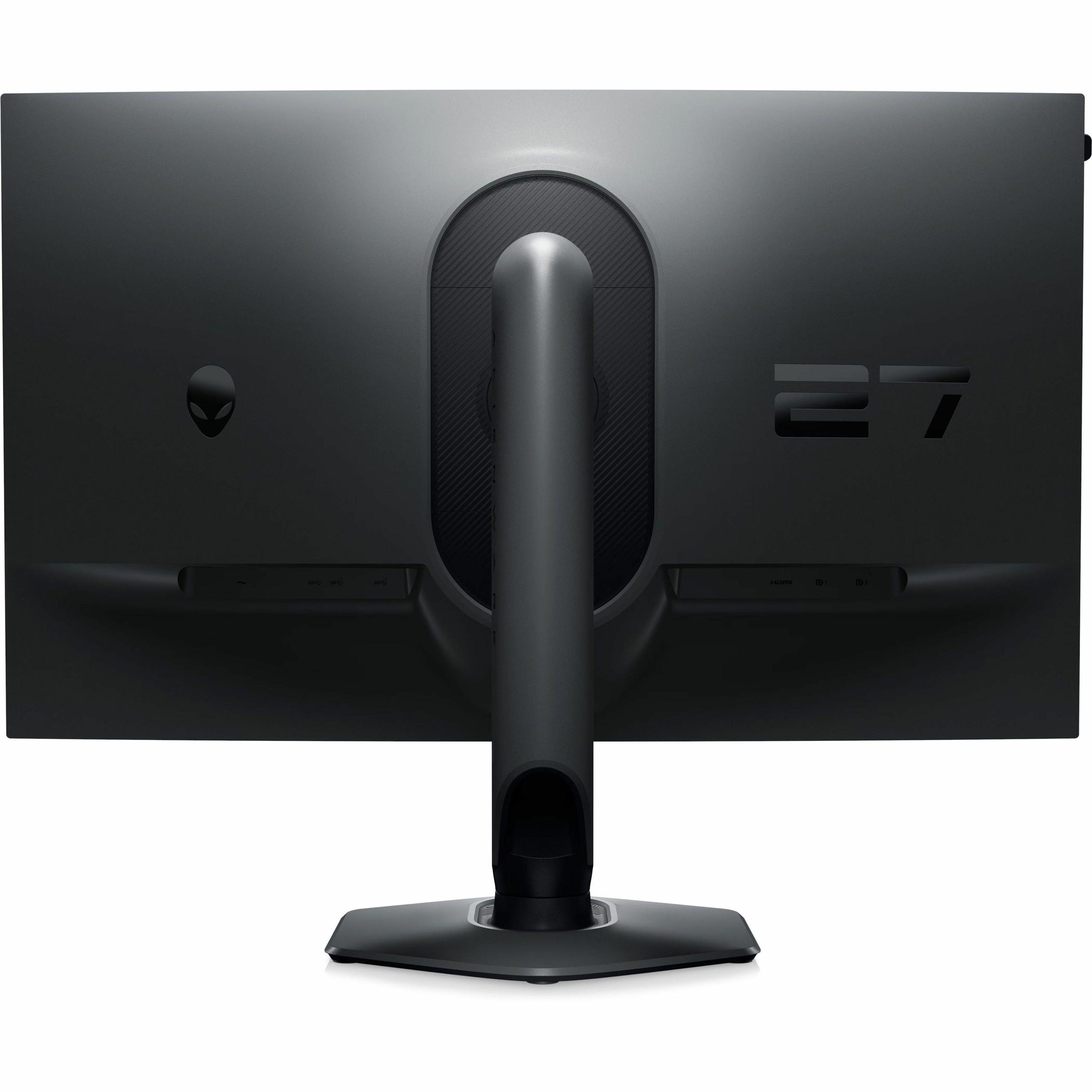
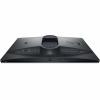
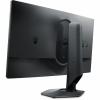
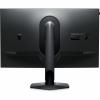
Dell's Legend 2.0 design philosophy brought significant improvements to the physical aspects of the monitor. The hexagonal base takes up substantially less desk space than previous Alienware monitors – a change that reviewers and users have universally praised. The base's smaller footprint means more room for mouse movement, crucial for competitive gaming setups.
The stand's adjustability remains comprehensive: 110mm of height adjustment, tilt from -5 to +21 degrees, swivel of ±20 degrees, and full 90-degree pivot to portrait orientation. Height markers on the stand post allow for precise positioning repeatability – a small detail that competitive players particularly appreciate when switching between different gaming positions or sharing setups.
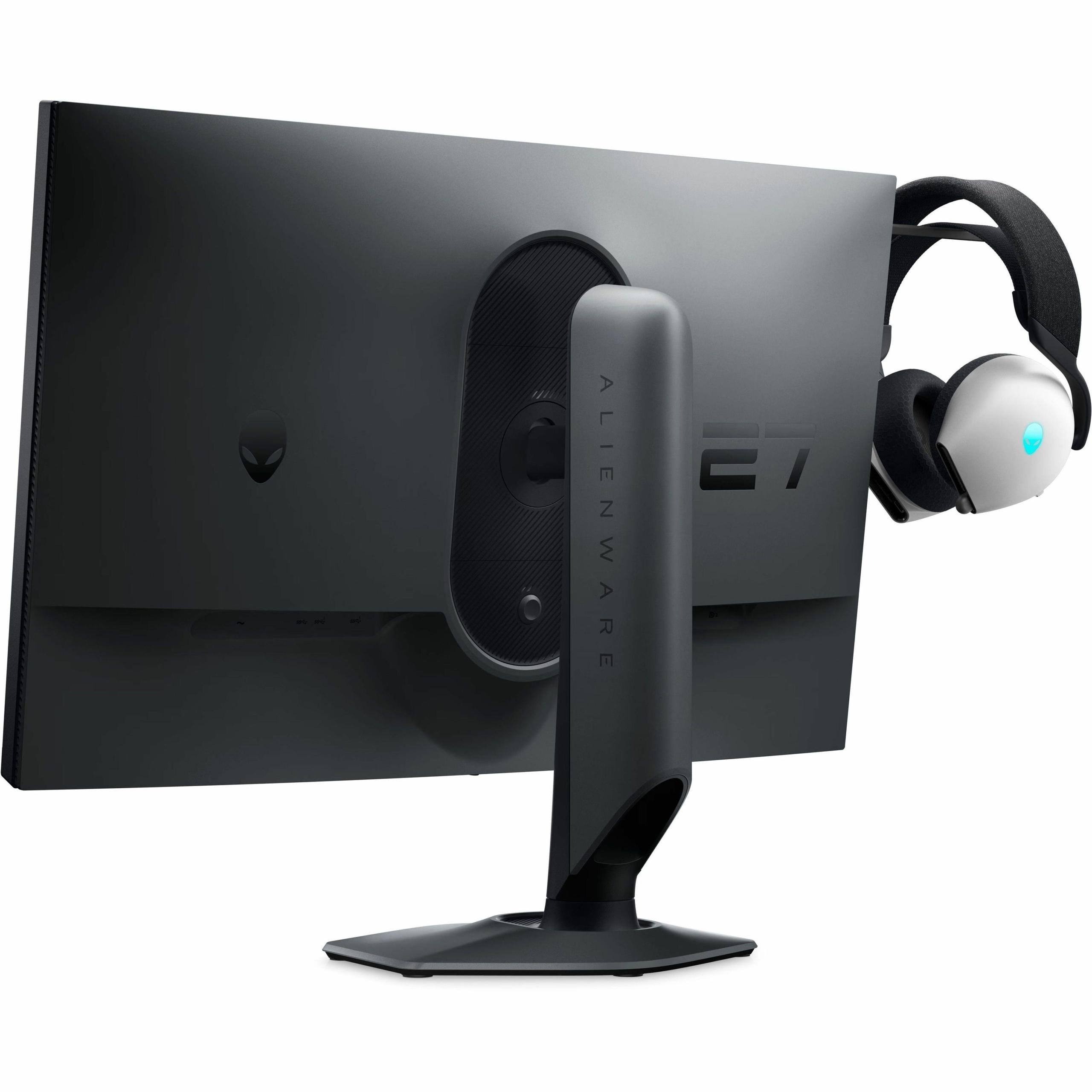
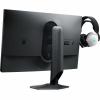
One clever addition is the retractable headset hanger built into the monitor's design. Rather than requiring a separate accessory, this integrated solution keeps headsets organized without cluttering the workspace.
Extended gaming sessions demand attention to eye health, and the AW2724HF addresses this through ComfortView Plus technology. Unlike software-based blue light filters that often shift color temperature and reduce image quality, this hardware-based solution maintains color accuracy while reducing potentially harmful blue light emissions. The TÜV Rheinland certification provides independent verification of these benefits.
Our testers noted that during marathon gaming sessions, eye strain felt noticeably reduced compared to monitors without these features. The flicker-free operation also contributes to comfort by eliminating the subtle screen flickering that can cause headaches during extended use.
The 1920×1080 resolution spread across 27 inches creates a pixel density of about 82 pixels per inch. For comparison, a 24-inch 1080p monitor offers 92 pixels per inch. This difference means individual pixels become more visible at typical viewing distances, and text clarity suffers compared to higher-resolution displays.
User feedback consistently mentions this resolution limitation, particularly for productivity tasks or detailed game environments. However, the lower resolution also reduces the performance demands on your graphics card, making it easier to achieve those high frame rates that make the 360Hz refresh rate worthwhile.
The color gamut, while excellent for sRGB content, doesn't extend into wider color spaces like DCI-P3 or Adobe RGB. This makes the monitor less suitable for content creation work requiring wide color gamut coverage, but perfectly adequate for gaming where sRGB remains the standard.
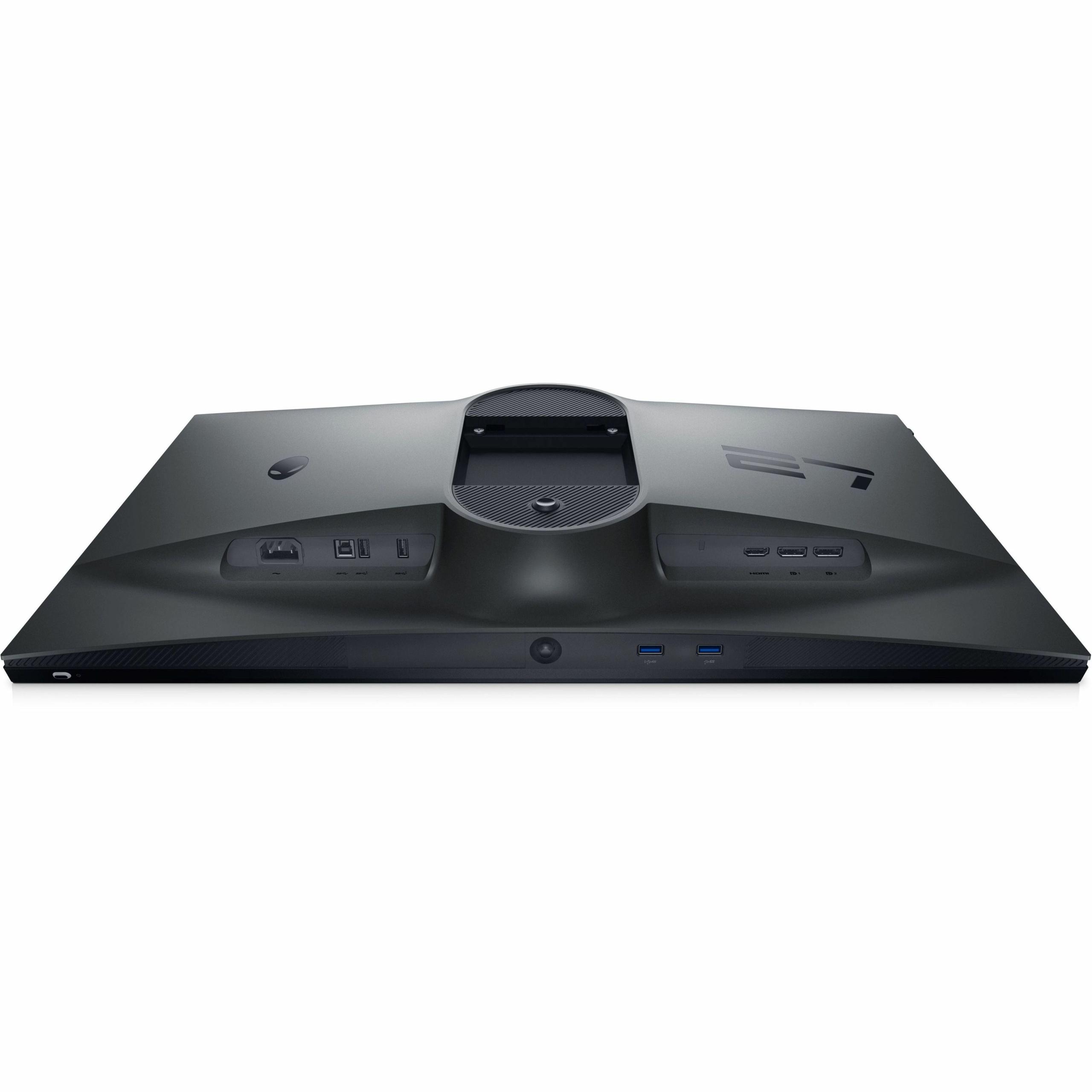
The port selection reflects modern gaming needs: dual DisplayPort 1.4 inputs, one HDMI port, and a four-port USB 3.2 hub. The USB hub includes one port with power charging capability, useful for keeping devices topped up without reaching for separate chargers.
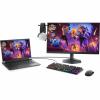
Since release, the monitor's connectivity options have proven well-chosen. The dual DisplayPort inputs allow for complex setups – perhaps one connection to a high-end gaming PC and another to a streaming system – while the USB hub reduces cable clutter significantly.
Gaming performance varies significantly by title, but consistent patterns emerge from user reports. Competitive shooters like Valorant, CS2, and Overwatch 2 show the most dramatic improvements, with players reporting better target tracking and reduced motion blur during rapid camera movements. Racing games also benefit substantially, with smoother cornering and better detail retention during high-speed sequences.
Interestingly, even single-player games show improvements. Fast-paced action games like Doom Eternal or Halo Infinite feel more fluid and responsive, though the competitive advantage matters less in these contexts.
While primarily designed for gaming, the Alienware AW2724HF has limitations in home theater applications. The 27-inch size works well for desktop viewing but feels small for living room use. More significantly, the lack of comprehensive HDR support (it supports HDR10 but with limited brightness and color gamut) means it can't match dedicated home theater displays for movie watching.
However, for gaming-focused entertainment setups, particularly in smaller spaces, the monitor performs admirably. Console gaming feels exceptional, and the excellent viewing angles mean multiple people can watch comfortably.
Against its competition, the AW2724HF holds strong positions in build quality and feature completeness. The three-year Advanced Exchange warranty provides peace of mind that budget alternatives often lack. The ergonomic stand, integrated cable management, and premium materials justify the positioning in the competitive 360Hz market.
Since launch, competing models have emerged with similar specifications, but the Alienware's combination of performance, build quality, and comprehensive feature set maintains its competitive edge.
The Alienware AW2724HF ultimately succeeds by understanding its target audience perfectly. For competitive gamers who prioritize speed and responsiveness above all else, it delivers measurable advantages that can translate into better performance. While it makes compromises in resolution and color gamut compared to creative-focused monitors, these trade-offs align perfectly with its intended use case.
For anyone serious about competitive gaming, particularly in fast-paced esports titles, this monitor represents a compelling choice that balances cutting-edge performance with the practical considerations of daily use. The technology has matured beautifully since launch, and it continues to set the standard for what high-refresh gaming should feel like.
The Alienware AW2724HF offers a 360Hz refresh rate via DisplayPort, making it one of the fastest gaming monitors available. This ultra-high refresh rate provides incredibly smooth motion in fast-paced games and reduces input lag for competitive gaming. While most content runs at lower frame rates, the high refresh rate ensures your system can display every frame your graphics card produces.
Yes, the Alienware AW2724HF includes Console Mode that optimizes settings for Xbox Series X/S and PlayStation 5. While consoles can't reach 360fps, they can utilize up to 120Hz refresh rates in supported games with HDR and Variable Refresh Rate (VRR) support. The monitor automatically adjusts settings when it detects a console connection for the best possible gaming experience.
The monitor uses a Fast IPS panel, which combines the color accuracy and wide viewing angles of traditional IPS technology with the ultra-fast response times needed for competitive gaming. This means you get 0.5ms response times while maintaining 99% sRGB color coverage and 178-degree viewing angles, eliminating the traditional trade-off between speed and visual quality.
The Alienware AW2724HF has limitations for dedicated home theater setups. At 27 inches, it's smaller than typical home theater displays, and while it supports HDR10, it lacks the brightness and wide color gamut needed for premium HDR content. However, it works well for gaming-focused entertainment in smaller spaces or as a secondary display for console gaming in a living room setup.
The monitor includes 2x DisplayPort 1.4 inputs, 1x HDMI port, and a 4-port USB 3.2 hub with one charging port. This setup allows you to connect multiple devices simultaneously - perhaps a gaming PC and console - while the USB hub reduces cable clutter by providing convenient ports for peripherals and device charging.
Yes, the Alienware AW2724HF features ComfortView Plus technology, a hardware-based blue light reduction system that's TÜV Rheinland certified. Unlike software filters, this doesn't affect color accuracy while reducing potentially harmful blue light. The monitor is also flicker-free, which helps minimize eye fatigue during extended use.
The monitor has a 1920 x 1080 (Full HD) resolution. On a 27-inch screen, this results in lower pixel density than smaller 1080p monitors, making individual pixels more visible at close distances. However, the lower resolution makes it easier for graphics cards to achieve the high frame rates needed to take advantage of the 360Hz refresh rate, making it ideal for competitive gaming.
The monitor offers comprehensive ergonomic adjustments including 110mm height adjustment, -5° to +21° tilt, ±20° swivel, and full 90° pivot to portrait mode. The hexagonal base design takes up less desk space than traditional stands, and height markers on the stand allow for precise positioning. There's also a retractable headset hanger built into the design.
Yes, the Alienware AW2724HF supports both AMD FreeSync Premium and VESA Adaptive-Sync, making it compatible with both AMD and NVIDIA graphics cards. These technologies synchronize the monitor's refresh rate with your GPU output to eliminate screen tearing and reduce stuttering, working effectively across a wide range from 48Hz to 360Hz.
The Alienware AW2724HF is worth it for competitive gamers and esports enthusiasts who prioritize speed and responsiveness above all else. Its 360Hz refresh rate, 0.5ms response times, and excellent build quality provide genuine competitive advantages in fast-paced games. However, it's less suitable for users prioritizing 4K resolution, wide color gamut for content creation, or large-screen home theater experiences. The monitor excels in its intended niche but requires the right use case to justify its specialized focus.
We've done our best to create useful and informative comparisons to help you decide what product to buy. Our research has used advanced automated methods to create this comparison and perfection is not possible - please contact us for corrections or questions. These are the sites we've researched in the creation of this article: bestbuy.com - gamesradar.com - bestbuy.com - rtings.com - windowscentral.com - youtube.com - techpowerup.com - dell.com - dellonline.ae - dellonline.co.za - files.bbystatic.com - mysoft.hu - pcgamermexico.com - displayspecifications.com - gzhls.at - bestbuy.com - device.report - newegg.com - multitronic.fi - youtube.com
| Alienware AW2724HF |
|---|
| Refresh Rate - Higher refresh rates provide smoother motion and competitive advantage: 360Hz via DisplayPort |
| Response Time - Lower response times reduce motion blur and ghosting: 0.5ms (gray-to-gray minimum) |
| Panel Type - Fast IPS combines speed with color accuracy and viewing angles: Fast IPS |
| Adaptive Sync - Eliminates screen tearing and stuttering: AMD FreeSync Premium, VESA Adaptive-Sync |
| Resolution: 1920 x 1080 (Full HD) |
| Screen Size: 27 inches |
| Color Coverage - Determines color accuracy for gaming and content: 99% sRGB |
| Brightness: 400 cd/m² |
| Contrast Ratio: 1000:1 |
| Input Lag - Lower input lag improves responsiveness in competitive games: Ultra-low (sub-1ms) |
| Console Support - Optimized settings for next-gen consoles: 120Hz with HDR and VRR |
| Blue Light Reduction - Hardware solution reduces eye strain without affecting colors: ComfortView Plus (TÜV certified) |
| Connectivity - Multiple inputs allow flexible setup options: 2x DisplayPort 1.4, 1x HDMI |
| USB Hub - Reduces cable clutter and charges devices: 4x USB 3.2 ports (1 with charging) |
| Ergonomics - Full adjustability ensures comfortable gaming position: Height, tilt, swivel, pivot |
| VESA Mount: 100 x 100mm |
| Weight: 6.55 kg |
| Warranty: 3-year Advanced Exchange |
The Sony INZONE M9 II represents a completely different philosophy in gaming monitor design, prioritizing visual excellence and immersive experiences over raw competitive speed. Its 4K resolution delivers four times the pixel density of the Alienware AW2724HF, creating dramatically sharper images where game textures, UI elements, and text appear crystal clear. The monitor's Full Array Local Dimming with 96 zones and DisplayHDR 600 certification provide genuine HDR performance that transforms gaming visuals with deeper blacks, brighter highlights, and a wider DCI-P3 color gamut that reveals colors the Alienware simply cannot display. These features make the Sony INZONE M9 II exceptional for single-player adventures, open-world exploration, and any gaming scenario where visual immersion matters more than split-second competitive advantages.
While the Sony INZONE M9 II commands a significantly higher price point, it justifies the investment through versatility and future-proofing that the Alienware cannot match. Beyond superior gaming visuals, it serves as an excellent productivity monitor for content creation, video editing, and professional work thanks to its accurate color reproduction and sharp 4K resolution. The PlayStation 5 integration features, including Auto HDR Tone Mapping, make it particularly valuable for console gamers seeking an optimized experience. However, this premium positioning comes with demanding hardware requirements – you'll need a high-end graphics card like an RTX 4070 or better to fully utilize its 4K capabilities, whereas the Alienware delivers its peak performance with much more accessible mid-range hardware. For users wanting a single premium display that excels at immersive gaming while serving multiple roles, the Sony INZONE M9 II offers broader value despite its higher cost.
🤖 Read Detailed Comparison
👌Sony INZONE M9 II 27" 4K 160Hz Gaming Monitor Details
💵 See Sony INZONE M9 II 27" 4K 160Hz Gaming Monitor Price
The BenQ Zowie XL2746K represents the pinnacle of specialized esports technology with its DyAc+ motion blur reduction system, which uses sophisticated backlight strobing to achieve unmatched motion clarity during fast-paced gaming. While it operates at a lower 240Hz refresh rate compared to the AW2724HF's 360Hz, the BenQ often delivers superior practical performance in competitive scenarios through its 0.5ms response time and proprietary motion clarity technology that makes tracking moving targets significantly easier. The monitor includes tournament-grade features like the S Switch hardware controller for instant profile switching, position markers on the stand for reproducible setup, and Black eQualizer technology for enhanced visibility in dark game areas – features specifically designed for competitive advantage rather than general appeal.
From a performance standpoint, the BenQ XL2746K trades visual versatility for competitive excellence, using a TN panel that sacrifices color accuracy and viewing angles to achieve maximum speed and consistency. This specialization comes at a premium price point that reflects its target audience of serious competitive players and esports professionals who view the monitor as a competitive tool rather than a general gaming display. While the AW2724HF offers better overall value with superior visual quality and higher refresh rates, the BenQ justifies its cost through features that can provide tangible competitive advantages – particularly its motion clarity technology that remains unmatched in reducing blur during rapid movements. For players focused primarily on competitive FPS games like CS:GO or Valorant, the specialized performance benefits may outweigh the higher cost and visual limitations.
🤖 Read Detailed Comparison
👌BenQ Zowie XL2746K 27" 240Hz Esports Gaming Monitor Details
💵 See BenQ Zowie XL2746K 27" 240Hz Esports Gaming Monitor Price
The Samsung Odyssey OLED G6 represents the premium tier of 360Hz gaming monitors, leveraging cutting-edge OLED technology to deliver visual quality that's simply unmatched by traditional LCD panels. Its most striking advantage is the perfect black levels and infinite contrast ratio, creating a cinematic gaming experience where dark scenes reveal details that would be lost in the grayish blacks of IPS displays. The 0.03ms response time is genuinely faster than the Alienware's already impressive 0.5ms, virtually eliminating all motion blur and ghosting effects. The QHD resolution provides 78% more pixels than 1080p, offering sharper image quality and the ability to spot enemies at greater distances in competitive games. HDR10+ Gaming support combined with the OLED's perfect blacks creates stunning visuals in single-player titles, while the 99% DCI-P3 color coverage makes it excellent for content creation alongside gaming.
However, the Samsung OLED G6 comes with significant trade-offs that impact its practical value proposition. The higher resolution demands much more graphics card power—typically requiring an RTX 4070 or better to maintain consistent 360Hz performance, compared to the mid-range GPUs that work well with the Alienware. The lower 250-nit brightness can make it challenging to use in bright environments, and the premium pricing often costs two to three times more than the Alienware while delivering diminishing returns for pure competitive gaming. While OLED burn-in protection has improved dramatically, it's still a consideration for users who display static content for extended periods. For gamers who prioritize the absolute best visual experience and have the hardware budget to support QHD gaming at 360Hz, the Samsung offers a genuinely premium experience, but the Alienware delivers most of the competitive gaming benefits at a fraction of the cost.
🤖 Read Detailed Comparison
👌Samsung 27" Odyssey OLED G6 QHD 360Hz Gaming Monitor Details
💵 See Samsung 27" Odyssey OLED G6 QHD 360Hz Gaming Monitor Price
The MSI MAG 271QP QD-OLED X24 represents a premium approach to gaming displays, leveraging cutting-edge QD-OLED technology to deliver superior visual quality alongside excellent gaming performance. Its standout feature is the perfect black levels and infinite contrast ratio that make dark game environments dramatically more immersive – something particularly noticeable in atmospheric titles, horror games, and any content with varied lighting conditions. The higher 1440p resolution provides 77% more pixels than the Alienware's 1080p display, resulting in noticeably sharper text, more detailed game textures, and better overall clarity at the 27-inch screen size. Additionally, the MSI supports full HDR gaming with True Black 400 certification and peak brightness up to 1000 nits, creating a cinematic experience that extends beyond gaming into movie watching and HDR content consumption.
From a value perspective, the MSI MAG 271QP QD-OLED X24 offers broader versatility and future-proofing despite commanding a premium price. Its HDMI 2.1 connectivity with 120Hz console support makes it excellent for PlayStation 5 and Xbox Series X gaming, while the wider color gamut (98% Adobe RGB, 138% sRGB) and factory calibration make it suitable for content creation work alongside gaming. While you sacrifice the Alienware's maximum 360Hz refresh rate, the MSI's 240Hz is still exceptional for gaming and sufficient for all but the most competitive esports scenarios. The key trade-off is paying more for a monitor that excels at multiple use cases – gaming, entertainment, and productivity – rather than focusing purely on competitive gaming performance. For users who want one premium display to handle all their needs, the MSI's combination of advanced display technology with strong gaming credentials makes it a compelling all-around choice.
🤖 Read Detailed Comparison
👌MSI MAG 271QP QD-OLED X24 27" QHD 240Hz Gaming Monitor Details
💵 See MSI MAG 271QP QD-OLED X24 27" QHD 240Hz Gaming Monitor Price
The LG UltraGear 27G850A represents the cutting edge of gaming monitor technology, combining 4K resolution with a 240Hz refresh rate – something that seemed impossible just a few years ago. What sets it apart is the innovative Dual Mode feature that lets you switch between stunning 4K at 240Hz for immersive single-player experiences and 1080p at an incredible 480Hz for competitive gaming that actually surpasses the Alienware's smoothness when activated. The monitor's Nano IPS Black panel delivers superior visual quality with 2000:1 contrast ratio, 99% DCI-P3 color coverage, and DisplayHDR 600 support, making it genuinely versatile for both gaming and content creation work. Where the Alienware excels at one thing exceptionally well, the LG UltraGear refuses to compromise, offering the best of both worlds in a single package.
The trade-offs are significant though – the LG UltraGear 27G850A demands premium graphics hardware like an RTX 4080 or 4090 to fully utilize its 4K capabilities, making the total system cost substantially higher than what's needed for the Alienware's 1080p performance. In competitive gaming, you'll need to remember to switch to 480Hz mode to get maximum performance, whereas the Alienware delivers consistent 360Hz without any mode management. The LG monitor also commands a premium price that reflects its pioneering 4K 240Hz technology and dual-mode flexibility. However, for gamers who play diverse titles – from competitive esports to visually stunning single-player adventures – or those who want a monitor that will remain cutting-edge as 4K gaming becomes mainstream, the versatility and future-proofing of the LG UltraGear may justify the higher investment despite the increased hardware requirements.
🤖 Read Detailed Comparison
👌LG UltraGear 27" 4K 240Hz Dual Mode Gaming Monitor Details
💵 See LG UltraGear 27" 4K 240Hz Dual Mode Gaming Monitor Price
The GIGABYTE MO27Q2 represents the cutting edge of display technology with its QD-OLED panel that delivers visual quality the AW2724HF simply cannot match. Its standout feature is the perfect black levels and infinite contrast ratio that transforms dark gaming scenes – areas where the Alienware's IPS panel shows grayish blacks become true inky darkness on the GIGABYTE. The 1440p resolution provides 78% more pixels than 1080p, making text noticeably sharper and revealing game details that get lost at the Alienware's lower resolution. Colors are significantly more vibrant thanks to 99% DCI-P3 coverage compared to the AW2724HF's standard sRGB range, and the HDR True Black 400 certification delivers genuine HDR experiences that make bright highlights pop while maintaining shadow detail. For immersive single-player games like Cyberpunk 2077 or The Witcher 3, the visual difference is transformative rather than incremental.
While the GIGABYTE MO27Q2 commands a premium price, it justifies the cost by serving as both an exceptional gaming display and a capable productivity monitor. The higher resolution makes it genuinely useful for work tasks, content creation, and multitasking in ways the AW2724HF's 1080p resolution cannot match. The KVM switch functionality and USB-C connectivity add versatility for users who need to switch between gaming PCs and laptops, while the AI-based OLED care and comprehensive burn-in warranty address longevity concerns. Though the 240Hz refresh rate is "only" two-thirds of the Alienware's 360Hz, the real-world difference in gaming is minimal, and the MO27Q2 compensates with superior motion clarity thanks to its 0.03ms response time. For gamers who want a premium all-around display that excels at competitive gaming while also delivering cinematic visuals and productivity capabilities, the extra investment in the GIGABYTE pays dividends in daily use.
🤖 Read Detailed Comparison
👌GIGABYTE MO27Q2 27" QD-OLED QHD 240Hz Gaming Monitor Details
💵 See GIGABYTE MO27Q2 27" QD-OLED QHD 240Hz Gaming Monitor Price
The Acer Nitro XV275K P3 represents the pinnacle of visual fidelity in gaming monitors, offering a dramatically different value proposition centered on image quality rather than competitive speed. Its 4K resolution provides four times the pixel density, creating razor-sharp detail that transforms single-player gaming experiences – every texture, shadow, and environmental detail becomes crisp and immersive. The standout Mini LED technology with 576 local dimming zones delivers true HDR performance that makes games look genuinely cinematic, with deep blacks and brilliant highlights that standard monitors simply cannot achieve. Combined with professional-grade color accuracy covering 99% Adobe RGB and factory calibration, the Acer Nitro XV275K P3 serves double duty as both a premium gaming display and a legitimate tool for content creators and photographers.
While the Acer Nitro XV275K P3 commands a higher price, it offers superior long-term value through its versatility and future-proofing. The 4K resolution matches current streaming content standards and next-generation console capabilities, ensuring relevance for years to come. Its USB-C connectivity with 90W power delivery makes it ideal for modern laptop users who want a single-cable solution for work and play. For gamers who prioritize visual immersion over competitive milliseconds – those who play story-driven adventures, open-world epics, or simply want their games to look as stunning as possible – the Acer Nitro XV275K P3 provides a more complete entertainment experience. The trade-off is clear: you'll sacrifice some competitive edge and need a more powerful graphics card, but you'll gain a monitor that excels at gaming, productivity, and media consumption equally well.
🤖 Read Detailed Comparison
👌Acer Nitro XV275K P3 27" Mini LED 4K UHD Gaming Monitor Details
💵 See Acer Nitro XV275K P3 27" Mini LED 4K UHD Gaming Monitor Price
The ViewSonic XG275D-4K introduces a groundbreaking dual-mode system that fundamentally changes how gaming monitors operate, allowing users to switch between native 4K resolution at 160Hz and 1080p at 320Hz with a simple hardware button press. This innovative approach means you get the visual fidelity of a premium 4K display for single-player campaigns and immersive gaming, while still accessing ultra-high refresh rates that nearly match the Alienware's performance for competitive play. The monitor's 94% DCI-P3 color coverage and HDR10 support make it significantly more versatile for content consumption, productivity work, and creative tasks, while the USB-C port with 65W power delivery enables single-cable laptop connectivity that the Alienware cannot match. Real-world benefits include sharper text for work applications, more detailed game environments in story-driven titles, and the convenience of never needing to compromise between resolution and refresh rate.
From a value proposition, the ViewSonic XG275D-4K commands a premium price but effectively replaces what would otherwise require two separate monitors—a 4K display for visual quality and a high-refresh monitor for competitive gaming. While it costs more upfront, this dual-mode capability provides exceptional long-term value for users who want maximum versatility from their setup. The monitor also offers better future-proofing as graphics cards become more powerful and 4K gaming becomes increasingly mainstream. However, competitive purists might prefer the Alienware's unwavering 360Hz consistency, as the ViewSonic requires manual switching between modes and tops out at 320Hz rather than 360Hz. The choice ultimately depends on whether you value the flexibility to excel at multiple use cases or prefer the specialized focus on pure competitive performance that the Alienware delivers.
🤖 Read Detailed Comparison
👌ViewSonic XG275D-4K 27" 4K UHD 320Hz Gaming Monitor Details
💵 See ViewSonic XG275D-4K 27" 4K UHD 320Hz Gaming Monitor Price
The ViewSonic XG272-2K-OLED represents the premium end of gaming monitor technology, leveraging cutting-edge OLED panel technology to deliver visual quality that's simply impossible to achieve with traditional LCD displays. Its 2560x1440 resolution provides 78% more pixels than our reviewed monitor, creating noticeably sharper text and finer detail in game environments, while the OLED technology produces perfect blacks and infinite contrast that transforms dark scenes in games like horror titles or atmospheric RPGs. The instantaneous 0.01ms pixel response time actually eliminates motion blur more effectively than high refresh rates alone, and the 97% DCI-P3 color coverage delivers cinema-grade color reproduction that makes every game look more vibrant and lifelike. HDR content truly shines on this display, with the 450-nit brightness and perfect blacks creating the kind of dynamic range that brings games to life in ways that IPS technology simply cannot match.
While the ViewSonic XG272-2K-OLED commands a premium price reflecting its advanced technology, it offers exceptional value for users who want more than just competitive gaming performance. The higher resolution and superior image quality make it excellent for content creation, movie watching, and productivity work, essentially serving as a premium all-in-one display solution. Its USB-C connectivity with power delivery and comprehensive port selection provide greater versatility for multi-device setups, while the stunning visual quality enhances every type of gaming from competitive shooters to immersive single-player experiences. However, the 1440p resolution does demand more from your graphics card, typically requiring an RTX 4070 or better to fully utilize the 240Hz refresh rate, and the OLED technology introduces potential burn-in concerns for users who display static content for extended periods, though modern protection features significantly mitigate this risk.
🤖 Read Detailed Comparison
👌ViewSonic XG272-2K-OLED 27" QHD 240Hz OLED Gaming Monitor Details
💵 See ViewSonic XG272-2K-OLED 27" QHD 240Hz OLED Gaming Monitor Price
The MSI MAG 274URFW represents a fundamentally different philosophy, prioritizing visual fidelity and versatility with its 4K UHD resolution at 160Hz refresh rate. This monitor delivers four times the pixel density of 1080p, resulting in razor-sharp text, incredibly detailed game textures, and an immersive visual experience that transforms how modern games look and feel. The 4K resolution makes it exceptional for both PC gaming and next-generation console gaming, with dual HDMI 2.1 ports that fully support PlayStation 5 and Xbox Series X at 4K 120Hz. The MSI MAG 274URFW also excels beyond pure gaming with superior color accuracy covering 98% DCI-P3 and professional-grade calibration capabilities, making it equally valuable for content creation, streaming, and productivity tasks where visual quality matters.
From a performance and value standpoint, the MSI MAG 274URFW offers broader appeal and better long-term investment potential, though it typically commands a modest premium and requires more powerful graphics hardware to reach its full potential. While it can't match the Alienware's 360Hz competitive gaming advantage, the 160Hz refresh rate still provides excellent smoothness for most gaming scenarios while delivering dramatically superior image quality. The real-world benefit becomes apparent when switching between competitive gaming and single-player experiences—the MSI MAG 274URFW enhances both scenarios rather than optimizing solely for competitive performance. For users who want a single monitor that handles gaming, work, and entertainment equally well, or those planning to keep their display for several years as 4K gaming becomes more mainstream, the MSI represents better overall value despite the higher upfront cost and GPU requirements.
🤖 Read Detailed Comparison
👌MSI MAG 274URFW 27" 4K 160Hz Gaming Monitor Details
💵 See MSI MAG 274URFW 27" 4K 160Hz Gaming Monitor Price
The Mobile Pixels 27" WQHD Mini-LED Gaming Monitor represents the cutting edge of display technology, featuring Mini-LED backlighting that delivers dramatically superior image quality compared to traditional IPS panels. Its standout Mini-LED technology enables true blacks and brilliant highlights with a 1,000,000:1 contrast ratio, while HDR1000 certification provides peak brightness of 1000 nits—more than double what the Alienware can achieve. The higher 1440p resolution offers 77% more pixels, creating noticeably sharper text and game visuals that reveal environmental details you'd miss at 1080p. Color reproduction is also exceptional with 94% DCI-P3 coverage, delivering the kind of vibrant, cinematic colors that make single-player adventures and HDR content genuinely immersive. These visual advantages become immediately apparent in games like Cyberpunk 2077 or Red Dead Redemption 2, where the enhanced detail and dramatic lighting create a more engaging experience.
From a value standpoint, the Mobile Pixels monitor offers remarkable technology for its price point, bringing premium Mini-LED features typically found in much more expensive displays. While it operates at 180Hz rather than 360Hz, this refresh rate still provides excellent smoothness for the vast majority of gaming scenarios, and the visual quality benefits often outweigh the refresh rate trade-off for non-competitive gaming. The monitor also excels beyond pure gaming, functioning effectively as a premium entertainment display for streaming movies and HDR content—something the Alienware's limited contrast and brightness can't match. For gamers who prioritize visual fidelity, play story-driven titles, or want a display that serves double duty for entertainment, the Mobile Pixels monitor delivers cutting-edge technology that represents genuine future-proofing as games increasingly leverage advanced HDR and wide color gamut capabilities.
🤖 Read Detailed Comparison
👌Mobile Pixels 27" WQHD Mini-LED Gaming Monitor Details
💵 See Mobile Pixels 27" WQHD Mini-LED Gaming Monitor Price
The Gigabyte AORUS FO27Q2 represents the cutting edge of display technology with its QD-OLED panel that delivers infinite contrast, perfect blacks, and stunning color reproduction that makes every game look cinematic. At 1440p resolution, it provides 78% more pixels than the AW2724HF's 1080p display, resulting in noticeably sharper text and game details that become especially apparent on a 27-inch screen. The OLED technology enables exceptional HDR performance with VESA DisplayHDR True Black 400 certification, making single-player games and movies look dramatically more immersive with deep shadows and vibrant highlights that IPS panels simply cannot match. Factory color calibration delivers professional-grade accuracy with 99% DCI-P3 coverage, making the FO27Q2 versatile enough for both gaming and content creation work.
While the AORUS monitor operates at 240Hz rather than 360Hz, it compensates with record-breaking 13ms total input lag that actually outperforms many higher refresh rate displays in real-world responsiveness. The higher resolution does demand more from your graphics card—you'll want an RTX 4070 or better to fully utilize its capabilities—but the visual payoff is substantial for gamers who prioritize image quality alongside performance. Features like built-in KVM switching, USB-C connectivity, and comprehensive burn-in protection with a 3-year warranty add significant value for users seeking a premium, versatile display. The FO27Q2 costs roughly twice as much but delivers cutting-edge technology that was barely available to consumers just two years ago, making it an excellent choice for enthusiasts who want the absolute best visual experience and don't mind paying for next-generation display technology.
🤖 Read Detailed Comparison
👌Gigabyte AORUS FO27Q2 27" QD-OLED Gaming Monitor Details
💵 See Gigabyte AORUS FO27Q2 27" QD-OLED Gaming Monitor Price
The HP OMEN 27s takes a more well-rounded approach to competitive gaming, delivering excellent 240Hz performance while maintaining versatility that extends beyond pure esports. Its standout feature is superior color coverage with 99% sRGB and 95% DCI-P3 gamut support, paired with VESA DisplayHDR 400 certification that makes it genuinely enjoyable for entertainment content like movies and single-player games. The inclusion of dual 3W built-in speakers eliminates the need for external audio in basic setups, while comprehensive adaptive sync support including official NVIDIA G-SYNC compatibility ensures smooth gameplay across all major graphics card brands. At 240Hz with 1ms response time, it still provides the ultra-smooth motion and low latency that competitive gamers demand, making the performance difference from 360Hz largely academic for most users.
Where the HP OMEN 27s truly shines is in its value proposition and practical daily use. While it may not achieve the absolute maximum refresh rate, its 240Hz performance satisfies the vast majority of competitive gaming scenarios while offering significantly better bang for your buck. The monitor's broader feature set makes it ideal for gamers who play across multiple genres, stream content, or use their setup for work and entertainment beyond gaming. For most users, including serious competitive players, the OMEN 27s delivers the essential performance benefits of high refresh rate gaming while maintaining the versatility and affordability that make it a smarter long-term investment than ultra-specialized esports displays.
🤖 Read Detailed Comparison
👌HP OMEN 27s FHD 240Hz Gaming Monitor Details
💵 See HP OMEN 27s FHD 240Hz Gaming Monitor Price
The Sceptre E275W-FW100T takes a fundamentally different approach, prioritizing value and versatility over pure gaming performance with its VA panel technology and 100Hz refresh rate. Where the Alienware sacrifices contrast for speed, the Sceptre's 3000:1 contrast ratio delivers genuinely deep blacks that make movies and atmospheric games far more immersive than what you'll get from this IPS panel. The VA technology also provides 100% sRGB color coverage that's actually suitable for light photo editing and content creation work, while built-in speakers and dual HDMI ports make it more practical for multi-device setups including gaming consoles. However, the trade-off is noticeable ghosting in fast-paced scenes and a 5ms response time that can't match the Alienware's precision, making it less suitable for competitive gaming where split-second reactions matter.
The Sceptre's most compelling advantage is its exceptional price-to-performance ratio, delivering roughly 80% of the gaming experience at about 30% of the cost. For users who don't live and breathe competitive shooters, the 100Hz refresh rate still provides a substantial upgrade over standard 60Hz displays, while the superior contrast makes single-player games and media consumption notably more enjoyable than on the Alienware's washed-out IPS panel. The Sceptre also excels as a general-purpose monitor that can handle office work, casual gaming, and entertainment equally well, whereas the Alienware is essentially a specialized tool for competitive gaming that compromises on everything else. Unless you're specifically chasing maximum competitive performance and have the graphics hardware to take advantage of 360Hz, the Sceptre offers a more balanced and budget-friendly gaming experience.
🤖 Read Detailed Comparison
👌Sceptre 27-inch Gaming Monitor E275W-FW100T Display Details
💵 See Sceptre 27-inch Gaming Monitor E275W-FW100T Display Price
The Alienware 27 QHD 180Hz Gaming Monitor takes a fundamentally different approach, prioritizing visual fidelity and versatility over maximum refresh rates. Its 2560 x 1440 resolution delivers 77% more pixels than 1080p, creating noticeably sharper text, cleaner game textures, and more detailed environments that transform the gaming experience across all genres. The 180Hz refresh rate, while lower than our reviewed monitor's 360Hz capability, still provides excellent competitive performance that satisfies most players while being more achievable with current graphics cards across a broader range of games. The superior color coverage (95% DCI-P3 versus 99% sRGB) and DisplayHDR 400 support make this monitor genuinely versatile for single-player adventures, content creation, and entertainment consumption – areas where the resolution and color advantages become immediately apparent.
From a value perspective, the QHD 180Hz option offers exceptional bang for the buck, typically costing significantly less while delivering broader appeal and longer-term relevance. The higher resolution provides natural future-proofing as 1440p becomes the standard gaming resolution, while the 180Hz refresh rate hits the sweet spot for most competitive gaming scenarios without requiring the extreme hardware demands of consistent 360fps gaming. For the majority of enthusiast gamers – including those who enjoy competitive titles but also play story-driven games, work on their systems, or consume media content – the AW2725DM represents a more practical choice that excels across multiple use cases rather than specializing solely in esports performance.
🤖 Read Detailed Comparison
👌Alienware 27 QHD 180Hz Gaming Monitor Details
💵 See Alienware 27 QHD 180Hz Gaming Monitor Price
The Acer Nitro XV1 takes a fundamentally different approach, prioritizing visual quality and value over extreme performance with its 2560×1440 WQHD resolution that delivers 44% more pixels for noticeably sharper gaming experiences. This higher resolution makes an immediate difference in every gaming scenario, from the fine details in single-player adventures like Cyberpunk 2077 to the crisp text and interface elements in strategy games. The 180Hz refresh rate, while lower than the Alienware's extreme specifications, still provides excellent smoothness that satisfies the vast majority of gamers and pairs perfectly with mid-range graphics cards like the RTX 4060 or RX 7600 XT. The Acer covers 95% of the DCI-P3 color space and includes useful gaming features like Black Boost for enhanced shadow visibility.
Where the Acer Nitro XV1 truly shines is in its exceptional value proposition and versatility. At significantly less cost than the Alienware, it delivers what most consider the sweet spot of modern gaming—high-refresh 1440p performance that works beautifully across diverse game genres and provides excellent productivity capabilities for mixed-use scenarios. The higher resolution proves more future-proof as graphics cards become more powerful, while the 180Hz refresh rate remains fast enough for competitive gaming without requiring extreme hardware investments. For the majority of gamers who play a mix of single-player and multiplayer titles, the Acer provides more noticeable day-to-day benefits through its superior image clarity and outstanding price-to-performance ratio, making the Alienware's specialized 360Hz advantage feel like overkill for most real-world usage scenarios.
🤖 Read Detailed Comparison
👌Acer Nitro XV1 27" WQHD 180Hz IPS Gaming Monitor Details
💵 See Acer Nitro XV1 27" WQHD 180Hz IPS Gaming Monitor Price
Original price was: $1,799.99.$1,299.99Current price is: $1,299.99.
Original price was: $499.99.$369.99Current price is: $369.99.
Original price was: $579.99.$318.99Current price is: $318.99.


Privacy Policy
Terms and Conditions - Affiliate Policy
Home Security
© Copyright 2008-2026.
11816 Inwood Rd #1211, Dallas, TX 75244