$747.09
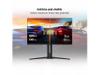
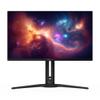
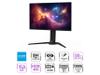
When Gigabyte released the AORUS FO27Q2 in late 2023, they entered a rapidly evolving gaming monitor market with something special. This 27-inch display combines Samsung's latest QD-OLED technology with gaming-focused features, creating what many testers have called one of the most well-rounded gaming monitors available today.
The heart of this monitor lies in its QD-OLED panel—a technology that might sound confusing at first but makes perfect sense once you understand it. QD-OLED stands for Quantum Dot Organic Light Emitting Diode, which combines two proven display technologies into something better than either alone.
Traditional OLED displays create light by exciting organic compounds that emit different colors. While this produces perfect blacks (since pixels can turn completely off), the colors sometimes lack the punch you'd want for HDR content. QD-OLED solves this by adding a quantum dot layer that converts blue OLED light into incredibly pure reds and greens. The result? You get OLED's infinite contrast ratio—meaning true blacks with no backlight bleed—plus the vibrant, saturated colors that quantum dots are famous for.
Our testers consistently noted how this translates to real-world viewing. Dark movie scenes reveal shadow details that completely disappear on traditional LCD monitors, while bright HDR highlights pop with intensity that feels almost three-dimensional. The 99% DCI-P3 color coverage means the monitor can display nearly all colors used in modern movies and games, something that becomes obvious when viewing HDR content on streaming services or playing visually rich games like Cyberpunk 2077 or Horizon Forbidden West.
The specs sheet lists a 240Hz refresh rate and 0.03ms response time, but what does that actually mean for gaming? The 240Hz refresh rate means the screen updates 240 times per second, creating incredibly smooth motion. Even if your graphics card can't push 240 frames per second, having that headroom means less stuttering and more consistent frame delivery.
The 0.03ms response time refers to how quickly pixels can change from one shade of gray to another. This near-instantaneous switching eliminates the motion blur that can make fast-paced games feel sluggish. Testers found this particularly noticeable in competitive shooters where tracking moving enemies becomes significantly easier compared to slower panels.
But perhaps more impressive is the input lag—the delay between your mouse movement and seeing the result on screen. Independent testing measured just 13ms of total system lag, which is remarkably low even compared to monitors with higher refresh rates. This responsiveness gives competitive players a measurable advantage in reaction-based scenarios.
The FO27Q2 supports both AMD FreeSync Premium Pro and works with NVIDIA's G-Sync Compatible mode. These technologies synchronize your graphics card's frame output with the monitor's refresh rate, eliminating screen tearing (those horizontal lines that appear during fast motion) and reducing stuttering.
For console gaming, the two HDMI 2.1 ports are crucial. Unlike older HDMI versions that were limited to 60Hz at 1440p resolution, HDMI 2.1 allows the PlayStation 5 and Xbox Series X/S to output their full 120Hz capability at 1440p. This means console games that support high refresh rates—like Call of Duty or Fortnite—can take full advantage of the monitor's capabilities.
User reviews consistently highlight how much smoother console gaming feels compared to their previous 60Hz displays. The difference is particularly noticeable in racing games and first-person shooters where the higher refresh rate makes camera movements feel more natural and reduces motion sickness for some players.
The monitor's HDR implementation deserves special attention. Many gaming monitors claim HDR support but don't have the brightness or contrast to make it meaningful. The FO27Q2 achieves 1000 nits of peak brightness in small areas (like bright highlights) while maintaining perfect blacks, creating a contrast ratio that traditional LCD monitors simply cannot match.
This HDR performance shines in both gaming and movie content. Testers noted how games like The Last of Us Part II or Red Dead Redemption 2 reveal new details in both shadows and highlights when HDR is properly implemented. The monitor automatically switches between different HDR modes based on the content type, though manual adjustment options provide fine-tuning for specific preferences.
For content creators, the factory calibration is impressive. Each monitor ships with a color calibration report showing Delta E values under 2.0 in sRGB mode—accurate enough for professional photo editing. The wide color gamut means you can edit content intended for modern displays and streaming services with confidence that colors will appear as intended.
While marketed as a gaming monitor, the AORUS FO27Q2 makes an excellent small home theater display. The 27-inch size works well for desk setups or mounted on an arm for couch gaming. The OLED technology provides the same picture quality benefits that make OLED TVs so popular—perfect blacks, vibrant colors, and wide viewing angles.
The monitor's anti-reflective coating helps in rooms with ambient lighting, though like most OLED displays, it performs best in darker environments where the infinite contrast ratio can truly shine. Several testers mentioned using it as a secondary display for movie watching, particularly appreciating how dark scenes in films maintain detail without the gray wash common to LCD monitors.
Built-in speakers provide adequate sound for casual viewing, though serious movie watching benefits from external audio. The headphone jack and audio pass-through options make it easy to integrate with existing audio setups.
Beyond the core display technology, Gigabyte included several practical features that enhance daily use. The KVM (Keyboard, Video, Mouse) switch allows control of multiple connected devices with a single keyboard and mouse setup. This proves particularly useful for users who switch between a gaming PC and work laptop, or for content creators managing multiple systems.
The USB-C port with DisplayPort Alt Mode means laptops can connect with a single cable, providing both video and data connectivity. This simplifies desk setups and works well with modern MacBooks and Windows ultrabooks.
The Tactical Switch—a physical button on the monitor—allows quick resolution changes. Competitive gamers often prefer playing at 24-inch equivalent resolution for better pixel visibility, and this switch makes that change instant without diving into software menus.
The elephant in the room with any OLED display is burn-in—permanent image retention from static content. Gigabyte addresses this concern comprehensively. The AI-based OLED Care system includes pixel shifting (subtly moving the image to prevent static elements from staying in one place), logo dimming (automatically reducing brightness of static UI elements), and screen savers that activate during idle periods.
More importantly, Gigabyte provides a three-year warranty that explicitly covers burn-in damage. This coverage gives users confidence to enjoy the monitor without obsessing over burn-in prevention. Reviews from early adopters suggest that normal gaming and mixed-use patterns show no signs of burn-in even after extensive use, though users who display static content for hours daily might want additional precautions.
Testers consistently praised the monitor's versatility. One reviewer noted using it for competitive Valorant sessions, creative work in Photoshop, and movie watching in the same day, with each use case benefiting from the OLED's strengths. The automatic brightness adjustment based on content helps prevent the panel dimming that can occur with very bright, full-screen content.
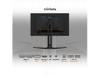
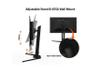
The build quality impresses with a solid stand offering full ergonomic adjustment. Cable management features help maintain clean desk setups, while the understated design fits various aesthetic preferences without the aggressive gaming styling of some competitors.
The AORUS FO27Q2 works best for users who value visual quality alongside gaming performance. Competitive esports players get the responsiveness they need, while single-player gamers enjoy cinematic visuals that reveal new details in familiar games. Content creators benefit from accurate colors and HDR preview capabilities.
The 1440p resolution hits a sweet spot—sharp enough for detailed work and gaming, but not so demanding that high refresh rates require extreme graphics hardware. This makes it accessible to users with mid-range to high-end graphics cards who want smooth high-refresh gaming without stepping up to 4K pricing and performance requirements.
For users primarily interested in productivity work or those who frequently display static content for extended periods, traditional LCD monitors might be more appropriate. Similarly, users wanting maximum screen real estate for multitasking might prefer larger 32-inch displays, though they'd sacrifice some of the pixel density that makes text and details crisp on the 27-inch format.
The Gigabyte AORUS FO27Q2 represents what happens when cutting-edge display technology meets practical gaming features and solid engineering. It delivers on the promise of OLED gaming while addressing the traditional concerns through comprehensive protection features and industry-leading warranty coverage.
QD-OLED combines quantum dot and OLED technologies to deliver perfect blacks with infinite contrast while producing more vibrant colors than traditional OLED panels. The AORUS FO27Q2 uses Samsung's QD-OLED panel, which achieves 99% DCI-P3 color coverage and 1000 nits peak brightness, making it excellent for both gaming and movie watching.
Yes, the AORUS FO27Q2 excels for home theater use thanks to its OLED technology providing perfect blacks and vibrant colors. It supports HDR content with VESA DisplayHDR True Black 400 certification, revealing details in dark scenes that LCD monitors cannot display. The 27-inch size works well for desktop movie watching or mounted viewing.
Absolutely. The monitor includes two HDMI 2.1 ports that support native 1440p at 120Hz from PlayStation 5 and Xbox Series X/S consoles. This enables high refresh rate gaming on supported titles like Call of Duty and Fortnite, providing much smoother gameplay than standard 60Hz displays.
The AORUS FO27Q2 delivers exceptional gaming performance with a 0.03ms response time and 240Hz refresh rate. Independent testing shows just 13ms total input lag, making it one of the fastest gaming monitors available. This responsiveness provides a measurable advantage in competitive shooters and esports titles.
Gigabyte addresses burn-in concerns with AI-based OLED Care features including pixel shifting, logo dimming, and automatic screen savers. More importantly, the AORUS FO27Q2 comes with a 3-year warranty that explicitly covers burn-in damage, providing peace of mind for normal gaming and mixed-use patterns.
The monitor provides comprehensive connectivity with 2x HDMI 2.1 ports, 1x DisplayPort 1.4, USB-C with DisplayPort Alt Mode, and a built-in KVM switch. The USB-C connection allows single-cable laptop connectivity, while the KVM switch lets you control multiple devices with one keyboard and mouse setup.
The 27-inch AORUS FO27Q2 works well for personal home theater setups, especially for desk or close viewing distances. While smaller than traditional home theater displays, the OLED technology delivers the same picture quality benefits as premium OLED TVs. It's ideal for gaming rooms, offices, or secondary viewing areas where space is limited.
The monitor ships with factory calibration achieving Delta E < 2.0 in sRGB mode, making it suitable for professional photo and video editing. Each AORUS FO27Q2 includes a color calibration report validating its accuracy. The wide DCI-P3 color gamut ensures vibrant, lifelike colors in both games and movies.
Yes, the AORUS FO27Q2 provides excellent HDR performance with 1000 nits peak brightness and infinite contrast ratio. It's VESA DisplayHDR True Black 400 certified and automatically switches between HDR modes based on content. This makes HDR movies and games appear with proper contrast and color representation.
The AORUS FO27Q2 offers exceptional value for users wanting premium OLED picture quality with gaming performance. Its combination of perfect blacks, vibrant colors, ultra-low input lag, and comprehensive warranty coverage makes it worthwhile for serious gamers and home theater enthusiasts. The 1440p resolution provides the sweet spot between visual quality and performance requirements.
We've done our best to create useful and informative comparisons to help you decide what product to buy. Our research has used advanced automated methods to create this comparison and perfection is not possible - please contact us for corrections or questions. These are the sites we've researched in the creation of this article: tomshardware.com - pangoly.com - youtube.com - pangoly.com - rtings.com - displayninja.com - gigabyte.com - youtube.com - creativebloq.com - techpowerup.com - newegg.com - gigabyte.com - icecat.in - microcenter.com - aorus.com - bhphotovideo.com - provantage.com - bestbuy.com - displayspecifications.com - tomshardware.com - gigabyte.com - computronicsmultivision.com - gigabyte.com
| Gigabyte AORUS FO27Q2 |
|---|
| Response Time - Critical for competitive gaming and motion clarity: 0.03ms GTG |
| Refresh Rate - Determines motion smoothness and competitive advantage: 240Hz |
| Panel Type - Provides infinite contrast and perfect blacks: QD-OLED |
| Input Lag - Total system delay affects gaming responsiveness: 13ms measured |
| Resolution: 2560 x 1440 (QHD) |
| Screen Size: 27 inches |
| Color Gamut - Affects color vibrancy and HDR quality: 99% DCI-P3 |
| Peak Brightness - Essential for proper HDR performance: 1000 nits |
| Contrast Ratio - OLED advantage over LCD technology: 1,500,000:1 |
| Adaptive Sync - Eliminates screen tearing: AMD FreeSync Premium Pro |
| HDMI Ports - Enables high refresh console gaming: 2x HDMI 2.1 |
| USB-C Connectivity - Single cable solution for laptops: DisplayPort Alt Mode |
| KVM Switch - Control multiple devices with one keyboard/mouse: Yes |
| Burn-in Warranty - OLED longevity protection: 3 years including panel coverage |
| Ergonomic Adjustments: Height, tilt, swivel, pivot |
| VESA Mount: 100 x 100mm |
The Alienware AW2724HF takes a completely different approach, prioritizing pure speed over visual fidelity with its blazing 360Hz refresh rate and 1080p resolution. This combination makes it exceptionally well-suited for competitive esports where every millisecond matters—the higher refresh rate provides noticeably smoother motion tracking in fast-paced games like Counter-Strike or Valorant, while the lower resolution ensures even mid-range graphics cards can consistently hit those ultra-high frame rates. The Fast IPS panel delivers a solid 1ms response time with wide viewing angles, and its 400-nit peak brightness makes it more suitable for bright gaming environments than the OLED's 250-nit standard output. For competitive gamers on a budget, the AW2724HF delivers professional-level performance at roughly half the cost.
In real-world usage, the choice comes down to gaming priorities and system requirements. While the AORUS monitor excels at immersive single-player experiences with its perfect blacks and cinematic HDR, the Alienware AW2724HF shines in competitive scenarios where split-second reactions determine victory. The 360Hz advantage becomes genuinely noticeable when tracking fast-moving targets, and the lower resolution means you won't need to upgrade your graphics card to achieve maximum performance. However, you'll sacrifice the visual wow factor—text appears less sharp on the 27-inch 1080p panel, HDR content isn't supported, and movies lack the contrast and color depth that make OLED displays so compelling. The AW2724HF is purpose-built for gamers who prioritize competitive performance over visual spectacle, making it an excellent value proposition for esports enthusiasts who want professional-grade speed without the premium price tag.
🤖 Read Detailed Comparison
👌Alienware AW2724HF 27" FHD 360Hz IPS Gaming Monitor Details
💵 See Alienware AW2724HF 27" FHD 360Hz IPS Gaming Monitor Price
The ASUS ROG Strix XG27ACMG represents the pinnacle of Fast IPS technology, delivering impressive performance at a significantly lower price point. Its standout feature is the 270Hz overclocked refresh rate paired with ELMB SYNC, which combines motion blur reduction with variable refresh rate—something traditionally impossible on LCD panels. This makes it particularly appealing for competitive gamers who want maximum frame rates without sacrificing adaptive sync benefits. The monitor also excels in connectivity and features, offering comprehensive gaming overlays, RGB lighting integration, and a USB-C port with power delivery for modern laptops. For users who prioritize proven reliability and extensive customization options, the XG27ACMG provides excellent text clarity through its traditional RGB subpixel layout and eliminates any burn-in concerns that come with OLED technology.
However, the performance gap in critical gaming metrics is substantial. The ASUS monitor's 1ms response time, while excellent for LCD standards, is still 33 times slower than the FO27Q2's instantaneous pixel response. This translates to visible ghosting and blur during fast motion that ELMB SYNC can only partially mitigate. The contrast difference is equally dramatic—the XG27ACMG's 1,000:1 ratio with typical IPS backlight bleed cannot compete with infinite contrast and perfect blacks. In real-world gaming, this means less immersive visuals in atmospheric titles and reduced visibility in dark competitive game scenarios. The ASUS monitor offers outstanding value for budget-conscious gamers seeking high refresh rates and comprehensive features, but users seeking the absolute best gaming performance and visual quality will find the QD-OLED technology worth the premium despite the higher cost.
🤖 Read Detailed Comparison
👌ASUS ROG Strix XG27ACMG 27" QHD 270Hz Gaming Monitor Details
💵 See ASUS ROG Strix XG27ACMG 27" QHD 270Hz Gaming Monitor Price
The AOC Agon Pro AG276QZD2 brings several appealing features to the table, most notably its customizable RGB LightFX system that creates an immersive gaming atmosphere and can sync with other RGB components in your setup. The monitor also includes built-in speakers for convenience and AOC's user-friendly G-Menu software that lets you adjust settings directly from your desktop rather than navigating through traditional OSD menus. For PC gamers who prioritize aesthetics and want to enter the QD-OLED space at a more accessible price point, the AOC Agon Pro AG276QZD2 delivers solid gaming performance with the same 240Hz refresh rate and 0.03ms response time that makes motion incredibly smooth.
However, the AOC Agon Pro AG276QZD2 makes meaningful compromises that impact real-world usability. The monitor suffers from noticeable VRR flicker when frame rates fluctuate, which can be genuinely distracting during gameplay, and its input lag increases significantly at 60Hz and 120Hz refresh rates – making it less suitable for console gaming or mixed-use scenarios. The HDR performance is notably weaker with a narrower color gamut and lower peak brightness, meaning HDR games won't look as vibrant or impactful. Most significantly, the monitor is limited to HDMI 2.0 connectivity, which restricts modern console performance and limits future-proofing. While the AOC Agon Pro AG276QZD2 offers decent value for budget-conscious PC gamers who can work around these limitations, the performance inconsistencies and connectivity restrictions make it a less versatile choice for users who want the full potential of QD-OLED technology across different gaming platforms and use cases.
🤖 Read Detailed Comparison
👌AOC Agon Pro 27" QD-OLED 240Hz Gaming Monitor Details
💵 See AOC Agon Pro 27" QD-OLED 240Hz Gaming Monitor Price
The HP Omen 27k takes a fundamentally different approach to gaming excellence, prioritizing 4K resolution and versatile connectivity over cutting-edge panel technology. Where the AORUS FO27Q2 excels with its infinite contrast and 240Hz performance, the Omen 27k delivers 3840×2160 resolution that provides 78% more pixels than 1440p, resulting in noticeably sharper text, UI elements, and game details. This resolution advantage becomes particularly apparent in open-world games where distant objects retain crisp detail, and during productivity tasks where text clarity is paramount. The HP Omen 27k also dominates console gaming scenarios with its HDMI 2.1 support enabling native 4K/120Hz on PlayStation 5 and Xbox Series X—something the AORUS monitor cannot match at full resolution. Additionally, the built-in KVM switch and comprehensive port selection make it genuinely superior for users managing multiple devices or mixed gaming/work setups.
From a value perspective, the Omen 27k typically costs less while delivering more pixels and broader compatibility, though it sacrifices the visual drama of OLED technology. Its IPS panel provides excellent color accuracy with 99% sRGB coverage and eliminates any burn-in concerns, making it a safer long-term investment for users who display static content frequently. While the 144Hz refresh rate and 1ms response time can't match the AORUS monitor's esports-focused specifications, they remain excellent for the vast majority of gaming scenarios. The HP Omen 27k represents the pragmatic choice—delivering outstanding 4K gaming performance with comprehensive features at a competitive price point, making it ideal for users who want a single monitor that excels across gaming, productivity, and media consumption rather than pursuing the absolute pinnacle of gaming-specific performance.
🤖 Read Detailed Comparison
👌HP Omen 27k 4K UHD 144Hz Gaming Monitor Details
💵 See HP Omen 27k 4K UHD 144Hz Gaming Monitor Price
The ASUS ROG Strix OLED XG27UCDMG represents the premium 4K alternative in this monitor category, featuring fourth-generation QD-OLED technology that delivers significantly sharper text clarity and improved panel longevity compared to the AORUS FO27Q2's standard QD-OLED implementation. The standout feature is its OLED Anti-Flicker 2.0 technology, which reduces the VRR brightness fluctuations that can be distracting during variable refresh rate gaming—a genuine improvement that addresses one of the most common OLED gaming complaints. Additionally, the 90W USB-C power delivery enables true single-cable laptop workflows, making it considerably more versatile for users who switch between desktop gaming and laptop productivity tasks.
From a performance perspective, the ASUS monitor demands significantly more from your graphics card to maintain smooth 4K gaming at 240Hz, typically requiring RTX 4080-class hardware or better compared to the RTX 4070-level requirements of the AORUS model. While both monitors share identical color accuracy and HDR capabilities, the 4K resolution provides noticeably sharper game details and dramatically better text clarity for productivity work. However, this premium comes at a substantial cost increase that could fund a meaningful GPU upgrade, making the value proposition highly dependent on whether you specifically need 4K resolution or can benefit from the advanced anti-flicker and connectivity features that justify the higher investment.
🤖 Read Detailed Comparison
👌ASUS ROG Strix OLED XG27UCDMG 27" 4K 240Hz Gaming Monitor Details
💵 See ASUS ROG Strix OLED XG27UCDMG 27" 4K 240Hz Gaming Monitor Price
The ASUS ROG Strix OLED XG27ACDNG stands out primarily with its 360Hz refresh rate, offering 50% higher refresh capability than the FO27Q2's 240Hz. This translates to smoother motion tracking in fast-paced esports titles and can provide competitive advantages for players with elite reflexes and high-end graphics cards capable of pushing 300+ FPS. Beyond the refresh rate advantage, the ASUS monitor excels in productivity integration with 90W USB-C power delivery that can charge laptops while providing display connectivity, plus a comprehensive KVM switch for seamless multi-device control. The monitor also features OLED Anti-flicker technology to reduce eye strain during variable refresh rate gaming sessions and includes custom cooling with heatsink design for better thermal management.
However, in real-world performance, the advantages are more nuanced than specifications suggest. While the ASUS XG27ACDNG offers higher peak refresh rates, the FO27Q2's superior 13ms input lag often provides more tangible responsiveness benefits in competitive scenarios. The 360Hz advantage primarily benefits users with RTX 4080/4090-class graphics cards, whereas the FO27Q2's 240Hz target is more realistic for current GPU performance in demanding games. For value consideration, the ASUS monitor commands a premium for its higher specifications but delivers meaningful productivity benefits through its USB-C and KVM functionality that the Gigabyte lacks. The choice ultimately comes down to whether you need absolute maximum refresh rates and laptop connectivity, or prefer the FO27Q2's optimized gaming responsiveness and superior warranty coverage including explicit burn-in protection.
🤖 Read Detailed Comparison
👌ASUS ROG Strix OLED XG27ACDNG 27" QHD 360Hz Gaming Monitor Details
💵 See ASUS ROG Strix OLED XG27ACDNG 27" QHD 360Hz Gaming Monitor Price
The ViewSonic XG272-2K-OLED stands out with its distinctive white chassis design, customizable RGB lighting, and comprehensive connectivity suite that includes dual DisplayPort inputs, USB-C with power delivery, and an extensive USB hub. Its matte anti-glare coating and higher 450-nit brightness output make it significantly more practical for bright office environments or rooms with large windows, where the AORUS FO27Q2's glossy finish might struggle with reflections. The included remote control adds convenience for users who want to adjust settings from a distance, and the Black Frame Insertion technology can help reduce motion blur at lower frame rates—a feature that competitive gamers might appreciate when their frame rates drop below the monitor's 240Hz ceiling.
However, the ViewSonic XG272-2K-OLED makes significant trade-offs in core performance metrics that are difficult to overlook. Its WOLED panel technology delivers noticeably less color volume at 97% DCI-P3 compared to the AORUS FO27Q2's 110%+ coverage, and it lacks a proper sRGB mode for color-accurate work. More critically for gaming, it can't match the AORUS monitor's record-breaking 13ms input lag, settling for more typical OLED performance levels. At its higher price point, the ViewSonic essentially asks buyers to pay a premium for aesthetic features and connectivity convenience while accepting compromises in the core display technology and gaming performance that make OLED monitors special in the first place. Unless you specifically need its bright-room capabilities or extensive port selection, the superior panel technology and gaming performance of the AORUS FO27Q2 represent better value for most users.
🤖 Read Detailed Comparison
👌ViewSonic XG272-2K-OLED 27" QHD 240Hz OLED Gaming Monitor Details
💵 See ViewSonic XG272-2K-OLED 27" QHD 240Hz OLED Gaming Monitor Price
The BenQ Zowie XL2746K represents a fundamentally different approach to high-refresh gaming, prioritizing specialized competitive features over visual fidelity. Its standout DyAc+ technology uses precise backlight strobing to virtually eliminate motion blur during fast-paced FPS gameplay, creating exceptional clarity when tracking moving targets that many professional esports players swear by. The included S Switch wireless controller allows instant profile switching without interrupting gameplay, while features like Black eQualizer brighten dark areas to spot hiding enemies, and the detachable Shielding Hood blocks peripheral distractions during tournaments. These gaming-specific tools, combined with the proven reliability of TN panel technology, create a setup that's been battle-tested in competitive environments where consistency trumps visual spectacle.
However, the XL2746K makes significant sacrifices to achieve this specialized focus. Its 1080p resolution provides 78% fewer pixels than the AORUS FO27Q2, resulting in noticeably less sharp text and game details on the 27-inch panel. The TN technology delivers washed-out colors, poor viewing angles, and lacks HDR support entirely, making it unsuitable for immersive single-player gaming or any content consumption beyond competitive multiplayer. While it costs slightly less, the value proposition has weakened considerably as OLED gaming monitors have become more accessible—you're paying nearly as much for older display technology and limited versatility. The AORUS FO27Q2's superior input lag performance, broader feature set, and cutting-edge visual quality make it the better choice for most users, with the XL2746K only making sense for players whose gaming consists almost exclusively of competitive esports titles.
🤖 Read Detailed Comparison
👌BenQ Zowie XL2746K 27" 240Hz Esports Gaming Monitor Details
💵 See BenQ Zowie XL2746K 27" 240Hz Esports Gaming Monitor Price
The MSI MAG 271QP QD-OLED X24 takes a more streamlined approach to QD-OLED gaming, delivering the same core panel performance at a notably lower price point. Where it truly shines is in its focus on essential gaming features without the complexity – you get identical 240Hz refresh rate, 0.03ms response time, and the same stunning QD-OLED image quality with perfect blacks and vibrant colors. The MSI MAG 271QP achieves Delta E ≤2 color accuracy out of the box, which is still excellent for gaming and casual content consumption, though not quite matching the FO27Q2's professional-grade calibration. Its OLED Care 2.0 system with multi-logo detection provides solid burn-in protection, backed by the same 3-year warranty coverage that includes burn-in protection.
From a value perspective, the MSI MAG 271QP QD-OLED X24 represents the sweet spot for pure gaming enthusiasts who want premium panel technology without paying for features they won't use. While it lacks the FO27Q2's KVM switch, USB-C connectivity, and advanced tactical features, it delivers 95% of the gaming performance at roughly 80% of the cost. The slightly higher input lag (around 15-16ms versus 13ms) is still excellent by any standard and won't be noticeable to most players. For gamers with single-PC setups who prioritize image quality and smooth gameplay over connectivity flexibility, the MSI MAG 271QP offers compelling value that makes the premium features of more expensive alternatives harder to justify.
🤖 Read Detailed Comparison
👌MSI MAG 271QP QD-OLED X24 27" QHD 240Hz Gaming Monitor Details
💵 See MSI MAG 271QP QD-OLED X24 27" QHD 240Hz Gaming Monitor Price
The Samsung Odyssey G65B takes a fundamentally different approach with its VA LCD panel and 1000R curved design, offering several practical advantages that make it compelling in its own right. Most notably, its 350 nits of sustained brightness significantly outperforms the AORUS FO27Q2's 250 nits, making it far more suitable for bright room gaming where the OLED would struggle with visibility. The curved design creates an immersive wraparound experience that many gamers prefer for single-player adventures and racing games, while the built-in Tizen smart platform with Gaming Hub transforms it into an entertainment center capable of streaming Netflix, accessing cloud gaming, and running apps without a connected PC. The 1ms response time, while not matching the OLED's 0.03ms spec, still delivers excellent motion clarity for the vast majority of gaming scenarios, and the VA panel's 2500:1 contrast ratio provides much deeper blacks than typical IPS monitors.
From a value perspective, the Samsung G65B offers worry-free ownership with zero burn-in risk and the reliability of mature LCD technology, making it ideal for mixed PC usage including productivity work with static elements. Its smart features effectively replace a streaming device, and the higher brightness means colors remain vibrant throughout the day regardless of room lighting. While it can't match the AORUS FO27Q2's infinite contrast and perfect blacks, the Samsung delivers a more versatile package for users who prioritize practical benefits like consistent brightness, entertainment features, and long-term durability over cutting-edge display technology. For gamers in bright environments or those who want a single device for both gaming and entertainment, the curved Samsung represents excellent value despite lacking the visual wow factor of QD-OLED technology.
🤖 Read Detailed Comparison
👌Samsung Odyssey G65B 27" QHD 240Hz Curved Gaming Monitor Details
💵 See Samsung Odyssey G65B 27" QHD 240Hz Curved Gaming Monitor Price
The MSI MAG 274URFW takes a fundamentally different approach with its 4K IPS panel, offering 78% more pixels and significantly sharper image quality at roughly half the cost. Where the AORUS FO27Q2 excels in gaming-specific metrics, the MSI monitor provides exceptional versatility with its 3840x2160 resolution that transforms both productivity work and content consumption. The higher pixel density makes text incredibly crisp for coding or office work, while games that support 4K reveal stunning detail levels that the 1440p OLED simply cannot match. Console gamers particularly benefit from the MAG 274URFW's ability to display true 4K output from PlayStation 5 and Xbox Series X, maximizing the visual potential of these systems without upscaling compromises.
From a practical standpoint, the MSI monitor offers compelling long-term value with proven IPS reliability that eliminates burn-in concerns entirely. While it can't match the OLED's perfect blacks or sub-millisecond response times, its 160Hz refresh rate and 0.5ms response time still deliver excellent gaming performance for most players. The trade-off becomes clear in demanding scenarios: competitive esports players will notice the slower response times and lower refresh rate, but casual gamers and multi-purpose users gain a more versatile display that excels across gaming, work, and media consumption. For buyers seeking maximum screen real estate and future-proof resolution without premium OLED pricing, the MAG 274URFW represents one of the strongest value propositions in the 27-inch gaming monitor market.
🤖 Read Detailed Comparison
👌MSI MAG 274URFW 27" 4K 160Hz Gaming Monitor Details
💵 See MSI MAG 274URFW 27" 4K 160Hz Gaming Monitor Price
The Sony INZONE M9 II takes a fundamentally different approach with its 4K resolution and PlayStation 5 optimization features. Where the AORUS FO27Q2 prioritizes competitive gaming performance, Sony's monitor focuses on visual fidelity and console integration. The 4K panel delivers 2.25 times more pixels than 1440p, creating noticeably sharper detail in modern games and providing more screen real estate for productivity tasks. Its Auto HDR Tone Mapping feature automatically optimizes HDR settings when connected to PS5 or PS5 Pro consoles, eliminating the manual tweaking typically required for proper HDR implementation. The IPS panel with 96-zone full-array local dimming also provides higher sustained brightness at 750 nits, making it more versatile in bright room conditions where OLED panels can appear washed out.
However, these advantages come with significant trade-offs in gaming performance and value. The Sony INZONE M9 II commands a premium price—often several hundred dollars more—while delivering a lower 160Hz refresh rate that can't match the competitive gaming advantages of 240Hz OLED technology. The local dimming system, while effective, creates occasional blooming around bright objects and can't replicate the pixel-perfect contrast control of OLED panels. For users who prioritize competitive gaming performance or want premium display technology at a more accessible price point, the AORUS FO27Q2 represents better value. The Sony monitor makes more sense for PlayStation 5 owners who prioritize 4K resolution over refresh rate, or users who need the reliability of LCD technology without burn-in concerns for extended productivity use.
🤖 Read Detailed Comparison
👌Sony INZONE M9 II 27" 4K 160Hz Gaming Monitor Details
💵 See Sony INZONE M9 II 27" 4K 160Hz Gaming Monitor Price
The BenQ MOBIUZ EX270QM takes a different approach to high-refresh gaming, offering excellent performance through refined IPS technology and comprehensive features. Its standout advantage is versatility—the 600-nit peak brightness and effective anti-glare coating make it significantly more usable in bright rooms where the FO27Q2's OLED panel would struggle with reflections. The integrated 2.1 channel audio system with dedicated subwoofer is genuinely impressive for a monitor, delivering surprisingly good sound quality that eliminates the need for separate speakers. Smart features like HDRi automatic brightness adjustment, 20 gaming presets, and IR remote control create a more user-friendly experience, while the complete absence of burn-in risk makes it ideal for mixed gaming and productivity use.
From a performance standpoint, the BenQ EX270QM delivers 90% of the FO27Q2's gaming capabilities at a notably lower price point. While its 1ms response time and 22ms input lag can't match the OLED's record-breaking speeds, they're still excellent for competitive gaming and imperceptible to most users. The ability to run blur reduction and Adaptive-Sync simultaneously is a rare technical achievement that helps bridge the motion clarity gap with OLED technology. For buyers who want premium gaming performance without paying the OLED premium or dealing with burn-in concerns, the EX270QM represents exceptional value—offering professional-grade features, solid build quality, and performance that satisfies all but the most demanding esports professionals.
🤖 Read Detailed Comparison
👌BenQ MOBIUZ EX270QM 27" QHD 240Hz IPS Gaming Monitor Details
💵 See BenQ MOBIUZ EX270QM 27" QHD 240Hz IPS Gaming Monitor Price
The ASUS ROG Swift OLED PG27UCDM takes a fundamentally different approach with its 4K resolution and premium feature set, positioning itself as the flagship option for enthusiasts with high-end hardware. Its standout advantages include the crisp 163 PPI pixel density that makes text razor-sharp and game details incredibly refined, plus Dolby Vision HDR support that enhances Xbox gaming and streaming content beyond what standard HDR10 can achieve. The 4th-generation QD-OLED panel eliminates the text fringing issues that can affect some OLED monitors, making it genuinely viable for productivity work alongside gaming. DisplayPort 2.1a connectivity with full 80Gbps bandwidth future-proofs the display for next-generation graphics cards, while features like the Neo Proximity Sensor and Anti-Flicker 2.0 technology demonstrate ASUS's attention to OLED longevity and user comfort.
However, the ASUS monitor demands roughly double the investment while requiring flagship GPU performance to truly shine. In real-world gaming scenarios, most users with RTX 4070 or RTX 4080-class cards will find themselves unable to consistently hit 240fps at 4K in demanding titles, essentially paying premium prices for performance they can't fully utilize today. The ASUS excels as a luxury purchase for users with RTX 4090s or those planning imminent GPU upgrades, particularly if they value the sharper visuals for single-player games or need the higher resolution for content creation. For pure gaming value and immediate performance benefits, the FO27Q2's 1440p resolution proves more practical, allowing mid-range and high-end GPUs to actually deliver the silky-smooth 240Hz experience that makes OLED gaming monitors so compelling.
🤖 Read Detailed Comparison
👌ASUS ROG Swift OLED PG27UCDM 27" 4K 240Hz Gaming Monitor Details
💵 See ASUS ROG Swift OLED PG27UCDM 27" 4K 240Hz Gaming Monitor Price
The ViewSonic XG275D-4K takes a fundamentally different approach with its innovative dual-mode functionality that switches between 4K@160Hz and 1080p@320Hz with the press of a button. This versatility addresses a real problem many gamers face - choosing between visual fidelity and maximum performance. In 4K mode, it delivers sharper detail than the AORUS FO27Q2's 1440p resolution, making it excellent for productivity work and immersive single-player games where screen real estate matters. When competitive gaming calls, the 320Hz mode at 1080p provides higher refresh rates than the AORUS monitor's 240Hz, along with a dedicated 24.5-inch esports setting that mimics tournament configurations. The ViewSonic XG275D-4K also excels in practical connectivity with 65W USB-C power delivery that can charge laptops while simultaneously providing video and data through a single cable - a significant advantage over the AORUS monitor's 18W limitation.
However, the trade-offs become apparent in image quality and responsiveness. The ViewSonic XG275D-4K's IPS panel delivers good color accuracy and viewing angles but cannot match the OLED's infinite contrast, perfect blacks, and exceptional color volume that make games look dramatically more realistic. Its 0.5ms response time is excellent for IPS technology but noticeably slower than OLED's instant pixel switching, and the likely 15-25ms input lag falls short of the AORUS monitor's record-breaking 13ms performance. The HDR experience is also considerably weaker with basic HDR10 support and 300-nit brightness versus the OLED's 1000-nit peak performance. At a lower price point, the ViewSonic XG275D-4K offers compelling value for users who prioritize versatility and practical features over premium image quality, making it ideal for gamers who switch between competitive esports and productivity tasks throughout the day.
🤖 Read Detailed Comparison
👌ViewSonic XG275D-4K 27" 4K UHD 320Hz Gaming Monitor Details
💵 See ViewSonic XG275D-4K 27" 4K UHD 320Hz Gaming Monitor Price
The LG UltraGear 27G850A takes a fundamentally different approach with its groundbreaking dual-mode functionality, allowing users to switch between 4K at 240Hz and 1080p at 480Hz on demand. This versatility is unmatched in the monitor market—you can enjoy razor-sharp 4K detail for single-player adventures and productivity work, then instantly switch to an ultra-high 480Hz refresh rate for competitive gaming where every millisecond matters. The monitor also includes DisplayPort 2.1 connectivity with significantly higher bandwidth than current standards, positioning it better for future graphics card generations. Its Nano IPS Black panel delivers 450 nits typical brightness compared to the FO27Q2's 250 nits, making it much more suitable for bright rooms and providing better HDR performance in well-lit environments.
However, the LG monitor makes notable trade-offs for this versatility. While its 2000:1 contrast ratio is impressive for IPS technology, it can't match the infinite contrast and perfect blacks that make the FO27Q2's QD-OLED panel so compelling for dark scene performance. The LG also demands significantly more from your graphics card—you'll need RTX 4080-class hardware or better to properly drive 4K at high frame rates, compared to the RTX 4070-level performance that works well with the FO27Q2's 1440p resolution. At the time of writing, the LG commands a premium price reflecting its cutting-edge dual-mode technology, making it best suited for users who specifically need both 4K productivity capabilities and maximum competitive refresh rates, while the FO27Q2 offers superior value for pure gaming-focused setups.
🤖 Read Detailed Comparison
👌LG UltraGear 27" 4K 240Hz Dual Mode Gaming Monitor Details
💵 See LG UltraGear 27" 4K 240Hz Dual Mode Gaming Monitor Price
The Samsung 27" Odyssey OLED G8 takes a fundamentally different approach with its 4K resolution, delivering 163 pixels per inch compared to the FO27Q2's 110 PPI. This 48% increase in pixel density creates noticeably sharper text, UI elements, and game details that becomes immediately apparent in side-by-side comparisons. The Samsung also features premium metal construction and Samsung's advanced anti-glare coating, which performs exceptionally well at reducing reflections—a crucial advantage for OLED panels in brighter environments. Its CoreSync RGB lighting system adds an immersive aesthetic element that responds to on-screen content, though this is more about ambiance than functional gaming benefits.
However, the Samsung Odyssey G8's 4K advantage comes with significant trade-offs in real-world performance and value. While both monitors share identical 240Hz refresh rates and 0.03ms response times, the Samsung requires flagship graphics cards like the RTX 4090 to fully utilize its resolution at high frame rates, whereas the FO27Q2 performs excellently with more accessible RTX 4070-class hardware. The Samsung also lacks the comprehensive connectivity of the FO27Q2, omitting USB-C, KVM switching, and the tactical gaming features that make the Gigabyte particularly appealing to competitive gamers. At roughly 40% higher pricing, the Samsung positions itself as a premium option for enthusiasts with high-end GPUs who prioritize maximum image sharpness, but for most users, the FO27Q2's QD-OLED color advantages, superior feature set, and better price-to-performance ratio make it the more compelling choice.
🤖 Read Detailed Comparison
👌Samsung 27" Odyssey OLED G8 4K UHD 240Hz Gaming Monitor Details
💵 See Samsung 27" Odyssey OLED G8 4K UHD 240Hz Gaming Monitor Price
The Samsung Odyssey OLED G6 stands out primarily for its exceptional 360Hz refresh rate, which represents a significant 50% increase over the FO27Q2's 240Hz capability. This translates to noticeably smoother motion in competitive esports titles like Counter-Strike 2 and Valorant, where professional players can actually utilize those extra frames for improved tracking and reduced motion blur. Samsung's OLED Glare Free technology also deserves recognition, as it provides superior anti-reflective performance compared to most OLED panels, making it more suitable for brighter gaming environments. The monitor achieves the same impressive 0.03ms response time as the FO27Q2 while maintaining excellent OLED contrast and color vibrancy, though without the quantum dot enhancement that gives the Gigabyte its color accuracy advantage.
From a value perspective, the Samsung Odyssey OLED G6 typically costs several hundred dollars less than the FO27Q2, making it an compelling choice for gamers who prioritize pure gaming performance over professional features. However, this cost savings comes with notable trade-offs: you lose the USB-C connectivity, KVM switch functionality, and professional-grade color accuracy that make the FO27Q2 more versatile for mixed gaming and productivity use. The Samsung focuses squarely on delivering maximum gaming performance at a more accessible price point, making it ideal for dedicated gamers who don't need the comprehensive feature set of the Gigabyte but want to experience the highest refresh rates that OLED technology currently offers.
🤖 Read Detailed Comparison
👌Samsung 27" Odyssey OLED G6 QHD 360Hz Gaming Monitor Details
💵 See Samsung 27" Odyssey OLED G6 QHD 360Hz Gaming Monitor Price
The MO27Q2 represents Gigabyte's more refined and efficiency-focused approach to QD-OLED gaming, sharing the identical Samsung panel technology but with several practical improvements for everyday use. Most notably, it consumes 23% less power at 41W versus the FO27Q2's 53W, which translates to meaningful energy savings over extended daily use. The matte panel finish proves superior for bright office environments and shared spaces where ambient light control isn't possible, reducing reflections and glare that can be problematic with the FO27Q2's glossy coating. While it lacks the RGB lighting and gaming aesthetics, the MO27Q2 delivers the same exceptional color accuracy and 240Hz performance in a cleaner, more professional package that ages better over time.
From a value perspective, the MO27Q2 offers compelling advantages for users who don't need specialized gaming features like the Tactical Switch or separate microphone input. The lower operational costs, better ambient light handling, and understated design make it particularly attractive for mixed-use scenarios where the monitor serves both professional work and gaming duties. While competitive gamers might miss the FO27Q2's record-setting input lag performance, the MO27Q2 still delivers gaming-grade responsiveness with better long-term practicality. For buyers seeking QD-OLED's visual benefits without gaming-specific premium features, the MO27Q2 represents a more universally applicable choice that excels in varied environments and usage patterns.
🤖 Read Detailed Comparison
👌GIGABYTE MO27Q2 27" QD-OLED QHD 240Hz Gaming Monitor Details
💵 See GIGABYTE MO27Q2 27" QD-OLED QHD 240Hz Gaming Monitor Price
The LG UltraGear 27" OLED stands out primarily for its superior anti-glare performance and broader compatibility, making it a more versatile choice for varied gaming environments. Its matte anti-glare coating significantly outperforms the AORUS monitor's anti-reflective treatment, allowing for comfortable gaming in bright rooms without the purple tinting issues that can affect QD-OLED panels. The LG also supports both NVIDIA G-SYNC Compatible and AMD FreeSync Premium Pro, compared to the AORUS's AMD-only adaptive sync support, providing better flexibility for users with different graphics card setups. Additionally, the WOLED panel technology delivers superior text clarity thanks to its traditional subpixel structure, making it considerably better for users who split time between gaming and productivity tasks.
However, the LG UltraGear makes notable compromises in pure gaming performance and visual impact. While it offers competitive gaming performance with its 240Hz refresh rate, it cannot match the AORUS FO27Q2's record-breaking 13ms input lag that provides a measurable competitive advantage in esports scenarios. The WOLED technology, while more consistent, lacks the exceptional color volume and vibrancy that makes QD-OLED content truly pop off the screen—games simply don't look as visually striking or immersive. The LG also omits the advanced tactical gaming features like resolution switching and enhanced visibility tools, offering only standard gaming overlays instead. At similar price points, the choice comes down to whether you prioritize the LG's practical versatility and better mixed-use performance, or the AORUS's superior gaming-focused performance and visual wow factor.
🤖 Read Detailed Comparison
👌LG UltraGear 27" OLED QHD 240Hz Gaming Monitor Details
💵 See LG UltraGear 27" OLED QHD 240Hz Gaming Monitor Price
The Mobile Pixels 27" WQHD Mini-LED Gaming Monitor takes a different approach with its Mini-LED backlighting technology, prioritizing sustained brightness and HDR performance over the pure contrast advantages of QD-OLED. With 1000 nits of sustained brightness and HDR1000 certification, this monitor excels in bright room gaming scenarios where the FO27Q2's 250 nit typical brightness would struggle. The Mini-LED panel achieves excellent contrast through local dimming zones while completely eliminating burn-in concerns—a significant advantage for users who engage in productivity work with static elements or simply prefer worry-free ownership. Its 180Hz refresh rate and 1ms response time deliver solid gaming performance that satisfies most players, though it can't match the FO27Q2's extreme 240Hz/0.03ms specifications that benefit primarily competitive esports players.
From a value perspective, the Mobile Pixels monitor typically costs several hundred dollars less while offering broader real-world versatility. Its superior brightness makes HDR content genuinely impactful in normal lighting conditions, and the lack of variable refresh rate support—while disappointing—doesn't significantly impact gameplay for most users with modern graphics cards maintaining consistent frame rates. The trade-offs are clear: you sacrifice the FO27Q2's perfect blacks, extreme response times, and specialized gaming features, but gain substantial cost savings, higher sustained brightness, and zero burn-in anxiety. For gamers who don't require cutting-edge competitive performance and game in varied lighting conditions, the Mini-LED approach offers a more practical balance of performance, features, and long-term peace of mind.
🤖 Read Detailed Comparison
👌Mobile Pixels 27" WQHD Mini-LED Gaming Monitor Details
💵 See Mobile Pixels 27" WQHD Mini-LED Gaming Monitor Price
The LG UltraGear 27GX790A stands out primarily for its groundbreaking 480Hz refresh rate, which literally doubles the AORUS FO27Q2's already impressive 240Hz capability. This makes it the fastest QHD OLED monitor available and represents a genuine technological achievement. The monitor also features DisplayPort 2.1 connectivity, providing significantly more bandwidth than older standards and enabling uncompressed signal delivery at maximum refresh rates. Its WOLED panel technology prioritizes color accuracy over the enhanced vibrancy of QD-OLED, potentially appealing to users who prefer more natural, film-like color reproduction. The LG monitor also includes advanced features like DTS Headphone:X support through its headphone jack, though it notably omits built-in speakers entirely.
However, the practical benefits of the LG UltraGear's standout features are limited to very specific use cases. The 480Hz refresh rate only becomes meaningful when your PC can consistently push over 300 frames per second at 1440p resolution – a scenario that requires cutting-edge hardware and primarily applies to competitive esports titles. For most gaming scenarios, the difference between 240Hz and 480Hz is imperceptible, making the AORUS FO27Q2's refresh rate entirely sufficient. The LG monitor also commands a significant premium over the AORUS model while offering fewer practical features like built-in speakers, USB-C connectivity, KVM switching, and shorter warranty coverage. Unless you're a professional esports player with high-end hardware who can genuinely utilize 480Hz gaming, the AORUS FO27Q2 provides better overall value with its comprehensive feature set, superior warranty protection, and more vibrant QD-OLED visuals at a more accessible price point.
🤖 Read Detailed Comparison
👌LG UltraGear 27" OLED QHD 480Hz Gaming Monitor Details
💵 See LG UltraGear 27" OLED QHD 480Hz Gaming Monitor Price
The Samsung 27" Odyssey OLED G6 stands out primarily with its 360Hz refresh rate, representing a 50% increase over the AORUS FO27Q2's already impressive 240Hz capability. This translates to smoother motion and theoretically lower input lag for competitive gaming scenarios, though you'll need a high-end graphics card like an RTX 4080 or 4090 to consistently reach frame rates that can take advantage of this premium refresh rate. Samsung's OLED Glare Free technology is another significant advantage, reducing reflections by up to 61% compared to standard anti-glare coatings, making it substantially better for gaming in bright rooms or near windows. The monitor also features more advanced burn-in protection through OLED Safeguard+ with thermal management systems including heat pipes, potentially extending the panel's lifespan under intensive use.
However, these premium features come at a considerable cost premium over the AORUS FO27Q2, with the price difference primarily justified by the 120Hz refresh rate increase and anti-glare improvements. For most gamers, the performance gap between 240Hz and 360Hz is subtle and only truly beneficial for professional esports players who can consistently achieve 300+ fps in competitive titles. The Samsung G6 also lacks the versatile connectivity features of the Gigabyte monitor, missing USB-C input and KVM switch functionality that many users find valuable for multi-device setups. While the Samsung delivers undeniably superior maximum performance, the AORUS FO27Q2 offers better overall value by providing 95% of the premium OLED gaming experience at a significantly more accessible price point, making it the smarter choice for most enthusiast gamers.
🤖 Read Detailed Comparison
👌Samsung 27" Odyssey OLED G6 QHD 360Hz Gaming Monitor Details
💵 See Samsung 27" Odyssey OLED G6 QHD 360Hz Gaming Monitor Price
The HP OMEN 27s offers compelling advantages for budget-conscious and competitive gamers, starting with its significantly lower price point that typically saves $150-200 compared to the AORUS FO27Q2. The FHD resolution is actually a strength for esports titles, allowing mid-range GPUs like the RTX 4060 or RX 7600 to easily hit 240+ FPS in games like CS2, Valorant, and Rocket League. The lower pixel density also makes enemies appear larger on screen, which many competitive players prefer for target acquisition. Most importantly, the IPS LCD technology eliminates any burn-in concerns, making it completely safe for extended gaming sessions with static UI elements or productivity work with spreadsheets and coding applications.
While the HP OMEN 27s can't match the AORUS monitor's visual spectacle, it delivers proven reliability and performance that many gamers actually prefer. The 1ms response time, while not as fast as OLED, is still excellent for LCD technology and provides smooth, responsive gameplay without the complexity of OLED care features. The monitor's straightforward approach appeals to users who want a "set it and forget it" experience without worrying about panel longevity or optimizing settings to prevent image retention. For competitive gamers, streamers, or anyone building a gaming setup on a budget, the OMEN 27s provides 90% of the gaming performance at roughly 65% of the cost, making it an exceptional value proposition that's hard to ignore.
🤖 Read Detailed Comparison
👌HP OMEN 27s FHD 240Hz Gaming Monitor Details
💵 See HP OMEN 27s FHD 240Hz Gaming Monitor Price
The Sceptre E275W-FW100T stands out primarily for its exceptional value proposition, delivering solid gaming performance at a fraction of the cost. Despite its budget positioning, the Sceptre provides meaningful upgrades over basic office monitors with its 100Hz refresh rate and AMD FreeSync support, creating smoother gameplay than standard 60Hz displays. The VA panel technology offers respectable contrast ratios of 3,000:1 that produce deeper blacks than typical IPS panels in this price range, making it surprisingly capable for movie watching and general entertainment. Real-world benefits include decent gaming performance for casual players, adequate brightness for most lighting conditions, and the peace of mind that comes with LCD technology – no burn-in concerns that OLED users must consider when displaying static content for extended periods.
However, the performance gap between these monitors is substantial and reflects their dramatically different target markets. The Sceptre E275W-FW100T compromises on nearly every technical specification: its 1080p resolution appears noticeably pixelated on a 27-inch screen, the 5ms response time creates visible ghosting in fast-paced games, and the lack of HDR support limits its entertainment capabilities. While the Sceptre represents excellent value for budget-conscious users, office workers, or those building secondary monitor setups, it simply cannot compete with the AORUS's cutting-edge QD-OLED technology, professional-grade color accuracy, or competitive gaming performance. The Sceptre succeeds as an affordable entry point into higher refresh rate gaming, but users seeking premium display quality, competitive gaming advantages, or future-proof technology will quickly outgrow its limitations.
🤖 Read Detailed Comparison
👌Sceptre 27-inch Gaming Monitor E275W-FW100T Display Details
💵 See Sceptre 27-inch Gaming Monitor E275W-FW100T Display Price
The Alienware 27 QHD 180Hz Gaming Monitor takes a more traditional but highly refined approach that prioritizes reliability and practical performance over cutting-edge technology. Its Fast IPS panel delivers excellent color accuracy with 99% sRGB coverage and consistent 400-nit brightness across the entire screen, making it equally capable for gaming, productivity work, and content consumption. The 180Hz refresh rate provides genuinely smooth gaming that satisfies most players without demanding the premium associated with higher refresh rates, while the adjustable response time settings (1ms to 4ms) let users balance speed with image quality based on their preferences. Most importantly, the IPS technology eliminates any burn-in concerns, allowing users to leave static content displayed indefinitely without worry about long-term panel damage.
Where the Alienware monitor truly shines is in its real-world versatility and value proposition. While it can't match OLED's infinite contrast or ultra-low response times, it delivers consistently excellent performance across all use cases without requiring special care or usage considerations. The monitor works equally well for competitive gaming sessions, all-day productivity work, and movie marathons, making it the practical choice for users who want a single display that excels at everything. At its typically lower price point, the Alienware offers exceptional value by providing 90% of the gaming performance at a fraction of the cost, with the added benefits of proven long-term reliability and worry-free operation that make it the smarter choice for most users' diverse computing needs.
🤖 Read Detailed Comparison
👌Alienware 27 QHD 180Hz Gaming Monitor Details
💵 See Alienware 27 QHD 180Hz Gaming Monitor Price
The Acer Nitro XV1 stands out primarily for its exceptional value proposition, delivering solid 1440p 180Hz gaming performance at roughly one-third the cost of this OLED monitor at the time of writing. Its IPS panel provides consistent color accuracy and wide viewing angles that make it versatile for both gaming and productivity tasks, while the reliable LCD technology requires no special care or burn-in precautions. The 180Hz refresh rate and 1ms response time offer smooth, competitive gaming that eliminates most motion blur and ghosting—performance levels that would have been considered premium just a few years ago. For gamers with mid-range graphics cards like RTX 4060 or RX 7600, the Acer actually makes more practical sense since these GPUs typically produce frame rates in the 100-180fps range where the monitor's capabilities align perfectly with hardware output.
While the Acer XV1 cannot match the visual transformations that QD-OLED technology provides—lacking the perfect blacks, infinite contrast, and vibrant HDR performance of this Gigabyte monitor—it proves that excellent gaming experiences don't require cutting-edge display technology. The IPS monitor handles fast-paced competitive titles admirably and provides years of reliable performance without the complexity of OLED care features or burn-in considerations. For budget-conscious gamers, first-time high-refresh users, or those building mid-tier gaming setups, the Acer represents the sweet spot of performance and affordability. It demonstrates that while premium OLED technology offers undeniable advantages, the core elements of smooth, responsive gaming remain accessible at much lower price points.
🤖 Read Detailed Comparison
👌Acer Nitro XV1 27" WQHD 180Hz IPS Gaming Monitor Details
💵 See Acer Nitro XV1 27" WQHD 180Hz IPS Gaming Monitor Price
Original price was: $499.99.$369.99Current price is: $369.99.
Original price was: $579.99.$318.99Current price is: $318.99.


Privacy Policy
Terms and Conditions - Affiliate Policy
Home Security
© Copyright 2008-2026.
11816 Inwood Rd #1211, Dallas, TX 75244