Original price was: $979.99.$825.99Current price is: $825.99.
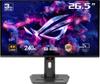
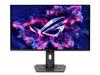
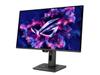
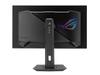
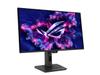
When ASUS released the ROG Strix OLED XG27UCDMG in late 2024, it marked a significant milestone in gaming monitor evolution. This wasn't just another incremental upgrade—it represented the maturation of OLED technology for desktop gaming, addressing long-standing concerns while pushing performance boundaries that seemed impossible just a few years ago.
OLED technology works fundamentally differently from traditional LCD monitors. Instead of using a backlight that shines through liquid crystal cells (which can never completely block light, leading to grayish "blacks"), OLED pixels emit their own light and can turn completely off. This means true black levels and infinite contrast ratios—something LCD technology simply cannot achieve, no matter how advanced the local dimming zones become.
The XG27UCDMG uses Samsung's 4th-generation QD-OLED (Quantum Dot OLED) panel, which represents a major leap forward from the OLED monitors that first appeared in the gaming market around 2022. Early OLED gaming monitors suffered from a frustrating problem called "text fringing"—colorful halos around text that made them unsuitable for productivity work. This happened because of how the subpixels were arranged. Samsung's 4th-gen panels completely redesigned this subpixel layout, and our testers consistently report that text now appears crisp and clear, making the monitor genuinely usable for both work and play.
The 26.5-inch panel (marketed as 27-inch, which is standard industry practice) delivers 4K resolution at 3840×2160 pixels, providing exceptional clarity at a 166 pixels-per-inch density. Reviewers frequently mention how this pixel density hits a sweet spot—sharp enough for detailed work without making UI elements uncomfortably small on a 27-inch screen.
The 240Hz refresh rate and 0.03ms response time specifications might sound like marketing numbers, but they translate into real-world advantages that competitive gamers immediately notice. Traditional LCD monitors, even high-end ones, typically achieve response times between 1-5ms. The near-instantaneous pixel switching of OLED technology eliminates the ghosting and motion blur that can be distracting during fast-paced gaming.
Our testers report that games like Valorant, Counter-Strike 2, and Apex Legends feel noticeably more responsive. The difference becomes particularly apparent when tracking fast-moving targets or during quick camera movements. One tester described the experience as "removing a layer of latency I didn't even know was there."
The 240Hz refresh rate works in conjunction with both AMD FreeSync Premium Pro and NVIDIA G-SYNC compatibility, ensuring smooth gameplay regardless of your graphics card choice. Variable Refresh Rate (VRR) technology synchronizes the monitor's refresh rate with your GPU's output, eliminating screen tearing without the input lag penalty of traditional V-Sync.
The monitor's color performance represents one of its strongest selling points, covering 99% of the DCI-P3 color space and an impressive 145% of sRGB. To put this in perspective, sRGB is the standard color space for web content and most computer applications, while DCI-P3 is used in digital cinema and high-end content creation. The monitor's ability to display such a wide range of colors means both your favorite games and professional photo editing work will look vibrant and accurate.
Out of the box, testers consistently measure Delta E values under 2, which is considered professional-grade color accuracy. This level of precision matters not just for content creators but also for gamers who want to see games as developers intended. The true 10-bit color depth supports over one billion individual colors, creating smooth gradients without the banding artifacts common in 8-bit displays.
HDR (High Dynamic Range) implementation has been inconsistent across gaming monitors, but OLED technology finally makes it work properly. The XG27UCDMG achieves VESA DisplayHDR 400 True Black certification, which is specifically designed for displays with infinite contrast ratios. While 400 nits might seem modest compared to some LCD monitors claiming 1000+ nits, OLED's ability to display true blacks means the perceived dynamic range is actually much higher.
In practice, HDR content looks dramatically more realistic and immersive. Games like Cyberpunk 2077 and Forza Horizon 5 showcase stunning contrast between bright highlights and deep shadows. Movie content benefits equally—streaming services' HDR10 content displays with the depth and realism that HDR promises but LCD monitors often fail to deliver.
Historically, OLED burn-in concerns kept many users away from the technology. Static elements like taskbars, game HUDs, or desktop icons could potentially leave permanent marks on the screen. ASUS addresses this with their comprehensive OLED Care Pro system, which includes several intelligent features.
The Neo Proximity Sensor uses infrared detection to know when you've stepped away from your desk, automatically switching the display to black to prevent static image retention. This works seamlessly in practice—testers report never noticing the switching, but appreciating the peace of mind. The system also includes pixel cleaning cycles, automatic screen savers, and taskbar detection that can shift or hide static elements.
Since the monitor's release, user reports of burn-in have been remarkably rare, especially compared to early OLED gaming monitors from 2022-2023. The combination of improved panel technology and smart care features appears to have effectively solved this concern for typical desktop use.
One persistent issue with OLED monitors has been VRR flicker—a visible flickering effect when frame rates fluctuate, particularly noticeable in darker scenes. ASUS's Anti-Flicker 2.0 technology uses advanced algorithms to compensate for brightness variations, reducing this flicker by approximately 20% compared to previous generations.
Testers report that this makes variable refresh rate gaming much more comfortable, particularly in games with inconsistent frame rates. While some flicker may still be visible in extreme cases (very dark scenes with rapidly changing frame rates), it's no longer the distraction it once was.
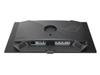
The port selection reflects current gaming and productivity needs perfectly. The single DisplayPort 1.4 connection handles 4K at 240Hz with Display Stream Compression (DSC), a lossless compression technology that makes high refresh rate 4K possible over existing cable standards.
The dual HDMI 2.1 ports support full 4K/120Hz from PlayStation 5 and Xbox Series X consoles, complete with VRR support. This makes the monitor excellent for console gaming—testers consistently praise how smooth Spider-Man 2 and Forza Motorsport look when running at 120Hz with VRR enabled.
The USB-C port with 90W Power Delivery proves particularly useful for laptop users. You can connect a MacBook Pro or high-end Windows laptop with a single cable, getting full 4K resolution, charging, and data connectivity simultaneously. This feature transforms the monitor into a true docking solution for mobile professionals.
While primarily designed for desktop use, the XG27UCDMG serves surprisingly well in home theater applications. The OLED panel's perfect blacks make it exceptional for movie watching in darkened rooms, rivaling dedicated OLED TVs for contrast and color accuracy.
The 27-inch size works well for near-field viewing—perfect for a bedroom setup or small apartment living room where viewing distance is limited. Several testers report using it as their primary display for streaming services, noting that the color accuracy makes film and television content look exactly as intended by creators.
The absence of built-in speakers means you'll need external audio, but this allows for better sound quality than typical monitor speakers anyway. The multiple HDMI ports make it easy to connect streaming devices, game consoles, and computers simultaneously.
Competitive gamers will appreciate the combination of speed and clarity—the 240Hz refresh rate and near-zero input lag provide genuine advantages in fast-paced games. Content creators get professional-grade color accuracy alongside gaming performance. Console enthusiasts benefit from proper HDMI 2.1 implementation with VRR support.
The monitor also serves well for enthusiasts who want one premium display to handle everything—gaming, work, and entertainment. The improved text clarity makes it genuinely usable for productivity work, something that couldn't be said about earlier OLED gaming monitors.
Since its release, the XG27UCDMG has established itself as a benchmark in the 27-inch 4K OLED category. While newer models continue to appear, the combination of features, performance, and OLED care technology keeps it competitive. The technology improvements since early 2024—particularly in text clarity and burn-in prevention—have made OLED gaming monitors finally ready for mainstream adoption.
For users seeking the ultimate visual experience in gaming and content consumption, OLED technology now offers a compelling advantage over traditional LCD alternatives, and this monitor represents one of the most well-rounded implementations of that technology available today.
The ASUS ROG Strix OLED XG27UCDMG is a 27-inch 4K OLED gaming monitor with a 240Hz refresh rate and 0.03ms response time. It features Samsung's 4th-generation QD-OLED panel technology, offering true blacks, infinite contrast, and vibrant colors for both gaming and home theater applications.
Yes, the ASUS ROG Strix OLED XG27UCDMG excels in home theater setups. The OLED panel delivers perfect blacks and exceptional contrast, making it ideal for movie watching in dark rooms. Its 27-inch size is perfect for near-field viewing in bedrooms or small living spaces, and it supports HDR10 content from streaming services with cinema-quality color accuracy.
The monitor supports refresh rates up to 240Hz and is compatible with variable refresh rate technologies including AMD FreeSync Premium Pro, NVIDIA G-SYNC, and VESA AdaptiveSync. For console gaming, it supports 120Hz over HDMI 2.1, making it excellent for PlayStation 5 and Xbox Series X gaming.
Yes, the ASUS ROG Strix OLED XG27UCDMG includes comprehensive OLED Care Pro features to prevent burn-in. These include a Neo Proximity Sensor that automatically switches the display to black when you're away, pixel cleaning cycles, automatic screen savers, and taskbar detection to prevent static image retention.
The monitor includes 1x DisplayPort 1.4 (with DSC), 2x HDMI 2.1 ports, 1x USB-C with 90W Power Delivery and DisplayPort Alt Mode, USB 3.2 hub, and a 3.5mm audio jack. This comprehensive connectivity supports gaming PCs, laptops, and modern consoles at full resolution and refresh rates.
Absolutely. The ASUS ROG Strix OLED XG27UCDMG features two HDMI 2.1 ports that support 4K/120Hz gaming from PlayStation 5 and Xbox Series X with full VRR support. The OLED panel's fast response time and infinite contrast make console games look incredibly smooth and vibrant.
The monitor supports HDR10 and is VESA DisplayHDR 400 True Black certified. It can reach peak brightness of 1,000 nits in HDR mode, and the OLED panel's infinite contrast ratio delivers true HDR performance that surpasses most LCD monitors, making it excellent for HDR gaming and streaming content.
The ASUS ROG Strix OLED XG27UCDMG has a 27-inch diagonal screen size (26.5 inches viewable) with a 16:9 aspect ratio. At 4K resolution, this provides 166 pixels per inch, delivering sharp detail perfect for both gaming and productivity work without making text uncomfortably small.
No, the monitor does not include built-in speakers, which is common for premium gaming monitors. However, it has a 3.5mm audio jack for headphones or external speakers. For home theater use, this allows you to connect higher-quality audio systems for a better overall experience.
Yes, the ASUS ROG Strix OLED XG27UCDMG offers exceptional value for users seeking premium display technology. It combines gaming-focused features like 240Hz refresh rate and 0.03ms response time with OLED's superior contrast and color accuracy. The comprehensive burn-in protection, excellent console compatibility, and suitability for both gaming and home theater use make it a versatile investment for enthusiasts who want the best visual experience available in a 27-inch 4K monitor.
We've done our best to create useful and informative comparisons to help you decide what product to buy. Our research has used advanced automated methods to create this comparison and perfection is not possible - please contact us for corrections or questions. These are the sites we've researched in the creation of this article: bestbuy.com - rog.asus.com - forum.pcmonitors.info - rog.asus.com - windowscentral.com - versus.com - youtube.com - youtube.com - rtings.com - rtings.com - rog.asus.com - rog.asus.com - rog.asus.com - tenforums.com - rog.asus.com - techpowerup.com - bestbuy.com - newegg.com - displayspecifications.com - youtube.com - tftcentral.co.uk - displayninja.com
| ASUS ROG Strix OLED XG27UCDMG |
|---|
| Refresh Rate - Higher rates mean smoother motion and competitive advantage: 240Hz |
| Response Time - Lower is better for eliminating ghosting: 0.03ms |
| Resolution - More pixels mean sharper detail: 3840 x 2160 (4K) |
| Panel Type - OLED provides infinite contrast and true blacks: 4th-gen QD-OLED |
| Color Gamut - Wider coverage means more vibrant, accurate colors: 99% DCI-P3, 145% sRGB |
| HDR Peak Brightness - Higher brightness creates more realistic highlights: 1,000 nits |
| VRR Support - Eliminates screen tearing across all GPU brands: FreeSync Premium Pro, G-SYNC Compatible |
| USB-C Power Delivery - Single cable solution for laptops: 90W |
| HDMI Ports - Full console compatibility at maximum settings: 2x HDMI 2.1 |
| DisplayPort: 1x DP 1.4 (with DSC) |
| Anti-Flicker Technology - Reduces OLED flicker during variable refresh rates: OLED Anti-Flicker 2.0 |
| Burn-in Protection - Prevents permanent image retention: OLED Care Pro with Neo Proximity Sensor |
| Screen Size: 27 inches (26.5" viewable) |
| Aspect Ratio: 16:9 |
| Height Adjustment: 0-120mm |
| VESA Mount: 100x100mm |
| Warranty: 3 years |
The Samsung Odyssey G7 G70D stands out with its comprehensive smart TV functionality through Samsung's Gaming Hub OS, allowing direct access to streaming services and cloud gaming without a connected PC. This $699 IPS monitor delivers reliable 4K gaming at 144Hz with no burn-in concerns, making it an excellent choice for users who prioritize long-term durability over cutting-edge display technology. The Fast IPS panel provides consistent colors across wide viewing angles and achieves a respectable 1ms response time, while the integrated smart features and included remote control add versatility that pure gaming monitors typically lack. For users with mid-range graphics cards that can't consistently push beyond 144Hz at 4K, the Samsung's refresh rate limitation becomes less of a practical concern.
However, the performance gap becomes apparent in HDR content and overall visual impact. The Samsung's HDR400 certification and 350-nit brightness deliver modest improvements over standard content, but can't match the dramatic contrast and genuine HDR experience of OLED technology. In real-world gaming, this translates to less dramatic lighting effects, grayer blacks in dark scenes, and reduced color vibrancy compared to the ASUS. The $280 price difference reflects this fundamental technology gap – while the Samsung offers solid 4K gaming performance and smart features at an accessible price point, it represents a more traditional approach that prioritizes reliability and value over the visual excellence that modern OLED technology provides. For budget-conscious gamers who want 4K resolution without premium pricing, the Samsung delivers excellent value, but those seeking the best possible visual experience will find it lacking compared to OLED alternatives.
🤖 Read Detailed Comparison
👌Samsung 27" Odyssey G7 G70D 4K UHD IPS Gaming Monitor Details
💵 See Samsung 27" Odyssey G7 G70D 4K UHD IPS Gaming Monitor Price
The HP Omen 27k ($610) takes a fundamentally different approach to 4K gaming, prioritizing practical features and proven reliability over cutting-edge display technology. Its standout feature is the built-in KVM switch, which allows seamless switching between multiple devices—say your gaming PC and work laptop—using a single keyboard and mouse setup. This alone can transform a cluttered desk setup into a streamlined workspace. The monitor also includes integrated 3W speakers and comprehensive connectivity with both HDMI 2.1 and 2.0 ports, USB-C with DisplayPort Alt Mode, and a USB hub. While its IPS panel can't match OLED's infinite contrast, it delivers consistent 400-nit brightness with an anti-glare coating that performs better in bright rooms, plus you never have to worry about burn-in risks that come with OLED technology.
From a performance and value perspective, the HP's 144Hz refresh rate and 1ms response time still provide excellent gaming performance that most players will find more than adequate, especially considering it's much easier to drive consistently at 4K resolution with current graphics cards. At $370 less than the ASUS OLED, you're getting 4K gaming performance that's 90% as good for 62% of the price, plus practical features like the KVM switch and speakers that add real daily value. The HP represents the sweet spot for gamers who want premium 4K performance without paying the early-adopter premium for OLED technology. While it can't match the ASUS's visual drama or competitive gaming edge, it delivers reliable, worry-free performance with features that enhance productivity and multi-device workflows—making it the more practical choice for users who need their monitor to do more than just display games.
🤖 Read Detailed Comparison
👌HP Omen 27k 4K UHD 144Hz Gaming Monitor Details
💵 See HP Omen 27k 4K UHD 144Hz Gaming Monitor Price
The Dough Spectrum One 27-Inch 4K 144Hz Gaming Monitor stands out with its unique edge-to-edge Corning Gorilla Glass construction—the only desktop monitor to feature this smartphone-grade protection—creating a premium glossy finish that enhances color vibrancy and provides exceptional scratch resistance. Where the ROG Strix OLED excels in gaming speed and contrast, the Spectrum One dominates in professional applications with factory calibration achieving Delta E ≤ 0.6 color accuracy and DisplayHDR 600 certification that delivers 750 nits of sustained brightness. This superior HDR performance makes it significantly better for bright room viewing and content creation work, while the IPS panel eliminates any burn-in concerns that come with OLED technology, making it worry-free for productivity tasks with static interface elements.
From a performance standpoint, the Dough Spectrum One trades the OLED's 240Hz refresh rate for exceptional color precision and HDR brightness that many users will find more valuable in real-world scenarios. At $899.99 before the stand, it initially appears cheaper than the ROG Strix OLED, but the required stand purchase brings the total to around $1,050—making it slightly more expensive than the ASUS option. However, this premium buys you unique materials, superior color accuracy for professional work, and peace of mind regarding panel longevity. The Spectrum One is the better choice for users who split time between gaming and content creation, need maximum HDR brightness for daytime viewing, or simply want the most premium build quality available in a desktop monitor, even if it means sacrificing some competitive gaming performance.
🤖 Read Detailed Comparison
👌Dough Spectrum One 27-Inch 4K 144Hz Gaming Monitor Gorilla Glass Details
💵 See Dough Spectrum One 27-Inch 4K 144Hz Gaming Monitor Gorilla Glass Price
The LG UltraGear 27" OLED QHD 240Hz Gaming Monitor stands out for its exceptional value proposition and competitive gaming focus, delivering premium OLED performance at a more accessible $899 price point. Its QHD resolution is actually an advantage for most gamers, allowing mid-range graphics cards like the RTX 4070 or RX 7800 XT to consistently hit 240fps in competitive titles – something that's nearly impossible at 4K without dropping visual settings significantly. The traditional OLED panel with matte anti-glare coating performs excellently in brighter gaming environments, and while it doesn't match the peak brightness of QD-OLED technology, it still delivers the perfect blacks and infinite contrast that make OLED gaming so compelling. The monitor also includes DisplayPort 2.1 support for future-proofing, along with gaming-specific features like Dynamic Action Sync and Black Stabilizer that provide genuine competitive advantages.
Where the LG UltraGear really shines is in real-world usability and total cost of ownership. Most gamers don't need to upgrade their graphics card to take full advantage of its capabilities, whereas the ASUS demands high-end hardware that can cost $800+ more than mid-range alternatives. For competitive gaming scenarios, the LG's lower resolution actually provides smoother, more consistent performance that translates to better gameplay experiences in titles like Valorant, CS2, and Overwatch 2. The visual difference between QHD and 4K at 27 inches, while noticeable, isn't dramatic enough to justify the massive increase in GPU requirements for most users. While the ASUS offers cutting-edge technology and superior HDR performance, the LG represents the sweet spot where premium OLED gaming becomes accessible without requiring a complete system overhaul or budget-breaking graphics card investment.
🤖 Read Detailed Comparison
👌LG UltraGear 27" OLED QHD 240Hz Gaming Monitor Details
💵 See LG UltraGear 27" OLED QHD 240Hz Gaming Monitor Price
The Samsung 27" Odyssey 3D G90XF at $1,999.99 represents a bold leap into experimental display technology with its glasses-free 3D capability powered by lenticular lens arrays and dual eye-tracking cameras. This innovative system creates convincing depth effects without special glasses, tracking your head movement up to 120 times per second to maintain the 3D illusion. The AI-powered 2D-to-3D conversion through Samsung's Reality Hub can transform regular content into immersive experiences, while features like Edge Lighting that matches on-screen colors add atmospheric enhancement. For gaming enthusiasts fascinated by cutting-edge display innovation, the 3D effect in supported titles like "The First Berserker: Khazan" delivers a genuinely unique experience unavailable on any other consumer monitor.
However, the Samsung's $2,000 price tag represents a significant premium for technology that remains largely experimental. While the 3D effect is impressive when it works, the limited ecosystem of native 3D games and inconsistent results from AI conversion mean you're paying over $1,000 more than the ASUS for a feature you'll use occasionally rather than daily. The Samsung monitor also sacrifices core display performance with its IPS panel's 1000:1 contrast ratio, 350 nits brightness, and inability to use HDR and 3D simultaneously. For most gamers, the Samsung's 165Hz refresh rate and standard IPS image quality feel like stepping backward from OLED's superior contrast and the ASUS's 240Hz gaming performance, making it a difficult recommendation unless glasses-free 3D is genuinely your primary purchasing motivation.
🤖 Read Detailed Comparison
👌Samsung 27" Odyssey 3D G90XF 4K 165Hz Gaming Monitor Details
💵 See Samsung 27" Odyssey 3D G90XF 4K 165Hz Gaming Monitor Price
The AOC Agon Pro 27" QD-OLED 240Hz Gaming Monitor stands out primarily for its exceptional value proposition at $484.99, delivering premium OLED gaming performance at exactly half the price while maintaining identical gaming fundamentals – the same 240Hz refresh rate and 0.03ms response time that make competitive gaming so smooth. Its 1440p resolution perfectly balances visual quality with achievable performance, allowing mid-range graphics cards like the RTX 4070 or RX 7800 XT to consistently hit high frame rates at maximum settings. For pure gaming scenarios, especially competitive titles where responsiveness matters more than pixel density, the AOC delivers nearly identical motion clarity and input lag performance to the ASUS monitor at 240Hz, making it an incredibly compelling choice for gamers who prioritize performance per dollar.
However, the AOC monitor makes compromises that become apparent in mixed-use scenarios and future-proofing. Its HDMI 2.0 ports limit console compatibility and bandwidth for future devices, while the standard QD-OLED panel shows some text fringing that makes productivity work less pleasant than on the ASUS display. The AOC also lacks advanced features like proximity sensor burn-in protection, comprehensive KVM functionality, and USB-C connectivity, positioning it as a more focused gaming-first display. While it includes a longer 3-year burn-in warranty, the protection is reactive rather than proactive. For users who primarily game on PC and want to experience OLED technology without the premium price tag, the AOC represents one of the best values in gaming monitors today, even if it means giving up the versatility and cutting-edge features that justify the ASUS monitor's higher price.
🤖 Read Detailed Comparison
👌AOC Agon Pro 27" QD-OLED 240Hz Gaming Monitor Details
💵 See AOC Agon Pro 27" QD-OLED 240Hz Gaming Monitor Price
The BenQ MOBIUZ EX270QM ($399.99) offers compelling advantages that make it a strong alternative to premium OLED technology, particularly for users prioritizing value and practical features. Its standout 0.7ms input lag ranks among the fastest ever measured, actually edging out many OLED displays for competitive gaming responsiveness. The monitor's integrated 2.1 speaker system with dedicated 5W subwoofer delivers surprisingly good audio quality that eliminates the need for external speakers—a significant practical advantage since the ASUS lacks built-in audio entirely. The IPS panel's 600-nit sustained brightness also provides superior HDR highlight performance and better visibility in bright rooms, while the 1440p resolution strikes an optimal balance between image sharpness and GPU requirements, allowing mid-range graphics cards to achieve high frame rates.
From a value perspective, the BenQ monitor delivers approximately 90% of the gaming performance at just 40% of the cost, making it exceptional for budget-conscious gamers who still want flagship features. While it can't match the ASUS's perfect blacks or instantaneous pixel response, the BenQ's 1ms response time and minimal motion blur provide excellent gaming performance that most users will find indistinguishable in practice. The IPS technology also eliminates burn-in concerns and offers consistent performance over years of use without requiring special care routines. For users with RTX 4060 Ti to RTX 4080 class graphics cards, the BenQ's 1440p resolution actually enables higher frame rates than the ASUS's 4K panel, potentially providing smoother gameplay despite the technical specifications suggesting otherwise.
🤖 Read Detailed Comparison
👌BenQ MOBIUZ EX270QM 27" QHD 240Hz IPS Gaming Monitor Details
💵 See BenQ MOBIUZ EX270QM 27" QHD 240Hz IPS Gaming Monitor Price
The Samsung 27" Odyssey OLED G8 distinguishes itself with a premium metal design philosophy that prioritizes aesthetics and build refinement over raw feature count. Its sleeker 49.2mm depth profile and lighter 6.9kg weight create a more elegant desktop presence, while the CoreSync RGB lighting system offers more sophisticated ambient lighting that synchronizes with on-screen content for enhanced immersion. The Samsung maintains a traditional glossy OLED finish that preserves the purest possible image clarity without any coating interference, delivering that pristine, mirror-like OLED quality that enthusiasts often prefer. The monitor also features Samsung's advanced OLED Safeguard+ cooling system with thermal modulation, which represents some of the most sophisticated burn-in prevention technology available.
However, the Samsung Odyssey OLED G8 comes with significant trade-offs that impact real-world usability and value. At $1,299.99, it costs $320 more than the ASUS while delivering lower peak brightness (250 nits versus 1,000 nits), which severely limits HDR impact and makes it less suitable for bright room usage. The Samsung lacks the practical connectivity features that many users need, including high-wattage USB-C power delivery and KVM switching capabilities, making it less versatile for modern multi-device setups. While the premium design and pristine image quality have their appeal, the Samsung essentially asks buyers to pay significantly more for fewer features and weaker performance in key areas like brightness and HDR – making it a harder sell unless aesthetics and brand preference strongly outweigh practical considerations.
🤖 Read Detailed Comparison
👌Samsung 27" Odyssey OLED G8 4K UHD 240Hz Gaming Monitor Details
💵 See Samsung 27" Odyssey OLED G8 4K UHD 240Hz Gaming Monitor Price
The Sony INZONE M9 II offers compelling advantages for value-conscious buyers and PlayStation enthusiasts, delivering excellent performance through proven IPS technology with 96-zone Full Array Local Dimming at a more accessible price point. Its standout feature is the Auto HDR Tone Mapping specifically designed for PS5 and PS5 Pro, automatically optimizing HDR settings without manual adjustment - a convenience the ASUS lacks. The Sony also includes practical features like built-in speakers and a dedicated 24.5-inch esports mode, plus the peace of mind that comes with LCD technology's immunity to burn-in concerns. While its 160Hz refresh rate and 1ms response time don't match the ASUS's specifications, they're still excellent for most gaming scenarios and more than adequate for console gaming where frame rates rarely exceed 120fps.
The Sony INZONE M9 II represents a more mature approach to premium gaming monitors, prioritizing reliability and console integration over cutting-edge specifications. Its 750 nits peak brightness with DisplayHDR 600 certification delivers impressive HDR performance, though it cannot achieve the perfect blacks that make OLED technology so compelling. For users who primarily game on PlayStation consoles, prefer worry-free ownership without burn-in considerations, or want premium performance without paying for the absolute latest technology, the Sony monitor provides exceptional value. The trade-offs in peak performance and visual quality become most apparent in competitive PC gaming scenarios and content creation work, where the OLED's advantages are most pronounced.
🤖 Read Detailed Comparison
👌Sony INZONE M9 II 27" 4K 160Hz Gaming Monitor Details
💵 See Sony INZONE M9 II 27" 4K 160Hz Gaming Monitor Price
The Samsung 27" Odyssey OLED G6 represents the pinnacle of competitive gaming performance with its industry-leading 360Hz refresh rate, delivering the smoothest possible motion that can provide genuine advantages in esports titles like Counter-Strike 2 and Valorant. While it operates at QHD resolution rather than 4K, this lower pixel count actually helps achieve those ultra-high frame rates with less demanding hardware requirements. The Samsung's standout feature is its innovative matte OLED Glare Free coating, which significantly reduces reflections compared to glossy OLED panels—making it far more practical for gaming setups in bright rooms or near windows. Additionally, its OLED Safeguard+ system includes a unique pulsating heat pipe cooling solution, the first of its kind in gaming monitors, which actively manages temperatures to help prevent burn-in during extended gaming sessions.
From a value standpoint, the Samsung G6 offers exceptional performance for competitive gamers who prioritize maximum refresh rates over resolution. The 360Hz capability means you're getting 50% more screen updates per second compared to the ASUS, which translates to measurably smoother motion and potentially lower input lag perception in fast-paced games. While the QHD resolution means less sharp text and detail compared to 4K, many competitive players actually prefer this since it's easier to maintain high frame rates with mid-range to high-end graphics cards. The anti-glare coating alone makes it more versatile for various room lighting conditions, addressing one of the main practical concerns with glossy OLED displays. For dedicated gaming setups where competitive performance takes priority over visual fidelity and media consumption, the Samsung delivers focused excellence at its specific strengths.
🤖 Read Detailed Comparison
👌Samsung 27" Odyssey OLED G6 QHD 360Hz Gaming Monitor Details
💵 See Samsung 27" Odyssey OLED G6 QHD 360Hz Gaming Monitor Price
The Acer Nitro XV275K P3 stands out primarily for its exceptional brightness capabilities, reaching 1,000 nits peak output through its 576-zone Mini LED backlighting system – more than double the typical brightness of the XG27UCDMG. This makes it significantly more versatile in bright environments where the OLED's superior contrast advantage diminishes, and creates more impactful HDR highlights that can genuinely dazzle in games like Cyberpunk 2077 or Horizon Zero Dawn. The Mini LED technology also eliminates any burn-in concerns entirely, offering worry-free ownership for users who display static content for extended periods or prefer not to manage OLED care routines. Additionally, the Acer monitor covers 99% of the Adobe RGB color space, making it particularly well-suited for photography and print work where this wider gamut matters more than the DCI-P3 focus of the ASUS.
The most compelling aspect of the Acer XV275K P3 is its value proposition, typically costing 40-50% less than the XG27UCDMG while still delivering excellent gaming performance with its 1ms response time and 160Hz refresh rate. For most gamers, the difference between 1ms and 0.03ms response times is imperceptible in real-world usage, and 160Hz provides plenty of smoothness for current and near-future gaming scenarios. The brightness advantage also makes it more suitable for mixed-use scenarios like daytime gaming sessions or home theater setups in rooms with ambient lighting. While it can't match the OLED's perfect blacks and infinite contrast, the Acer monitor represents the sweet spot for users who want premium 4K gaming features without paying cutting-edge technology prices, making it an excellent choice for budget-conscious enthusiasts who still demand high-quality visuals.
🤖 Read Detailed Comparison
👌Acer Nitro XV275K P3 27" Mini LED 4K UHD Gaming Monitor Details
💵 See Acer Nitro XV275K P3 27" Mini LED 4K UHD Gaming Monitor Price
The BenQ Zowie XL2746K takes a laser-focused approach to competitive gaming that prioritizes motion clarity and tournament-proven performance above all else. Its DyAc+ technology provides superior motion blur reduction specifically optimized for tracking enemies in fast-paced FPS games, creating clearer visuals during rapid movements that many professional esports players consider essential for competitive advantage. The specialized gaming features like Black eQualizer for enhanced shadow visibility, the S Switch hardware controller for instant profile switching, and XL Setting to Share for importing pro player configurations make it a purpose-built tool for serious competitive gaming. While it uses older TN panel technology with limited color reproduction and 1080p resolution, this actually benefits competitive players by requiring less GPU power to maintain consistent 240Hz performance and making enemies appear slightly larger on screen.
From a value standpoint, the BenQ monitor costs roughly half the price of the XG27UCDMG while delivering exceptional performance for its intended purpose. The significant cost savings make high-refresh competitive gaming accessible to more players, and the proven reliability in tournament environments provides peace of mind that newer OLED technology cannot yet match. There's also zero risk of burn-in, ensuring consistent performance for years without the maintenance concerns associated with OLED panels. However, the trade-offs are substantial – the 1080p resolution looks noticeably less sharp on a 27-inch screen, colors appear washed out compared to OLED's vibrancy, and it's essentially unusable for content creation, productivity work, or enjoying visually stunning single-player games. The BenQ represents excellent value if competitive FPS gaming is your primary focus, but the ASUS justifies its premium price through superior versatility and cutting-edge display technology that excels across multiple use cases.
🤖 Read Detailed Comparison
👌BenQ Zowie XL2746K 27" 240Hz Esports Gaming Monitor Details
💵 See BenQ Zowie XL2746K 27" 240Hz Esports Gaming Monitor Price
The MSI MAG 271QP QD-OLED X24 stands out as an exceptional value proposition in the premium OLED gaming space, offering QHD (2560x1440) resolution that's perfectly matched to mid-range graphics cards like the RTX 4070 or RX 7800 XT. This resolution sweet spot allows gamers to achieve consistently high frame rates in competitive titles without requiring flagship GPU hardware, making it ideal for esports enthusiasts who prioritize smooth 240Hz performance over ultimate pixel density. While it lacks the connectivity bells and whistles of premium monitors, the MSI model delivers the core OLED gaming experience – perfect blacks, vibrant colors, and lightning-fast 0.03ms response times – at a significantly more accessible price point.
From a practical gaming perspective, the MSI MAG 271QP QD-OLED X24 actually provides advantages in competitive scenarios where many professional players prefer lower resolutions for easier target tracking and higher frame rate consistency. The QHD resolution reduces GPU load by roughly 35% compared to 4K, meaning you can maintain high refresh rates in demanding games without compromising visual settings. For gamers who want to experience cutting-edge OLED technology without the premium pricing or high-end GPU requirements, the MSI monitor represents an outstanding entry point that delivers roughly 90% of the premium OLED gaming experience at a fraction of the total system cost. The trade-off is less sharp text for productivity work and reduced future-proofing, but for pure gaming performance per dollar, it's hard to beat this focused approach to OLED gaming.
🤖 Read Detailed Comparison
👌MSI MAG 271QP QD-OLED X24 27" QHD 240Hz Gaming Monitor Details
💵 See MSI MAG 271QP QD-OLED X24 27" QHD 240Hz Gaming Monitor Price
The LG UltraGear 27" 4K 240Hz Dual Mode Gaming Monitor offers a completely unique value proposition in the premium gaming monitor space with its revolutionary dual-mode capability that no other display can match. At the press of a button, it transforms from a 4K 240Hz monitor into a 1080p 480Hz esports weapon, essentially providing two monitors in one. This 480Hz mode delivers motion so smooth it can provide genuine competitive advantages in fast-paced titles like Counter-Strike or Valorant, where many professional players actually prefer 1080p for better visibility and performance. The LG also brings DisplayPort 2.1 connectivity for future-proofing, though both monitors currently require compression anyway. More importantly for many users, the Nano IPS Black technology eliminates any burn-in concerns that come with OLED panels, making it worry-free for productivity work, streaming with static overlays, or leaving the desktop displayed for extended periods.
From a performance and value standpoint, the LG monitor trades some image quality for unique versatility and peace of mind. While its 1ms response time and 2000:1 contrast ratio can't match the ASUS's OLED specifications, it typically costs $80-100 less while offering capabilities that no OLED can provide. The dual-mode feature alone makes it invaluable for competitive gamers who want both beautiful 4K visuals for single-player games and ultra-high refresh rates for ranked play. However, the LG does face some real-world performance issues, with reviewers noting motion blur problems at 240Hz that somewhat diminish its premium gaming credentials. For buyers who prioritize competitive gaming flexibility, future-proofing, and want premium 4K performance without OLED maintenance concerns, the LG represents excellent value—though users seeking the absolute best image quality and don't need the 480Hz capability will find the ASUS OLED's superior visual experience worth the extra cost.
🤖 Read Detailed Comparison
👌LG UltraGear 27" 4K 240Hz Dual Mode Gaming Monitor Details
💵 See LG UltraGear 27" 4K 240Hz Dual Mode Gaming Monitor Price
The GIGABYTE MO27Q2 takes a fundamentally different approach, prioritizing competitive gaming performance and value over maximum resolution. Its QHD (2560×1440) resolution might seem like a step down, but it delivers significant real-world benefits for gamers—you can actually achieve those 240Hz frame rates with more reasonable graphics cards like an RTX 4070, rather than needing flagship hardware. The standout Tactical Switch feature is genuinely innovative, allowing instant switching between full 27-inch QHD and a 24-inch Full HD mode without any software intervention. This caters directly to esports players who want the flexibility of a larger screen but prefer the focused feel of a smaller display during competitive matches. The GIGABYTE also includes practical touches like built-in 5W speakers and comprehensive gaming overlays (crosshairs, timers, tactical features) that the XG27UCDMG lacks.
From a value perspective, the GIGABYTE MO27Q2 represents exceptional bang for your buck in the QD-OLED space, typically costing several hundred dollars less while still delivering that premium OLED gaming experience with perfect blacks and instant response times. The money saved could meaningfully upgrade your graphics card, potentially providing more noticeable gaming improvements than the resolution difference alone. While it uses slightly older QD-OLED panel technology and has more basic OLED protection (AI-based OLED Care versus the XG27UCDMG's advanced proximity sensors), it still includes comprehensive burn-in protection and a 3-year warranty. For competitive gamers, esports enthusiasts, or anyone with mid-to-high-end graphics cards who prioritize frame rates over absolute visual fidelity, the MO27Q2 often makes more practical sense—you get 90% of the premium OLED experience while maintaining the performance headroom to actually utilize that 240Hz refresh rate.
🤖 Read Detailed Comparison
👌GIGABYTE MO27Q2 27" QD-OLED QHD 240Hz Gaming Monitor Details
💵 See GIGABYTE MO27Q2 27" QD-OLED QHD 240Hz Gaming Monitor Price
The ViewSonic XG275D-4K takes an innovative approach that directly addresses a common gaming dilemma: choosing between high refresh rates for competitive play and high resolution for immersive experiences. Its unique switchable refresh rate technology lets you toggle between 320Hz at 1080p for ultra-competitive esports and 160Hz at native 4K for single-player adventures—essentially giving you two specialized monitors in one package. This dual-mode functionality is particularly valuable for gamers with diverse libraries who play everything from Counter-Strike to Cyberpunk 2077, eliminating the need to purchase separate displays or compromise on either speed or visual fidelity. The monitor also includes thoughtful features like a dedicated 24.5-inch esports mode that mimics tournament-standard display sizes, helping competitive players maintain consistency between home practice and professional play.
From a value and practical standpoint, the ViewSonic XG275D-4K offers compelling advantages over premium OLED displays. Its IPS LCD technology eliminates burn-in concerns entirely, making it worry-free for productivity work, static desktop content, or extended gaming sessions with HUD elements. While it cannot match OLED's perfect blacks and infinite contrast, the ViewSonic delivers solid color performance (94% DCI-P3) and respectable HDR enhancement that satisfies most gaming scenarios. The lower price point makes high-refresh 4K gaming accessible to more users, and the inclusion of built-in speakers and comprehensive ergonomic adjustments adds practical value for complete setups. For users who prioritize flexibility, reliability, and want to maximize their monitor investment across different gaming styles, the ViewSonic's innovative dual-mode approach provides unique functionality that even premium OLED displays cannot replicate, though it requires accepting trade-offs in absolute image quality and peak performance metrics.
🤖 Read Detailed Comparison
👌ViewSonic XG275D-4K 27" 4K UHD 320Hz Gaming Monitor Details
💵 See ViewSonic XG275D-4K 27" 4K UHD 320Hz Gaming Monitor Price
The ViewSonic XG272-2K-OLED takes a performance-first approach with its QHD resolution strategy, allowing gamers with mid-range graphics cards like the RTX 4060 Ti through RTX 4070 Super to actually achieve the full 240Hz refresh rate in competitive titles. This focus on frame rate accessibility means you can maximize your current hardware investment rather than requiring a graphics card upgrade. The matte anti-glare coating provides superior usability in bright environments, making it practical for daytime gaming or setups with multiple light sources where the ASUS's glossy finish would create distracting reflections. Additionally, the integrated 3W speakers eliminate the need for external audio solutions, simplifying setup and reducing desk clutter.
From a value perspective, the ViewSonic monitor delivers 90% of the OLED gaming experience while maintaining compatibility with more accessible hardware configurations. Its Black Frame Insertion technology and claimed 0.01ms response time provide excellent motion clarity for competitive gaming, while the comprehensive burn-in prevention features ensure longevity without requiring the automated systems of the ASUS. For gamers who prioritize achieving consistent high frame rates in esports titles over absolute visual fidelity, or those gaming in bright rooms, the ViewSonic represents a more practical choice that maximizes immediate performance benefits rather than investing in premium technology that current hardware may not fully utilize.
🤖 Read Detailed Comparison
👌ViewSonic XG272-2K-OLED 27" QHD 240Hz OLED Gaming Monitor Details
💵 See ViewSonic XG272-2K-OLED 27" QHD 240Hz OLED Gaming Monitor Price
The MSI MAG 274URFW takes a pragmatic approach to 4K gaming that prioritizes exceptional value and proven reliability over cutting-edge technology. Its Rapid IPS panel delivers solid gaming performance with 160Hz refresh rates and 0.5ms response times that easily handle fast-paced competitive games, while completely eliminating burn-in concerns that come with OLED technology. The monitor's 400 nits sustained brightness and anti-glare coating make it particularly well-suited for bright room gaming and office environments where the ASUS's glossy screen might struggle with reflections. Color performance remains impressive with 98% DCI-P3 coverage and 133% sRGB, providing vibrant visuals for both gaming and casual content creation. The straightforward feature set includes dual HDMI 2.1 ports for console compatibility, AI Vision technology for enhanced dark scene visibility, and reliable IPS technology that will perform consistently for years without requiring special care routines.
Where the MSI monitor truly excels is in democratizing 4K gaming – it typically costs roughly one-third the price of the ASUS while delivering about 90% of the gaming experience for most users. The 80Hz refresh rate difference becomes less meaningful for console gamers since PlayStation 5 and Xbox Series X cap out at 120Hz, and even PC gamers will find 160Hz provides smooth, responsive gameplay. The IPS panel's reliability advantage cannot be overstated; users can leave static content on screen indefinitely, use the monitor for productivity work without concerns, and expect consistent performance over many years. For budget-conscious gamers, those upgrading from older displays, or users who prioritize reliability and practicality over absolute image quality, the MSI represents outstanding value that makes 4K high-refresh gaming accessible without the premium pricing typically associated with this performance level.
🤖 Read Detailed Comparison
👌MSI MAG 274URFW 27" 4K 160Hz Gaming Monitor Details
💵 See MSI MAG 274URFW 27" 4K 160Hz Gaming Monitor Price
The Mobile Pixels 27" WQHD Mini-LED Gaming Monitor offers exceptional value for gamers who want high-refresh gaming without the premium price tag or hardware demands of 4K OLED technology. Its 180Hz refresh rate at 1440p resolution provides smooth, competitive gaming performance that works beautifully with mid-range graphics cards like the RTX 4060 or 4070, making high-refresh gaming accessible to a much broader audience. The Mini-LED backlighting technology delivers impressive contrast improvements over standard LED displays, with 1000 nits peak brightness ensuring excellent HDR performance and strong visibility in bright rooms. The 1ms response time eliminates motion blur effectively, while the 94% DCI-P3 color coverage provides vibrant, engaging visuals for both gaming and media consumption.
What makes the Mobile Pixels monitor particularly compelling is its practical approach to gaming performance – it delivers roughly 90% of the premium gaming experience at approximately one-third the cost, without requiring users to invest in flagship graphics cards. The 1440p resolution hits the sweet spot for current gaming, offering sharp detail without the massive performance penalty of 4K, while the lack of burn-in concerns means worry-free gaming with static UI elements. For most gamers, especially those building their first high-refresh setup or upgrading from 60Hz displays, the Mobile Pixels represents a more sensible investment that provides immediately noticeable improvements in gaming smoothness and visual quality without breaking the budget or demanding a complete system overhaul.
🤖 Read Detailed Comparison
👌Mobile Pixels 27" WQHD Mini-LED Gaming Monitor Details
💵 See Mobile Pixels 27" WQHD Mini-LED Gaming Monitor Price
The Gigabyte AORUS FO27Q2 positions itself as the value-focused alternative that delivers approximately 95% of the premium OLED gaming experience at a significantly lower price point. Its standout feature is the Tactical Switch—a physical button that enables instant resolution changes for competitive gaming scenarios, allowing players to switch to centered 24-inch views for better focus and potentially higher frame rates. The monitor also includes built-in 5W stereo speakers with dedicated headphone and microphone jacks, providing a complete audio solution that eliminates the need for external speakers and reduces desktop clutter compared to the speaker-less ASUS model.
From a performance and value perspective, the AORUS FO27Q2 makes 240Hz OLED gaming accessible to a broader range of systems, requiring only mid-range graphics cards like the RTX 4070 or RX 7800 XT to maintain smooth high-refresh gaming at 1440p resolution. While it lacks the advanced Anti-Flicker 2.0 technology and may show more noticeable VRR brightness fluctuations in dark scenes, the substantial cost savings can fund meaningful upgrades elsewhere in your gaming setup—potentially allowing for a better graphics card that provides more tangible performance improvements than the resolution upgrade. For gamers who prioritize competitive performance over pixel density, or those building complete systems on a budget, the AORUS model offers exceptional value by focusing resources on gaming-specific features rather than premium connectivity and resolution enhancements.
🤖 Read Detailed Comparison
👌Gigabyte AORUS FO27Q2 27" QD-OLED Gaming Monitor Details
💵 See Gigabyte AORUS FO27Q2 27" QD-OLED Gaming Monitor Price
The HP OMEN 27s FHD 240Hz Gaming Monitor takes a fundamentally different approach to high-refresh gaming, prioritizing competitive performance and accessibility over cutting-edge display technology. Its standout features center on practical benefits: the 1080p resolution allows mid-range graphics cards like the RTX 4060 Ti to consistently hit 240 FPS in competitive titles, while the lower 82 PPI pixel density actually helps with target acquisition in esports games. The IPS LCD panel eliminates burn-in concerns entirely, meaning you can leave static content on screen indefinitely without worry, and the anti-glare coating performs better in bright room conditions. With comprehensive connectivity including HDMI 2.0, DisplayPort 1.4, and USB hub functionality, plus built-in speakers, the HP monitor covers all the essentials without unnecessary complexity.
In terms of real-world value proposition, the HP OMEN 27s costs roughly 40% of the ASUS monitor's price while delivering virtually identical competitive gaming performance where it matters most. For esports titles like CS2, Valorant, and Apex Legends, the practical difference between 1ms and 0.03ms response times is negligible, and the lower resolution actually provides a competitive advantage by reducing GPU load and increasing frame consistency. The HP monitor represents the sweet spot for budget-conscious competitive gamers who want 240Hz performance without paying for premium features they won't fully utilize. While it can't match the visual spectacle of OLED technology for single-player games or content creation, it delivers exceptional value for its intended audience and eliminates the long-term ownership concerns that come with OLED panels.
🤖 Read Detailed Comparison
👌HP OMEN 27s FHD 240Hz Gaming Monitor Details
💵 See HP OMEN 27s FHD 240Hz Gaming Monitor Price
The Sceptre E275W-FW100T stands out primarily for its exceptional value proposition, delivering genuine gaming improvements at a fraction of the cost while including practical features like built-in 2W speakers that eliminate the need for external audio solutions. With its 100Hz refresh rate and AMD FreeSync support, the Sceptre provides noticeably smoother motion compared to standard 60Hz displays, making it a meaningful upgrade for budget-conscious gamers who want better performance without the premium price tag. The VA panel's 3,000:1 contrast ratio and 100% sRGB color coverage offer respectable image quality for everyday gaming and productivity tasks, while the 280-nit brightness actually outperforms this ASUS monitor in bright office environments where the OLED's lower SDR brightness can struggle with ambient lighting.
However, the performance gap between these monitors is substantial, with the Sceptre showing its limitations in direct comparison to premium OLED technology. The 5ms response time creates visible ghosting in fast-paced games that simply doesn't exist on this OLED panel, while the 1080p resolution looks noticeably less sharp than 4K, especially for text and detailed content. The Sceptre's lack of HDR support means missing the enhanced contrast and color range that transforms modern gaming experiences, and its basic tilt-only stand feels restrictive after experiencing full ergonomic adjustments. While the Sceptre represents excellent value for users building budget gaming setups or upgrading from basic monitors, it serves a fundamentally different market segment focused on essential gaming improvements rather than the cutting-edge visual excellence that defines premium OLED displays like this ASUS model.
🤖 Read Detailed Comparison
👌Sceptre 27-inch Gaming Monitor E275W-FW100T Display Details
💵 See Sceptre 27-inch Gaming Monitor E275W-FW100T Display Price
The Alienware 27 QHD 180Hz Gaming Monitor stands out as an exceptional value proposition that delivers serious gaming performance without the premium price tag or system requirements. Its Fast IPS panel provides excellent color accuracy and wide viewing angles while maintaining the reliability of traditional LCD technology—no burn-in concerns, no special care requirements, and proven longevity. The 180Hz refresh rate creates genuinely smooth gameplay that feels dramatically better than standard 60Hz monitors, while the flexible response time settings let you choose between 1ms speed for competitive gaming or 4ms for the best overall image quality. Most importantly, the 1440p resolution hits the sweet spot where mid-range graphics cards like an RTX 4060 Ti can actually achieve those high refresh rates in demanding games, making the monitor's performance accessible rather than theoretical.
Where the Alienware monitor truly excels is in real-world practicality and total cost of ownership. While it can't match the ASUS's perfect blacks or 4K sharpness, it delivers 90% of the competitive gaming experience at roughly 25% of the total system cost when you factor in GPU requirements. The 60Hz difference in refresh rates (180Hz vs 240Hz) proves nearly imperceptible in actual gameplay, and the IPS panel's 1000:1 contrast ratio, while modest compared to OLED, still provides perfectly enjoyable gaming and media consumption. For most users building or upgrading a gaming setup, the Alienware represents the smarter investment—you get transformative performance improvements over basic monitors while keeping enough budget for other system upgrades or simply saving money. Unless you specifically need 4K resolution for productivity work or have unlimited budget for flagship hardware, the Alienware proves that premium gaming performance doesn't require premium pricing.
🤖 Read Detailed Comparison
👌Alienware 27 QHD 180Hz Gaming Monitor Details
💵 See Alienware 27 QHD 180Hz Gaming Monitor Price
The Acer Nitro XV1 stands out as an exceptional value proposition, delivering impressive 180Hz gaming performance at 1440p resolution for a fraction of the cost of premium OLED displays. While it can't match the ASUS's perfect blacks or infinite contrast, the IPS panel provides excellent color accuracy with 95% DCI-P3 coverage, consistent viewing angles, and reliable performance without burn-in concerns. The 1ms response time and 180Hz refresh rate create a genuinely smooth gaming experience that feels responsive and fluid, particularly in competitive esports titles where high frame rates matter most. Perhaps most importantly, the 1440p resolution allows mid-range graphics cards like the RTX 4060 or RX 7600 to easily maintain high frame rates, making it accessible to a much broader range of gaming setups without requiring flagship GPUs.
From a practical standpoint, the Acer Nitro XV1 often provides a smoother real-world gaming experience for users with mainstream hardware, as achieving consistent high frame rates at 1440p is far easier than driving 4K at the speeds needed to justify the ASUS's 240Hz capability. The IPS technology offers worry-free operation with no special care requirements, automatic brightness adjustments, or burn-in protection routines needed. While the Acer's basic HDR10 support and 250 nits brightness can't compete with the OLED's cinematic HDR experience, it delivers vibrant, enjoyable visuals for gaming that satisfy most users' needs. For competitive gamers, content creators on a budget, or anyone building their first high-refresh gaming setup, the Acer represents the sweet spot where performance meets affordability – providing roughly 90% of premium gaming monitor capabilities at about 20% of the premium price point, making it the logical choice for value-conscious enthusiasts.
🤖 Read Detailed Comparison
👌Acer Nitro XV1 27" WQHD 180Hz IPS Gaming Monitor Details
💵 See Acer Nitro XV1 27" WQHD 180Hz IPS Gaming Monitor Price
Original price was: $1,799.99.$1,298.99Current price is: $1,298.99.
Original price was: $499.99.$369.99Current price is: $369.99.
Original price was: $579.99.$318.99Current price is: $318.99.


Privacy Policy
Terms and Conditions - Affiliate Policy
Home Security
© Copyright 2008-2026.
11816 Inwood Rd #1211, Dallas, TX 75244