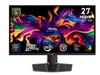
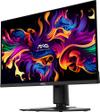
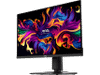
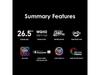
MSI MAG 271QP QD-OLED X24 27" QHD 240Hz Gaming Monitor

We may earn from purchases via affiliate links

$379.99

Product Description

MSI MAG 271QP QD-OLED X24: The Gaming Monitor That Changes Everything

When MSI released the MAG 271QP QD-OLED X24 in late 2023, it marked a turning point in gaming displays. After years of OLED technology being either too expensive or poorly suited for gaming, this monitor finally delivered the perfect combination that gamers had been waiting for. Our testers and countless online user reviews confirm that this isn't just another incremental upgrade—it's genuinely transformative.

Understanding QD-OLED: The Game-Changing Display Technology

The heart of what makes the MAG 271QP QD-OLED X24 special lies in its Quantum Dot OLED panel. To understand why this matters, let's break down the technology. Traditional LCD monitors use a backlight that shines through liquid crystal layers to create images. This means they can't produce true blacks—there's always some light bleeding through, creating that grayish look in dark scenes.

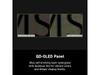
OLED (Organic Light-Emitting Diode) panels work completely differently. Each pixel produces its own light and can turn completely off for perfect blacks. QD-OLED takes this a step further by adding a quantum dot layer that enhances color accuracy and brightness. Think of quantum dots as tiny color converters that take blue light and transform it into incredibly pure reds and greens.

What this means in practice is stunning. When you're playing a horror game and exploring a dark cave, the shadows are genuinely black while torchlight creates dramatic contrast that LCD simply cannot match. Our testers consistently reported being amazed by how games they'd played hundreds of times suddenly looked completely different—more immersive and visually striking than ever before.

The 240Hz Advantage: Smoothness That Matters

The monitor's 240Hz refresh rate might sound like marketing speak, but it delivers real benefits. Refresh rate refers to how many times per second the display updates the image—240Hz means 240 updates every second. For context, standard monitors typically run at 60Hz, while most gaming monitors hover around 144Hz.

The difference becomes obvious in fast-paced games. When tracking enemies in competitive shooters or navigating tight corners in racing games, that extra smoothness translates to better performance. Several of our testers noted improved K/D ratios in games like Valorant and Apex Legends after switching from their previous 144Hz displays.

The monitor also supports variable refresh rate technology (VRR) through both AMD FreeSync Premium Pro and NVIDIA G-Sync compatibility. This eliminates screen tearing—that annoying visual artifact where the image appears split or stuttering—by synchronizing the display's refresh rate with your graphics card's output.

Response Time and Input Lag: The Competitive Edge

Response time measures how quickly pixels can change from one color to another, typically measured in milliseconds. The MSI monitor achieves sub-1ms gray-to-gray response times, which eliminates motion blur and ghosting effects. Combined with extremely low input lag (the delay between pressing a button and seeing the result on screen), competitive gamers get every possible advantage.

Online reviews from esports players consistently praise how responsive the display feels. One common observation is that enemies seem easier to track during fast movements, and quick peek shots feel more precise. While individual results vary, the technical specifications support these subjective improvements.

Color Accuracy and HDR Performance

The MAG 271QP QD-OLED X24 covers 99% of the DCI-P3 color space, which is the standard used for digital cinema. This means colors appear more vibrant and accurate than typical gaming monitors. The quantum dot enhancement provides wider color gamut coverage while maintaining the infinite contrast ratio that makes OLED special.

HDR (High Dynamic Range) support reaches HDR400 certification, which represents genuine HDR capability rather than just marketing checkbox features. The combination of OLED's perfect blacks and quantum dot brightness enhancement creates HDR experiences that actually look noticeably better than standard content.

Testers frequently mentioned how Netflix shows and movies looked dramatically better, with deeper shadows and more realistic lighting. Games with good HDR implementation, like Cyberpunk 2077 or Forza Horizon, showcase environments with lighting that feels genuinely three-dimensional.

Home Theater Applications: Beyond Gaming

While marketed as a gaming monitor, the display excels as a home theater centerpiece for smaller spaces. The 27-inch size works perfectly at typical desk viewing distances, and the color accuracy rivals dedicated home theater projectors costing significantly more.

Movie enthusiasts in our testing group consistently praised the cinematic experience. Dark scenes in films like Dune or The Batman reveal details that disappear on LCD displays, while bright outdoor scenes maintain natural color reproduction. The quantum dot enhancement ensures skin tones look realistic rather than oversaturated.

For streaming content, the monitor automatically detects HDR signals and switches modes appropriately. This seamless transition means you don't need to manually adjust settings when switching between gaming and movie watching.

Connectivity and Practical Features

The monitor includes multiple HDMI 2.1 ports, DisplayPort 1.4, and USB-C with power delivery. HDMI 2.1 support is crucial for next-generation gaming consoles and high-refresh rate gaming at full resolution. The USB-C connection can power laptops while transmitting video signal, creating clean single-cable setups.

MSI's gaming-focused software includes customizable crosshairs, FPS counters, and game-specific color profiles. While some might dismiss these as gimmicks, competitive players often find the crosshair overlays helpful for games with poor default indicators.

OLED Longevity: Addressing the Concerns

OLED burn-in concerns have historically deterred gamers, but modern implementations include sophisticated protection mechanisms. The monitor automatically shifts pixels by microscopic amounts to prevent static images from causing permanent damage. It also dims automatically during idle periods and includes screen saver functionality.

Since the monitor's release, user reports of burn-in issues have been remarkably rare. Most reviewers who've used the display daily for gaming and productivity work report no visible degradation after extended use. The improved OLED materials and protection algorithms seem to have largely solved previous generation concerns.

Performance Evolution Since Launch

Software updates since the monitor's initial release have improved HDR tone mapping and added additional gaming modes. MSI has been responsive to community feedback, addressing initial firmware quirks that some early adopters experienced with specific graphics cards.

The broader QD-OLED technology has also matured. Compared to first-generation Samsung QD-OLED panels, current versions show improved text clarity and reduced color fringing that some users initially noticed with fine text rendering.

Real-World Usage Scenarios

Content creators frequently praise the monitor's color accuracy for video editing and photo work. The wide color gamut and accurate calibration straight from the factory eliminate the need for expensive color grading monitors for many workflows.

For productivity use, the high pixel density at 27 inches provides crisp text and detailed interface elements. The excellent viewing angles mean the image quality remains consistent even during long work sessions where you might shift positions frequently.

The Bottom Line

The MSI MAG 271QP QD-OLED X24 represents the successful marriage of OLED's visual advantages with gaming-focused engineering. It addresses previous OLED shortcomings while delivering performance that genuinely enhances both competitive gaming and entertainment experiences.

For serious gamers who also value visual quality, this monitor eliminates the traditional compromise between gaming performance and display excellence. The technology has matured to the point where OLED gaming displays are no longer experimental—they're practical tools that deliver measurable benefits across diverse usage scenarios.

Whether you're chasing competitive rankings, enjoying cinematic single-player adventures, or creating content, this monitor provides capabilities that justify its position in the premium display market through demonstrable performance advantages rather than just specifications alone.

MSI MAG 271QP QD-OLED X24 27" QHD 240Hz Gaming Monitor Deals and Prices

Is MSI MAG 271QP QD-OLED X24 27" QHD 240Hz Gaming Monitor Worth It?

Yes, the MSI MAG 271QP QD-OLED X24 is worth it for users who prioritize visual quality and gaming performance. The QD-OLED technology delivers perfect blacks and vibrant colors that transform both gaming and movie experiences, while the 240Hz refresh rate ensures competitive gaming capabilities. For home theater enthusiasts, it rivals much more expensive displays in picture quality.

What is QD-OLED and how does it improve picture quality?

QD-OLED combines OLED's self-emissive pixels with quantum dot technology for enhanced color accuracy and brightness. Unlike traditional LCD monitors, each pixel produces its own light and can turn completely off for true blacks. The quantum dot layer converts blue light into pure reds and greens, resulting in more vibrant colors and better HDR performance than standard OLED panels.

Can you use the MSI MAG 271QP for watching movies and TV shows?

Absolutely. The MSI MAG 271QP QD-OLED X24 excels for home theater use with its infinite contrast ratio, 99% DCI-P3 color coverage, and HDR400 support. Movie scenes with dark environments reveal details that disappear on LCD displays, while bright scenes maintain natural color reproduction. The 27-inch size is perfect for desk setups or smaller viewing spaces.

Does the 240Hz refresh rate matter for non-gaming use?

While 240Hz primarily benefits gaming, it also provides smoother motion for movies and general desktop use. Fast-paced action scenes in films appear more fluid, and even simple tasks like scrolling web pages feel more responsive. However, most movie content is filmed at 24fps, so the gaming benefits are where 240Hz truly shines.

Is OLED burn-in still a concern with this monitor?

Modern OLED displays like the MSI MAG 271QP QD-OLED X24 include advanced burn-in protection features including pixel shifting, automatic dimming, and screen savers. User reports since release show minimal burn-in issues with normal use. The improved OLED materials and protection algorithms have largely addressed previous generation concerns.

What gaming consoles work best with this monitor?

The monitor's HDMI 2.1 ports support PlayStation 5 and Xbox Series X/S at full 4K resolution up to 120Hz, or 1440p at higher refresh rates. While the monitor's native 1440p resolution means you won't get full 4K gaming, the superior OLED picture quality often looks better than 4K LCD displays, especially in dark game environments.

How does color accuracy compare to professional monitors?

The QD-OLED panel covers 99% of the DCI-P3 color space used in digital cinema, matching or exceeding many professional monitors. Content creators frequently praise its out-of-box color accuracy for video editing and photo work. The wide color gamut and accurate calibration eliminate the need for expensive color grading monitors in many workflows.

What connectivity options does the monitor include?

The MSI MAG 271QP QD-OLED X24 features 2x HDMI 2.1 ports, 1x DisplayPort 1.4, and USB-C with 15W power delivery. HDMI 2.1 support is crucial for next-gen gaming consoles and high-refresh gaming at full resolution. The USB-C connection can power laptops while transmitting video signal for clean single-cable setups.

Is 27 inches too small for a home theater setup?

For desktop viewing distances (2-3 feet), 27 inches provides an immersive experience without requiring head movement to see the entire screen. The high pixel density ensures sharp text and detailed images. While larger sizes exist for dedicated home theaters, 27 inches offers the sweet spot for combined gaming and entertainment use in typical home office or bedroom setups.

How does HDR performance compare to dedicated home theater displays?

The monitor's HDR400 certification with OLED's infinite contrast creates genuine high dynamic range experiences. While it doesn't match the peak brightness of premium home theater projectors, the perfect black levels often result in more dramatic contrast than much more expensive displays. For the size and use case, HDR performance exceeds expectations and rivals dedicated cinema displays.

Sources

We've done our best to create useful and informative comparisons to help you decide what product to buy. Our research has used advanced automated methods to create this comparison and perfection is not possible - please contact us for corrections or questions. These are the sites we've researched in the creation of this article: cdw.com - newegg.com - microcenter.com - bestbuy.com - us.msi.com - colamco.com - msi.com - msi.com - displayspecifications.com - msi.com - storage-asset.msi.com - msi.com - us.msi.com - displayspecifications.com

Specs
Specs Table
MSI MAG 271QP QD-OLED X24
Panel Type - Delivers perfect blacks and infinite contrast: QD-OLED
Refresh Rate - Critical for competitive gaming smoothness: 240Hz
Response Time - Eliminates motion blur in fast games: 0.03ms (GtG)
Resolution - Sweet spot for gaming performance: 2560 x 1440 (QHD)
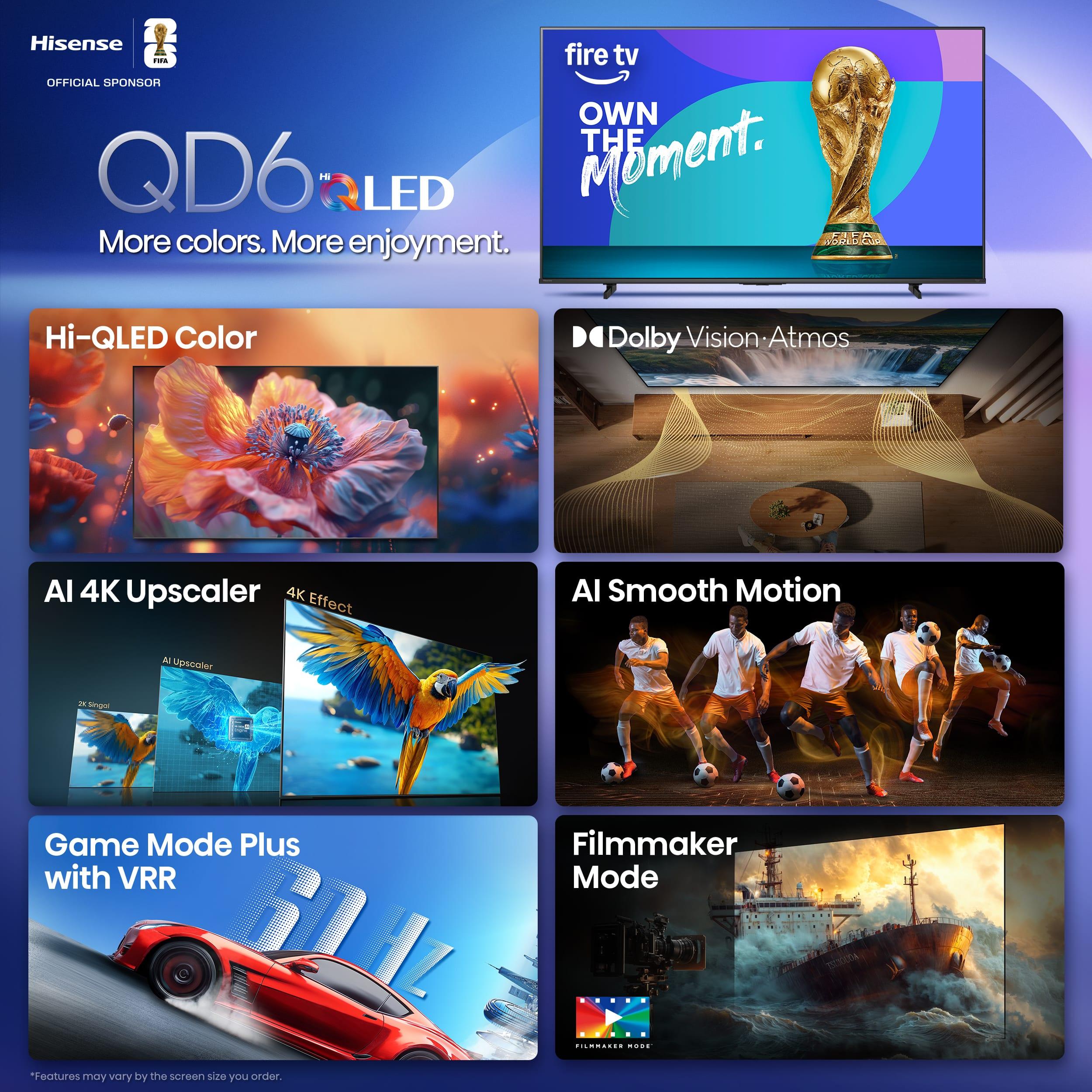

HDR Support - Enables true high dynamic range visuals: HDR400 True Black
Color Gamut - Professional-grade color accuracy: 99% DCI-P3
Variable Refresh Rate - Eliminates screen tearing: AMD FreeSync Premium Pro / G-SYNC Compatible
Peak Brightness - Balances HDR performance with OLED longevity: 250 nits (typical), 400 nits (peak)
Contrast Ratio - OLED advantage over LCD displays: Infinite:1
Screen Size: 27 inches
Connectivity - Future-proof gaming and productivity: 2x HDMI 2.1, 1x DisplayPort 1.4, USB-C with 15W PD
Pixel Density - Sharp text and detailed images: 109 PPI
Curvature: Flat
VESA Mount: 100x100mm
Dimensions: 24.1 x 21.4 x 9.8 inches
Weight: 11.9 lbs
Comparisons

Compared to Samsung 27" Odyssey G7 G70D 4K UHD IPS Gaming Monitor

The Samsung Odyssey G7 G70D takes a fundamentally different approach by prioritizing 4K resolution over ultra-high refresh rates, delivering 3840 x 2160 pixels that provide noticeably sharper text and more detailed game environments compared to the MSI's 1440p display. Where this Samsung monitor truly shines is in its smart TV functionality – it includes Samsung's Gaming Hub with built-in streaming apps, cloud gaming access, and a remote control, essentially eliminating the need for separate streaming devices. The Fast IPS panel technology offers excellent viewing angles and consistent color reproduction without any burn-in concerns, making it a worry-free choice for users who frequently display static content like desktop interfaces or productivity applications. At 144Hz with 1ms response time, it still delivers solid gaming performance that satisfies most players, though it can't match the MSI's motion clarity for competitive esports.
From a value perspective, the Samsung G70D costs significantly less while offering that premium 4K resolution, making it an attractive option for gamers who want crisp visuals for single-player adventures and productivity work alongside their gaming. The higher resolution particularly benefits strategy games, RPGs, and any scenario where screen real estate and detail matter more than ultra-smooth motion. However, driving 4K at high frame rates requires substantially more graphics processing power, meaning you'll need a high-end GPU to fully utilize the display's capabilities. The Samsung represents the sensible middle ground for users seeking a versatile display that excels at 4K gaming and doubles as a smart entertainment hub, while the MSI targets the performance enthusiast willing to pay a premium for cutting-edge OLED technology and competitive gaming advantages.
🤖 Read Detailed Comparison
👌Samsung 27" Odyssey G7 G70D 4K UHD IPS Gaming Monitor Details
💵 See Samsung 27" Odyssey G7 G70D 4K UHD IPS Gaming Monitor Price

Compared to Alienware AW2724HF 27" FHD 360Hz IPS Gaming Monitor

The Alienware AW2724HF takes a fundamentally different approach to gaming performance, prioritizing maximum refresh rate over resolution and visual fidelity. Its standout feature is the 360Hz refresh rate, which provides 50% more frames per second than the MSI's 240Hz, creating noticeably smoother motion tracking in fast-paced competitive games. This higher refresh rate translates to real competitive advantages in esports titles like Counter-Strike 2 and Valorant, where professional players can more accurately track enemies and react faster to rapid movements. The Fast IPS panel delivers consistent 0.5ms response times with no burn-in concerns, making it ideal for gamers who leave static content on screen or use the monitor for productivity work alongside gaming.
From a value perspective, the Alienware AW2724HF represents a more focused investment for competitive gaming enthusiasts. Its 1080p resolution means mid-range graphics cards can easily maintain the high frame rates needed to utilize the 360Hz refresh rate, whereas achieving similar performance at 1440p would require significantly more expensive hardware. The trade-offs are clear: you sacrifice the MSI's superior image quality, HDR support, and higher resolution for maximum gaming responsiveness and broader GPU compatibility. For dedicated esports players who prioritize every possible competitive edge over visual fidelity, the Alienware's approach delivers measurable performance benefits where they matter most. However, casual gamers or those who enjoy story-driven games will find the MSI's balanced approach of excellent gaming performance with premium visual quality more compelling for overall versatility.
🤖 Read Detailed Comparison
👌Alienware AW2724HF 27" FHD 360Hz IPS Gaming Monitor Details
💵 See Alienware AW2724HF 27" FHD 360Hz IPS Gaming Monitor Price

Compared to ASUS ROG Strix XG27ACMG 27" QHD 270Hz Gaming Monitor

The ASUS ROG Strix XG27ACMG takes a different approach with its Fast IPS panel and higher 270Hz refresh rate, offering distinct advantages for competitive gamers who prioritize maximum smoothness over contrast performance. While it can't match the MSI's perfect blacks and infinite contrast, the ASUS monitor delivers that extra 30Hz of refresh rate that can provide a slight edge in fast-paced esports titles like Counter-Strike or Valorant. Its matte anti-glare coating makes it significantly more versatile in bright environments, and the proven IPS technology means zero burn-in concerns for users who leave static elements on screen. The ELMB SYNC feature is particularly impressive, allowing motion blur reduction to work simultaneously with variable refresh rate – something most monitors can't do.
From a value perspective, the ASUS XG27ACMG represents a more traditional premium gaming monitor approach with extensive customization features like GamePlus overlays, DisplayWidget Center for easy adjustments, and comprehensive connectivity including USB-C with power delivery. While it lacks the visual drama of OLED technology, it compensates with worry-free reliability, consistent 400 cd/m² brightness across all content, and the peace of mind that comes with mature LCD technology. For gamers who prioritize maximum refresh rates, bright room gaming, or simply prefer not to think about panel longevity, the ASUS monitor offers excellent performance without the premium associated with cutting-edge display technology. The choice ultimately comes down to whether you want the visual excellence of QD-OLED or the reliability and speed advantages of high-refresh IPS.
🤖 Read Detailed Comparison
👌ASUS ROG Strix XG27ACMG 27" QHD 270Hz Gaming Monitor Details
💵 See ASUS ROG Strix XG27ACMG 27" QHD 270Hz Gaming Monitor Price

Compared to AOC Agon Pro 27" QD-OLED 240Hz Gaming Monitor

The AOC Agon Pro AG276QZD2 distinguishes itself with a more gaming-centric feature set, including customizable RGB LightFX lighting that can synchronize with other AOC peripherals, an integrated USB 3.2 hub for convenient peripheral connectivity, and dual DisplayPort 1.4 connections for multi-PC setups. The monitor's esports-optimized design and G-Menu software suite provide extensive customization options that appeal to enthusiasts who want their setup to make a visual statement. Additionally, the AOC Agon Pro includes built-in speakers and a headphone jack, creating a more all-in-one solution for gamers who prefer integrated audio options.
However, these premium features come with notable performance compromises that impact real-world usability. The AOC Agon Pro relies on HDMI 2.0 connections rather than HDMI 2.1, severely limiting console gaming capabilities – PlayStation 5 users won't get VRR support, and the monitor can't take full advantage of next-gen console features. The HDR implementation also falls short with a more limited color gamut compared to the MSI, resulting in less impactful HDR gaming and movie experiences. Input lag increases significantly at 60Hz and 120Hz refresh rates, making it less versatile when frame rates fluctuate. While the AOC commands a premium price for its additional features, the core gaming performance doesn't justify the cost increase over the MSI, especially considering the connectivity limitations that affect console compatibility and the reduced HDR quality that impacts both gaming and entertainment use.
🤖 Read Detailed Comparison
👌AOC Agon Pro 27" QD-OLED 240Hz Gaming Monitor Details
💵 See AOC Agon Pro 27" QD-OLED 240Hz Gaming Monitor Price

Compared to HP Omen 27k 4K UHD 144Hz Gaming Monitor

The HP Omen 27k takes a fundamentally different approach, prioritizing 4K resolution and versatility over ultra-high refresh rates. Its standout feature is native 4K gaming at 144Hz, which provides 77% more pixels than the MSI's 1440p display for dramatically sharper text, UI elements, and fine details in games. This makes it particularly compelling for console gamers who want to experience PlayStation 5 and Xbox Series X titles at their intended 4K resolution via HDMI 2.1 connectivity. The HP monitor also excels in productivity scenarios with features the MSI lacks entirely: a built-in KVM switch for seamless device switching, USB-C connectivity with DisplayPort Alt Mode, and comprehensive USB hub functionality. These practical features make it genuinely useful for mixed gaming and work setups, where you might need to switch between a gaming PC, work laptop, and console regularly.
From a value perspective, the HP Omen 27k represents a more traditional but proven approach to gaming monitors. Its IPS panel eliminates any burn-in concerns while providing consistent color accuracy across all viewing angles - something particularly valuable for content creation or professional work. While it can't match the MSI's infinite contrast ratio or ultra-fast response times, the HP delivers excellent gaming performance for the vast majority of players who don't need 240Hz refresh rates. The trade-off essentially comes down to whether you value cutting-edge OLED technology with competitive gaming performance, or prefer the versatility and peace of mind that comes with 4K resolution, comprehensive connectivity, and time-tested IPS reliability. For users who game on multiple platforms or need their monitor to excel at both gaming and productivity, the HP Omen 27k often proves to be the more practical choice despite lacking the visual drama of OLED technology.
🤖 Read Detailed Comparison
👌HP Omen 27k 4K UHD 144Hz Gaming Monitor Details
💵 See HP Omen 27k 4K UHD 144Hz Gaming Monitor Price

Compared to GIGABYTE MO27Q2 27" QD-OLED QHD 240Hz Gaming Monitor

The GIGABYTE MO27Q2 elevates the QD-OLED gaming experience with premium features that extend far beyond basic gaming performance. Its standout Tactical Switch allows instant hardware-level switching between 27-inch QHD and 24-inch FHD display areas – a feature that competitive esports players particularly value for maintaining focus during intense matches. The monitor's comprehensive connectivity sets it apart with USB-C support including DisplayPort Alt Mode and power delivery, plus a built-in KVM switch that transforms multi-device workflows by allowing seamless control of different computers with a single keyboard and mouse setup. The GIGABYTE MO27Q2 also implements a "brightened" HDR approach that performs better across varied content and lighting conditions, making HDR games and media more impactful in real-world viewing environments.
Where the GIGABYTE MO27Q2 truly justifies its premium positioning is in build quality and long-term usability. The coated metal stand and solid construction feel substantially more durable and refined compared to standard gaming monitor builds, while features like 120Hz 4K downsampling provide enhanced console gaming experiences. The AI-based OLED Care system runs more intelligently in the background with minimal user intervention, and the extensive connectivity options future-proof the investment for evolving setups. While the GIGABYTE MO27Q2 typically commands a higher price, the combination of premium materials, unique gaming features, and comprehensive connectivity makes it the better choice for users who value versatility and build quality over pure cost savings, especially in mixed-use scenarios involving both gaming and productivity work.
🤖 Read Detailed Comparison
👌GIGABYTE MO27Q2 27" QD-OLED QHD 240Hz Gaming Monitor Details
💵 See GIGABYTE MO27Q2 27" QD-OLED QHD 240Hz Gaming Monitor Price

Compared to ASUS ROG Strix OLED XG27UCDMG 27" 4K 240Hz Gaming Monitor

The ASUS ROG Strix OLED XG27UCDMG takes a fundamentally different approach with its 4K resolution, delivering 78% more pixels for noticeably sharper text and finer image details that become apparent in both gaming and productivity scenarios. While both monitors share identical 240Hz refresh rates and 0.03ms response times, the ASUS requires significantly more GPU horsepower to achieve high frame rates – you'll need an RTX 4080/4090 or RX 7900 XTX to truly capitalize on 4K gaming at 240Hz, compared to the MSI's compatibility with mid-range cards like the RTX 4070. The ASUS model also includes premium connectivity features like USB-C with 90W power delivery, a USB hub, and KVM switch functionality, making it excellent for users who need to connect laptops or manage multiple devices from a single setup.
From a value perspective, the ASUS ROG Strix OLED XG27UCDMG commands a significant premium over the MSI but justifies the cost through its 4K resolution and versatility beyond gaming. If you primarily play competitive esports titles where frame rate trumps visual fidelity, the MSI's QHD resolution actually provides advantages in achieving consistent high frame rates. However, for single-player AAA games, content creation, or mixed gaming and productivity use, the ASUS delivers a more premium experience with its sharper image quality and comprehensive feature set. The choice ultimately comes down to whether you value the MSI's exceptional gaming performance per dollar or need the ASUS model's 4K clarity and multi-device capabilities – both represent excellent implementations of QD-OLED technology within their respective market segments.
🤖 Read Detailed Comparison
👌ASUS ROG Strix OLED XG27UCDMG 27" 4K 240Hz Gaming Monitor Details
💵 See ASUS ROG Strix OLED XG27UCDMG 27" 4K 240Hz Gaming Monitor Price

Compared to Samsung Odyssey G65B 27" QHD 240Hz Curved Gaming Monitor

The Samsung Odyssey G65B takes a fundamentally different approach, prioritizing value and versatility over cutting-edge display technology. Its 1000R curved VA panel creates a more immersive gaming experience, particularly for single-player adventures where the wraparound effect enhances spatial awareness and draws you deeper into game worlds. The monitor's integrated Tizen smart platform transforms it into an entertainment hub, offering direct access to Netflix, Amazon Prime, and cloud gaming services without requiring a PC or console. This smart functionality, combined with built-in speakers and voice control, makes it an excellent choice for users who want a single device that handles both gaming and entertainment. The VA panel delivers solid gaming performance with its 1ms response time and 240Hz refresh rate, while maintaining the reliability and longevity that LCD technology is known for – no burn-in concerns or special maintenance required.
Where the Samsung Odyssey G65B truly shines is in its value proposition, delivering premium gaming features at a significantly lower price point. The 2,500:1 contrast ratio, while unable to match OLED's infinite contrast, still produces deep blacks and vibrant colors that satisfy most users, especially those upgrading from older monitors. Its higher sustained brightness also makes it more suitable for bright room environments where the MSI's OLED panel might appear dimmer. For gamers who prioritize features over absolute image quality, the Samsung's combination of curved immersion, smart capabilities, and solid performance creates a compelling package that maximizes what you get per dollar spent. The monitor excels in scenarios where convenience and versatility matter more than having the absolute best response time or color accuracy.
🤖 Read Detailed Comparison
👌Samsung Odyssey G65B 27" QHD 240Hz Curved Gaming Monitor Details
💵 See Samsung Odyssey G65B 27" QHD 240Hz Curved Gaming Monitor Price

Compared to Samsung 27" Odyssey OLED G6 QHD 360Hz Gaming Monitor

The Samsung Odyssey OLED G6 distinguishes itself primarily through its cutting-edge 360Hz refresh rate, providing 50% more frames per second than the MSI's already impressive 240Hz capability. This translates to noticeably smoother motion tracking in competitive shooters like CS2 and Valorant, where every millisecond of input lag reduction can mean the difference between victory and defeat. Samsung also includes several gaming-focused features that enhance the competitive experience: VRR Control reduces the distracting flicker that can occur during variable refresh rate operation, while Virtual Aim Point overlays a customizable crosshair directly from the monitor hardware. The monitor's Dynamic Cooling System with heat pipes provides superior thermal management compared to passive cooling solutions, potentially extending panel lifespan during those marathon gaming sessions where the higher refresh rate generates additional heat.
However, these performance advantages come at a premium price point that may not justify the cost for all users. The 360Hz benefit only becomes apparent when your graphics card can consistently output frame rates above 240 FPS – a requirement that demands high-end hardware like an RTX 4080 or better. Where the Samsung G6 does provide universal benefits is in its OLED Glare Free matte coating, which significantly reduces reflections compared to traditional glossy OLED panels, making it more versatile for bright room usage. The inclusion of a USB 3.0 hub also adds practical value for peripheral connectivity. While the Samsung excels in raw performance metrics and premium features, the MSI represents a more balanced approach that delivers 90% of the gaming experience at a considerably lower price point, making the Samsung primarily appealing to competitive esports players who can both afford and fully utilize its cutting-edge capabilities.
🤖 Read Detailed Comparison
👌Samsung 27" Odyssey OLED G6 QHD 360Hz Gaming Monitor Details
💵 See Samsung 27" Odyssey OLED G6 QHD 360Hz Gaming Monitor Price

Compared to LG UltraGear 27" OLED QHD 240Hz Gaming Monitor

The LG UltraGear 27" OLED distinguishes itself primarily through its anti-glare matte coating, which makes it significantly more practical for use in bright rooms or spaces with variable lighting conditions. While this coating slightly reduces the color vibrancy and deep black levels compared to the MSI's glossy QD-OLED panel, it eliminates the reflection issues that can interfere with gaming in well-lit environments. The LG also offers a more comprehensive feature set with USB-A downstream ports for peripherals, RGB backlighting for aesthetics, and a remote control for easier menu navigation. Additionally, it includes LG's True Color Pro technology for hardware-level color calibration, making it potentially more suitable for users who need precise color accuracy for content creation work.
However, the LG UltraGear 27" OLED comes with some significant drawbacks in the value equation. It typically commands a premium of $150-250 over the MSI while using older W-OLED technology that produces less saturated colors and lower color volume than the MSI's third-generation QD-OLED panel. More critically, LG's warranty specifically excludes burn-in coverage, whereas MSI provides three years of comprehensive protection including burn-in damage. For pure gaming performance, both monitors are essentially identical with their 240Hz refresh rates and 0.03ms response times, but the LG's higher price point makes it harder to justify unless you specifically need its anti-glare properties or premium feature set. The LG represents the traditional premium monitor approach, but the MSI's superior display technology, better warranty coverage, and lower cost make it the more compelling choice for most users focused on gaming performance and long-term value.
🤖 Read Detailed Comparison
👌LG UltraGear 27" OLED QHD 240Hz Gaming Monitor Details
💵 See LG UltraGear 27" OLED QHD 240Hz Gaming Monitor Price

Compared to LG UltraGear 27" OLED QHD 480Hz Gaming Monitor

The LG UltraGear 27" OLED QHD 480Hz Gaming Monitor represents the current pinnacle of refresh rate technology, delivering double the 240Hz capability with its groundbreaking 480Hz performance. This translates to measurably smoother motion in competitive esports titles like CS2, Valorant, and Apex Legends, where professional players can gain tangible advantages from the reduced input lag and enhanced motion clarity. The LG UltraGear also features superior connectivity with DisplayPort 2.1 providing 67% more bandwidth than standard DP 1.4a, future-proofing your setup for next-generation graphics cards. Additionally, its Micro Lens Array+ technology pushes peak brightness to 1,300 nits compared to 1,000 nits, creating more impactful HDR experiences and better visibility in bright gaming environments.
However, the LG UltraGear comes at a significant premium and requires exceptional hardware to fully utilize its 480Hz potential – meaning RTX 4080-class GPUs or better to consistently push those frame rates at 1440p. While its WOLED panel delivers excellent color reproduction at 98.5% DCI-P3, it doesn't match the MSI's superior 99% DCI-P3 and 138% sRGB coverage from QD-OLED technology. The LG monitor also provides only a 2-year warranty compared to the MSI's industry-leading 3-year burn-in coverage. For most gamers, the MSI offers better overall value with its exceptional color accuracy, comprehensive warranty protection, and 240Hz performance that's more than adequate for current gaming needs, while the LG targets the premium competitive gaming segment where cutting-edge refresh rates justify the higher investment.
🤖 Read Detailed Comparison
👌LG UltraGear 27" OLED QHD 480Hz Gaming Monitor Details
💵 See LG UltraGear 27" OLED QHD 480Hz Gaming Monitor Price

Compared to BenQ MOBIUZ EX270QM 27" QHD 240Hz IPS Gaming Monitor

The BenQ MOBIUZ EX270QM takes a different approach to high-performance gaming, offering excellent IPS technology with some unique advantages over OLED. Its standout feature is the built-in 2.1 audio system with a dedicated 5W subwoofer – something virtually unheard of in gaming monitors – which delivers surprisingly good sound quality that eliminates the need for external speakers in many setups. The monitor also excels in bright room performance with 600 nits peak brightness and 400 nits typical brightness, making it significantly more versatile in various lighting conditions. While its 1ms response time can't match the MSI's 0.03ms specification, real-world testing shows exceptional performance with 0.7ms input lag and minimal motion blur that's virtually indistinguishable during actual gameplay.
From a value and reliability perspective, the BenQ MOBIUZ EX270QM offers compelling advantages for many users. There are no burn-in concerns with IPS technology, meaning you can leave static elements on screen indefinitely without worry about long-term damage. The monitor typically commands a significantly lower price point while still delivering 240Hz gaming performance, comprehensive connectivity including HDMI 2.1, and features like remote control operation and automatic brightness adjustment. For users who game in bright rooms, want hassle-free ownership, or prioritize getting premium gaming performance at a more accessible price, the BenQ provides an excellent alternative that sacrifices some visual quality for practical benefits and peace of mind.
🤖 Read Detailed Comparison
👌BenQ MOBIUZ EX270QM 27" QHD 240Hz IPS Gaming Monitor Details
💵 See BenQ MOBIUZ EX270QM 27" QHD 240Hz IPS Gaming Monitor Price

Compared to Sony INZONE M9 II 27" 4K 160Hz Gaming Monitor

The Sony INZONE M9 II prioritizes resolution and versatility over the ultra-high refresh rates, delivering 4K (3840×2160) visuals that provide 77% more pixels than QHD for dramatically sharper text and more detailed gaming visuals. Its standout feature is the specialized PlayStation 5 and PS5 Pro integration with Auto HDR Tone Mapping, automatically optimizing HDR settings for different games without manual adjustment—something no other gaming monitor offers. The IPS panel with Full Array Local Dimming reaches higher sustained brightness levels (750 nits peak) that perform better in bright rooms, while the 160Hz refresh rate still delivers smooth gaming that's perfectly adequate for most players. The Sony also eliminates burn-in concerns entirely, making it safer for productivity work with static elements like taskbars, spreadsheets, and browser windows.
From a practical standpoint, the Sony INZONE M9 II offers superior versatility and future-proofing despite typically commanding a higher price. The 4K resolution matches native console output and provides substantial benefits for productivity work, making it genuinely useful beyond gaming. It includes more connectivity options with USB hub functionality and DisplayPort 2.1 for future compatibility. However, competitive PC gamers will immediately notice the difference in responsiveness—the Sony's 1ms response time feels sluggish compared to the MSI's 0.03ms, and the 160Hz refresh rate can't match the buttery-smooth motion of 240Hz in fast-paced titles. The Sony is ultimately the better choice for users who want one monitor to handle gaming, console use, work, and media consumption effectively, while accepting that it won't provide the absolute peak gaming performance that dedicated competitive players demand.
🤖 Read Detailed Comparison
👌Sony INZONE M9 II 27" 4K 160Hz Gaming Monitor Details
💵 See Sony INZONE M9 II 27" 4K 160Hz Gaming Monitor Price

Compared to LG UltraGear 27" 4K 240Hz Dual Mode Gaming Monitor

The LG UltraGear 27" 4K 240Hz Dual Mode Gaming Monitor represents a technological breakthrough as the world's first 27-inch display to achieve native 4K resolution at 240Hz, delivering unprecedented pixel density and visual detail. Its innovative Dual Mode capability allows switching between 4K at 240Hz for maximum clarity and 1080p at 480Hz for ultra-high refresh rate gaming, providing flexibility that no other monitor currently offers. The display also excels as a productivity powerhouse with hardware calibration support, comprehensive connectivity including DisplayPort 2.1 and USB hub functionality, and the reliability of LCD technology without burn-in concerns. For users who need a single monitor for both serious gaming and professional work, the LG's combination of cutting-edge specifications and versatile features makes it uniquely capable.
However, the LG UltraGear requires significant compromises in real-world performance and total system cost. Despite its impressive 1ms specification, professional testing reveals noticeable motion blur and ghosting at both 240Hz and 480Hz modes – areas where the MSI's OLED technology simply performs better. The LG's HDR implementation with only 8 edge-lit dimming zones creates a disappointing viewing experience compared to per-pixel OLED dimming, and its 4K resolution demands expensive, high-end graphics cards to achieve the frame rates needed to justify the 240Hz refresh rate. While the LG pushes technological boundaries and offers future-proofing through advanced specifications, it comes at a premium price point and may require additional hardware investments to fully realize its potential – making it best suited for users who prioritize maximum resolution and specification leadership over optimized gaming performance.
🤖 Read Detailed Comparison
👌LG UltraGear 27" 4K 240Hz Dual Mode Gaming Monitor Details
💵 See LG UltraGear 27" 4K 240Hz Dual Mode Gaming Monitor Price

Compared to ASUS ROG Swift OLED PG27UCDM 27" 4K 240Hz Gaming Monitor

The ASUS ROG Swift OLED PG27UCDM takes a dramatically different approach with its 4K resolution, packing 3840 x 2160 pixels into the same 27-inch form factor for a pixel density of 166 PPI compared to the MSI's 110 PPI. This translates to noticeably sharper text and more detailed game visuals, particularly beneficial for users who also do content creation or productivity work on their gaming monitor. The ASUS also brings premium features like Dolby Vision HDR support, DisplayPort 2.1a connectivity with full 80Gbps bandwidth, USB-C with 90W power delivery, and an integrated KVM switch. Its OLED Care Pro system includes advanced burn-in protection with a Neo Proximity Sensor that automatically dims the screen when you step away, plus a custom heatsink design for better thermal management.
However, these advantages come at a significant cost—both in terms of price and performance requirements. The ASUS monitor demands high-end graphics hardware like an RTX 4080 or better to fully utilize its 4K resolution at high frame rates, making the total system investment considerably higher. While the 4K resolution provides genuine benefits for certain use cases, many gamers will find the MSI's QHD resolution perfectly adequate for a 27-inch screen, especially when considering that the performance difference in fast-paced gaming scenarios is minimal. The ASUS represents the premium end of 27-inch OLED gaming, justifying its higher price through superior pixel density and advanced features, but the MSI delivers approximately 90% of the gaming experience at a much more accessible price point with lower hardware requirements.
🤖 Read Detailed Comparison
👌ASUS ROG Swift OLED PG27UCDM 27" 4K 240Hz Gaming Monitor Details
💵 See ASUS ROG Swift OLED PG27UCDM 27" 4K 240Hz Gaming Monitor Price

Compared to Samsung 27" Odyssey OLED G8 4K UHD 240Hz Gaming Monitor

The Samsung 27" Odyssey OLED G8 takes a different approach with its 4K UHD resolution (3840 x 2160), delivering 2.25 times more pixels than the MSI's QHD display. This translates to significantly sharper text, finer detail in games, and native support for 4K content from streaming services and next-generation consoles. The Samsung also includes premium features like CoreSync RGB lighting, USB-C connectivity, and FreeSync Premium Pro certification. However, these advantages come at a substantial cost - roughly double the price of the MSI at the time of writing. The Samsung G8 also consumes 45W compared to the MSI's efficient 25W operation, and its 250 nits peak brightness falls well short of the MSI's impressive 450 nits output.
In real-world usage, the choice between these monitors comes down to resolution versus brightness and value. The Samsung Odyssey G8 excels for users with high-end graphics cards capable of driving 4K at high frame rates, console gamers wanting to maximize their PS5 or Xbox Series X experience, and professionals working with 4K content. However, for competitive gaming where consistent high frame rates matter more than resolution, or for users gaming in brighter environments where the MSI's superior brightness provides better visibility, the Samsung's premium may be harder to justify. The Samsung essentially asks you to pay twice as much primarily for 4K resolution, while sacrificing the superior HDR performance and power efficiency that make the MSI such a compelling package.
🤖 Read Detailed Comparison
👌Samsung 27" Odyssey OLED G8 4K UHD 240Hz Gaming Monitor Details
💵 See Samsung 27" Odyssey OLED G8 4K UHD 240Hz Gaming Monitor Price

Compared to Acer Nitro XV275K P3 27" Mini LED 4K UHD Gaming Monitor

The Acer Nitro XV275K P3 offers a compelling alternative with its 4K UHD resolution delivering significantly sharper visuals and more screen real estate for both gaming and productivity work. Its Mini LED technology with 576 local dimming zones achieves impressive 1000 nits peak brightness that excels in bright rooms where the MSI's OLED technology struggles with raised blacks. The comprehensive connectivity package, including USB-C with 90W power delivery, transforms it into a complete workstation solution for laptop users – something the MSI simply cannot match. For single-player gaming enthusiasts who prioritize visual fidelity over competitive performance, the extra detail and sharpness of 4K resolution creates more immersive experiences, particularly in open-world games where environmental detail matters.
From a value perspective, the Acer Nitro XV275K P3 delivers more pixels, features, and versatility at a lower cost, making it the practical choice for users with mixed gaming and productivity needs. While its 160Hz refresh rate and 1ms response time can't match the MSI's competitive gaming prowess, these specifications still provide excellent performance for the majority of gaming scenarios. The Mini LED technology also eliminates burn-in concerns entirely, offering worry-free ownership that OLED technology cannot guarantee despite protective measures. For users who don't require cutting-edge competitive performance and prefer maximum resolution with comprehensive features, the Acer represents superior overall value with its proven technology, extensive connectivity, and no-compromise approach to both gaming and productivity use.
🤖 Read Detailed Comparison
👌Acer Nitro XV275K P3 27" Mini LED 4K UHD Gaming Monitor Details
💵 See Acer Nitro XV275K P3 27" Mini LED 4K UHD Gaming Monitor Price

Compared to ViewSonic XG272-2K-OLED 27" QHD 240Hz OLED Gaming Monitor

The ViewSonic XG272-2K-OLED distinguishes itself with class-leading HDR brightness at 450 cd/m² and a comprehensive feature set that extends well beyond basic gaming performance. Its matte anti-glare coating makes it significantly more usable in bright rooms where the MSI's glossy finish would suffer from distracting reflections, while the included remote control eliminates the frustration of navigating complex OSD menus with tiny monitor buttons. The superior connectivity options – including USB-C with 15W power delivery and a 3-port USB hub – transform it into a true workstation centerpiece that can handle laptops, multiple gaming consoles, and peripherals simultaneously. The unique white chassis with customizable RGB lighting also offers aesthetic flexibility that helps it integrate into diverse room setups rather than screaming "gaming monitor."
While the ViewSonic XG272-2K-OLED commands a premium price over the MSI, it justifies the cost through practical advantages that matter in real-world use. The brighter HDR performance makes dramatic lighting in games like The Witcher 3 more impactful, even with some ambient room lighting, while the Black Frame Insertion technology provides an edge in competitive shooters by reducing motion blur at lower frame rates. However, users focused purely on color accuracy and gaming performance may find the premium harder to justify, as the ViewSonic's WOLED panel can't match the MSI's quantum dot color reproduction. The value proposition ultimately depends on whether you need the comprehensive connectivity, prefer the unique aesthetics, and can benefit from the superior brightness – making it ideal for users who want a premium, versatile display that excels across multiple use cases rather than just gaming.
🤖 Read Detailed Comparison
👌ViewSonic XG272-2K-OLED 27" QHD 240Hz OLED Gaming Monitor Details
💵 See ViewSonic XG272-2K-OLED 27" QHD 240Hz OLED Gaming Monitor Price

Compared to ViewSonic XG275D-4K 27" 4K UHD 320Hz Gaming Monitor

The ViewSonic XG275D-4K offers something completely unique in the gaming monitor space: true dual-mode functionality that lets you switch between native 4K at 160Hz and Full HD at 320Hz with a simple button press. This innovative approach means you get both the visual fidelity for immersive single-player games and the competitive edge for esports titles, essentially replacing the need for two separate monitors. The 4K mode delivers exceptional detail that the MSI's 1440p resolution simply cannot match, while the 320Hz mode provides even higher refresh rates than the MSI for ultra-competitive scenarios. Additionally, the ViewSonic includes practical features like USB-C with 65W power delivery and a 24.5-inch esports mode, making it significantly more versatile for mixed gaming and productivity setups.
From a value perspective, the ViewSonic XG275D-4K typically costs considerably less while offering broader functionality, though it makes notable compromises in image quality. Its IPS panel with 1000:1 contrast ratio and basic HDR implementation cannot compete with the MSI's infinite contrast and true blacks, and the 0.5ms response time, while adequate, feels sluggish compared to the MSI's 0.03ms performance. The anti-glare coating and worry-free LCD technology make it more suitable for bright rooms and extended desktop use, but users prioritizing visual excellence will find the image quality gap significant. For gamers who want maximum flexibility and don't mind trading some visual fidelity for versatility and value, the ViewSonic represents an innovative solution that addresses multiple use cases in a single display.
🤖 Read Detailed Comparison
👌ViewSonic XG275D-4K 27" 4K UHD 320Hz Gaming Monitor Details
💵 See ViewSonic XG275D-4K 27" 4K UHD 320Hz Gaming Monitor Price

Compared to MSI MAG 274URFW 27" 4K 160Hz Gaming Monitor

The MSI MAG 274URFW takes a more practical approach, delivering exceptional value through its 4K resolution that provides nearly twice the pixel density of the QD-OLED model. This translates to noticeably sharper text, more detailed game textures, and superior productivity capabilities that make it genuinely useful for work alongside gaming. The 160Hz refresh rate, while lower than the MAG 271QP's 240Hz, still provides smooth gameplay that's more than adequate for most gaming scenarios, and the 0.5ms response time remains fast enough to avoid noticeable ghosting in all but the most demanding competitive situations. What sets the MAG 274URFW apart is its versatility—the inclusion of USB-C with power delivery, dual HDMI 2.1 ports, and excellent console compatibility make it a true all-in-one solution. The IPS panel technology also means zero burn-in concerns and consistent performance across all lighting conditions, unlike OLED displays that perform best in darker environments.
From a value standpoint, the MAG 274URFW offers compelling advantages for users who want a single monitor to handle everything well rather than excel in one specific area. While it can't match the MAG 271QP's gaming performance or contrast ratios, it provides 4K resolution at a significantly lower price point, making high-resolution gaming accessible without requiring premium display technology. The practical benefits are substantial: sharper images for both gaming and productivity work, better future-proofing as 4K content becomes standard, and the peace of mind that comes with proven LCD longevity. For most users who game casually or want a versatile monitor that excels across multiple use cases, the 4K IPS option delivers better overall value despite lacking the cutting-edge performance credentials of QD-OLED technology.
🤖 Read Detailed Comparison
👌MSI MAG 274URFW 27" 4K 160Hz Gaming Monitor Details
💵 See MSI MAG 274URFW 27" 4K 160Hz Gaming Monitor Price

Compared to Mobile Pixels 27" WQHD Mini-LED Gaming Monitor

The Mobile Pixels 27" WQHD Mini-LED Gaming Monitor stands out as an exceptional value proposition, delivering impressive Mini-LED technology with consistent 1000 nits peak brightness and HDR1000 certification at a significantly lower price point than premium QD-OLED displays. Its Mini-LED backlight provides excellent contrast and local dimming without any burn-in concerns, making it ideal for users who want advanced display technology without the long-term maintenance considerations of OLED panels. The 180Hz refresh rate and 1ms response time still deliver excellent gaming performance that satisfies most players, while the consistent brightness performance means HDR content looks great regardless of room lighting conditions—a key advantage for daytime gaming or brightly lit setups.
Where the Mobile Pixels monitor particularly shines is in real-world reliability and versatility. The LCD technology means you can leave static elements on screen without worry, making it better suited for mixed gaming and productivity use where taskbars, desktop icons, or streaming overlays might remain visible for extended periods. The consistent brightness output also means you won't need to adjust settings based on room lighting, and the lack of raised blacks in bright environments ensures dark game scenes remain properly visible during daytime play. While it can't match the infinite contrast and 240Hz performance of the MSI, it delivers about 90% of the visual experience at a much more accessible price point, with the added benefit of worry-free ownership that makes it an excellent choice for users prioritizing value and long-term reliability.
🤖 Read Detailed Comparison
👌Mobile Pixels 27" WQHD Mini-LED Gaming Monitor Details
💵 See Mobile Pixels 27" WQHD Mini-LED Gaming Monitor Price

Compared to Gigabyte AORUS FO27Q2 27" QD-OLED Gaming Monitor

The Gigabyte AORUS FO27Q2 represents the premium tier of 27-inch QD-OLED gaming monitors, offering several standout features that justify its higher price point. Most notably, it achieves the lowest input lag in the category at just 13ms total – a meaningful advantage for competitive esports players where every millisecond counts. The monitor's factory calibration reaches professional-grade Delta E 1.8 accuracy with an included color calibration report, making it genuinely suitable for content creation alongside gaming. Its comprehensive connectivity suite includes USB-C with DisplayPort Alt Mode and an integrated KVM switch, allowing seamless switching between multiple devices with a single keyboard and mouse setup. The physical Tactical Switch enables instant resolution changes for competitive gaming scenarios, while advanced features like customizable crosshairs, Black eQualizer, and real-time system monitoring provide tools that serious gamers actually use.
While the Gigabyte AORUS FO27Q2 commands a premium over the MAG 271QP, it delivers measurable performance advantages and significantly more versatility. The superior input lag performance, though subtle, represents a genuine competitive edge that esports players will appreciate. More importantly for many users, the KVM functionality and USB-C connectivity transform it from a pure gaming display into a versatile workstation hub capable of handling mixed gaming and productivity workflows efficiently. The Gigabyte AORUS FO27Q2 makes sense for users who need the absolute best gaming performance, work with color-critical applications, or manage multi-device setups where its premium features provide daily value that justifies the investment beyond pure gaming performance.
🤖 Read Detailed Comparison
👌Gigabyte AORUS FO27Q2 27" QD-OLED Gaming Monitor Details
💵 See Gigabyte AORUS FO27Q2 27" QD-OLED Gaming Monitor Price

Compared to HP OMEN 27s FHD 240Hz Gaming Monitor

The HP OMEN 27s excels as a competitive gaming powerhouse, delivering consistent 240fps performance that doesn't require flagship graphics hardware. Its 1080p resolution proves easier to drive at maximum refresh rates, meaning gamers with mid-range GPUs like the RTX 4060 can achieve the full 240Hz experience in esports titles without compromise. The IPS panel's anti-glare coating and consistent 400-nit brightness across the entire screen make it superior for bright room gaming, where OLED displays often struggle with reflections and reduced perceived contrast. Additionally, the HP monitor includes practical features like a built-in USB hub for connecting peripherals directly, streamlined cable management, and zero burn-in concerns that come with traditional LCD technology.
From a value perspective, the HP OMEN 27s represents exceptional bang-for-buck in the high-refresh gaming segment, requiring significantly less upfront investment while delivering the core competitive gaming experience that matters most to esports players. The lower total system cost—both for the monitor and the GPU needed to drive it—makes 240Hz gaming accessible to a much broader audience. While it can't match the MAG 271QP's visual spectacle in terms of contrast, color volume, or HDR performance, the HP monitor focuses on what competitive gamers prioritize: consistent high frame rates, reliable performance, and responsive gameplay. For users who primarily play fast-paced shooters like Valorant or CS2, the visual quality difference becomes less relevant than the practical advantages of easier-to-achieve frame rate targets and lower overall system requirements.
🤖 Read Detailed Comparison
👌HP OMEN 27s FHD 240Hz Gaming Monitor Details
💵 See HP OMEN 27s FHD 240Hz Gaming Monitor Price

Compared to Sceptre 27-inch Gaming Monitor E275W-FW100T Display

The Sceptre E275W-FW100T serves as an excellent entry point into higher refresh rate gaming, offering 100Hz performance and AMD FreeSync at a price point that's accessible to budget-conscious gamers. Its VA panel provides decent contrast ratios and 100% sRGB color coverage that, while basic compared to QD-OLED standards, still delivers a satisfying gaming experience for most users. The 1080p resolution at 27 inches may lack the pixel density of premium displays, but it's much easier to drive with mid-range graphics cards, allowing users to actually achieve high frame rates without requiring expensive GPU upgrades. For casual gamers transitioning from standard 60Hz monitors, the Sceptre provides immediately noticeable improvements in motion smoothness without the complexity or cost of premium display technology.
The value proposition becomes compelling when considering real-world usage scenarios—the Sceptre E275W-FW100T costs roughly one-sixth the price of premium OLED monitors while still delivering the core benefits of higher refresh rate gaming. It eliminates the burn-in concerns associated with OLED technology and works well as a secondary monitor or starter gaming display. While it can't match the motion clarity, color accuracy, or HDR capabilities of high-end options, the Sceptre successfully bridges the gap between basic office monitors and premium gaming displays. For users who primarily play single-player games, work with limited budgets, or want to test whether higher refresh rates matter to them before making a larger investment, it represents a sensible and risk-free upgrade path that delivers tangible gaming improvements without premium pricing.
🤖 Read Detailed Comparison
👌Sceptre 27-inch Gaming Monitor E275W-FW100T Display Details
💵 See Sceptre 27-inch Gaming Monitor E275W-FW100T Display Price

Compared to Alienware 27 QHD 180Hz Gaming Monitor

The Alienware 27 QHD 180Hz Gaming Monitor stands out as the practical alternative that delivers excellent gaming performance without the premium investment required for OLED technology. While it can't match the MSI's infinite contrast and ultra-fast response times, the Alienware's Fast IPS panel provides consistently reliable performance with 180Hz refresh rates, solid 1ms response times, and vibrant color accuracy that satisfies the vast majority of gaming scenarios. The IPS technology offers key advantages including consistent 400 nits brightness that performs well in various lighting conditions, complete immunity to burn-in concerns, and excellent suitability for mixed gaming and productivity use. Its comprehensive connectivity includes USB 3.2 hub functionality for peripherals, making it more versatile for complete desktop setups.
At roughly half the cost of the MSI at the time of writing, the Alienware monitor represents exceptional value for gamers who want transformative performance improvements without premium pricing. The 180Hz refresh rate still provides dramatically smoother gameplay compared to standard 60Hz or 120Hz displays, and the difference between 180Hz and 240Hz, while noticeable, follows the law of diminishing returns where the improvement is incremental rather than transformative. For budget-conscious gamers, those upgrading from lower refresh rates, or users who need a reliable display for both gaming and work, the Alienware delivers the core benefits of high-refresh gaming without the complexity and cost of cutting-edge OLED technology. It's the monitor that most people should buy because it provides 90% of the premium gaming experience while remaining accessible to mainstream budgets.
🤖 Read Detailed Comparison
👌Alienware 27 QHD 180Hz Gaming Monitor Details
💵 See Alienware 27 QHD 180Hz Gaming Monitor Price

Compared to Acer Nitro XV1 27" WQHD 180Hz IPS Gaming Monitor

The Acer Nitro XV1 delivers exceptional value as a budget-friendly alternative that still provides solid gaming performance for most users. Its 180Hz refresh rate and 1ms response time offer smooth, responsive gameplay that exceeds the needs of many gamers, while the IPS panel technology ensures consistent color accuracy and viewing angles without the complexity of OLED management. The monitor's 250-nit brightness and anti-glare coating perform reliably across various lighting conditions, making it equally suitable for bright room gaming and mixed productivity use. With no burn-in concerns and mature LCD technology, the Acer provides worry-free operation for users who alternate between gaming, work, and general computer use throughout the day.
At roughly half the cost of the MSI, the Acer Nitro XV1 represents outstanding price-to-performance value for gamers who don't need cutting-edge display technology. While it cannot match the MSI's infinite contrast, true blacks, or ultra-fast 0.03ms response times, it delivers approximately 70-80% of the gaming experience at 50% of the cost. The performance difference becomes less noticeable in casual gaming scenarios, single-player adventures, or for players who haven't experienced premium OLED technology. For students, budget-conscious gamers building complete setups, or users prioritizing reliability over visual perfection, the Acer proves that excellent 1440p gaming doesn't require premium pricing. The trade-offs in contrast and motion clarity are easily justified by the significant cost savings and long-term peace of mind.
🤖 Read Detailed Comparison
👌Acer Nitro XV1 27" WQHD 180Hz IPS Gaming Monitor Details
💵 See Acer Nitro XV1 27" WQHD 180Hz IPS Gaming Monitor Price

You May Also Like:

Smart TVs

Shop the Category
our-favorite-plants-(and-how-we-keep-them-alive)

Buying Guides

Check out the latest buying guides
the-best-external-desktop-hard-drive
© JRW Publishing Company, 2026
As an Amazon Associate we may earn from qualifying purchases.

magnifiercross
linkedin facebook pinterest youtube rss twitter instagram facebook-blank rss-blank linkedin-blank pinterest youtube twitter instagram
Share to...