

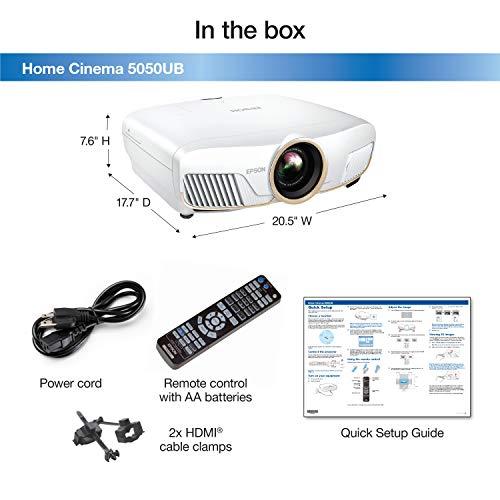
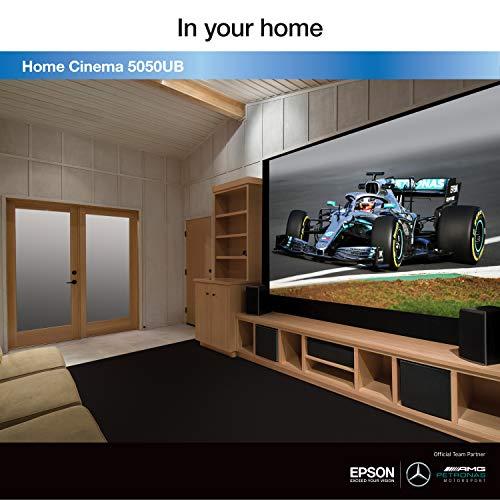
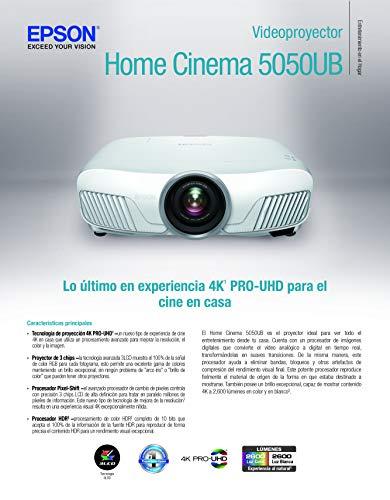
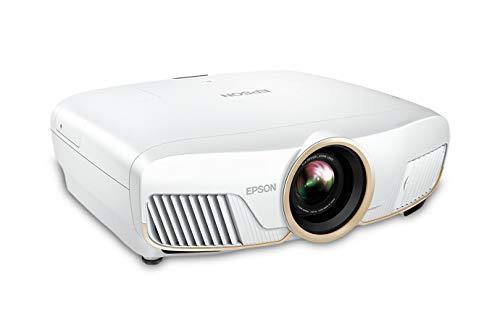
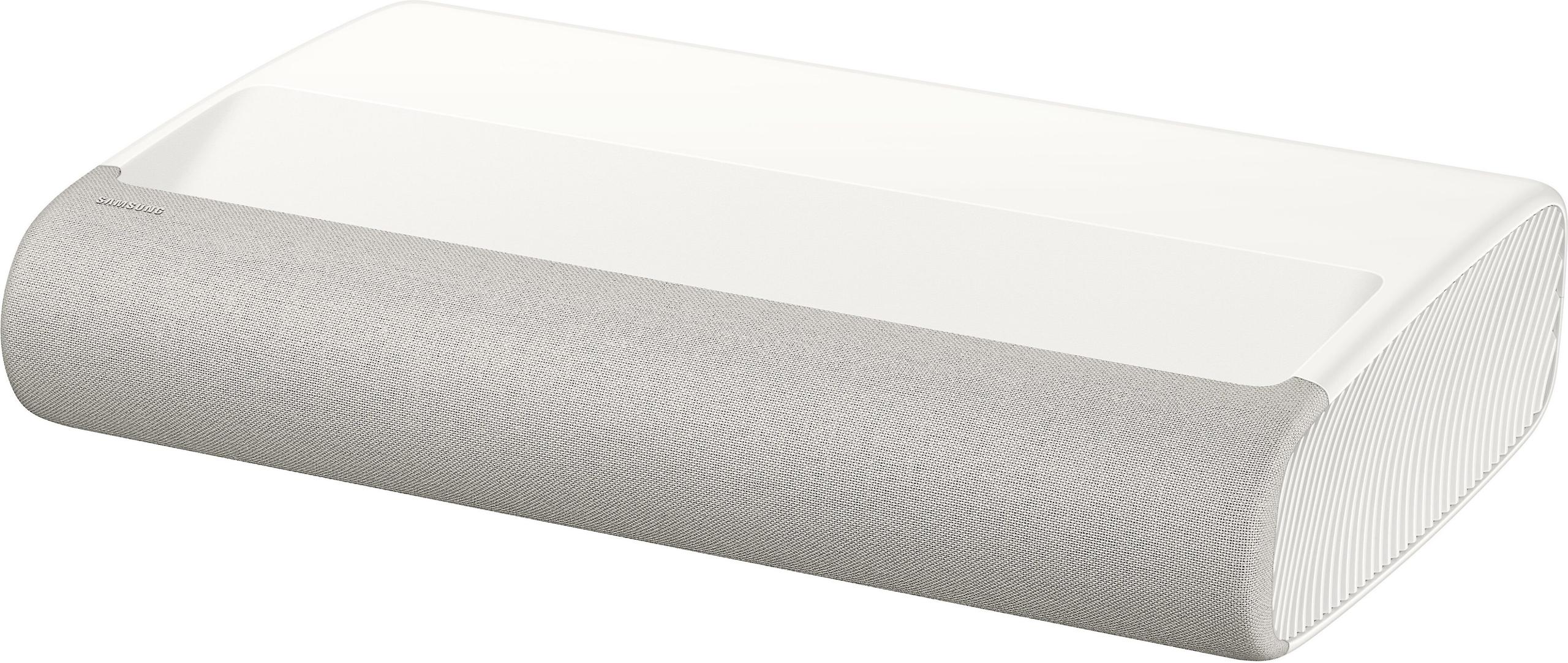
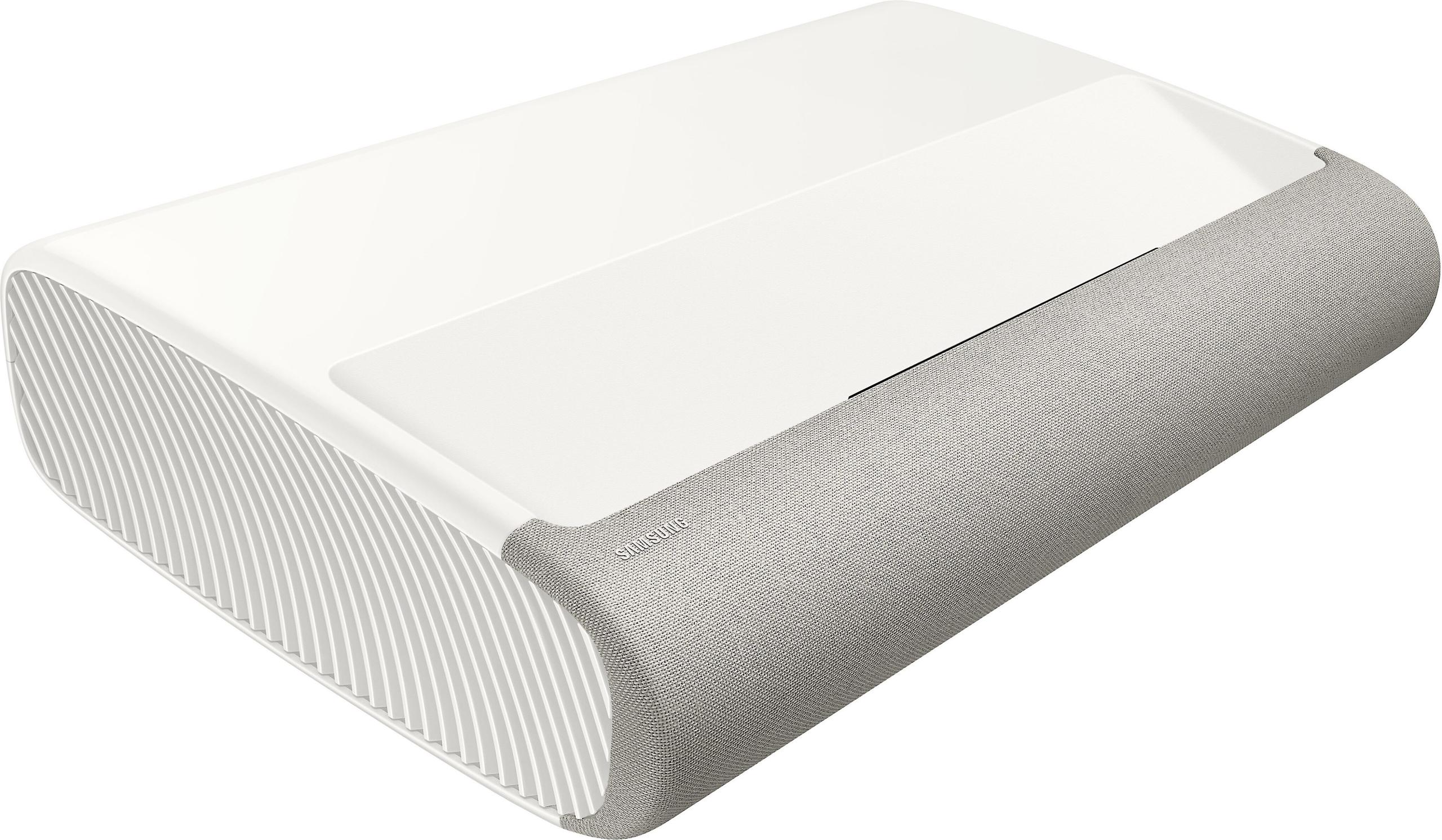
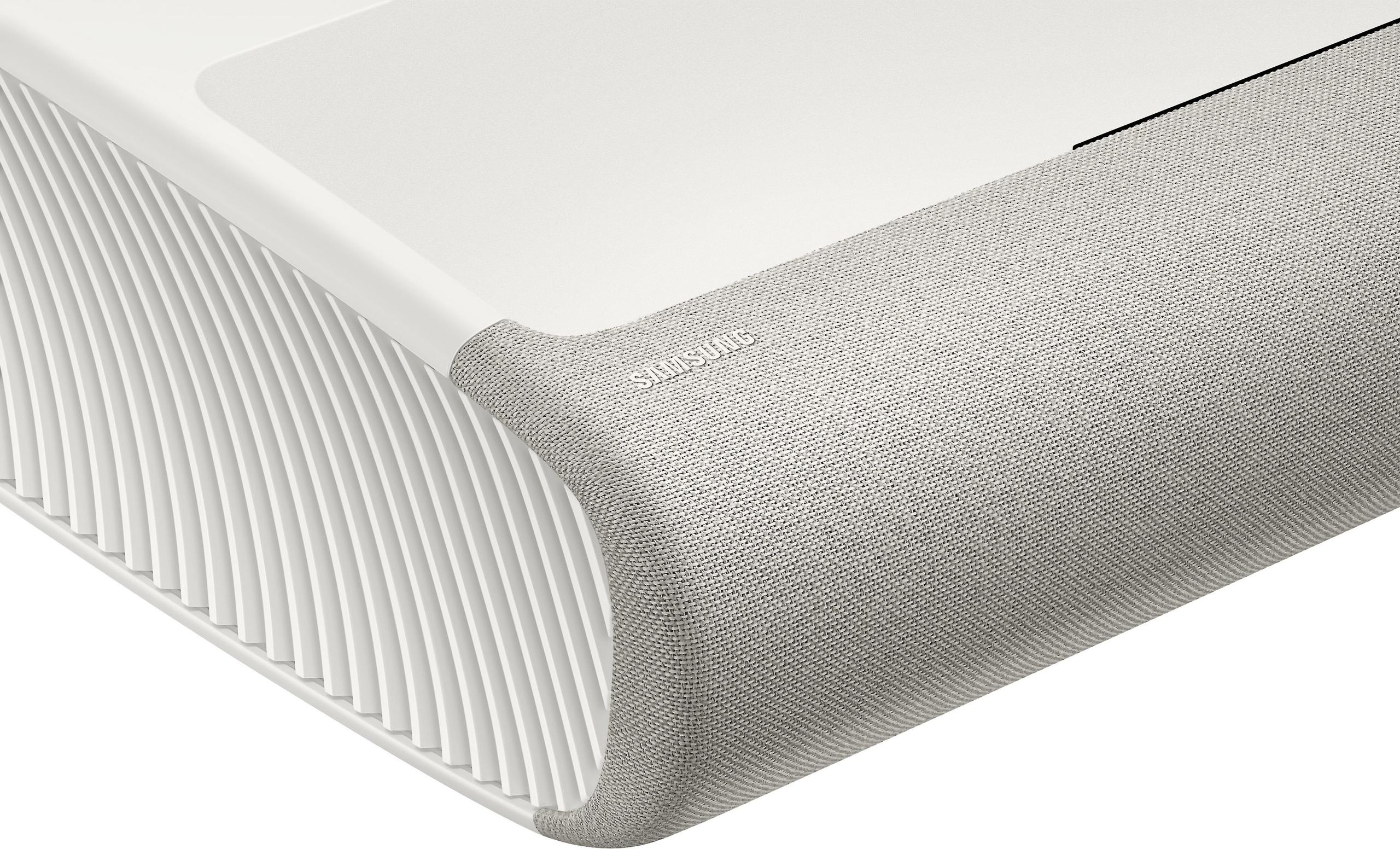
Home theater projectors have evolved dramatically over the past decade, splitting into two distinct camps that serve very different purposes. On one side, you have traditional long-throw projectors like the Epson Home Cinema 5050UB, which launched in 2019 and represents the pinnacle of dedicated home theater performance. On the other, ultra-short throw (UST) projectors like the Samsung Premiere 9, released in 2024, aim to replace your living room TV entirely.
This fundamental split isn't just about where you place the projector—it's about two completely different philosophies for bringing big-screen entertainment into your home. Understanding these approaches will help you choose the right projector for your specific situation and budget.
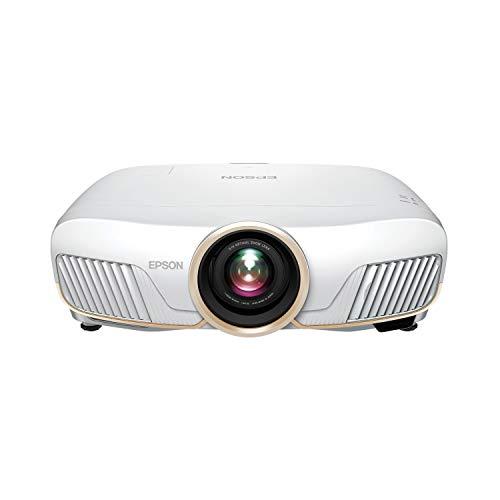
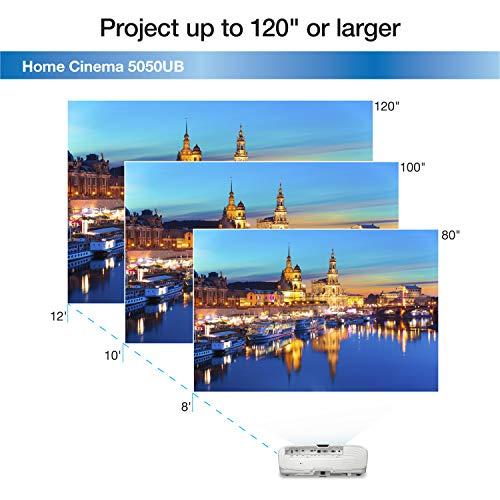
The Epson Home Cinema 5050UB exemplifies the traditional approach that's dominated home theaters for decades. These projectors sit 8-17 feet away from your screen, typically mounted to the ceiling or placed on a rear shelf. The distance requirement isn't a limitation—it's a feature that allows for sophisticated optical systems with motorized zoom, focus, and lens shift capabilities.
Lens shift is particularly important here. It lets you move the projected image up, down, left, or right without physically repositioning the projector or introducing keystone distortion (that trapezoid effect you get when projecting at an angle). The Epson 5050UB offers impressive ±96% vertical and ±47% horizontal lens shift, meaning you can mount it almost anywhere in your room and still get a perfectly rectangular image on your screen.
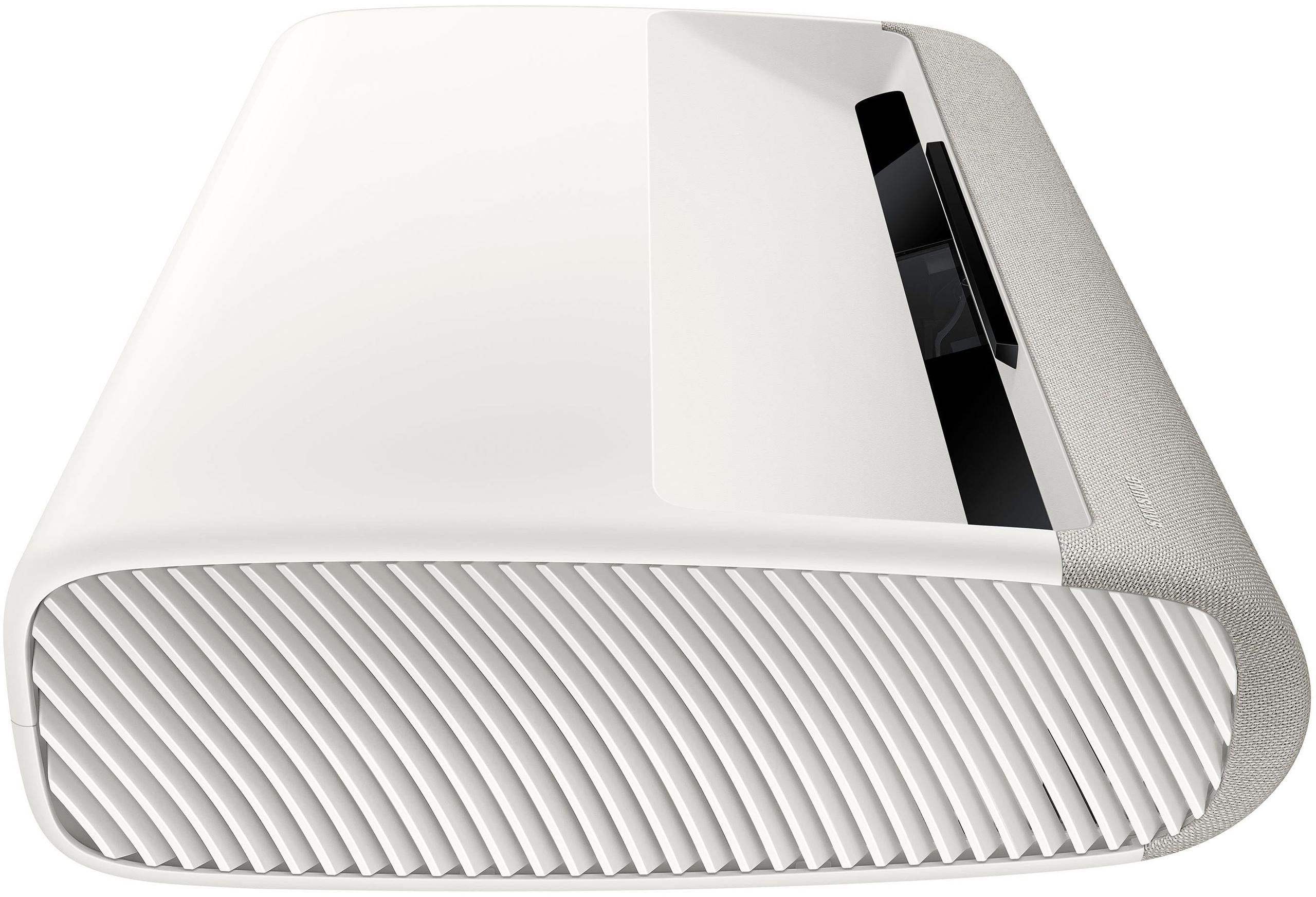
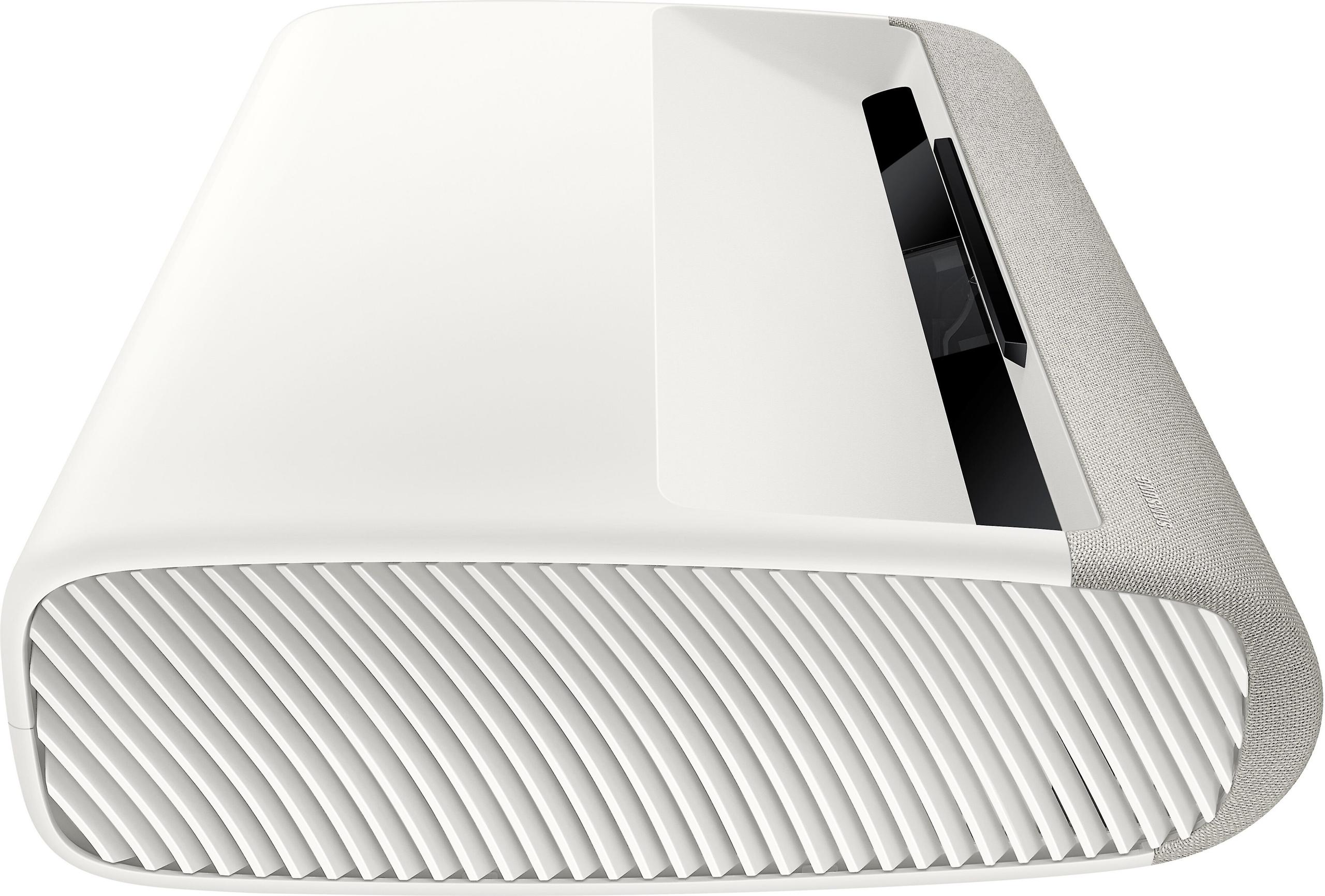
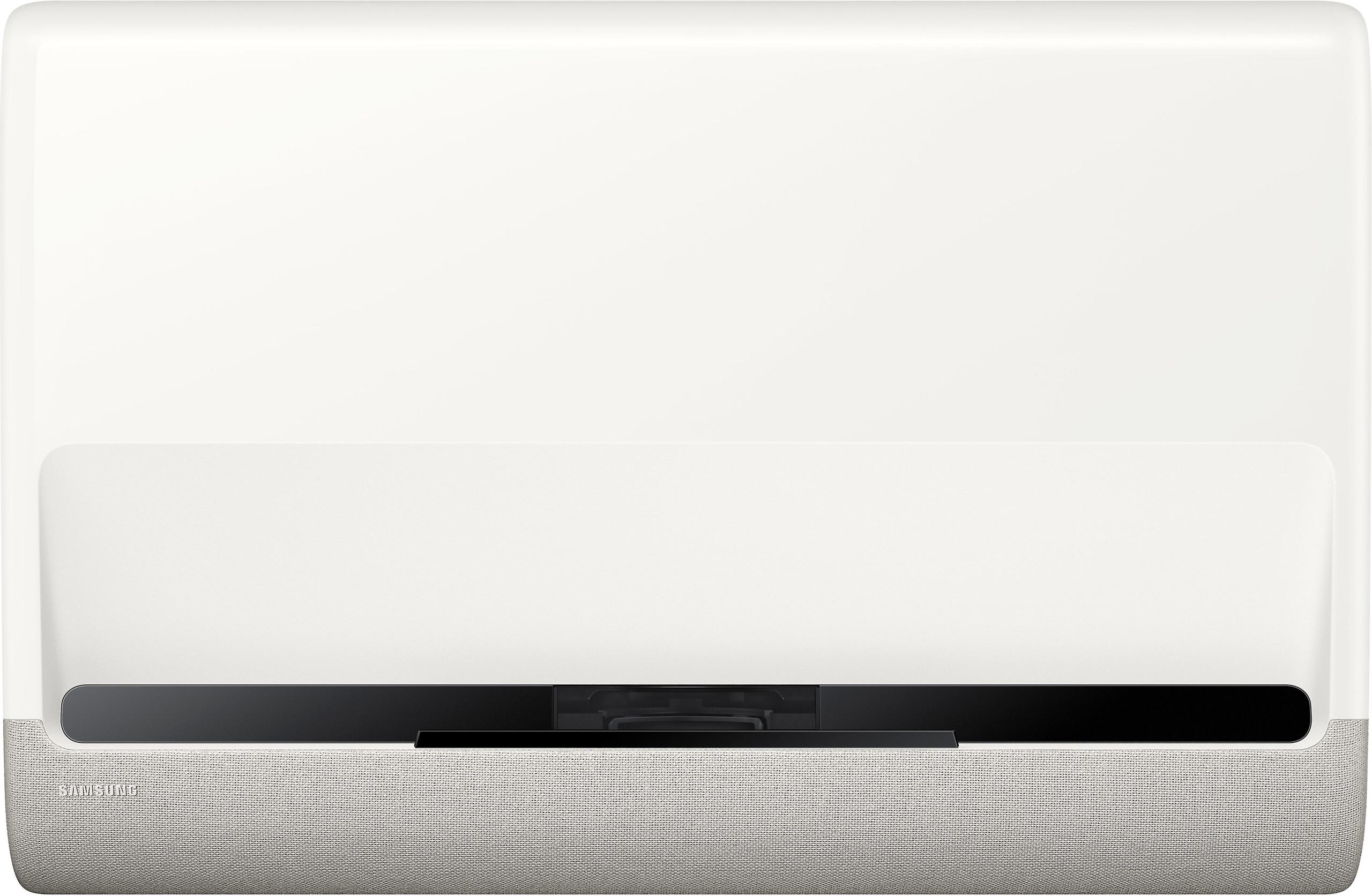
The Samsung Premiere 9 represents a newer philosophy that's gained serious traction since 2020. Ultra-short throw projectors use complex mirror systems and specialized optics to project a massive image from just inches away from your wall or screen. The Samsung sits just 4.4 inches from the wall to create a 100-inch image—something that would be physically impossible with traditional projection.
This isn't just convenient; it fundamentally changes how you can use a projector. No ceiling mounts, no cables running across your room, no shadows when people walk in front of the image. The Samsung Premiere 9 can sit on a TV stand like any other entertainment device, making it perfect for living rooms where a traditional projector would be impractical.
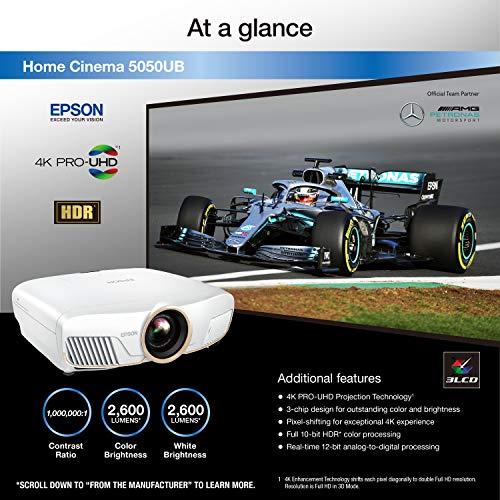
The Epson Home Cinema 5050UB uses 3LCD technology, which splits white light into red, green, and blue components using three separate LCD panels. This creates images with excellent color accuracy and brightness uniformity across the entire image. More importantly for home theater enthusiasts, 3LCD completely eliminates the "rainbow effect"—those brief flashes of red, green, and blue that some people see with single-chip DLP projectors.
The Samsung Premiere 9 uses single-chip DLP (Digital Light Processing) technology with XPR pixel-shifting. DLP uses millions of tiny mirrors that tilt thousands of times per second to create images. The Samsung's 0.66-inch DLP chip has a native resolution of 1920×1080, but XPR technology rapidly shifts these pixels to create the perception of true 4K resolution. While not technically "native" 4K, the results are visually indistinguishable from true 4K for most content and viewing distances.
Here's where these projectors differ dramatically in long-term ownership. The Epson 5050UB uses a traditional 250W UHE (Ultra High Efficiency) lamp that lasts 3,500-5,000 hours depending on your brightness settings. At typical usage of 4-5 hours daily, you'll need a lamp replacement every 2-4 years at a cost of several hundred dollars.
The Samsung Premiere 9 uses an RGB triple laser system—separate red, green, and blue lasers that combine to create white light. This isn't just about longevity (though the 20,000-hour lifespan essentially eliminates maintenance concerns). RGB lasers produce incredibly pure colors because each primary color comes from a dedicated laser rather than filtering white light through color wheels or filters.
When it comes to brightness, the numbers tell a clear story. The Samsung Premiere 9 produces 3,450 lumens compared to the Epson 5050UB's 2,600 lumens. That 33% brightness advantage isn't just about numbers—it fundamentally changes where and when you can use each projector.
In practical terms, the Samsung can produce a watchable image in a living room with curtains open during the day, while the Epson requires significant light control to look its best. For dedicated home theaters with blackout curtains and controlled lighting, both projectors have more than enough brightness. But for multi-purpose spaces where the projector competes with table lamps, ceiling lights, and windows, the Samsung's extra brightness becomes essential.
Lumens measure light output, but what matters more is how that light looks on your screen. Both projectors maintain their brightness well over time—the Samsung's lasers don't dim like traditional lamps, while the Epson's lamp gradually decreases in output but remains usable throughout its rated life.
This is where the Epson Home Cinema 5050UB shows its home theater pedigree. Epson's UltraBlack technology uses a specialized compensation filter to control light polarization and reduce internal light leakage, achieving genuinely impressive black levels for a projector under $5,000 at the time of writing.
Contrast ratio measures the difference between the brightest whites and darkest blacks a projector can produce simultaneously. The Epson's 1,000,000:1 static contrast ratio isn't just marketing—it translates to deep, rich blacks that make dark movie scenes come alive. This is particularly noticeable in content like horror films, space movies, or any scene with both bright and dark elements.
The Samsung Premiere 9 claims a 2,000,000:1 dynamic contrast ratio, but this uses an auto iris that adjusts light output based on scene content. In practice, reviewers consistently note that the Samsung's black levels are "adequate" but not exceptional, with blacks appearing somewhat gray compared to the Epson's performance.
For home theater purists, this contrast difference is significant. The Epson delivers that "theater-like" experience where dark scenes have genuine depth and detail, while the Samsung prioritizes brightness over deep blacks.
Both projectors excel at color reproduction but take different approaches. The Samsung Premiere 9's RGB triple laser system covers 154% of the DCI-P3 color space—the standard used in commercial cinemas. This creates incredibly vibrant, saturated colors that pop off the screen, especially for animated content, sports, and modern HDR movies.
The Epson Home Cinema 5050UB's 3LCD system produces more naturally balanced colors that many enthusiasts prefer for film content. While it may not achieve the Samsung's extreme color saturation, it offers superior color accuracy out of the box and responds better to professional calibration.
HDR (High Dynamic Range) support differs significantly between these projectors. The Samsung supports HDR10+ with dynamic metadata that adjusts picture settings scene by scene, while the Epson handles standard HDR10 with manual tone mapping adjustments. Neither supports Dolby Vision, which is becoming increasingly common on streaming platforms.
Both projectors handle motion reasonably well, but neither is optimized for competitive gaming. The Epson 5050UB achieves approximately 22.5ms input lag in game mode—acceptable for casual gaming but not ideal for fast-paced competitive titles. The Samsung performs similarly, with both projectors maxing out at 60Hz refresh rates.
For movie content, both projectors include frame interpolation (motion smoothing) that can reduce judder in 24fps film content, though purists often prefer to disable this feature to maintain the filmmaker's intended motion cadence.
The Epson Home Cinema 5050UB offers installation flexibility that's hard to overstate. The motorized lens with 2.1x zoom means you can achieve your desired screen size from various distances. More importantly, the extensive lens shift capabilities mean you don't need perfect projector placement—you can mount it slightly off-center or at an awkward height and still get a perfectly aligned image.
Lens memory is a particularly useful feature for enthusiasts with 2.35:1 ultra-wide screens. You can save different zoom and shift settings for different aspect ratios, switching between full 16:9 images and ultra-wide cinema formats with the press of a button.
The downside? You need to run HDMI cables from your equipment to wherever the projector is mounted, and someone walking between the projector and screen will cast shadows on the image.
The Samsung Premiere 9 eliminates most installation headaches but introduces precision requirements. Since it must sit very close to your screen, positioning becomes critical. There's no lens shift to correct for misalignment, so your TV stand or cabinet must be precisely positioned relative to your screen.
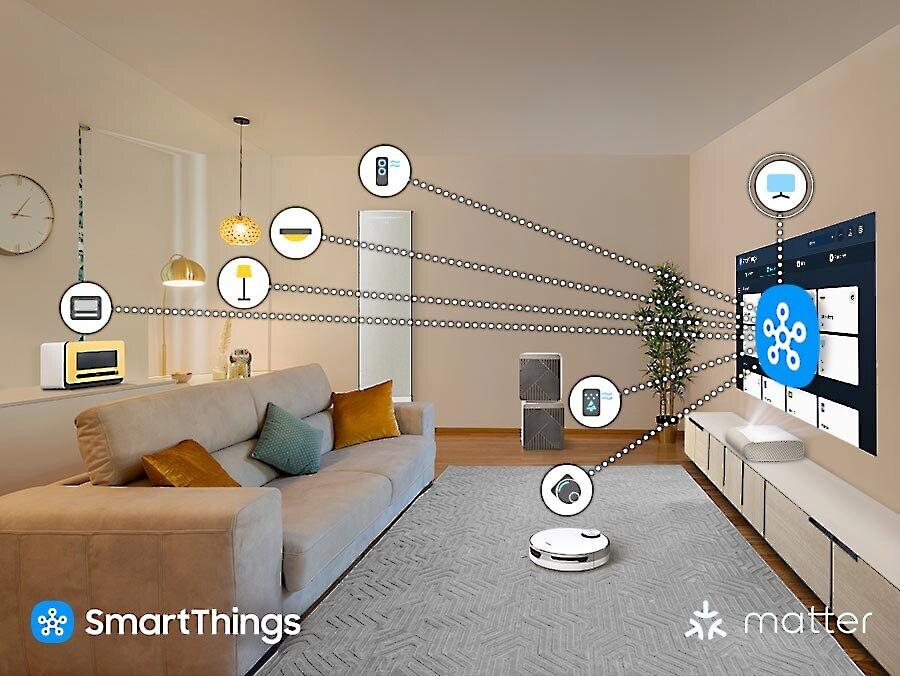
However, once properly positioned, the Samsung offers advantages that traditional projectors can't match. No ceiling mounts, no shadow interruption, and the ability to use it like an oversized TV in your living room. The integrated Tizen operating system means you can access Netflix, Disney+, and other streaming services without additional devices.
The Samsung Premiere 9 is essentially a smart TV in projector form. The Tizen OS provides access to virtually every major streaming service, while the Samsung Gaming Hub offers console-free cloud gaming through services like Xbox Game Pass and GeForce Now.
The integrated audio system deserves special mention. The 40-watt Dolby Atmos 2.2.2 speaker configuration includes upfiring drivers that bounce sound off your ceiling, creating a surprisingly immersive audio experience. While it won't replace a dedicated surround sound system, it's impressive enough that many users won't feel the need for additional speakers initially.
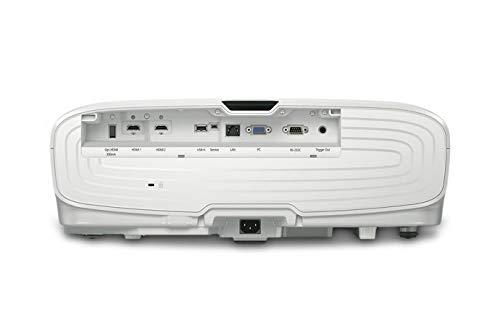
The Epson Home Cinema 5050UB takes the opposite approach, focusing purely on image quality. Its basic 20-watt stereo speakers are adequate for setup and casual viewing, but you'll want a dedicated sound system for serious home theater use. There are no smart features—you'll need a separate streaming device, game console, or media player.
At the time of writing, these projectors occupy different value positions in the market. The Epson Home Cinema 5050UB represents exceptional performance per dollar for dedicated home theater use, while the Samsung Premiere 9 commands a significant premium for its convenience and integrated features.
The Epson's value proposition becomes even stronger when you consider its image quality advantages in dark room viewing. For home theater enthusiasts who prioritize contrast, color accuracy, and installation flexibility, it delivers performance that typically costs much more in competing products.
The Samsung's higher price reflects its positioning as a TV replacement rather than a traditional projector. When compared to premium 85-inch TVs with similar features, the Samsung's pricing becomes more reasonable, especially considering it can produce images up to 130 inches.
Maintenance costs significantly impact total ownership expenses. The Epson 5050UB will require lamp replacements every few years, adding several hundred dollars to its lifetime cost. However, these lamps are readily available and user-replaceable.
The Samsung Premiere 9's laser system essentially eliminates maintenance concerns. The 20,000-hour rating means even heavy users (5+ hours daily) can expect 10+ years of use before any light source degradation becomes noticeable.
Technology evolution also factors into long-term value. The Epson represents mature, proven technology that's reached its performance peak. The Samsung represents newer UST technology that's still rapidly evolving, with improvements in contrast and features appearing regularly in new models.
You're building a dedicated home theater space with controllable lighting. The Epson's superior contrast and black levels truly shine in dark environments, delivering that cinematic experience that makes movies feel special. Its installation flexibility accommodates challenging room layouts, while its focus on pure image quality appeals to enthusiasts who plan to use high-quality external components anyway.
The Epson also makes sense for users who want to future-proof their audio setup. Rather than being locked into the Samsung's integrated speakers, you can build a surround sound system that matches your space and preferences.
Budget-conscious buyers will appreciate the Epson's lower entry price and proven performance. Even accounting for eventual lamp replacements, it delivers exceptional value for serious movie watching.
You want to replace a large TV in a living room or family room where traditional projector installation isn't practical. The Samsung excels in spaces with ambient light, multiple uses, and where convenience trumps ultimate image quality.
The integrated smart features and audio system make it ideal for users who want a complete entertainment solution without additional components. Families will appreciate the quick startup, reliable operation, and familiar smart TV interface.
If you're drawn to cutting-edge technology and don't mind paying a premium for convenience, the Samsung represents the future of living room entertainment. Its maintenance-free operation and furniture-friendly installation solve real problems that have historically limited projector adoption.
Rather than declaring one projector superior, it's more accurate to say they excel in different environments and use cases. The Epson Home Cinema 5050UB remains the smart choice for dedicated home theaters where image quality reigns supreme. Its combination of contrast performance, installation flexibility, and value creates a compelling package for movie enthusiasts.
The Samsung Premiere 9 succeeds as a lifestyle product that brings big-screen entertainment into spaces where traditional projectors simply won't work. Its bright, vibrant images and integrated features make it an excellent TV replacement, even if it can't match the Epson's cinematic image quality in ideal conditions.
Your choice should ultimately depend on your room, usage patterns, and priorities. For dark room movie watching, the Epson delivers superior performance at a lower price. For bright room versatility and maximum convenience, the Samsung justifies its premium pricing. Both represent excellent examples of their respective approaches to home projection, serving different needs in the evolving landscape of home entertainment.
| Epson Home Cinema 5050UB | Samsung Premiere 9 |
|---|---|
| Brightness - Critical for ambient light performance | |
| 2,600 lumens (requires controlled lighting for best results) | 3,450 lumens (excellent for bright living rooms) |
| Contrast Ratio - Key to deep blacks and cinematic image quality | |
| 1,000,000:1 static contrast with UltraBlack technology (superior dark room performance) | 2,000,000:1 dynamic contrast (average real-world black levels) |
| Installation Type - Determines room placement flexibility | |
| Traditional throw (8-17 feet from screen, ceiling mount typical) | Ultra-short throw (4.4-9.4 inches from wall, sits on TV stand) |
| Display Technology - Affects color accuracy and rainbow artifacts | |
| 3-LCD, 3-chip system (no rainbow effect, excellent color balance) | Single-chip DLP with XPR pixel-shifting (sharp images, possible rainbows) |
| Light Source - Impacts maintenance and long-term costs | |
| 250W UHE lamp (3,500-5,000 hour life, replacement required) | RGB triple laser (20,000 hours, maintenance-free) |
| Maximum Screen Size - Determines image size capabilities | |
| 300 inches (exceptional flexibility for large installations) | 130 inches (limited but adequate for most rooms) |
| Lens Features - Critical for installation flexibility | |
| Motorized zoom, focus, shift with ±96% vertical adjustment | Power zoom/focus only, no lens shift (requires precise placement) |
| Smart Features - Built-in streaming and apps | |
| None (requires external streaming device) | Full Tizen OS with Netflix, Disney+, Gaming Hub |
| Audio System - Integrated sound quality | |
| Basic 2×20W stereo speakers | 40W Dolby Atmos 2.2.2 with upfiring drivers |
| HDR Support - Enhanced contrast and color range | |
| HDR10 with 16-step tone mapping adjustment | HDR10+ with dynamic metadata (no Dolby Vision) |
| 3D Capability - Support for 3D content | |
| Full 3D support with active shutter glasses | No 3D support |
| Color Gamut - Range of colors the projector can display | |
| Excellent accuracy, ideal for calibrated theater setups | 154% DCI-P3 coverage (extremely vibrant, saturated colors) |
| Gaming Performance - Input lag and refresh rate capabilities | |
| 22.5ms input lag, 60Hz maximum | Similar input lag, 60Hz maximum, no 120Hz support |
| Noise Level - Fan noise during operation | |
| 31 dB (relatively quiet operation) | 33 dB (slightly louder but still reasonable) |
The Epson Home Cinema 5050UB is superior for dedicated home theaters with controlled lighting. Its 3-LCD technology delivers exceptional contrast ratios and deep black levels that create a truly cinematic experience. The motorized lens with extensive shift capabilities also provides installation flexibility that's crucial in theater rooms.
The Samsung Premiere 9 is specifically designed for bright living rooms, producing 3,450 lumens compared to the Epson 5050UB's 2,600 lumens. The Samsung's ultra-short throw design also eliminates shadows when people walk in front of the image, making it ideal for family spaces.
Image quality depends on your environment. The Epson Home Cinema 5050UB delivers superior contrast and black levels in dark rooms, while the Samsung Premiere 9 offers brighter, more vibrant colors with its triple laser system. For pure home theater use, the Epson typically provides more cinematic image quality.
The Epson 5050UB uses a traditional lamp that lasts 3,500-5,000 hours and requires replacement every few years. The Samsung Premiere 9 uses a laser light source rated for 20,000 hours, essentially eliminating maintenance concerns for most users.
The Samsung Premiere 9 is much easier to install since it sits just inches from your wall like a TV stand component. The Epson Home Cinema 5050UB requires ceiling mounting or rear placement 8-17 feet from the screen, but offers more installation flexibility once mounted.
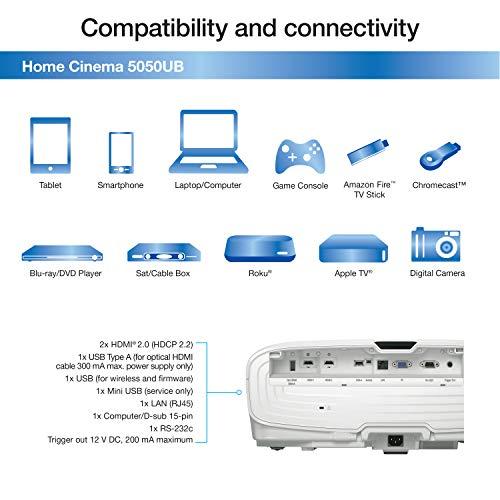
Only the Samsung Premiere 9 has built-in smart features with Tizen OS, providing access to Netflix, Disney+, and other streaming services. The Epson 5050UB requires an external streaming device like a Roku or Apple TV for smart features.
Neither projector is optimized for competitive gaming, with both offering similar input lag around 22-30ms and 60Hz maximum refresh rates. The Samsung Premiere 9 includes Samsung Gaming Hub for cloud gaming, while the Epson Home Cinema 5050UB focuses purely on display performance.
The Epson Home Cinema 5050UB can project images up to 300 inches, making it ideal for very large installations. The Samsung Premiere 9 is limited to 130 inches maximum but covers the most common home screen sizes effectively.
The Samsung Premiere 9 features a superior 40W Dolby Atmos 2.2.2 speaker system that can eliminate the need for external audio initially. The Epson 5050UB has basic 20W stereo speakers that are adequate for setup but require a separate sound system for serious home theater use.
Only the Epson Home Cinema 5050UB supports 3D content with compatible active shutter glasses. The Samsung Premiere 9 does not offer 3D capability, reflecting the declining popularity of 3D content in recent years.
Value depends on your needs. The Epson Home Cinema 5050UB offers exceptional performance per dollar for dedicated home theaters, while the Samsung Premiere 9 commands a premium for its convenience features and living room suitability. Consider your specific use case when evaluating value.
Both projectors support HDR but with different approaches. The Samsung Premiere 9 supports HDR10+ with dynamic scene-by-scene optimization, while the Epson Home Cinema 5050UB handles HDR10 with manual tone mapping adjustments. Neither supports Dolby Vision, which is becoming increasingly common on streaming platforms.
We've done our best to create useful and informative comparisons to help you decide what product to buy. Our research uses advanced automated methods to create this comparison and perfection is not possible - please contact us for corrections or questions. These are the sites we've researched in the creation of this article: rtings.com - audiogurus.com - hometechnologyreview.com - projectorscreen.com - youtube.com - thesmarthomehookup.com - techgearlab.com - rtings.com - projectorreviews.com - projectorreviews.com - projectorreviews.com - projectorcentral.com - avsforum.com - avsforum.com - rtings.com - avsforum.com - audiogeneral.com - hifiheaven.net - manuals.plus - crutchfield.com - mediaserver.goepson.com - projectorcentral.com - epson.com - bestbuy.com - projectorreviews.com - projectorcentral.com - sound-advice.online - valueelectronics.com - bhphotovideo.com - instylehifi.com.au - trustedreviews.com - target.com - pcrichard.com - projectorscreen.com - videoandaudiocenter.com - target.com - avsforum.com - projectorscreen.com

Privacy Policy
Terms and Conditions - Affiliate Policy
Home Security
© Copyright 2008-2026.
11816 Inwood Rd #1211, Dallas, TX 75244