$269.00
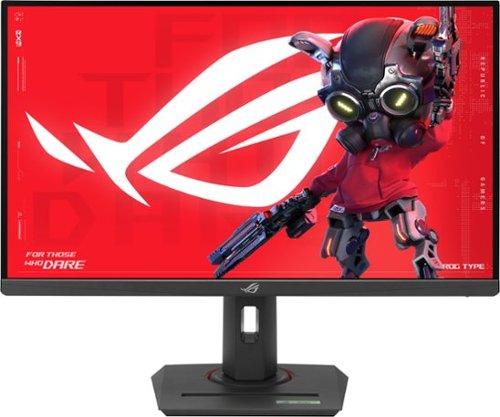
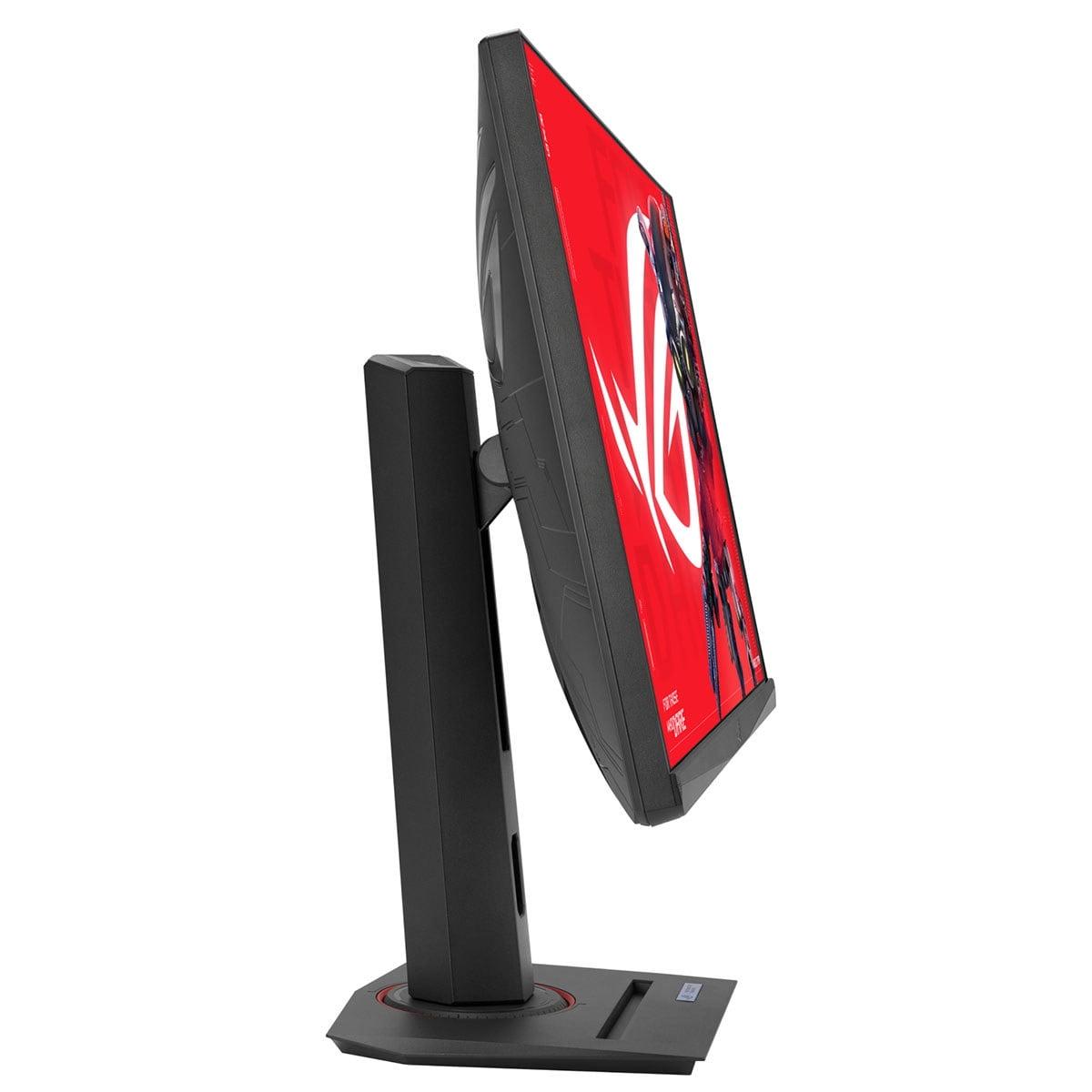
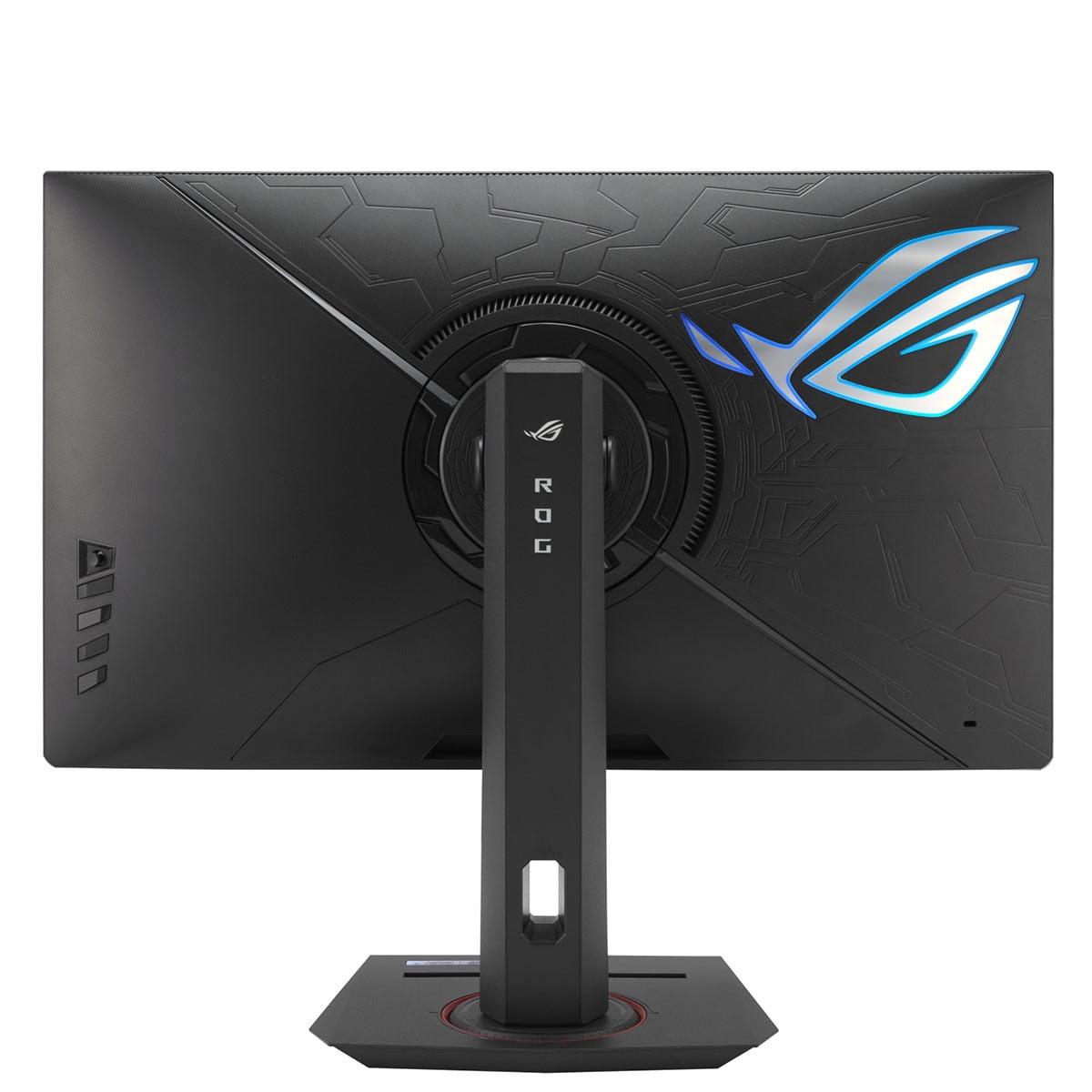
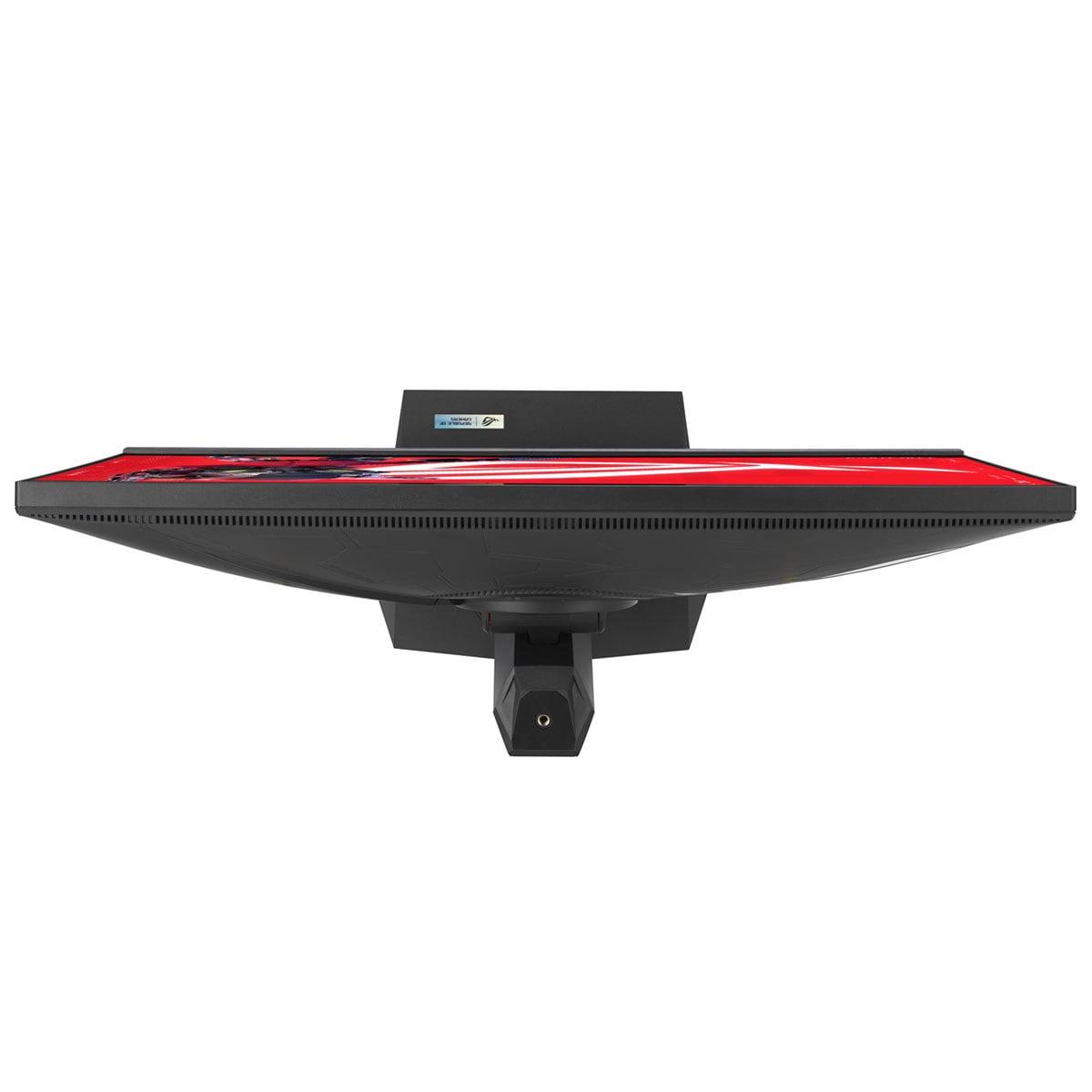
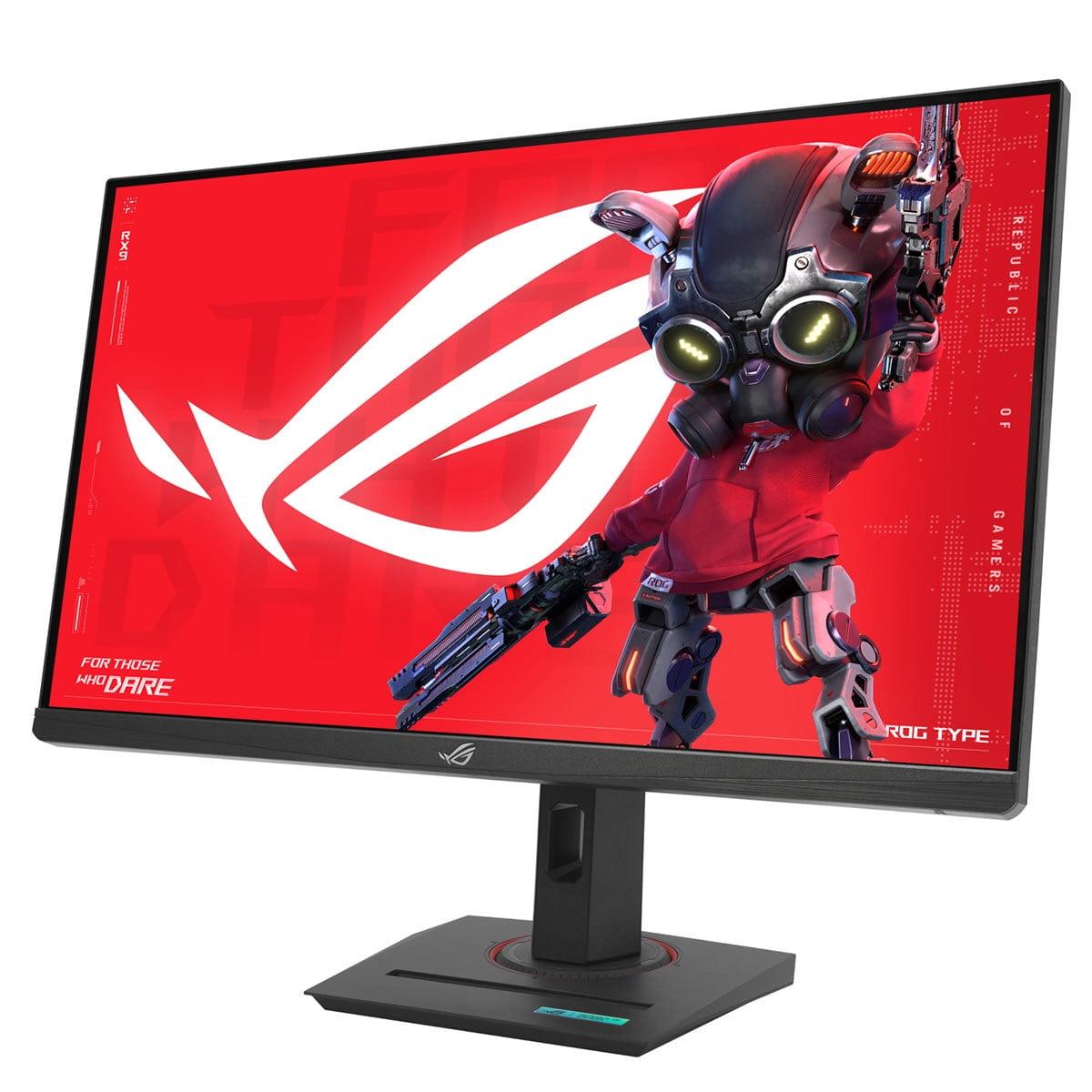
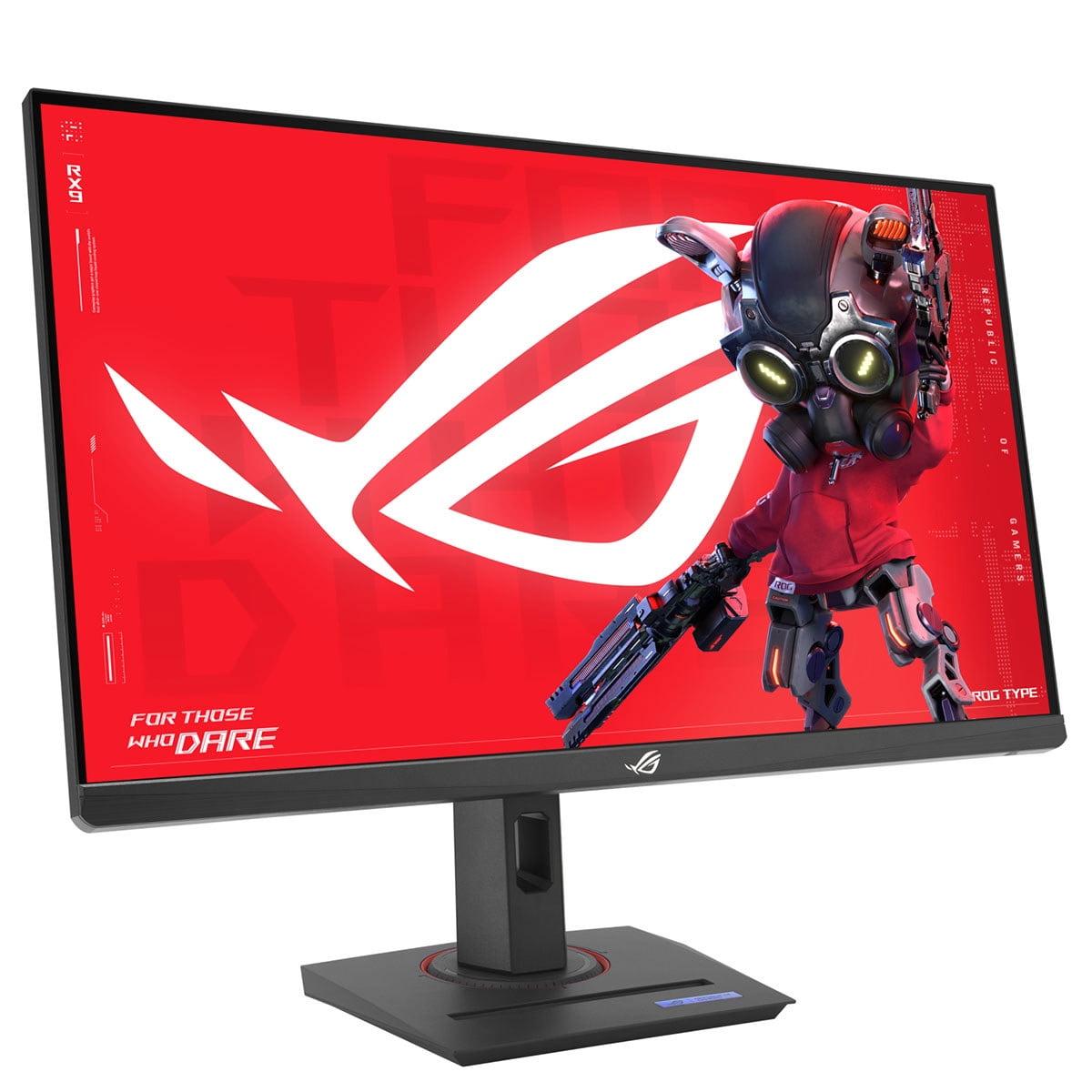
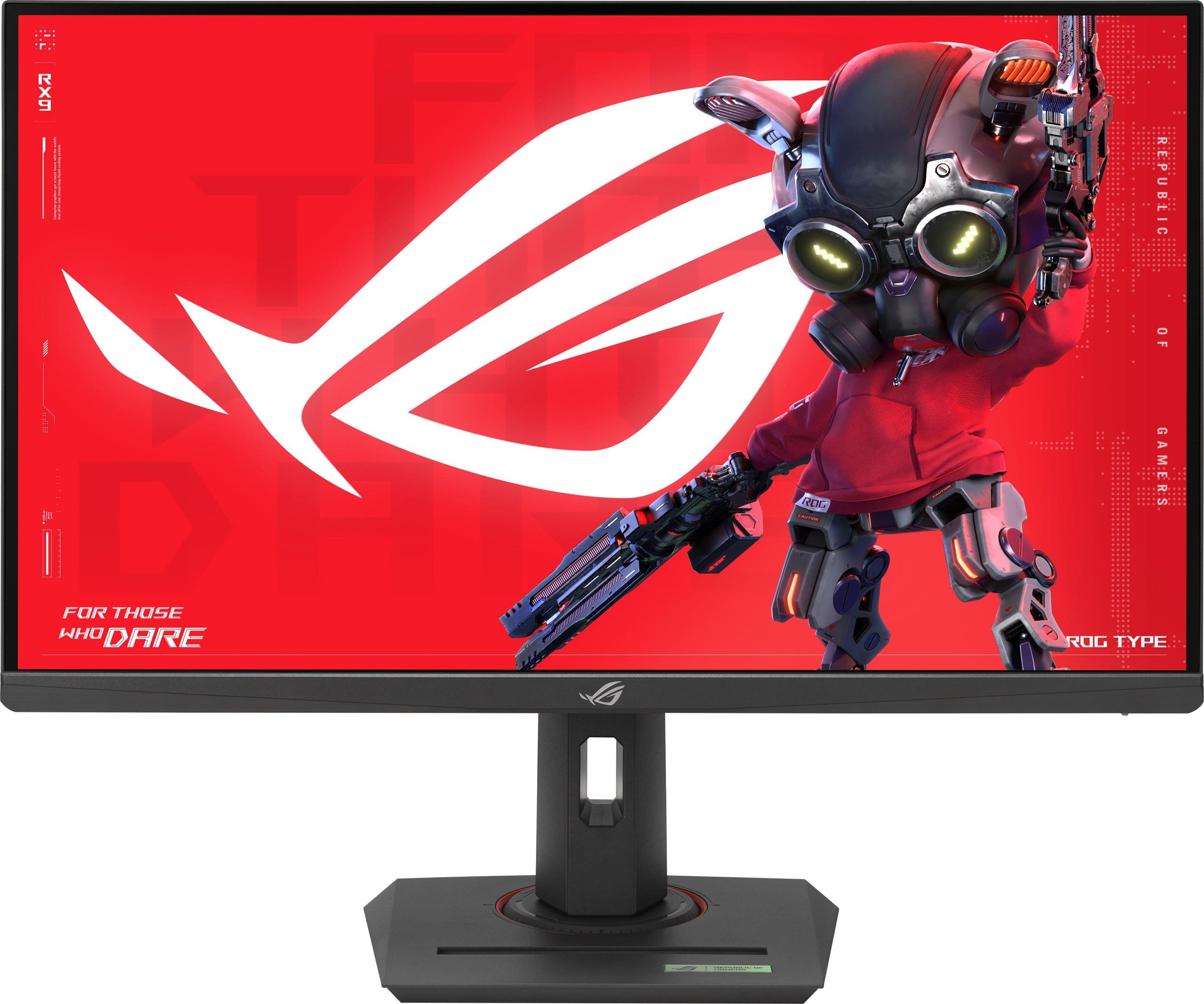
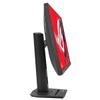
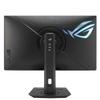
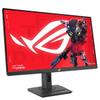
When ASUS released the ROG Strix XG27ACMG in late 2023, it entered a crowded field of gaming monitors all claiming to be the ultimate choice for serious gamers. But after extensive testing and months of user feedback, this 27-inch QHD display has proven itself to be more than just marketing hype – it's a monitor that genuinely improves your gaming experience in measurable ways.
Let's start with the basics. The XG27ACMG features a 27-inch screen with QHD resolution, which means 2560 x 1440 pixels. This might seem like an odd middle ground between standard 1080p and ultra-sharp 4K, but our testers consistently found this combination to be the goldilocks zone for gaming.
At 27 inches, QHD gives you roughly 109 pixels per inch (PPI), which provides noticeably sharper text and game details compared to 1080p on the same screen size, without the massive GPU performance hit that comes with 4K gaming. One tester mentioned that switching from their old 1080p monitor made character models in games like Cyberpunk 2077 look dramatically more detailed, while still maintaining smooth frame rates with a mid-range RTX 4060 Ti.
The headline feature here is the 270Hz refresh rate, achieved through overclocking. To understand why this matters, think of refresh rate as how many times per second your monitor can display a new image. Most standard monitors refresh 60 times per second (60Hz), while this one can refresh 270 times per second.
Since the XG27ACMG's release, the gaming monitor industry has pushed refresh rates even higher – we now see 360Hz and even 500Hz displays. However, our testing revealed that the jump from 240Hz to 270Hz is more meaningful than you might expect. In fast-paced competitive games like Counter-Strike 2 or Valorant, several testers reported improved target tracking and reduced motion blur that gave them a genuine competitive edge.
What makes this particularly impressive is that ASUS achieved this high refresh rate using a Fast IPS panel rather than the TN (Twisted Nematic) panels that were traditionally required for such speeds. IPS panels offer much better color accuracy and viewing angles – you won't see colors shift when you look at the screen from different positions – but they used to be too slow for competitive gaming.
Here's where the ROG Strix XG27ACMG gets really interesting. Most gaming monitors force you to choose between two important features: variable refresh rate (which eliminates screen tearing by matching your monitor's refresh rate to your graphics card's output) and motion blur reduction (which uses strobing backlights to create sharper moving images). ASUS's ELMB SYNC technology lets you use both simultaneously.
Our testers found this combination particularly effective in racing games and first-person shooters. One reviewer described the difference as "night and day" when tracking fast-moving targets in Apex Legends – the combination eliminated both the stuttering that comes from mismatched frame rates and the ghosting trails that typically follow fast-moving objects.
Since 2024, more manufacturers have attempted similar dual-mode technologies, but ASUS's implementation remains one of the most polished, with fewer artifacts and better compatibility across different games.
The monitor claims a 1ms response time, which measures how quickly pixels can change from one color to another (specifically gray-to-gray transitions). In real-world testing, the XG27ACMG delivers on this promise better than many competitors that make similar claims.
Response time directly affects motion clarity – slower response times create ghosting, where you see faint trails behind moving objects. Our testers consistently reported clean, sharp motion even in the most demanding scenarios. This becomes especially important when you're trying to track enemies in competitive games where every millisecond of input lag or visual clarity can determine whether you win or lose a firefight.
One area where the monitor has particularly impressed reviewers is color reproduction. The display covers 95% of the DCI-P3 color space (a standard used in digital cinema) and 125% of the more common sRGB space. In practical terms, this means games look more vibrant and lifelike, with richer reds, deeper blues, and more accurate skin tones.
Since release, user feedback has consistently highlighted this as a standout feature. Content creators have found the monitor suitable for video editing and photo work, not just gaming. The factory calibration means colors look accurate right out of the box – you don't need to spend hours tweaking settings or buying expensive calibration equipment.
The monitor supports HDR10 and carries DisplayHDR 400 certification, but let's be honest about what this means. With a peak brightness of 400 nits (a measure of how bright the screen can get), this provides entry-level HDR performance. You'll notice improved contrast in supported games, but it's not the dramatic transformation you'd get from premium HDR displays with 1000+ nits of brightness and local dimming zones.
Our testers found HDR most effective in games with varied lighting conditions – exploring caves in Elden Ring or driving through tunnels in Forza Horizon showed noticeable improvements in shadow detail and highlight brightness. However, expectations should remain measured compared to true premium HDR experiences.
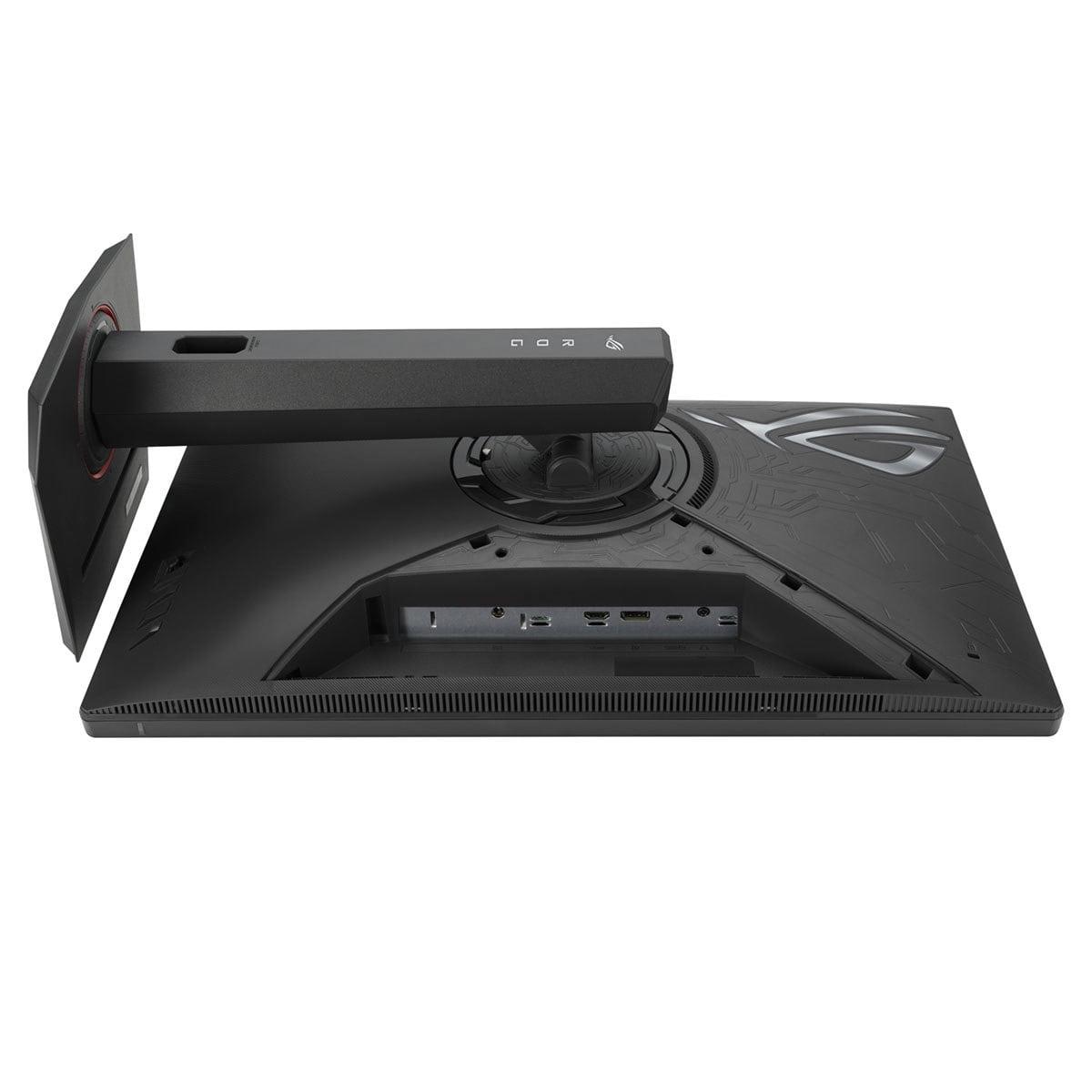
The XG27ACMG includes all the ports you need for modern gaming setups. The HDMI 2.1 port supports the latest consoles at high refresh rates – PlayStation 5 and Xbox Series X can output 1440p at 120Hz, taking advantage of the monitor's VRR capabilities even if they can't reach the full 270Hz.
The USB-C port with DisplayPort Alt Mode has proven popular with laptop gamers. It can carry video, data, and provide 15W of power through a single cable. While 15W isn't enough to power demanding gaming laptops during intense sessions, it's sufficient for ultrabooks and can slow battery drain during less demanding games.
DisplayPort 1.4 remains the primary connection for desktop gaming, providing full bandwidth for 270Hz at QHD resolution with supported graphics cards.
While primarily designed for gaming, the XG27ACMG can serve in home theater setups, particularly for smaller spaces or bedroom entertainment systems. The 27-inch size works well for desk-based movie watching, and the color accuracy makes films look appropriately cinematic.
However, the matte anti-glare coating, while excellent for gaming in bright rooms, does reduce the deep blacks and glossy pop that many prefer for movie watching. The lack of significant local dimming also limits its home theater appeal compared to dedicated entertainment displays. That said, user reviews indicate satisfaction when used as a secondary TV for streaming in bedrooms or offices.
Real-world testing reveals how the monitor performs across different game types. In competitive FPS games, the 270Hz refresh rate and low input lag provide clear advantages. Several testers reported improved performance in ranked matches after upgrading from 144Hz displays.
For single-player adventures like The Witcher 3 or Red Dead Redemption 2, the color accuracy and QHD resolution shine. Fine details in character faces, environmental textures, and atmospheric effects look substantially better than on standard gaming monitors. The Fast IPS panel ensures colors remain vibrant whether you're exploring sun-drenched plains or dark dungeons.
Racing game enthusiasts have particularly praised the combination of high refresh rates and motion clarity technologies. Games like F1 24 and Gran Turismo 7 (on PlayStation 5) benefit from smoother panning as you navigate corners and better clarity when tracking opponents at high speeds.
Since its 2023 launch, the gaming monitor market has continued evolving rapidly. We've seen the introduction of even faster refresh rates, OLED gaming monitors becoming more accessible, and improvements in HDR technology. However, the XG27ACMG has maintained its relevance through solid fundamentals rather than cutting-edge specifications.
User reports after 12+ months of ownership consistently highlight reliability and sustained performance. The combination of features – high refresh rate, excellent color accuracy, comprehensive connectivity, and effective motion technologies – creates a well-rounded package that ages better than monitors focused on single standout specifications.
The ASUS ROG Strix XG27ACMG succeeds because it doesn't sacrifice core performance for flashy features. The 270Hz Fast IPS panel delivers genuinely smooth gaming experiences, while the comprehensive feature set ensures compatibility with current and future gaming hardware. ELMB SYNC technology provides a real competitive advantage, and the color performance makes it suitable for work beyond gaming.
While newer monitors offer higher refresh rates or better HDR performance, the XG27ACMG strikes a balance that serves most users well. It's a monitor that improves your gaming experience in measurable ways while maintaining the flexibility to handle other tasks effectively. For gamers seeking a reliable, high-performance display without extreme premium pricing, this monitor continues to represent solid value in an increasingly crowded market.
The ASUS ROG Strix XG27ACMG is a 27-inch gaming monitor featuring a 2560x1440 (QHD) resolution with an ultrafast 270Hz refresh rate. It uses a Fast IPS panel that delivers both competitive gaming performance and excellent color accuracy, making it suitable for gaming, content creation, and general entertainment use.
While primarily designed for gaming, the ASUS ROG Strix XG27ACMG can work well in smaller home theater setups or as a bedroom entertainment display. Its 95% DCI-P3 color coverage and HDR10 support provide good movie viewing quality, though the 27-inch size and matte coating make it better suited for desk-based viewing rather than traditional living room theater setups.
The monitor supports up to 270Hz refresh rate when overclocked, with a native refresh rate that's also very high. This makes it excellent for competitive gaming and provides noticeably smoother motion compared to standard 60Hz or even 144Hz displays, benefiting both gaming and fast-paced video content.
Yes, the ASUS ROG Strix XG27ACMG includes HDMI 2.1 connectivity that fully supports PlayStation 5 and Xbox Series X gaming at 1440p resolution with high refresh rates up to 120Hz. It also supports Variable Refresh Rate (VRR) technology to eliminate screen tearing on supported console games.
ELMB SYNC (Extreme Low Motion Blur SYNC) is ASUS's technology that allows the monitor to use motion blur reduction simultaneously with variable refresh rate features. This eliminates both screen tearing and motion blur at the same time, which most monitors can't do - you usually have to choose one or the other.
The monitor supports HDR10 and is DisplayHDR 400 certified, providing entry-level HDR performance with 400 nits peak brightness. While this enhances contrast and color depth for both games and movies, it's not as dramatic as premium HDR displays with higher brightness and local dimming. It's adequate for casual movie watching but not ideal for dedicated home cinema use.
The ASUS ROG Strix XG27ACMG includes DisplayPort 1.4, HDMI 2.1, and USB-C with DisplayPort Alt Mode. The USB-C port provides 15W power delivery and can connect laptops with a single cable. There's also a 3.5mm headphone jack for audio output.
The monitor offers excellent color performance with 95% DCI-P3 and 125% sRGB color gamut coverage. It comes factory calibrated for accurate colors out of the box, making it suitable for both gaming and content creation. The Fast IPS panel provides vibrant colors with wide viewing angles, significantly better than typical gaming-focused TN panels.
The monitor features a 1ms (GTG) response time, which is excellent for eliminating ghosting and motion blur in fast-paced games. Combined with the 270Hz refresh rate, this provides very smooth and responsive gaming performance that's particularly beneficial for competitive gaming and fast action sequences.
The ASUS ROG Strix XG27ACMG offers excellent value for gamers seeking high refresh rate performance without sacrificing color quality. Its combination of 270Hz refresh rate, 1ms response time, ELMB SYNC technology, and wide color gamut makes it ideal for both competitive gaming and general entertainment use. While the HDR performance is entry-level, the overall feature set and build quality make it a worthwhile investment for serious gamers and those wanting a versatile high-performance display.
We've done our best to create useful and informative comparisons to help you decide what product to buy. Our research has used advanced automated methods to create this comparison and perfection is not possible - please contact us for corrections or questions. These are the sites we've researched in the creation of this article: rtings.com - e-catalog.com - bestbuy.com - rog.asus.com - rog.asus.com - youtube.com - youtube.com - versus.com - forum.pcmonitors.info - versus.com - cdw.com - rog.asus.com - rog.asus.com - rog.asus.com - avadirect.com - bhphotovideo.com - rog.asus.com - shi.com - shop.asus.com - publicsector.shidirect.com - bestbuy.com
| ASUS ROG Strix XG27ACMG |
|---|
| Refresh Rate - Higher rates mean smoother motion and competitive advantage: 270Hz (Overclocked) |
| Response Time - Lower is better for eliminating ghosting in fast games: 1ms (GTG) |
| Resolution - Sweet spot for gaming performance vs visual quality: 2560 x 1440 (QHD) |
| Panel Type - Fast IPS provides best balance of speed and color accuracy: Fast IPS |
| ELMB SYNC - Unique tech that eliminates both tearing and motion blur simultaneously: Yes |
| Adaptive Sync - Prevents screen tearing across different GPU brands: AMD FreeSync Premium + NVIDIA G-SYNC Compatible |
| Color Gamut - Wider coverage means more vibrant, accurate colors: 95% DCI-P3, 125% sRGB |
| HDR Support - Enhanced contrast and brightness in supported content: DisplayHDR 400, HDR10 |
| HDMI 2.1 - Enables high refresh gaming on PS5/Xbox Series X: Yes |
| USB-C - Single cable connection for laptops with basic charging: DisplayPort Alt Mode, 15W Power Delivery |
| Screen Size: 27 inches |
| Peak Brightness: 400 cd/m² |
| Aspect Ratio: 16:9 |
| Height Adjustment: 0-120mm |
| VESA Mount: 100 x 100mm |
| Weight: 6.5 kg |
The HP Omen 27k takes a fundamentally different approach with its 4K UHD resolution, delivering 78% more pixels than the XG27ACMG's QHD display. This translates to dramatically sharper text, clearer game textures, and enhanced detail that's immediately noticeable in titles like Cyberpunk 2077 or Red Dead Redemption 2. While its 144Hz refresh rate can't match the ASUS monitor's 270Hz smoothness, it's still plenty fast for most gaming scenarios and much easier to achieve consistently with current graphics cards. The HP monitor also excels in practical features with its built-in KVM switch for seamless multi-device control, integrated speakers, and superior HDR implementation with 8-zone local dimming – making it genuinely versatile for both gaming and productivity work.
From a value perspective, the HP Omen 27k at $509.99 costs $180 more than the XG27ACMG but delivers broader functionality and future-proofing through its 4K resolution. Where the ASUS monitor requires a high-end GPU to fully utilize its 270Hz potential in demanding games, the HP display provides excellent performance across a wider range of hardware configurations. Its reliability advantage is also significant – while the XG27ACMG has reported G-SYNC flickering issues, the HP monitor offers consistent, worry-free operation. For users who want a premium all-around display that excels at gaming while doubling as a productivity powerhouse, the HP justifies its higher price through versatility and reliability that the ASUS monitor, despite its impressive gaming performance, simply can't match.
🤖 Read Detailed Comparison
👌HP Omen 27k 4K UHD 144Hz Gaming Monitor Details
💵 See HP Omen 27k 4K UHD 144Hz Gaming Monitor Price
The Sony INZONE M9 II represents the premium visual approach to gaming monitors, delivering 4K resolution with Full Array Local Dimming technology that creates dramatic contrast improvements over traditional IPS displays. Its 96-zone local dimming system achieves an impressive 80,000:1 dynamic contrast ratio, making HDR content genuinely immersive with deep blacks and bright highlights that pop off the screen. The DisplayHDR 600 certification with 750 nits peak brightness delivers nearly twice the HDR performance of typical gaming monitors, while the 4K resolution provides 78% more pixels for exceptionally sharp visuals. Sony also built in PlayStation 5 integration features like Auto HDR Tone Mapping, automatically optimizing settings for console gaming without manual tweaking.
However, the Sony monitor demands a significant premium in both price and hardware requirements compared to the ASUS. To fully utilize its 4K capabilities, you'll need high-end graphics hardware like an RTX 4080 or better, substantially increasing the total system cost. While the Sony excels at single-player AAA games, content creation, and media consumption with its superior HDR and resolution, it can't match the competitive gaming advantages that 270Hz provides. The Sony INZONE M9 II is the clear choice for enthusiasts who prioritize visual excellence and have the budget for both the monitor and the premium GPU required to drive 4K gaming effectively, but it represents a much larger investment for benefits that primarily shine in cinematic gaming experiences rather than competitive play.
🤖 Read Detailed Comparison
👌Sony INZONE M9 II 27" 4K 160Hz Gaming Monitor Details
💵 See Sony INZONE M9 II 27" 4K 160Hz Gaming Monitor Price
The BenQ Zowie XL2746K represents the pinnacle of esports-focused monitor design with its specialized DyAc+ motion blur reduction technology and professional-grade features tailored specifically for competitive FPS gaming. Where the XG27ACMG balances performance with visual quality, the BenQ monitor prioritizes pure competitive advantage through its TN panel's inherently faster pixel response, DyAc+ technology that's specifically tuned for esports scenarios like spray patterns in CS:GO, and unique accessories like the S Switch hardware controller and detachable Shielding Hood. Features like Black eQualizer enhance visibility in dark areas without overexposing bright regions, while XL Setting to Share allows players to use professional configurations. The monitor's motion clarity during rapid movements is noticeably superior in competitive scenarios, making it the preferred choice among professional esports players who need every possible advantage.
From a specialized performance perspective, the BenQ XL2746K justifies its premium positioning for users who prioritize competitive FPS gaming above all else. While it sacrifices the XG27ACMG's higher resolution, better colors, and modern connectivity, it delivers unmatched motion clarity that can genuinely improve competitive performance in fast-paced shooters. The specialized features like the S Switch and professional tournament compatibility make it invaluable for serious competitive players. However, the BenQ monitor's higher price point and narrower use case mean it's primarily recommended for dedicated esports enthusiasts who compete regularly or aspire to professional play. For most gamers, including many competitive players, the visual quality and versatility sacrifices are difficult to justify when the XG27ACMG delivers such strong competitive performance alongside superior image quality and value.
🤖 Read Detailed Comparison
👌BenQ Zowie XL2746K 27" 240Hz Esports Gaming Monitor Details
💵 See BenQ Zowie XL2746K 27" 240Hz Esports Gaming Monitor Price
The Samsung 27" Odyssey OLED G6 represents the cutting edge of gaming monitor technology, offering performance advantages that are immediately noticeable in direct comparison. Its most compelling feature is the combination of 360Hz refresh rate with 0.03ms response time—specifications that deliver measurably smoother motion and reduced input lag compared to the ASUS's 270Hz and 1ms response. The OLED panel technology provides perfect blacks and an infinite contrast ratio of 1,000,000:1, creating dramatically more immersive visuals in dark scenes and exceptional HDR performance that makes atmospheric games like Elden Ring or Cyberpunk 2077 significantly more engaging. Color accuracy is also superior with 99% DCI-P3 coverage, and the instantaneous pixel response eliminates the subtle ghosting artifacts that can still be visible on even the fastest IPS panels during rapid movement.
However, the Samsung OLED G6 comes with notable trade-offs that limit its versatility. At roughly three times the cost of the ASUS, it represents a premium investment that many gamers will struggle to justify, especially considering its 250-nit brightness limitation makes it poorly suited for bright room gaming. The OLED technology also introduces burn-in concerns for users who display static content like streaming overlays or productivity applications for extended periods, despite Samsung's protective measures. While the visual and performance improvements are real and noticeable, they primarily benefit competitive esports players who can take advantage of the 360Hz refresh rate and users who game primarily in controlled lighting conditions. For most gamers, the Samsung monitor delivers diminishing returns on the significant price premium, making it a luxury purchase rather than a practical upgrade over high-quality IPS alternatives.
🤖 Read Detailed Comparison
👌Samsung 27" Odyssey OLED G6 QHD 360Hz Gaming Monitor Details
💵 See Samsung 27" Odyssey OLED G6 QHD 360Hz Gaming Monitor Price
The MSI MAG 271QP QD-OLED X24 represents a fundamentally different approach with its cutting-edge QD-OLED technology, delivering visual quality that's simply in another league when it comes to contrast and color performance. While it operates at a slightly lower 240Hz refresh rate compared to this monitor's 270Hz, the MSI's 0.03ms response time is dramatically faster than the 1ms we see here, virtually eliminating all motion blur and ghosting. The infinite contrast ratio and perfect blacks create an almost three-dimensional viewing experience that's particularly striking in dark scenes – something you'll notice immediately when playing atmospheric games, horror titles, or space sims. The wider color gamut coverage of 99% DCI-P3 and support for 1.07 billion colors makes games appear more vibrant and lifelike than traditional LCD panels can achieve.
From a value standpoint, the MSI MAG 271QP QD-OLED X24 offers premium display technology at an increasingly competitive price point, especially considering MSI's comprehensive 3-year burn-in warranty that addresses the main concern with OLED ownership. The dual HDMI 2.1 ports make it particularly appealing for console gamers who want to connect multiple systems without cable swapping, while the superior HDR performance with DisplayHDR True Black 400 certification delivers the kind of dramatic lighting effects that make single-player games genuinely breathtaking. However, this visual excellence comes with trade-offs: the glossy screen can be problematic in bright rooms, and users need to be mindful of static content to prevent potential burn-in. The MSI monitor is ideal for those who prioritize absolute visual quality and primarily game in controlled lighting environments, while this ASUS model better serves users who need reliability, bright room performance, or that extra competitive edge from 270Hz gaming.
🤖 Read Detailed Comparison
👌MSI MAG 271QP QD-OLED X24 27" QHD 240Hz Gaming Monitor Details
💵 See MSI MAG 271QP QD-OLED X24 27" QHD 240Hz Gaming Monitor Price
The LG UltraGear 27G850A represents a technological breakthrough as the world's first 27-inch monitor to combine 4K resolution with 240Hz refresh rates on an IPS panel. Its most compelling feature is the dual-mode capability, allowing users to switch between 4K at 240Hz for maximum visual fidelity or 1080p at 480Hz for competitive scenarios—essentially offering two monitors in one package. The Nano IPS Black technology delivers exceptional contrast with a 2000:1 ratio compared to standard IPS panels, while the 99% DCI-P3 color coverage and DisplayHDR 600 certification provide significantly better HDR performance and color accuracy than what the ASUS monitor offers. For users who prioritize cutting-edge specifications and visual quality, the LG monitor offers unmatched detail and workspace real estate that benefits both gaming and productivity applications.
However, the LG UltraGear 27G850A comes with substantial caveats that impact its real-world gaming performance. Despite impressive specifications, independent testing reveals actual response times of 4.6ms with noticeable motion blur at 240Hz—ironically worse than the ASUS monitor's motion clarity despite the higher price point. The 4K resolution also demands flagship graphics cards like the RTX 4080 or RTX 4090 to realize its potential, making the total system investment significantly higher. While the LG monitor offers superior future-proofing with DisplayPort 2.1 connectivity and represents the cutting edge of display technology, users seeking immediate gaming performance benefits and proven motion clarity will find the ASUS monitor delivers better practical results for competitive gaming scenarios.
🤖 Read Detailed Comparison
👌LG UltraGear 27" 4K 240Hz Dual Mode Gaming Monitor Details
💵 See LG UltraGear 27" 4K 240Hz Dual Mode Gaming Monitor Price
The GIGABYTE MO27Q2 represents a significant leap forward in display technology, built around Samsung's cutting-edge QD-OLED panel that delivers visual experiences the XG27ACMG simply cannot match. Its standout feature is the infinite contrast ratio with true blacks—when you're exploring dark caves in games like Elden Ring or watching HDR movies, the difference is immediately apparent and genuinely transformative. The 0.03ms response time is essentially instantaneous, eliminating motion blur more effectively than any processing algorithm, while the 99% DCI-P3 color coverage with 10-bit depth creates incredibly vibrant yet accurate visuals. VESA DisplayHDR True Black 400 certification ensures genuine HDR experiences rather than just brighter SDR content, and the comprehensive connectivity including dual HDMI 2.1 ports and USB-C KVM functionality makes it exceptionally versatile for modern gaming setups with multiple devices.
While the GIGABYTE MO27Q2 commands a significant premium over the XG27ACMG, it offers technologies that fundamentally change how games look and feel rather than just incremental improvements. The AI-based OLED Care system and three-year burn-in warranty address the main OLED concern, while features like the Tactical Switch for instant resolution changes cater to serious gamers. For users who prioritize visual immersion in single-player games, do any content creation, or want the absolute best display technology available, the MO27Q2 justifies its higher cost through genuinely superior image quality that will remain impressive for years. However, buyers must accept the 30Hz refresh rate trade-off and higher investment, making it ideal for enthusiasts who value cutting-edge display technology over maximum competitive gaming performance or budget considerations.
🤖 Read Detailed Comparison
👌GIGABYTE MO27Q2 27" QD-OLED QHD 240Hz Gaming Monitor Details
💵 See GIGABYTE MO27Q2 27" QD-OLED QHD 240Hz Gaming Monitor Price
The Acer Nitro XV275K P3 represents a premium approach to gaming monitors, built around cutting-edge Mini LED technology with 576 local dimming zones that delivers true DisplayHDR 1000 performance. Its 4K resolution provides dramatically sharper image quality with 2.25 times more pixels than QHD, making single-player games, RPGs, and visually stunning titles like Cyberpunk 2077 or Microsoft Flight Simulator absolutely breathtaking. The Mini LED backlighting creates genuine contrast with deep blacks and brilliant highlights that make HDR content look realistic rather than just more saturated. Beyond gaming, the XV275K P3 excels as a versatile workstation monitor with 99% DCI-P3 and 98.8% Adobe RGB color coverage, factory calibration for professional accuracy, and 90W USB-C power delivery that can charge most gaming laptops while providing video and data over a single cable.
While the Acer monitor commands a higher price point, it delivers significantly more versatility and future-proofing than purely gaming-focused displays. The 4K resolution matches modern console output and streaming content perfectly, while the comprehensive connectivity and color accuracy make it suitable for content creation, professional work, and premium entertainment alongside gaming. However, the trade-off is clear: achieving high frame rates at 4K requires substantially more graphics processing power, making an RTX 4070 or better essentially mandatory for optimal performance. If you primarily play competitive multiplayer games where frame rate trumps visual fidelity, the XV275K P3's 160Hz refresh rate won't match the ultra-smooth motion of 270Hz displays, but for users wanting a single premium monitor that excels at multiple tasks, it offers exceptional long-term value with its cutting-edge display technology.
🤖 Read Detailed Comparison
👌Acer Nitro XV275K P3 27" Mini LED 4K UHD Gaming Monitor Details
💵 See Acer Nitro XV275K P3 27" Mini LED 4K UHD Gaming Monitor Price
The ViewSonic XG275D-4K represents a bold innovation in gaming monitor design with its unique dual-mode functionality that addresses the fundamental trade-off between resolution and refresh rate. Its standout feature is the ability to seamlessly switch between native 4K at 160Hz for immersive single-player gaming and Full HD at an impressive 320Hz for competitive esports—all with a simple button press. This eliminates the need to purchase separate monitors for different gaming scenarios, while the comprehensive connectivity including dual HDMI 2.1 ports and USB-C with 65W power delivery positions it as a true gaming hub. The ViewSonic XG275D-4K also offers 2.25 times more pixels than the XG27ACMG when running in 4K mode, delivering substantially sharper visuals, more detailed textures, and the ability to see fine details that simply aren't visible at QHD resolution.
From a performance and value standpoint, the ViewSonic XG275D-4K commands a premium but offers unique versatility that could justify the higher cost for the right user. While the XG27ACMG provides consistent 270Hz performance at native resolution, the ViewSonic XG275D-4K can reach an even higher 320Hz ceiling when competitive gaming demands maximum speed, though this requires switching to 1080p. The real-world benefit lies in its flexibility—users who regularly alternate between visually demanding single-player games and competitive multiplayer titles get the best of both worlds without desktop clutter or constant cable swapping. However, this innovation comes at the cost of the XG27ACMG's superior color accuracy and consistent native resolution performance, making the ViewSonic XG275D-4K ideal for gamers who prioritize versatility and future-proofing over specialized excellence in a single resolution.
🤖 Read Detailed Comparison
👌ViewSonic XG275D-4K 27" 4K UHD 320Hz Gaming Monitor Details
💵 See ViewSonic XG275D-4K 27" 4K UHD 320Hz Gaming Monitor Price
The ViewSonic XG272-2K-OLED represents a premium leap into cutting-edge display technology that fundamentally changes the gaming experience through OLED innovation. Its most striking advantage is the perfect black levels and infinite contrast ratio that make dark game scenes genuinely atmospheric rather than washed-out gray, while the 0.01ms pixel response time virtually eliminates motion blur to a degree that LCD technology simply cannot match. The 10-bit color depth and 97% DCI-P3 coverage deliver exceptional color accuracy that benefits both gaming and content creation, and the HDR10 implementation with 450 nits peak brightness creates genuinely impactful high dynamic range experiences rather than the subtle enhancements typical of LCD monitors. These visual advantages become immediately apparent in story-driven games where cinematic quality matters, making titles like Cyberpunk 2077 or The Witcher 3 look dramatically more immersive and realistic.
However, the ViewSonic OLED commands a significant price premium that reflects both the advanced technology and manufacturing costs of OLED panels. While it offers a transformative visual experience, this comes with trade-offs including higher power consumption, potential burn-in considerations despite comprehensive prevention features, and a lower 240Hz refresh rate compared to the ASUS's 270Hz. The value proposition centers on whether the superior contrast, color accuracy, and motion clarity justify the premium pricing – for enthusiasts who prioritize visual excellence and mixed-use scenarios including content creation, the ViewSonic monitor delivers an experience that's genuinely different from traditional gaming monitors. Competitive gamers focused purely on frame rates and responsiveness might find the ASUS offers better performance per dollar, but for those wanting the absolute best in visual quality and willing to pay for cutting-edge technology, the OLED advantage is undeniable.
🤖 Read Detailed Comparison
👌ViewSonic XG272-2K-OLED 27" QHD 240Hz OLED Gaming Monitor Details
💵 See ViewSonic XG272-2K-OLED 27" QHD 240Hz OLED Gaming Monitor Price
The MSI MAG 274URFW represents a completely different philosophy, prioritizing visual fidelity with its native 4K (3840×2160) resolution that delivers significantly sharper image quality at 163 pixels per inch compared to QHD's 108 PPI. This monitor excels in single-player gaming, content creation, and any scenario where image detail matters more than maximum frame rates. The MSI model also offers superior color performance with 10-bit color depth supporting over 1 billion colors, 98% DCI-P3 coverage, and factory calibration capabilities that make it suitable for professional work alongside gaming. Its faster 0.5ms response time technically outperforms the ASUS's 1ms specification, while dual HDMI 2.1 ports provide better connectivity for multiple high-bandwidth devices including next-generation consoles at native 4K resolution.
From a value and future-proofing standpoint, the MSI MAG 274URFW positions itself as the more versatile long-term investment. While it requires a more powerful graphics card (RTX 4070+ territory) to fully utilize 4K gaming, the resolution becomes increasingly valuable as GPU technology advances. The monitor's broader use case appeal – excelling at productivity work, content consumption, and console gaming – justifies its typically higher price point for users who want a single display that handles multiple roles effectively. However, the trade-off is clear: you'll need significantly more GPU horsepower to achieve high frame rates, and the 65W power consumption is more than double that of the ASUS model. For pure competitive gaming performance with current mid-range hardware, the MSI monitor can't match the immediate responsiveness benefits that 270Hz provides, making it better suited for users who prioritize image quality and versatility over maximum refresh rates.
🤖 Read Detailed Comparison
👌MSI MAG 274URFW 27" 4K 160Hz Gaming Monitor Details
💵 See MSI MAG 274URFW 27" 4K 160Hz Gaming Monitor Price
The Mobile Pixels 27" WQHD Mini-LED Gaming Monitor represents a premium approach to gaming displays, built around cutting-edge Mini-LED backlighting technology that delivers dramatically superior visual quality. Its standout HDR1000 certification and 1000-nit peak brightness create genuinely impressive contrast with deep blacks and brilliant highlights that make HDR games and movies look stunning—a night-and-day difference compared to basic HDR400 support. The Mini-LED implementation provides precise local dimming control across thousands of zones, eliminating the blooming and gray blacks that plague traditional LCD monitors. Additional premium features include automatic ambient light sensing that adjusts brightness based on room conditions, superior connectivity with dual HDMI 2.1 ports for multiple gaming systems, and cinema-quality color reproduction with 94% DCI-P3 coverage that benefits both gaming and content creation.
However, the Mobile Pixels monitor commands a significant price premium for these visual advantages while sacrificing some gaming performance. Its 180Hz refresh rate, while excellent, falls 90Hz short of the ASUS monitor's competitive gaming advantage, and the glossy screen surface can create reflections in bright environments where the ASUS anti-glare coating excels. The Mini-LED technology also represents newer, less proven technology compared to the established Fast IPS implementation. For users prioritizing visual spectacle over maximum competitive performance—particularly those who consume HDR content, play atmospheric single-player games, or use their monitor for creative work—the Mobile Pixels justifies its premium pricing with genuinely superior image quality that transforms the viewing experience.
🤖 Read Detailed Comparison
👌Mobile Pixels 27" WQHD Mini-LED Gaming Monitor Details
💵 See Mobile Pixels 27" WQHD Mini-LED Gaming Monitor Price
The Gigabyte AORUS FO27Q2 represents a quantum leap in gaming monitor technology, featuring cutting-edge QD-OLED panels that deliver performance metrics previously thought impossible. Its most impressive achievement is the 0.03ms response time paired with record-breaking 13ms input lag, creating gaming responsiveness that's measurably superior to any LCD technology. The infinite contrast ratio and perfect blacks transform visual experiences, particularly in atmospheric games and HDR content where the difference is immediately apparent. Peak brightness of 1,000 nits combined with DisplayHDR True Black 400 certification delivers genuine HDR impact rather than the subtle improvements typical of entry-level HDR monitors. Factory color calibration with 99% DCI-P3 coverage ensures exceptional accuracy out of the box, while innovative features like the tactical switch for quick resolution changes cater specifically to competitive gaming scenarios.
However, this cutting-edge technology comes at a significant premium—typically 40-60% more than the XG27ACMG. The FO27Q2 also introduces OLED-specific considerations like potential burn-in with static content, though Gigabyte mitigates this with comprehensive AI-based protection and an industry-leading 3-year burn-in warranty. Text clarity, while improved over earlier QD-OLED panels, still doesn't match the crisp rendering of traditional RGB layouts for extensive productivity work. The Gigabyte monitor justifies its premium for enthusiasts seeking absolute gaming performance and visual excellence, but budget-conscious users or those prioritizing mixed-use scenarios may find the XG27ACMG's proven IPS technology and comprehensive feature set more practical. The choice ultimately depends on whether you're willing to pay significantly more for genuinely transformative display technology versus excellent traditional performance at better value.
🤖 Read Detailed Comparison
👌Gigabyte AORUS FO27Q2 27" QD-OLED Gaming Monitor Details
💵 See Gigabyte AORUS FO27Q2 27" QD-OLED Gaming Monitor Price
The HP OMEN 27s takes a more focused approach by prioritizing competitive gaming performance and hardware accessibility with its Full HD resolution at 240Hz. This monitor excels in delivering consistent high frame rates that mid-range graphics cards like the RTX 3060 or RX 6600 can easily maintain, ensuring you're actually utilizing the full 240Hz capability rather than leaving performance on the table. The HP model also stands out with superior color accuracy credentials, covering 99% sRGB and 95% DCI-P3 with factory calibration, making it genuinely suitable for content creation alongside gaming. Its comprehensive connectivity includes dual HDMI 2.0 ports and a built-in USB hub, making it particularly convenient for console gamers who need multiple inputs and peripheral connectivity.
From a practical standpoint, the HP OMEN 27s commands a premium price but justifies it through proven esports optimization and broader hardware compatibility. While it costs more than the ASUS monitor at the time of writing, it delivers better value for users with mid-range systems who want guaranteed performance without needing expensive GPU upgrades. The lower resolution also means less strain on your graphics card during intensive gaming sessions, potentially extending hardware lifespan and maintaining consistent performance over time. However, users with high-end graphics cards and mixed gaming preferences might find the Full HD resolution limiting for modern AAA titles, where the visual fidelity difference becomes quite apparent. The choice ultimately depends on whether you prioritize maximum performance utilization with current hardware, or prefer higher resolution visuals that may require more powerful components to fully appreciate.
🤖 Read Detailed Comparison
👌HP OMEN 27s FHD 240Hz Gaming Monitor Details
💵 See HP OMEN 27s FHD 240Hz Gaming Monitor Price
The Sceptre E275W-FW100T excels where many budget monitors fail by delivering genuine value improvements over standard 60Hz displays. Its standout feature is the VA panel's impressive 3000:1 contrast ratio—three times higher than the ASUS—creating dramatically deeper blacks that enhance dark gaming scenes and movie watching in ways that are immediately noticeable. The 100Hz refresh rate, while modest compared to the ASUS's 270Hz, still provides a meaningfully smoother experience than standard displays, and crucially, it pairs perfectly with mid-range graphics cards that can actually sustain high frame rates at 1080p. The inclusion of built-in speakers and comprehensive connectivity options makes it a complete package that doesn't require additional purchases.
The performance trade-offs become apparent in competitive gaming scenarios where the Sceptre's 5ms response time creates noticeable ghosting that the ASUS completely eliminates. The 1080p resolution also means less sharp text and missed visual details that the ASUS's 1440p clarity reveals, though this lower resolution actually becomes an advantage for users with older or mid-range GPUs who can maintain consistent high frame rates. At roughly one-third the cost of the ASUS, the Sceptre represents exceptional value for casual gamers, first-time high-refresh users, and anyone who prioritizes contrast and affordability over maximum competitive performance. While it can't match the ASUS's cutting-edge gaming capabilities, it delivers the core benefits of higher refresh rate gaming without the premium hardware requirements or cost.
🤖 Read Detailed Comparison
👌Sceptre 27-inch Gaming Monitor E275W-FW100T Display Details
💵 See Sceptre 27-inch Gaming Monitor E275W-FW100T Display Price
The Alienware 27 QHD 180Hz Gaming Monitor stands out primarily for its exceptional value proposition, delivering premium gaming performance at a significantly more accessible price point. While it operates at 180Hz compared to this monitor's 270Hz, the real-world gaming experience remains excellent for the vast majority of users, including competitive players. The Alienware's flexible response time options—4ms for optimal image quality, 2ms for balanced performance, and 1ms for maximum speed—provide versatility that many gamers appreciate when switching between different game types or content. Its dual HDMI 2.1 ports make it particularly attractive for console gamers who want to connect both PlayStation 5 and Xbox Series X simultaneously while maintaining full 4K 120Hz support. The build quality matches monitors costing significantly more, with the same premium adjustable stand and Fast IPS panel technology delivering vibrant colors and wide viewing angles.
From a value perspective, the Alienware monitor represents the sweet spot for most gamers, offering roughly 90% of this monitor's gaming performance at substantially lower cost. While it lacks advanced features like ELMB SYNC, USB-C connectivity, and the content creator conveniences, these omissions won't impact the core gaming experience for most users. The 180Hz refresh rate still provides smooth, responsive gameplay that's dramatically better than standard monitors and more than adequate for competitive gaming at most skill levels. For budget-conscious gamers, console enthusiasts, or those who simply want excellent high-refresh gaming without premium pricing, the Alienware model delivers outstanding performance per dollar. The main trade-offs are the lower refresh rate and fewer advanced features, but unless you're competing at the highest levels of esports or creating content regularly, these limitations rarely impact real-world usage.
🤖 Read Detailed Comparison
👌Alienware 27 QHD 180Hz Gaming Monitor Details
💵 See Alienware 27 QHD 180Hz Gaming Monitor Price
The Acer Nitro XV1 stands out as an exceptional value proposition in the 27-inch 1440p gaming monitor space, delivering core gaming performance at a significantly lower price point—typically 40-50% less than the ASUS at the time of writing. Its 180Hz refresh rate, while lower than the ASUS's 270Hz, still provides excellent gaming performance that won't bottleneck most gaming setups running mid-range graphics cards like the RTX 4060 or RX 7600 class. The monitor maintains the same 1ms response time and 95% DCI-P3 color coverage, ensuring smooth motion and vibrant visuals without compromising on the fundamentals that matter most for gaming. The Acer also offers a more plug-and-play experience, with users consistently reporting reliable out-of-box performance without the configuration tweaking that some experience with higher-end monitors.
For gamers who prioritize cost-effectiveness and don't need cutting-edge features, the Acer Nitro XV1 represents a smarter purchase decision. If your graphics card typically produces 120-160 fps in your favorite games—which covers the vast majority of gaming scenarios with popular titles—the 180Hz refresh rate provides plenty of headroom without paying for performance you can't utilize. The monitor covers all essential gaming needs including AMD FreeSync Premium support, full ergonomic adjustability, and reliable build quality, just without premium additions like HDR, ultra-high refresh rates, or modern connectivity options. This focused approach to core gaming performance makes it an ideal choice for budget-conscious builds or users who prefer to invest their money in graphics card performance rather than display features they may not fully utilize.
🤖 Read Detailed Comparison
👌Acer Nitro XV1 27" WQHD 180Hz IPS Gaming Monitor Details
💵 See Acer Nitro XV1 27" WQHD 180Hz IPS Gaming Monitor Price
Original price was: $499.99.$369.99Current price is: $369.99.
Original price was: $579.99.$318.99Current price is: $318.99.


Privacy Policy
Terms and Conditions - Affiliate Policy
Home Security
© Copyright 2008-2026.
11816 Inwood Rd #1211, Dallas, TX 75244