

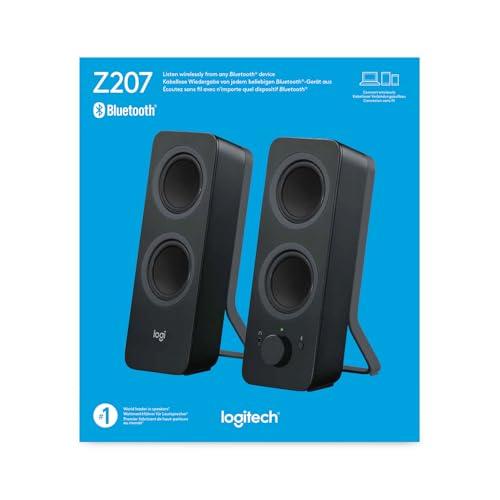
When you're setting up a workspace or entertainment center, choosing the right speakers can make or break your audio experience. Today we're diving deep into two very different approaches to desktop audio: the PreSonus Eris 3.5 Studio Monitors and the Logitech Z207 Bluetooth Computer Speakers. While both sit on your desk and play music, they're designed for completely different purposes and users.
Before we jump into specifics, it's important to understand that desktop speakers fall into two distinct categories. Studio monitors are designed to reveal the truth about your audio—they show you exactly what's in a recording, warts and all. Multimedia speakers, on the other hand, are designed to make everything sound pleasant and convenient to use.
Think of it this way: studio monitors are like a magnifying glass for sound, while multimedia speakers are like Instagram filters—they enhance what you hear to make it more appealing. Neither approach is inherently better; it depends entirely on what you're trying to accomplish.
The key considerations when choosing desktop speakers include audio accuracy versus convenience, connectivity options, how you'll use them day-to-day, and whether you need professional features or consumer-friendly enhancements.
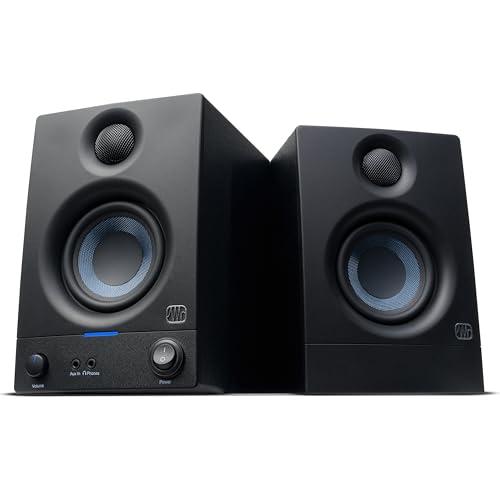
The PreSonus Eris 3.5, released in its current generation around 2019, represents the professional approach. At roughly three times the cost of typical multimedia speakers (at the time of writing), these are true studio monitors designed for audio production, mixing, and critical listening. PreSonus has refined this design over several years, improving the driver materials and amplification quality.
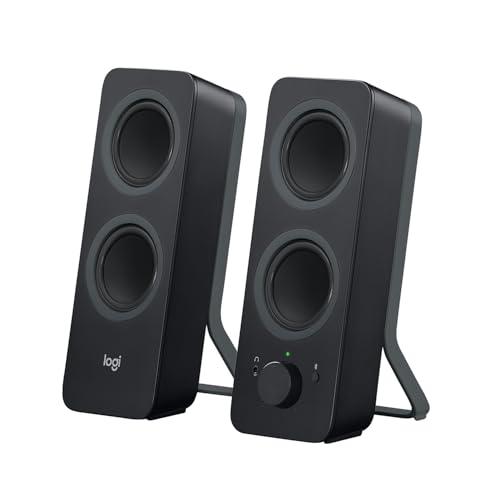
The Logitech Z207, launched around 2017, takes the consumer route with an emphasis on wireless convenience and multi-device connectivity. Logitech has been iterating on this design philosophy for years, adding features like Easy-Switch technology and improving Bluetooth stability with each generation.
When evaluating speaker performance, the most critical factor is frequency response—how evenly a speaker reproduces different pitches across the audible spectrum. The PreSonus Eris 3.5 covers 80Hz to 20kHz with a deliberately flat response, meaning it doesn't artificially boost or cut any frequencies. This neutral approach is essential for professional work because any coloration in the speakers will mislead you about how your audio actually sounds.
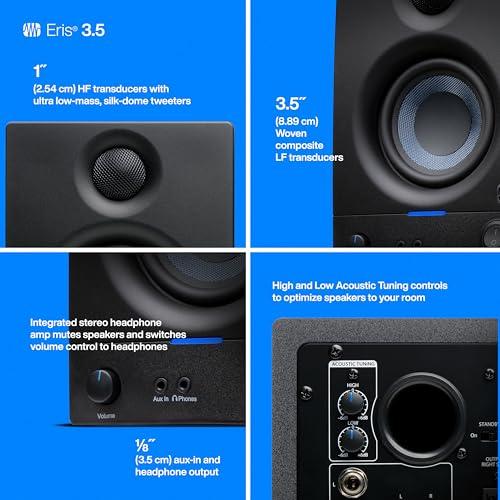
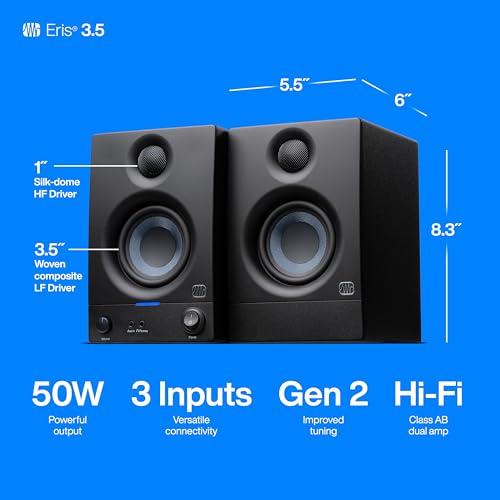
The drivers (the actual speaker components) tell an interesting story. The Eris 3.5 uses a 3.5-inch woven-composite woofer paired with a 1-inch silk-dome tweeter. The woven composite material provides better stiffness and damping than typical plastic cones, resulting in tighter, more controlled bass. The silk-dome tweeter produces smooth high frequencies without the harshness that metal domes can sometimes exhibit.
In contrast, the Logitech Z207 uses a four-driver design with passive radiators—essentially speaker cones without magnets that vibrate sympathetically to extend bass response. While this approach can produce impressive bass from a small enclosure, it's less precise than a properly designed active driver system.
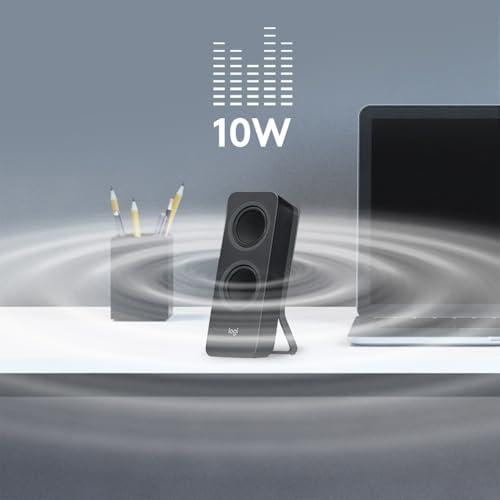
The power difference between these speakers is substantial and meaningful. The Eris 3.5 delivers 50 watts of Class AB amplification (25 watts per speaker), while the Z207 produces just 10 watts peak (5 watts RMS). This isn't just about volume—more power means better control over the drivers, reduced distortion at higher levels, and the ability to reproduce dynamic peaks in music without compression.
SPL capability (Sound Pressure Level) is another crucial metric. The PreSonus monitors can hit 98dB peak at one meter, which is loud enough for serious mixing work. The Logitech speakers are designed for nearfield desktop use and don't publish SPL specifications, indicating they're optimized for moderate listening levels.
Through extensive research of user experiences and professional reviews, a clear picture emerges. The Eris 3.5 delivers genuinely accurate sound that reveals details in recordings you might never have noticed. Users consistently report hearing new elements in familiar songs—subtle background vocals, instrument separation, and spatial positioning that gets lost on consumer speakers.
However, this accuracy comes with a caveat: the Eris 3.5 will also reveal flaws in poor recordings or compressed music files. What sounds acceptable on smartphone speakers might sound harsh or unbalanced on studio monitors. This honesty is exactly what audio professionals need, but it can be jarring for casual listeners accustomed to enhanced audio.
The Z207, meanwhile, consistently pleases users with its warm, consumer-friendly sound signature. The passive radiators provide surprising bass extension for such small speakers, and the overall tuning makes most music sound engaging and enjoyable. Expert consensus suggests the frequency response favors the bass and treble regions while slightly de-emphasizing midrange frequencies—a classic "smile curve" that many consumers prefer.
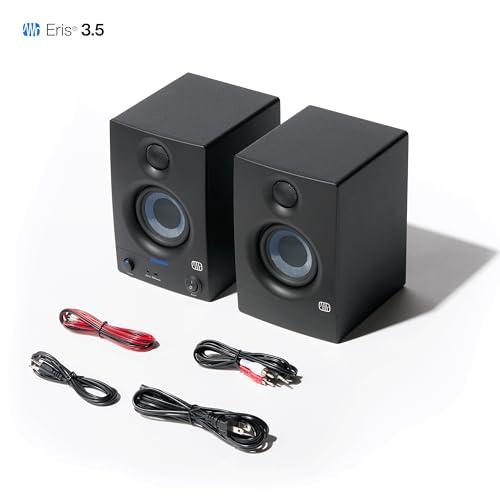
The PreSonus Eris 3.5 offers connectivity that reflects its professional heritage. Balanced ¼-inch TRS inputs use three-conductor cables that cancel electromagnetic interference—crucial when working with sensitive audio equipment. The unbalanced RCA inputs accommodate consumer devices, while a front-panel ⅛-inch input provides convenient access for mobile devices.
The integrated headphone amplifier is a thoughtful professional feature. When you plug in headphones, the speakers automatically mute, and the dedicated amplifier ensures your headphones receive adequate power and impedance matching. This seamless workflow is essential when switching between speaker and headphone monitoring during audio work.
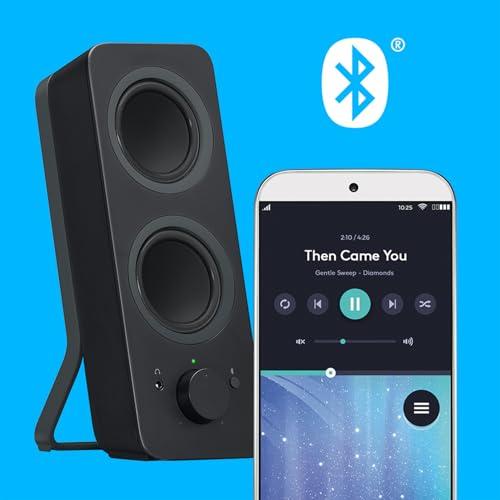
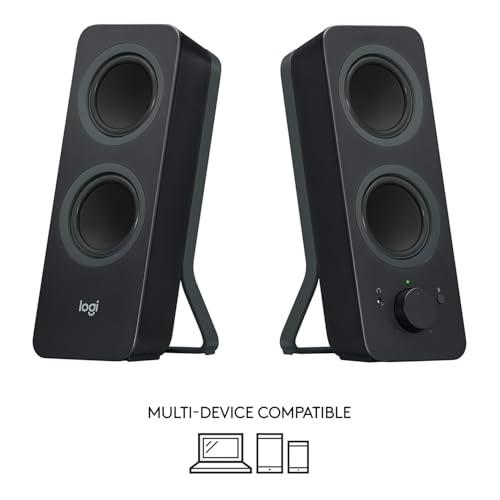
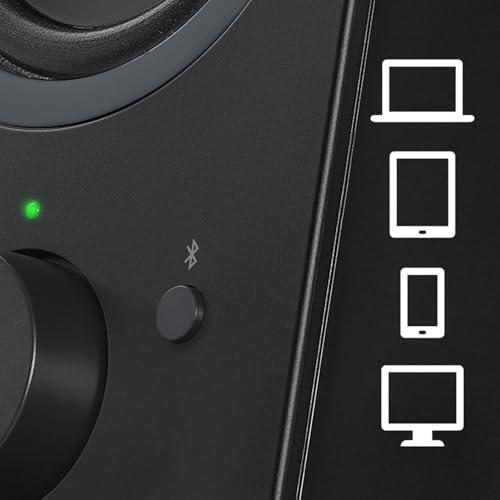
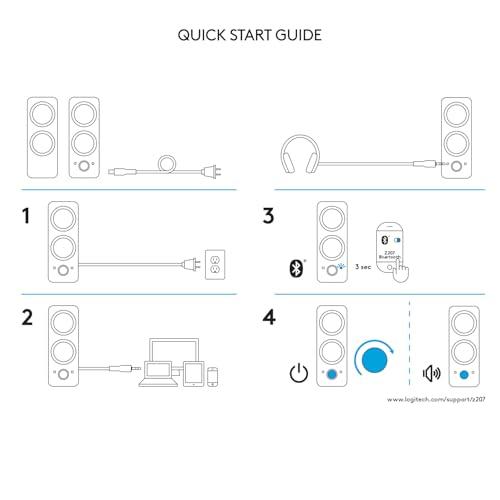
The Logitech Z207 represents a different philosophy entirely. Bluetooth 4.2 connectivity with Easy-Switch technology allows simultaneous connection to two devices. You can pause music on your laptop and immediately start playing from your phone without any re-pairing process. This convenience factor cannot be overstated for users who regularly switch between devices throughout their day.
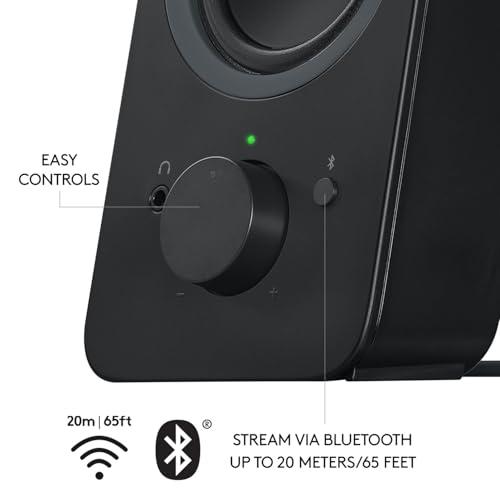
The 20-meter Bluetooth range means you can control playback from across a room, and the wireless connection eliminates cable clutter on your desk. However, wireless audio inherently involves some compression and potential latency, making it unsuitable for professional audio work where timing and fidelity are critical.
The Eris 3.5 uses MDF cabinets (Medium-Density Fiberboard) specifically chosen to minimize unwanted resonances. MDF is denser and more acoustically inert than typical plastic enclosures, preventing the cabinet itself from coloring the sound. The crossover network at 2.8kHz is precisely engineered to seamlessly blend the woofer and tweeter outputs.
PreSonus includes comprehensive protection circuitry: RF interference filtering, output-current limiting, over-temperature protection, and subsonic filtering. These features ensure reliable operation and protect both the speakers and your ears from unexpected issues. The power-saving mode that engages after 40 minutes of inactivity demonstrates attention to professional workflow where equipment might be left on for extended periods.
The Z207 prioritizes different engineering goals. The lightweight plastic construction (2.2 pounds total) makes them easily portable and less imposing on a desk. The compact dimensions fit naturally into typical computer setups without overwhelming the workspace.
Logitech's engineering focus centers on user experience rather than absolute audio performance. The front-panel controls are intuitive, the LED indicators clearly communicate connection status, and the overall design language matches modern computer peripherals.
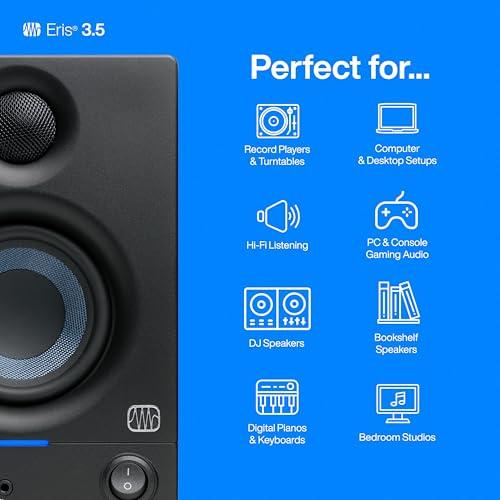
The PreSonus Eris 3.5 shines in scenarios requiring audio accuracy. If you're editing podcasts, mixing music, or doing any form of content creation where audio quality matters, these monitors will serve you well. The flat frequency response ensures your mixes translate properly to other playback systems—a critical consideration for anyone sharing their work with others.
Home studio enthusiasts consistently report that upgrading to proper monitors like the Eris 3.5 transformed their ability to make mixing decisions. Suddenly, EQ adjustments become more obvious, and the balance between instruments becomes much clearer. This capability extends beyond music production to video editing, where accurate dialogue and soundtrack balance is essential.
The Logitech Z207 excels in typical consumer scenarios. Streaming music from Spotify, watching YouTube videos, participating in video calls, and gaming all benefit from the enhanced bass response and convenient wireless connectivity. The ability to seamlessly switch between your laptop for work calls and your phone for personal music creates a unified audio experience.
For remote work, the Z207 offers practical advantages. You can take calls through your laptop while simultaneously having your personal phone connected for notifications. The compact size doesn't dominate video call backgrounds, and the wireless connectivity eliminates cable management headaches.
Neither speaker system is designed for home theater use, but they serve different supplementary roles. The Eris 3.5 could work well as computer speakers in a media room where you might edit home videos or want accurate sound for streaming content. However, both systems lack the bass extension and power output needed for cinematic experiences.
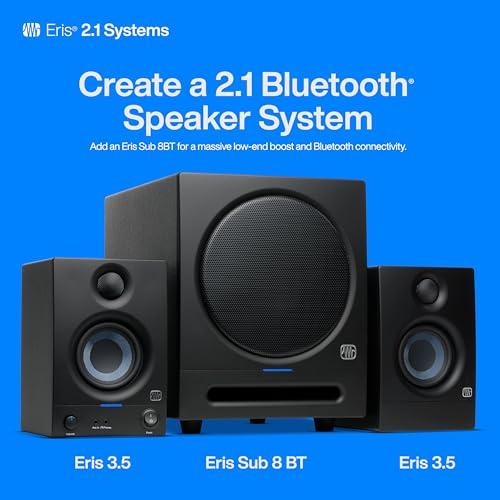
If you're considering desktop speakers as part of a larger home entertainment setup, the PreSonus monitors offer better expandability. They can integrate with subwoofers and professional audio interfaces, allowing for future system growth. The Z207 is more of a standalone solution that doesn't easily integrate with larger audio systems.
The Eris 3.5 faces physics limitations inherent to small monitors. The 80Hz low-frequency limit means you're missing the deepest bass frequencies that larger speakers or subwoofers would reproduce. For electronic music or film audio with significant low-frequency content, this limitation becomes apparent.
User reports consistently mention that while the Eris 3.5 provides excellent accuracy in its operating range, the lack of wireless connectivity can be frustrating in modern workflows. If you frequently switch between devices or prefer the flexibility of wireless audio, the professional approach feels constraining.
The Z207 makes clear compromises for its price point and design philosophy. The 120Hz low-frequency limit is even more restrictive than the Eris 3.5, and the limited power output means they can sound strained at higher volumes. For users with larger rooms or those who enjoy loud listening sessions, these speakers quickly reach their limits.
Expert analysis reveals that while the Bluetooth connectivity is convenient, it introduces audio latency that makes these speakers unsuitable for audio production work. The compression inherent in Bluetooth transmission, while imperceptible for casual listening, would interfere with critical audio decisions.
At the time of writing, the PreSonus Eris 3.5 costs roughly three times more than the Logitech Z207, but this price difference reflects fundamentally different value propositions. You're not just paying for better sound quality—you're investing in professional-grade components, accurate monitoring capabilities, and the ability to make reliable audio decisions.
For anyone involved in content creation, this price premium pays dividends in improved workflow and output quality. The accuracy of these monitors can prevent costly mixing mistakes and helps ensure your audio work translates properly to other playback systems.
The Z207 represents exceptional value in its category. At its price point (at the time of writing), few competing products offer comparable wireless convenience and build quality. The Easy-Switch technology alone justifies the cost for users managing multiple devices throughout their day.
The wireless capability eliminates the need for separate Bluetooth receivers or complex audio switching systems, consolidating functionality into a single, affordable package.
You create audio content of any kind—whether that's music production, podcast editing, video content, or even serious gaming where audio positioning matters. The Eris 3.5 makes sense when accuracy is more important than convenience, and when you're willing to invest in proper audio tools.
These monitors also suit users who appreciate high-fidelity audio reproduction and want to hear their music collection as it was intended. If you've ever wondered what you're missing in your favorite recordings, studio monitors will reveal details that consumer speakers simply can't reproduce.
Your priority is convenience and seamless integration with multiple devices. The Z207 excels for users who value wireless flexibility, clean desk aesthetics, and hassle-free operation over absolute audio accuracy.
These speakers make sense for typical computer use, streaming music, video calls, and casual gaming where enhanced bass makes everything more engaging. If you frequently switch between devices or simply want speakers that work well without any fuss, the Z207 delivers exactly that experience.
These products represent two valid but different approaches to desktop audio. The PreSonus Eris 3.5 is a professional tool that happens to work well for high-quality music listening, while the Logitech Z207 is a consumer convenience product that happens to sound quite good.
Your choice should align with your actual usage patterns and priorities. If you create audio content or critically evaluate sound quality, invest in the studio monitors. If you consume audio content and value modern conveniences like wireless connectivity and multi-device switching, the multimedia speakers will serve you better and cost significantly less.
Neither choice is wrong—they're simply optimized for different users and different workflows. Understanding which category you fall into will make the decision clear and ensure you get the audio experience that matches your actual needs and usage patterns.
| PreSonus Eris 3.5 Studio Monitors | Logitech Z207 Bluetooth Computer Speakers |
|---|---|
| Audio Design Philosophy - Determines whether you get accurate or enhanced sound | |
| Professional studio monitors with flat frequency response for accurate audio reproduction | Consumer multimedia speakers with enhanced bass and treble for enjoyable listening |
| Power Output - Affects maximum volume and sound control | |
| 50W Class AB amplification (25W per speaker) for high SPL and dynamic range | 10W peak (5W RMS) designed for nearfield desktop listening |
| Frequency Response - Shows how much of the audio spectrum you'll hear | |
| 80 Hz - 20 kHz (deeper bass extension, professional range) | 120 Hz - 20 kHz (limited bass but adequate for desktop use) |
| Driver Configuration - Impacts sound quality and bass response | |
| 3.5" woven-composite woofer + 1" silk-dome tweeter with precision crossover | Four-driver design with passive radiators for enhanced bass from compact size |
| Maximum SPL - Determines how loud they can play without distortion | |
| 98 dB peak at 1 meter (suitable for mixing and critical listening) | Not specified (optimized for moderate desktop volumes) |
| Connectivity Options - Affects compatibility with your devices | |
| Balanced ¼" TRS, unbalanced RCA, front ⅛" input, integrated headphone amp | Bluetooth 4.2 with Easy-Switch, 3.5mm wired input, headphone jack |
| Wireless Capability - Convenience vs. professional audio quality | |
| Wired only (eliminates latency and compression for professional work) | Bluetooth with dual-device pairing and seamless switching |
| Cabinet Construction - Influences sound accuracy and resonance control | |
| MDF construction with acoustic tuning controls (±6dB high/low frequency) | Lightweight plastic construction optimized for desktop portability |
| Target Use Case - Who these speakers are designed for | |
| Audio production, mixing, critical listening, and professional applications | Music streaming, video calls, gaming, and general multimedia consumption |
| Weight and Dimensions - Important for desk setup and portability | |
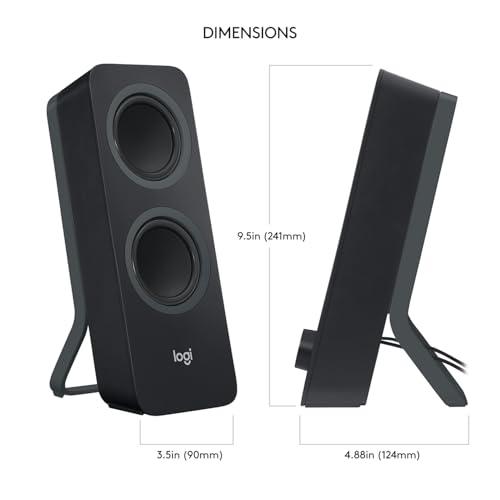
| 3.1 kg pair, 8.3" H × 5.6" W × 6.5" D per speaker (substantial desktop presence) | 1.0 kg pair, 9.49" H × 3.54" W × 4.88" D per speaker (compact and portable) |
| Protection Features - Reliability and longevity considerations | |
| RF interference filtering, current limiting, thermal protection, power saving | Basic consumer-grade protection with LED status indicators |
| Price Category - Value proposition at time of writing | |
| Premium pricing reflecting professional components and accurate monitoring | Budget-friendly with excellent value for wireless convenience features |
The PreSonus Eris 3.5 Studio Monitors are specifically designed for music production and audio editing. They provide flat, accurate frequency response that reveals exactly what's in your recordings without coloration. The Logitech Z207 Bluetooth Computer Speakers are consumer speakers that enhance certain frequencies to make music sound more pleasant, but this coloration makes them unsuitable for professional audio work where accuracy is critical.
Both speakers work for gaming, but serve different needs. The Logitech Z207 offers convenient Bluetooth connectivity and enhanced bass that makes games more immersive. The PreSonus Eris 3.5 provides superior audio positioning and clarity for competitive gaming where hearing enemy footsteps accurately matters more than booming explosions.
The Logitech Z207 Bluetooth Computer Speakers excel in wireless connectivity with Bluetooth 4.2 and Easy-Switch technology that connects to two devices simultaneously. The PreSonus Eris 3.5 are wired-only speakers with no wireless capabilities, focusing instead on professional audio connections like balanced TRS inputs.
Neither speaker system is ideal for home theater use due to their compact size and limited bass extension. However, the PreSonus Eris 3.5 would work better as computer speakers in a media room setup, while the Logitech Z207 lacks the power and frequency range needed for cinematic audio experiences.
The PreSonus Eris 3.5 Studio Monitors offer deeper bass extension down to 80Hz with more accurate, controlled low-frequency reproduction. The Logitech Z207 uses passive radiators to enhance bass presence but only extends to 120Hz, providing punchier but less accurate bass that many consumers prefer for music enjoyment.
The PreSonus Eris 3.5 deliver significantly more power with 50 watts of Class AB amplification (25W per speaker), enabling higher maximum volume and better dynamic range. The Logitech Z207 Bluetooth Computer Speakers output just 10 watts peak power, designed for moderate desktop listening rather than high-volume applications.
The Logitech Z207 are superior for video calls and remote work due to their Bluetooth connectivity, ability to connect multiple devices, and convenient front-panel controls. The PreSonus Eris 3.5 offer better voice clarity but lack the wireless flexibility that remote workers typically need for seamless device switching.
The PreSonus Eris 3.5 Studio Monitors use professional-grade MDF construction with acoustic tuning controls and comprehensive protection circuitry. The Logitech Z207 feature lightweight plastic construction optimized for portability and desktop use, with consumer-grade components that prioritize convenience over maximum durability.
The Logitech Z207 Bluetooth Computer Speakers excel with multiple devices through Easy-Switch technology that maintains connections to two Bluetooth devices plus one wired connection simultaneously. The PreSonus Eris 3.5 require manual cable switching between devices but offer multiple professional input options including balanced and unbalanced connections.
The Logitech Z207 are specifically designed for casual music listening with enhanced bass and treble that makes most music sound engaging and enjoyable. The PreSonus Eris 3.5 Studio Monitors provide more accurate sound reproduction that reveals details in recordings but may sound less exciting for casual listening due to their neutral frequency response.
Value depends on your needs: The Logitech Z207 offer exceptional value for wireless convenience and general computer use at their price point. The PreSonus Eris 3.5 provide professional-grade accuracy and build quality that justifies their higher cost for users doing audio production or wanting reference-quality sound reproduction.
The Logitech Z207 Bluetooth Computer Speakers are more suitable for small desk setups due to their compact size, lightweight construction, and wireless capability that eliminates cable clutter. The PreSonus Eris 3.5 have a larger footprint and require cable management but offer superior audio performance if desk space isn't a primary concern.
We've done our best to create useful and informative comparisons to help you decide what product to buy. Our research uses advanced automated methods to create this comparison and perfection is not possible - please contact us for corrections or questions. These are the sites we've researched in the creation of this article: soundref.com - presonus.com - musicradar.com - presonus.com - higherhertz.com - sweetwater.com - erinsaudiocorner.com - gzhls.at - homestudiobasics.com - presonus.com - audiosciencereview.com - youtube.com - audiosciencereview.com - thomannmusic.com - georgesmusic.com - musicalgarage.com - soundonsound.com - bestbuy.com - kiteandkey.rutgers.edu - logitech.com - bestbuy.com - sonnydickson.com - youtube.com - youtube.com - ontimesupplies.com - youtube.com - reuniontalk.com - staples.com - cdw.com - youtube.com - objects.icecat.biz - nordisco.com - manuals.plus - device.report - zones.com - lenovo.com

Privacy Policy
Terms and Conditions - Affiliate Policy
Home Security
© Copyright 2008-2026.
11816 Inwood Rd #1211, Dallas, TX 75244