


Tired of tinny laptop speakers ruining your music, movies, or video calls? You're not alone. Most built-in computer audio is frankly terrible, which is why desktop speakers have become essential accessories for anyone who spends serious time at their computer. But with hundreds of options available, choosing the right pair can feel overwhelming.
Today we're comparing two popular desktop speakers that take completely different approaches to solving your audio problems: the budget-focused Creative Pebble V2 and the wireless-enabled Logitech Z207. One prioritizes exceptional sound quality per dollar, while the other emphasizes convenience and multi-device connectivity. Let's dive deep into which approach works better for your specific needs.
Before we compare these specific models, it's worth understanding what makes desktop speakers different from larger bookshelf speakers or home theater systems. Desktop speakers need to work well in near-field listening situations—meaning you're sitting relatively close to them, typically 2-4 feet away. This changes everything about how they should be designed and tuned.
The most important factors to consider are audio quality (how good they actually sound), power output (how loud they can get without distortion), connectivity options (how they connect to your devices), desktop footprint (how much space they take up), and overall value proposition (what you get for your money).
Both the Creative Pebble V2 and Logitech Z207 are what we call 2.0 systems, meaning they have two speakers (left and right channels) but no separate subwoofer for deep bass. This keeps them compact and affordable, though it does limit their ability to produce room-shaking low frequencies.
The Creative Pebble V2, released in 2021, represents an evolution of Creative's popular original Pebble speakers from 2018. Creative took everything people loved about the originals—the unique spherical design, excellent value, and surprisingly good sound—and improved the power delivery system and build quality. At the time of writing, these speakers typically cost less than $30, making them one of the most affordable quality options available.
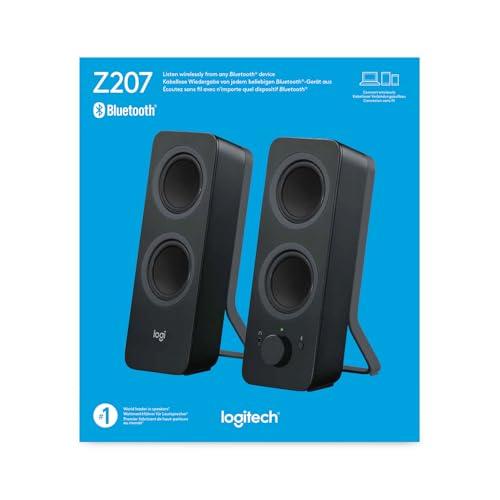
The Logitech Z207, launched in 2017, targets users who want wireless convenience and multi-device connectivity. While older than the Pebble V2, Logitech has kept the Z207 current with firmware updates and continues to position it as a premium budget option. Expect to pay roughly double what the Creative Pebble V2 costs, though you're paying for significantly different capabilities rather than just better sound quality.
When shopping for speakers, you'll see power ratings measured in watts, but these numbers can be confusing. RMS power (Root Mean Square) tells you the continuous power a speaker can handle, while peak power represents short bursts. RMS is the more meaningful number for daily use.
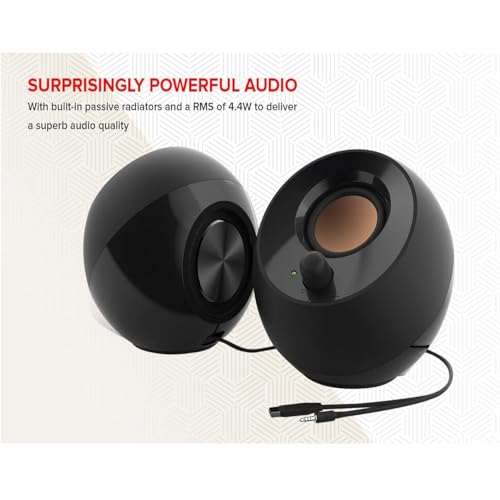
The Creative Pebble V2 delivers 8 watts RMS with 16 watts peak power when connected to a high-powered USB port. This might not sound like much, but for desktop speakers, it's actually quite impressive. The secret lies in their innovative USB-C power delivery system, which can draw more current than traditional USB-A connections. There's even a built-in gain switch that automatically activates high-power mode when sufficient juice is available.
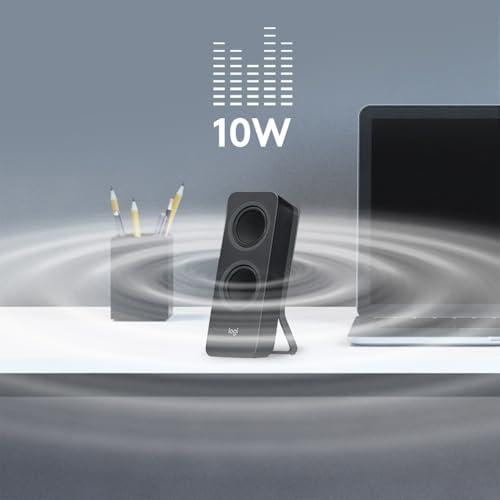
By contrast, the Logitech Z207 outputs 5 watts RMS with 10 watts peak. While this seems lower on paper, the Z207 uses a wall adapter for consistent power delivery, whereas the Creative Pebble V2 depends on your computer's USB port capabilities.
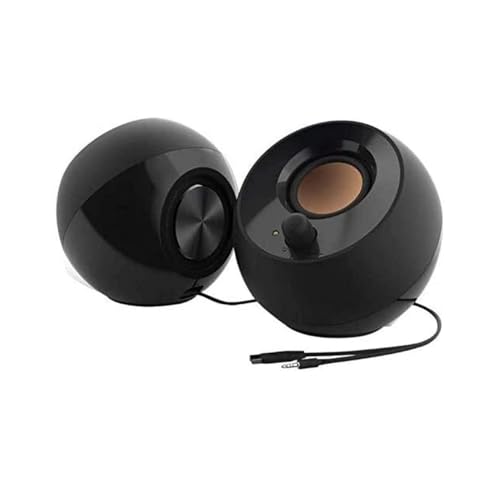
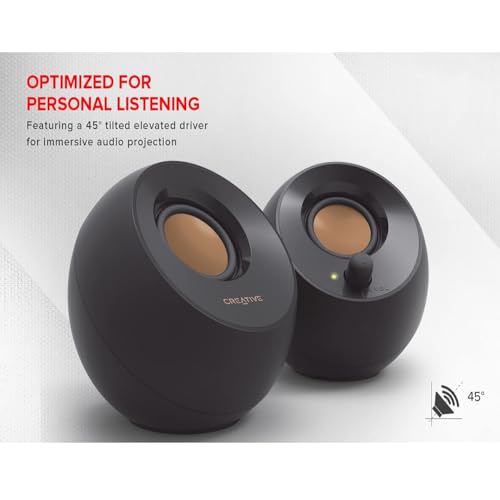
Here's where things get interesting. The Creative Pebble V2 uses 2-inch full-range drivers positioned at a 45-degree angle—this isn't just for looks. That angling directs sound straight at your ears rather than over your head, creating a more focused and immersive listening experience. Each speaker also includes a rear-facing passive radiator, which is essentially a speaker cone without a magnet that moves in response to air pressure changes inside the cabinet. This helps extend bass response far beyond what you'd expect from such small enclosures.
Our research into user and expert reviews consistently shows that the Creative Pebble V2 punches well above its weight class sonically. The sound signature is slightly bright, meaning treble frequencies are emphasized, which actually works well for desktop use since it enhances clarity for voices and details in music. The bass response, while not deep enough to rattle windows, provides enough warmth to make music feel full rather than thin.
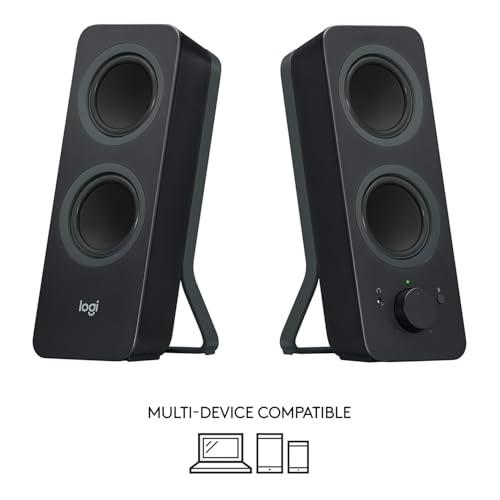
The Logitech Z207 takes a different approach with its four-driver system—each speaker contains one active driver for main audio and one passive radiator for bass extension. This creates a more balanced sound profile with decent bass response, though our evaluation of reviews suggests the overall audio quality doesn't quite match the Creative Pebble V2 despite costing significantly more.
Maximum volume often matters more for desktop speakers than you might think. You're not just competing with ambient room noise—you're also dealing with computer fans, air conditioning, and occasionally the need to share audio with others nearby.
The Creative Pebble V2 can achieve surprisingly loud volumes without significant distortion, thanks to that higher power output. Users consistently report being able to fill small to medium-sized rooms with clear, detailed sound. The Logitech Z207 also gets adequately loud for desktop use, but seems to hit its limits sooner when pushed hard.
This is where these speakers diverge most dramatically, and it's probably the deciding factor for most buyers.
The Creative Pebble V2 embraces a wired-only approach that some might see as old-fashioned but offers distinct advantages. You get USB-C for power (with a USB-A adapter included for older computers) and a standard 3.5mm auxiliary cable for audio. That's it—no complex pairing procedures, no connection drops, no battery anxiety.
This simplicity means rock-solid reliability. Plug them in, connect the audio cable, and they work every single time. The audio quality is also theoretically better since there's no wireless compression involved, though in practice, modern Bluetooth compression is quite good.
The downside is obvious: you're limited to one device at a time, and cable management can be a consideration depending on your desk setup. The cable between the two speakers is longer than the original Pebble design, which helps with placement flexibility, but you're still working within physical constraints.
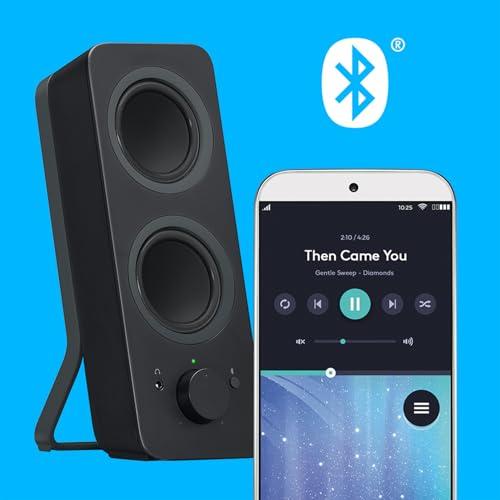
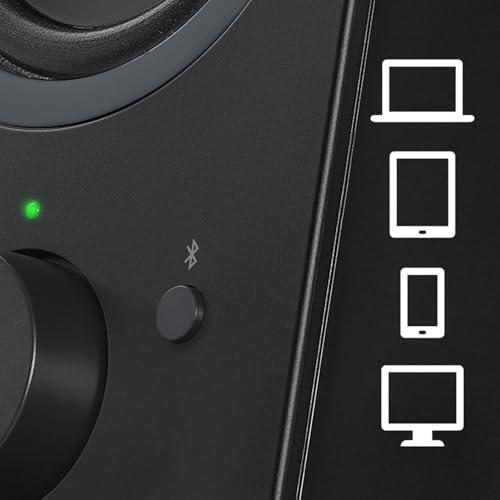
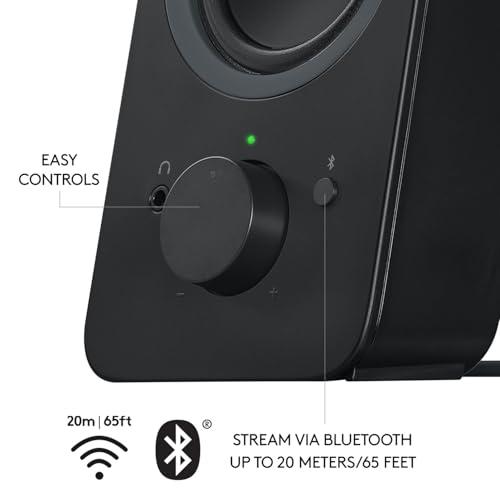
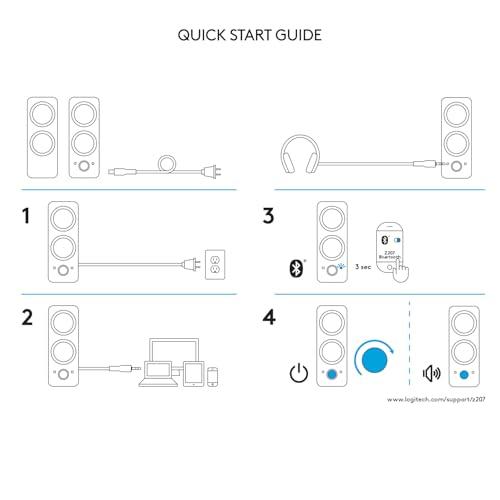
The Logitech Z207 shines in versatility. The Bluetooth 4.2 connection provides a solid 20-meter range, and here's where things get clever: Logitech's Easy-Switch technology lets you connect to two Bluetooth devices simultaneously, plus one wired device through the 3.5mm input.
In practice, this means you could have your work laptop and personal phone both connected wirelessly, plus perhaps a gaming console connected via cable. Switching between them is as simple as pausing audio on one device and hitting play on another—the speakers automatically switch to the active source.
This opens up use cases that the Creative Pebble V2 simply can't handle. Want to seamlessly switch from a work video call to streaming music from your phone? No problem. Need to share audio between multiple users in a workspace? The Z207 handles it elegantly.
The Logitech Z207 also includes a headphone jack on the right speaker, which is genuinely useful for private listening or late-night sessions without disturbing others.
The Creative Pebble V2 maintains the distinctive spherical design that made the original Pebbles popular. These aren't just aesthetically pleasing—the curved shape helps minimize internal standing waves that can muddy sound quality. The matte finish resists fingerprints and dust, and the compact footprint means they work well even on crowded desks.
The right speaker houses a smooth volume knob with a satisfying click for power on/off, plus an LED indicator that shows when the speakers are active. Controls are minimal but sufficient—there's beauty in simplicity.
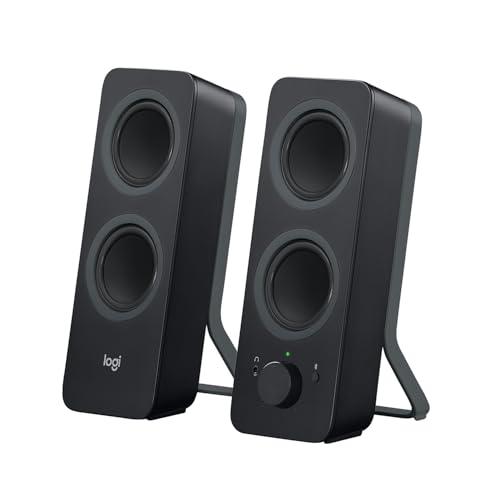
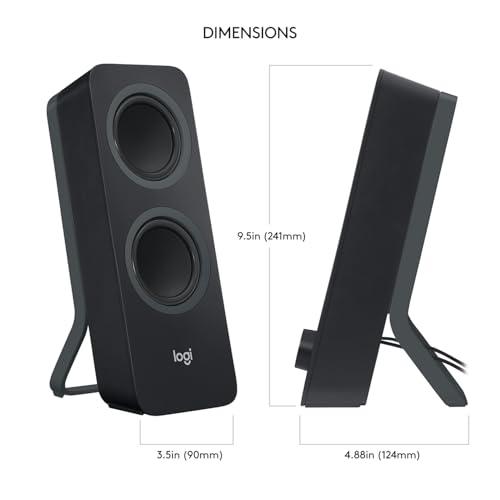
The Logitech Z207 adopts a more traditional bookshelf speaker appearance that some users prefer for professional environments. They're noticeably larger than the Creative Pebble V2—about twice the height—but the clean lines and available color options help them blend into most setups.
All controls are housed in the right speaker, including Bluetooth pairing, volume adjustment, and power. The design is functional rather than revolutionary, but it works well and feels solidly built.
While neither speaker system is designed for true home theater use, both can serve as affordable TV speakers if you're dealing with particularly bad built-in audio.
The Creative Pebble V2 works well for smaller TVs or computer monitors used for streaming, especially if you're sitting relatively close. The wired connection means no audio delay, which is important for lip-sync accuracy in movies and TV shows.
The Logitech Z207 offers more flexibility for TV use thanks to its wireless capabilities, but you'll need to ensure your TV has Bluetooth support or use the 3.5mm connection. The larger size and more conventional design also works better if the speakers need to sit near a TV rather than on a desk.
For serious home theater use, both speakers have limitations—neither provides the deep bass or wide soundstage that movies really deserve. But for casual streaming or late-night viewing, either could work as an interim solution.
At the time of writing, the price difference between these speakers is significant—the Logitech Z207 costs roughly twice as much as the Creative Pebble V2. This raises an important question: what exactly are you paying extra for?
With the Creative Pebble V2, you're getting exceptional audio performance per dollar. Independent testing and user reviews consistently show these speakers outperforming competitors that cost two or three times as much. You're paying for sound quality, period.
The Logitech Z207 premium gets you wireless convenience, multi-device connectivity, and additional features like the headphone jack. The audio quality is good but not proportionally better than the Creative Pebble V2. You're essentially paying a "convenience tax" for the wireless functionality.
Neither approach is wrong—it depends on what you value more. If pure audio performance per dollar is your priority, the Creative Pebble V2 is exceptional. If wireless versatility is worth paying extra for, the Logitech Z207 delivers on that promise.
When evaluating desktop speakers, certain characteristics matter more than others. Clarity in the vocal range is crucial since you'll use these for video calls, podcasts, and dialogue-heavy content. Both speakers perform well here, though the Creative Pebble V2 edges ahead slightly due to its bright tuning that emphasizes vocal frequencies.
Bass extension determines how full music sounds without being boomy or overwhelming. Neither speaker produces deep, room-shaking bass, but both provide enough low-frequency response to make music sound complete rather than thin. The Creative Pebble V2 seems to have a slight edge in bass impact based on user feedback.
Maximum clean volume becomes important when you need to overcome ambient noise or share audio with others. Here, the Creative Pebble V2's higher power output provides a real advantage—it can get louder while staying cleaner.
Stereo imaging—the ability to create a sense of width and placement in music—works well on both speakers, though the Creative Pebble V2's angled drivers provide a more focused soundstage for desktop listening.
You want the absolute best sound quality for your money and don't need wireless features. These speakers are perfect for users with straightforward audio needs who primarily use one computer or device. If you're a student, remote worker, or gamer who wants a significant upgrade from built-in speakers without breaking the bank, the Creative Pebble V2 is hard to beat.
The wired-only approach actually works in your favor if you have a stable desk setup where cable management isn't a major concern. You'll get better reliability and potentially better audio quality than wireless alternatives.
Convenience and versatility matter more to you than maximizing audio quality per dollar. If you regularly switch between multiple devices—perhaps using your work laptop during the day and personal phone for music streaming—the Logitech Z207's multi-device capabilities justify the higher price.
These speakers also make sense if you need flexibility in speaker placement or want the convenience of wireless connectivity. The headphone jack is genuinely useful, and the ability to connect three devices simultaneously can simplify complex setups.
Both speakers succeed at what they're trying to do, but they're solving different problems. The Creative Pebble V2 maximizes audio performance per dollar with a focus on simplicity and reliability. The Logitech Z207 prioritizes convenience and connectivity at a premium price point.
Based on our research and evaluation of expert and user reviews, the Creative Pebble V2 offers exceptional value that's hard to match in the budget desktop speaker category. Unless you specifically need wireless connectivity or multi-device support, you'll get better sound quality for significantly less money.
However, if wireless convenience is important enough to justify paying roughly twice the price, the Logitech Z207 delivers solid performance with genuinely useful features that can simplify your daily workflow.
The choice ultimately comes down to your priorities: exceptional audio value with the Creative Pebble V2, or wireless versatility with the Logitech Z207. Both approaches have merit—just make sure you're paying for features you'll actually use.
| Creative Pebble V2 Desktop Speakers | Logitech Z207 Bluetooth Computer Speakers |
|---|---|
| Power Output - Determines maximum volume and clarity | |
| 8W RMS / 16W Peak (with high gain mode) | 5W RMS / 10W Peak |
| Connectivity - How you connect your devices | |
| USB-C power + 3.5mm audio input only | Bluetooth 4.2 + 3.5mm input + headphone jack |
| Multi-Device Support - Switching between phones, laptops, etc. | |
| Single device connection at a time | 2 Bluetooth devices + 1 wired simultaneously with Easy-Switch |
| Driver Configuration - Affects sound quality and bass response | |
| 2" full-range drivers at 45° angle + passive radiators | Active drivers + passive radiators (four-driver system) |
| Frequency Response - Range of sounds the speakers can reproduce | |
| 100 Hz – 17 kHz | 120 Hz – 20 kHz |
| Power Source - Impacts placement flexibility | |
| USB-C from computer (USB-A adapter included) | AC wall adapter |
| Size & Weight - Desktop footprint considerations | |
| 4.6" x 4.5" x 4.8" each, ~1.4 lbs total | 9.5" x 3.5" x 4.9" each, 2.2 lbs total |
| Special Features - What sets each apart | |
| 45° angled drivers, gain switch, iconic pebble design | Easy-Switch technology, Bluetooth range up to 20m, headphone jack |
| Best Use Cases - Who should choose which | |
| Budget-focused users wanting maximum audio quality per dollar | Multi-device users prioritizing wireless convenience and flexibility |
| Value Proposition - What you're paying for | |
| Exceptional sound quality at budget price point | Wireless convenience and multi-device connectivity at premium |
The Creative Pebble V2 delivers better sound quality per dollar with 8W RMS power output and 45-degree angled drivers optimized for desktop listening. The Logitech Z207 offers wireless convenience and multi-device connectivity but at roughly double the price. For pure audio performance, the Creative Pebble V2 is superior, while the Logitech Z207 wins on versatility.
Only the Logitech Z207 supports Bluetooth connectivity, allowing wireless connection to phones, tablets, and laptops with up to 20-meter range. The Creative Pebble V2 is wired-only, requiring a 3.5mm audio cable connection. If wireless connectivity is important, the Logitech Z207 is your only option between these two.
The Creative Pebble V2 produces higher maximum volumes thanks to its 8W RMS power output compared to the Logitech Z207's 5W RMS. Users consistently report that the Creative Pebble V2 can fill medium-sized rooms with clear, undistorted sound at higher volume levels.
The Logitech Z207 excels at multi-device connectivity with Easy-Switch technology, supporting two Bluetooth devices plus one wired connection simultaneously. The Creative Pebble V2 only connects to one device at a time via its 3.5mm input. For users who frequently switch between laptops, phones, and tablets, the Logitech Z207 is far more convenient.
Both speakers use passive radiators for bass enhancement, but the Creative Pebble V2 delivers slightly more impactful bass despite its smaller size. Neither speaker produces deep, room-shaking bass since they're 2.0 systems without subwoofers. For desktop use, both provide adequate low-frequency response to make music sound full rather than thin.
Yes, both speakers significantly improve video call audio quality over built-in laptop speakers. The Creative Pebble V2's bright tuning enhances vocal clarity, while the Logitech Z207 includes a convenient headphone jack for private listening during calls. The Creative Pebble V2 offers slightly better voice reproduction for conference calls.
The Creative Pebble V2 offers exceptional value, delivering high-quality audio performance at a budget-friendly price point. The Logitech Z207 costs roughly double but provides wireless convenience and multi-device features rather than proportionally better sound quality. Choose the Creative Pebble V2 for maximum audio quality per dollar.
Both can serve as basic TV speakers for smaller setups, though neither is designed for true home theater use. The Creative Pebble V2 works well for close-range TV viewing with no audio delay due to its wired connection. The Logitech Z207 offers more placement flexibility for TV use but may have slight Bluetooth latency. For serious home theater, consider dedicated 2.1 or surround sound systems instead.
The Creative Pebble V2 offers plug-and-play simplicity—just connect USB-C for power and 3.5mm for audio. The Logitech Z207 requires Bluetooth pairing but includes straightforward controls on the right speaker. Both are easy to set up, but the Creative Pebble V2 eliminates any potential wireless connection issues.
The Creative Pebble V2 has a smaller desktop footprint with its compact pebble design, while the Logitech Z207 uses a more traditional bookshelf speaker form factor that's nearly twice as tall. If desk space is limited, the Creative Pebble V2 is more space-efficient, though both are designed for desktop use.
Both speakers feature solid construction for their respective price points. The Creative Pebble V2 uses a distinctive curved design that minimizes internal resonance, while the Logitech Z207 employs conventional bookshelf construction. Build quality is appropriate for each speaker's price range, with the Logitech Z207 feeling slightly more premium due to its larger size and weight.
The Creative Pebble V2 is better for gaming due to its higher power output, clearer audio reproduction, and zero-latency wired connection. The enhanced vocal clarity helps with in-game communication and dialogue. While the Logitech Z207 can handle gaming audio, the Creative Pebble V2 delivers superior performance for gaming at a lower price point.
We've done our best to create useful and informative comparisons to help you decide what product to buy. Our research uses advanced automated methods to create this comparison and perfection is not possible - please contact us for corrections or questions. These are the sites we've researched in the creation of this article: techspinreview.com - cdw.com - youtube.com - richardtech.net - manuals.plus - audiosciencereview.com - us.creative.com - en.creative.com - youtube.com - audiosciencereview.com - lenovo.com - tomshardware.com - youtube.com - manuals.plus - youtube.com - youtube.com - walmart.com - dell.com - youtube.com - microcenter.com - cdwg.com - tvffm.org - asset.conrad.com - us.creative.com - manuals.plus - pangoly.com - bestbuy.com - kiteandkey.rutgers.edu - logitech.com - bestbuy.com - sonnydickson.com - youtube.com - youtube.com - ontimesupplies.com - youtube.com - reuniontalk.com - staples.com - cdw.com - youtube.com - objects.icecat.biz - nordisco.com - manuals.plus - device.report - zones.com - lenovo.com

Privacy Policy
Terms and Conditions - Affiliate Policy
Home Security
© Copyright 2008-2026.
11816 Inwood Rd #1211, Dallas, TX 75244