

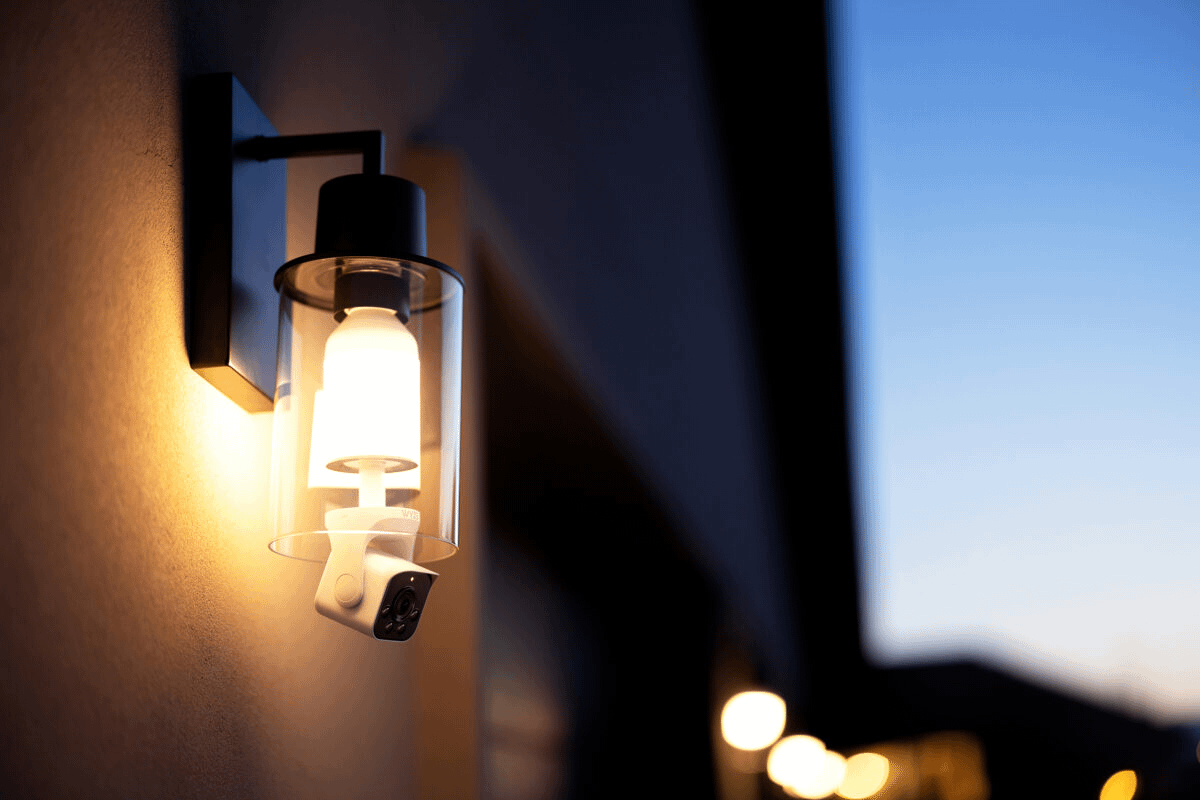
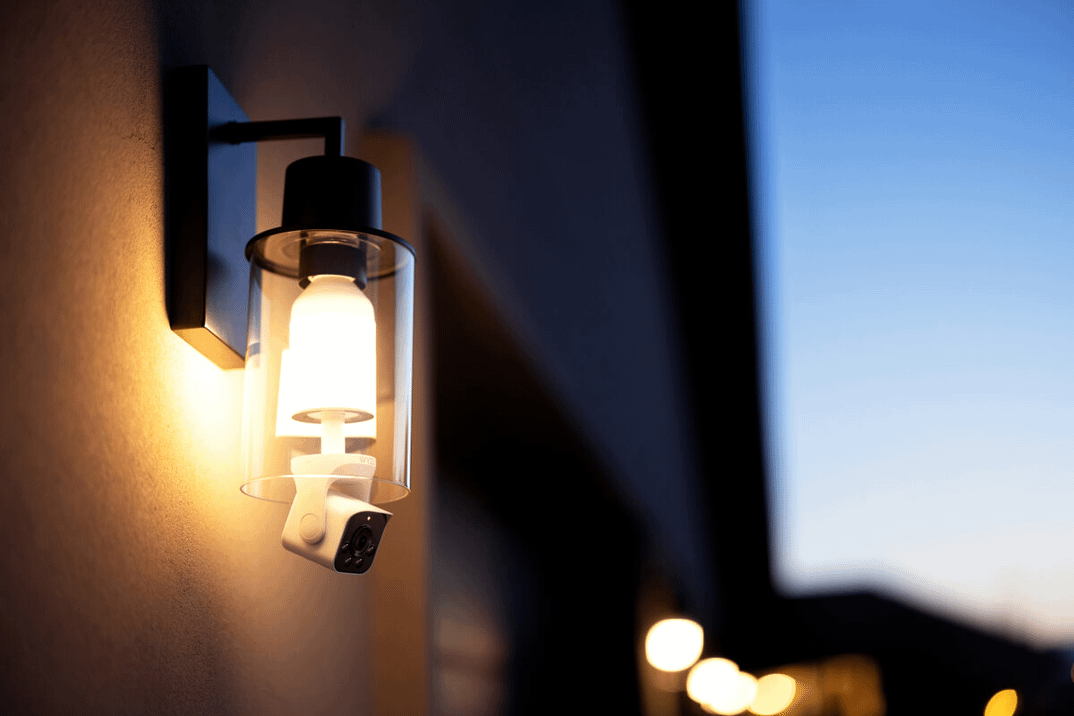
If you’ve ever looked at an outdoor corner of your home and thought, “I should probably put a security camera there,” but then didn’t want to deal with running wires or charging batteries, Wyze might have something up your alley. The company’s new Bulb Cam combines a security camera and a smart light bulb into one device that simply screws into a regular light socket. That’s it. No drilling, no cords, no ladders to swap batteries every few months.
The idea here is straightforward: most people already have light fixtures installed in useful spots like garages, porches, or patios. So why not turn those sockets into a power source for a security camera?
The Wyze Bulb Cam is exactly what it sounds like—part smart bulb, part security cam. It screws into any standard E26 light socket, and once it’s in, it provides both lighting and surveillance. The bulb emits up to 800 lumens of warm white light (3000K), and you can dim it through the Wyze app to match your needs. It’s motion-activated, too, so you won’t have to leave it on all night just in case something happens.
Attached just below the bulb is a camera module with a 2K resolution sensor and a 160-degree field of view. That’s a pretty wide perspective, which makes it suitable for covering driveways or backyards. You can manually tilt and rotate the camera to aim it where you want, but keep in mind this isn’t a pan-tilt camera you can control through the app. Once it’s pointed, it stays that way until you physically move it again.

The Bulb Cam is designed for around-the-clock monitoring, with color night vision and wide dynamic range (WDR) to help brighten up darker scenes. It also includes two-way audio, so you can hear what’s going on and talk to anyone nearby using your phone. Whether that’s a delivery person or an unexpected visitor, you can respond without opening your door.
One of the big advantages here is power. Since it pulls electricity from the light socket, the Bulb Cam avoids the need for extension cords or scheduled recharges. It’s also rated IP65, which means it can handle rain, dust, and wind, though you’ll still need to make sure your light fixture is suitable for outdoor use.
Wyze gives you a few choices when it comes to storing footage. There’s a slot for a microSD card (up to 256GB, not included), which allows for continuous recording—no subscription required. That’s ideal if you want to avoid monthly fees.
But if you’d rather go with cloud storage and unlock some smart features, Wyze offers subscription plans. Basic cloud recording starts at $2.99/month, but if you want AI-powered alerts, “friendly face” recognition, and emergency dispatch, you’ll need the Cam Unlimited Pro plan, which runs $19.99/month or $199.99/year. It’s worth noting that those advanced features won’t work unless you’re on one of those plans.
Wyze also released Accessory Bulbs that you can link to the Bulb Cam. These bulbs don’t have cameras in them, but they mimic the lighting behavior of the main Bulb Cam—turning on and off together in response to motion. You can connect up to five accessory bulbs to one camera. Just know that you can’t control them independently; they’ll all follow the main bulb’s lead.
Setting the Bulb Cam up is about as simple as screwing in a regular bulb. The device connects via Bluetooth for quick pairing, and you don’t even need to scan a QR code to get started. It works with Alexa, Google Assistant, and IFTTT, and it can be integrated into Wyze Rules if you’re building out a broader smart home setup.
While the Bulb Cam is convenient, there are a few things to keep in mind. Since it’s a fixed-position camera, you’ll need to get the angle right during setup. The bulb isn’t bright enough to replace a floodlight, so it’s better suited for ambient lighting than lighting up large yards. And unless you spring for a subscription, many of the smarter notification features stay locked.
The Wyze Bulb Cam is available now for $49.98, and the Accessory Bulbs cost $16.98 each. You can pick them up through Wyze’s website or on Amazon.





Privacy Policy
Terms and Conditions - Affiliate Policy
Home Security
© Copyright 2008-2026.
11816 Inwood Rd #1211, Dallas, TX 75244
