

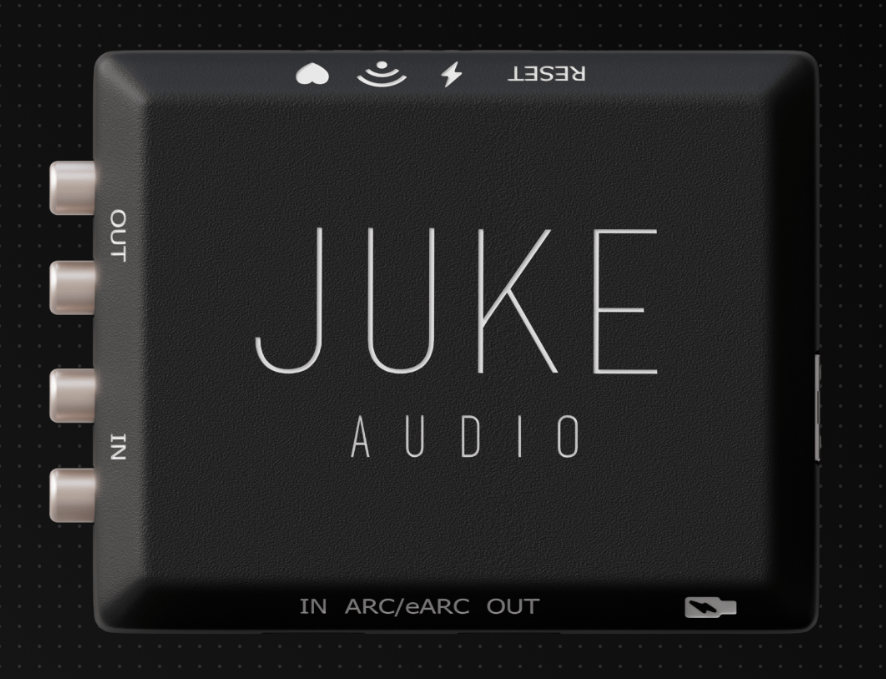

If you can plug in HDMI and connect to Wi-Fi, you can install this.
The Juke Audio AudioMate arrives at an interesting moment for the distributed audio market. Whole-home audio has long sat in an awkward position — either you go cheap and suffer for it, or you go deep into a proprietary ecosystem with all the cost and complexity that entails and forever be at the mercy of your AV installer. The AudioMate is a direct challenge to that binary choice.
At its core, this is a network-based audio bridge. It takes local audio sources — a TV via HDMI eARC, a turntable, a subwoofer, legacy receivers, CD players — and presents them as inputs within a Juke multi-room audio system, entirely wirelessly over your local network. No wall runs. No rack (Major anyway) infrastructure. No dealer-only software.
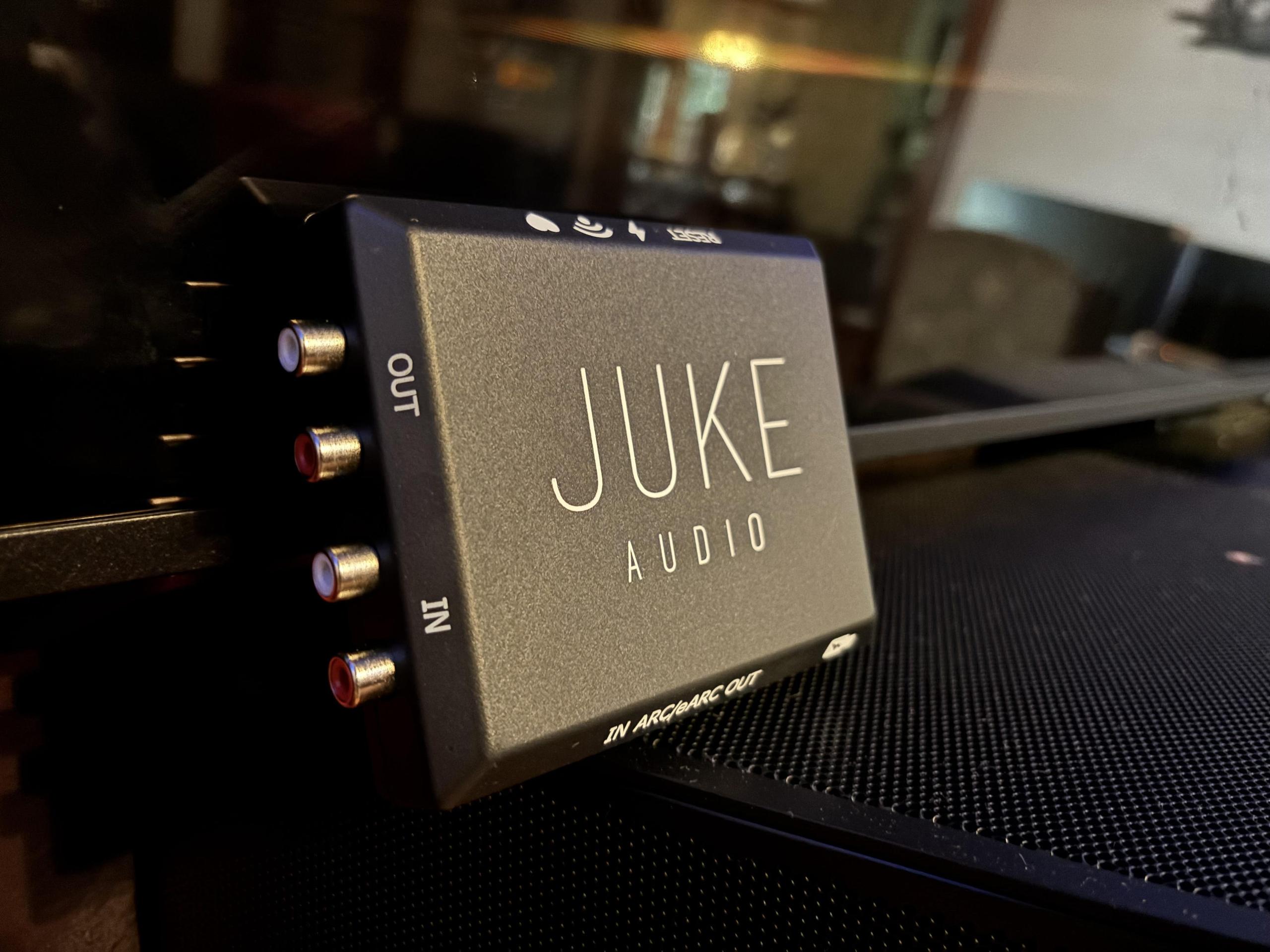
That pitch sounds almost too simple, but simplicity done right is genuinely hard engineering. After extended use across a range of install scenarios, I can say the AudioMate largely delivers on that promise. It's not without limitations, and this review will detail exactly where those are — but for the right application, this device punches well above its class.
You get the AudioMate itself, a USB-C power cable, a short HDMI cable, and the usual documentation. Packaging is clean, minimal—nothing fancy, but nothing missing either.
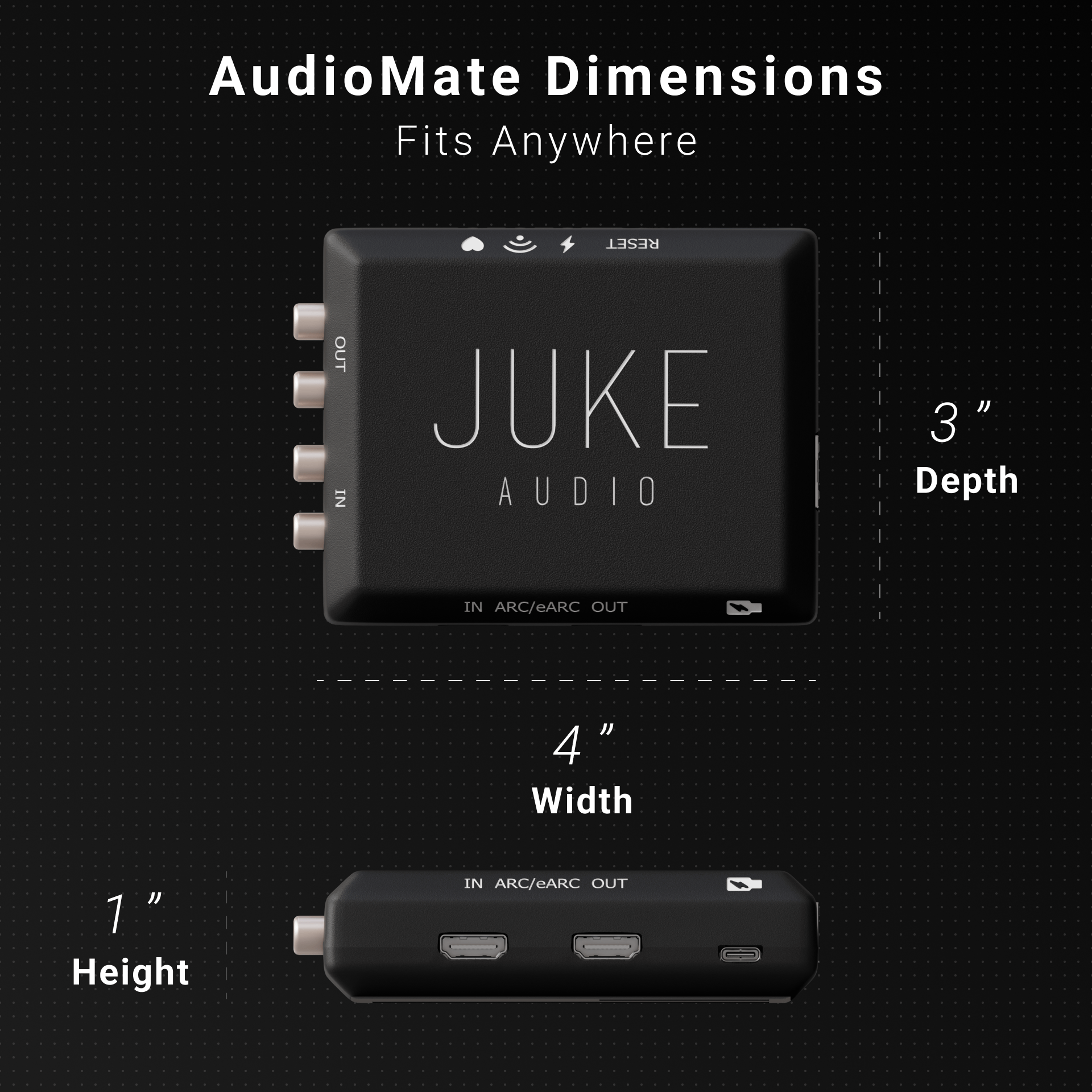
That said, it’s basically just a small plastic box, and I do wish they gave you some kind of mounting option. They do give you velco straps, so that does help with flat mounting like say behind a TV, but I love my eyelets for quick zip ties. This thing is absolutely going to end up in tight, awkward spots behind TVs or in cabinets, and having a couple of mounting points would’ve gone a long way.
This is clearly designed to disappear—and it does that well. It’s small, lightweight, and easy to tuck behind a TV or drop on a shelf without thinking about it.
Build quality is… fine. Not bad, not impressive. It’s plastic, which keeps cost down and makes sense for what this is. No issues, just nothing premium about it either.
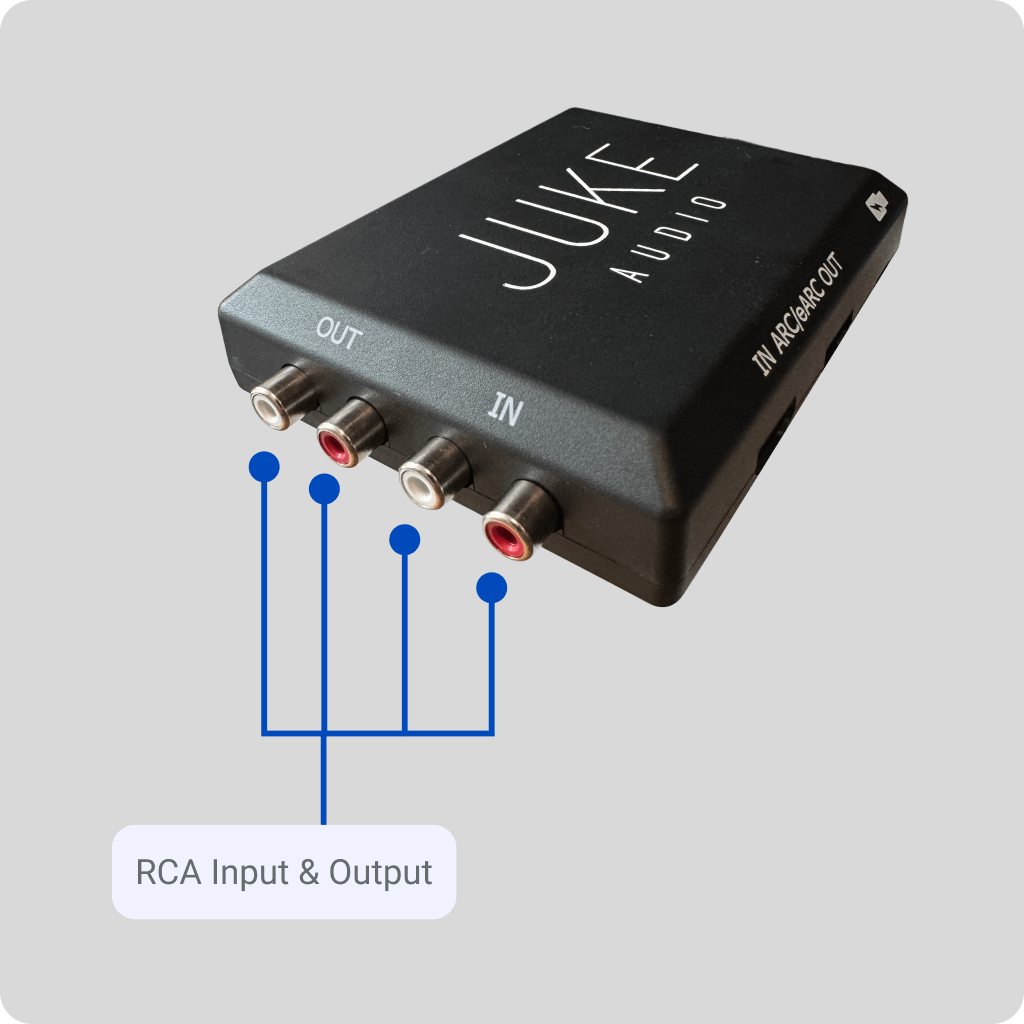
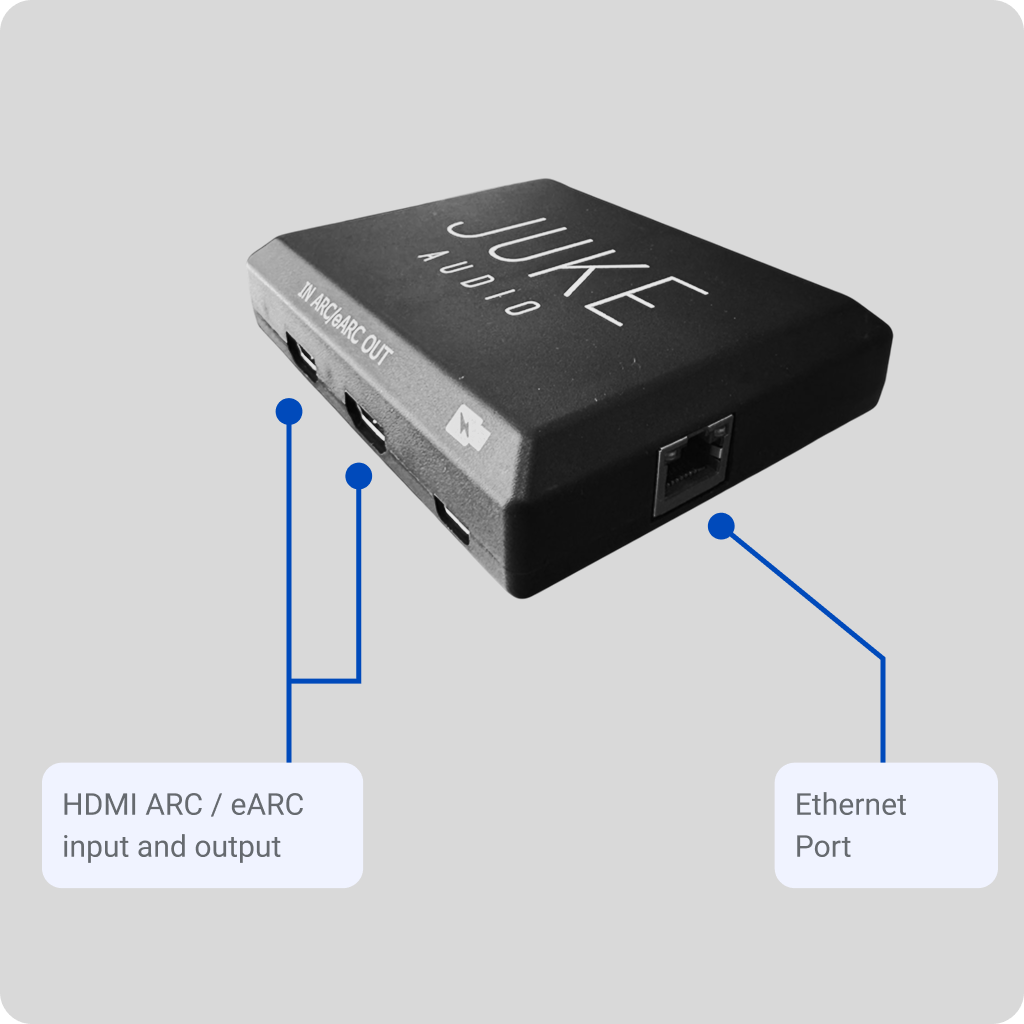
Ports are where it gets interesting. Everything is clearly labeled and easy to work with:
That’s a really solid set of connections for something this small. It gives you a lot of flexibility without turning into a mess of adapters or workarounds—which is exactly what you want in a product like this.
Let's be direct: this is the AudioMate's strongest card. Installation is fast enough to make seasoned integrators do a double-take.

Power is supplied via USB-C, which means it can run off a TV's USB port in many configurations — no additional power brick required in the rack. Connect HDMI eARC to the television's eARC-capable port, or connect your analog source via RCA. Join the device to your network via the Juke app — the process mirrors a consumer product like a Sonos or Heos onboarding flow. Once on the network, the source appears in the Juke system and is ready to assign to zones. I would have loved to see an optical input at this price point, but oh well.
Total time from box open to operational: under ten minutes in a typical setup. Under five if you've done it before and the network is well-managed.
The AudioMate supports both 2.4GHz and 5GHz Wi-Fi, as well as wired Ethernet. For permanent installs where eARC TV audio is the primary use case, I strongly recommend hardwiring via Ethernet, but I ran Wifi on my test unit with no issues. This eliminates the small but real risk of Wi-Fi interference causing dropouts during live content — something that's immediately noticeable and annoying when it happens.
For analog sources like turntables or CD players in a living room where running Ethernet isn't practical, the Wi-Fi connectioni performs reliably. The device handles network reconnection well after power interruptions, which matters in real-world residential installs where circuit breakers and power strips are facts of life.
t’s worth putting this in real-world context, especially for integrators. A traditional whole-home audio setup with something like Control4 or Crestron isn’t just plug-and-play. You’re talking planning infrastructure, running wire (sometimes a lot of it), centralized amps or DSP, dealer programming, and hours of commissioning time. It’s a process—and it’s priced like one. For high-end custom homes, that absolutely makes sense.
The AudioMate is the opposite approach. It skips all of that and just gets to the point. You’re giving up the deep control, automation layers, and full system integration—but you’re gaining speed, simplicity, and way less friction.
And honestly, for a lot of installs—retrofits, secondary zones, mid-tier homes, or just clients who don’t want their house to turn into a project—that’s a trade worth making all day.
This is the feature that actually matters. HDMI eARC lets you grab audio straight from the TV and push it into the whole-home system—and that’s where the AudioMate really makes sense.
In real use, it works. I ran it with live sports, streaming, and regular broadcast stuff. Latency is low enough that it feels natural, as long as your network is solid. On Wi-Fi—especially a crowded 2.4GHz network—I did get some occasional micro-glitches. Nothing crazy, but enough to remind you: if you’re doing TV audio, just hardwire it and move on.
One thing to be clear about: yes, eARC can carry full-quality, lossless audio. That’s not what this is doing. By the time it hits your Juke zones, you’re getting stereo PCM—and that’s exactly what you want for distributed audio.
You’re not building a reference theater here. You’re getting TV audio into the kitchen, patio, or whole house in a clean, usable way. Like did I mention you cann use the HDMI output to incorporate a soundbar and have it play in combination with the speakers wired to the amp. It’s a pretty unique feature of the product.
That distinction matters.
This isn’t an audiophile extractor. It’s a distribution tool. And within that role, it does exactly what it’s supposed to do.
This is one of those features that doesn’t get a headline, but probably should. The RCA input is what separates the AudioMate from a lot of similar gear—it lets you take older or analog sources and drop them straight into a modern distributed system without extra boxes or converters.
I tested a few real-world sources:
Across the board, the analog input path is clean. No added warmth, no harshness, no “signature.” It just passes the signal through, which is exactly what you want here. This isn’t supposed to flavor the sound—it’s supposed to move it.
On the flip side, the RCA output lets the AudioMate work as a zone receiver too. You can pull audio from the Juke system and feed a local amp or powered speakers. That bidirectional setup adds a lot of flexibility, especially in mixed or retrofit systems. Like also connecting to a powered sub for example.
It’s not flashy, but it’s incredibly useful—and honestly one of the smarter parts of the design.
Let’s be clear upfront—this isn’t trying to be some high-end audiophile transport, and it shouldn’t be judged like one.
Within its lane—whole-home, distributed audio—it sounds exactly how it should: clean, neutral, and out of the way.
Noise floor is low. I didn’t hear anything objectionable at normal listening levels, even on a more revealing setup. Frequency response is flat where it matters, and nothing felt compressed or processed during normal use. It just passes the signal along without doing anything weird to it.
That’s actually where it stands out a bit. Some competing stuff in this category tends to add a little coloration or squash dynamics more than you’d like. This doesn’t. It stays neutral.
For what people are actually using this for—background music, ambient listening, TV audio around the house—it does the job without calling attention to itself.
If you’re chasing a reference-level, critical listening setup, this isn’t the tool. But for distributed audio? It’s comfortably above average for the price, and more importantly, it just works without getting in the way.
This is built for the Juke ecosystem, and it shows. Once it’s on the network, anything connected to the AudioMate just shows up in the app like a native source. No weird workarounds, no extra steps.
You can route it to any zone, control volume, group rooms—everything works exactly how you’d expect.
The app itself is simple, which is a good thing here. End users don’t need a walkthrough or a cheat sheet. Pick a source, pick a zone, done. For most people, that’s a huge win.
This is where it gets more interesting from an integrator standpoint.
The AudioMate isn’t competing with Control4—it’s more of a utility piece. Think of it as a source or endpoint that you can drop into a larger system when it makes sense.
Real-world example: you’ve got a Control4 backbone handling lighting, climate, security… all the heavy lifting. But the client doesn’t want to spend big money extending full-blown distributed audio everywhere, or you’re dealing with a retrofit where running wire just isn’t happening.
That’s where this fits.
You can use it to add simple, cost-effective audio zones or bring in sources without blowing up the scope of the project.
The trade-off is pretty straightforward:
If you need that level of control, you’re using native Control4 audio gear anyway.
But if the goal is: “get audio here, make it easy, don’t overcomplicate it”—this works really well.
This is for someone who wants:
Whole-home audio that feels modern, flexible, and dead simple—without turning their house into a project.
Retrofit installs are where this thing really shines. Most homes aren’t pre-wired for audio, and nobody wants to start cutting drywall just to get music in a few rooms. The AudioMate skips all of that. You can add whole-home audio without running wire or turning it into a project—and that alone makes it incredibly useful.
It also makes a lot of sense for secondary zones. Say the main living room is already dialed in, but now the client wants audio in the kitchen, patio, garage, whatever. Instead of reworking the whole system, you just drop this in and you’re done. Clean, simple expansion.
TV audio is probably the biggest real-world use case right now. People don’t just watch TV in one spot anymore—they want that audio to follow them around the house. The eARC implementation here solves that in a way that’s actually easy to live with.
And for DIY / prosumer users, this hits a sweet spot. It’s simple enough to set up in minutes, but flexible enough that you can still do something interesting with it. It doesn’t feel limiting—it feels efficient.
The AudioMate is one of those products that knows exactly what it is—and sticks to it.
Whole-home audio has always come with a cost: either money, complexity, or both. This cuts through that and makes it accessible without feeling cheap or half-baked.
The eARC feature is the headline, and for good reason—that’s what most people are going to buy this for. But the analog I/O, the flexibility, and the ridiculously easy setup are what make it actually good.
And yeah, there are limits. This isn’t a DSP, not a matrix switcher, not some high-end audiophile piece. It’s not trying to be.
It’s a network audio bridge.
And within that role, it’s solid, reliable, and—honestly—exactly what a lot of installs have been missing.
For advertising please contact the editor at [email protected]





Privacy Policy
Terms and Conditions - Affiliate Policy
Home Security
© Copyright 2008-2026.
11816 Inwood Rd #1211, Dallas, TX 75244