



Spotify has added a new feature called Exclusive Mode to its Windows desktop app, and it is aimed at listeners who care about getting the cleanest possible audio signal out of their computer. In practice, the idea is pretty simple: it lets Spotify take direct control of your audio device so Windows does not interfere with the music on its way out.
For Premium subscribers using a desktop setup with an external DAC, powered speakers, or a headphone amp, that could be a meaningful change. For everyone else, it is more of a niche upgrade than a must-have feature.
So, what does Spotify Exclusive do? Well, under normal playback, a computer’s operating system usually sits in the middle of the audio chain. It can resample audio, mix in notification sounds, adjust volume, and handle sound from multiple apps all at once. That is convenient, but it also means the signal may be changed before it reaches your DAC or audio hardware.
Exclusive Mode cuts that layer out. When it is turned on, Spotify takes direct control of the selected audio device and sends the stream without the usual system-level processing. That is what people mean when they talk about “bit-perfect” playback.
Bit-perfect playback means the digital audio data leaving Spotify matches the stream being delivered, without extra handling from the computer’s mixer.
This does not magically turn Spotify into a different service, and it does not improve a bad recording. What it does is reduce the chance that your PC changes the signal before it reaches your playback gear.
That matters most in setups where people are already using better hardware. Think:
In those systems, some listeners want the shortest and cleanest possible path from music app to audio device. Exclusive Mode is Spotify’s way of offering that on Windows.
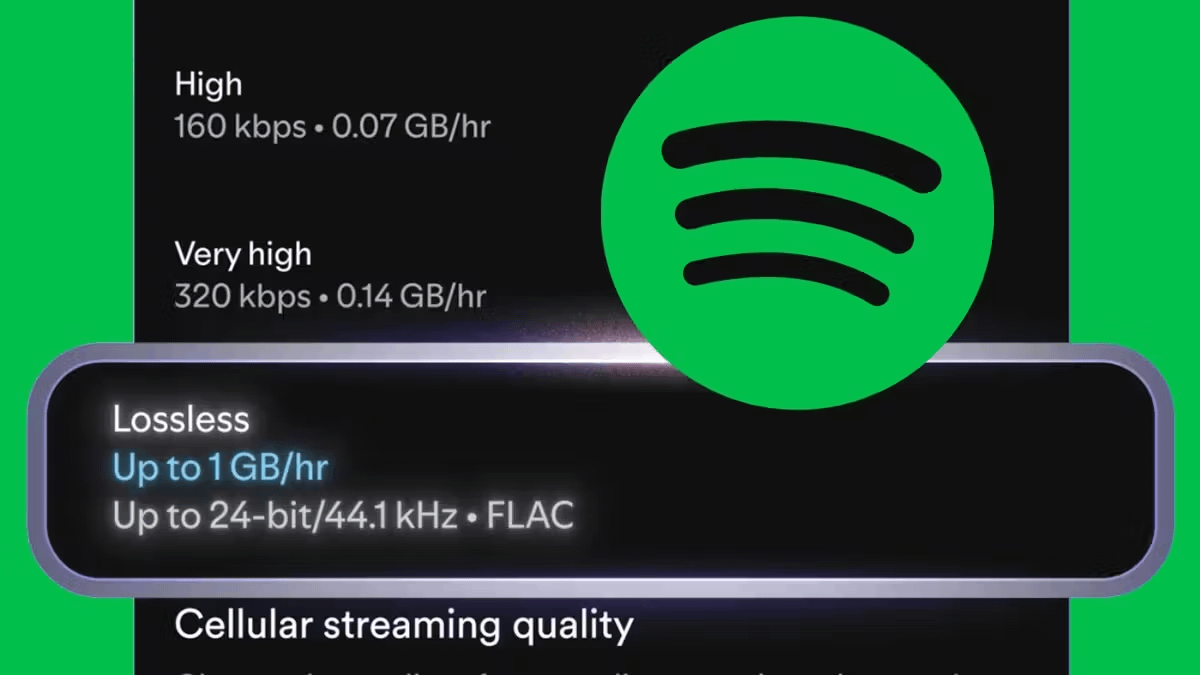
What does it not do? This is the part that needs to be clear. Exclusive Mode is not the same thing as higher-resolution audio.
It does not raise the bitrate or unlock a new tier of sound quality on its own. It simply makes sure the stream is passed along more directly. So while it can help preserve the signal, it does not suddenly make Spotify a 24-bit hi-res service.
That is an important distinction because “bit-perfect” sounds dramatic, but it is really about accuracy, not added detail.
Spotify has made setup fairly straightforward in the Windows desktop app:
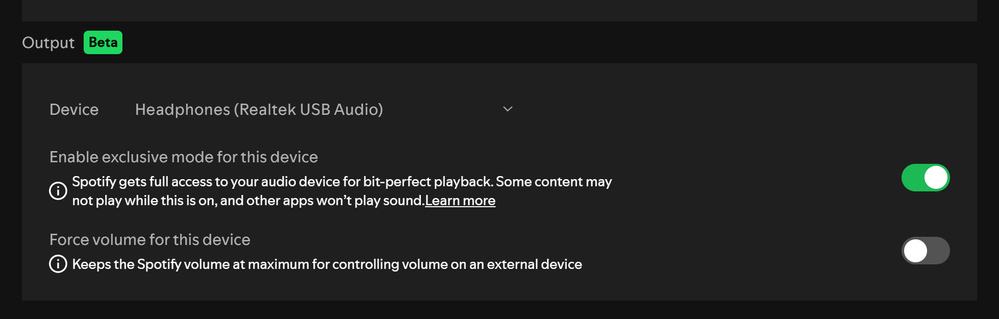
Spotify also suggests disabling features that alter playback if you want the cleanest signal possible. That includes:
Using an external DAC or audio interface is also recommended, since that is where the feature is most likely to make sense.
Exclusive Mode is not all upside. Because Spotify takes sole control of the selected device, other apps cannot play sound through that same output while music is playing. So no browser audio, no system alerts, and no video call audio through that device unless you switch outputs or disable the feature.
There are also some Spotify-specific limitations. With Exclusive Mode active, certain features may be unavailable or limited, including:
That means this mode is best viewed as a focused listening tool, not an always-on setting for every user.
Spotify’s Exclusive Mode feels like a practical step for desktop listeners who have wanted a cleaner playback path for years. It gives the service a feature more commonly associated with audio-focused platforms, at least on the desktop side.
For now, though, it is only available on the Windows desktop app. Mac support is expected later, while mobile users are still waiting.
For most Spotify subscribers, this will probably be a feature they never touch. But for desktop listeners with the right gear, it is an easy setting to test and a useful option to finally have.
Related Reading:






Privacy Policy
Terms and Conditions - Affiliate Policy
Home Security
© Copyright 2008-2026.
11816 Inwood Rd #1211, Dallas, TX 75244