

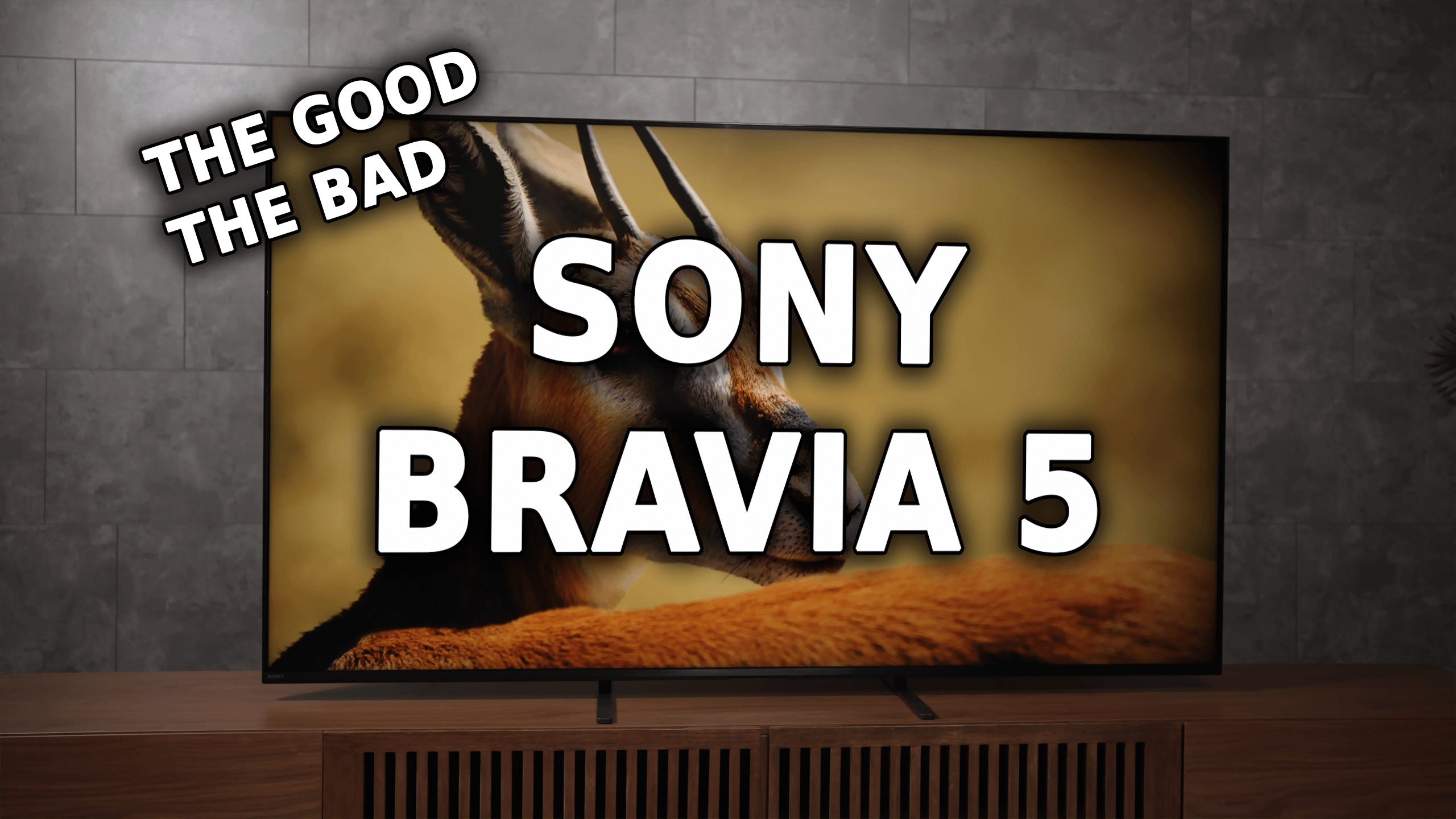
Sony’s new Bravia 5 TV replaces the popular X90L, bringing Mini-LED backlighting and more dimming zones, at an affordable price. The X90L set the bar as a bright, gaming-friendly midrange TV — but does the Bravia 5 take that legacy to the next level, or does it fail to impress? Keep reading to find out.
The Bravia 5 has both strengths and weaknesses. It feels like a true Sony with smooth menus, polished software, and strong upscaling. HDR movies look impressive for the price, colors are rich, highlights look good, and the XR processor makes a real difference.
On the downside, SDR is weaker with crushed shadows, black portions aren’t very deep due due to blooming, brightness is only decent, and motion in fast action or gaming isn’t the sharpest.
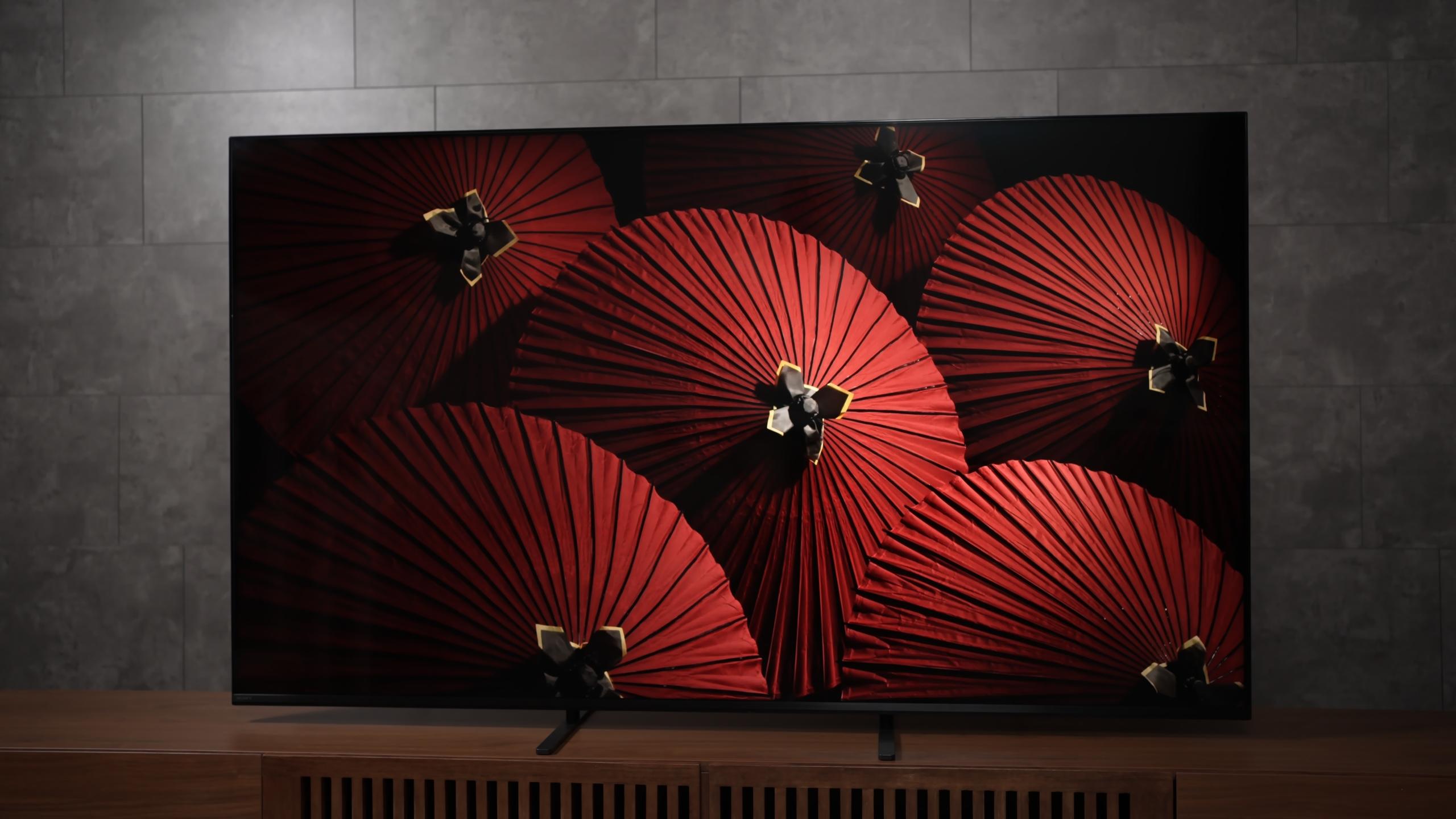
Overall, it’s more of a “good” TV than a “great” one. Great for most HDR movies, but less ideal if you care about deep black levels or top gaming performance.
Pros
Cons
For this review I used an X-Rite i1 Pro spectrophotometer, Color Checker Display Plus colorimeter, Calman Ultimate, Portrait Displays Video Forge Pro 8K pattern generator, a Sony RX100 VII 1000fps camera, an SM208 Screen Luminance Meter, and a Sony Cinema Line FX3 mirrorless video camera. Plus years of display testing experience.
Disclaimer: This TV was lent to me by Sony for review, but all opinions are my own. Additionally Home Theater Review may run advertising campaigns with various manufacturers including Sony.
The unboxing experience for the Bravia 5 is the best i've ever experienced. taking the Bravia 5 out of the box is easy. You get the screen, a two-part stand which slides right into the ottom of the TV AMAZING!!!, the remote, and the usual manuals.
When powered on, the TV loads into Sony’s Google interface. It runs smoothly, with fast menus and simple navigation. A handy input button on the remote makes switching sources quick, though the remote has no backlight, which can be annoying in the dark.
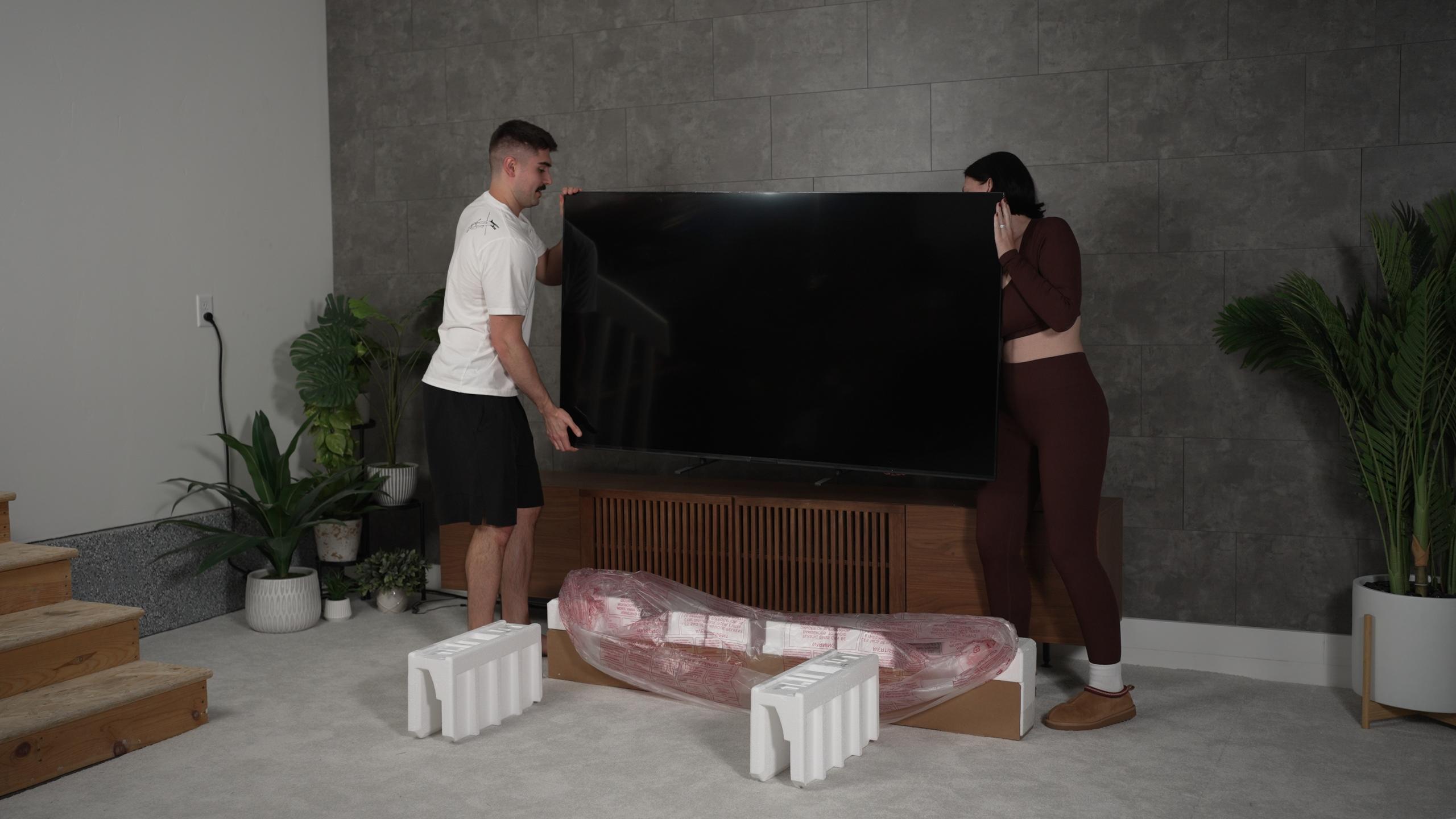
Setup overall is fast and trouble-free. Within minutes, the TV is ready with apps, streaming, and Sony’s XR processor working in the background for picture improvements.
The Bravia 5 delivers pleasing colors with good depth and vibrancy. Out of the box, the balance is solid, and the XR processor helps maintain natural tones. The overall image feels lively without looking overly boosted, giving movies and shows a polished, cinematic look.
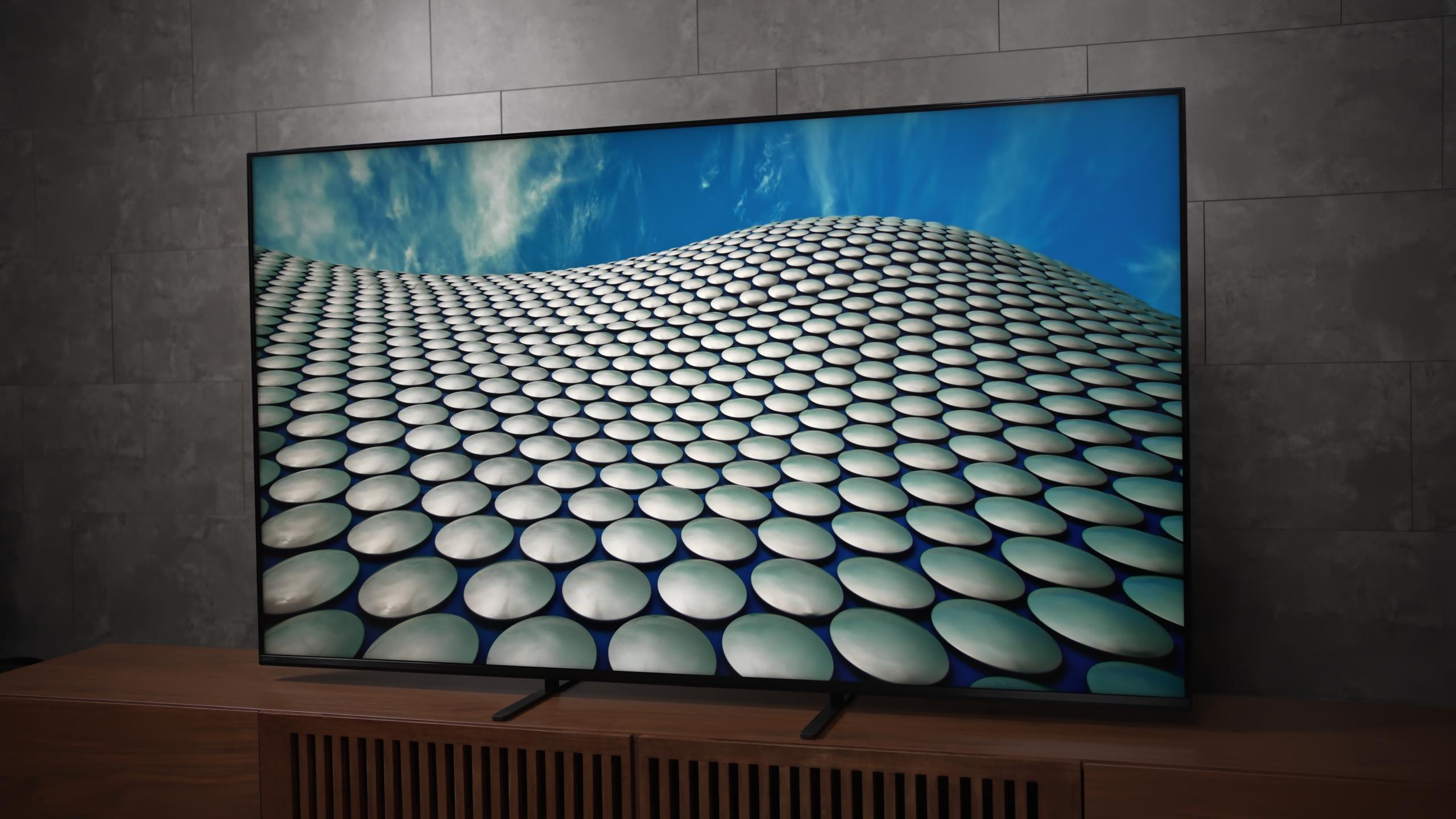
It’s a strong performance for the price and sets a good foundation before diving into the detailed calibration results later.
For home theater enthusiasts below are all my Calman results measuring the accuracy of the display. For everyone else, feel free to skip to the TLDR.
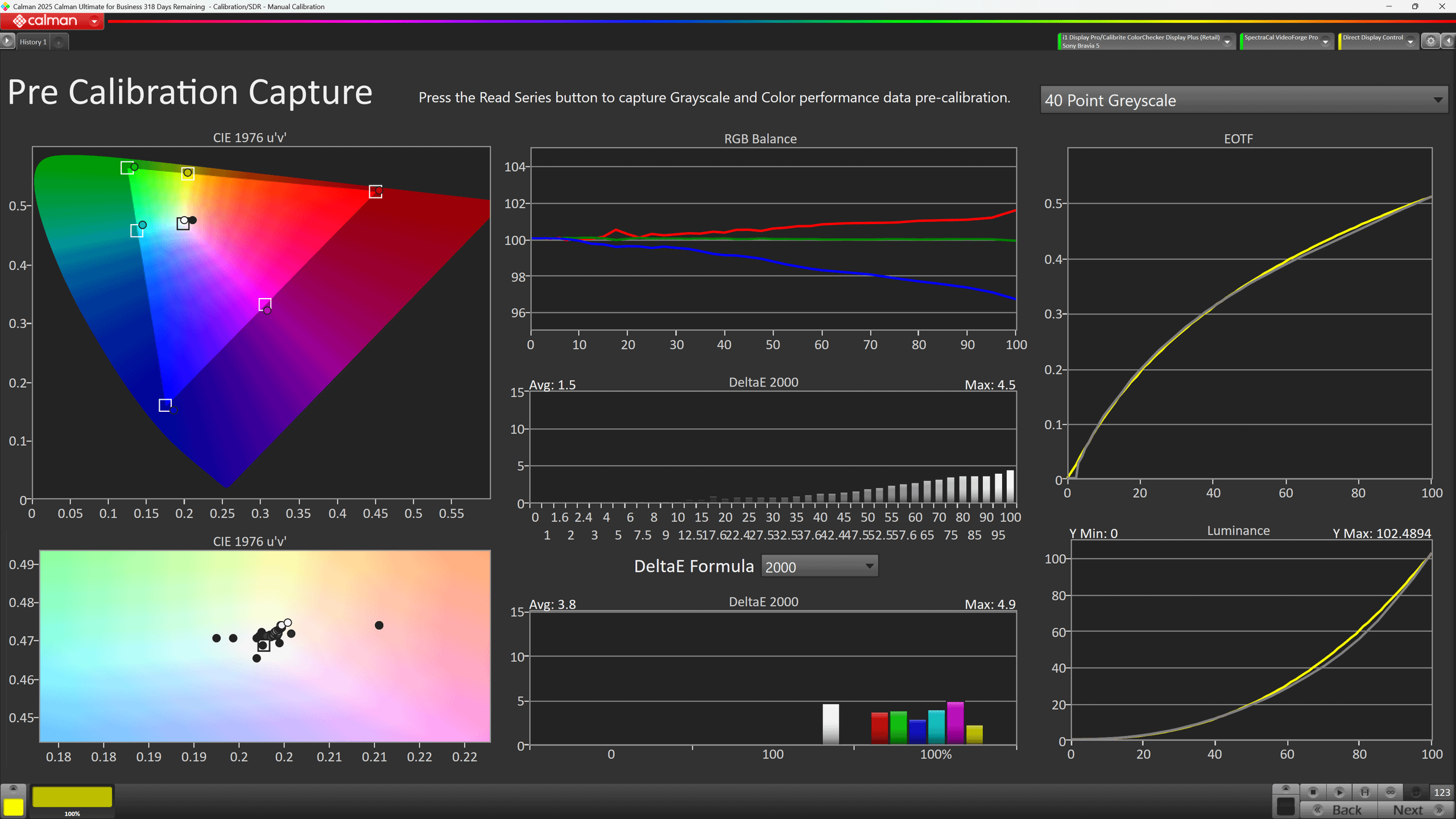
SDR out-of-the-box looks decent, with balanced brightness and color but still some room for improvement.
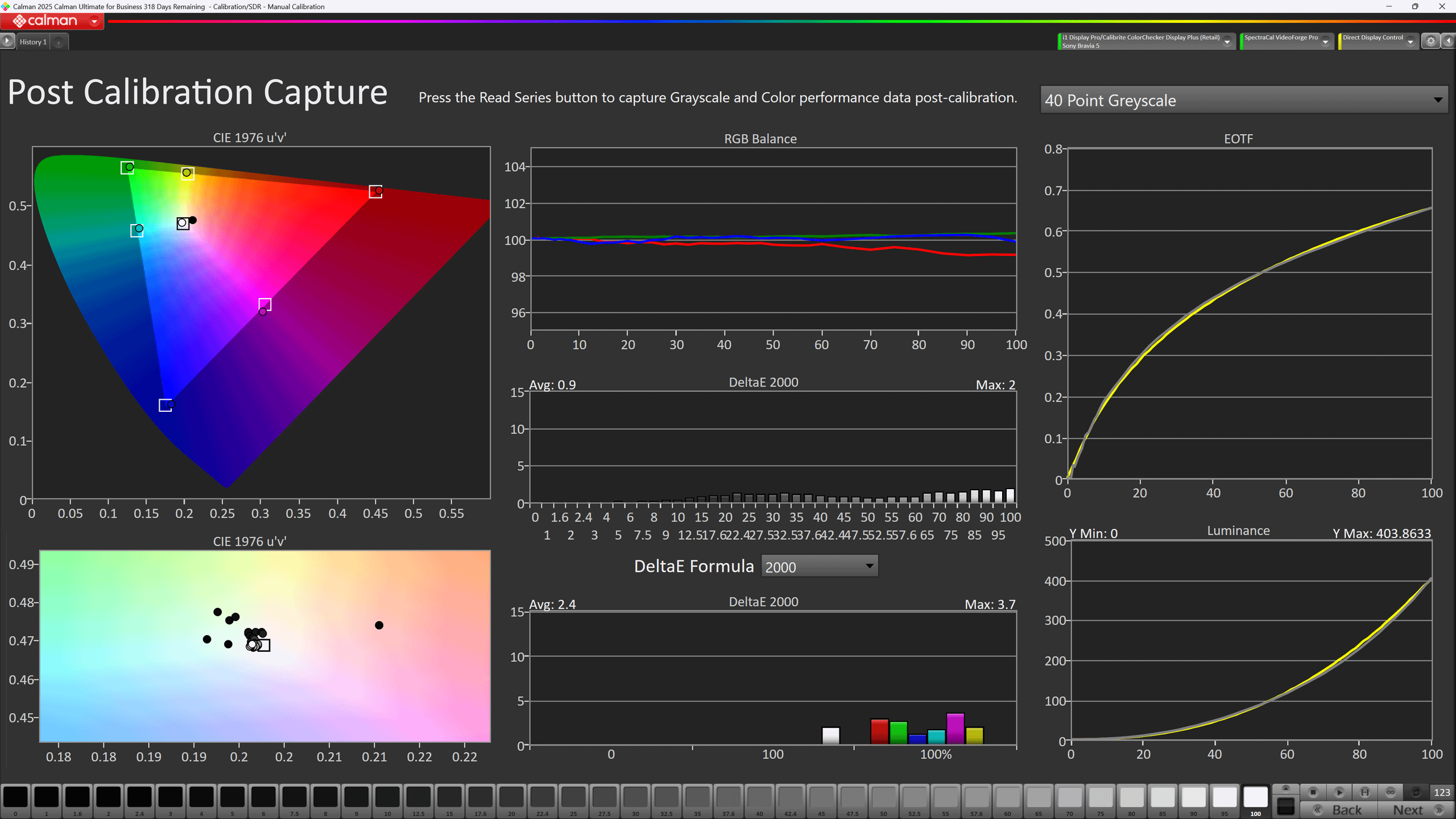
SDR after adjustments shows better shadow detail and more accurate balance.
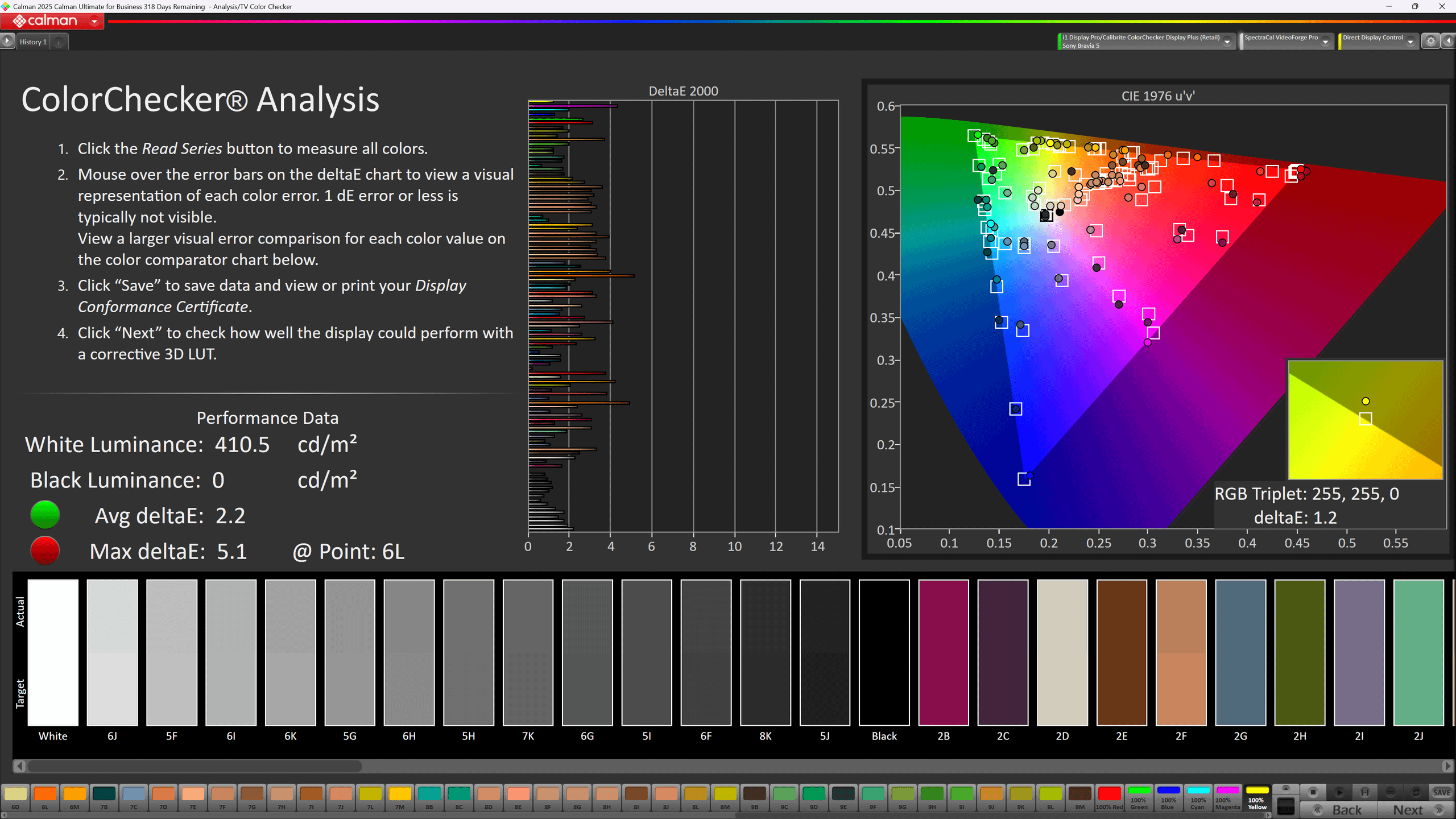
SDR color checker is decent overall, but some shades still drift slightly.
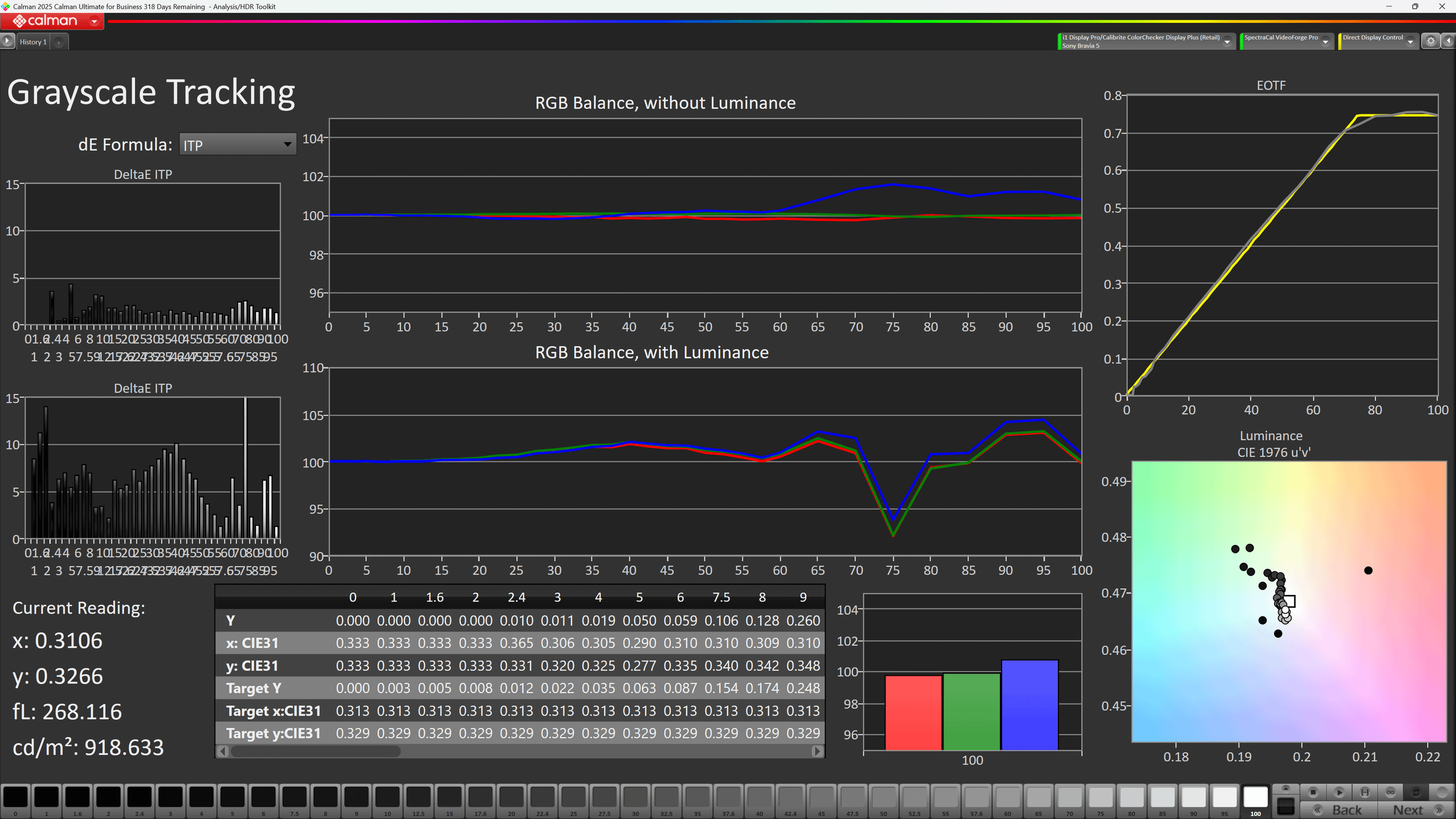
HDR performance is stronger, with smoother balance and less shadow crush.
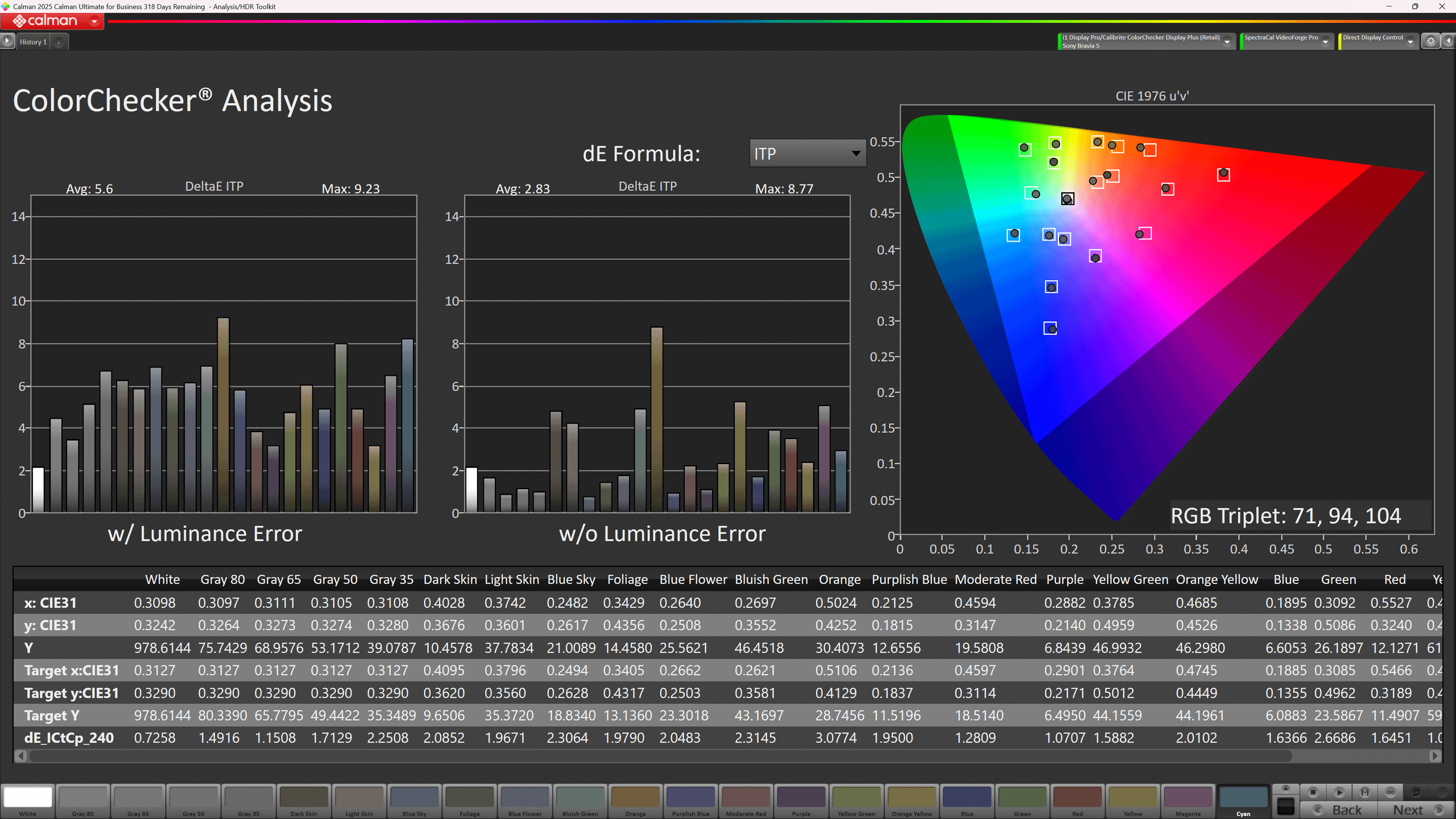
HDR color checker shows more natural tones, closer to creator intent.
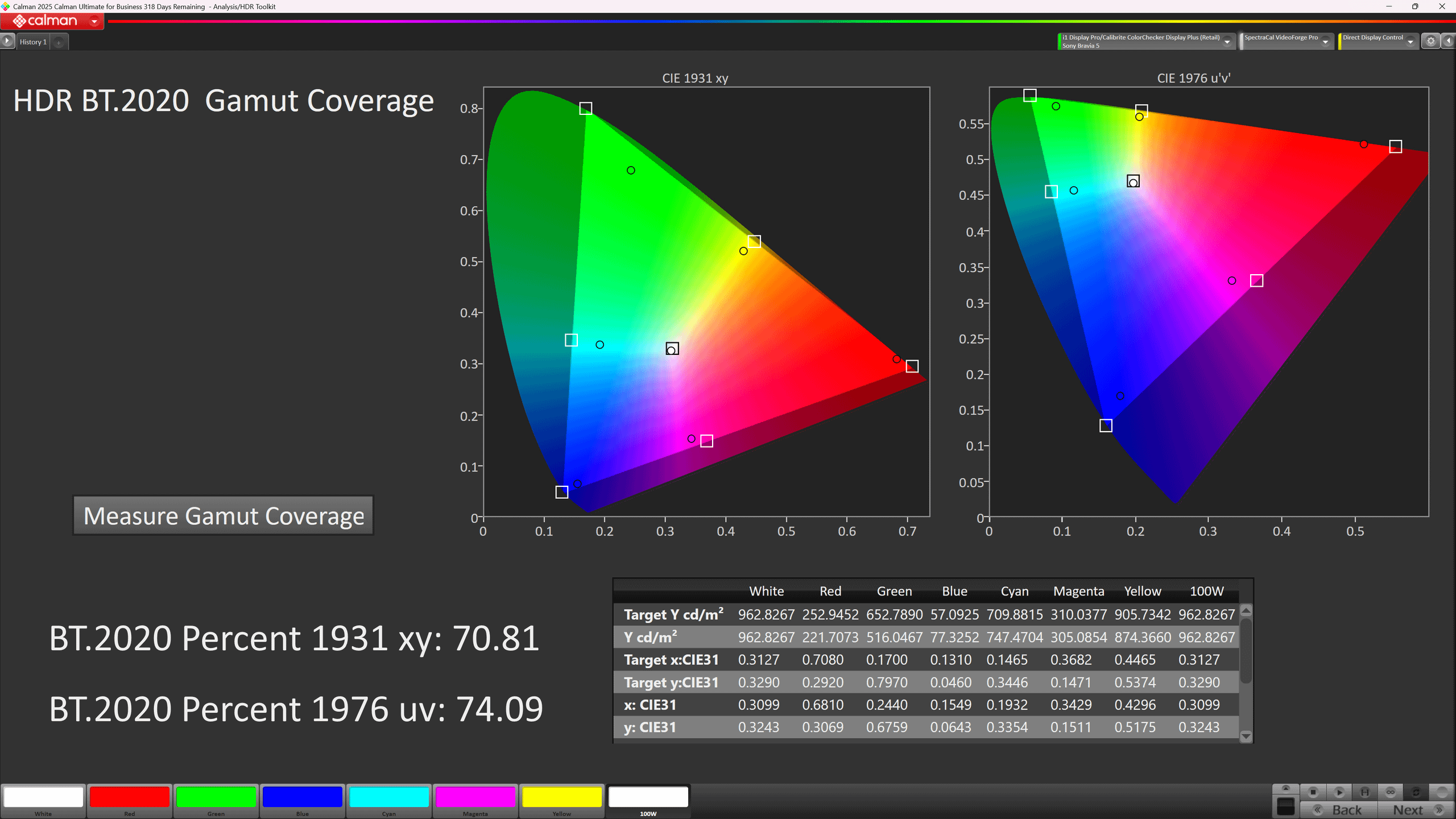
Gamut coverage comes in at about 74% BT.2020, which is enough for most HDR material.
SDR is good overall, though you may notice crushed shadows and a slight Red shift at brighter levels. Thankfully this can be fixed in the menus making for an incredibly accurate image.
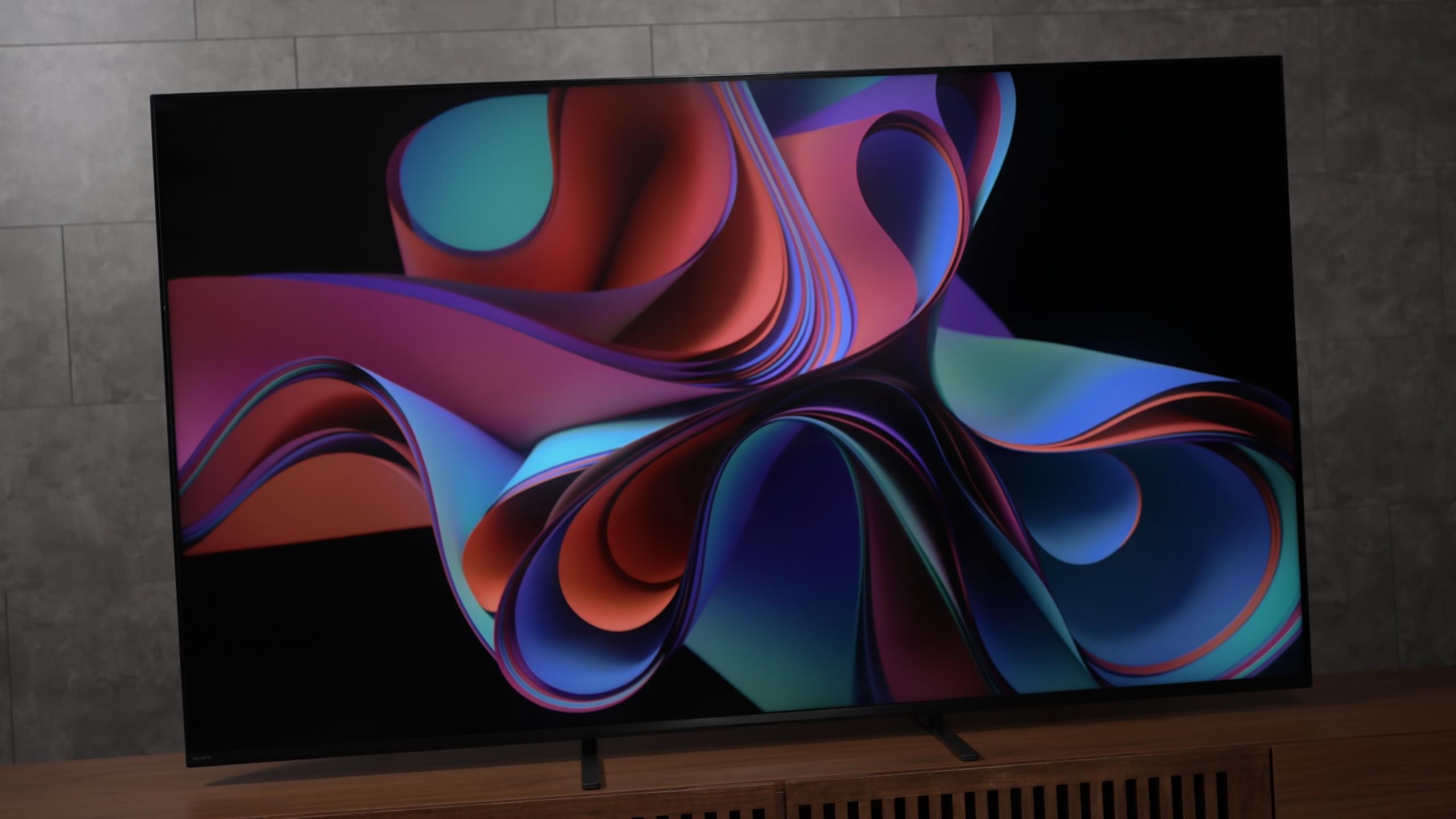
HDR is where the Bravia 5 shines. It has better color, fairly accurate brightness in HDR content, and solid white balance leading to overall above average accuracy.
For most movie watchers, SDR and HDR performance is good enough to keep you happy and faithfully represent the director's intent.
Brightness performance is nuanced here. While the Bravia 5 is a mini-LED TV that can show fairly bright full white windows, it does not produce the extreme peak brightness you might see in higher-end mini-LEDs.
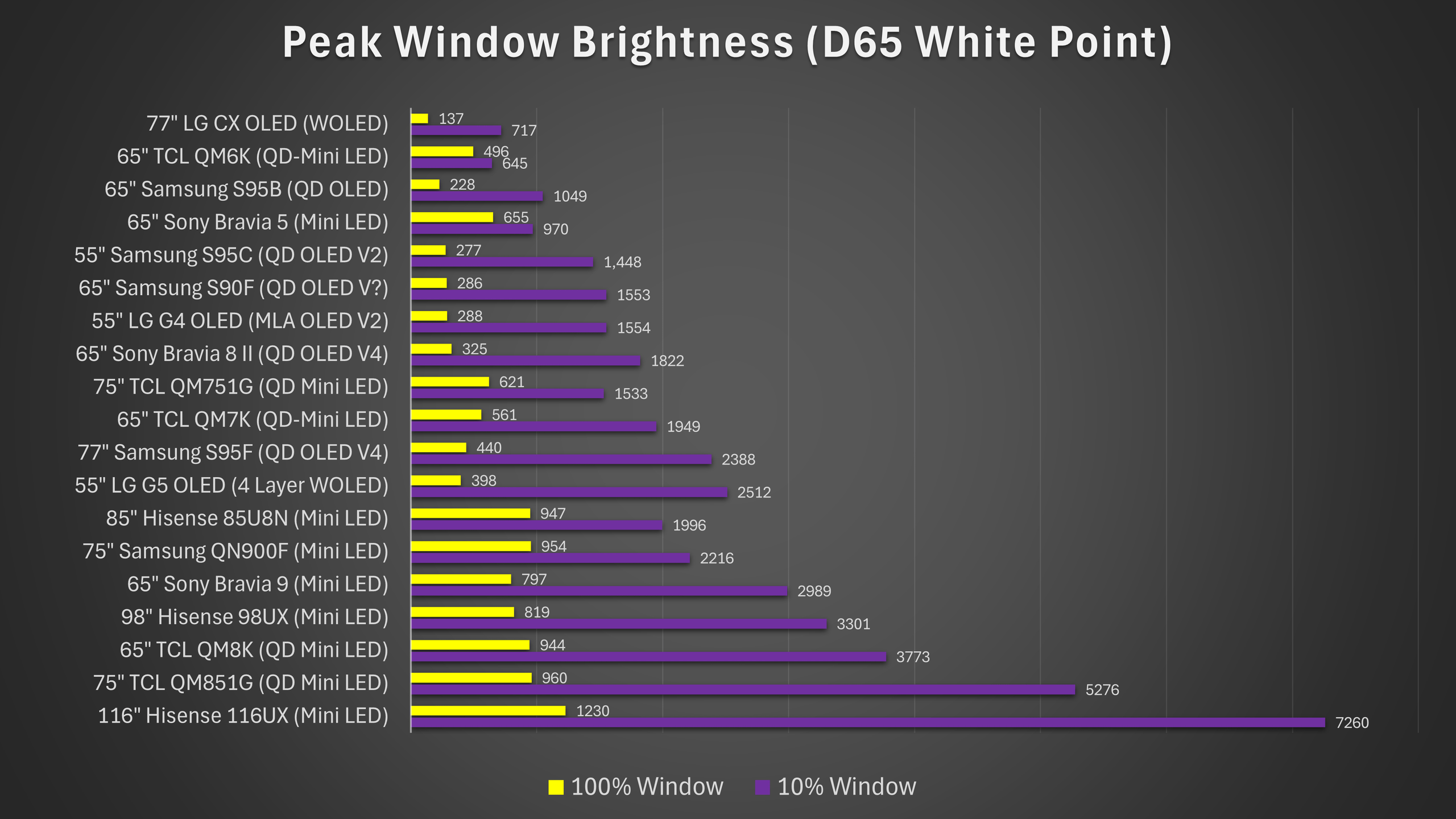
In my window tests the TV produced respectable numbers. It can clear 600 nits in a 100% window and reach peaks close to 1,000 nits on small highlights when pushed. Practically, that means most HDR movies, which are often graded up to about 1,000 nits, will look correct and impactful on this display.
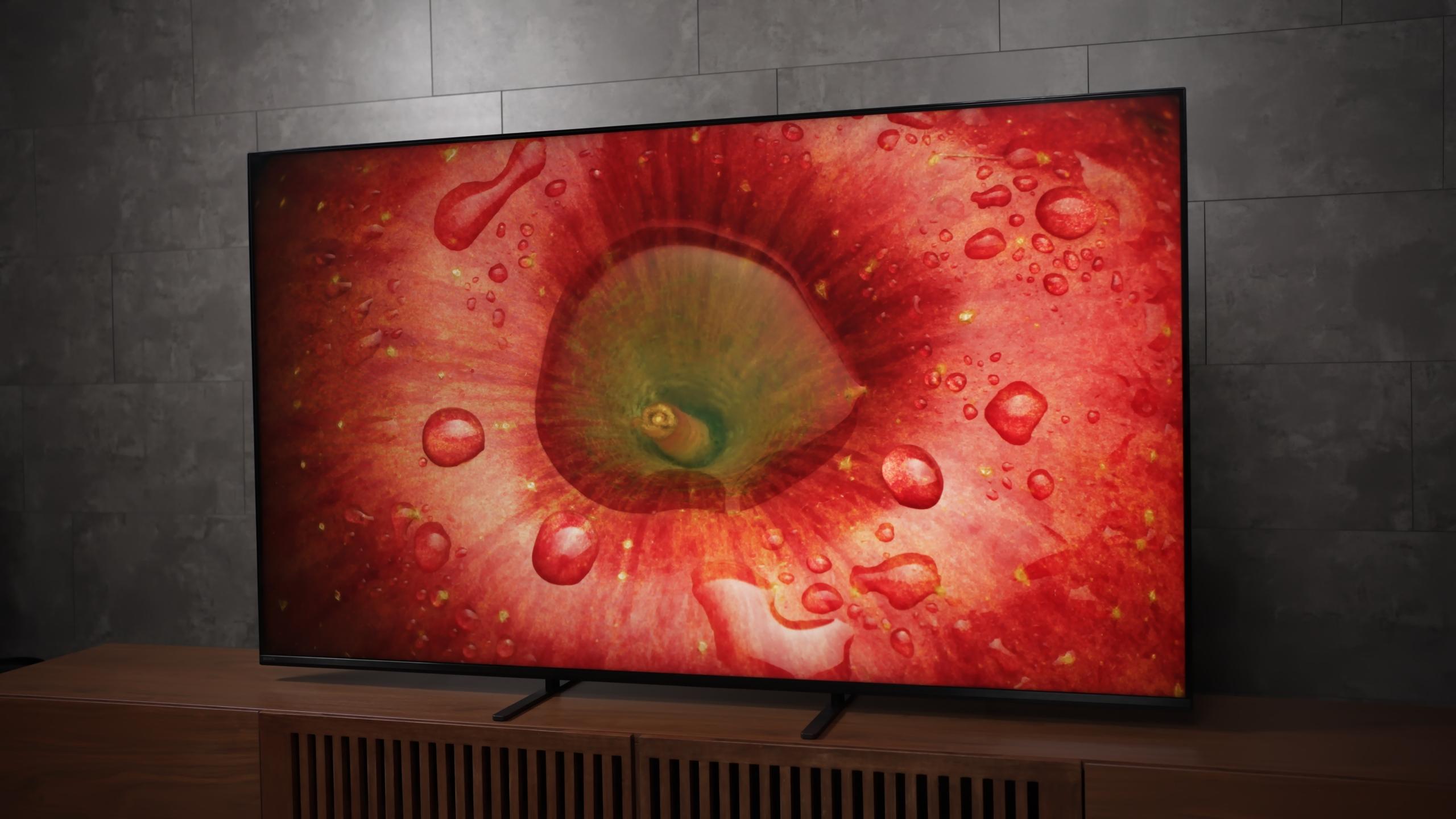
In real viewing, HDR movies look good on the Bravia 5 with highlights that pop and faithful grading. The weakness shows up with content that pushes very high brightness, like some games, where it can’t match top-tier mini-LEDs.
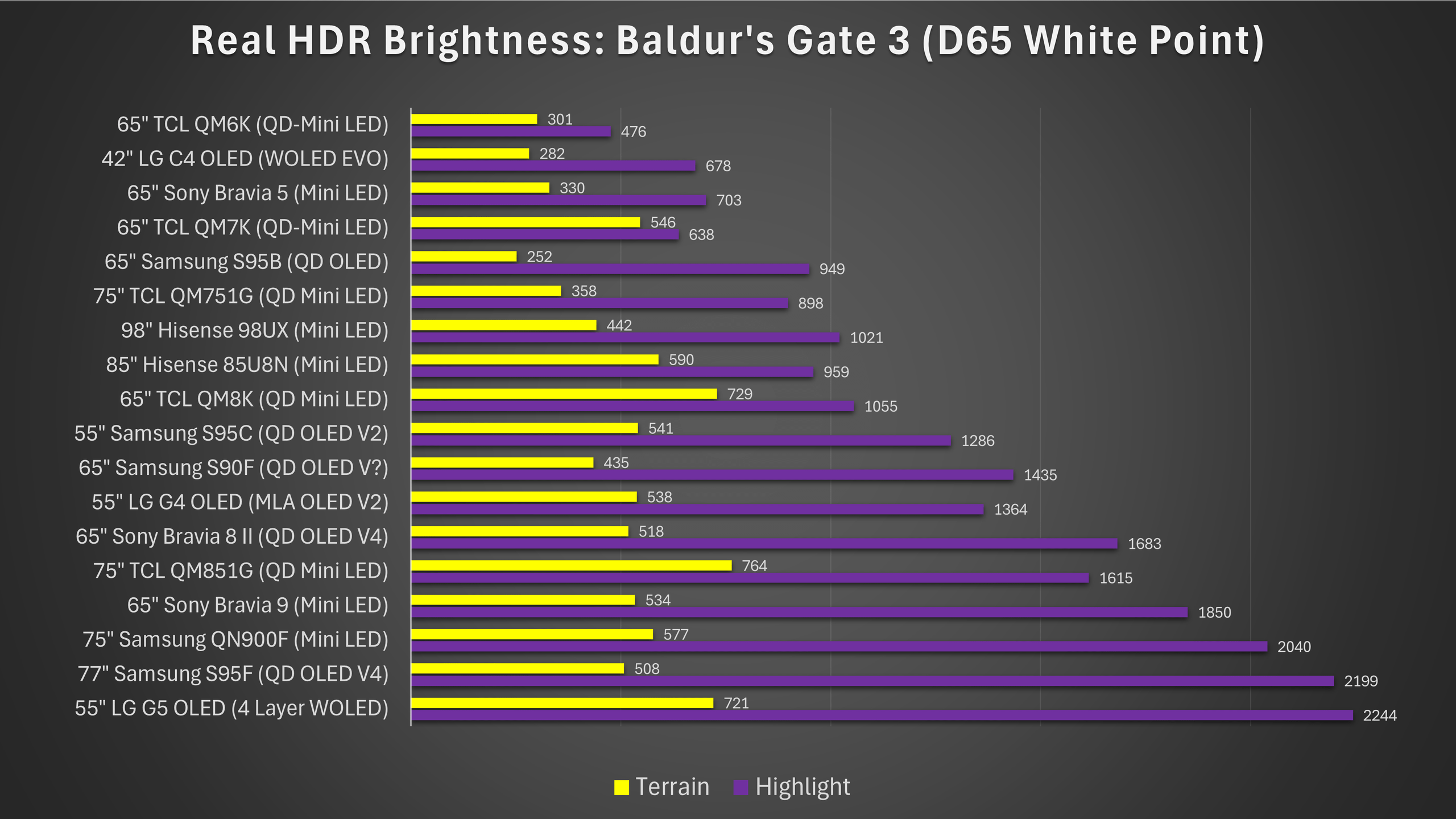
Now in real HDR content like the game Baldur’s Gate 3, we can see that this trend does actually continue. Bright highlights are handled well but motion and intensity do not reach the extremes you might see on more premium displays.
In other words, it is good enough for the majority of HDR films and shows, but it will not wow you with an outrageously bright HDR impact. I measured it lower than the company’s flagship mini-LED, the Bravia 9, which is notably brighter. That gap shows up during side-by-side comparisons in HDR scenes. The Bravia 5 gives you strong highlights but they feel more restrained. The TV also does re
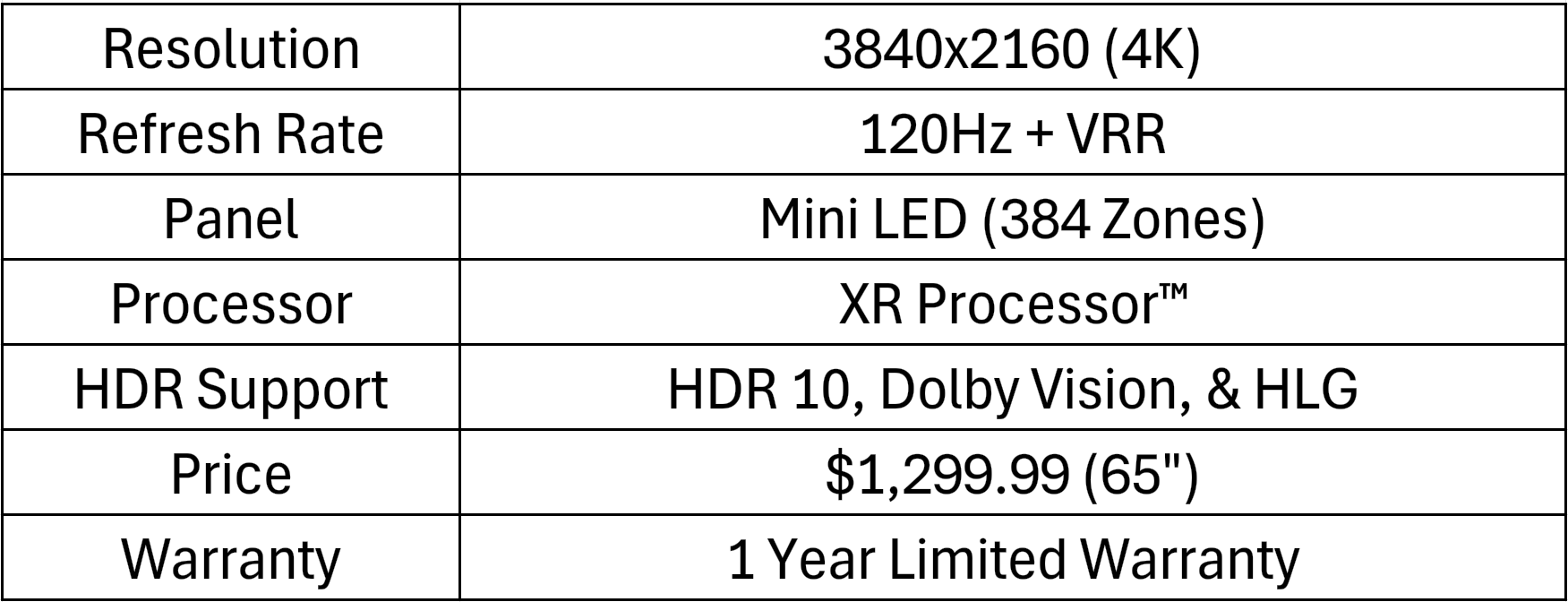
This is where the Bravia 5’s limitations are most visible. The 65-inch model I tested has 384 local dimming zones. That’s a meaningful step up from no local dimming, but it’s not an enormous count for a big 65-inch screen, and the real-world effect is that you’ll see blooming in many challenging scenes.

In action: fireworks, bright text over dark skies, and small highlights in star fields are where blooming manifests. Despite Sony’s tuning to reduce the most distracting artifacts, the algorithm’s mitigation sometimes results in a broadly lifted black level; large portions of the screen are held at a slightly gray level to avoid obvious halos. That approach reduces the flashiness of blooming but sacrifices deep black.
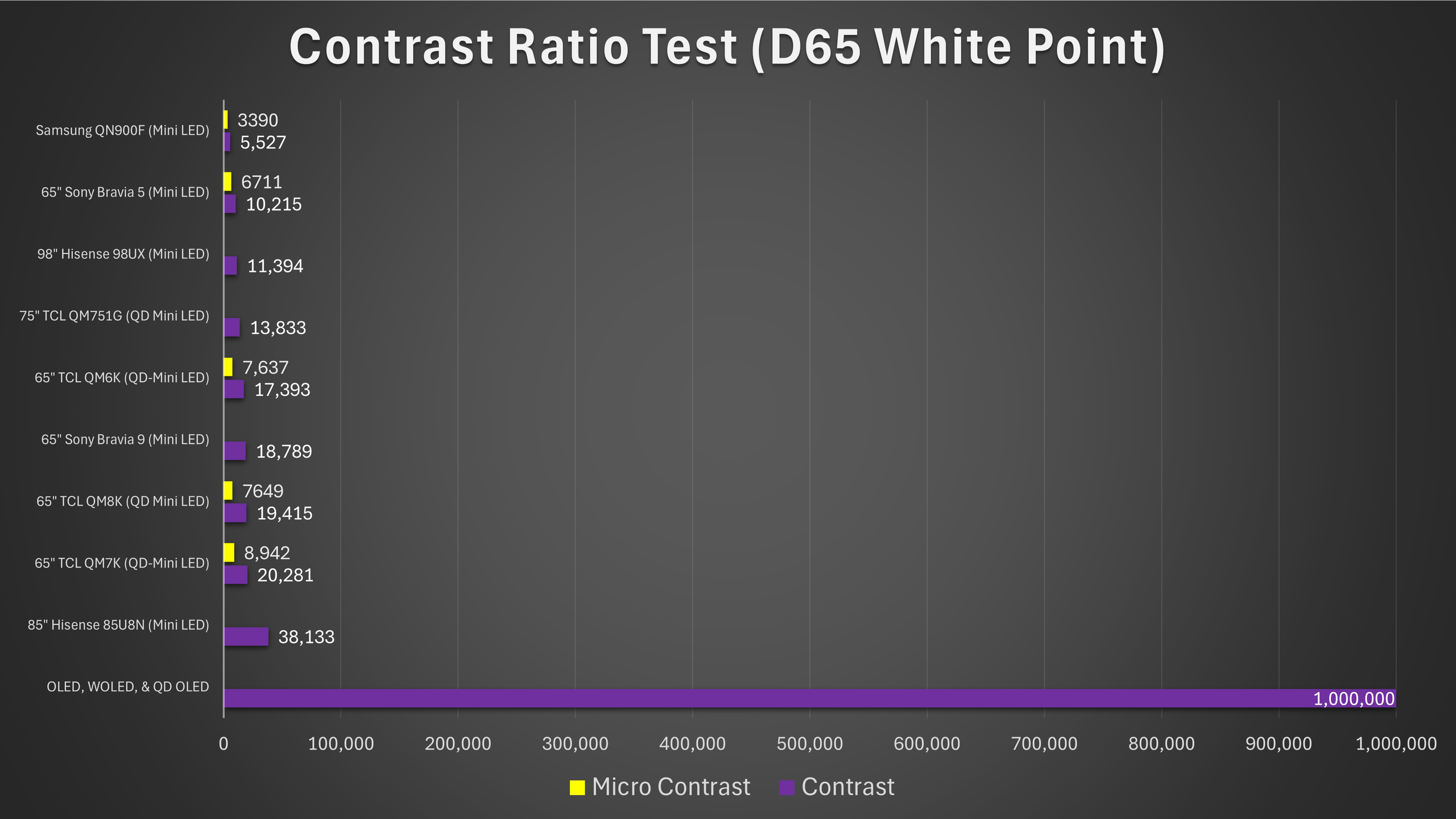
Measured contrast ends up around the mid four- or five-digit range in practical tests, solidly better than basic LCDs and edge-lit designs, but well short of what the Bravia 9 can do and not competitive with displays that use many more dimming zones. The consequence is that dark-room movie viewing can be compromised: shadow detail may be obscured by the raised black floor, and scenes meant to be cinematic and richly inky will look less dramatic.
Where the TV does reasonably well is in brighter rooms. In ambient light, the limitations of local dimming are less obvious, and the image remains pleasing. So the Bravia 5 behaves like a panel tuned toward general living-room use: it can handle day-to-day brightness and HDR highlights for film, but it makes concessions in deep-black performance.
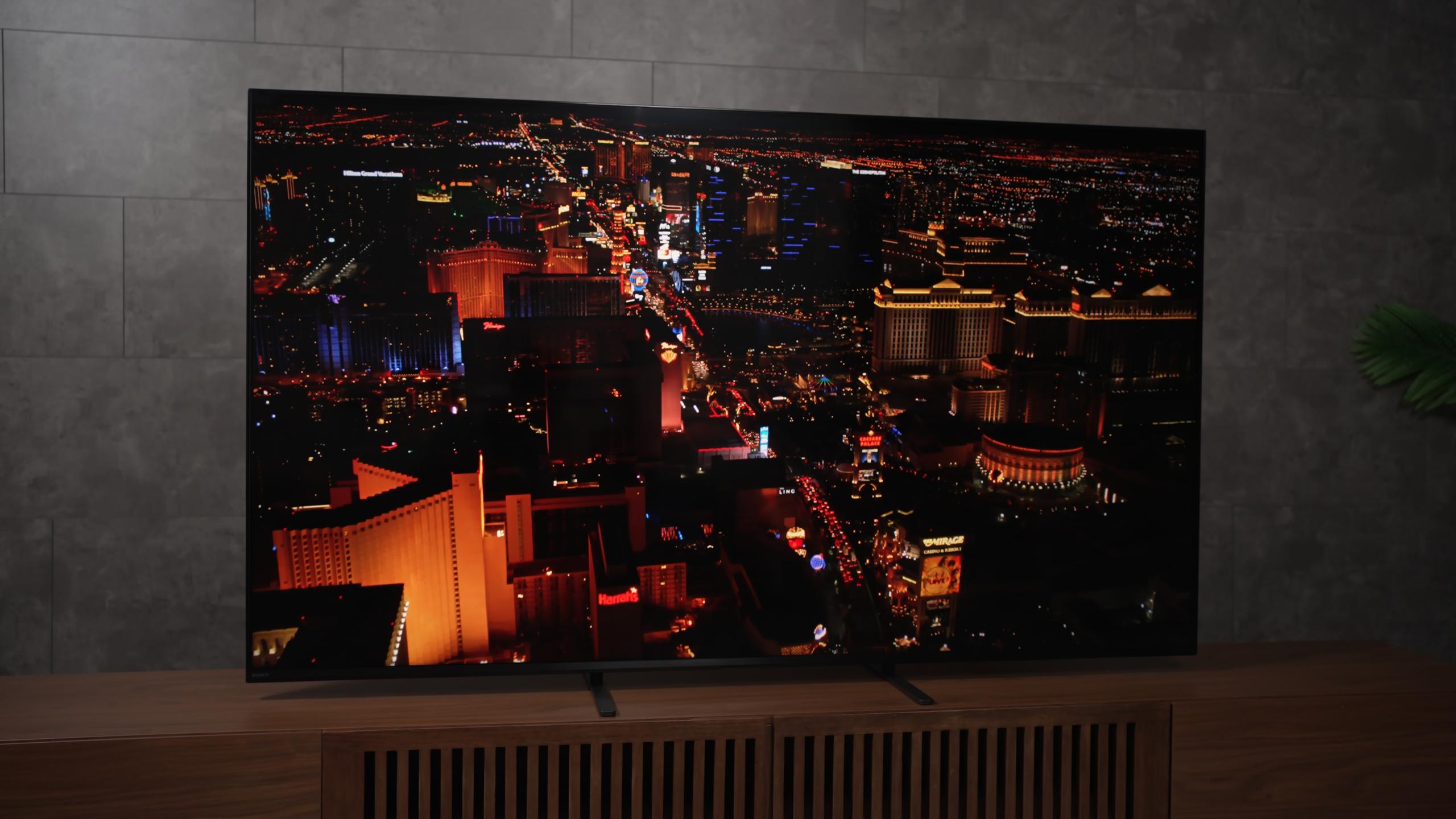
The Bravia 5 uses a semi-gloss coating on the screen. That coating is a compromise: it cuts reflections better than a glossy finish, which aids daytime viewing and helps maintain contrast under incidental light, but it softens the image clarity a touch compared to a fully glossy surface. Text and fine details remain clear from normal viewing distances, but if you view the screen very close you may notice the slight softening.
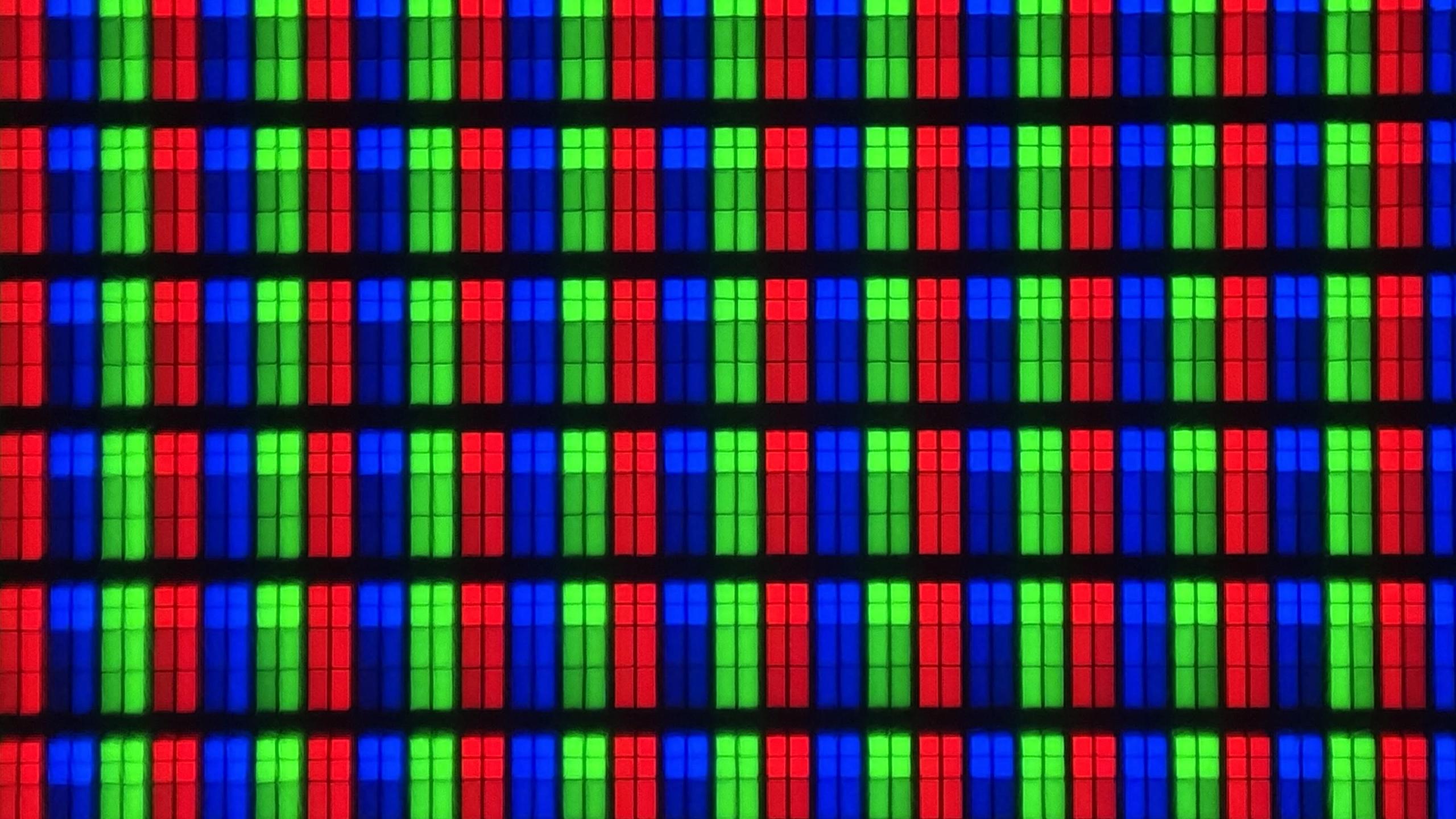
The subpixel layout and text clarity are fine for typical TV use. Sony’s processing helps here: their upscaling and sharpening routines do a strong job at improving low-resolution content. That’s important because a lot of what people watch isn’t native 4K, and the Bravia 5’s ability to upscale and clean up low-bitrate streams is a real, noticeable benefit.
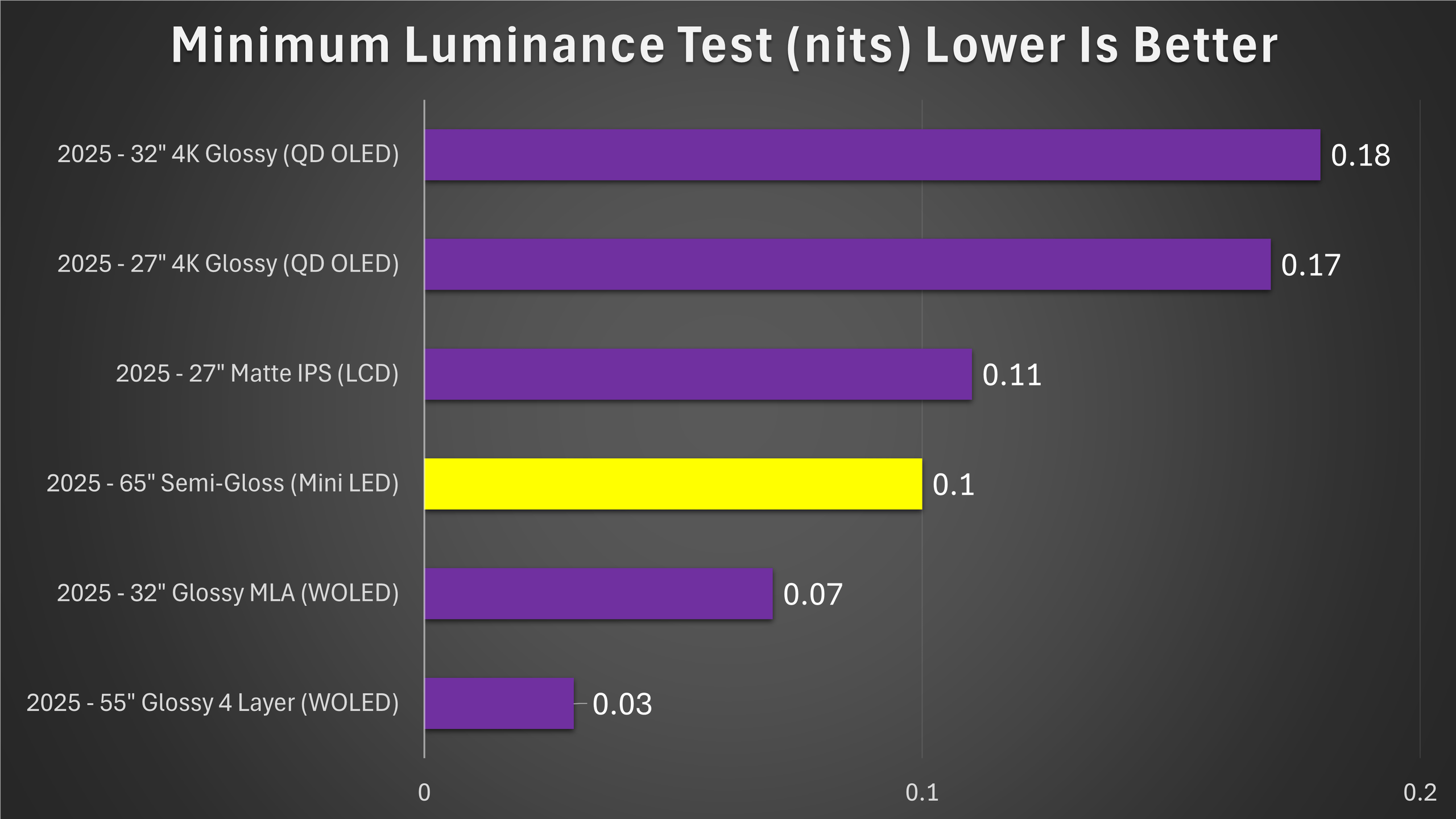
Ambient light handling is good. The semi-gloss finish combined with the available peak luminance means the Bravia 5 is a solid choice in a bright living room. It outperforms many panels in terms of maintaining a clear picture during daytime viewing; you won’t feel compelled to hunt down blackout curtains just to watch TV in the afternoon.
Gaming performance is one of the most interesting parts of this TV’s story. On paper and in measurements, the Bravia 5 surprised me with a low input latency of about 29 milliseconds at 120Hz in my tests making it very serviceable for console gaming.
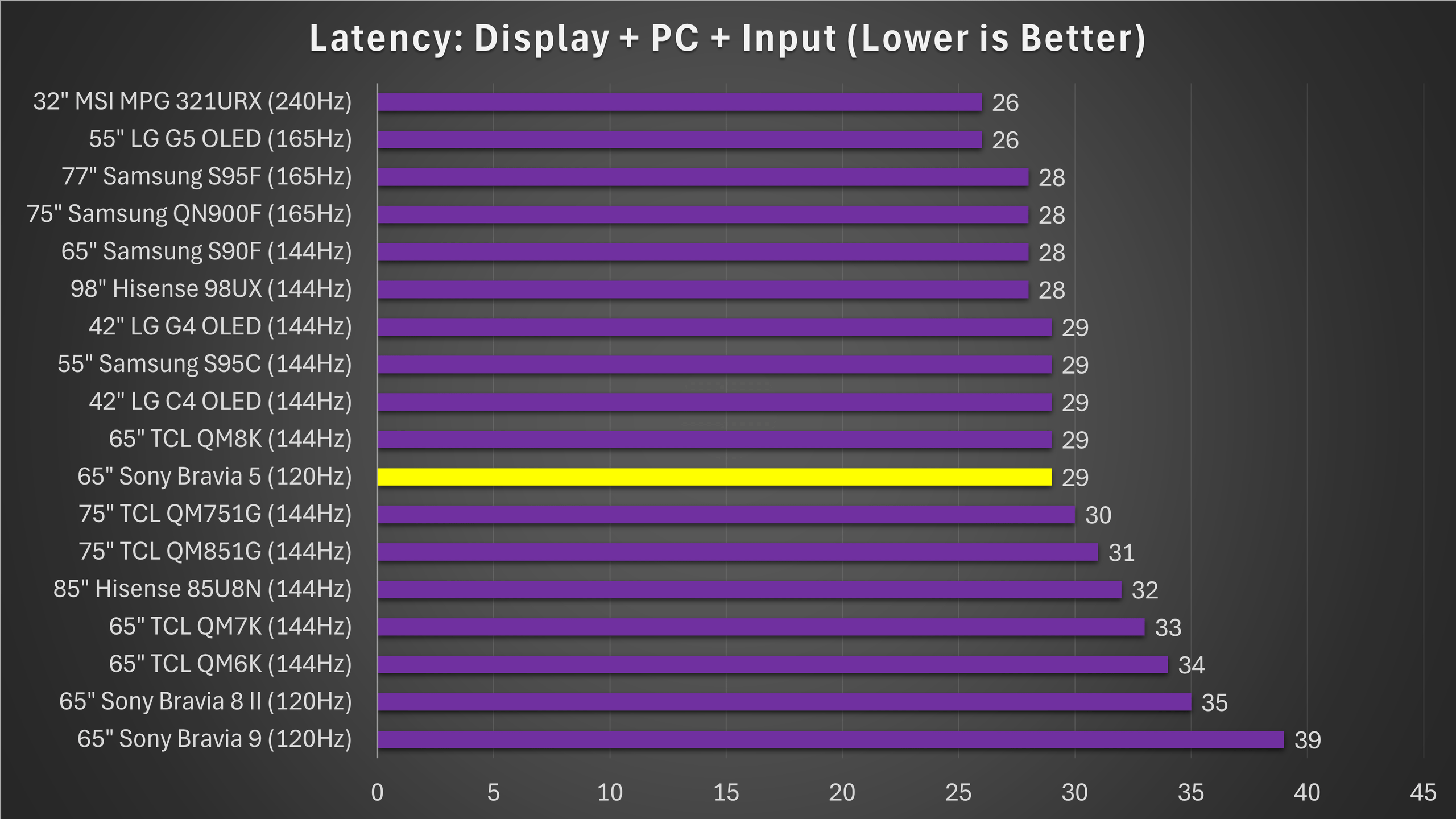
Sony has done work here, and the panel is among the faster Sony models I’ve tested in terms of responsiveness.
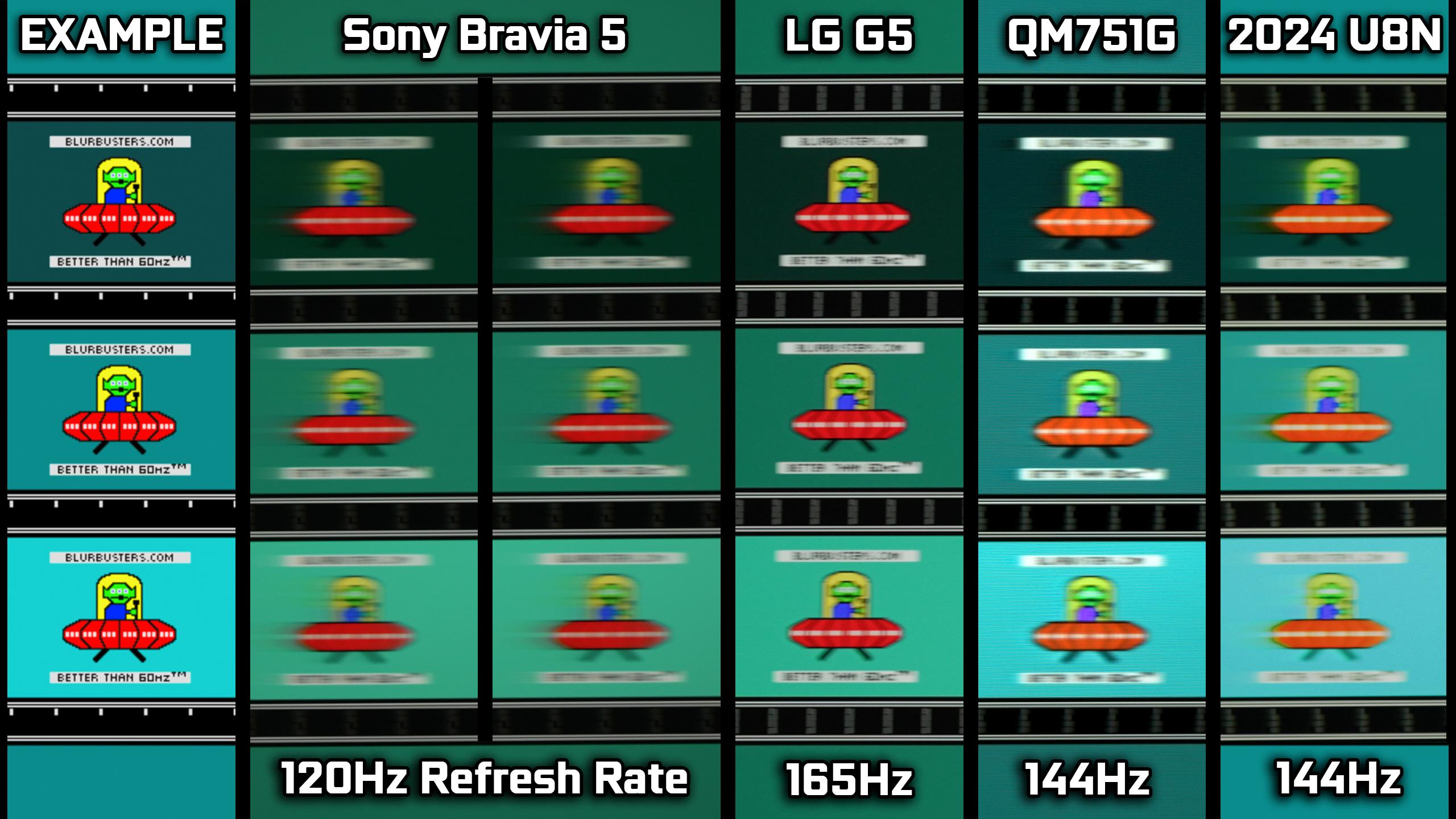
However, motion clarity is not its strength. Because the Bravia 5 does not use a very fast panel and the local dimming design is conservative, fast motion reveals trailing and blurring. In side-by-side comparisons, the panel trails more than competing displays and shows more ghosting on fast pans. That makes high-speed game sequences and fast camera moves feel less crisp.
Sony provides motion interpolation and other motion processing that can improve perceived motion for movie playback. If you enable mild interpolation, motion on film content becomes much smoother and largely issue-free. But for gaming you don’t want interpolation it can add latency or unnatural artifacts so the core problem remains: the panel’s native motion handling is mediocre.
In the classic UFO motion test, the Bravia 5 shows noticeable trailing and blur compared to faster panels and competing mini-LEDs, highlighting its limits with fast-moving content.
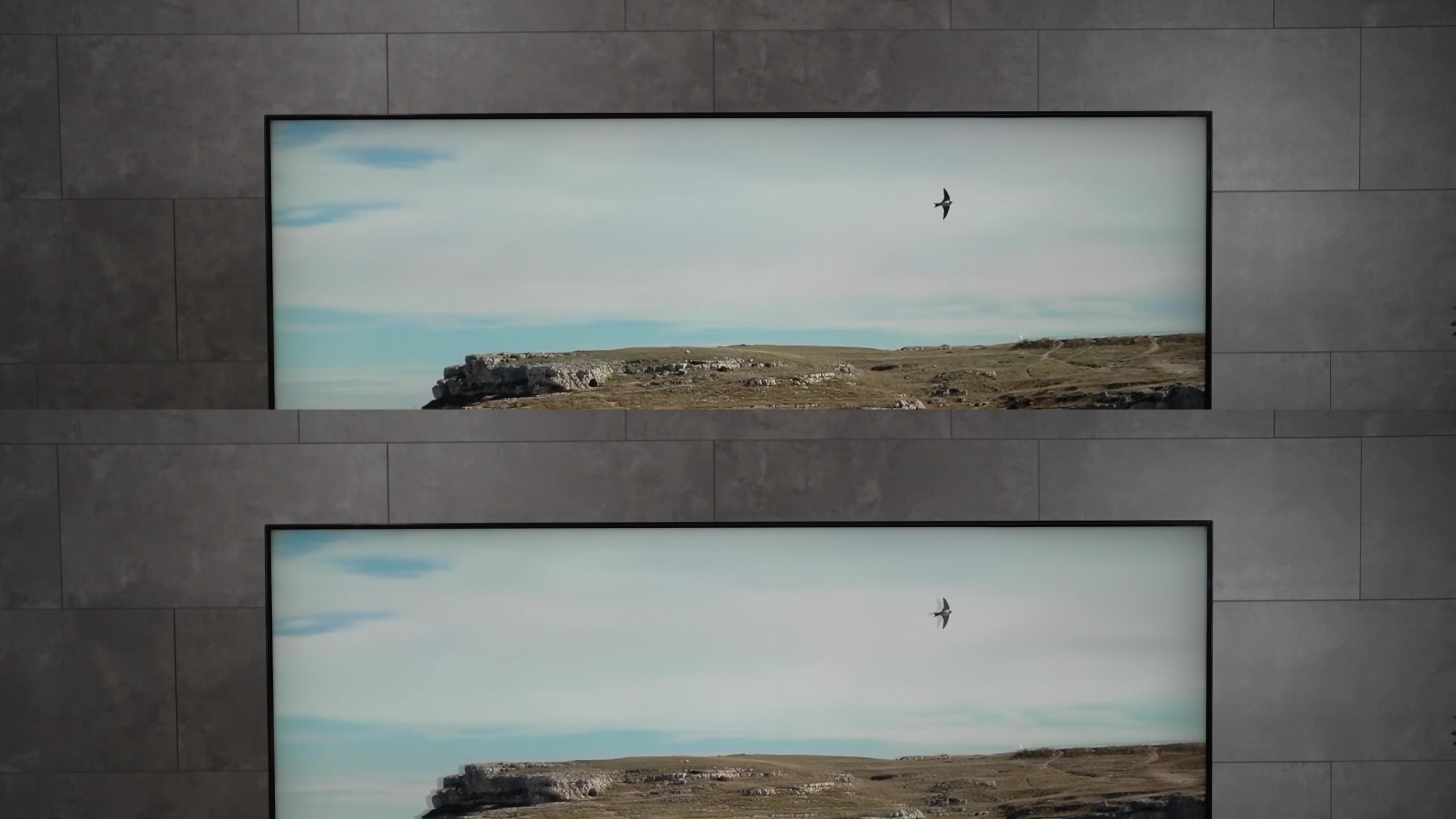
While motion interpolation helps a bit for movies, fast-moving scenes and gaming still exhibit some blur, so it’s not ideal for competitive or high-speed gaming.
Viewing angles are average.
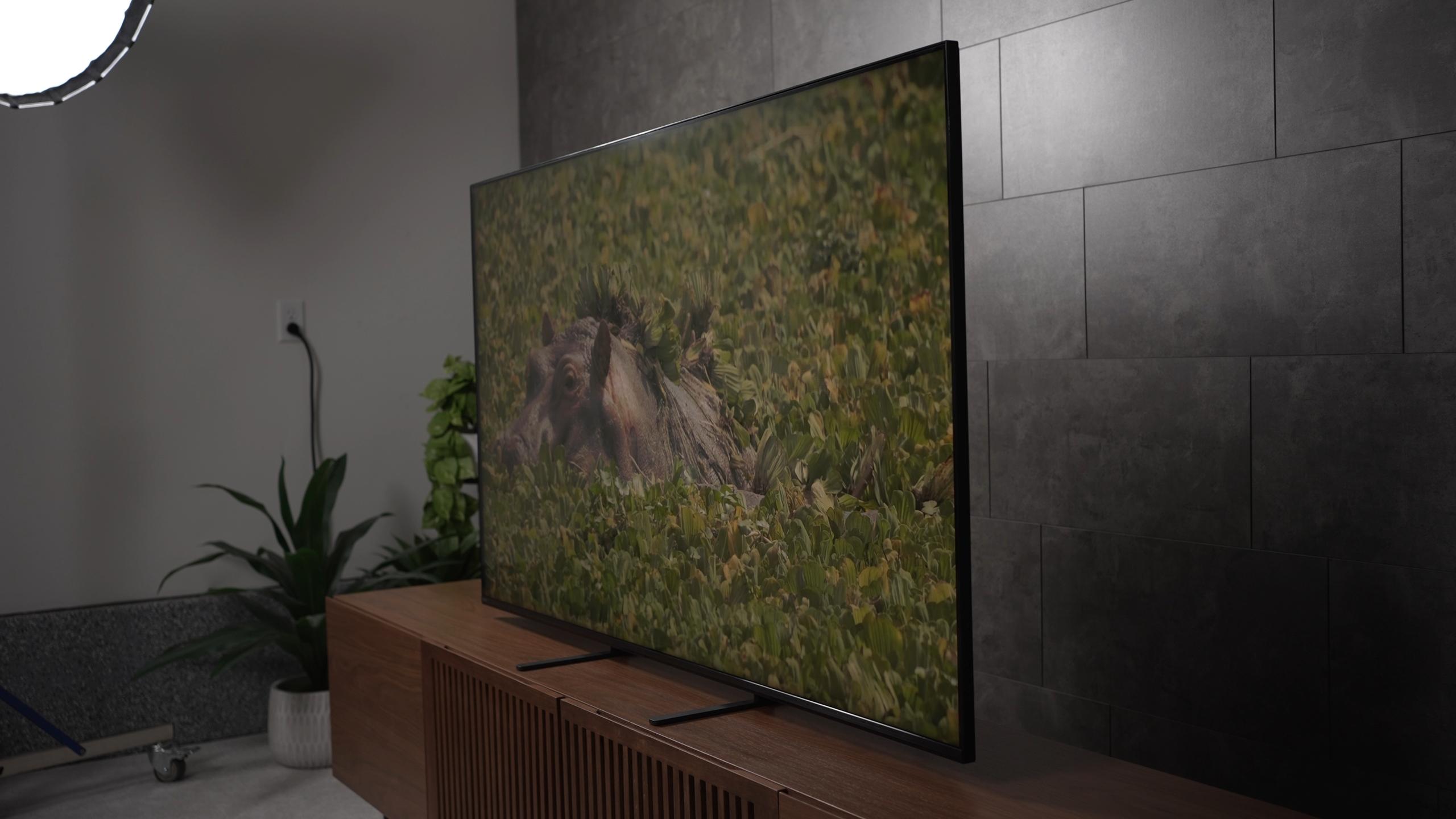
Off-axis viewers will notice color and contrast degradation as they move away from the center. Uniformity is generally good for bright content, but dark scenes reveal the limits of the 384 zone arrangement: small bright objects on dark backgrounds can produce uneven blooming and patchy blacks. For single-seat viewing or typical living-room seating arrangements, these issues are manageable. For critical multi-seat home-theater viewing in a dark room, they’re more noticeable.
Sound on the Bravia 5 is serviceable. The timbre and midrange are decent; dialog is clear and the treble response is acceptable. Where it lacks is bass — the speaker setup does not deliver deep low end, and if you care about immersive audio you’ll want to pair the TV with a soundbar or external speakers.
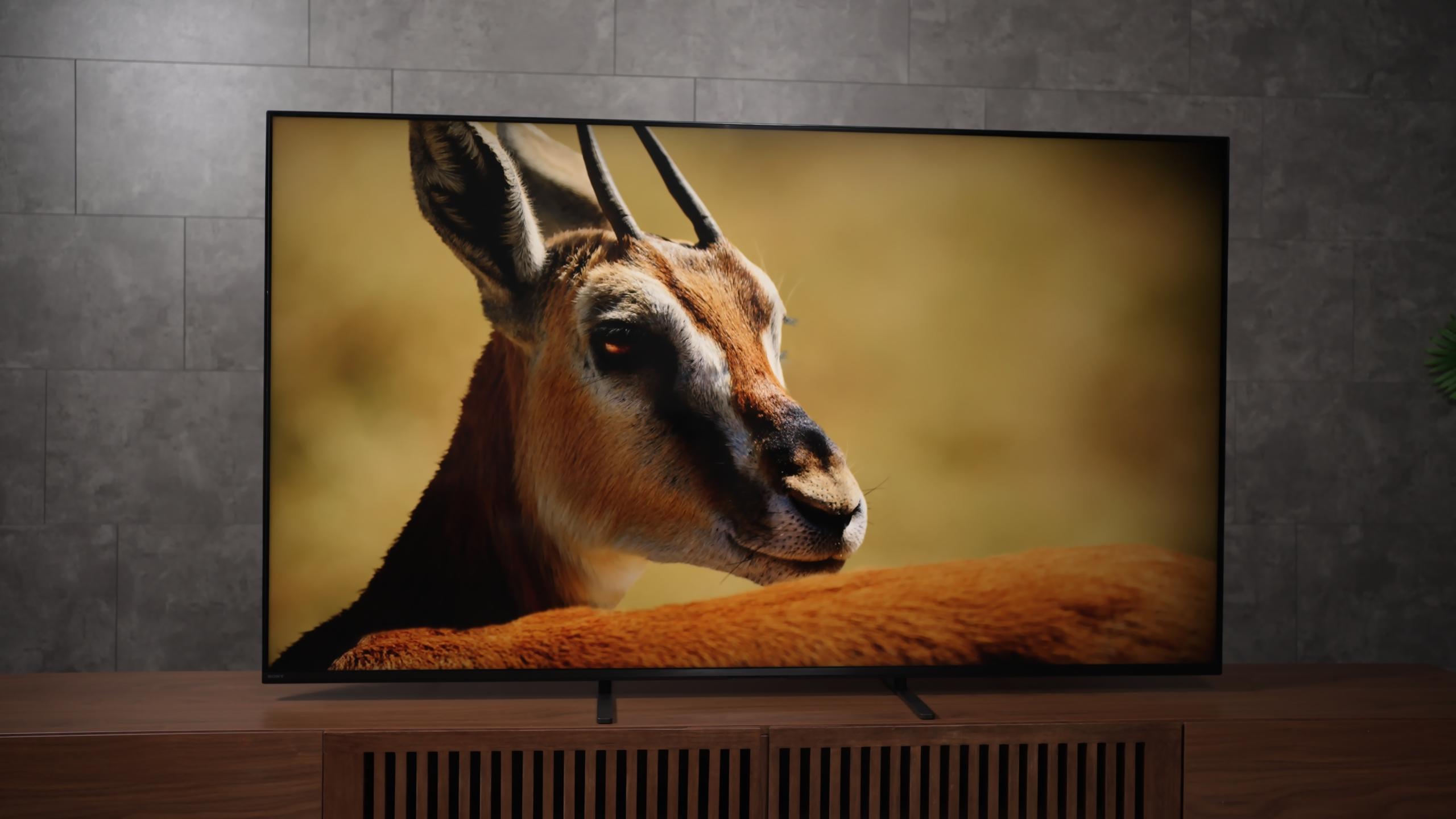
Sony’s firmware and menus remain polished and stable, with no lag or crashes. The XR processor improves low-bitrate and older SDR content, making it cleaner and more detailed. The retained input button on the remote is convenient, though the lack of backlight can be annoying in the dark.
The Bravia 5 is a TV of tradeoffs. It brings many of Sony’s strengths, the XR processor’s upscaling, a polished interface, reliable firmware, and strong HDR color reproduction into a more affordable package. In HDR movies and everyday viewing it often produces satisfying images and a comfortable, easy-to-use experience.
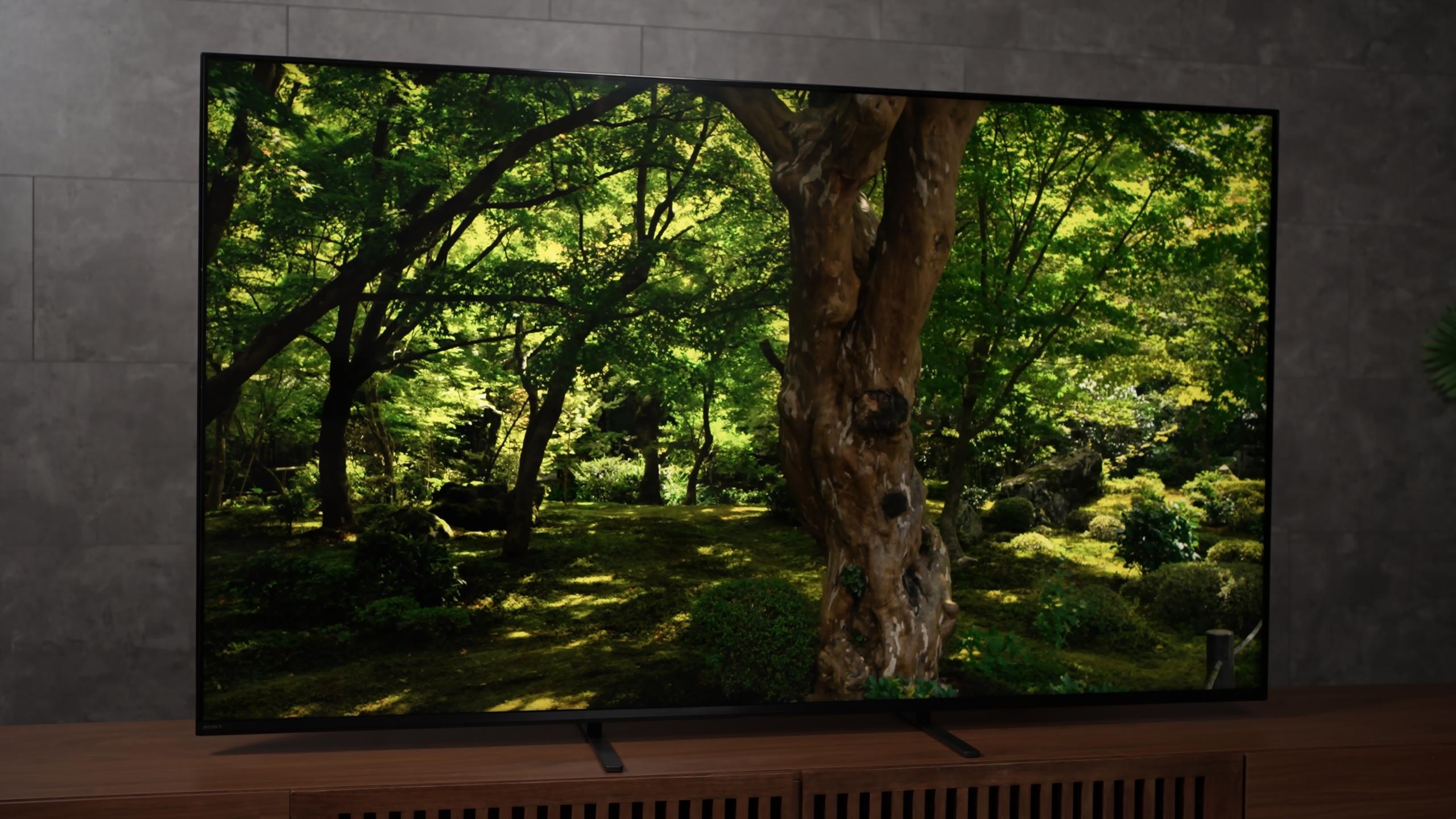
If your viewing is primarily HDR movies and streaming in a living room with ambient light, the Bravia 5 will satisfy most viewers and reward them with very good color in HDR and excellent upscaling for lower-quality content. The menus are pleasant and the day-to-day experience is reliably Sony — which counts for a lot in regular use. On the other hand, if you want the deepest black levels, the fewest blooming artifacts, the best motion clarity for fast gaming, or reference SDR accuracy without calibration, this model, well unfortunately its just.. bad here compared to similarly priced alternatives like the TCL QM7K.
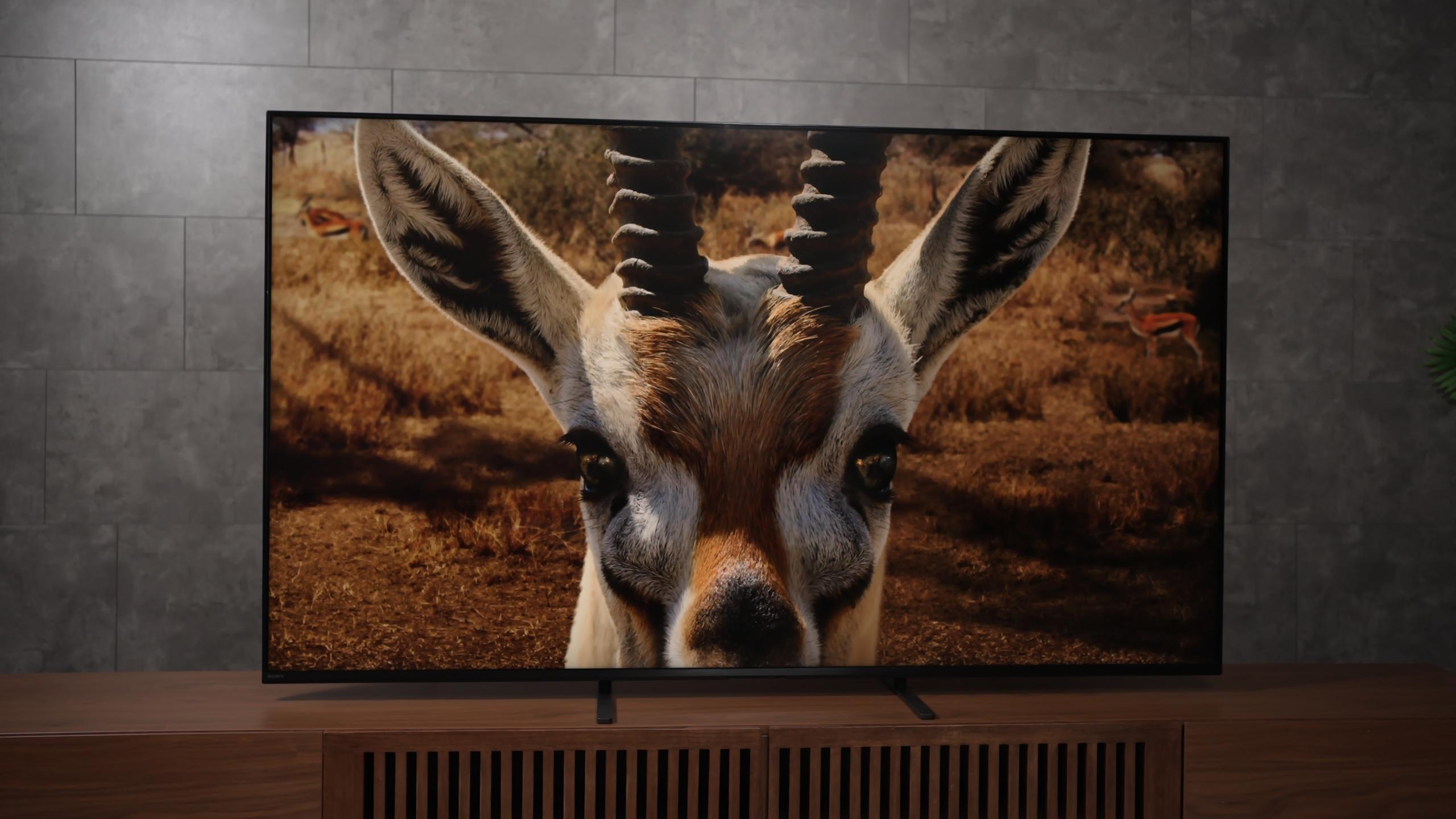
For me, the Bravia 5 lands squarely in the middle: competent, Sometimes great, and sometimes bad.
I see it as a functional and reliable option for many buyers, but not a home-theater “must have.” My final feeling is exactly what my testing found: this TV is both awesome and bad depending on your priorities. On balance, it’s a 2.5/5 — a solid baseline Sony experience with noticeable compromises in areas that matter to enthusiasts.






Privacy Policy
Terms and Conditions - Affiliate Policy
Home Security
© Copyright 2008-2026.
11816 Inwood Rd #1211, Dallas, TX 75244