

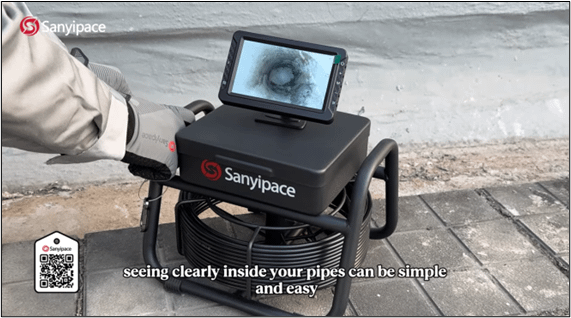
When a drain backs up or you spot a leak, the worst part is often the not knowing. Pipe problems feel complicated, expensive, and only for professionals, so many people either pay for a visit or poke around and hope for the best. That guessing gets old fast, especially when the clog sits just out of reach in a tight bend.
A personal sewer camera changes the whole experience because you can look first, then decide what to do next. The SANYIPACE S5517DC is built for that simple goal: get clear answers with minimal cost and effort, without a long setup or a toolbox full of add-ons.
Here are a few common "what is going on in there?" situations where seeing inside helps right away:
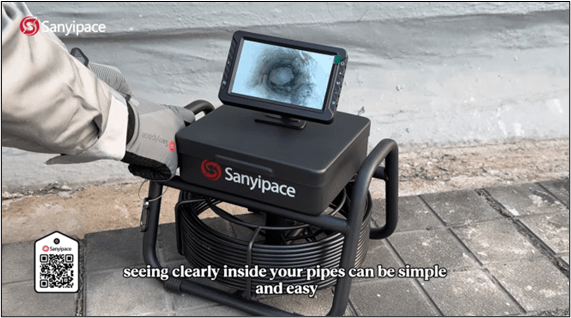
The SANYIPACE S5517DC positions itself as an entry-level pipeline camera that feels approachable from the first use. Instead of a multi-part system with separate pieces to charge, connect, and mount, this one comes as a true all-in-one kit that's ready to use out of the box.
The main unit, screen, and battery are integrated into a single body. As a result, you spend less time assembling gear and more time checking the line. A magnetic stand is part of the design, so the unit can attach to a metal surface when you want both hands free. That small detail matters when you're feeding a probe into a drain and adjusting lighting or recording at the same time.
The camera head is designed to be small and flexible, and it pairs with an ultra-flexible spring probe. That flexibility is meant for the real-world bends most homes have, especially under sinks where tight turns are common and clogs like to settle.
A lot of pipe checks fail for a simple reason: the camera can't get around the bend. The S5517DC's spring probe is built to slip through common household turns so you can get eyes on the source of the problem, not just the first straight section of pipe.
In practice, that means it's intended to handle the bends you run into most often, such as:
Because the camera head is small and the probe flexes easily, it can follow the path the water takes. That's where blockages, buildup, and joint issues tend to show up. Instead of guessing whether the problem is "somewhere down the line," you can track the route and see what's actually happening.
Clear details up close: close-focus lens plus bright LEDs
The most useful sewer camera is the one that makes problems easy to recognize. The S5517DC focuses on close-up clarity, using a close-focus lens designed to show detail when the camera is near pipe walls, joints, and blockages.
That close-focus approach matters because many drain problems don't look dramatic from a distance. A small crack, a rough edge at a joint, or early corrosion can be easy to miss if the image turns soft when you move closer. With the S5517DC, the idea is simple: as the camera gets close to what you're inspecting, you keep a sharp view so you can make a confident call.
Issues the camera is meant to help you spot include:
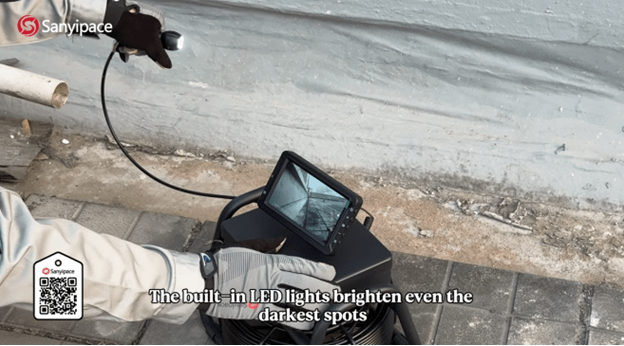
On top of that, built-in LED lights brighten dark, damp pipe interiors. Even a great lens can't help if the scene is underlit. Good lighting makes the difference between "I think I see something" and "I can tell exactly what that is."
Lighting and one-touch recording (with proof saved on the spot)
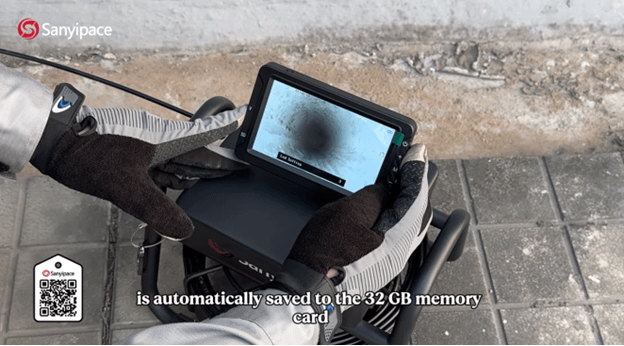
The S5517DC is also built to capture what you find, not just show it live. With one button, you can record HD video with live sound and take photos. Files save with time and date stamps, and the kit includes a 32 GB memory card (TF card) for storage.
That sounds like a small convenience, but it changes how you handle repairs or follow-ups. If you're dealing with a recurring clog, for example, you can save a quick clip at the moment you see the blockage. If you're coordinating with a plumber or a maintenance team, having a clear photo of the problem area helps you explain what you saw without trying to describe it from memory.
The lighting control is straightforward. In the on-camera demo, the lights show four brightness levels, so you can dial in the right amount of light depending on how reflective or murky the pipe looks. Too dim and details disappear, too bright and glare can wash out the view, so being able to adjust is a practical feature.
When you finally see the blockage, crack, or corroded section clearly, saving a photo or video right then turns "I think" into "here's the evidence."
The S5517DC is presented as something you can operate without a lot of prior experience. Instead of treating pipe inspection like a specialized trade skill, it's framed as a basic check you can do when you need answers.
The workflow shown in the video breaks down into a few clear actions: set up the screen, connect and secure the camera at the coil connection point, then feed the coil into the line for the internal inspection. Along the way, you can start recording, adjust lights, and capture screenshots or photos when something matters.
The first step is about getting the unit ready to view what the camera sees.
Open the machine cover, then place the screen assembly onto the cover. Once it's seated, you're set to move to the inspection camera connection and begin an inspection. Since the screen is part of the integrated unit, you're not pairing devices or fiddling with external monitors.
That quick start is the point. Pipe issues rarely show up when you have lots of time, so a setup that feels immediate makes it more likely you'll actually use the camera instead of putting it off.
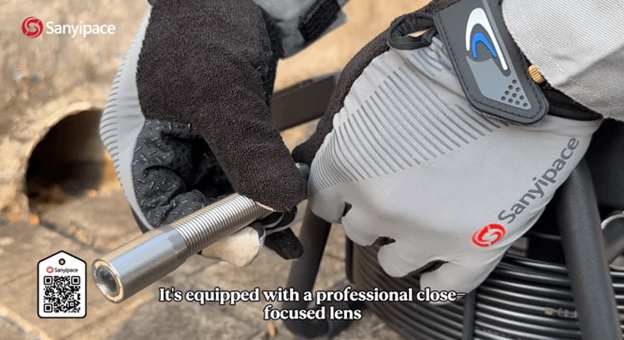
Next, take out the camera and install it at the coil connection point. The accessory kit includes a screwdriver and bushing, which you use to tighten and secure the installation.
This step matters because a loose connection can cause problems once you start feeding the coil into bends. Securing the camera before you enter the line helps the inspection go smoothly, especially if you're going through a trap where the probe might twist slightly as it turns.
Once the camera is installed and tightened, power the unit on and you're ready to use it.
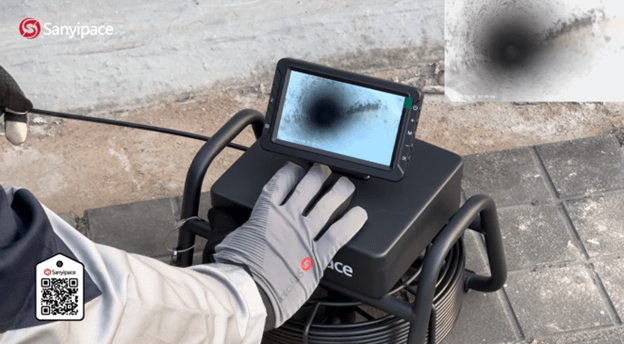
After the camera is secured, unfasten the coil clasp and pull the coil out so it can enter the pipeline for internal inspection. From there, you guide it through the pipe path until you reach the area you want to check.
Before the camera goes into the line, you can activate the recording button. Then turn on the lights and choose the brightness level that gives the clearest view. During the inspection, you can also take a screenshot or capture a photo when you want to save an image for later.
The video also shows switching to a different pipeline, which is a common real-life situation. Once you've checked one drain, it's normal to compare it to another line in the same space, especially if you're troubleshooting a building with multiple drains.
Finally, you can view video replays and photos in real time on the unit. That makes it easier to confirm what you saw without pulling everything out and starting over.
A big part of making a sewer camera feel "DIY-friendly" is how easy it is to hold and position. The S5517DC includes two ways to work: keep it in hand, or attach it magnetically to a metal surface for on-the-go detection.
That magnetic option isn't just about comfort. It can help you keep the screen stable while you guide the coil with both hands. If you've ever tried to hold a device, manage a cable, and keep your balance under a sink, you already know why that matters.
Here's a quick way to think about when each mounting style helps most:
| Use method | Best for | Why it helps |
| Handheld | Quick checks in tight spaces | Easy to reposition as you move |
| Magnetic attachment | Longer inspections or repeat checks | Frees your hands and keeps the screen steady |
In other words, you can start handheld, then switch to the magnetic stand when you want a stable view. That flexibility fits how pipe problems actually get handled in the real world.
The demo highlights what most people care about first: image clarity. The camera captures crystal-clear pictures in use, and you can review video replays and photos right on the unit.
That playback matters because inspections often involve a few moments that you want to revisit. Maybe the camera passed a joint too quickly, or the lighting level needs a tweak to reduce glare. Being able to replay what you just recorded helps you confirm details without relying on memory.
This is also where the "evidence" angle becomes practical. If you're a homeowner deciding whether to clear a clog yourself or call in help, a saved clip can make that decision easier. If you manage a property, keeping a dated record of what you saw can help track recurring issues over time.
Even when the fix is simple, seeing the problem first usually saves time. Instead of trying one drain cleaner after another, you can focus on what's actually there.
The S5517DC is presented as a tool for homeowners, property managers, and entry-level pros who want a straightforward way to check drains and sewer lines. It doesn't try to bury you in complex features. Instead, it focuses on clear viewing, simple controls, and quick recording.
A few everyday scenarios fit especially well:
The product description also calls out a few practical specs that support those use cases, including a 5-inch 1080P HD screen, synchronized audio and video recording, and a 32 GB TF card included for storage. It also lists IP68 waterproofing and LED lighting (described as 8 LEDs), which fits the reality that drain work is wet and messy. The same description mentions a 2100mAh battery with 3 to 5 hours of continuous runtime, plus a cable with physical length markings so you can track how deep you've pushed into the line.
Put together, those details point to a camera meant for frequent, real-life checks, not just rare "big project" inspections.
A sewer camera that doesn't look like every other tool, plus where to buy
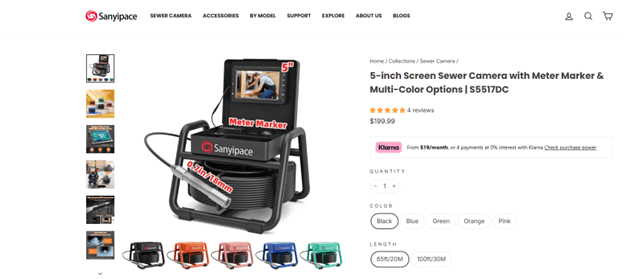
Most inspection tools look the same. SANYIPACE takes a different approach here by offering pastel, "Macaron" color options. It's a small touch, but it makes the tool feel personal instead of purely industrial.
That style angle doesn't replace performance, but it can make the camera feel less intimidating if you're new to pipe inspection. After all, this is a tool you might store at home, not just in a work van.
If you want to see the available colors and the official product listing, use the SANYIPACE S5517DC DIY sewer camera official product page and color options.
Pipe problems feel stressful when you can't see what's happening. The SANYIPACE S5517DC sewer camera is built around a simple promise: clear viewing, quick setup, and recording tools that help you save proof as you go. If you're tired of guessing, having your own "pipe-seeing eyes" can change how you handle clogs and drainage issues from the first inspection. Most importantly, clarity makes the next step easier, whether that's a DIY fix or a call for help.






Privacy Policy
Terms and Conditions - Affiliate Policy
Home Security
© Copyright 2008-2026.
11816 Inwood Rd #1211, Dallas, TX 75244
