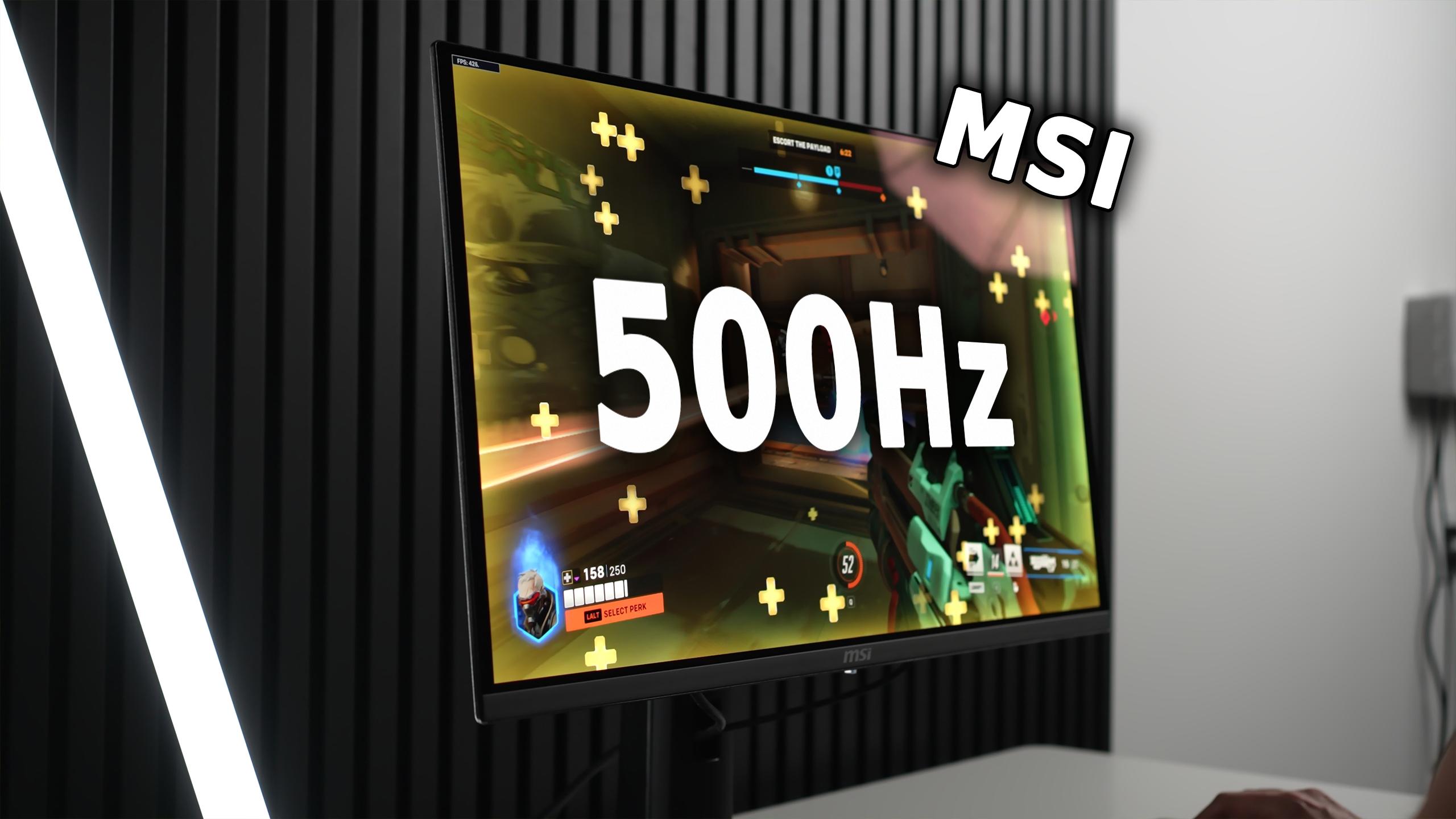
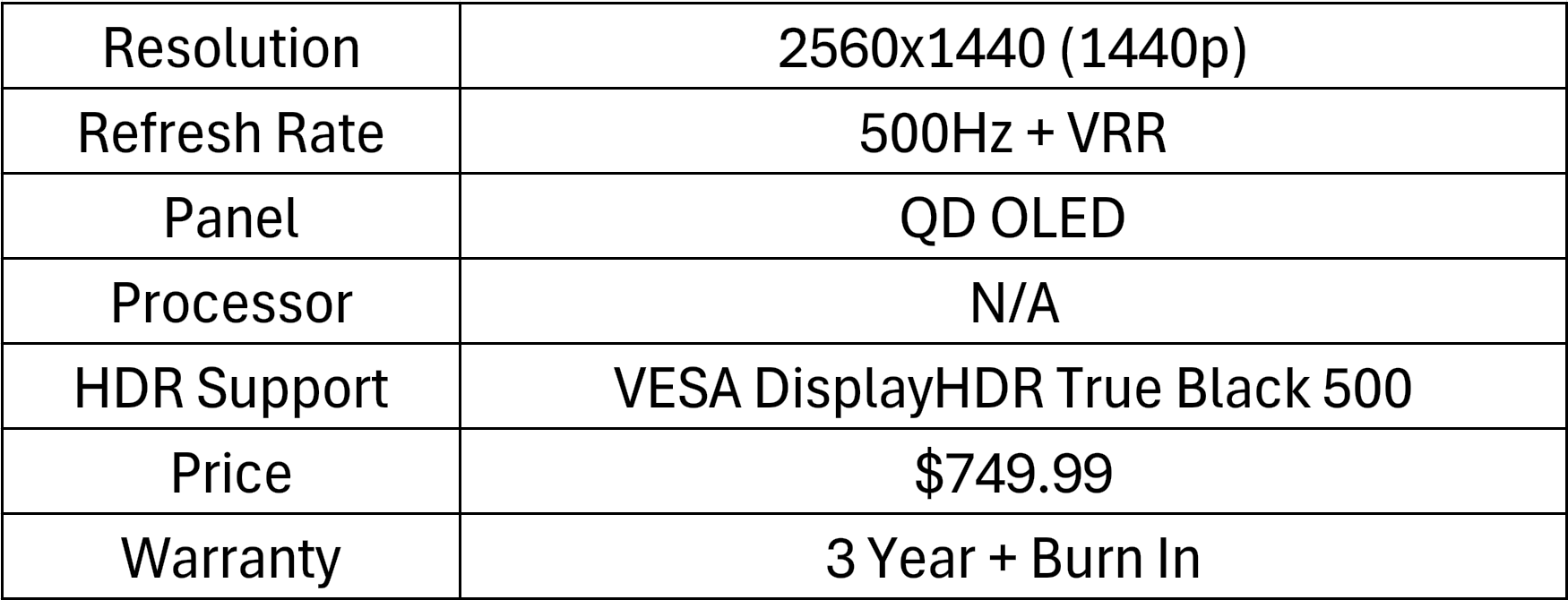
The MSI MAG272QP X50 is a 27-inch QD-OLED monitor with a 1440p resolution and a claimed 0.03 ms response time. Its headline feature is a 500 Hz refresh rate and a DisplayHDR True Black 500 rating, a combination built to deliver both extreme speed and true OLED contrast.
But is 500Hz really worth it, or are we putting the cart before the horse? Let's find out.
The MAG272QP X50 is one of the fastest monitors I’ve tested: at 500 Hz it delivers motion clarity and input responsiveness that outpaces almost everything on the market. The QD-OLED panel gives perfect black levels, vivid color, and very good SDR accuracy out of the box. HDR performance is improved over previous QD-OLEDs thanks to the True Black 500 certification and higher full-screen nits, but there are notable caveats: Peak 1000 mode under-tracks in larger windows, EOTF Boost is promising but inaccurate in places, and ambient light can wreck perceived contrast because QD-OLEDs shift toward magenta in bright rooms.
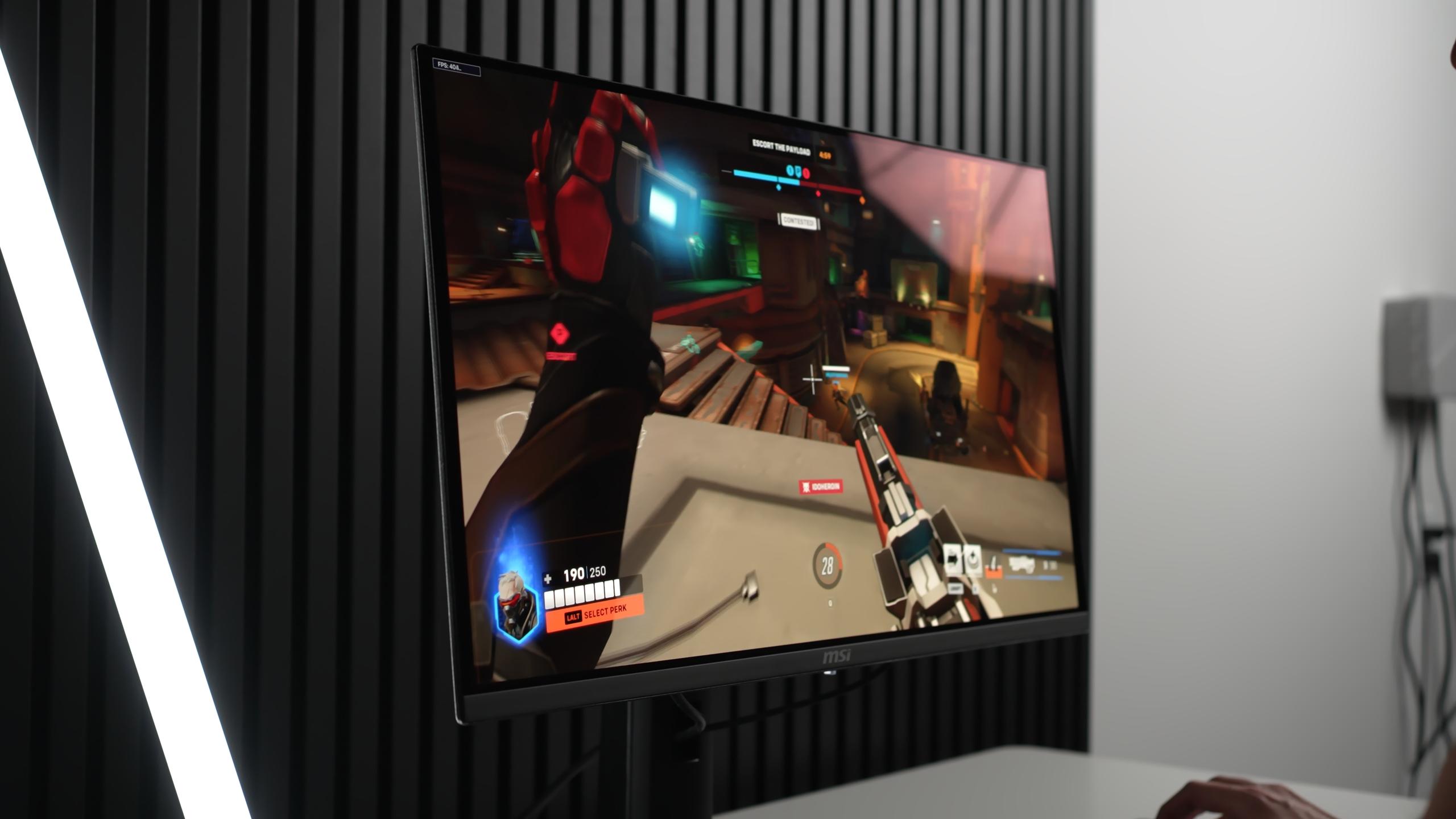
If you want a fast gaming monitor and control your room lighting, this is a compelling pick. If you already own a 360 Hz QD-OLED, the upgrade is noticeable but not life-changing.
Pros
Cons
Testing Methodology
For this review I used an X-Rite i1 Pro spectrophotometer, Color Checker Display Plus colorimeter, Calman Ultimate, Portrait Displays Video Forge Pro 8K pattern generator, a Sony RX100 VII 1000fps camera, an SM208 Screen Luminance Meter, and a Sony Cinema Line FX3 mirrorless video camera. Plus years of display testing experience.
Disclaimer: This Monitor was lent to me by MSI for review, but all opinions are my own. Additionally Home Theater Review may run advertising campaigns with various manufacturers including MSI. Finally I have joined Portrait Displays’ Calman color calibration software reviewer program to get free licensing going forward.
The MAG272QP X50 comes in MSI’s standard packaging with a gamer look. The stand is sturdy and fully adjustable, and VESA 100 × 100 mounting is supported. Inside the box, you get two HDMI 2.1 ports, DisplayPort 1.4a with DSC, USB-C (15 W PD), and a headphone jack. MSI will also offer an MPG variant with DP 2.1. My review unit had early firmware, but navigation is smooth with the joystick-controlled OSD.
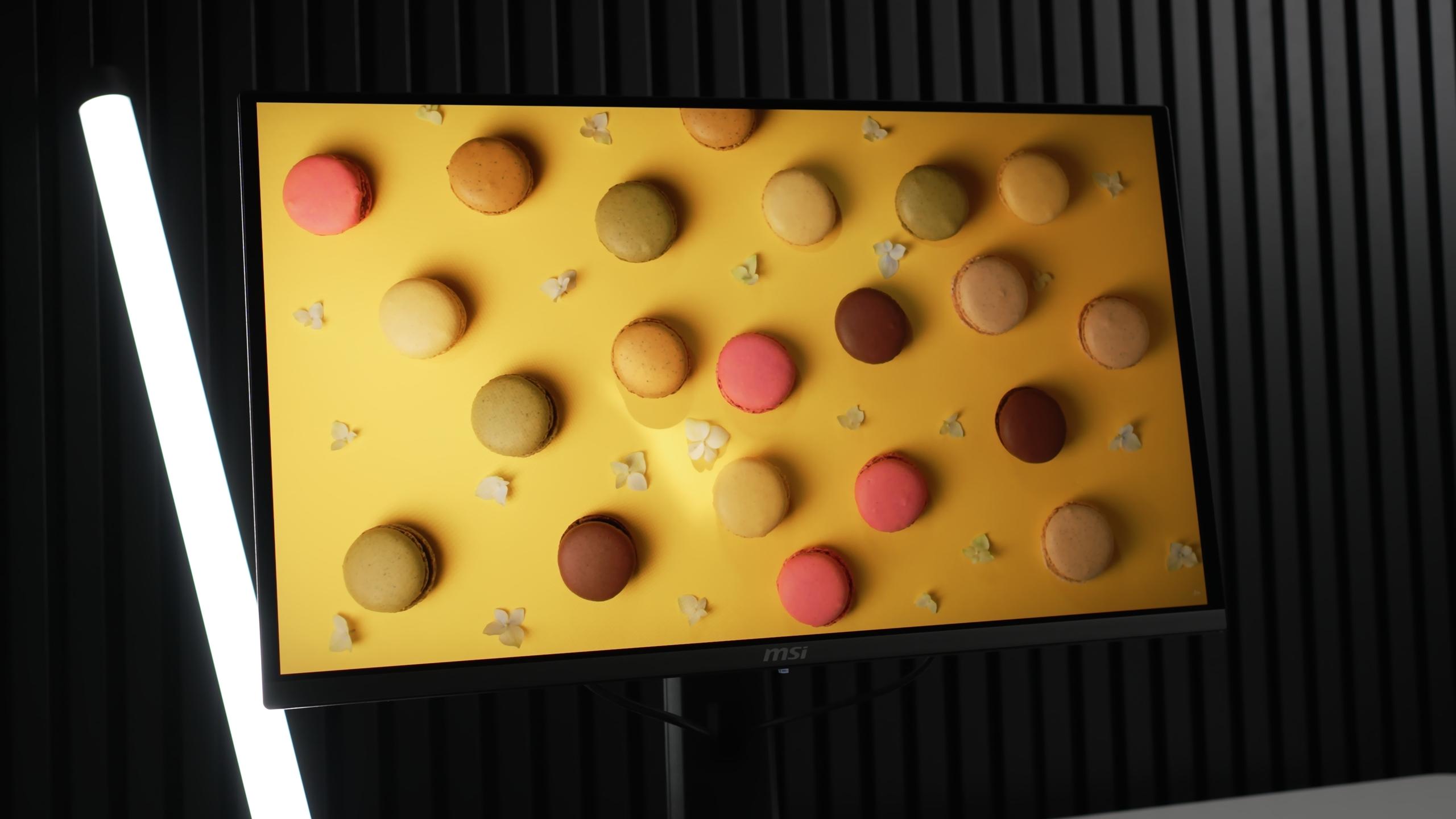
This QD-OLED panel delivers rich, vibrant colors with impressive depth. Out of the box, SDR accuracy is strong. Colors are slightly boosted by default, but a few quick OSD tweaks can bring them closer to reference. The glossy coating also adds sharpness and vibrancy compared to matte screens.
For home theater enthusiasts below are all my Portrait Displays’ Calman color calibration software results measuring the accuracy of the display. For everyone else, feel free to skip to the TLDR.For home theater enthusiasts below are all my Portrait Displays’ Calman color calibration software results measuring the accuracy of the display. For everyone else, feel free to skip to the TLDR.
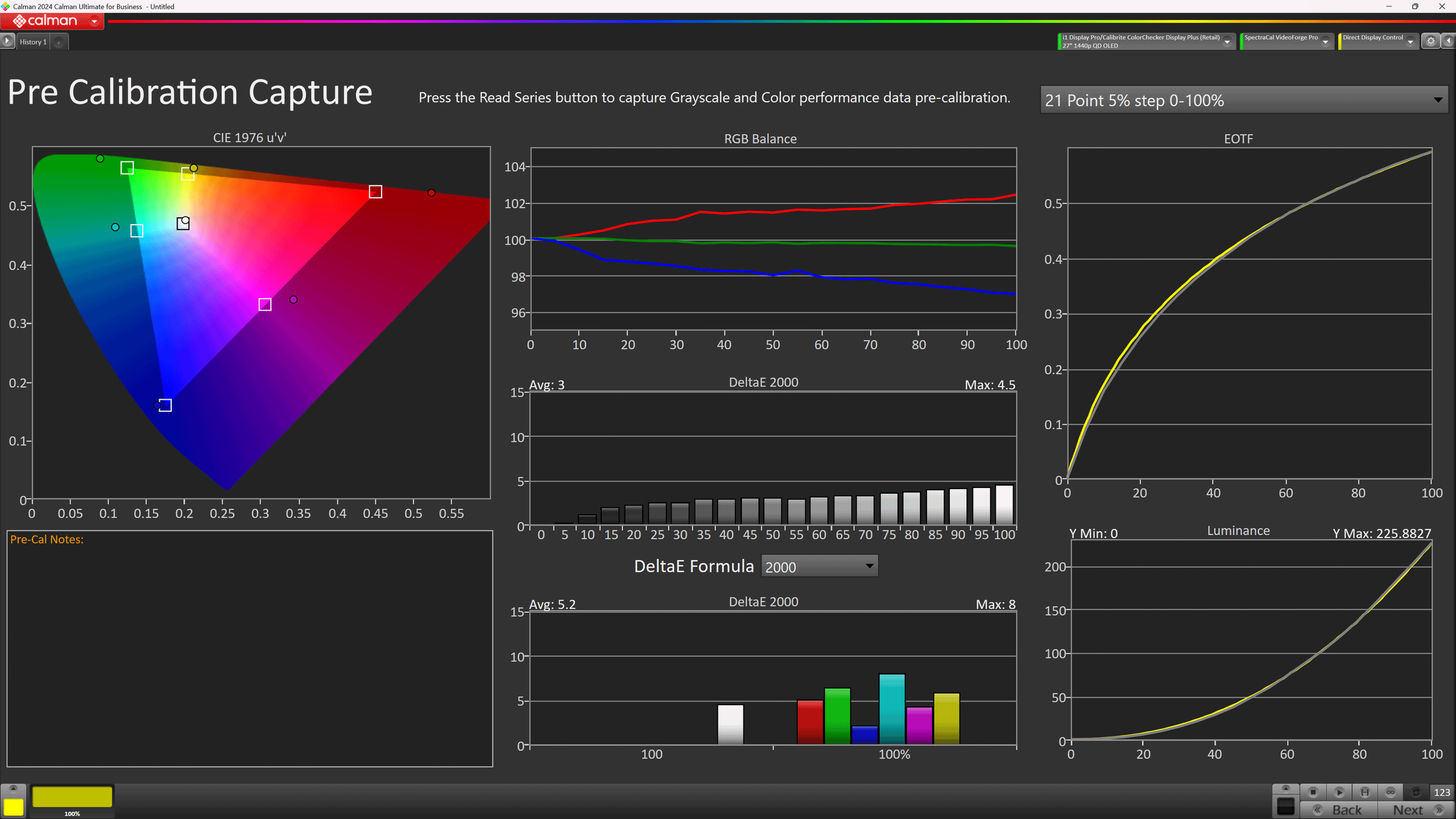
SDR out-of-box looks decent, with balanced brightness and color but still some room for improvement.
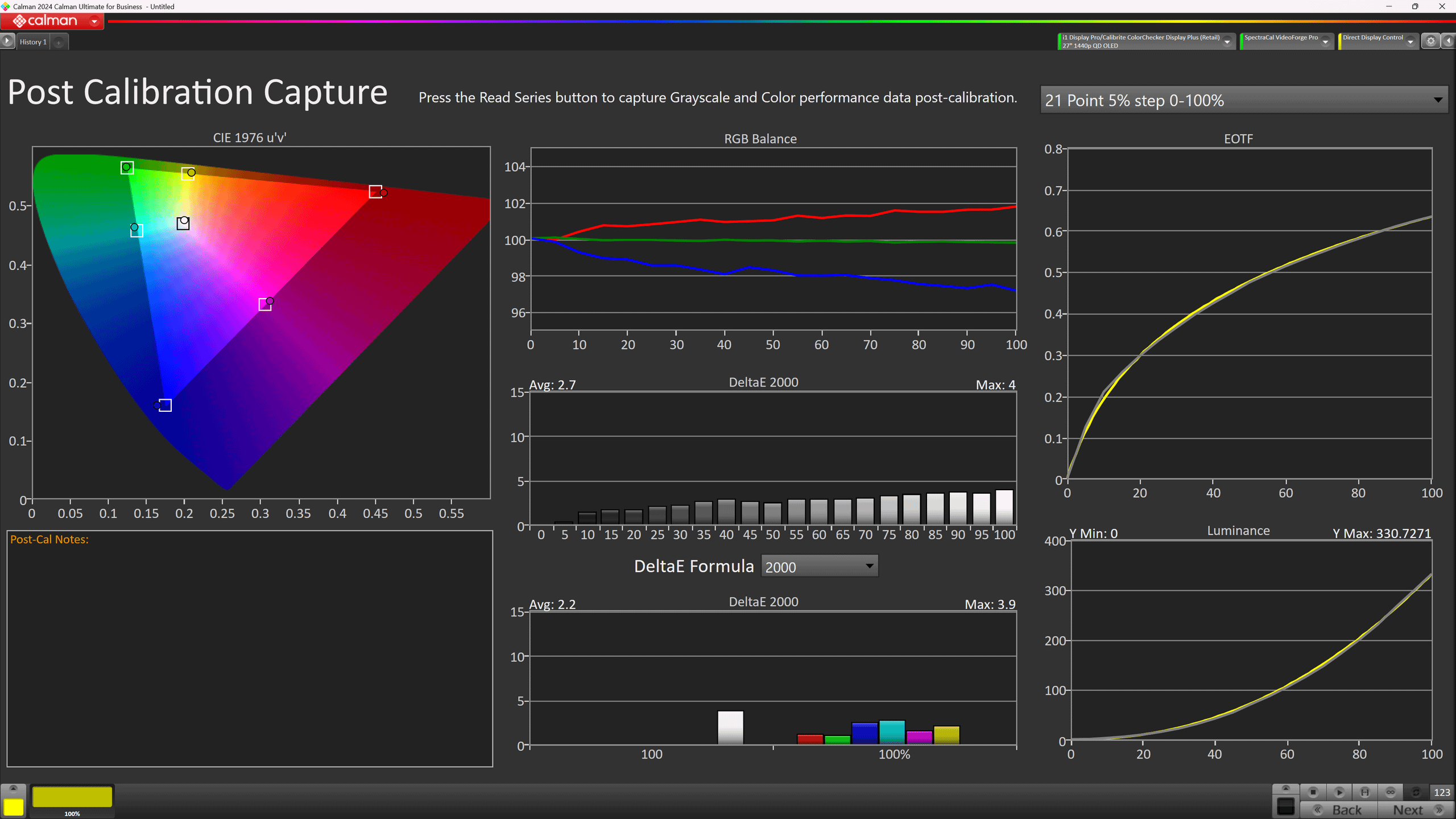
SDR adjusted settings improve performance noticeably, as small tweaks fix most of the initial issues.
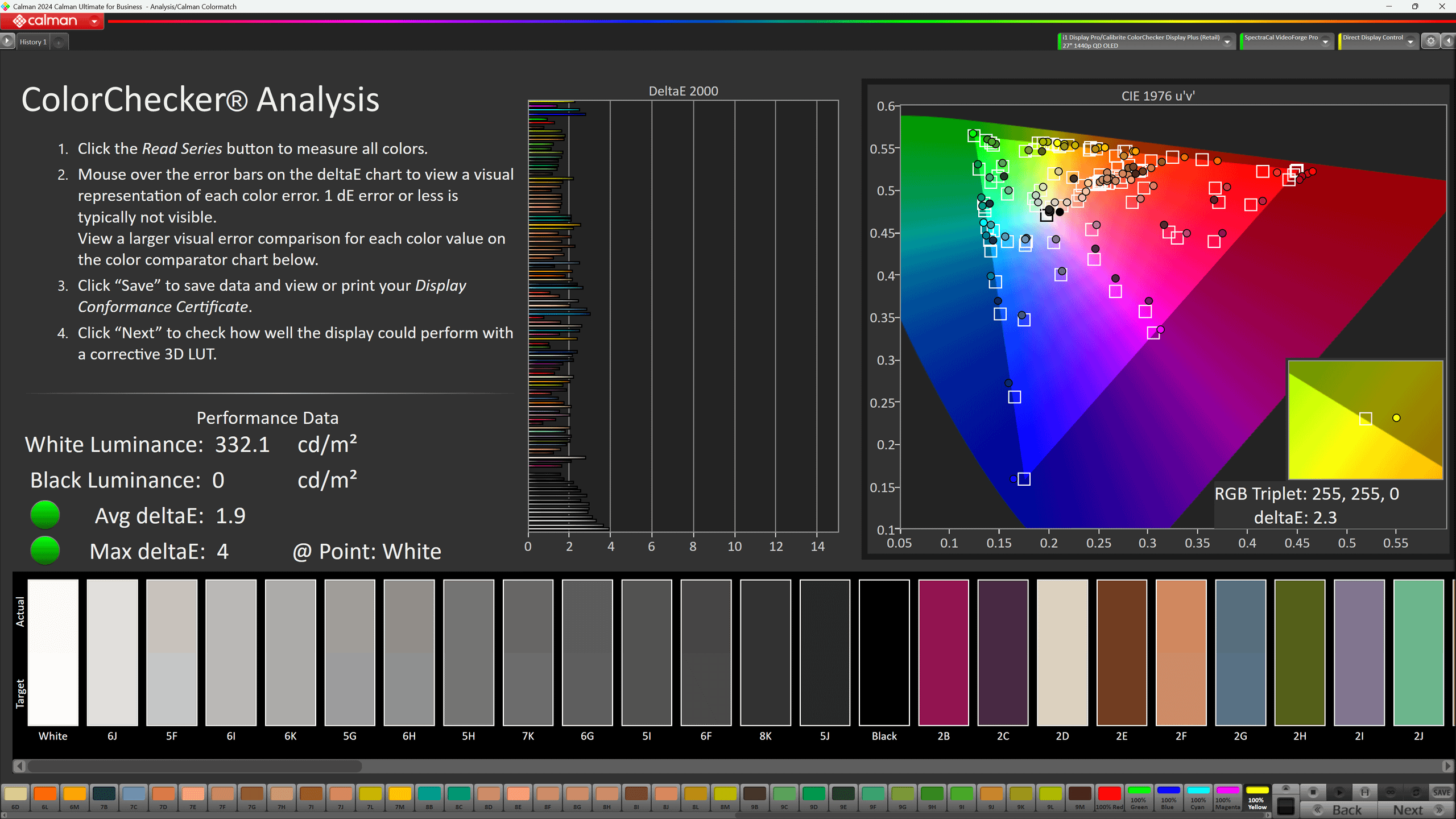
SDR color accuracy is strong, with an average ΔE of around 1.9 — excellent for a gaming display.
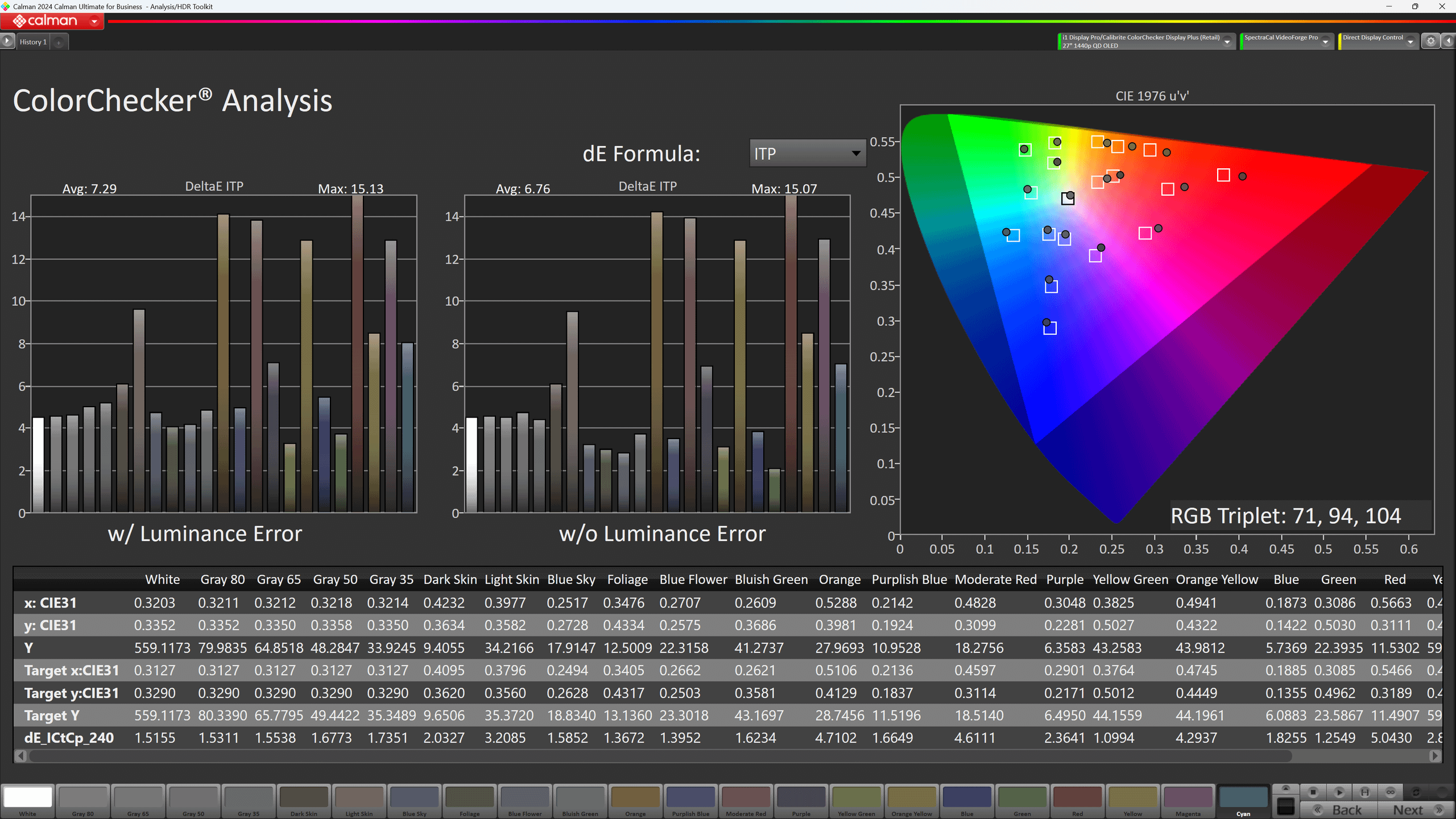
HDR color accuracy is a little worse than SDR, with colors looking less precise overall.
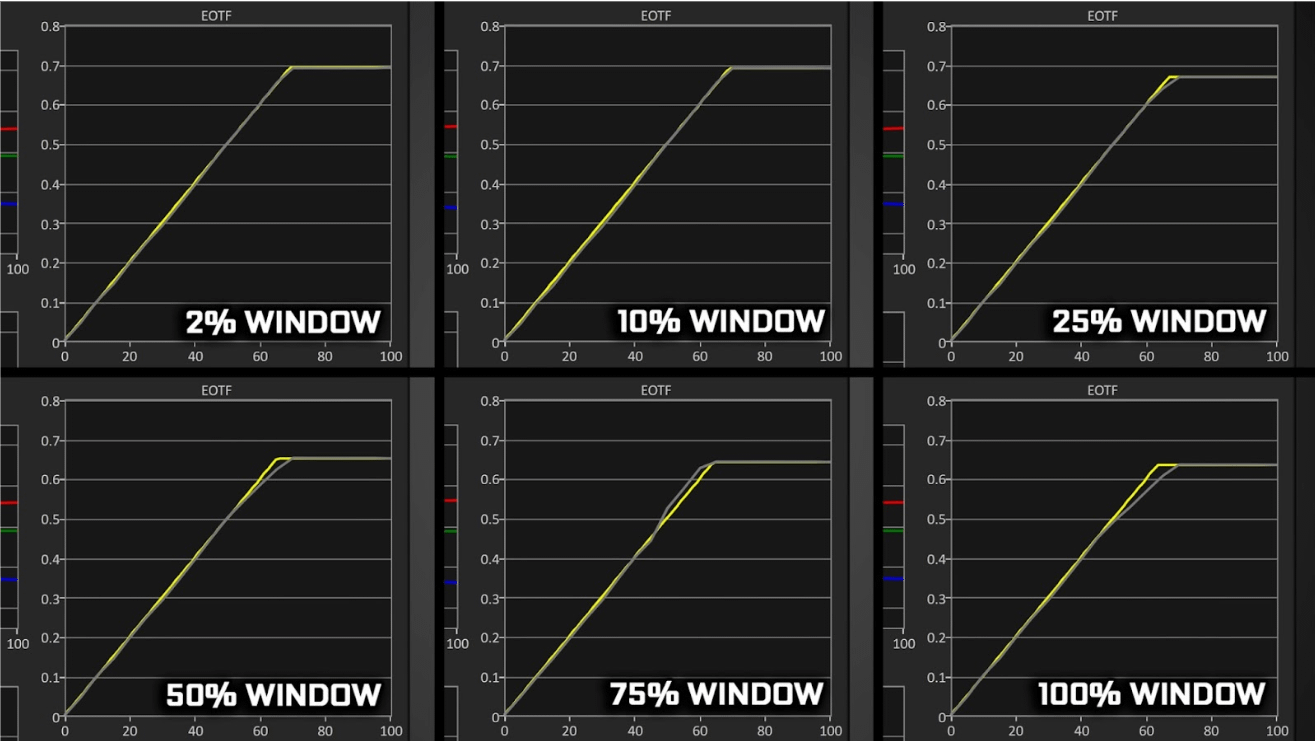
HDR True Black 500 mode performs well, with only minor under-tracking and over-tracking visible.
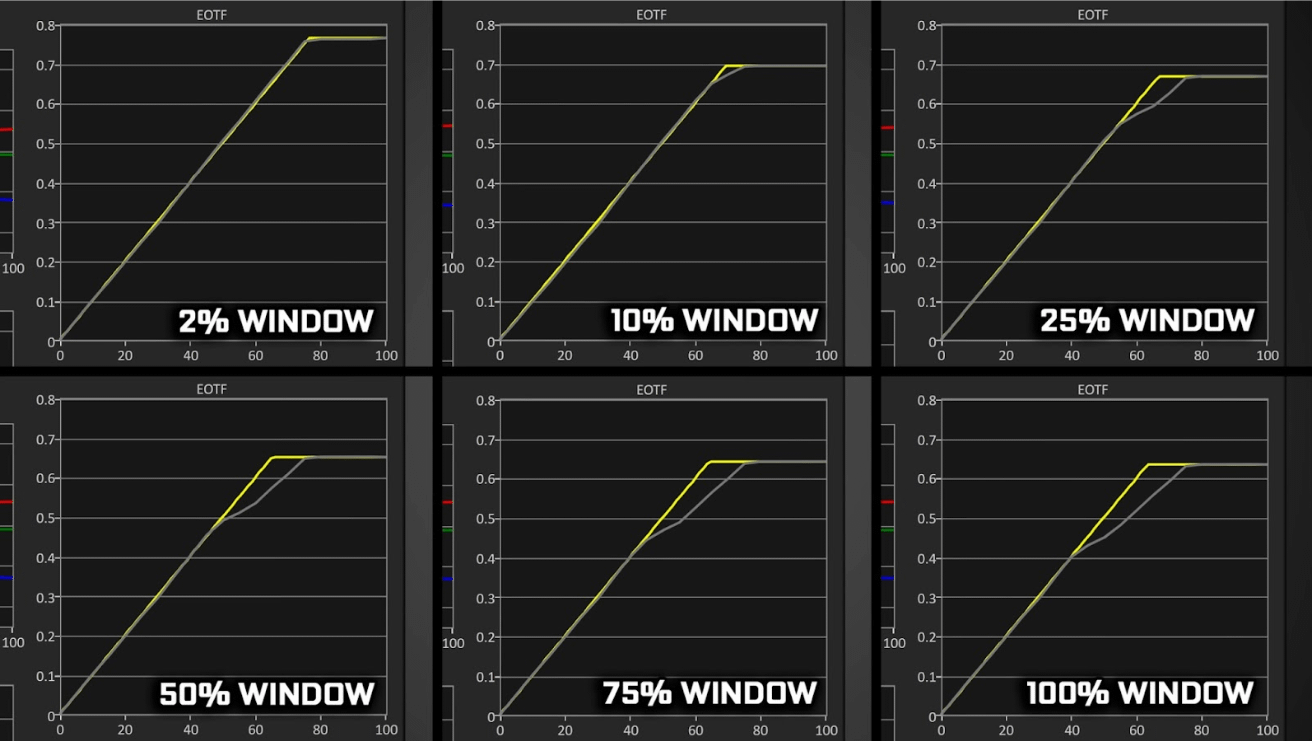
Peak 1000 mode is a problem above 10% windows; it severely under-tracks and looks dimmer than it should.
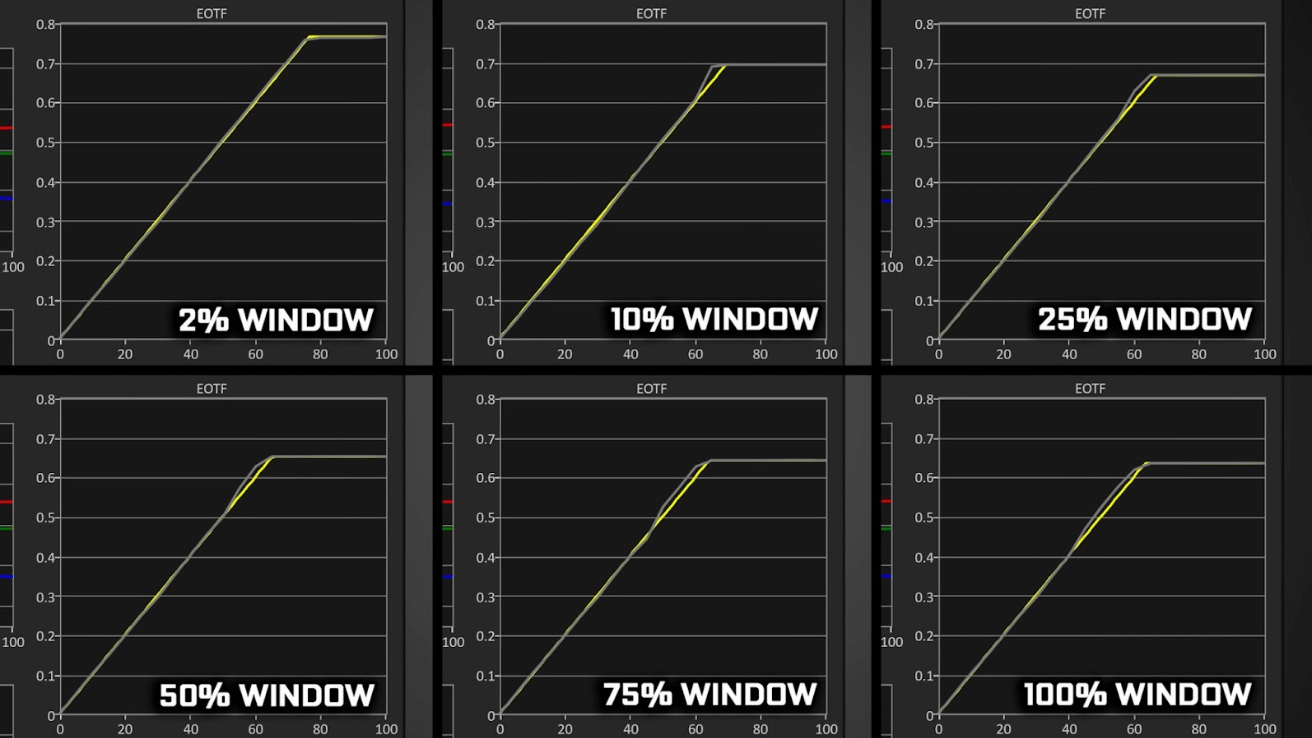
EOTF Boost Mode is decent overall, though it tends to over-track in certain HDR test patterns.
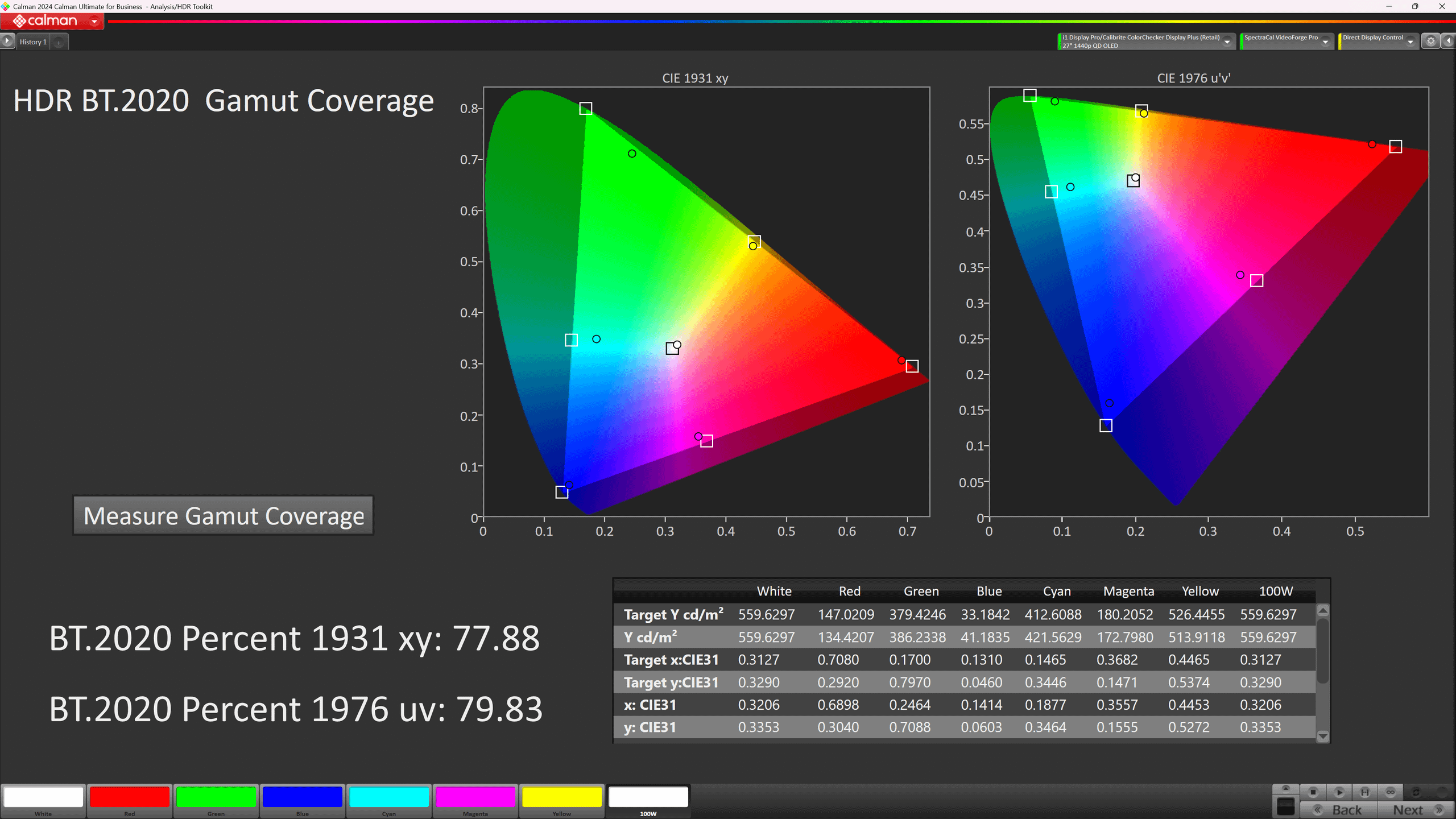
HDR gamut coverage is solid.
The short version: Out of the box, I found SDR to look pretty decent. Colors and brightness were balanced, but not perfect. After a few small adjustments, it looked much better. SDR color accuracy came in strong, with an average ΔE of about 1.9, which is excellent for a gaming monitor. HDR wasn’t quite as precise, but still delivered solid results.
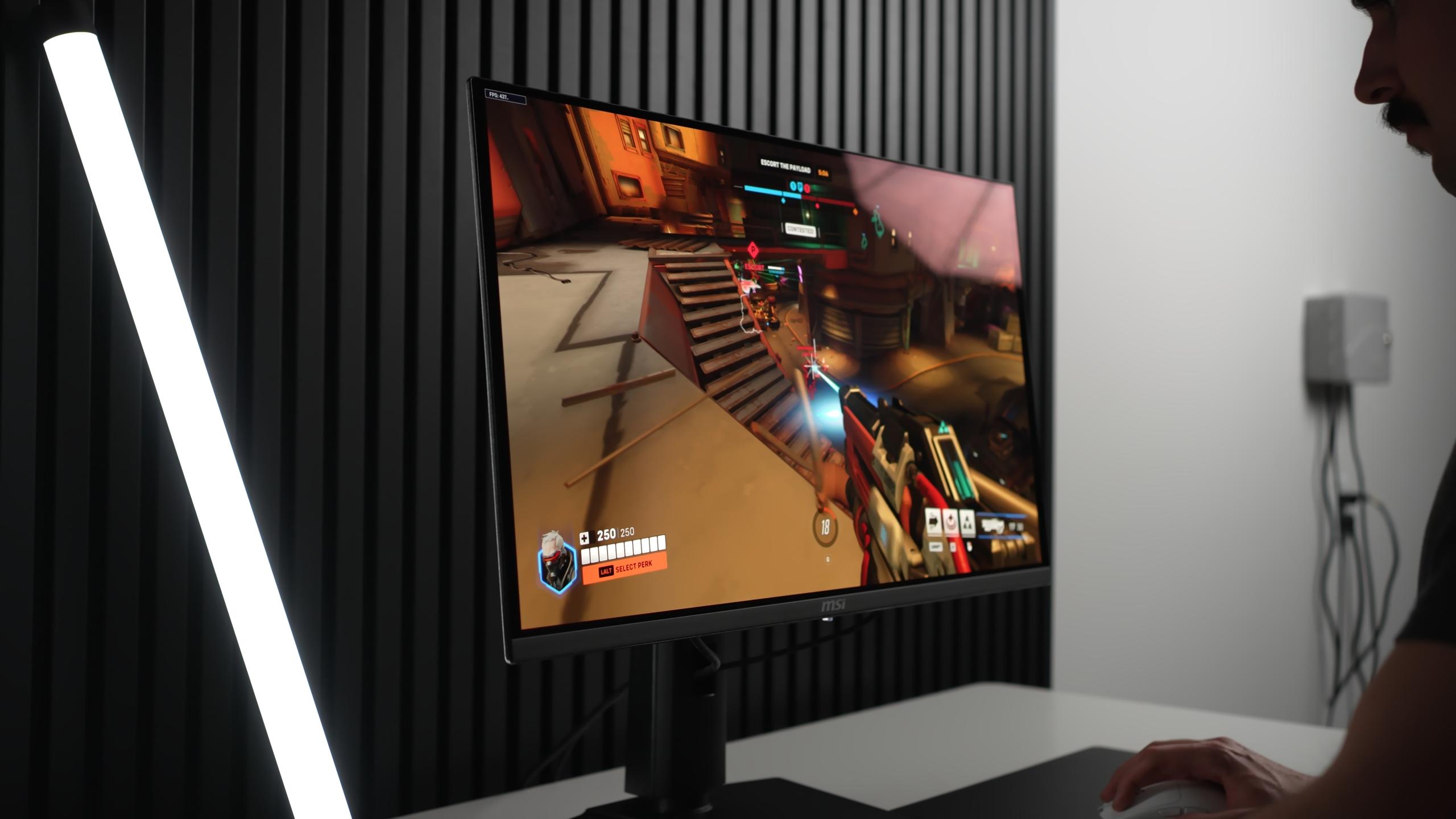
True Black 500 mode looked good overall with just minor tracking issues, while Peak 1000 mode fell apart once the window size passed 10% and came off much dimmer than it should. Using EOTF Boost gave decent results, though I noticed some over-tracking in certain tests.
This display hits about 330 nits full-screen, brighter than older QD-OLEDs and more usable for desktop work. In HDR, True Black 500 looks balanced with only minor tracking issues. Peak 1000 collapses above 10% windows and makes scenes look too dim. EOTF Boost is brighter but over-tracks, blowing out details. Overall, True Black is the reliable option, Peak 1000 is best avoided, and EOTF Boost is promising but unfinished.
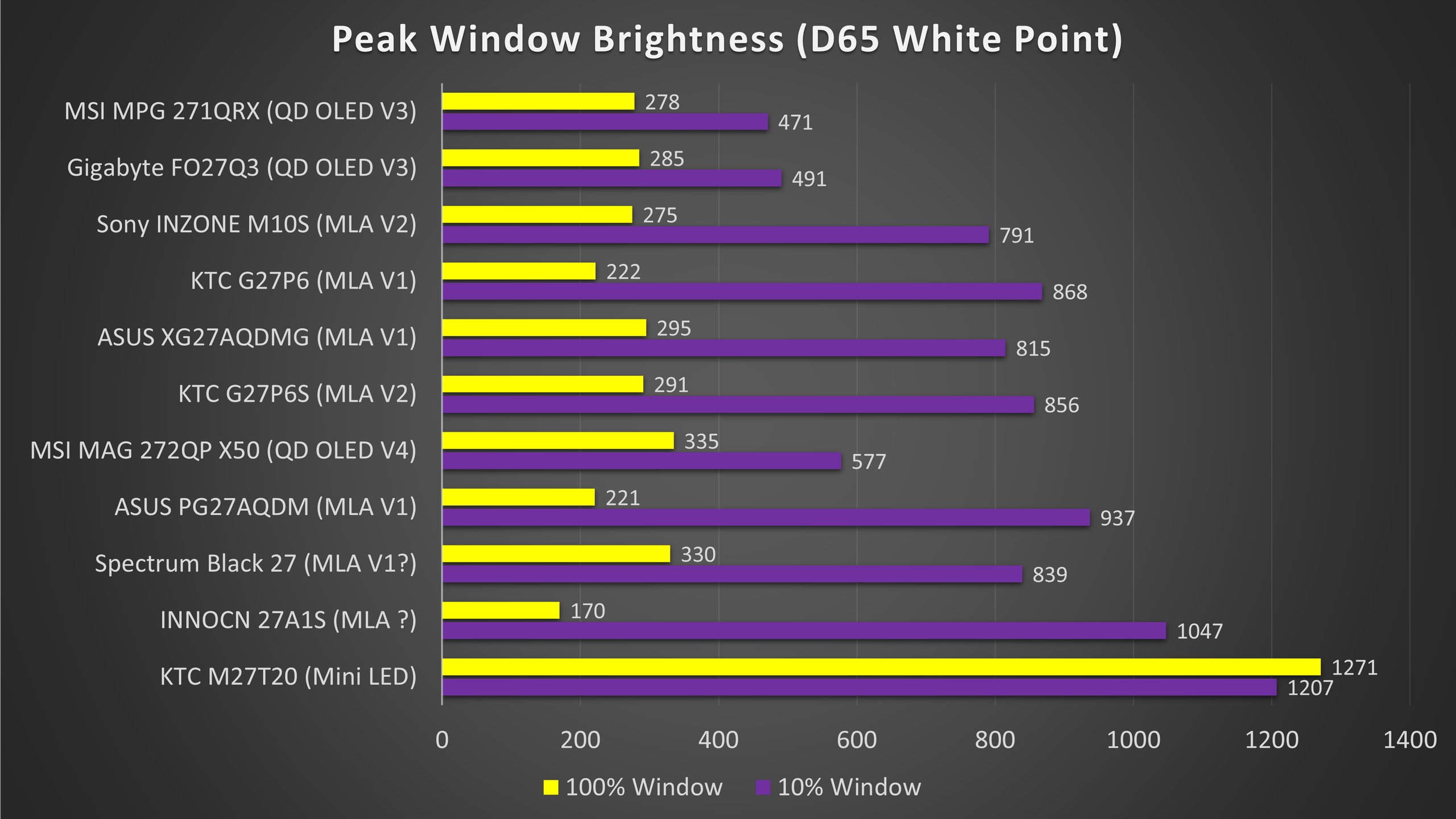
As you can see, the X50 holds solid brightness and ends up in the top half of the 1440p monitors I’ve tested.
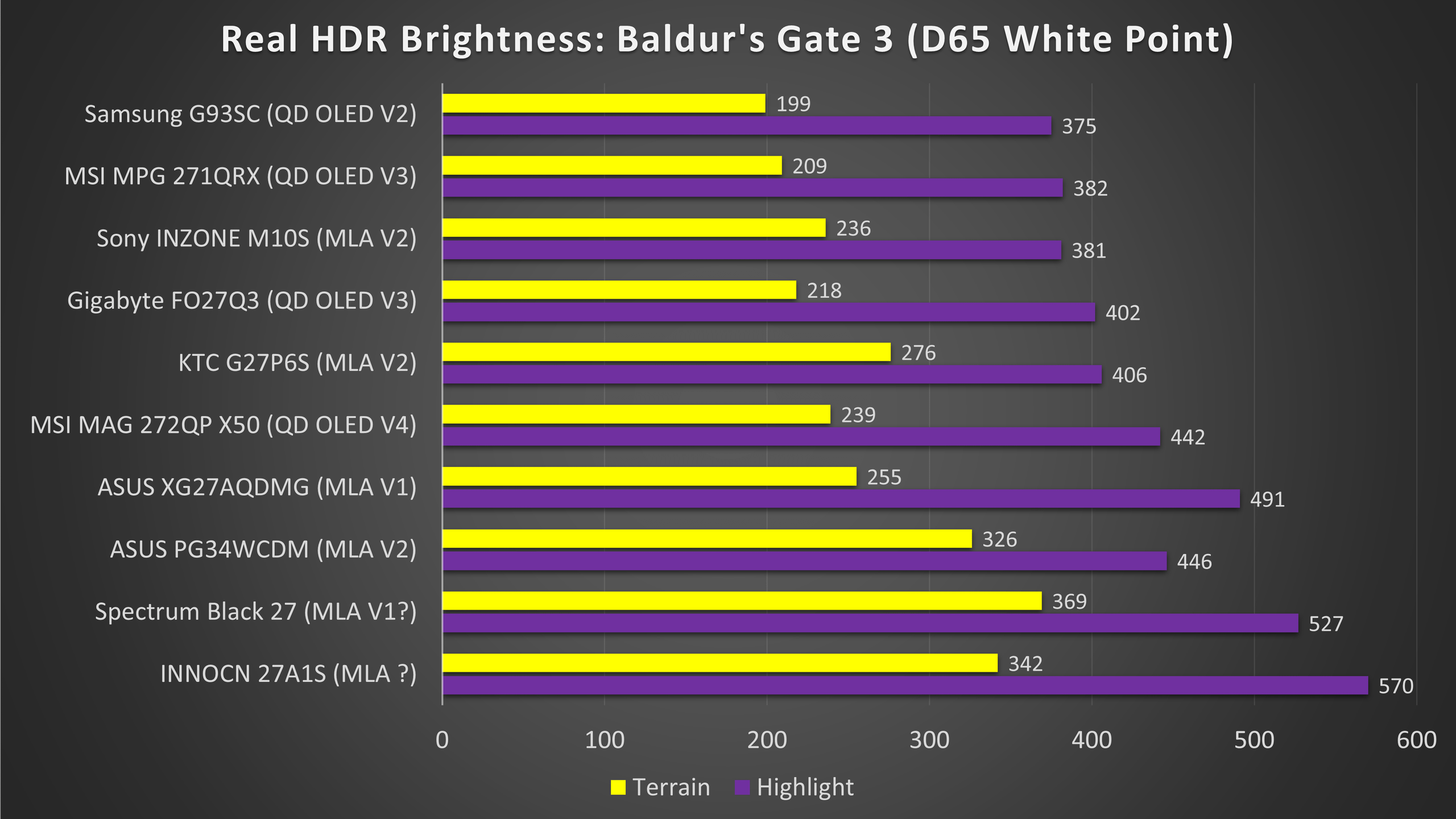
Real HDR content like modern PC games benefits from the combination of OLED’s perfect black levels and these improved brightness figures. In my Baldur’s Gate 3 tests, HDR overall performed well: bright spells, luminous effects, and torchlight against dark dungeon walls looked strong. The X50 sits near the top half of the brightness/peak window graph compared to other 1440p monitors I’ve tested, and it traded blows with some WOLEDs in that mid-to-high region. The improved full-screen brightness also helps HDR UI elements pop without feeling too dark.
However, compare this monitor to modern OLED TVs and the difference becomes clear: TVs are typically much, much brighter in their peak highlights. TVs can be about five times brighter and that difference changes how HDR feels. On a TV, specular highlights look explosive in a way the X50 cannot match. That’s not a fault of MSI per se — it’s a panel class tradeoff but it’s an important reality if you expect TV-level HDR impact from a desktop monitor.
The MSI MAG272QP X50 uses a QD-OLED panel, which means contrast is handled differently than on Mini-LED or LCD displays. Contrast is the difference between the darkest black portions and the brightest highlights. On this monitor, each pixel can turn on or off individually, giving perfect black levels and very high contrast in dark scenes.
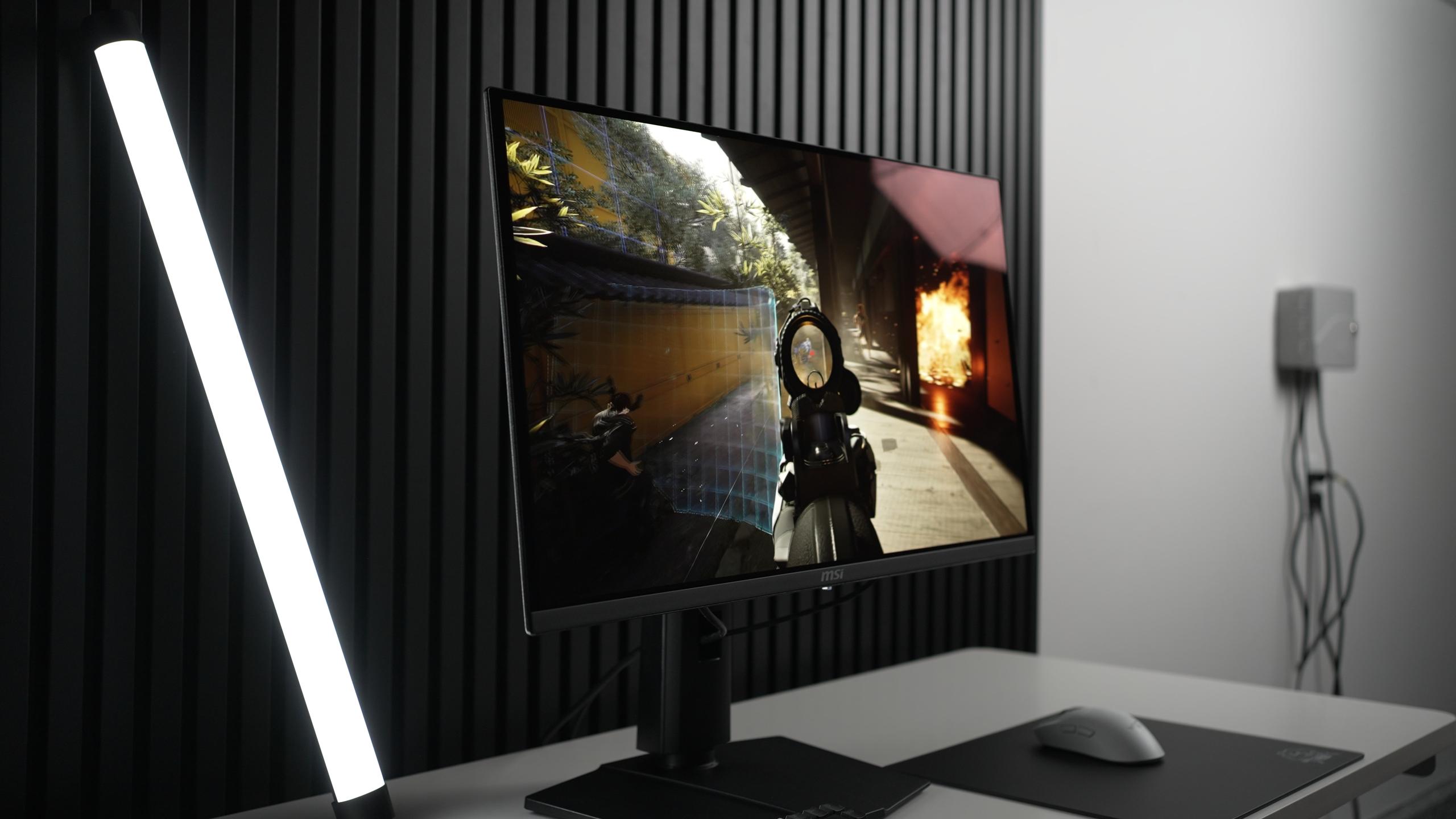
In practice, this per-pixel control ensures that dark scenes remain truly black, while small bright details like stars, sparks, or muzzle flashes pop sharply. There’s no haloing or blooming around bright objects, so movies and games look cleaner and more realistic. The X50 favors natural, artifact-free contrast, even if that means peak brightness isn’t as extreme as the brightest Mini-LED monitors or TVs.
The MAG272QP X50 is all about speed. This monitor is one of the fastest I’ve tested, with a measured total system latency of around 22–23 milliseconds, which is about 1 ms faster than the INZONE M10S. That small difference might not seem huge on paper, but combined with ultra-smooth motion and almost no trailing, it feels very noticeable while gaming.
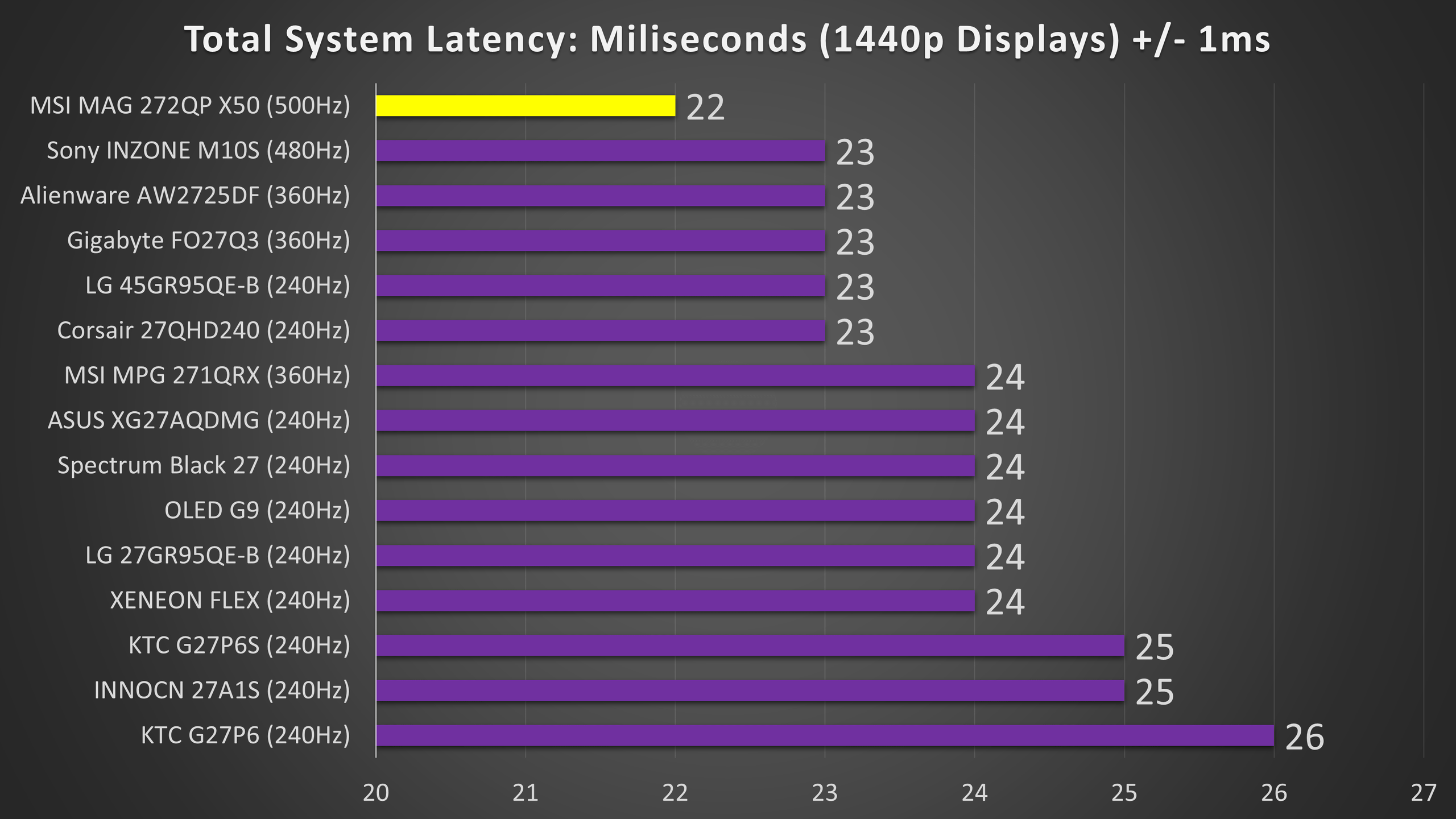
Even in fast-paced games like shooters, the 500 Hz refresh rate helps you track movement better and makes gameplay feel more responsive. Compared to lower refresh rates, the difference is clear: 360 Hz is still smooth, 240 Hz starts to show blur, and anything below that loses detail in fast motion. For most players, 240–360 Hz is already very good, but the MAG272QP X50 gives a slight edge for those chasing the fastest, clearest gaming experience.
When tested with high-speed footage or UFO motion tests, 500 Hz shows almost no blur; the moving image looks almost as clear as a still image. At 360 Hz, you can see a little blur. At 240 Hz, it becomes more noticeable, and at 120 Hz or 60 Hz, text and moving objects look very blurry. Making fast games much harder to track.
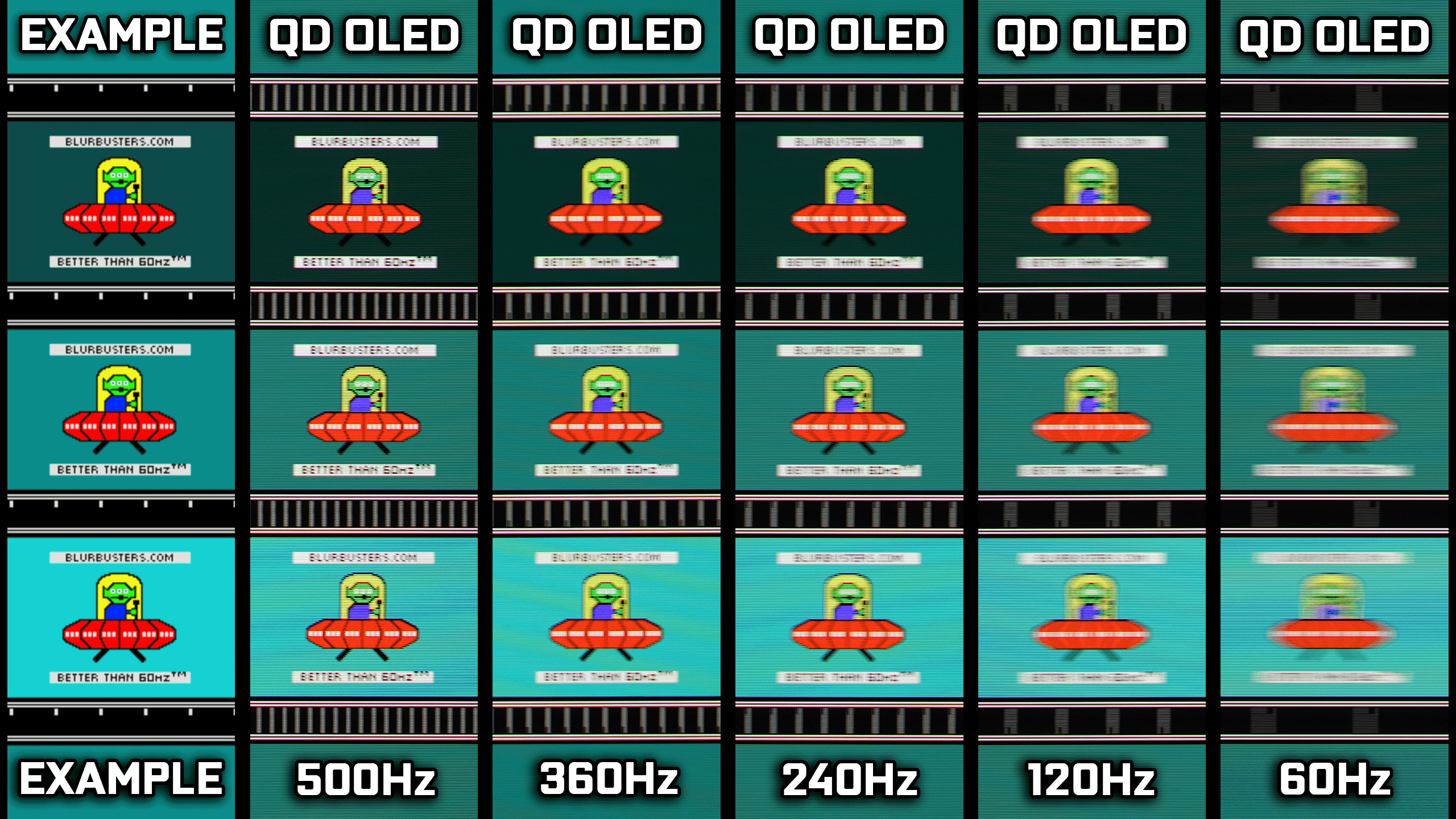
In shooters and other fast games, the high refresh rate makes tracking targets easier and movement smoother. I noticed slightly better reaction times and a more satisfying feel when playing at 500 Hz. However, the jump from 360 Hz to 500 Hz is smaller than from 60 to 120 or 120 to 240. The improvement is there, but it’s not dramatic.
Clarity is excellent thanks to the glossy coating and high pixel response. The glossy finish increases perceived detail and color pop; it's part of why the image feels “cleaner” than matte panels. However, glossy means reflections are more defined, and the coating used here is fairly easy to scratch. That’s an important practical point: clean the screen carefully and keep abrasive cloths away.
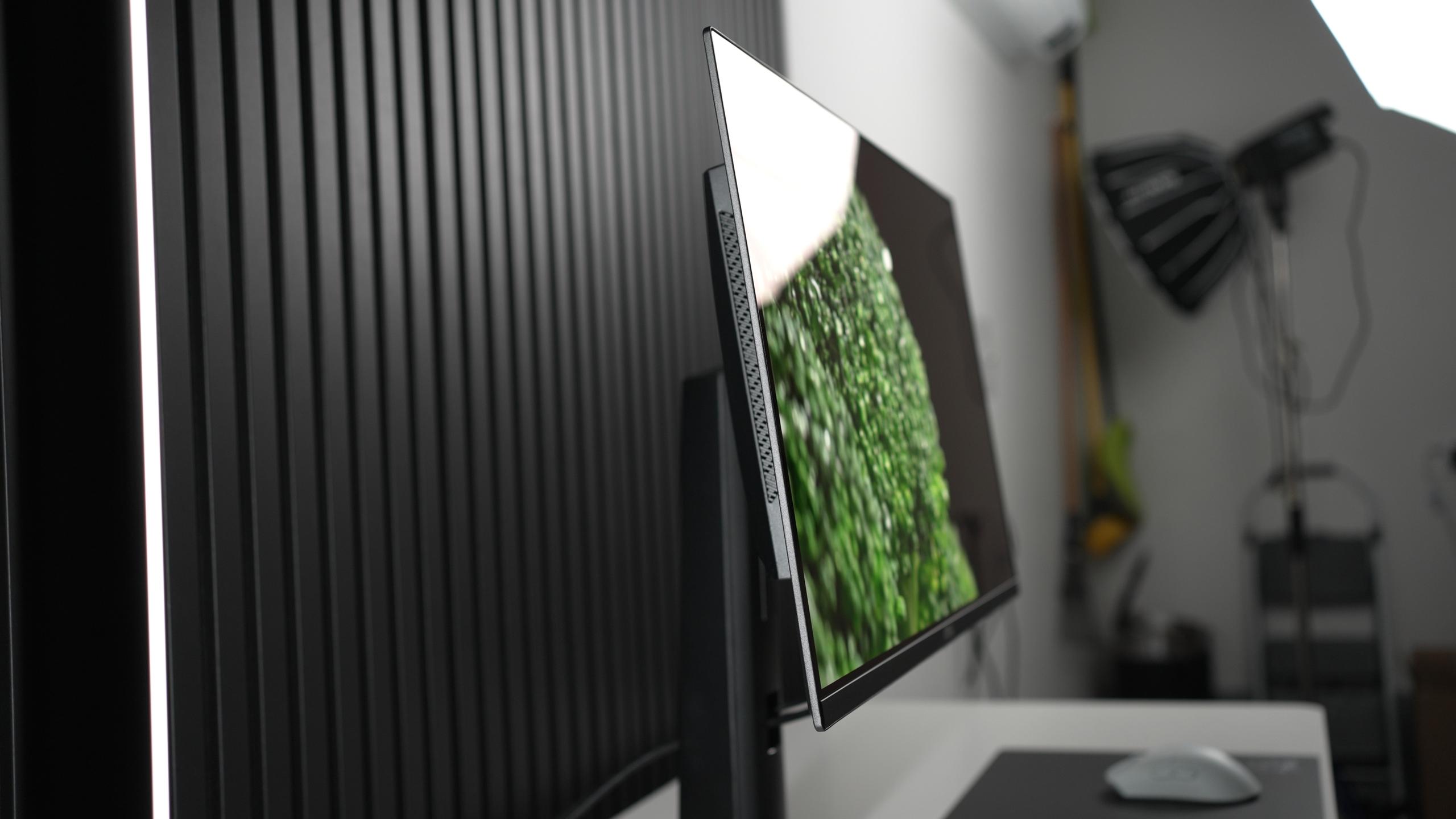
“Glossy Coating”
The magenta/purple ambient light issue (QD-OLED behavior)
One major QD-OLED quirk that appears in the transcript is the magenta shift under ambient light. Whether the coating is glossy or matte, QD-OLED panels have a tendency to take on a purple tint and lose contrast when room light hits them.
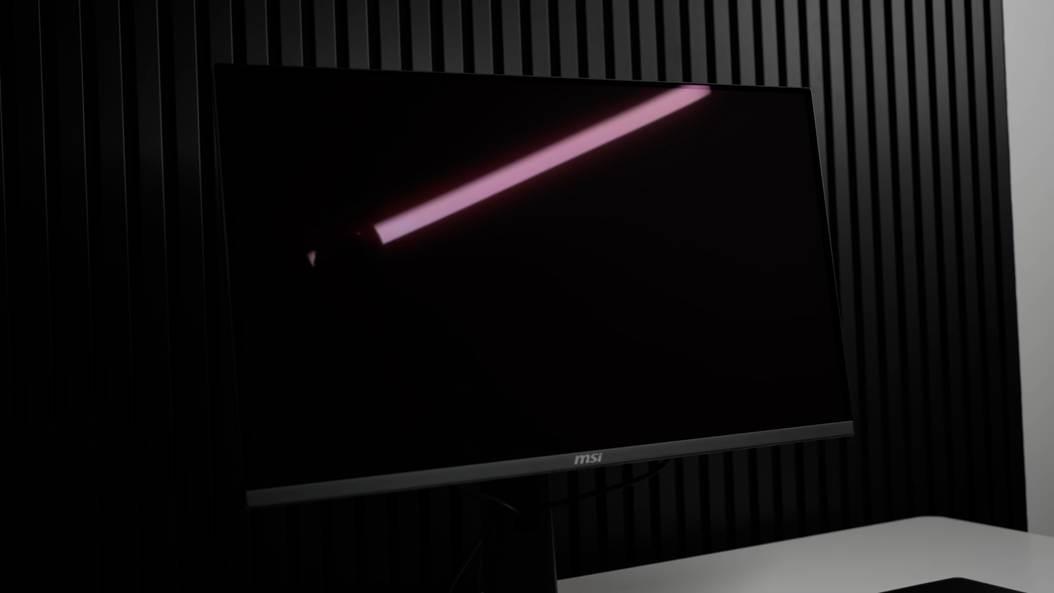
That effect can be dramatic even if overhead lighting or light from an open door will reduce contrast and push colors toward purple, making the rich OLED blacks look more like LCD blacks. The practical takeaway: if you want the panel to look its best, you must control ambient light.
Text clarity and productivity tradeoffs:
Because of the triangular subpixel layout, fine text at 1440p is slightly less razor-sharp than a 4K panel. For gaming this is minor, but for heavy text or pixel-perfect content creation, some people will notice fringing. If you do a lot of precise font work or demand absolute pixel fidelity, you might consider a 4K option. For gamers, however, the tradeoff is acceptable and the speed benefits make it worthwhile.
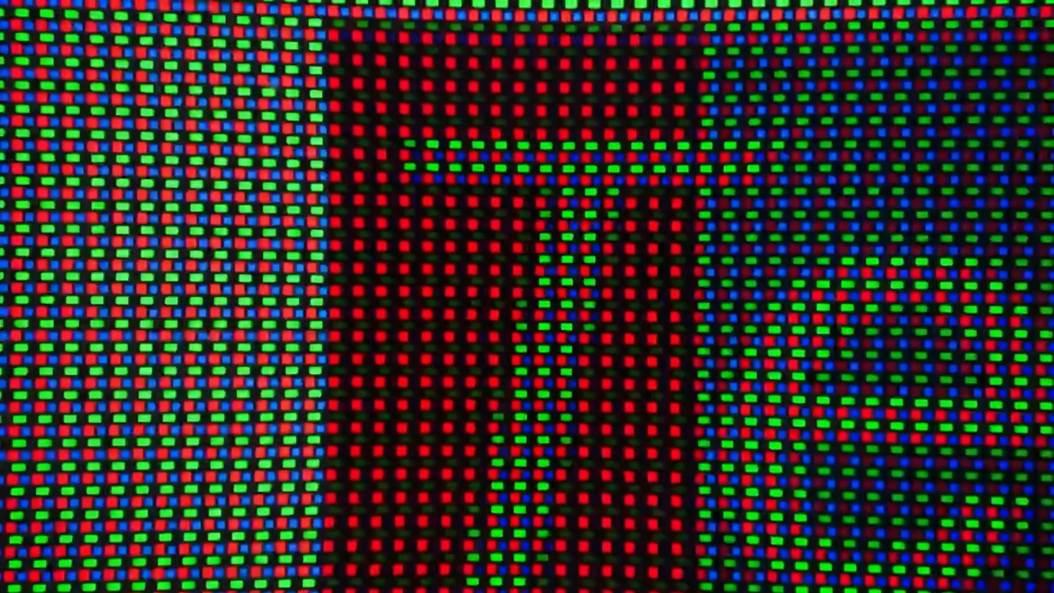
“Text Fringing on the MAG272QP X50”
The monitor’s menu is functional and allows users to tweak color, HDR modes, and gaming options. On my early firmware, some features like screen shrink mode were buggy, but MSI indicated fixes are coming.
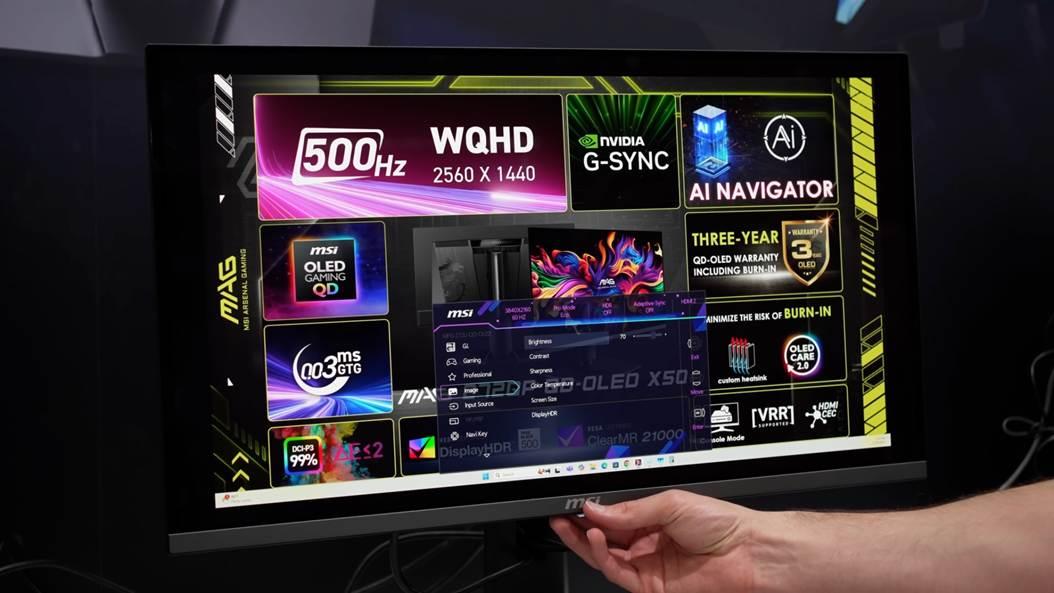
The monitor includes practical features like a headphone jack and VESA mounting. There’s a three-year burn-in warranty which helps mitigate OLED longevity concerns, an important comfort point for buyers.
The MSI MAG272QP X50 is a monitor that clearly defines its target: the competitive gamer and enthusiast who wants the fastest possible panel combined with OLED picture quality.
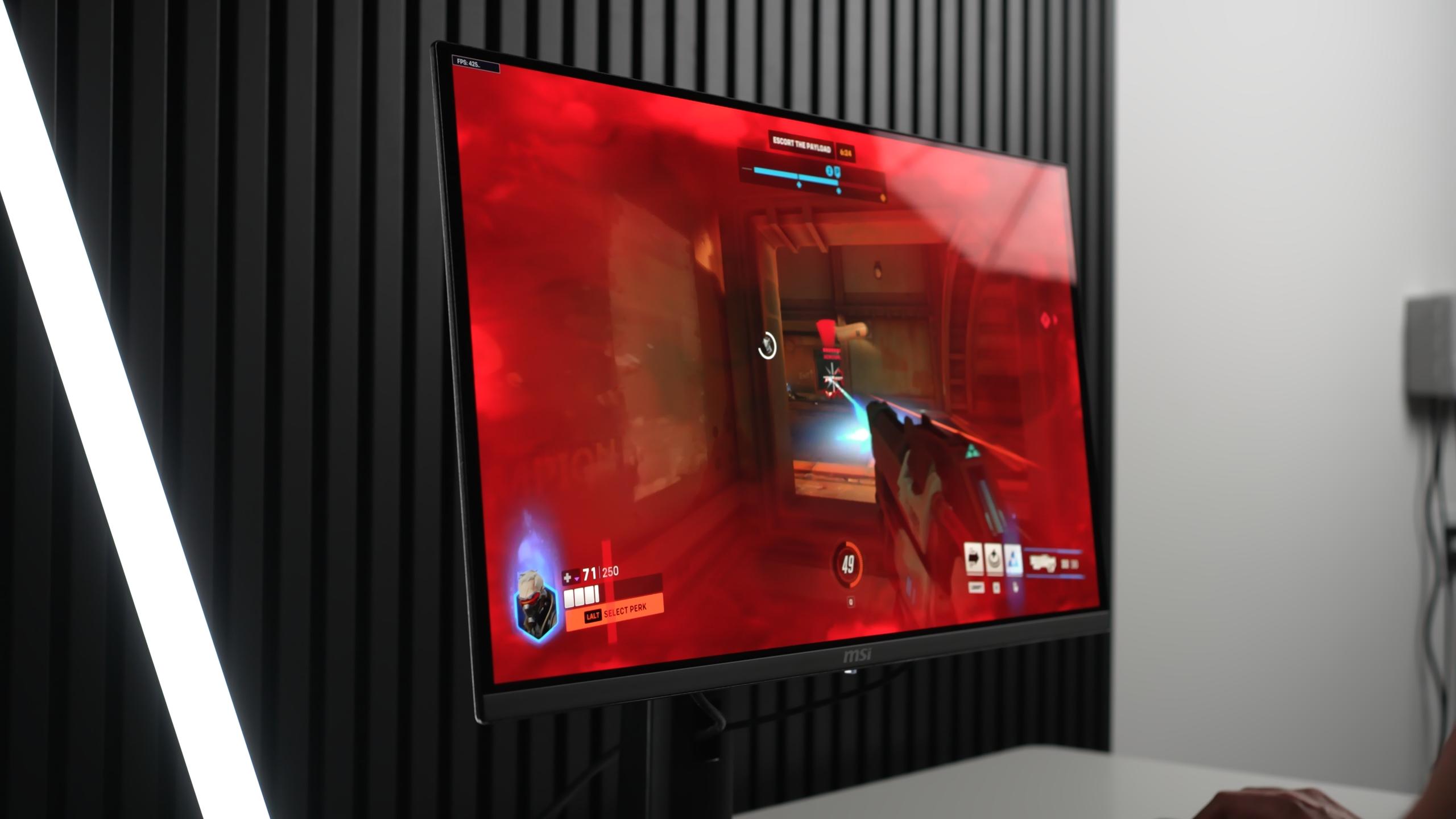
When it works in the right environment and with firmware that smooths the remaining rough edges, the result is spectacular: near-instant pixel response, unmatched motion clarity, deep OLED blacks, and a satisfying HDR experience in dark rooms
That said, there are real caveats. HDR peak modes are a mixed bag True Black 500 is the practical HDR mode, Peak 1000 under-performs on larger windows, and EOTF Boost needs refinement. The 1440p resolution with a triangular subpixel layout introduces slight fringing that 4K avoids. Finally, the cost (targeted around $911) is premium for a niche product.
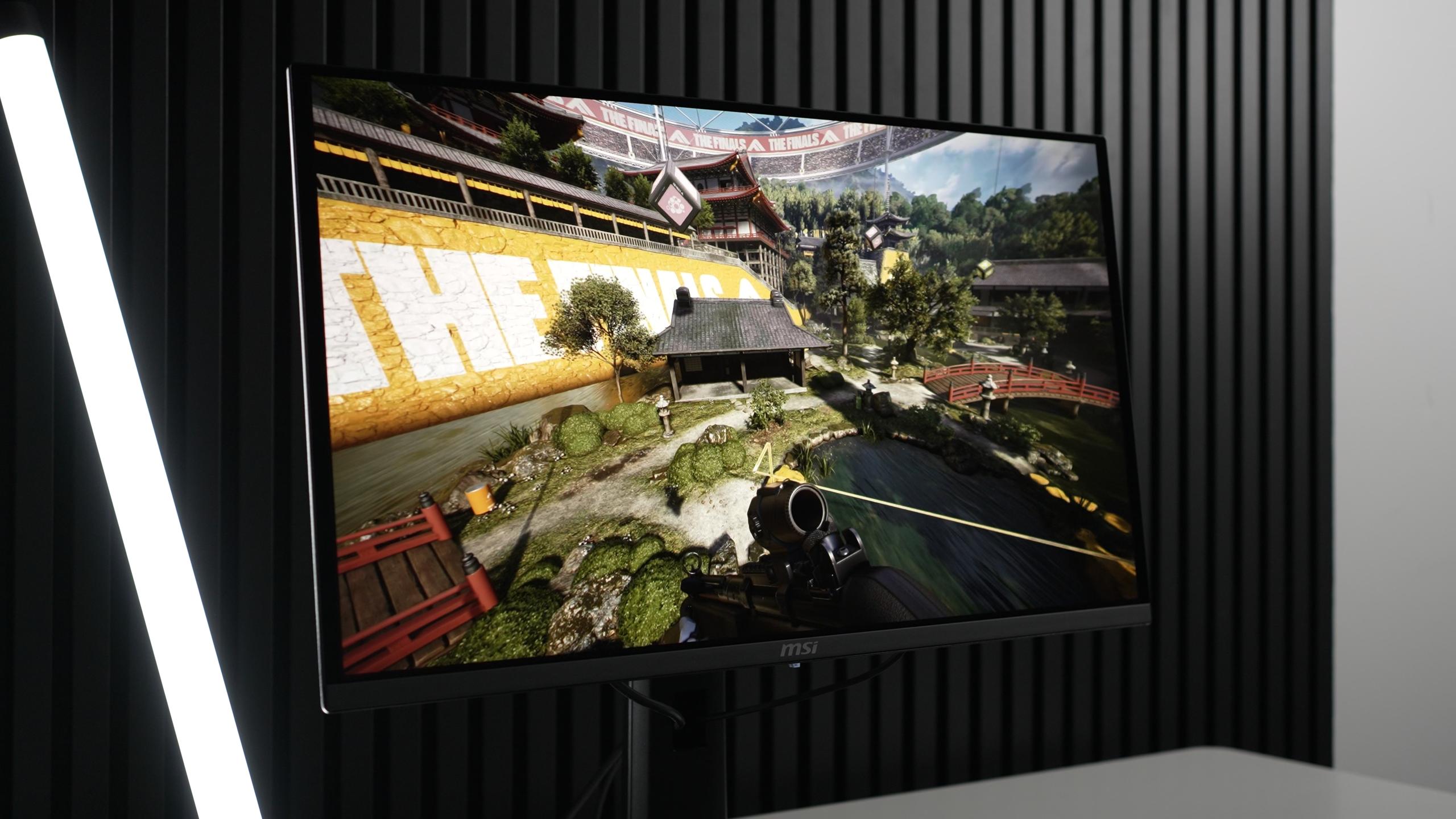
If you are upgrading from an LCD or older OLED, the X50 is a major leap: speed, contrast, and vibrancy all improve together. If you already own a 360 Hz QD-OLED, the upgrade will be noticeable but not transformative you’ll see better motion and slightly better latency. For those who want the purest competitive edge and the cleanest OLED gaming experience on a 27-inch 1440p screen, this is currently the top choice.
My rating from everything I measured and felt: this monitor is exceptional for gaming, very strong for HDR in controlled lighting, and practical for desktop work provided you accept the mild text fringing. It earns a high recommendation for its intended audience. Expect firmware updates to improve EOTF Boost and other small issues, and prepare your room lighting to get the most from the panel.






Privacy Policy
Terms and Conditions - Affiliate Policy
Home Security
© Copyright 2008-2026.
11816 Inwood Rd #1211, Dallas, TX 75244