

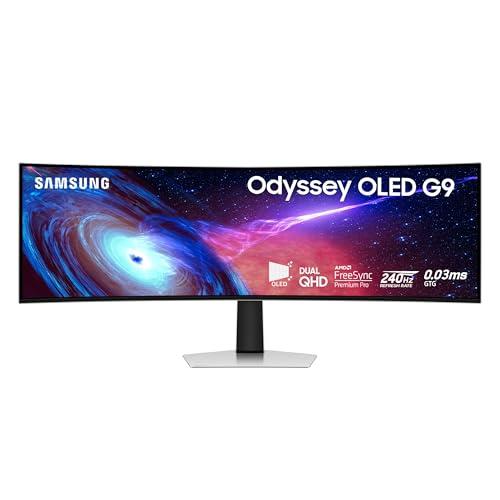
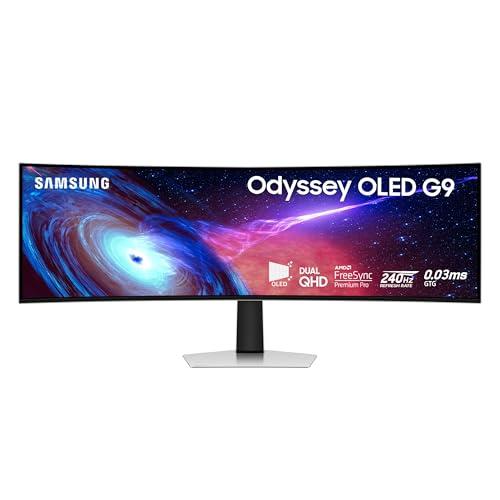
I used to roll my eyes at those massive curved gaming monitors. They seemed like overkill, expensive toys for people with more money than sense. But after spending weeks with the Samsung 49" Odyssey OLED G93SC, currently marked down to
It happened during my first racing game session. I fired up Forza Horizon, and suddenly I wasn't just playing a game – I was in the car. The 49-inch curved QD-OLED panel wraps around your peripheral vision in a way that flat monitors simply can't match. That 1800R curvature isn't just a marketing gimmick; it genuinely tricks your brain into feeling immersed in whatever's on screen.
But here's what really converted me: the OLED technology. I've used plenty of high-end LCD monitors, but nothing prepared me for true blacks and infinite contrast. When you're creeping through a dark corridor in a horror game, the shadows are actually black – not that grayish-black you get with backlighting. Colors pop with an intensity that makes everything else look washed out in comparison.
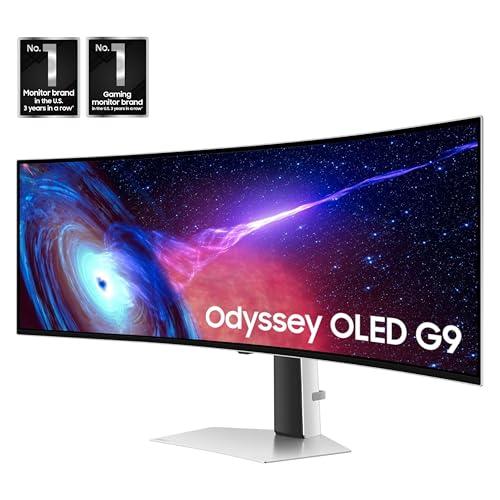
The specs sound impressive on paper – 240Hz refresh rate, 0.03ms response time, DQHD resolution – but living with them daily is where they prove their worth. That 240Hz isn't just about bragging rights; it makes fast-paced games feel impossibly smooth. I noticed it most in competitive shooters where tracking moving targets becomes almost effortless.
The 5120 x 1440 resolution hits a sweet spot too. It's sharp enough for detailed work but doesn't murder your GPU like 4K would. My RTX 4070 handles most games at high settings without breaking a sweat, which wouldn't be the case with a 4K ultrawide.
And those adaptive sync features? Both G-Sync Compatible and AMD FreeSync Premium Pro work flawlessly. No screen tearing, no stuttering – just buttery smooth gameplay regardless of whether you're team green or red.
Here's something I didn't expect: this monitor transformed how I work. The 32:9 aspect ratio is like having two 27-inch monitors side by side, but without the annoying bezels breaking up your workflow. I can have my code editor, browser, and communication apps all open simultaneously without feeling cramped.
The Picture-by-Picture feature lets you connect two different sources and display them side by side. I've been using it to monitor my streaming setup while gaming, or to keep my work laptop connected alongside my gaming PC. It's genuinely useful, not just a checkbox feature.
Now, I'd be lying if I said this monitor is perfect for everyone. That glossy OLED panel can be a nightmare if you have bright lights or windows behind you. The reflections are real, and there's no matte option. I had to rearrange my entire desk setup to minimize glare.
The size is also genuinely intimidating. This thing dominates whatever space you put it in, and you'll need a deep desk to sit at a comfortable viewing distance. Cable management becomes crucial because everything's visible behind this massive display.
And yes, it's still OLED, which means you need to be mindful of burn-in. The monitor has built-in pixel care features, but if you're someone who leaves static HUDs on screen for hours, you might want to think twice.
At
With the holidays coming up, this could be the perfect gift for the serious gamer in your life – or yourself. But more importantly, OLED gaming monitors are still relatively new to the market. Getting into the technology at this price point feels like jumping on a trend before it becomes mainstream and prices stabilize higher.
This monitor makes sense if you're already invested in a solid gaming setup. If you've got a mid-range to high-end GPU and you're serious about both gaming and productivity, the G93SC delivers on both fronts.
It's also perfect for anyone who's been considering a dual-monitor setup. Instead of dealing with two separate displays, bezels, and mounting headaches, you get one cohesive ultrawide experience.
But if you're casual about gaming, work primarily on basic tasks, or have limited desk space, this is probably overkill. A standard 27-inch monitor would serve you better and save you money.
I went from skeptic to believer, and at this price, I'm genuinely tempted to grab a second one for my streaming setup. The Samsung 49" Odyssey OLED G93SC at
Just make sure you have the desk space and the GPU power to make the most of it. Because once you experience gaming on a 49-inch OLED ultrawide, going back to anything smaller feels like a serious downgrade.
| Samsung 49" Odyssey OLED (G93SC) Series Curved Gaming Monitor |
|---|
| QD-OLED Panel - Delivers perfect blacks and vibrant colors: 49" Quantum Dot OLED |
| Refresh Rate - Critical for smooth competitive gaming: 240Hz |
| Response Time - Eliminates motion blur: 0.03ms GTG |
| Resolution - Ultra-sharp detail across massive screen: 5120 x 1440 DQHD |
| Aspect Ratio - Immersive gaming like having two monitors: 32:9 super-ultrawide |
| Curvature - Wraps around field of view: 1800R |
| Adaptive Sync - Tear-free gaming on any GPU: G-Sync Compatible + AMD FreeSync Premium Pro |
| HDR Support - Enhanced contrast and brightness: VESA DisplayHDR True Black 400, HDR10+ Gaming |
| Color Accuracy - Professional-grade color reproduction: 99% DCI-P3 |
| Contrast Ratio - Deep blacks meet bright whites: 1,000,000:1 |
| Connectivity: DisplayPort 1.4, HDMI 2.1, Mini HDMI 2.1, USB hub |
| Stand: Height adjustable with tilt |
| Warranty: 3 years |
| Model Number: LS49CG932SNXZA |
"Product prices and availability are accurate as of the date/time indicated and are subject to change. Any price and availability information displayed on Amazon.com at the time of purchase will apply to the purchase of this product."




Privacy Policy
Terms and Conditions - Affiliate Policy
Home Security
© Copyright 2008-2026.
11816 Inwood Rd #1211, Dallas, TX 75244