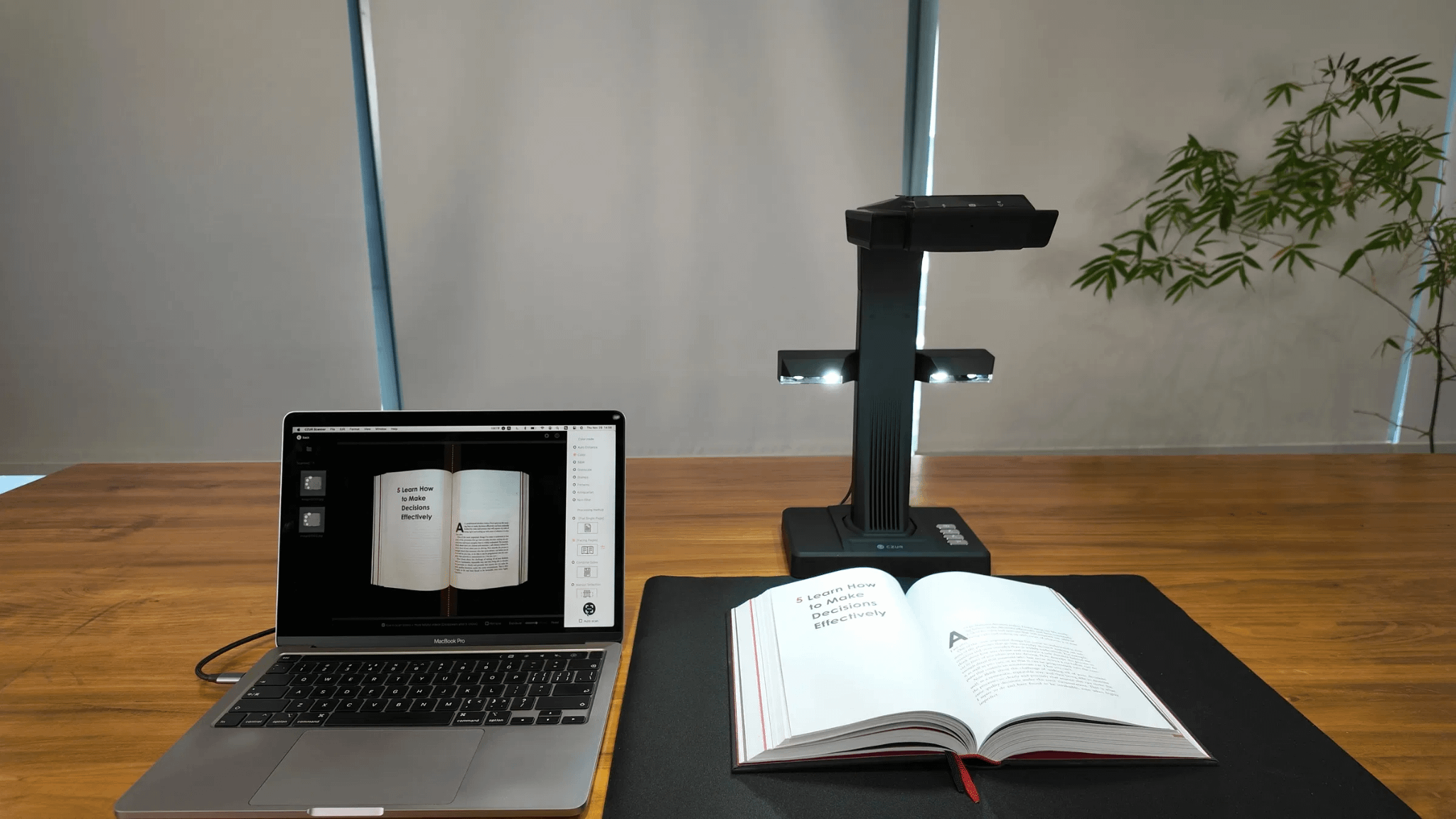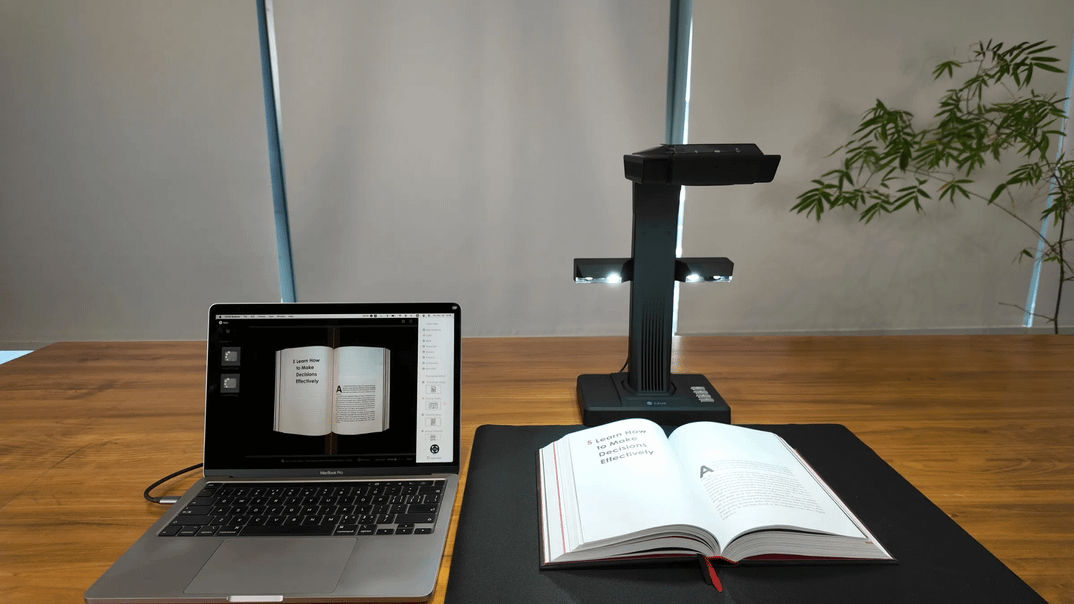
Do you often find yourself struggling with organizing and preserving photos, digitizing documents, or managing other important materials? Among all the available tools, a scanner is undoubtedly one of the most reliable and efficient solutions. By quickly converting paper materials into digital files, scanners have become an indispensable part of almost every office and a trusted tool in daily life, especially when it comes to Business Information Management.
Recently, I had the chance to test the brand-new CZUR ET Max, and in this review, I’ll share my firsthand experience using it for both work and everyday tasks.
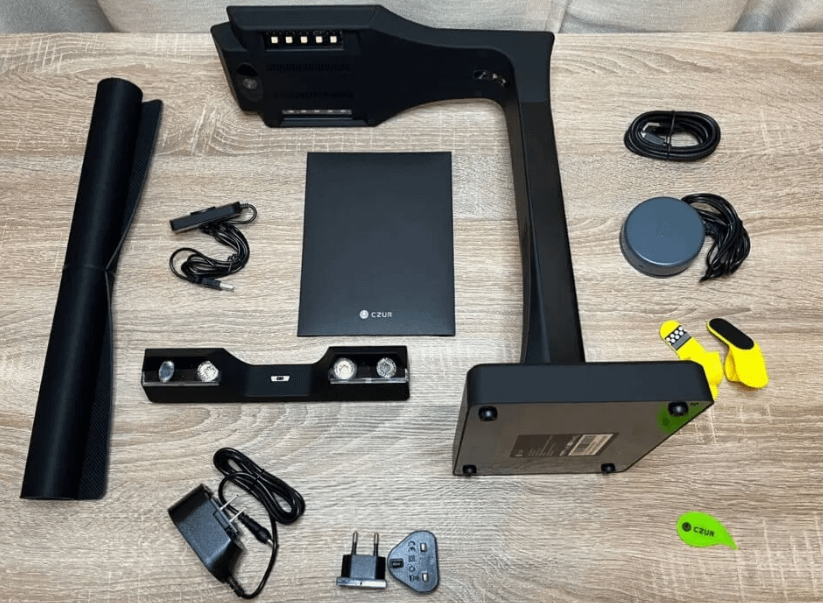
The CZUR ET Max scanner feels like a premium device from the moment you open the box. Besides the main unit, power adapter, soft document mat, and USB cable, it also comes with a hand button, foot pedal, and specialized finger cots for pressing down book pages—accessories that really expand its versatility and make it suitable for different scanning needs.
On the software side, you can either install the driver directly from the included CD or download the CZUR Scanner software from the official website’s “Support” section by selecting your model. The manual provides clear step-by-step instructions, and the installation itself is quick and straightforward.
However, once I launched the software, it asked me to enter a serial number. Fortunately, I already knew about this and knew exactly where to find it (pro tip: it’s on the bottom of the scanner). Without that heads-up, some users might feel a bit lost, since neither the software nor the manual mentions the code’s location. It would be helpful if CZUR updated the manual to clearly indicate where to find the serial number, improving the overall user experience.
The CZUR ET Max comes with versatile software that allows you to scan documents directly into JPEG, PDF, or editable formats such as Word. Its AI-powered algorithms automatically detect page edges, correct distortion, and enhance clarity, making the scanning process faster and more accurate. Batch scanning is also supported, allowing multiple pages or images to be processed at once.
The software interface is intuitive, enabling users to adjust settings, crop images, or perform OCR (Optical Character Recognition) with ease. Even for first-time users, the learning curve is minimal, which significantly improves productivity in both office and personal environments.
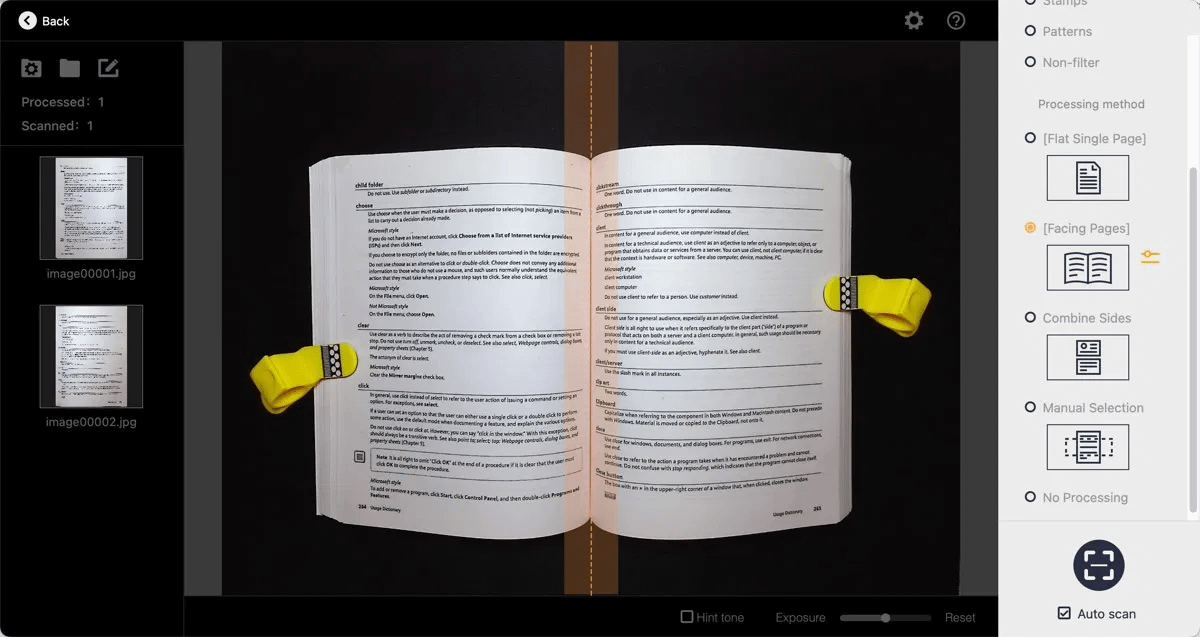
During the scanning process, the ET Max features a built-in preview screen on top, allowing you to see exactly what is being scanned. You can make real-time adjustments as needed, ensuring accurate scans without the need for rework.
One common frustration with overhead scanners is the difficulty in keeping pages perfectly flat, often resulting in bowed or curved scans that compromise image quality. In my experience with the CZUR ET Max, its laser-assisted curved surface flattening technology truly stands out.
The scanner uses AI to detect the curvature of each page and automatically flattens it during scanning while handling page separation. This means I could scan entire bound books without unbinding them—a real game-changer for efficiency and convenience.
I started by opening the book on the document tray and aligning it with the “center crease” as shown on the computer preview. I then selected the “Curved Book” scan mode. To prevent the pages from springing back during scanning, I wore the included finger sleeves to gently hold down the blank areas on both sides.
The scanner automatically recognized the setup, projecting three laser lines. Combined with the software, it precisely and efficiently flattened the curved pages, intelligently separated them, corrected alignment, trimmed edges, removed the finger shadows, and even cleaned up the background—delivering remarkably clean and accurate scans.
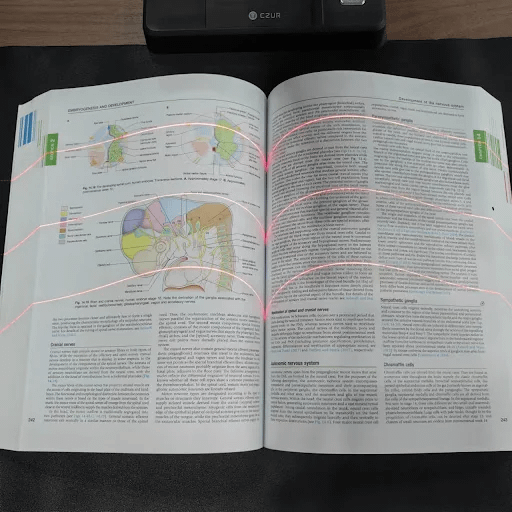
If you’re not completely satisfied with the scanner’s automatic processing, you can go to the “Manual Correction” page to adjust the center crease and laser lines by hand.
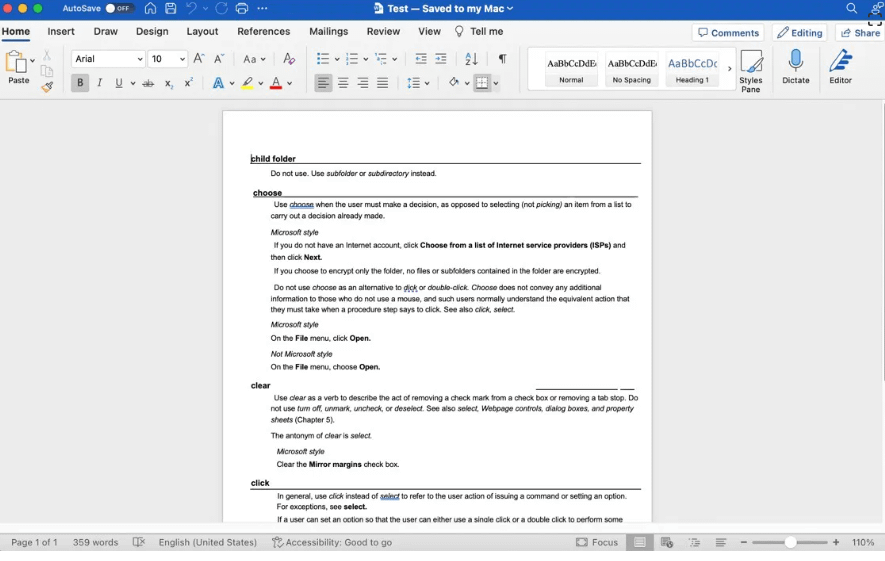
Whether for work, study, or personal use, efficient text recognition is key to quickly processing information. One of the standout features of the ET Max AI Scanner is its OCR text recognition capability, which can directly convert paper documents into digital formats. It supports accurate recognition of 180 languages and offers multiple output formats, significantly boosting productivity.
Here’s a demonstration of how the AI Recognition Engine automatically identifies text and exports it into PDF and Word files.
Traditional scanners often require documents to be placed precisely in the center and manually aligned; even a slight tilt can easily result in distorted scans. This is especially critical for important documents like IDs, certificates, or awards, where scanning accuracy is paramount.
The ET Max’s soft document platform comes without any measurement scales or alignment markers—and that’s by design. The scanner intelligently recognizes the contours of the item being captured. Thanks to its built-in AI algorithms, it can automatically detect the document’s rotation and correct it, delivering much more accurate scanning results.
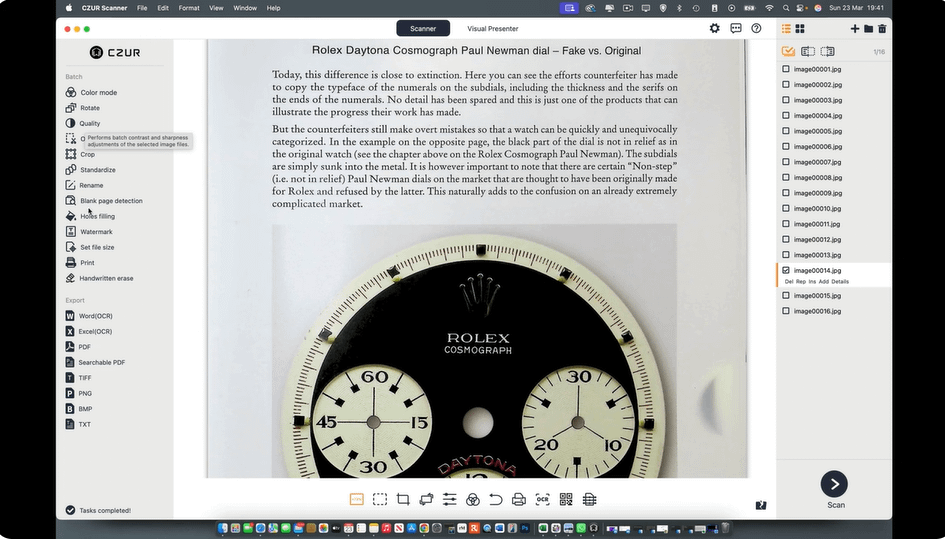
A professional scanner isn’t just about capturing images—it’s also about making post-processing effortless and precise. The ET Max’s scanning software keeps pace with user needs, addressing common pain points with a comprehensive suite of advanced post-processing tools.
Users can enjoy batch rotation, professional cropping, handwriting removal, and fine adjustments to hue and contrast, making it easy to achieve polished, professional results every time.
If I had to sum up the ET Max in one sentence for office professionals, I’d call it a true productivity booster.
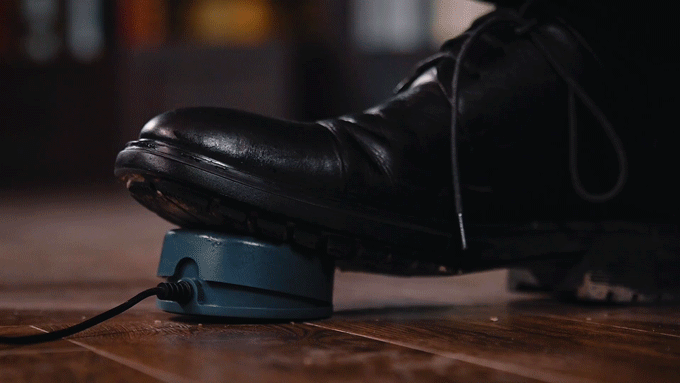
First, it comes with a cylindrical foot pedal with a non-slip base. This small but clever addition frees up your hands entirely, allowing you to hold the book with both hands for better scanning results. With both hands flipping pages, efficiency naturally improves.
Second, the scanner features a highly intelligent “auto page-turning” function. It can scan 30–40 pages per minute, while the companion software automatically flattens curved pages and supports OCR export to formats like PDF or Word. For users who frequently scan documents, this feature dramatically simplifies workflows and significantly boosts efficiency.
What we like:
What we don’t like:
I’ve come to realize that a high-quality device can sometimes be more valuable than an extra employee. The CZUR ET Max, with its 38-megapixel true sensor and AI-enhanced image optimization algorithm, can faithfully capture even the tiniest details of the original document. Its laser-assisted 3D flattening technology intelligently levels curved pages, separates them individually, and produces samples ready for OCR recognition—dramatically boosting work efficiency.
On top of that, the powerful post-processing software covers AI detection of blank pages, batch rotation, professional cropping, handwriting removal, and adjustments for hue and contrast, offering users an incredibly convenient and streamlined experience.
Overall, the ET Max perfectly meets the modern office’s dual demands for efficiency and quality. It’s designed with professionals in mind while also taking into account the workflow habits of everyday users.





Privacy Policy
Terms and Conditions - Affiliate Policy
Home Security
© Copyright 2008-2026.
11816 Inwood Rd #1211, Dallas, TX 75244